Week - 3 Drop test Challenge
Aim
To create an input deck for the cellphone drop test from the basic keyword file.
Procedure
A. Creating Material IDs
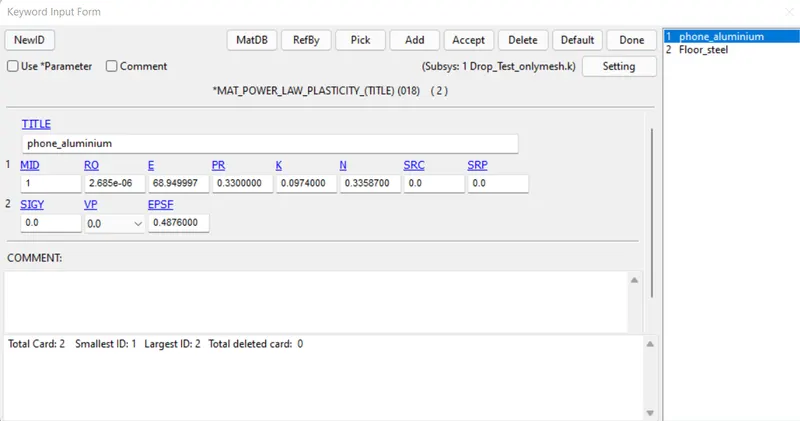
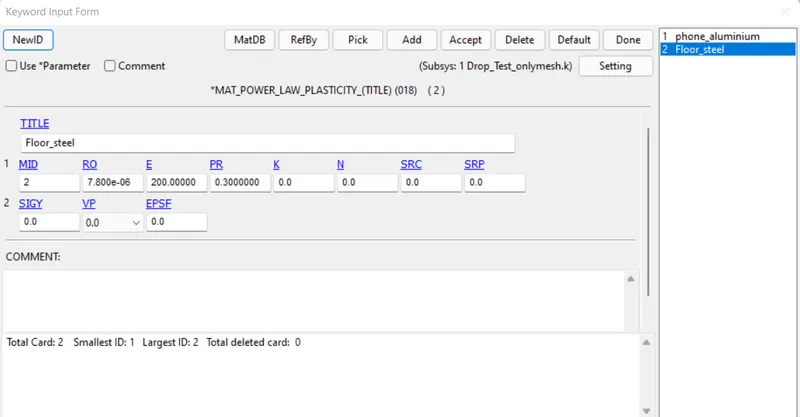
The keyword MAT is used to define a material.
For the cellphone, Aluminium was selected since most of the latest mobile phones use aluminum or Al alloys for the cellphone body. And steel properties are used to define the floor since it was easily available.
For the cellphone, '018-POWER_LAW_PLASTICITY' was used and for the floor '020-RIGID' was used since the floor is not expected to undergo any deformation.
B. Defining Section
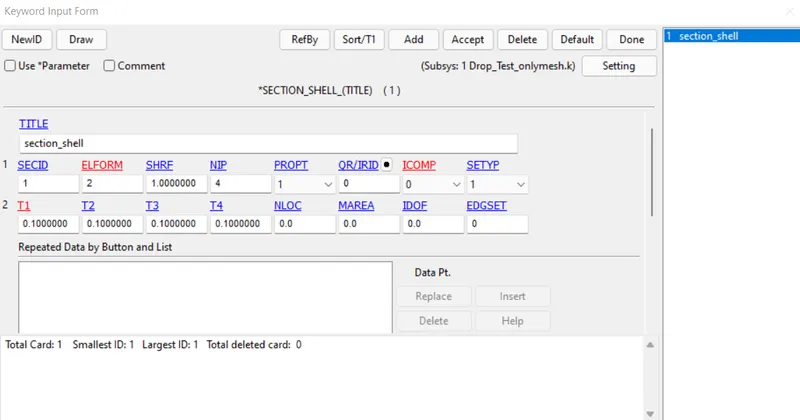
SECTION_SHELL is defined for the floor since it's a shell mesh and SECTION_SOLID was used for the cellphone model.
C. Linking the section id and material id with the respective part.
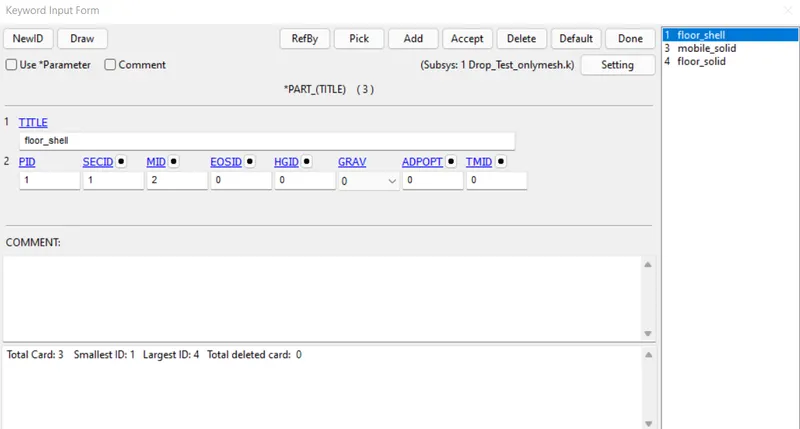
From keyword manager > Part, SECID and MID were assigned to the respective parts.
D. Defining the velocity
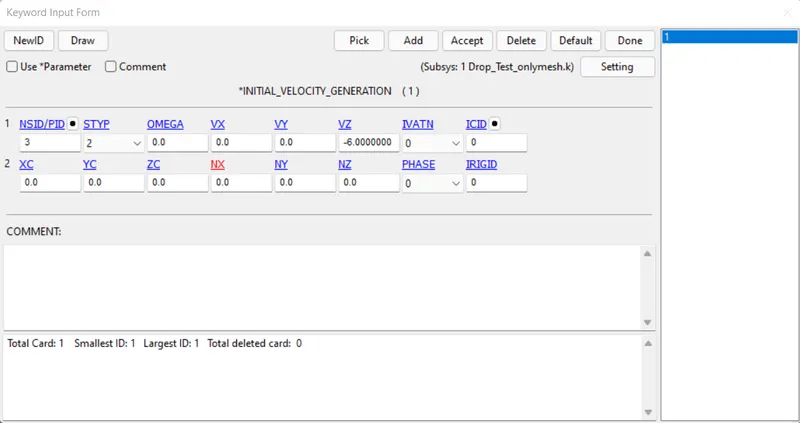
From keyword manager > INITIAL > VELOCITY_GENERATION, a velocity of 6m/s was assigned to the cellphone part in the direction of -Z axis.
The approximate final velocity of a body dropped from 1.5 m height is used as the velocity value.
E. Fixing the boundary.
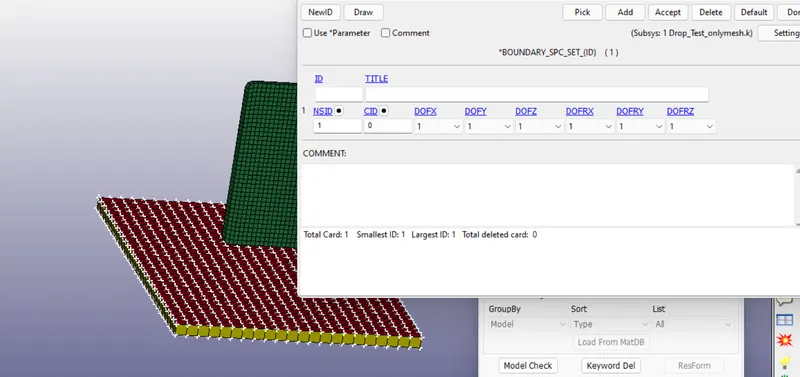
All the nodes in the part floor were fixed by creating a Spc boundary from CREATE ENTITY>BOUNDARY.
F. Defining the CONTACT
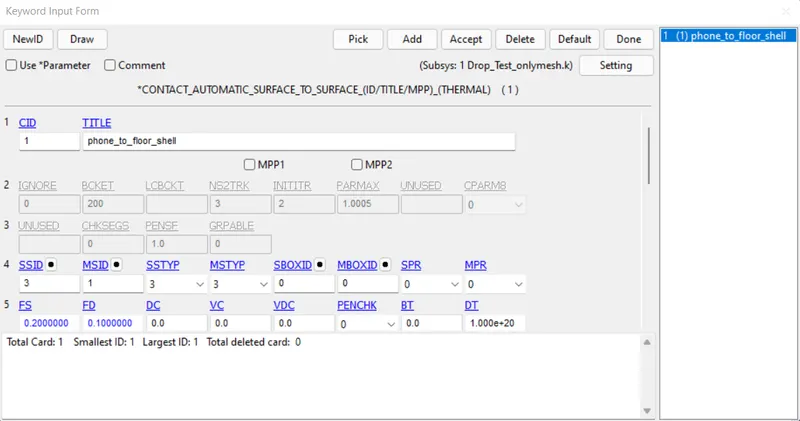
KEYWORD MANAGER > CONTACT > AUTOMATIC_SURFACE_TO_SURFACE keyword was used to define the contact between the cellphone and the floor.
The cellphone part was selected as the SSID (slave) and the floor was selected as the master, MSID.
G. Setting the duration
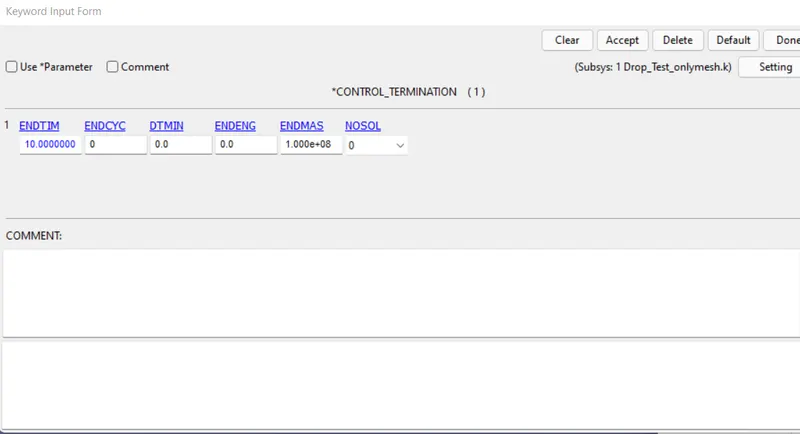
Keyword manager > CONTROL > TERMINATION was used to define the simulation duration.
10 milliseconds was entered in the ENDTIM.
H. Output definition
Keyword manager > DATABASE > BINARY_D3PLOT
Time interval (DT) was given as 0.1
I. Running the keyword file in LS-DYNA Program Manager
The final keyword file was run and the simulation was completed with normal termination.
J. Checking the results in LS_PREPOST
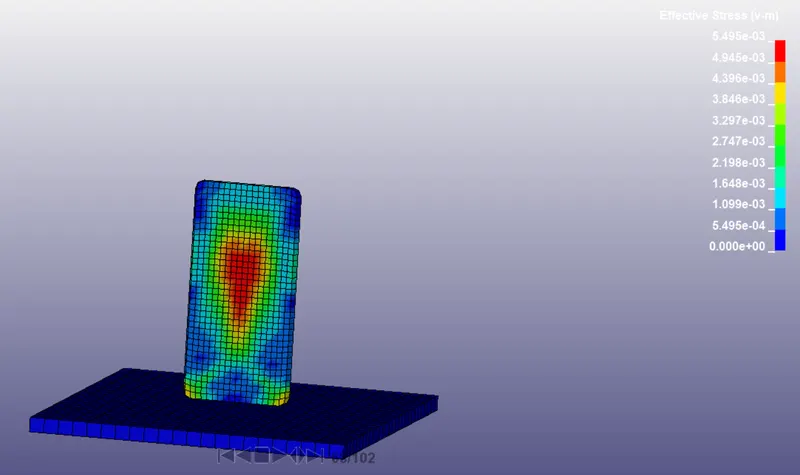
Conclusion
An executable deck was created from the given keyword file and the simulation was run.