Week - 3 Drop test Challenge
Objective:
To perform a complete simulation for a drop test of a cellphone drom the given meshed model of a simplified cell phone and a plate mimicking the ground.
Procedure:
- The given model is imported on to the workpage of the LS-Pre-post using FILE>Open>LS-DYNA keyword file.
- The given keyword file consists of three parts which include the cellphone,floor made of shell elements and a floor made of solid elements (or) block elements.use any one floor.Here,i have choosen the solid part and deleted the shell part in the keyword manager.
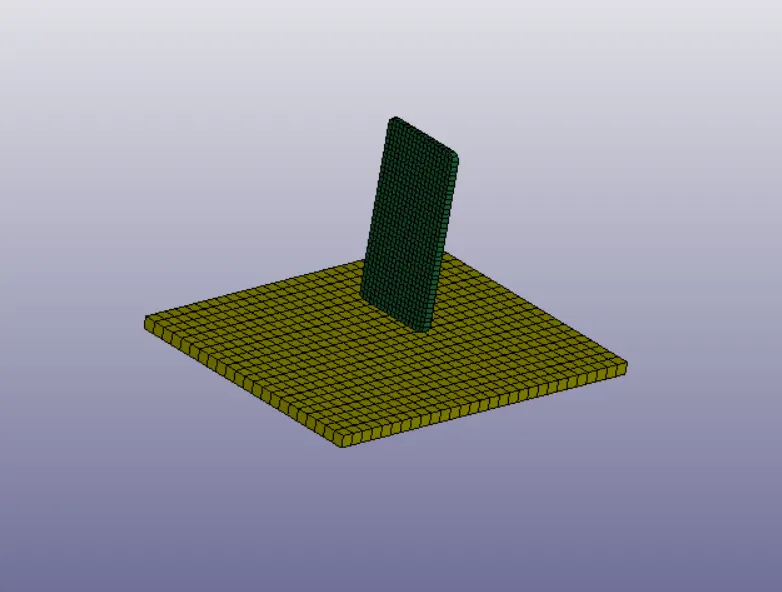
- The main thing in LS-pre-post is we should given the standard values for the model with some unit system followed.Here,this analysis is done for this model its convenient to use the unit system in kg/mm/ms.
Assigning material and section to the parts.
- Materials can be classified as elastic materials,elastic plastic materials,hyper elastic materials,viscoelastic material etc,in which metals and plastic can be modelled using elasic material and is assigned using MAT_001_ELASTIC card from the keyword manager.If the failure is more we can change the material card according to that.suppose for polymer,composite,thermoplastic then MAT_187 card can be used.
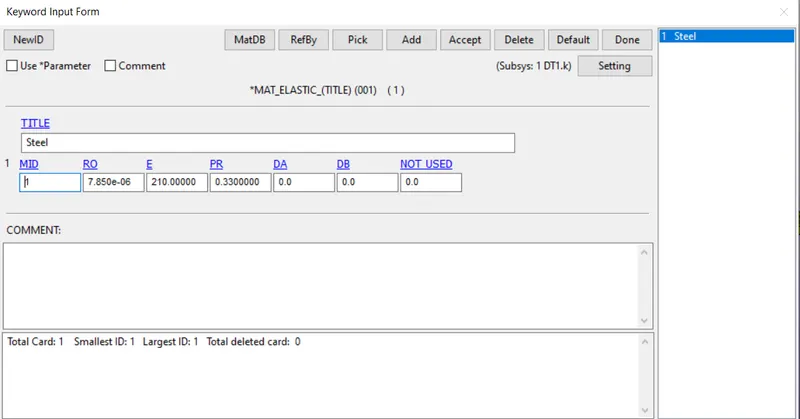
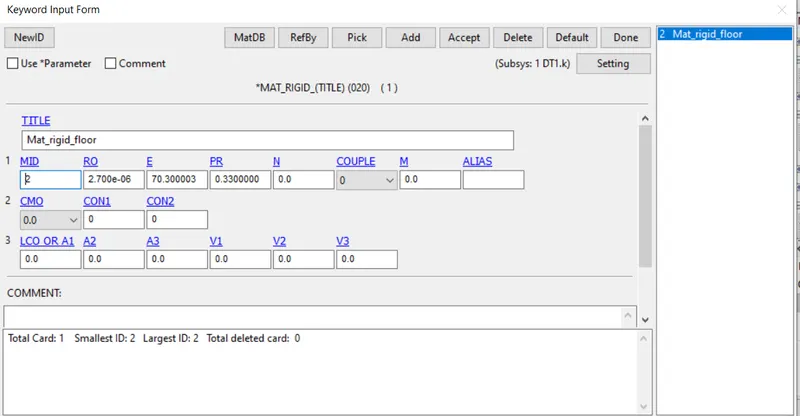
- Here,the material for the cell phone is choosen as steel and the properties such as mass ,young's modulus and poisions ratio should be given assigned to the material card.Also MAT_20(Rigid) card were used to assign the material(concrete) properties of the floor.
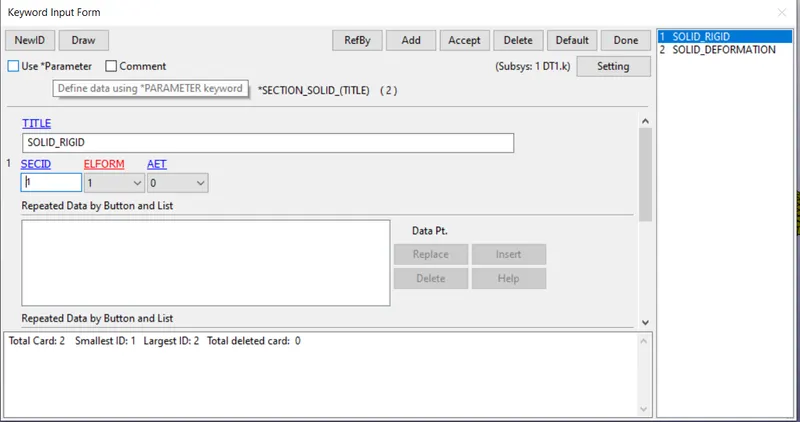
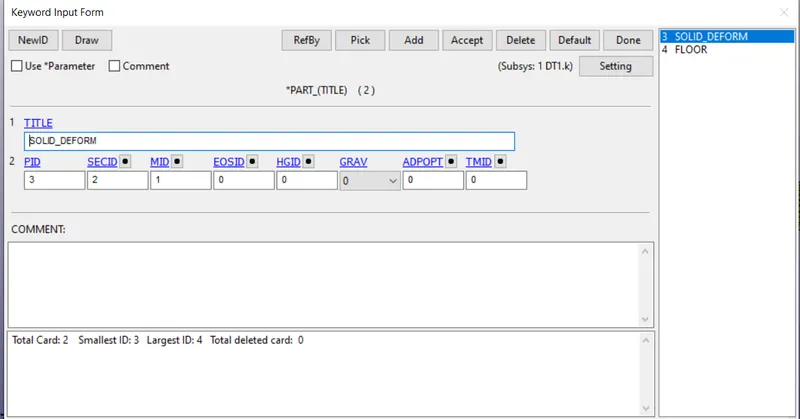
- A section id with solid card is created for both the parts with (ELFORM=1) for the SOLID_RIGID(floor) and (ELFORM=-1) for the SOLID_DEFORMATION(cell phone).using keyword manager>All>Section>Solid.
- Now,these created card should material id and section id are assigned to the phone and floor respectiely using part option under keyword manager.
Assiging velocity to the cellphone.
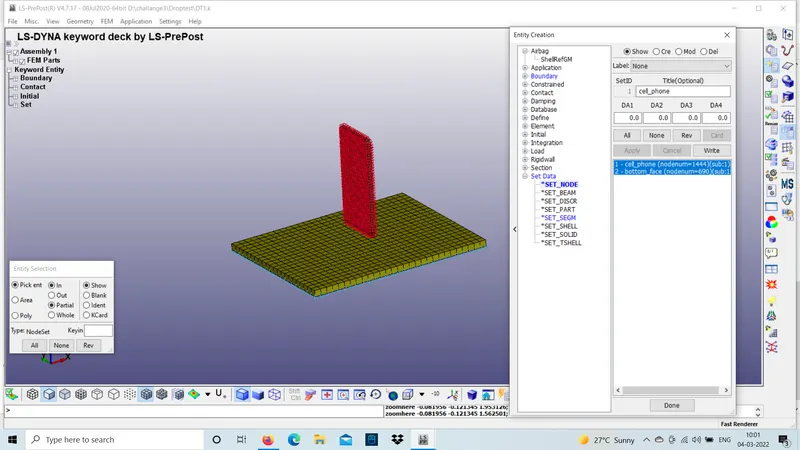
- Befor assigning the velocity to the phone a node set containing all the nodes of the phone has to be created.This can be done using create entity option under keyword manager.
 .
.
- The distance between the cell phone and the floor is 20mm and we have given the end time as t=1.00ms.so,we can calculate the velocity as v=d/t=20mm/1ms=20mm/ms.
- the cell phone should hit the floor in -z direction so the value should be given in Vz.
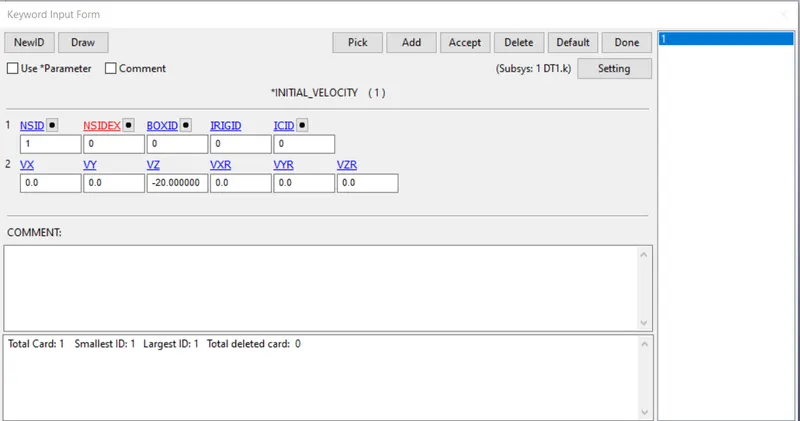
- The velocity is assigned from the INITIAL we have VELOCITY card under keyword manager and a velocity of-20mm/ms is assigned in Z-direction.
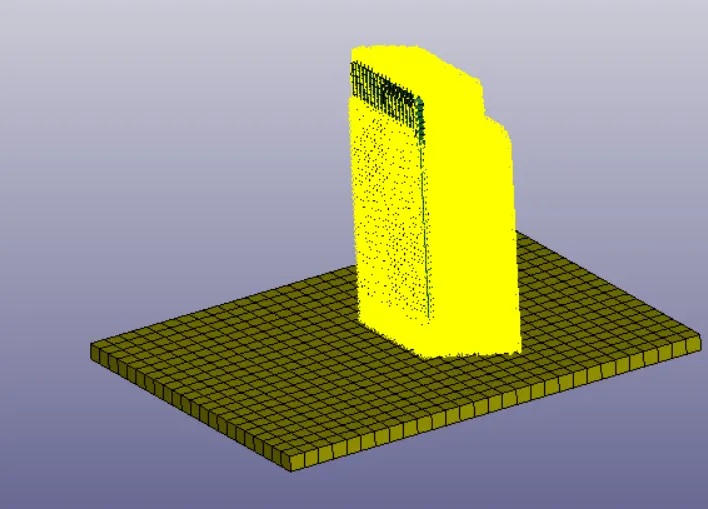
Giving contact to cell phone and floor.
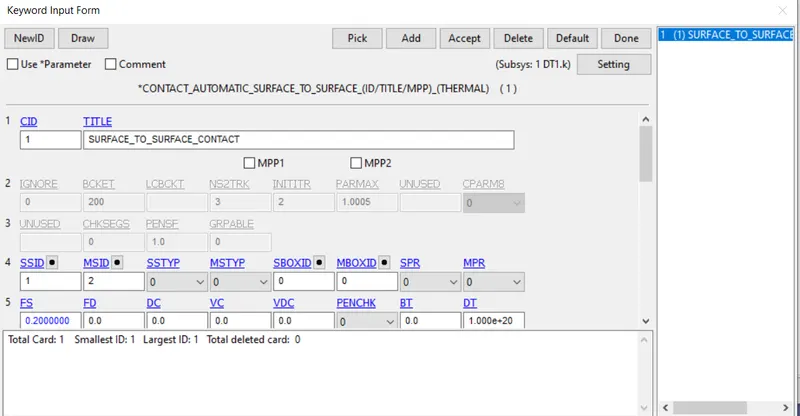
- Contact in LS DYNA is defined using contact surfaces and occurs when one surface is joing with the other surface of a model penetrates other segment.
- Here an AUTOMATIC_SURFACE_TO_SURFACE card from keyword manager is used and the contact is given between the cell phone and the floor by cosidering the master part as floor and the slave part as cellphone.
Assigning termination time.
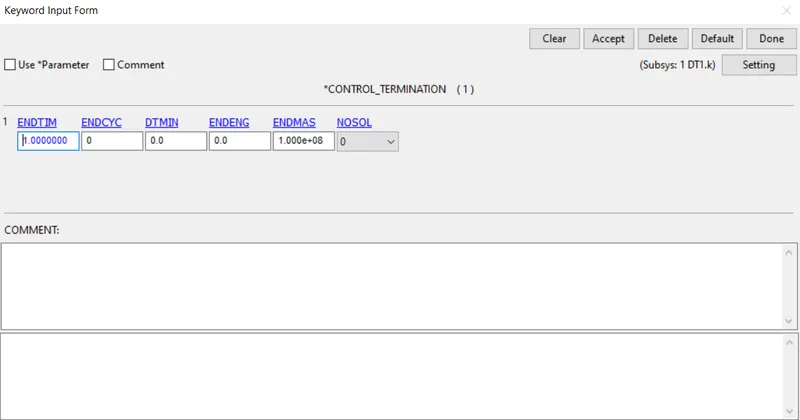
- CONTROL_TERMINATION_CARD from the keyword manager is used to define the simulation time using ENDTIME option.
- since,the cell phone drops with and inital velocity of 20mm/ms and the impact happens at 0.8ms therefore the ENDTIME is assigned as 1ms for the stability of impact.
Assigning Database
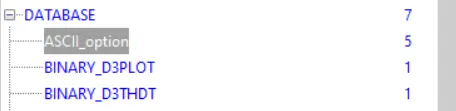
- ASCII under keyword manager can generate different ouput such as force generated in a contact like total energy,material energy etc.Here output for GLSTAT,MATSUM,RCFORCE are been requested.
- DATABASE_BINARY_D3PLOT under keyword manager ensures d3plot files are written in which it stores the stress strain countours of the deformed system.
- DT(Time interval between the output)is an essential parameter which basically denotes the time interval after which the state of solution need to be written and the values are kept as 0.01 for this analysis.
Model checkup and running the simulation
- The model is checked for any errors and if any error occurs it should be corrected furthur.
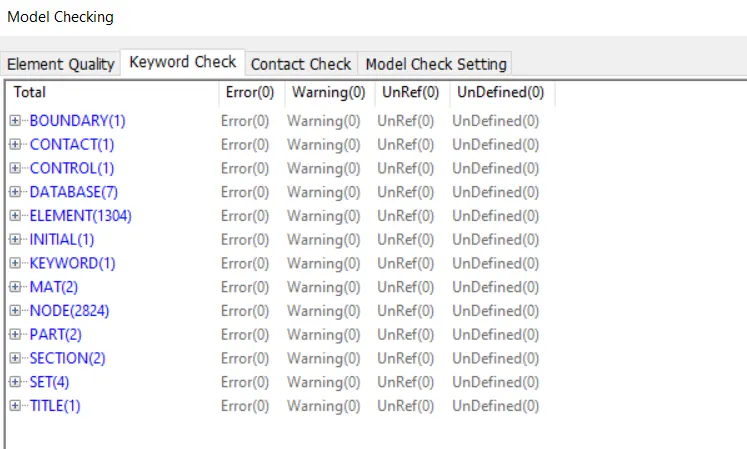
- After performing the checkup the keyword file for the model is saved and open in LS-RUN for solving.
- If normal termination occurs after running,it means the model is ready for post-processing.
Result:
The required keyword file for the drop test was created from the scratch and run the simulation sucessfully and found out the stresses induced in the model.
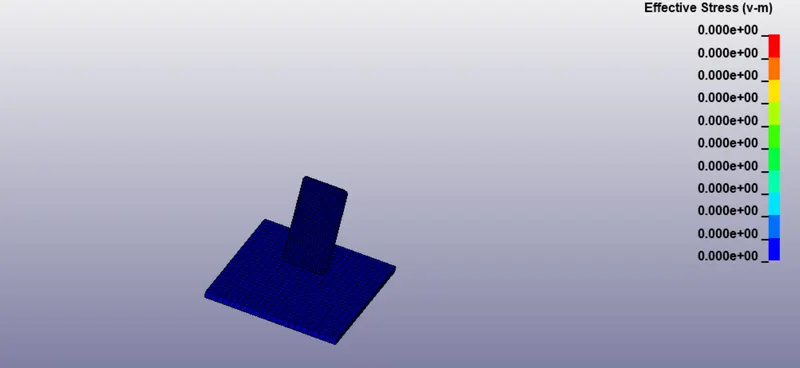
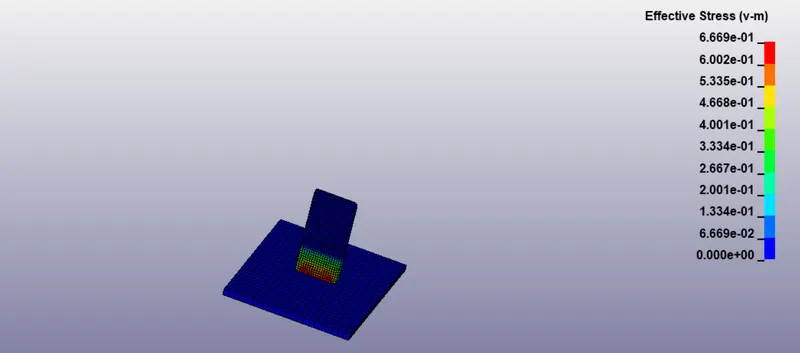
- The following figure below shows the von-mises stress induced during the drop test which shows that high stresses are induced at the bottom of the cell phone .
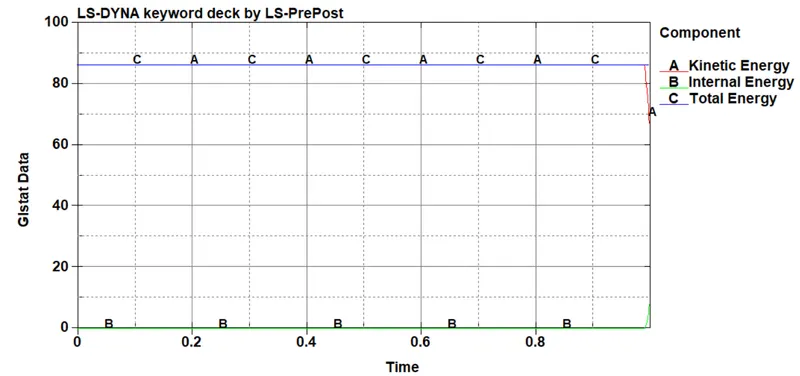
- the graph shows the kinetic energy,internal energy results after running the file.
conclusion:
A complete simulation for a drop test was done from the given mesh model of a cell phone dropping on the floor.this simulation helps how to create contact and termation time,mainly how to given inputs to run the model.