Week 3 - 2D meshing for sheet metal
AIM :To visualize the 2D mesh for the given CAD model using ANSA software.
REQUIREMENT : ANSA software,CAD model,laptop.
PROCEDURE :
1.The given CAD model should be downloaded.
2.The CAD model should be verified and check the instructions to mesh the model.
3.To do mesh first we should check the geomentrical errors in the CHECKS MANAGER and solve them.
4.now, measure the thickness of tge CAD model.this is done to achieve mid-surface of the model.
5.mid-surface of the model is achieved by using FACES>OFFSET and select the area to get mid-surafce face by face.
6.we can also use an hybrid function FACES>MID-SURFACE to achieve mid-surface for the entire model in single shot.
7.now,the mid-surface should be checked properly because there should be no triple cons involved.
8.once this is done we should shift from topo mode to mesh mode.
9.now,the model should be split into equal perimeters using PERIMETERS>LENGTH according to the given parameters.
10.set the given quality criteria values and fill them in the MESH PARAMETERS,QUALITY CRITERIA.
11.To start meshing we should first split into 'N' number of elements in box shape.so,that the mesh flow will be good.
12.now,in mesh mode we should go to MESH GENERATION>BEST and select the area to be meshed.
13.after meshing check the mesh flow and try to avoid maximum number of trias and rotating quards at the edges.
14.similarly,mesh the entire model and check the mesh flow.
SNAPS OFTHE MODEL AFTER MESHING : 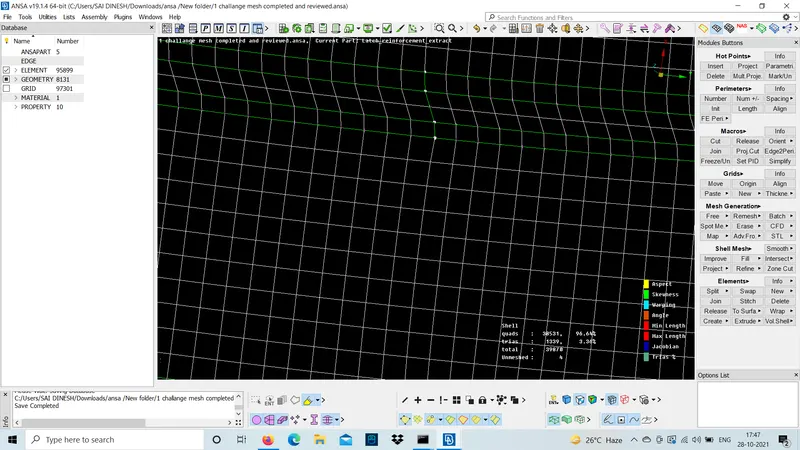
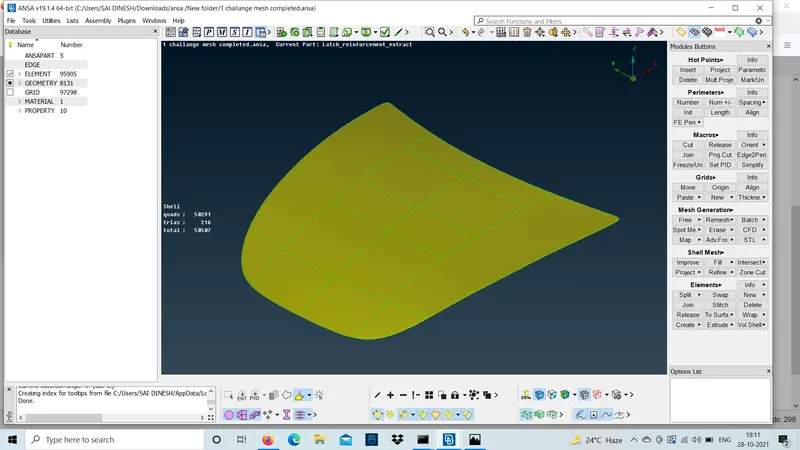
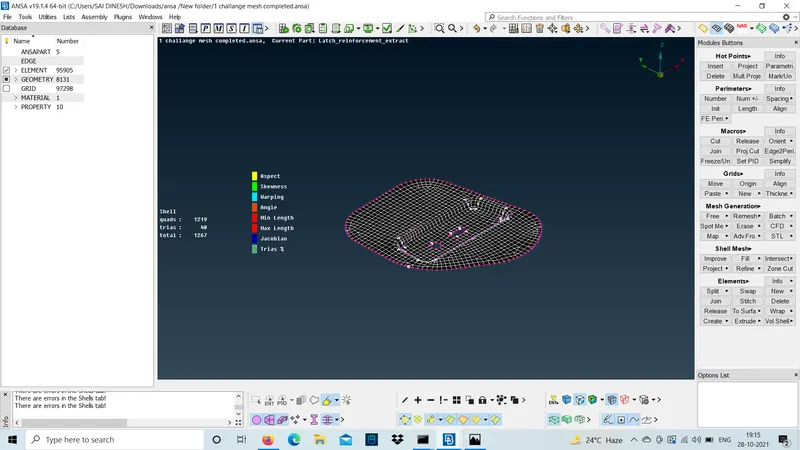
CONCLUSION :The meshing for the given CAD model is done using all the given quality criteria.