Week - 3 Drop test Challenge
*For the below simulation the units are followed are gm-mm-ms.
Aim:
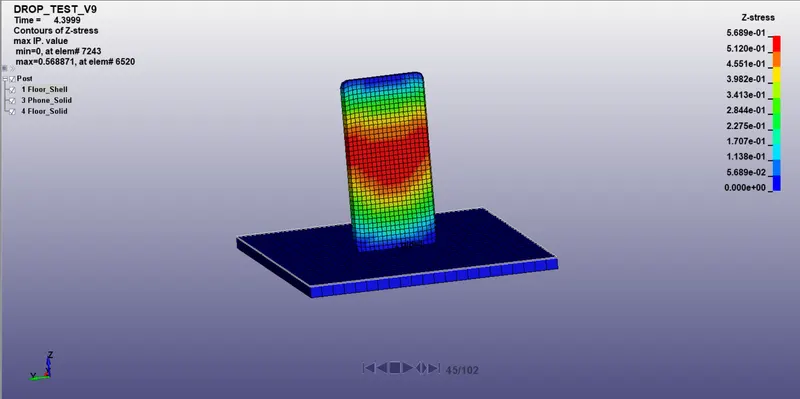
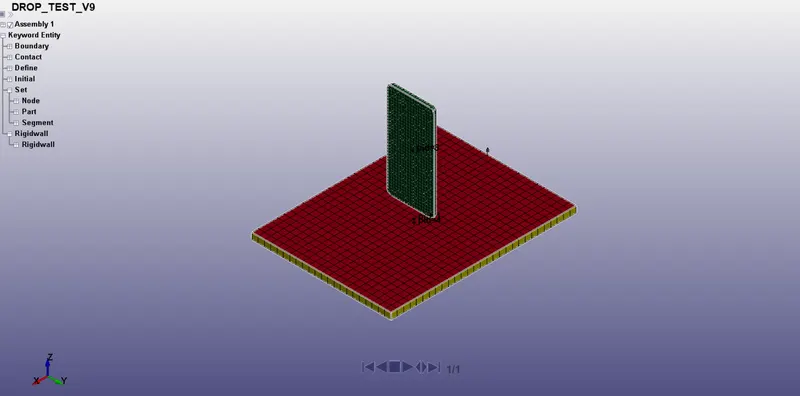
- This challenge aims to get a first-hand experience of the LS-Dyna simulation procedure for the arrangement given below.
-
Procedure:
- The first step is to open the .k file in the LS-Prepost environment.
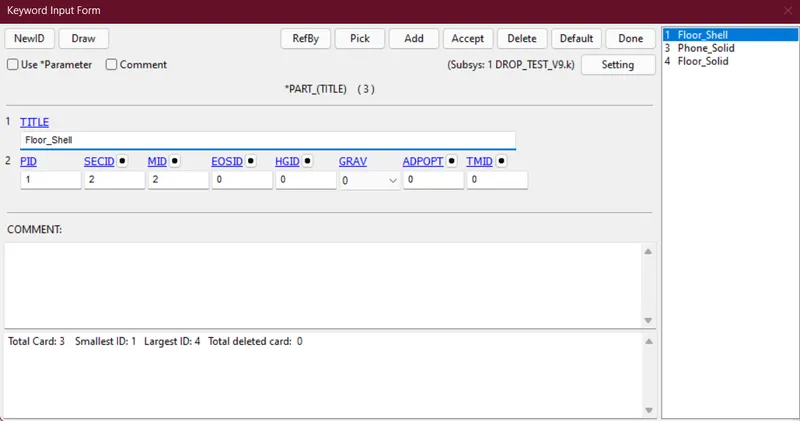
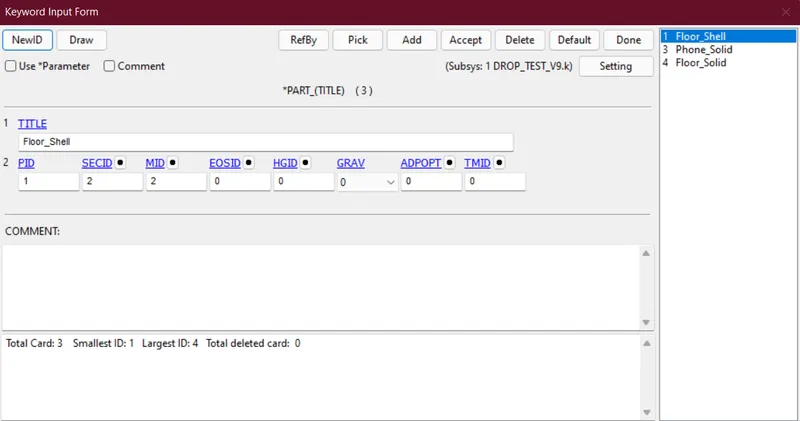
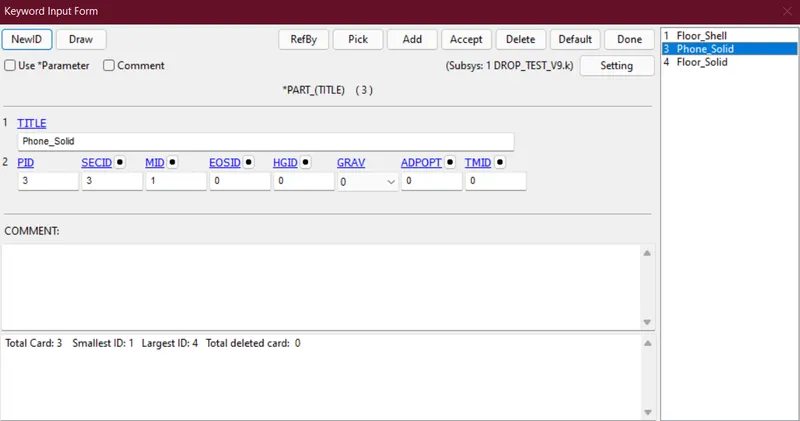
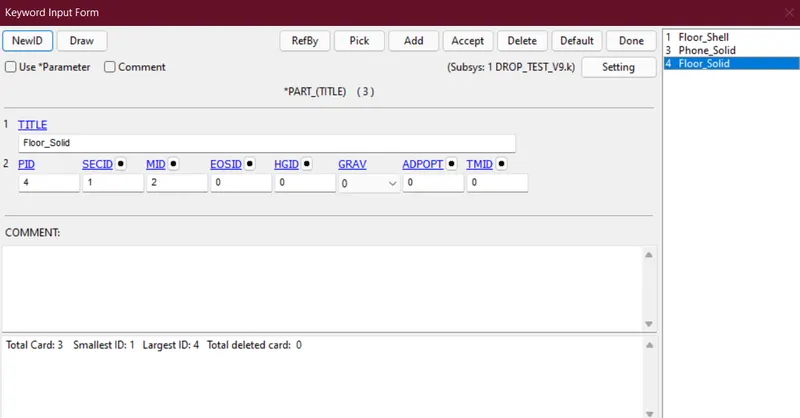
- Then check the Part ID of different parts and change the name accordingly.
- Phone_Solid
- Floor_Solid
- Floor_Shell
-
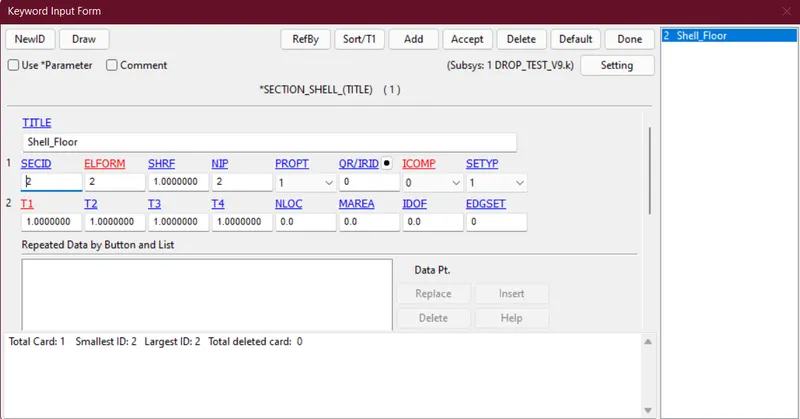
- Then creating Section cards for 3 different parts.
- Shell card- Includes the shell mesh of the floor and the thickness is given as
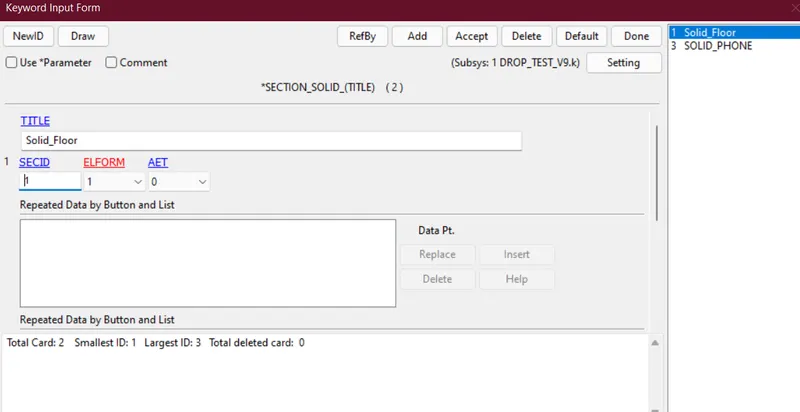
- Solid card - Includes the solid mesh of both phone and floor as two different cards.
- Shell card- Includes the shell mesh of the floor and the thickness is given as
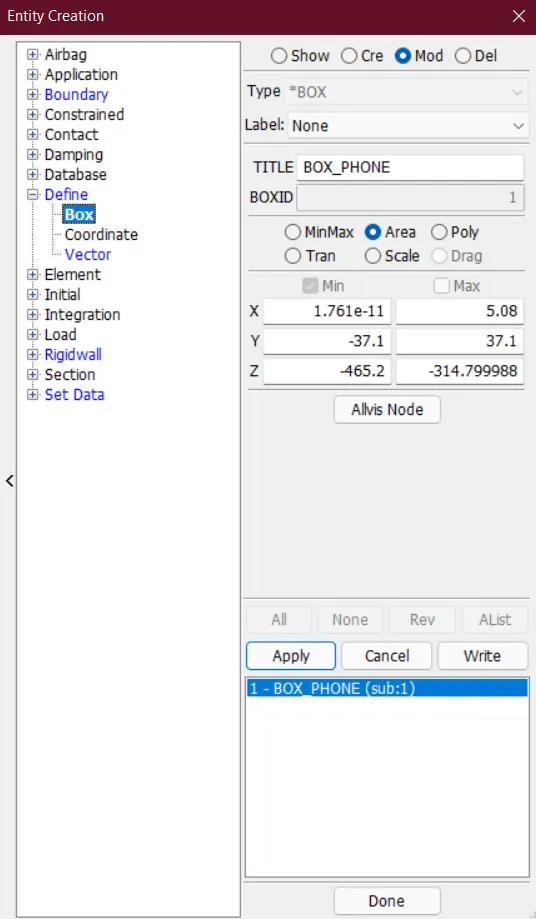
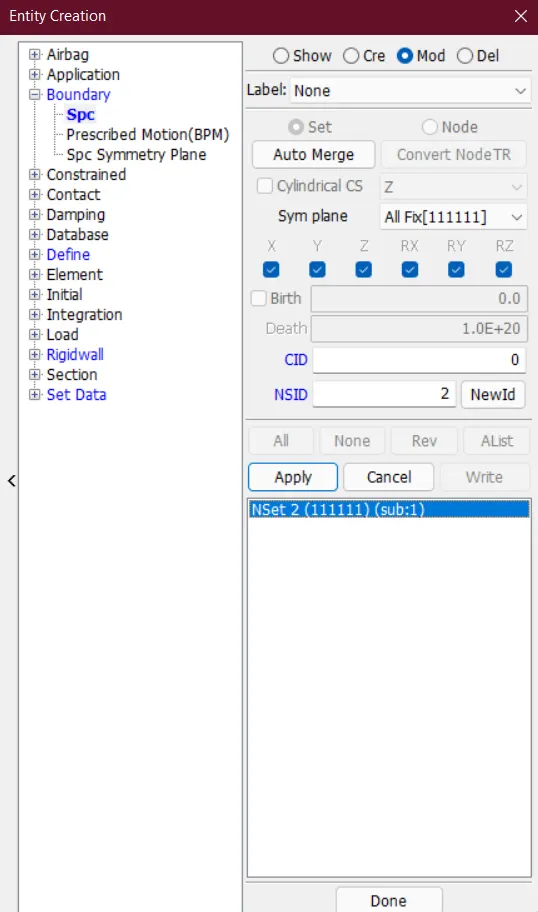
- Then from the Entity Creation toolbar, a Define_Box and a Boundary_SPC have been created.
- The Define_Box has been created for the elements of the phone.
- The Boundary_SPC has been created for both floor shell and solid and all motion has been restricted.
- The Define_Box has been created for the elements of the phone.
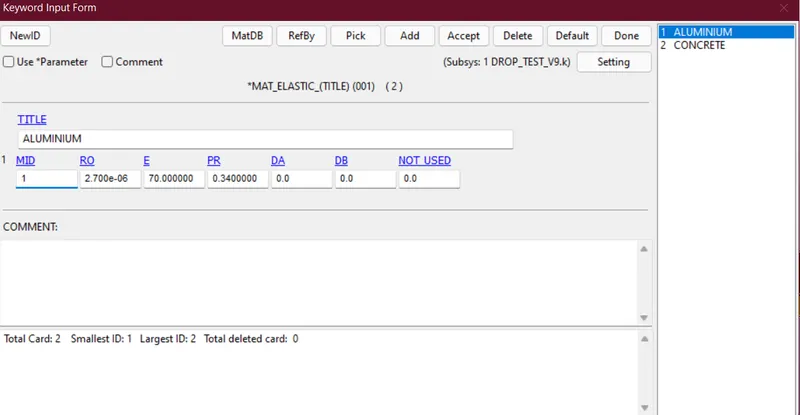
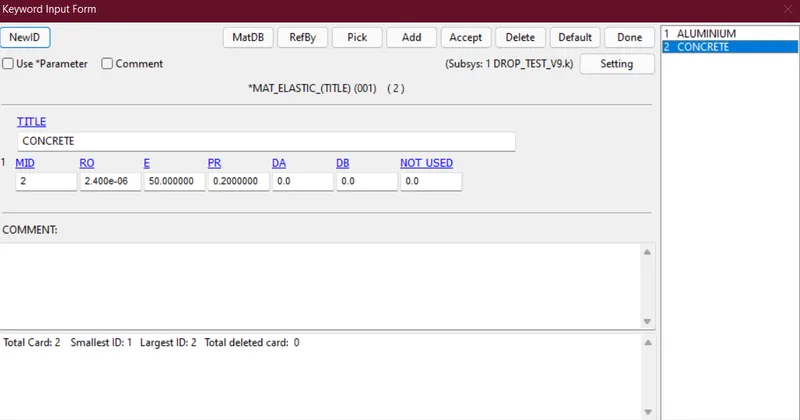
- Then Elastic Material has been defined for both Phone_Solid and Floor.
- For the phone, the material is selected as aluminium and the material card is given below.
- For the floor, the material is selected as concrete and the material card is given below.
- For the phone, the material is selected as aluminium and the material card is given below.
- After creating the above cards, I referenced all the above in the Part_ID for proper material and section application.
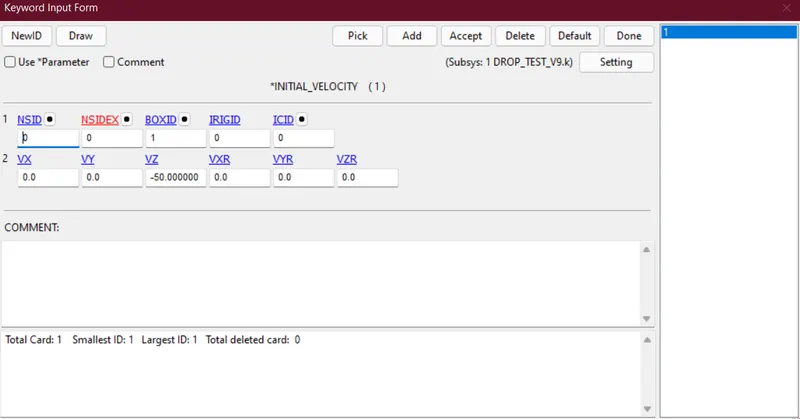
- Then to give motion to the phone we gave initial velocity in the negative z-direction to the box created before.
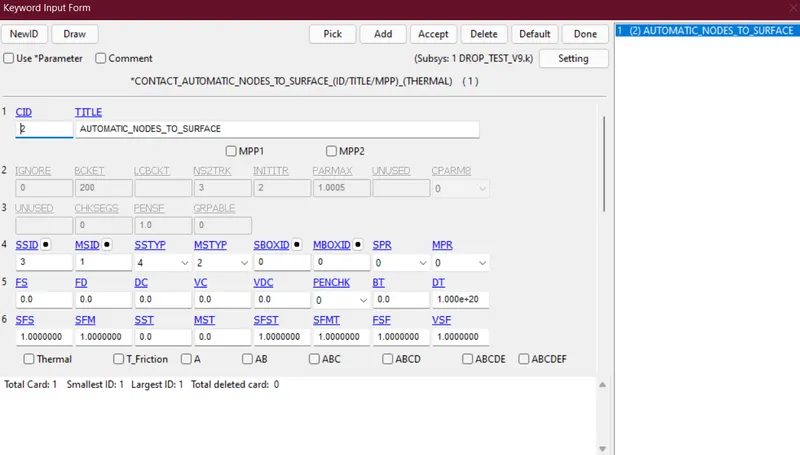
- For establishing proper contact between phone and floor we have to give contact cards.
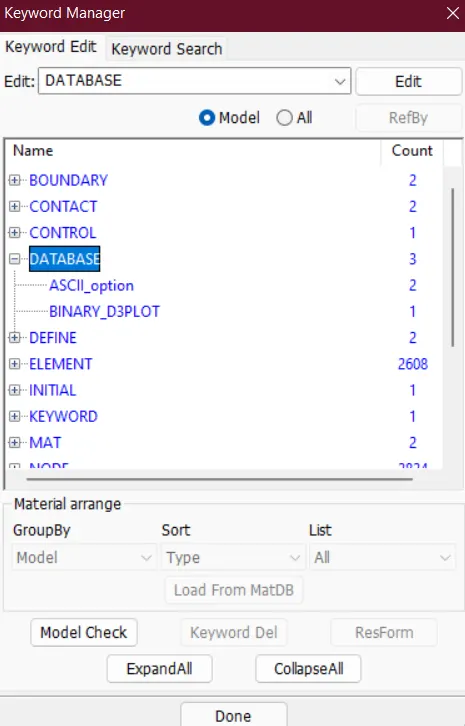
- To save all the global energy data and animation data we have to add some database cards to the keyword manager, like glstat, matsum, and d3plot.
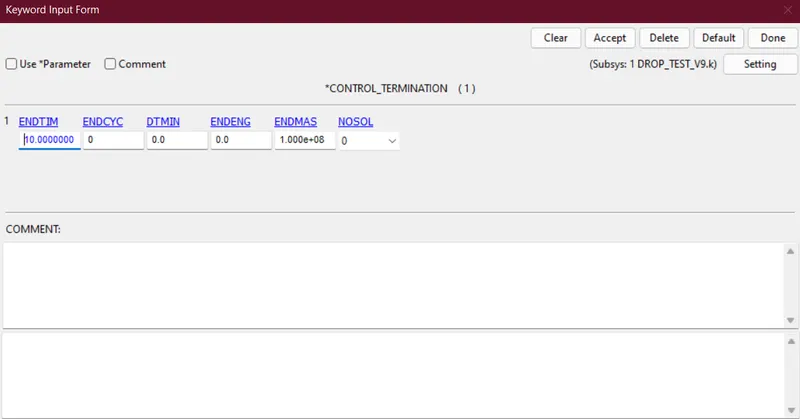
- Finally, we can add a Control_Terminattion card to the keyword manager and assign the termination time as 10.
Simulation