Week 3 Challenge : CFD meshing on Turbocharger
Aim
To perform volume mesh and surface mesh with the given target lengths as per PID’s on Turbocharger.
- Blade stage-1 = 1 mm
- Blade stage-2 = 1 mm
- Impeller = 2 mm
- Shaft rotor = 1 mm
- Turbo casing = 5 mm
- Compressor casing = 5 mm
- Inlet casing cover = 5 mm
Procedure
- Single cons and triple cons are identified along with overlapped surfaces denoted by shaded two colored region. Overlapped surfaces are deleted directly using deleted option also with few extended unnecessary surfaces.
- Single cons are solved by creating missing surfaces on top side and turbocharger casing at bottom. The surface creation is done with creation of very small-small surfaces to avoid any errors.
- At middle conical surface there are two surfaces meeting without forming any con which not desirable (Figure 1). It is resolved by using intersect command which will identify two different surfaces and form an intersection. The unnecessary surfaces are now can be deleted.
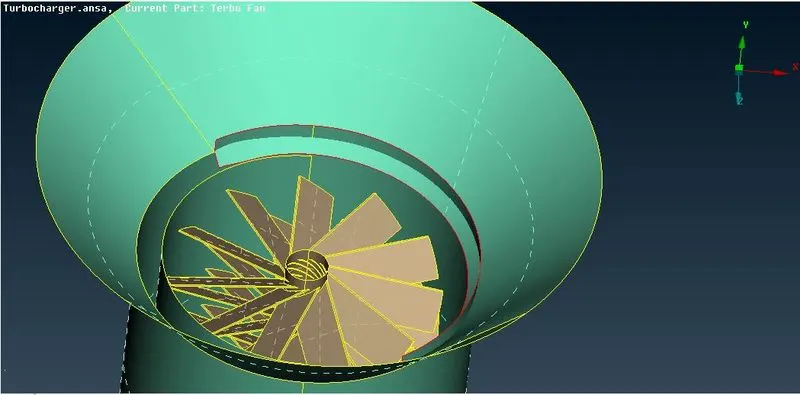
Figure 1
- The rotor, impeller, and stage-1, stage-2 blades are isolated. The rotor connecting the blade stages to impeller should consist of a single volume, so that in volumetric meshing this volume can be deleted to get a single volume.
- The overlapped surfaces can also be found where the surfaces of rotor and outer casing meet as well as rotor and Turbo casing meet as shown in fig.2. Here the double cons of common surface is projected on rotor surface and one surface can be deleted followed by performing ‘topo’ after which it shows triple con and which is natural there as three surfaces are meeting. Similar activity is performed to delete overlapped surface for rotor and turbo casing as shown in fig.3.
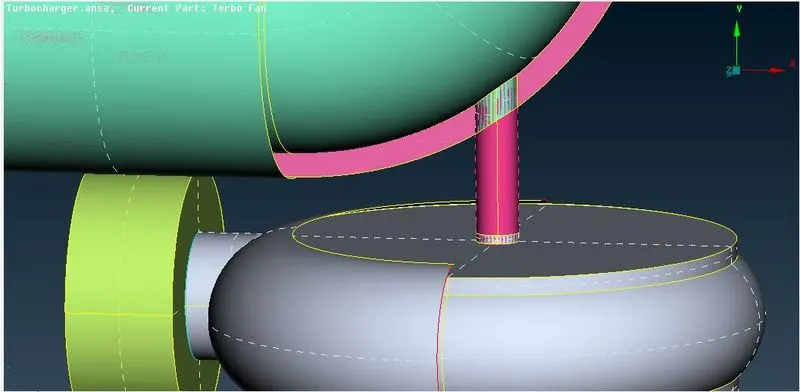
Figure 2
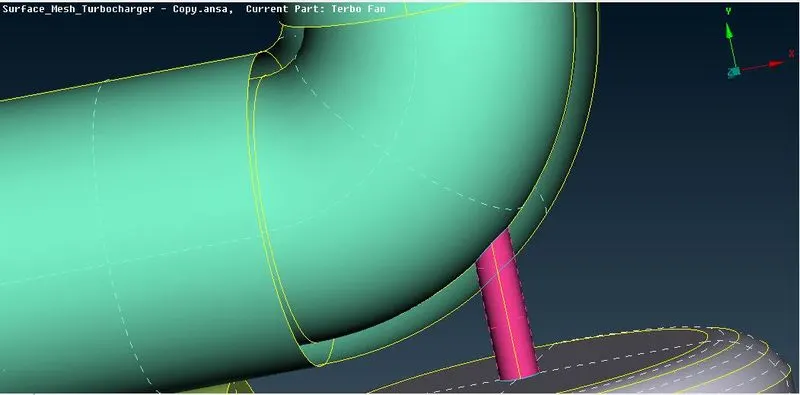
Figure 3
PID’s are allocated as shown in figure 4.
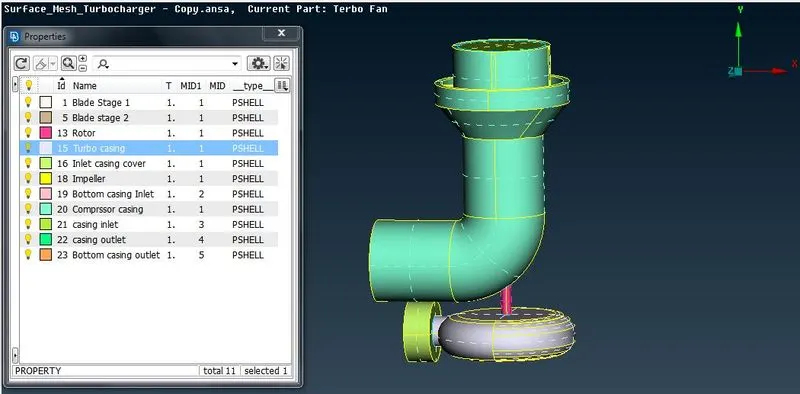
Figure 4
Surface Mesh
Surface meshing is performed by using different mesh lengths for different components.
1.Blade stage-1 = 1 mm 2. stage-2 = 1 mm 3. Impeller = 2 mm 4. Shaft rotor = 1 mm 5. Turbo casing = 5 mm 6. Compressor casing = 5 mm 7. Inlet casing cover = 5 mm
- Individual component is isolated using PID Manager and meshed using respective mesh length, mesh parameters and Quality Criteria. Spot mesh is created for an individual entity.
- The mesh length of impeller and rotor is different so creation of one mesh may result in to make mesh disappear over other surface. In that case we need to give the mesh length and other criteria’s again and generate spot mesh again as shown in fig.4 .
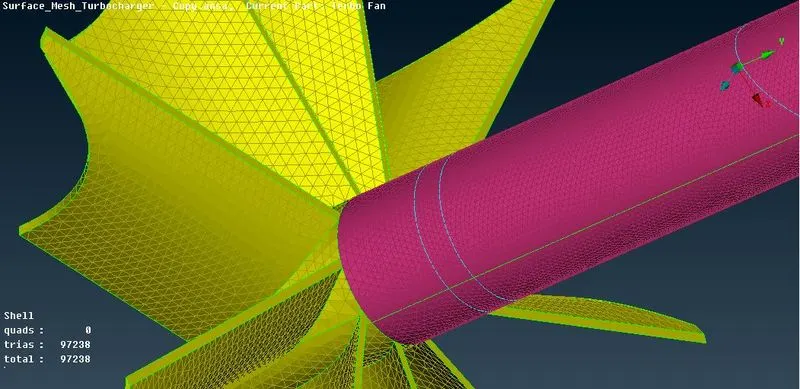
Figure 4
The other surface mesh look like as shown in fig. 5 & fig. 6.
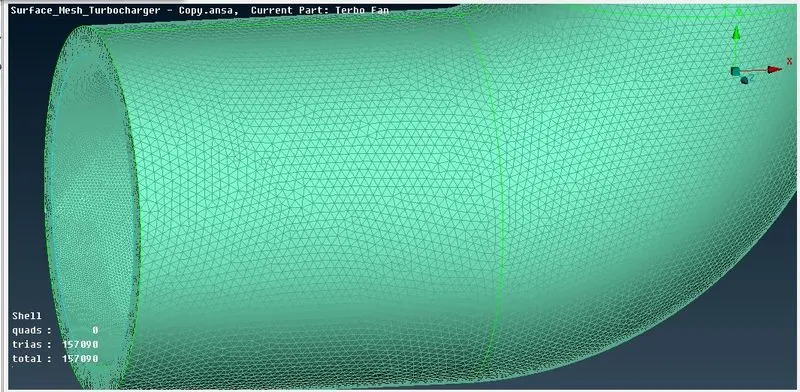
Figure 5
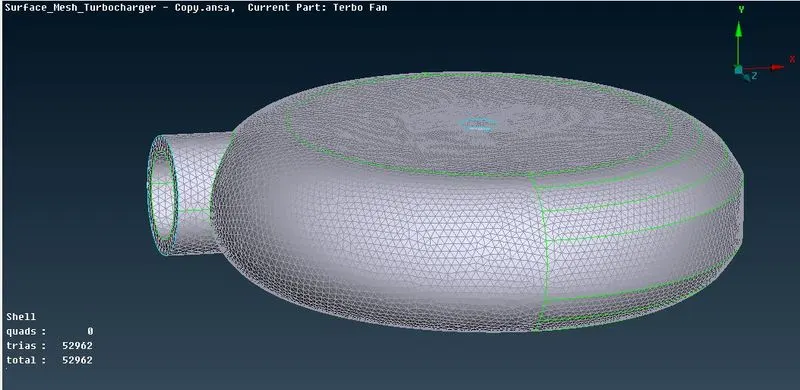
Figure 6
Volume Mesh
- In order to see available volumes detected by ANSA , Go to Volume Mesh Deck-Volumes section-Define-whole db- middle click- will show list of unmeshed Volumes.
- Identified the volumes that we need and other entities which are not required includes individual component thicknesses. The four volumes are separated by deleting other component thicknesses from the list.
- The individual volume is now meshed by right clicking on volume name followed by Remesh Option. Select the Tetra CFD and components will get meshed. The volume meshes are shown in fig. 7 and fig.8:
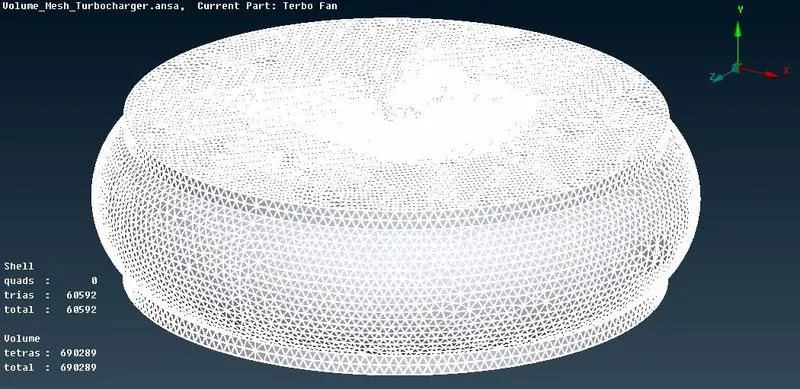
Figure 7
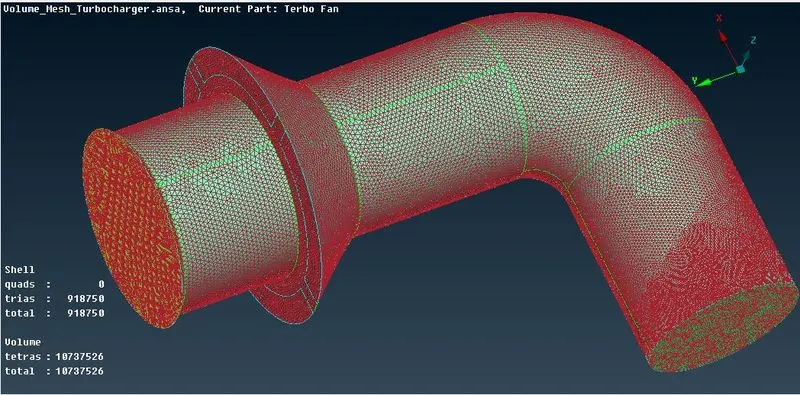
Figure 8
Conclusion
1. While creating large surfaces doing it by creating small-small parts gives more accurate profile.
2. The place where components intersect each other or joins each other there should form a double or triple con. If it is not there then suitable action need to perform.
3. The two parts with different mesh size in contact with each other have a region up to some length where mesh appears to be in transition between two mesh sizes that component have.
4. Here for Surface meshing Triangular elements are used and for volumetric mesh Tetrahedral elements are used
Link
Volume Mesh: https://drive.google.com/file/d/15MUCzfR-QztX45BrYXwuNKJSgQ5zlZ-h/view?usp=sharing