Week 3 Challenge : CFD meshing on Turbocharger
Aim : Surface and Volume meshing of Turbocharger
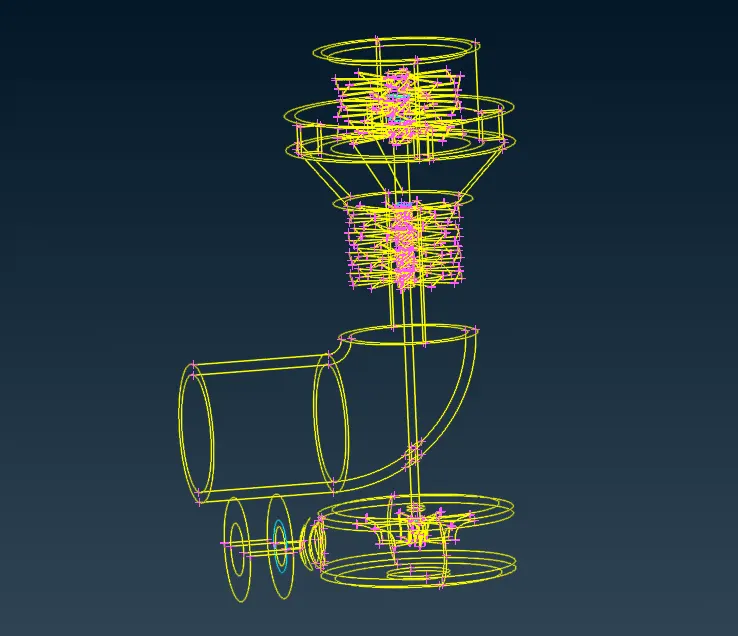
Procedure : As we shown in fig there are geometrical error,so we first do geometry cleanup.
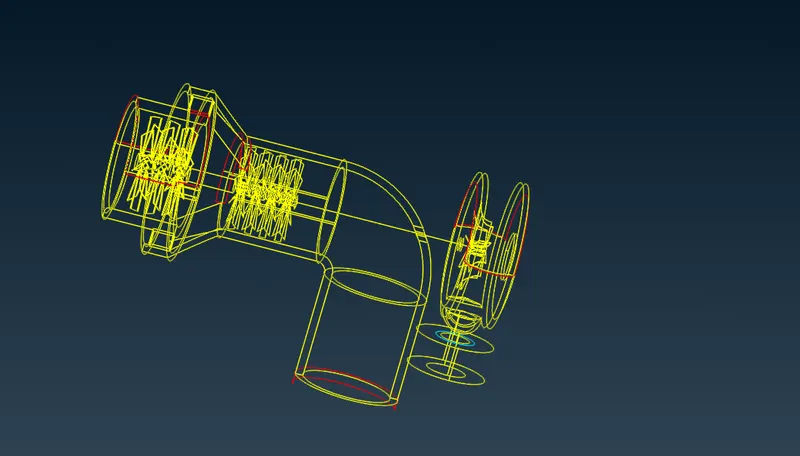
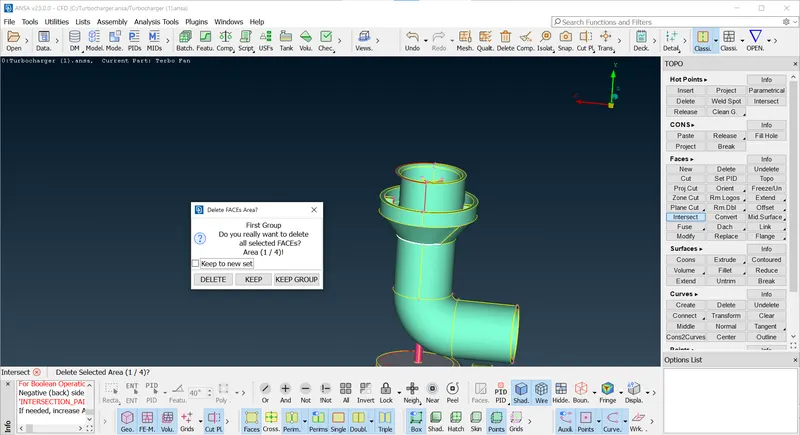
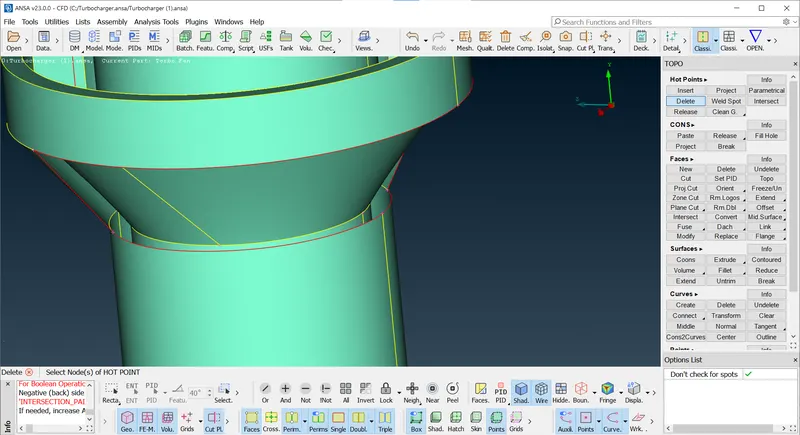
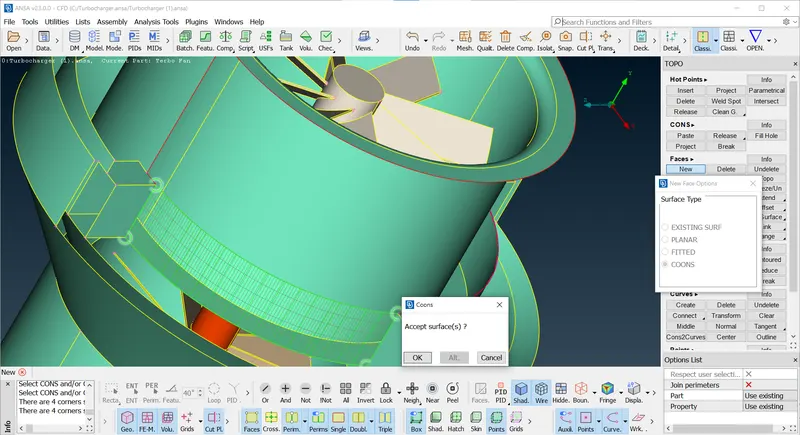
As we see in entity mode there are red cons due to surface missing or unmeshed surface, if we can check in PID Mode we get clear idea about surfce overlaping, we can delete overlaping surface with the Universal delete,
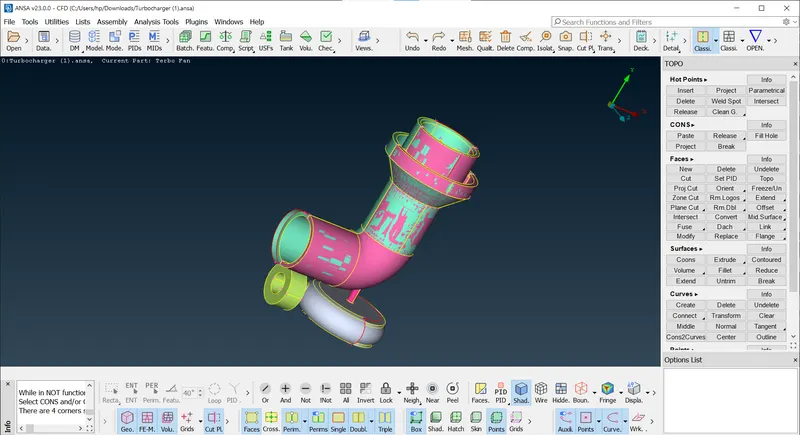
See Fig No.3 after deleted overlapping surface by using delete.
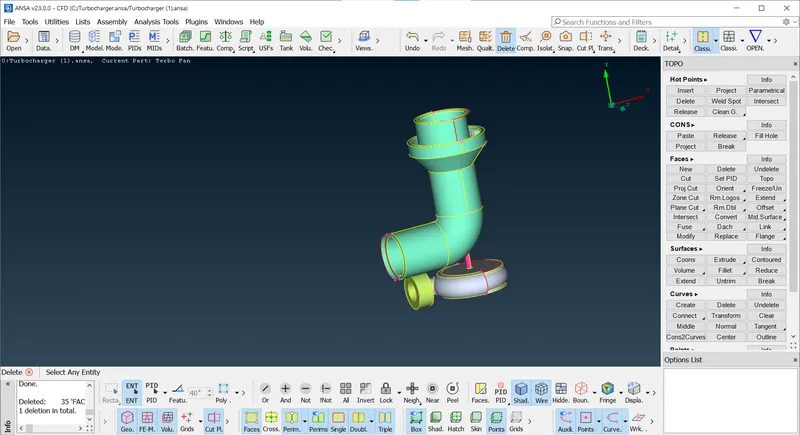
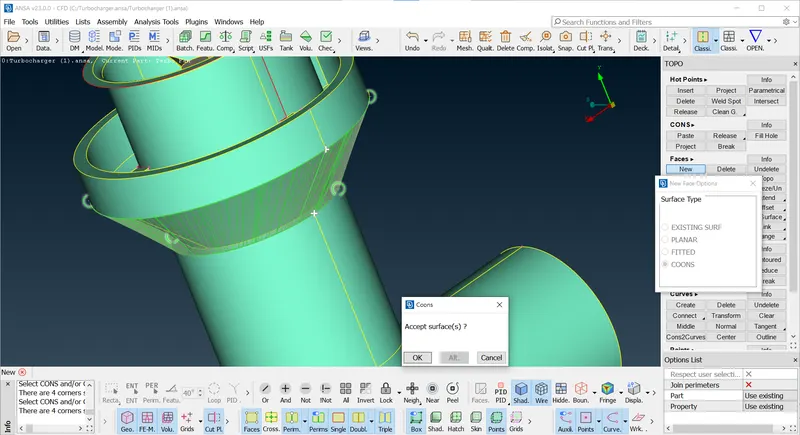
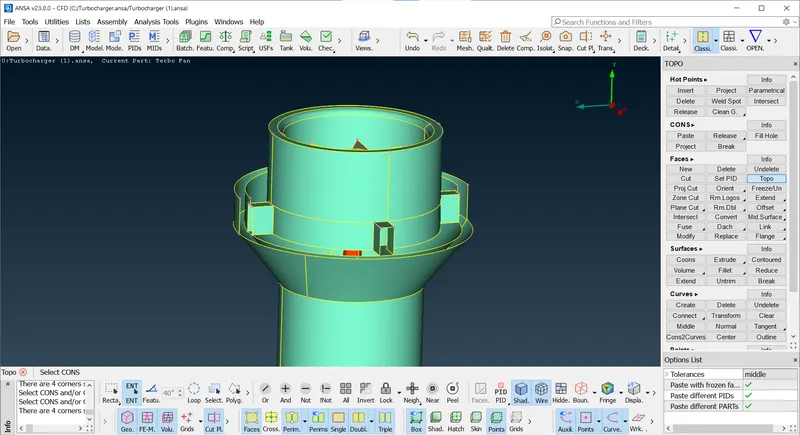
Meanwhile visulaize geometry for extra surface or missing surface by using isolate geomtry like not option,refer fig no 1 as we see on turbo casing inlet have extra surface, so delete the surface then create new surface using coons.
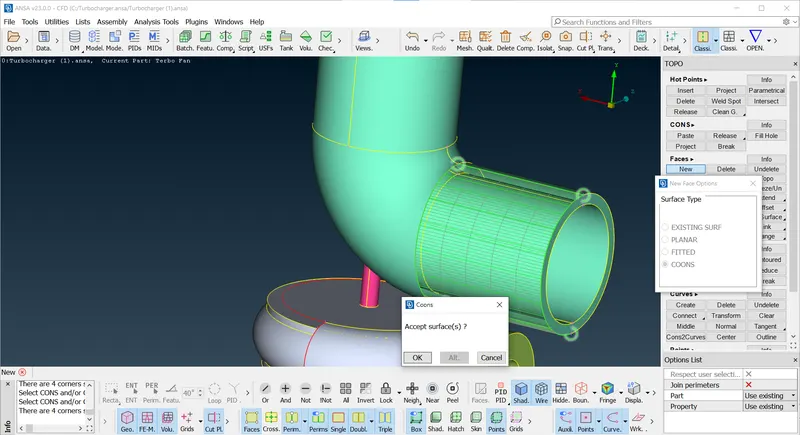
As we see in fig (fig No.1) there is no coons on trubocasing so first will create coons using intersect 2 faces, coons is appread but it is in curve, as we seed other side of face it is striaght coons, so will create accordingly using cut tool, thereafter create curve using transform tool then create face after thar delete curves do the topo.
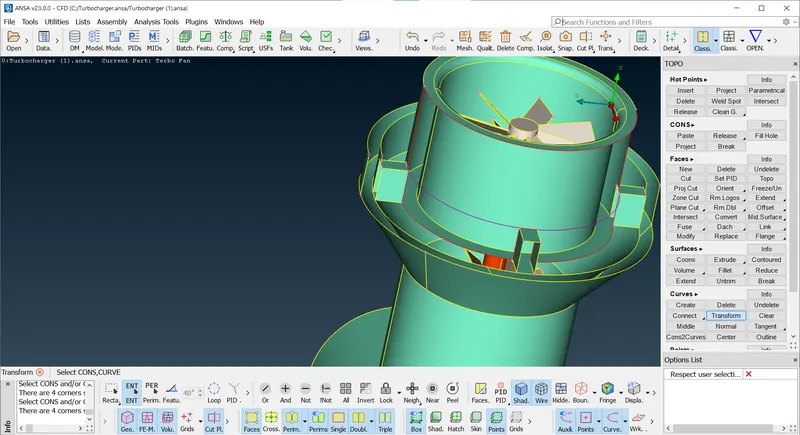
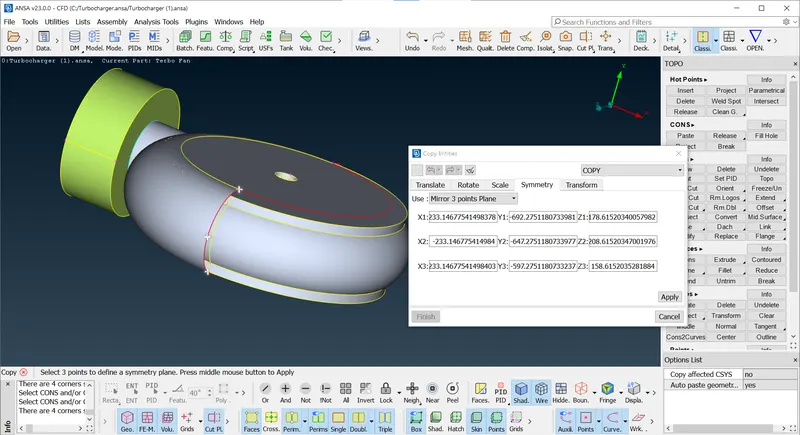
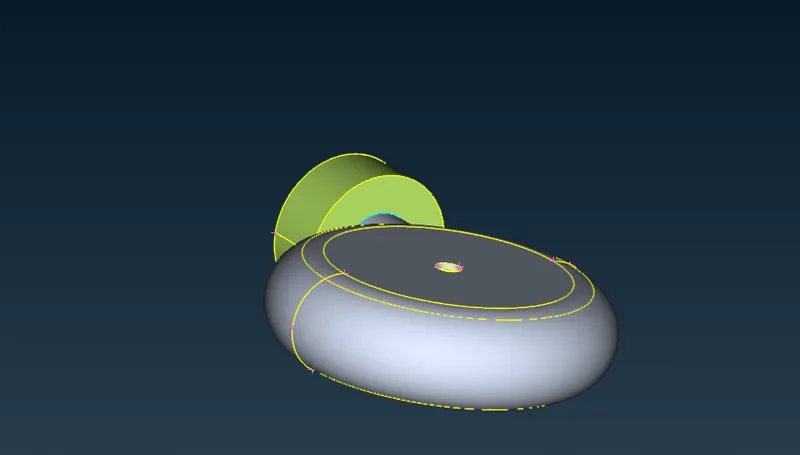
We will work on Impeller Casing as you see in fig we create symmetric face as per existing entites by creating hot coons on extitsing entites with the help of transform in which we selected Mirror plane surface by using 3 Points.
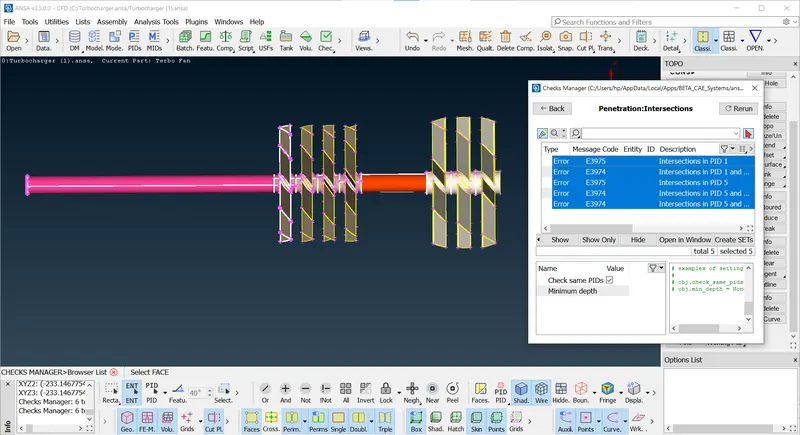
After all creating missing faces, we will check error through check manager in which geometry check for all error.As we see there are intersection error for blade 1,blade 2, Rotor shaft, Turbocasing, impeller blade, we remove error by one by one,start from blade 1 shaft has overlapping surafce as we see there is triple coons, so delete it with the help of delete face one by one, at end of blade 2 shaft there is intersecting error with rotar shaft remove this error we will use project coons and delete new surface
Here in this error we delete triple coons and create new surface using new suraface with coons.
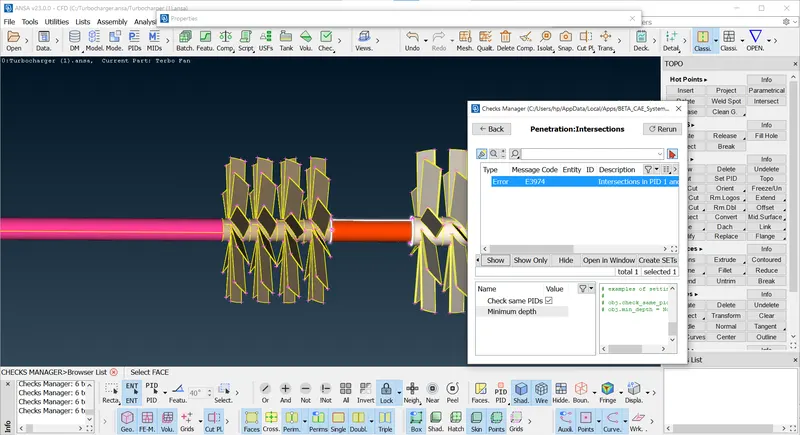
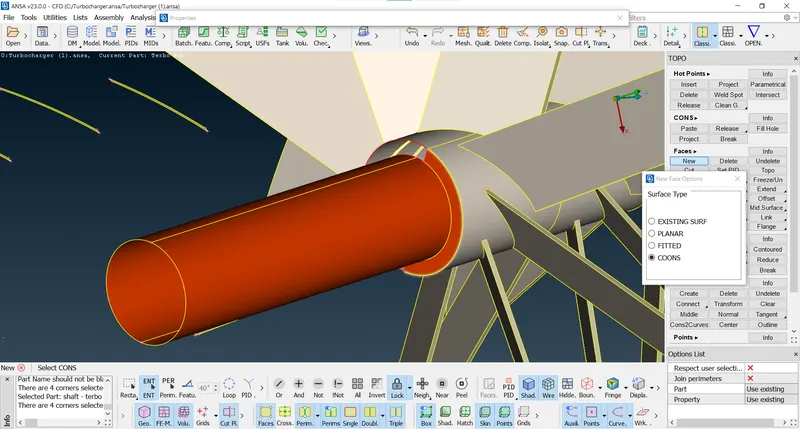
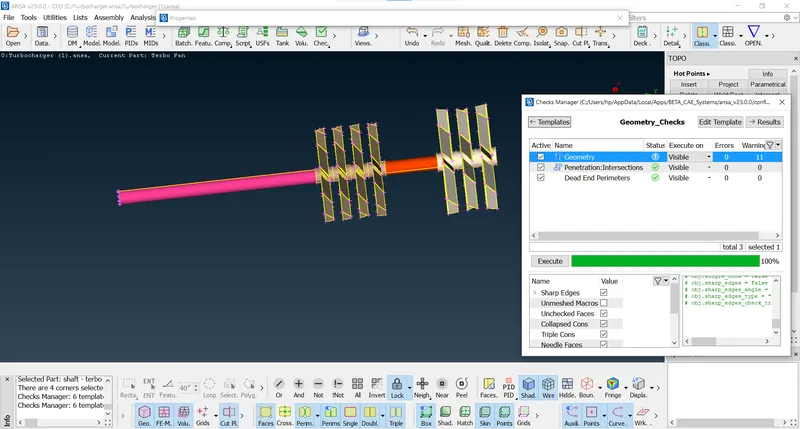
As you see in fig there are intersection error at turbo casing, impeller blade,so remove this error we delete the faces which is intersecting to any shaft and turbine casing by creating new surcace using project coons tool, for isolate the shaft and turbine. Same we do with impeller blade and shaft, we will create cut then delete parts.
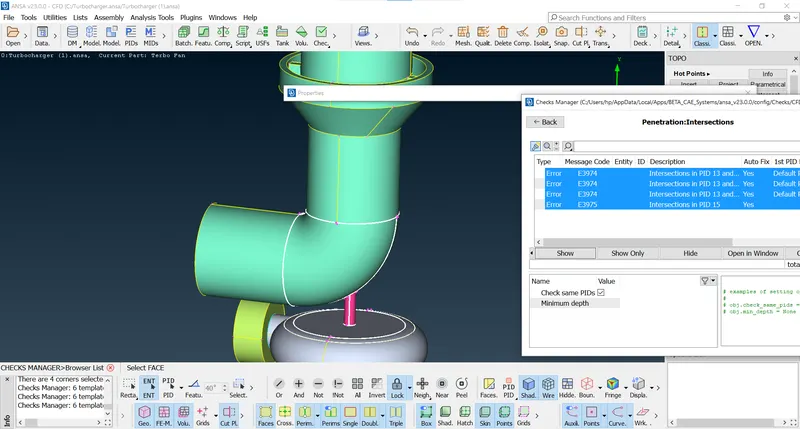
After remove all intersection error we can do surface Meshing
https://drive.google.com/file/d/1rM3k-mvtbYmjRP-7uvzKBRECNHg1M2v8/view?usp=sharing
https://drive.google.com/file/d/1rM3k-mvtbYmjRP-7uvzKBRECNHg1M2v8/view?usp=sharing
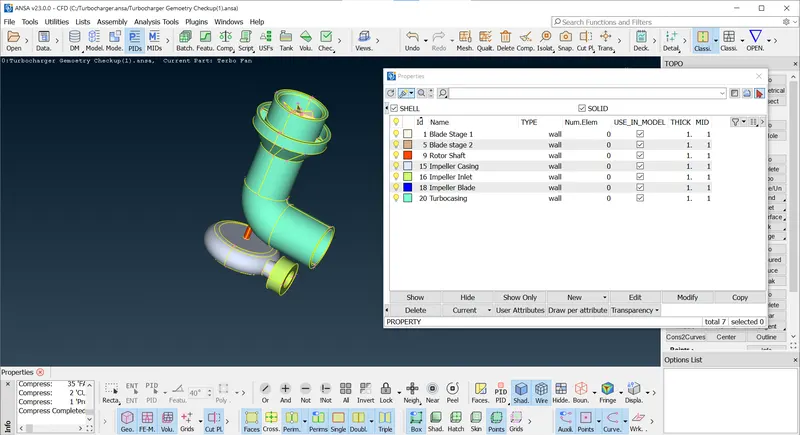
Our next step will be before surface meshing, assign PID for each Part
Surface Meshing for Blade stage 1,Blade stage 2, rotor shaft of 1mm, with the help of classic mesh giving perimeter length, macorns then do spot meshing visible.
https://drive.google.com/file/d/1Ils1Ha9pImKMLgh_abRhgn6iZtbI5uoI/view?usp=sharing
Surface meshing of Impeller Blade 2mm
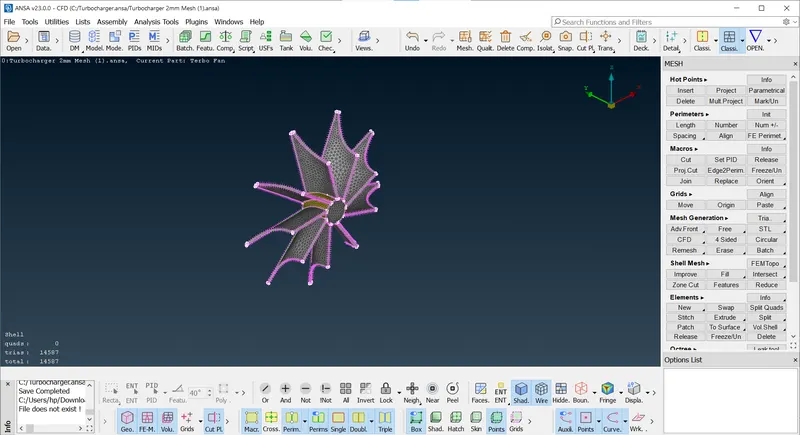
https://drive.google.com/file/d/1XRyaHsuXTiAx3GQ_wdO3O53vEVbrIAsN/view?usp=sharing
Impeller Casing 5mm Mesh
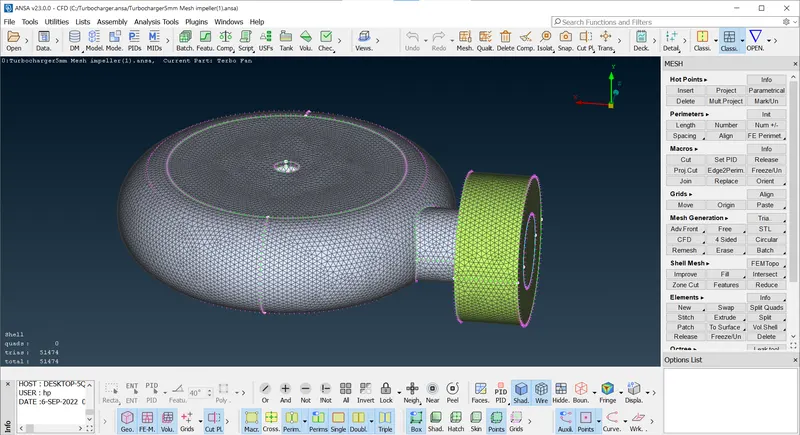
https://drive.google.com/file/d/1Uq_19JKx9mXwY1ySVGHm7HyDj7AyJX3E/view?usp=sharing
Turbocasing Meshing - 5mm
https://drive.google.com/file/d/1Uq_19JKx9mXwY1ySVGHm7HyDj7AyJX3E/view?usp=sharing
Conclusion : Rmove all intersection error for surafce meshing and volume meshing.
https://drive.google.com/file/d/1QWJNUxd5UhMYI2T6epRzMtDYcar40Lzk/view?usp=sharing
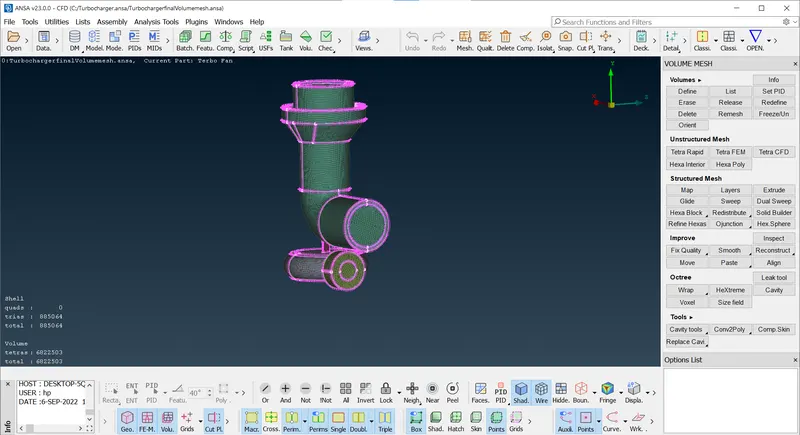
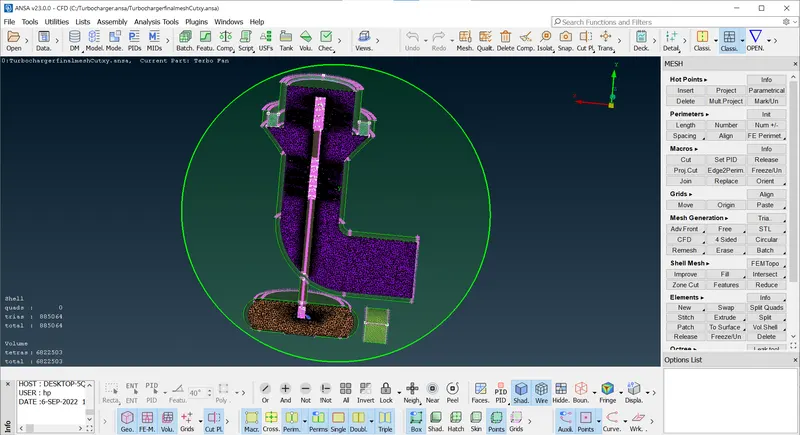
Next step will be Volume mesh, before voume mesh need to clear all geometrical error, surface meshing.for Volume mesh go to the volume deck, define the volume for Turbocasing, impeller, shaft blade, showing the result of volume mesh go to the cut plane choose default axis and apply it,
Volume mesh
https://drive.google.com/file/d/1TG0g1qw1F4iV8N4i2yPxQRTH2UtNp0z2/view?usp=sharing
Cut plane of XY for Volume mesh
https://drive.google.com/file/d/1MDkXWOzNoxgvZi7iQlwwLBwKWHGziIil/view?usp=sharing
Learning outcomes : Visualiza geomerty using wireframe and PID Mode, Check Missing surface,red coons, triple coons, Geometry check, create new surface using project coons, intersects, create curve using transform, create symmetric surface using transform with 3 points, remove all geomertrical and penetration error, Rectify necessary triple coons,surace mesh using spot mesh or CFD mesh with diffrent meshing length for diffrent parts, free mesh we can do for unmeshed parts due to different lengths.assign PID, Selection of required volume for volume mesh in volume deck, tetra rapid mesh for volume.
Results: Geometry cleanup, Surface meshing of different meshing length, extract required volume for voulme meshing,make sure all surface is closed while doing volume meshing.