Week 3 Challenge : CFD meshing on Turbocharger
Objectives:
- For the given model, check for the geometrical errors to make appropriate volumes. Create and assign PIDs as shown in the video. Perform surface mesh with the given target lengths as per PIDs.
- Blade stage-1 = 1 mm
- Blade stage-2 = 1 mm
- Impeller = 2 mm
- Shaft rotor = 1 mm
- Turbo casing = 5 mm
- Compressor casing = 5 mm
- Inlet casing cover = 5 mm
- Perform Volumetric mesh for the required volumes as shown in the videos.
- Write a detailed report on your surface meshing & Volume meshing process.
Procedure:
Step 1) Geometry clean up :
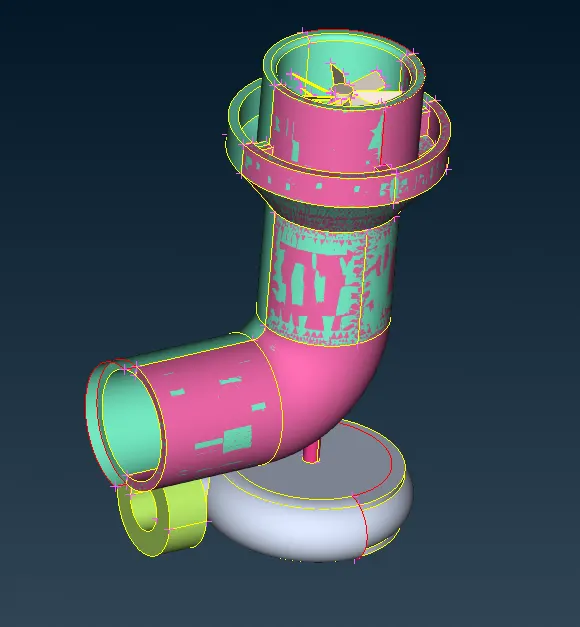
- First upload the geometry in ANSA.We see the geometry in PID mode .We can see that the geometry has many errors we have to remove all of them.
- Given geometry :
- We also required to check errors present in geometry .Checks > Checks manager > Geometry_Checks > Execute
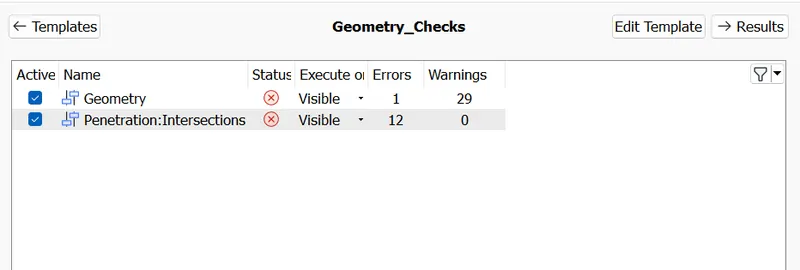
- Here you can see all the errors present in geometry we have to remove this one by one.
- Use universal delete option to delete the overlap surfaces
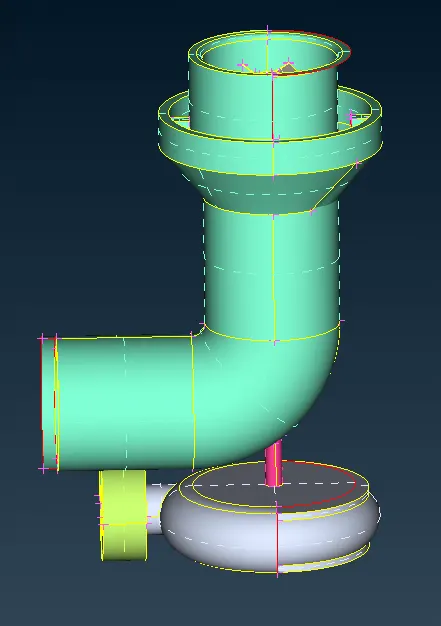
- Use PID region for selection of overlap surface.After deleting the overlap surface the geometry is look like :
- Our next task is to remove the single cons which are present on geometry by creating the surfaces on that cons .
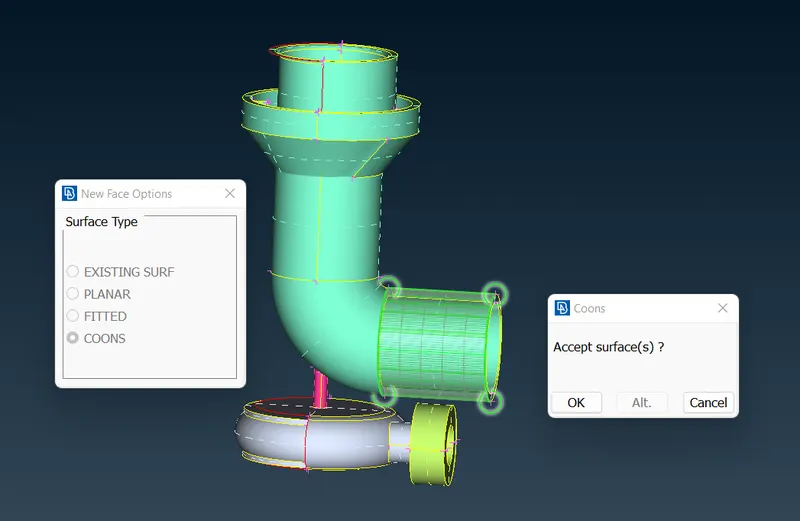
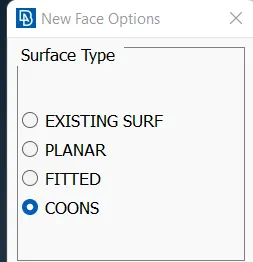
The below picture shows the single cons in which I am using multiproject option to project hot points on cons.after that we create surfaces on that cons.we use coons option to create a surface.
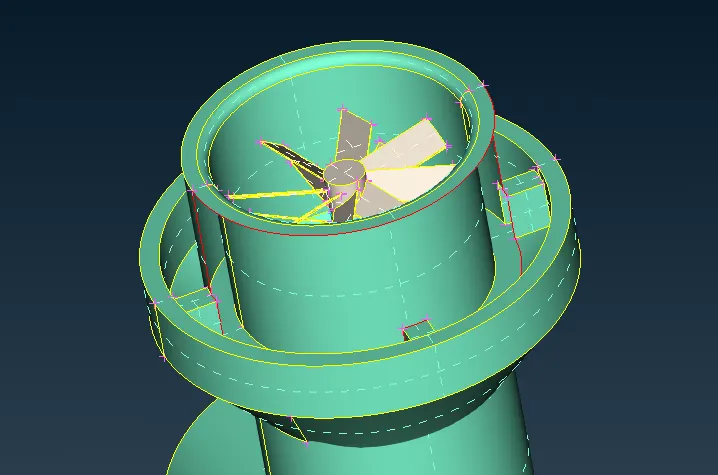
Created surface is look like:
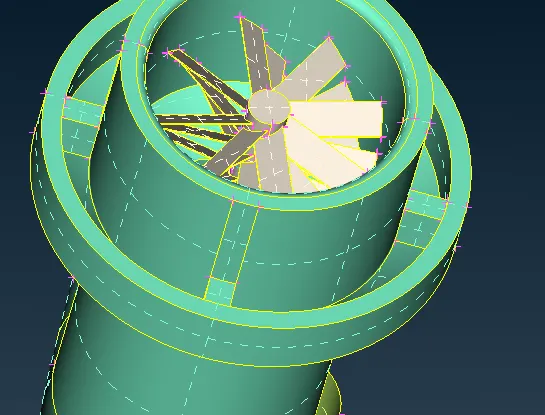
The intersection and penetration error is present in below picture we have to remove this .
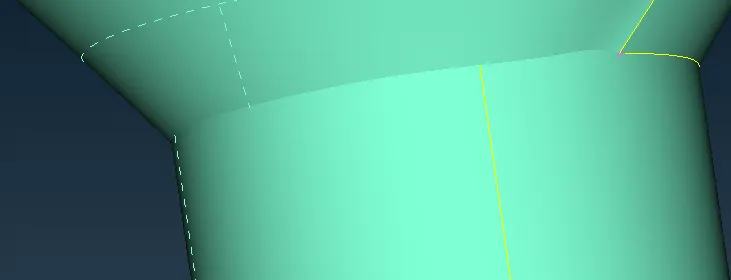
Go to In Topo > Faces > Intersect the new pop up is coming in this select the component which are intersecting in first and second group selection and after that keep the surface which is required and delete the unnecessary surfaces.
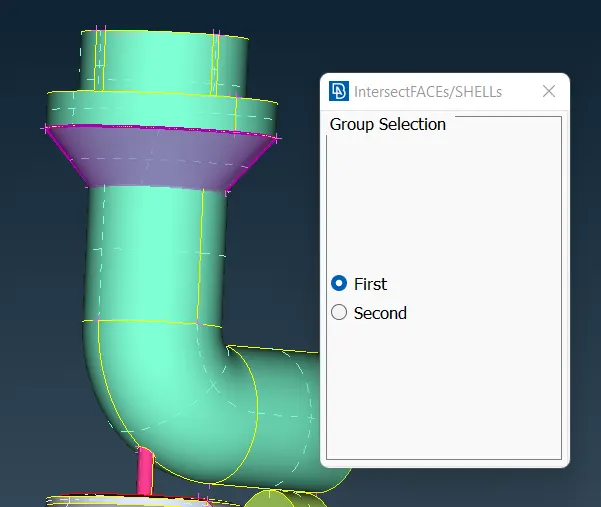
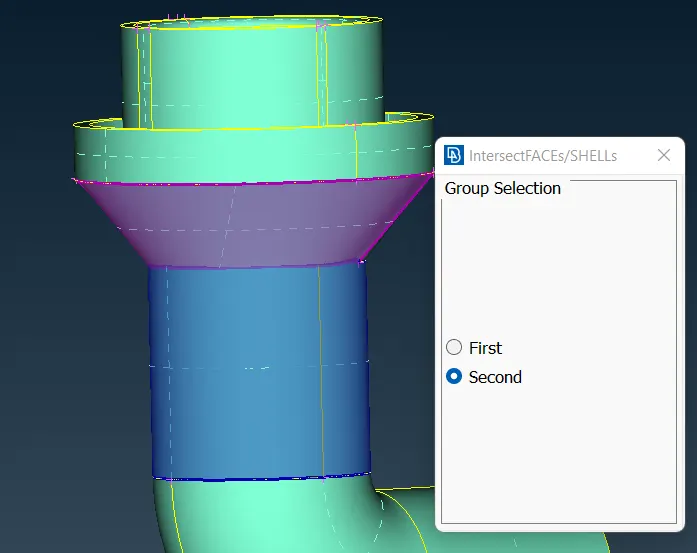
After that we can see the double cons is generates in between the surface but this cons is not seen straight line is seen like curve so we create a cut surface and delete entire surface then create a surface by using the coons option.
Before :
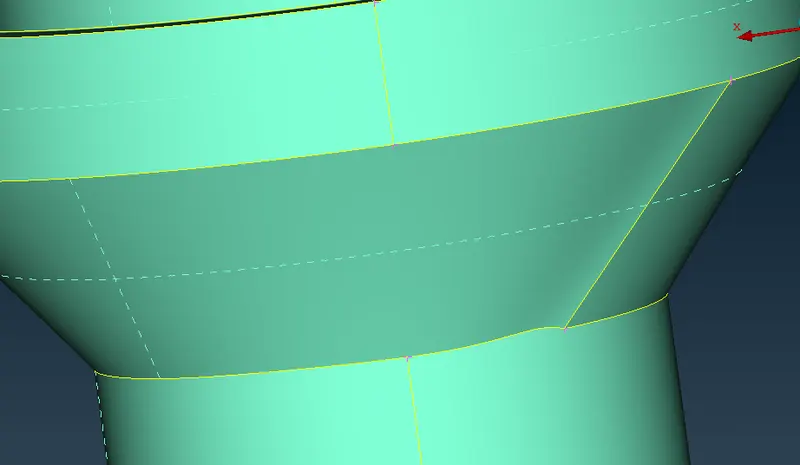
After :
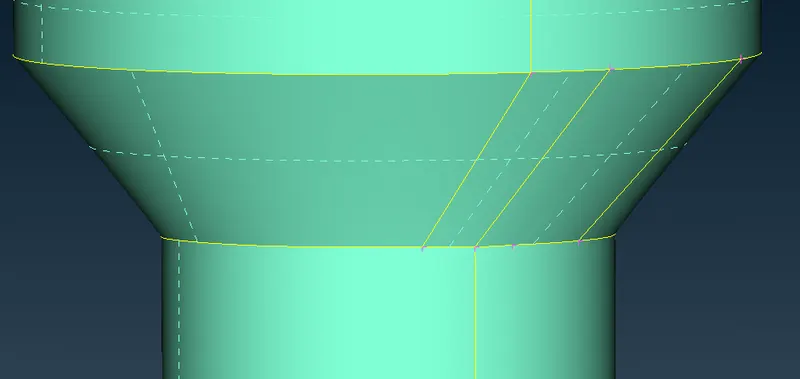
In below picture if we use faces option to create surface then its fail to create a exact surface due to that we create hot points on cons and create small small surfaces like patch using coons and use entity option for selecting the cons and get desired shape to the surface.
Before :
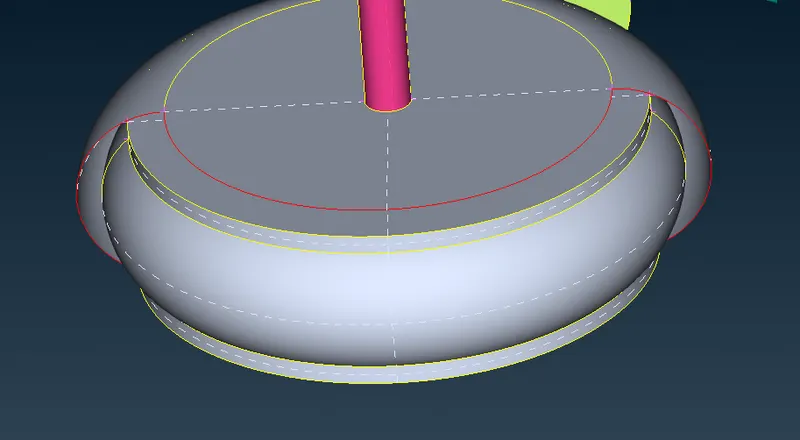
After :
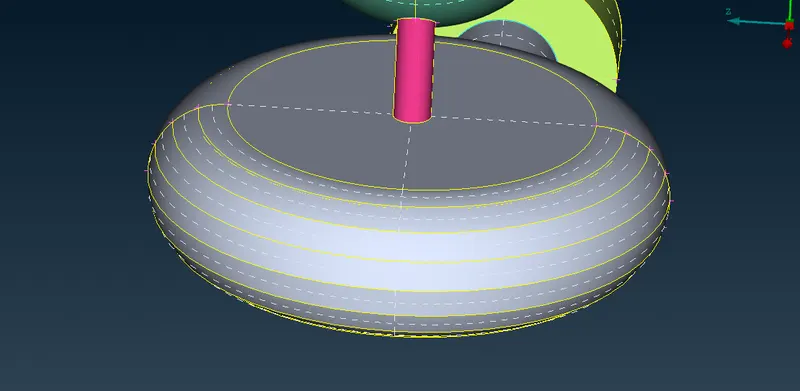
After that we again check the errors present in geometry there are triple cons present we have to check whether its required or not .
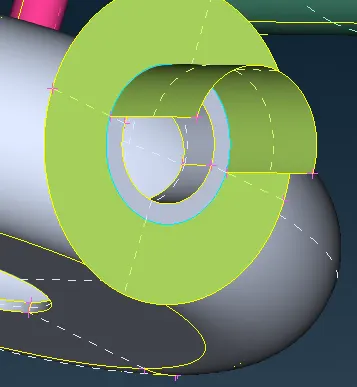
Above pictures shows a triple cons but which is required surface so we cannot delete this.on shaft there are many triple cons present so we have to delete this and make a single volume.which make it easier for volume mesh.we use not option for hide the surface and use universal delete option for deleting the overlap surface.
Before :
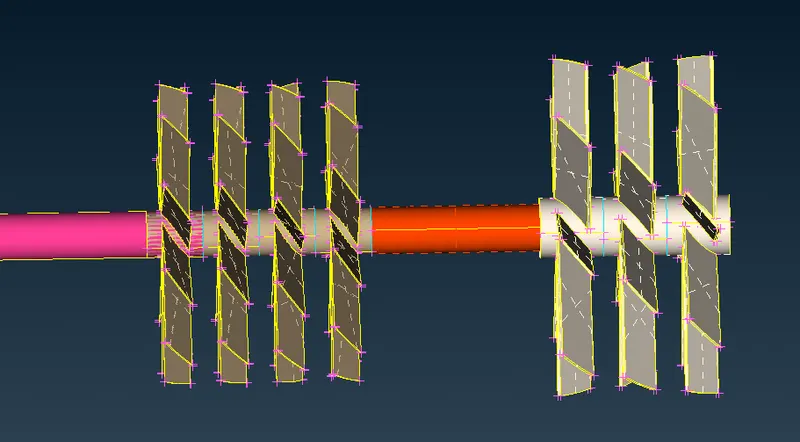
we use project option ie CONS > project to project the cons on pink color PID so after that we can easily delete the pink color overlap surface.
After :
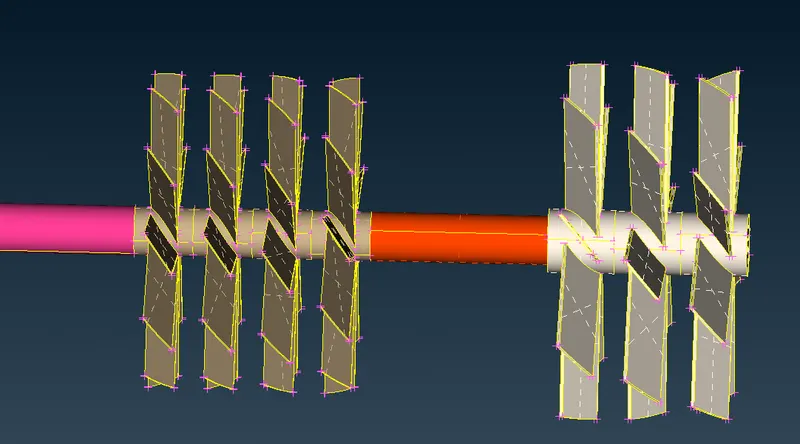
The triple cons is also present on impeller so we use CONS > project option to project cons which is present on shaft to impeller then we delete the surface .After that process the geometry look like :
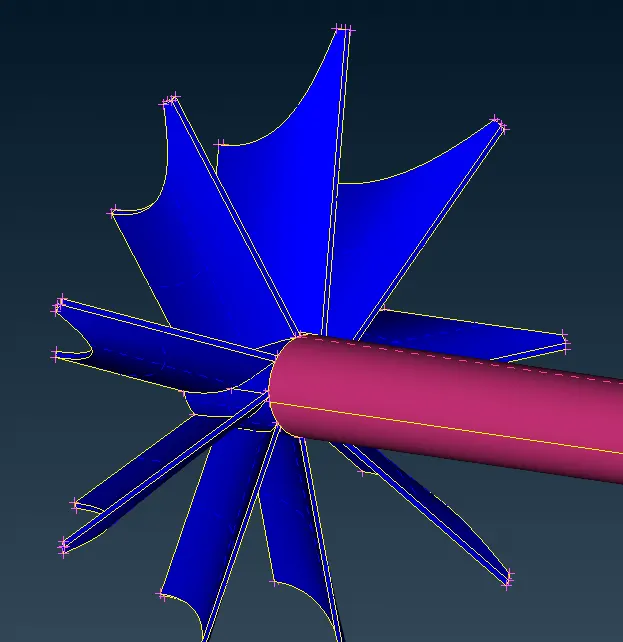
Step 2) Assigning the PID :
We assign the appropriate PID by using PID manager.
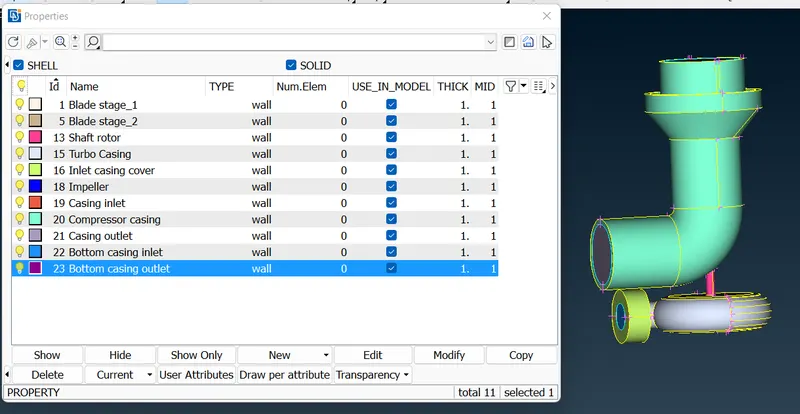
Step 3) Surface Meshing :
- The prerequisite for volume meshing is first to do surface meshing
- We need to mesh each component as per the given criteria (Target length is given in question)
- For each component we have to set the mesh parameter and quality criteria and we also set the mesh length in perimeter and macros as per given target length.
- We use element type for meshing is Tria (Triangular)
- For mesh generation we use spot mesh
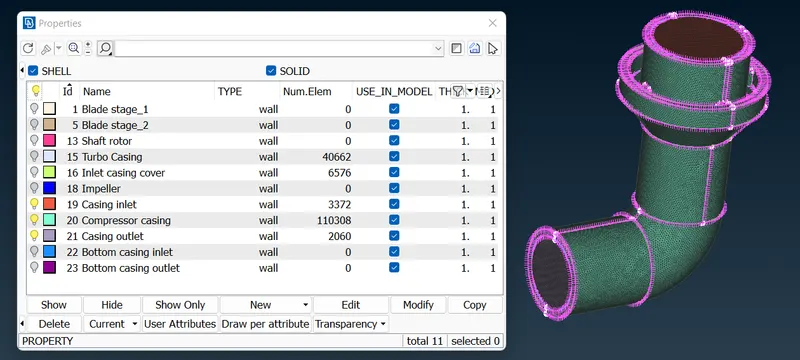
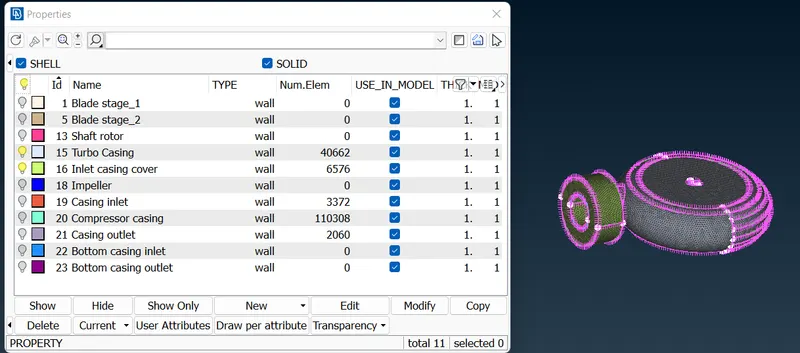
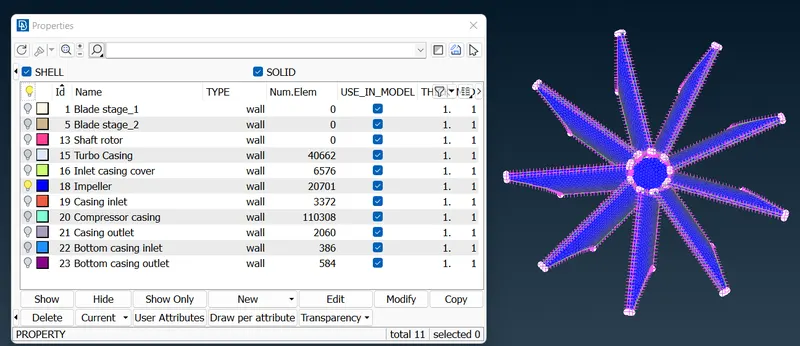
For impeller and shaft rotor the mesh length is different so that in that some region the mesh is erase so we have to do mesh in that region by selecting that PID.but after the meshing on impeller we observed that the small amount of mesh is erased of shaft because the double cons which is common for impeller and shaft .we kept perimeter and macros length for that region 1-2 mm and mesh parameter, quality criteria as per given target length and do the meshing .
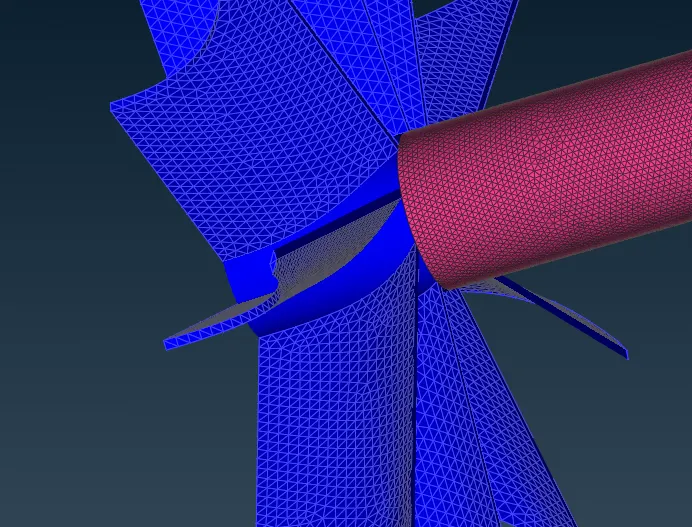
The same incident happen in compressor casing and Turbo casing region
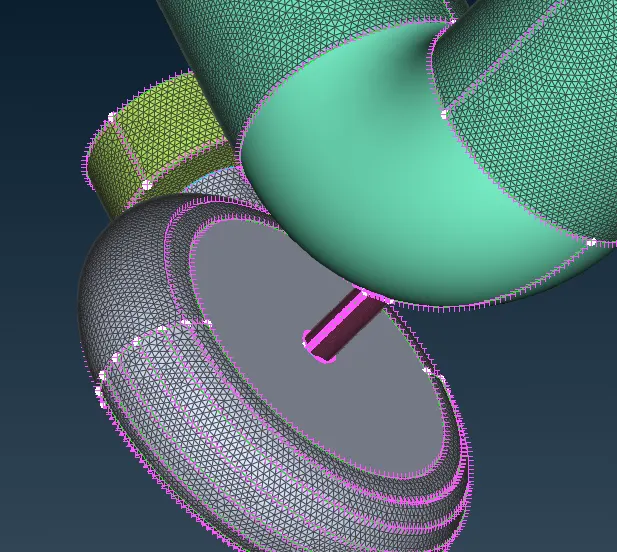
After surface meshing the geometry is look like :
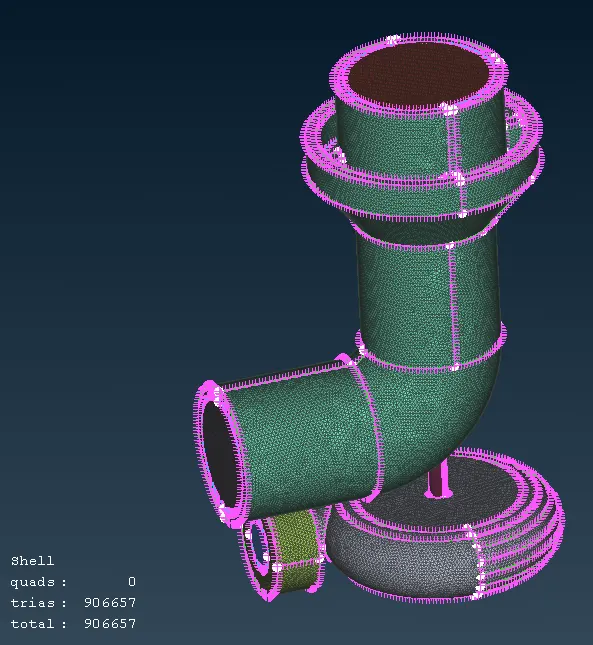
Step 4) Volume meshing :
- Before this step we done the surface meshing ,so we can do volume meshing in this step
- Under the volume meshing ,Volumes > Define > select whole db
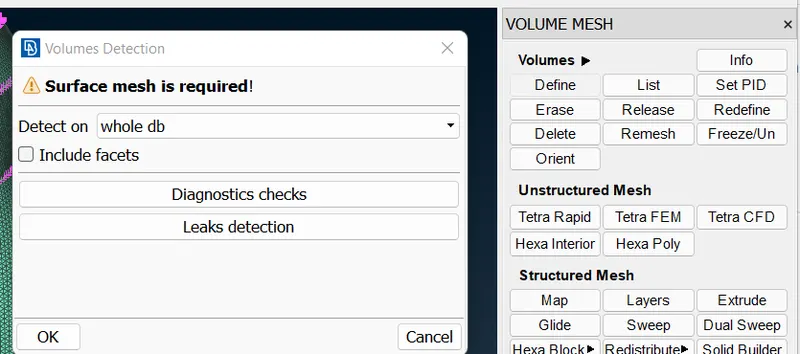
- Ansa identifies the various volume present in the geometry we can delete the unwanted volumes and keep the required volume ie fluid will flow in that region.
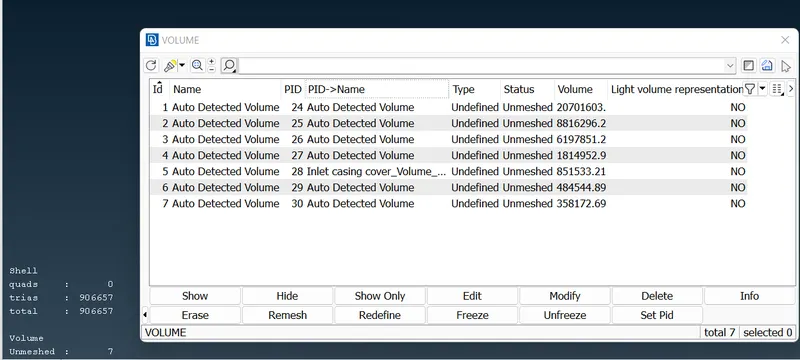
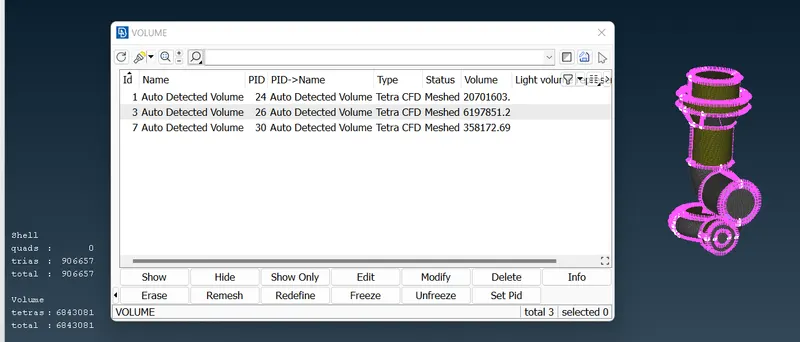
- We delete PID No 25,27,28,29 which is not required.and we mesh remaining PIDs
- We can mesh each volume by using Tetra CFD by changing Type Undefined to Tetra CFD and in right click there is a option remesh click on that then the volume meshing is done .
Learning Outcomes :
- Complete geometrical clean up by using different tools present in Topo deck.
- Deleting the overlap surfaces ie which is unnecessary surface .
- Intersection and penetration error is removed .
- Creating the surface mesh individually for given target length.
- Identify and create a volume mesh only for the region where the fluid is flowing.
- Tools to create the volume mesh.
Result:
The mesh file link is given below:
https://drive.google.com/file/d/1UdONTV4prj_MRyafG3oFnOMFpodUE8cY/view?usp=sharing
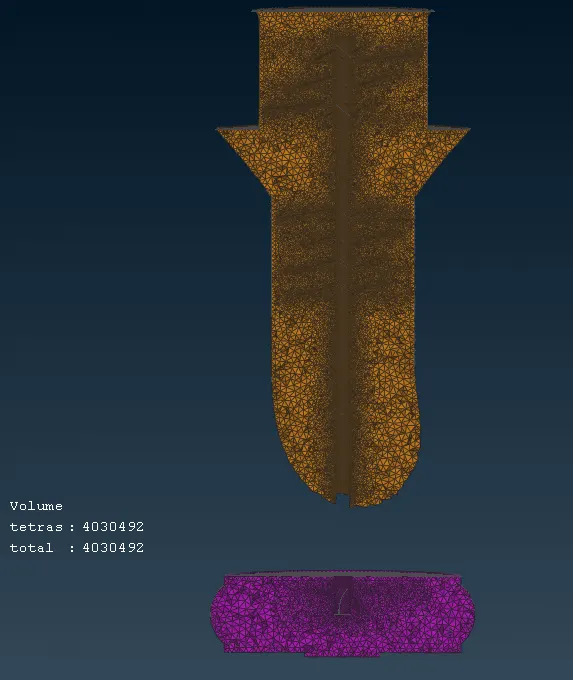
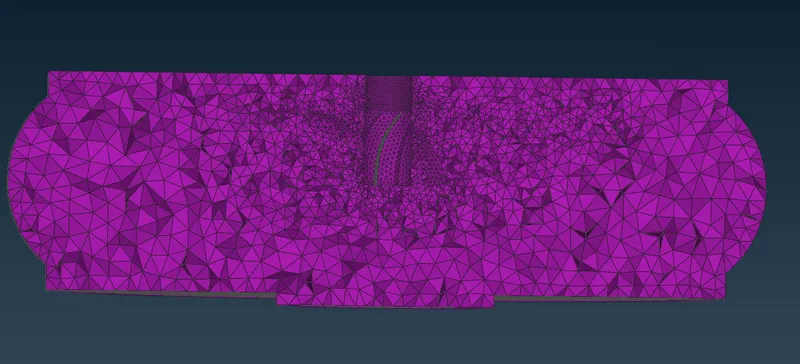
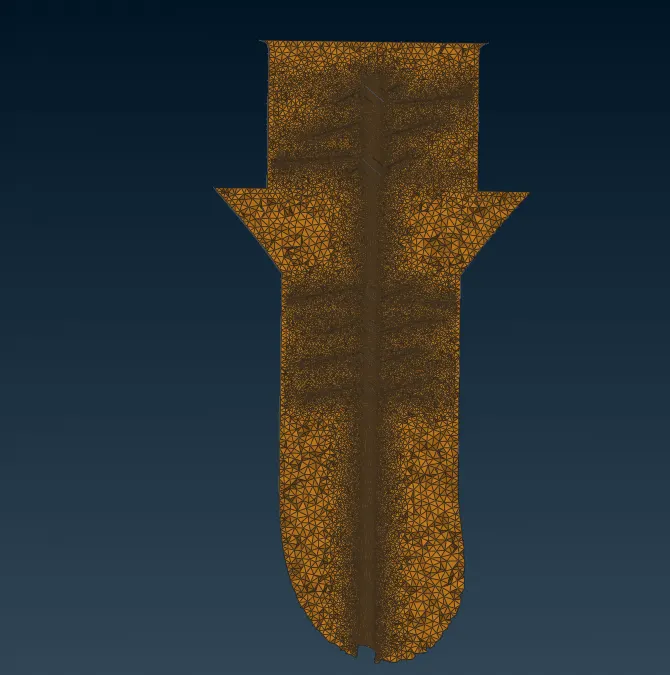
Sectional View of Volumetric mesh :
Conclusions:
- The volumetric mesh for a given Turbocharger model is achieved.
- The prerequisite for volume meshing is first to do surface meshing .
- The overlapped surfaces can be deleted by using universal delete option.
- The unnecessary Triple cons are removed and single cons error removed completely by using different tools present in Topo deck .