Week-3 Challenge: ADVISOR Tool
Solution:
Q.No.1:
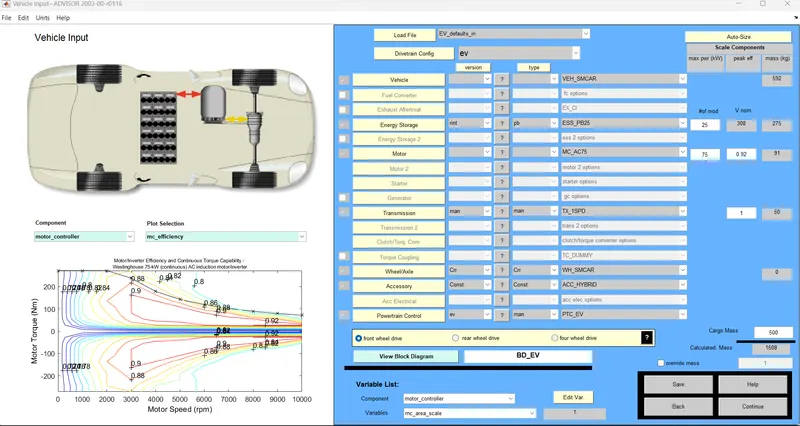
- Advisor tool is opened from the Matlab command window. Metric units is selected and the tool is started.
- Under Load File option "EV_defaults_in" is selected
- Cargo mass is updated to 500 kg and click continue
- "CYC_FTP" is selected under drive cycle
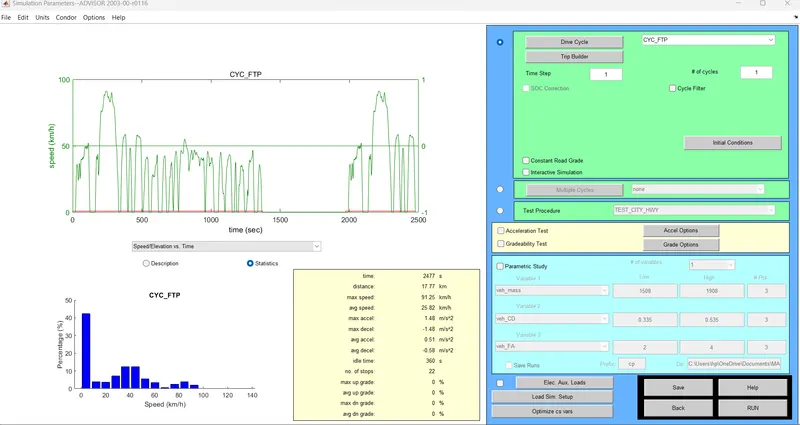
- With all the parametrs in default value, the simulatin is rum for 1 drive cycle
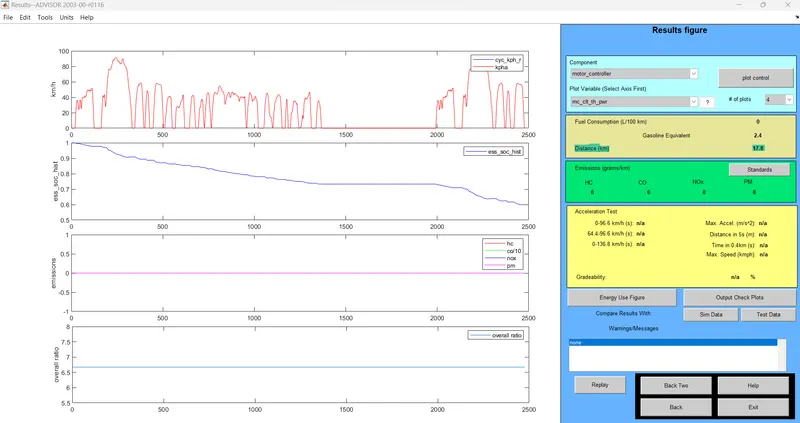
- The distance covered by the vehicle for 1 drive cycle is 17.8 Km
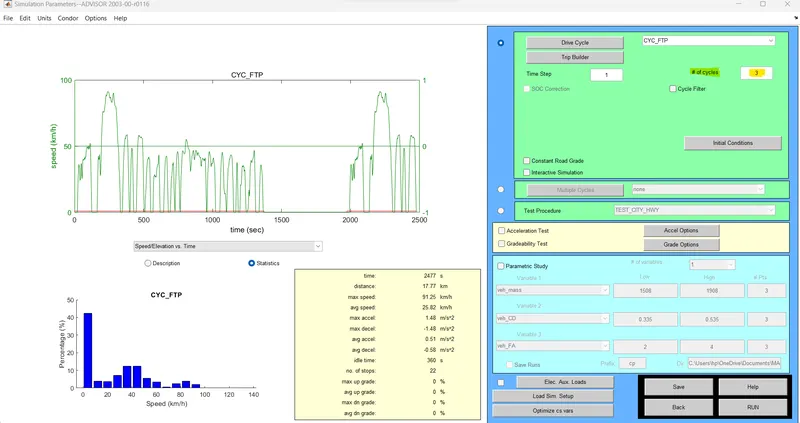
- In order to check if the vehicle can travel for 45 km, the number of drive cycle is increased to 3 and the simulation is run
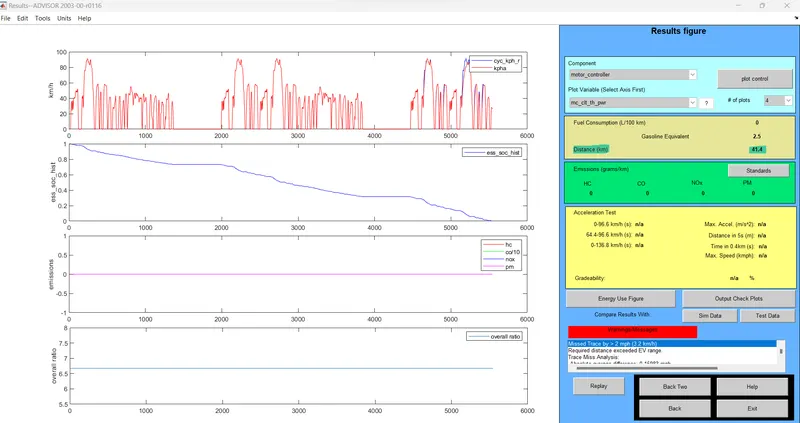
- The vehicle travels for 41.4 km with 3 drive cycles of CYC_FTP
- It is unable to travel for 45 km in the 3rd cycle as the state of charge (SOC) of battery reaches 0 e.i., the battery charge has been completly utilised and there is no charge left for the vehicle to cover more distance
Inference:
For EV_defaults_in file, with cargo mass 500 kg and all other default conditions, the vehicle cannot travel for 45 km with FTP drive cycle (3 cycles). The vehicle travels for 41.4 km as the state stae of charge of battery reaches zero befor the vehicle travels for 45 km. With the increased battery capacity of EV_defaults_in for the given conditions the vehicle can travel 45 km.
Q.No.2:
- The energy storage parameter is chnaged to 30 in the above model (other parameters are not changed)
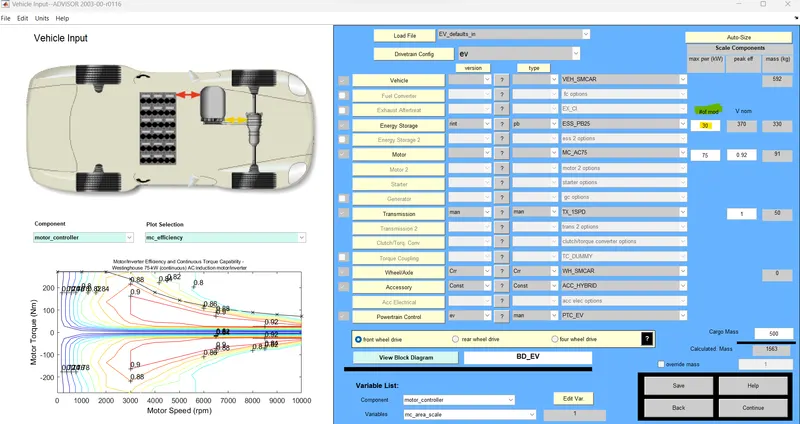
- The simulation is rum for 3 drive cycles
- With the increased battery capacity (30), the vehicle travelles for 45 km, but it is not able to travel for complete 3 drive cycles
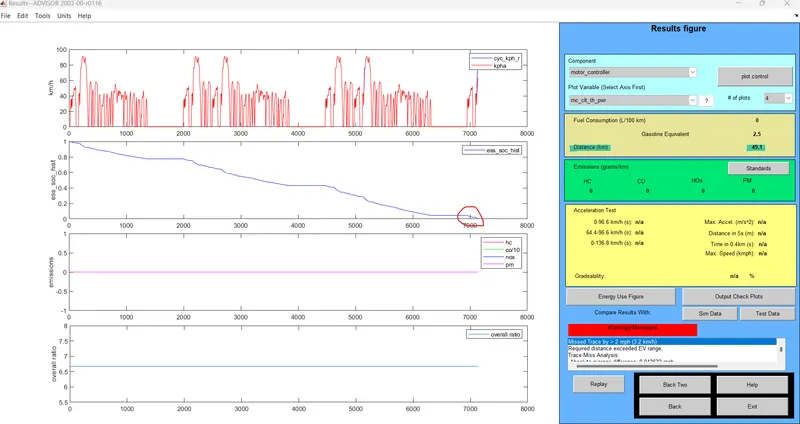
- The state of charge of battery reaches 0 before completeing 3 drive cycles (53.4 km)
- The energy storage parameter is further increased to 50 and the simulation is run
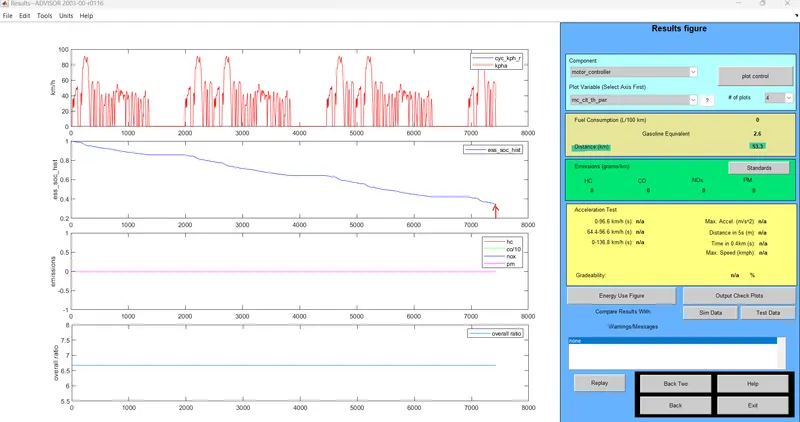
Inference:
With the increased energy storage, the vehicle travels for 53.3 km (complete 3 drive cycle) and at the end of 3rd drive cycle approximately 35% of the energy is left in the battery
Q.No.3:
- Advisor tool is opened from the Matlab command window. Metric units is selected and the tool is started.
- Under Load File option "PRIUS_Jpn_defaults_in" is selected
- All other parameters are set to default and click continue
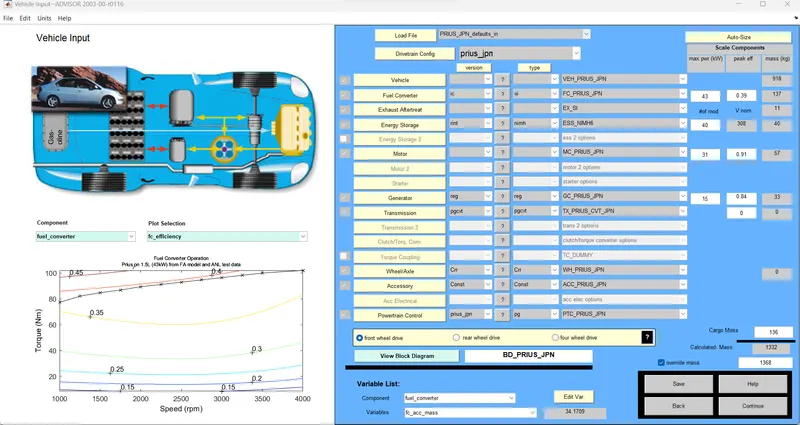
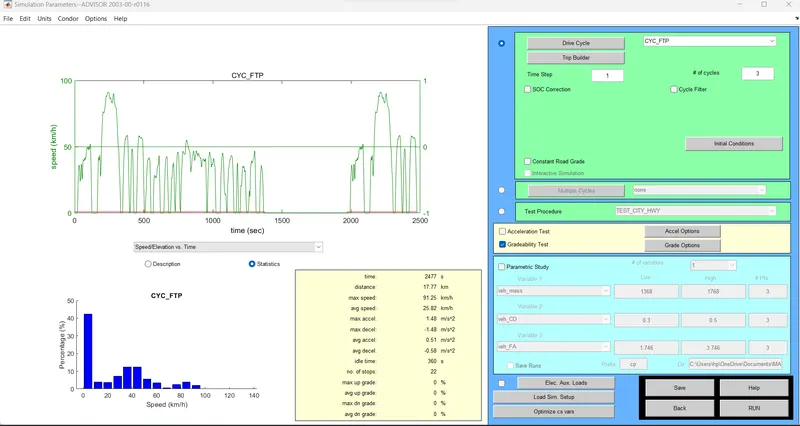
- Select CYC_FTP drive cycle with 3 drive cycles and select the Gradability test check box and click on Grade Options
- Set the parameters for gardability test in Grade options
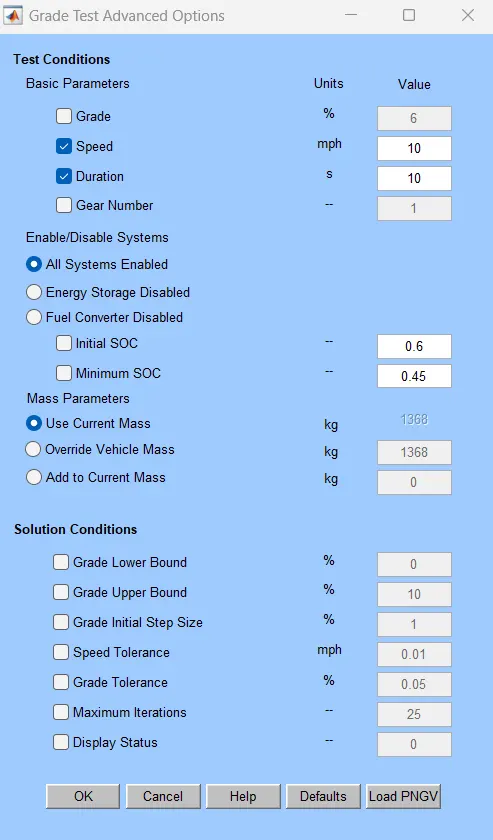
- Here the test is performed for different speed at different duration of test time (speed range - 10 mph to 50 mph at intervals of 10 and test durationof 10, 20, 30, 40, 50 sec)
- Gradability for speed 10 mph and duration 10 sec is 30.3%
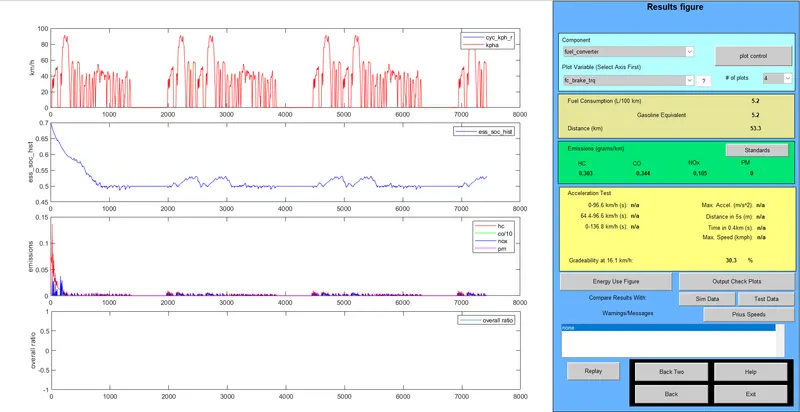
- Gradability for speed 20 mph and duration 20 sec is 22.9%
-
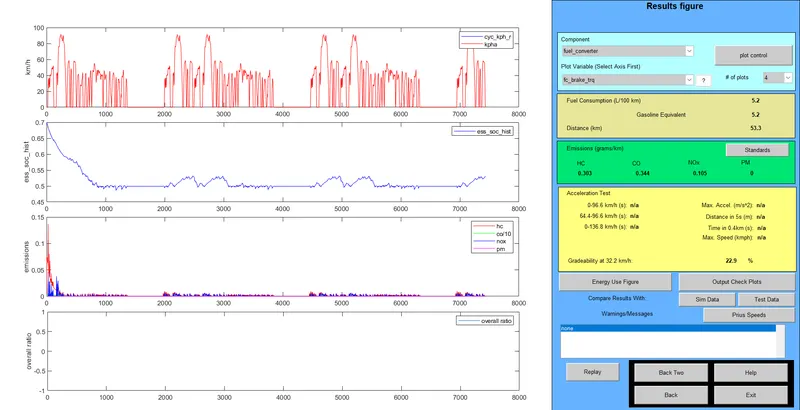
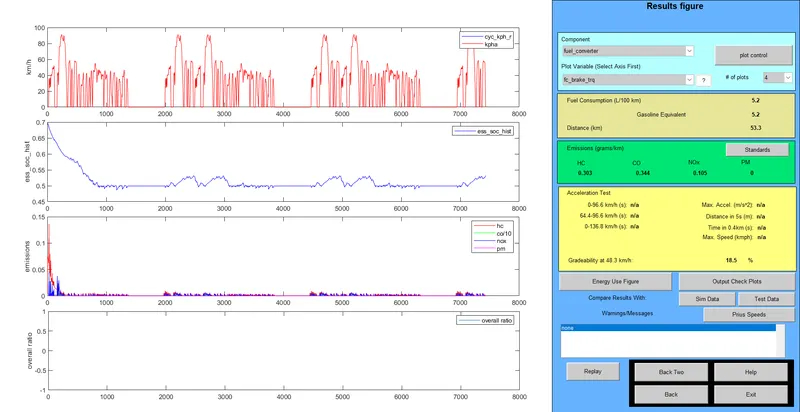
- Gradability for speed 30 mph and duration 30 sec is 18.5%
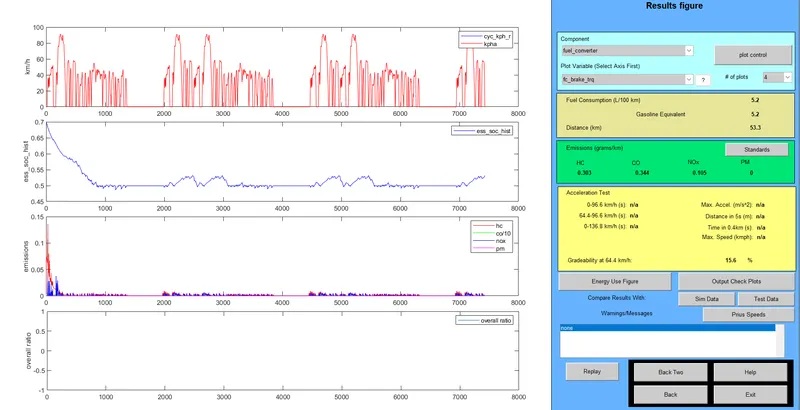
- Gradability for speed 40 mph and duration 40 sec is 15.6%
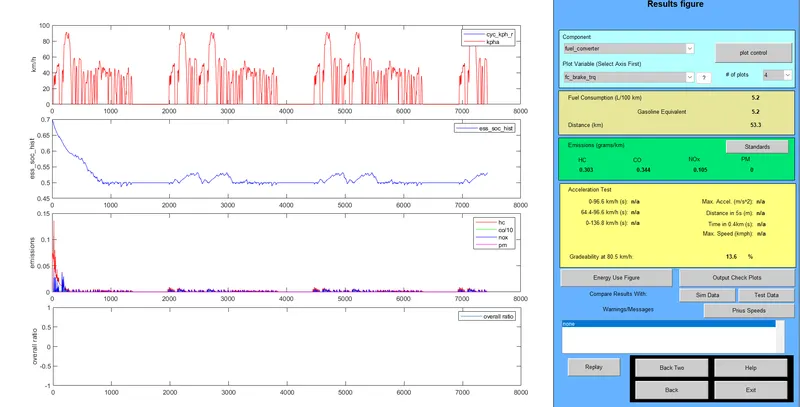
- Gradability for speed 50 mph and duration 50 sec is 13.6%
| Gradeability (%) | Speed (mph) | ||||
| Test Duration(sec) | 10 | 20 | 30 | 40 | 50 |
| 10 | 30.3 | 19.8 | 14.7 | 11.7 | 9.7 |
| 20 | 33.7 | 22.9 | 17.7 | 14.6 | 12.4 |
| 30 | 34.2 | 23.3 | 18.5 | 15.3 | 13.1 |
| 40 | 34.3 | 235 | 18.7 | 15.6 | 13.4 |
| 50 | 34.4 | 23.5 | 18.8 | 15.8 | 13.6 |
Inference:
- Gradeability decreases with the increase in speed for the given test duration.
- With the increase in test duration, gradeability increase for a given speed.