Week-3 Challenge: ADVISOR Tool
Question 1:
For EV_defaults_in file, if cargo mass is 500 kg with all other default conditions, can the vehicle travel for 45 km with FTP drive cycle? Conclude your observations.
Solution:
To open the ADVISOR Tool by download the the folder, open the ADVISOR matlab file and run the file.
Then the ADVISOR tool is open.
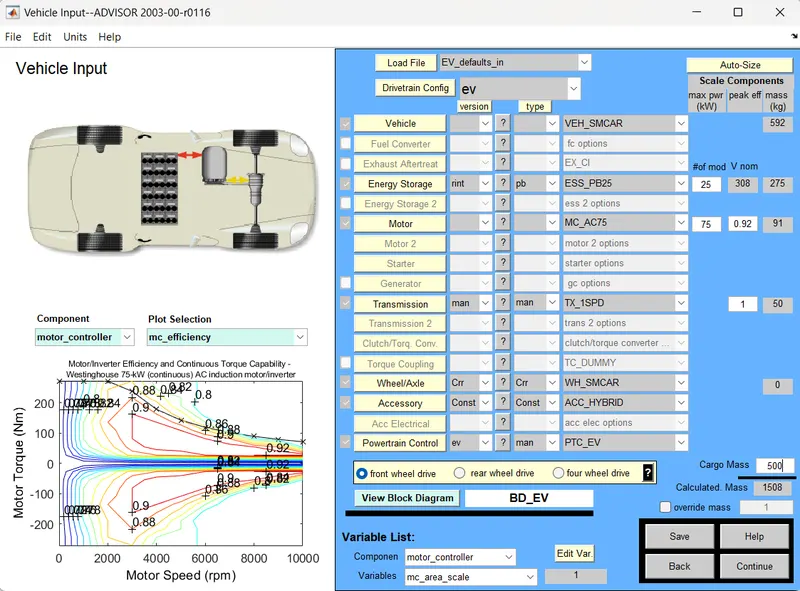
In an Load File tab set the vehicle model as EV_defaults_in and Change the cargo mass has 500 kg, Then Click on Continue to design the Drive Cycle
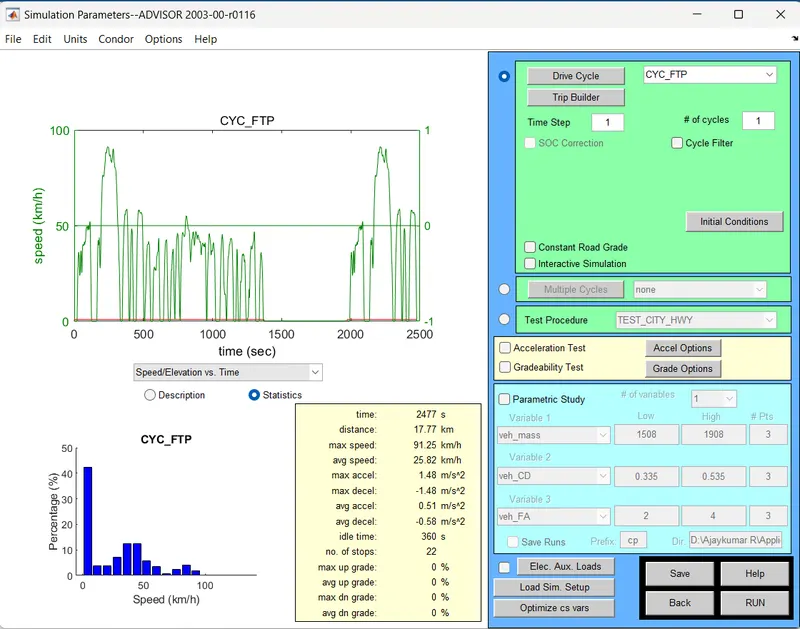
Now set the Drive Cycle has CYC_FTP for single cycle it cover 17.77 Km, Then Click on the RUN button to see the Result.
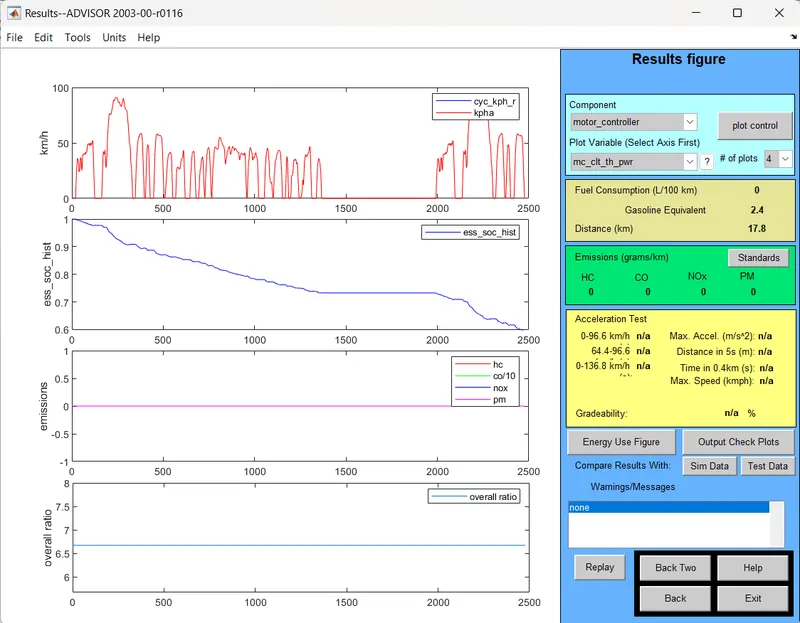
In an Result, the state of charge is 60% drain for 17.77km. Now we can increase the drive cycle for 45 km.
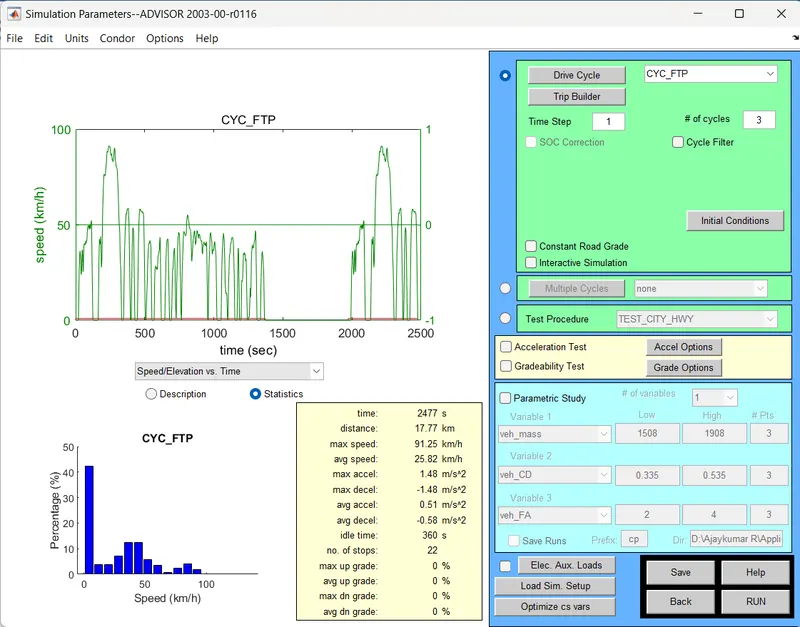
To change the no of cycle to 3, Then Click on the RUN button to see the Result.
In the result, the state of charge is drain to 0.The vehicle only reach the 41.4 km with the given battery capacity.
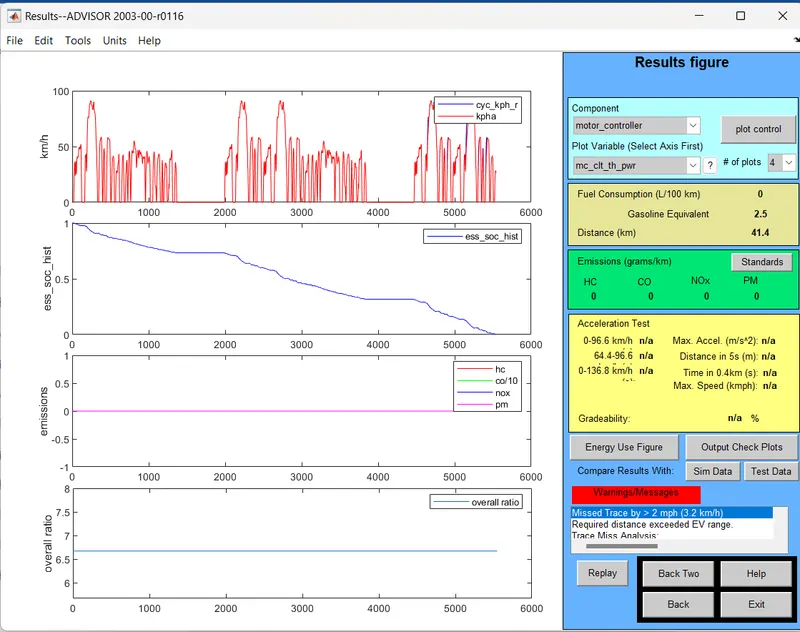
Hence the vehicle cannot reach 45km for the CYC_FTP drive cycle,The vehicle only reach the 41.4 Km for the given battery capacity.
******************************************************************************************
Question 2:
In the above case, try changing the battery capacity and repeat the simulation.
Solution:
For the above case, I Change the battery capacity has 30 KW.
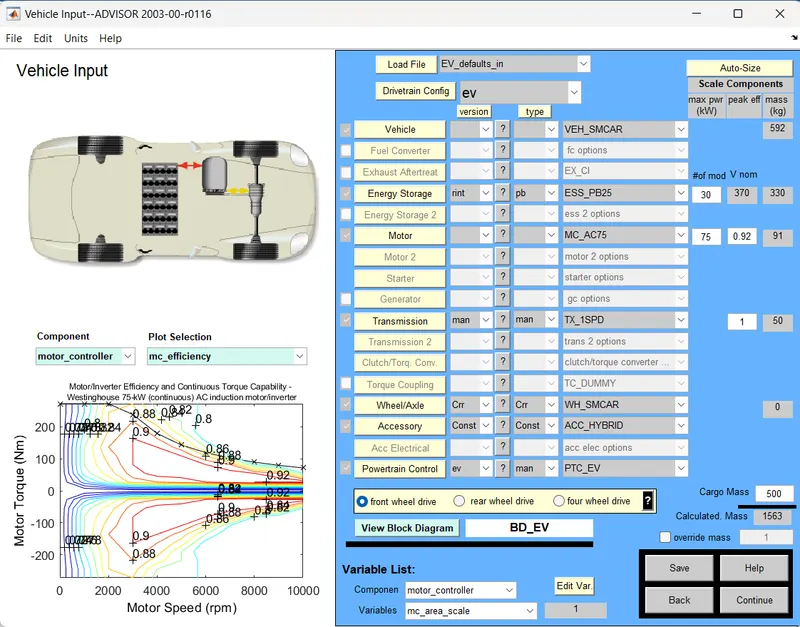
And set the number of drive cycle has 1.
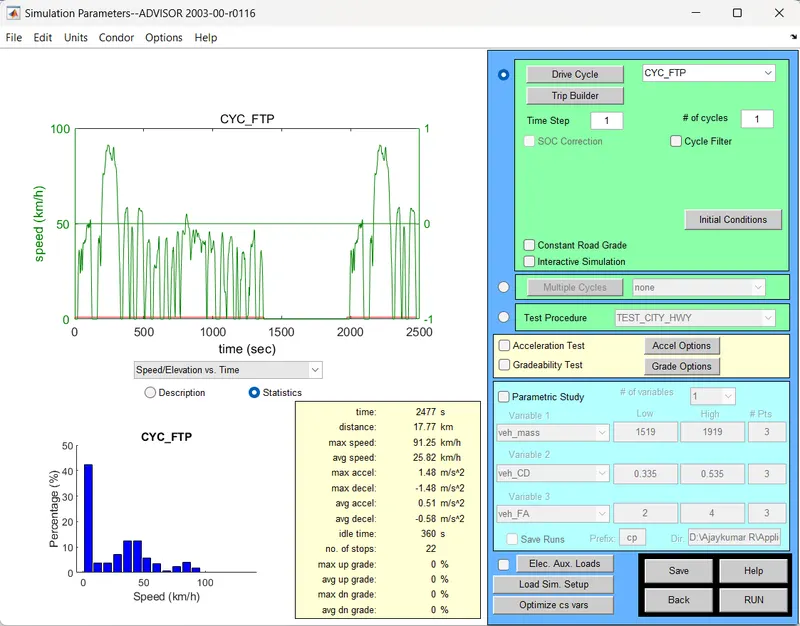
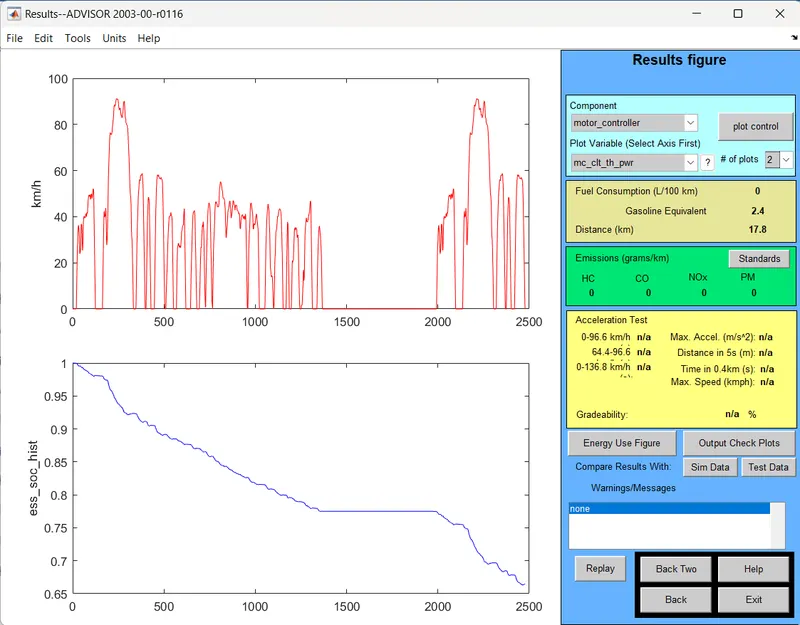
Result show that the vehicle reach 17.8Km by drain the battery to 65% State of Charge for 1 Cycle with an battery capacity of 30KW.
And set the number of drive cycle has 2.
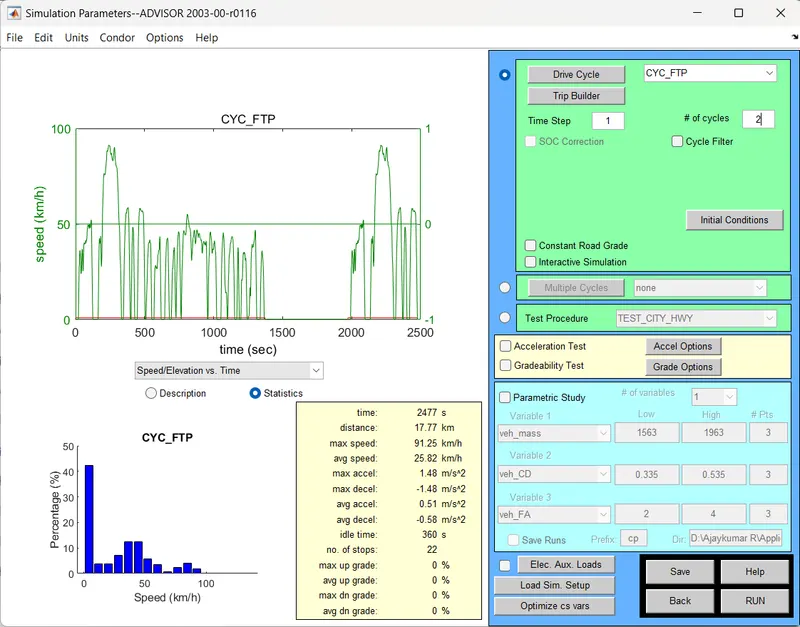
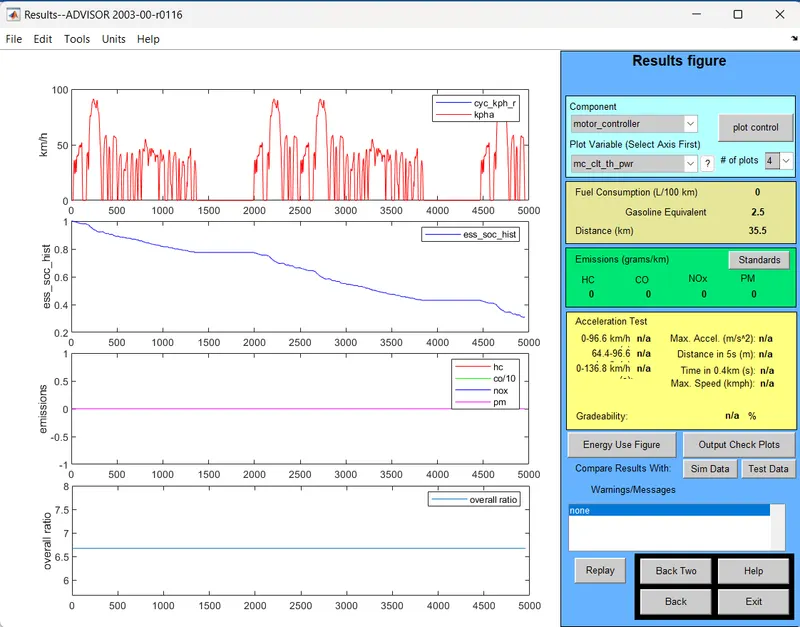
Result show that the vehicle reach 35.5Km by drain the battery to 30% State of Charge for 2 Cycle with an battery capacity of 30KW.
And set the number of drive cycle has 3.
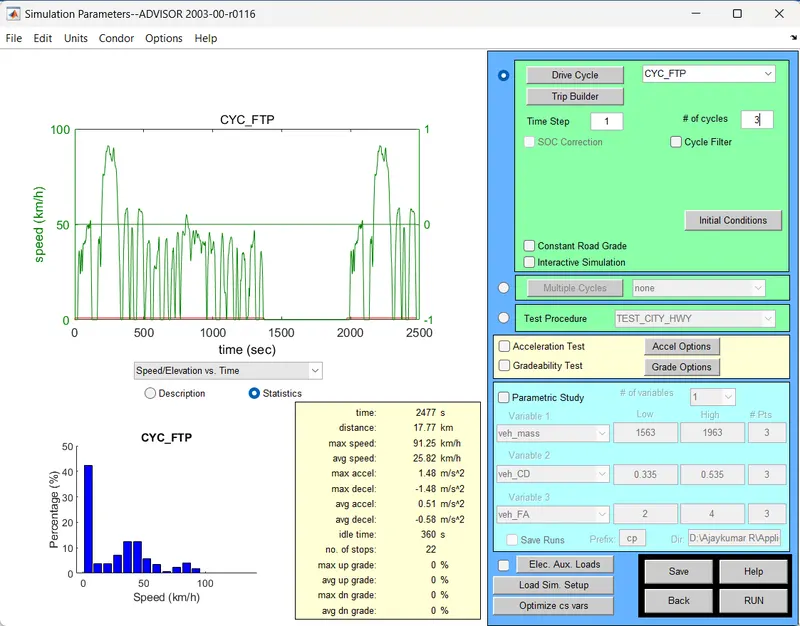
Result show that the vehicle reach 49.1Km by drain the battery to 0% State of Charge for 3 Cycle with an battery capacity of 30KW.
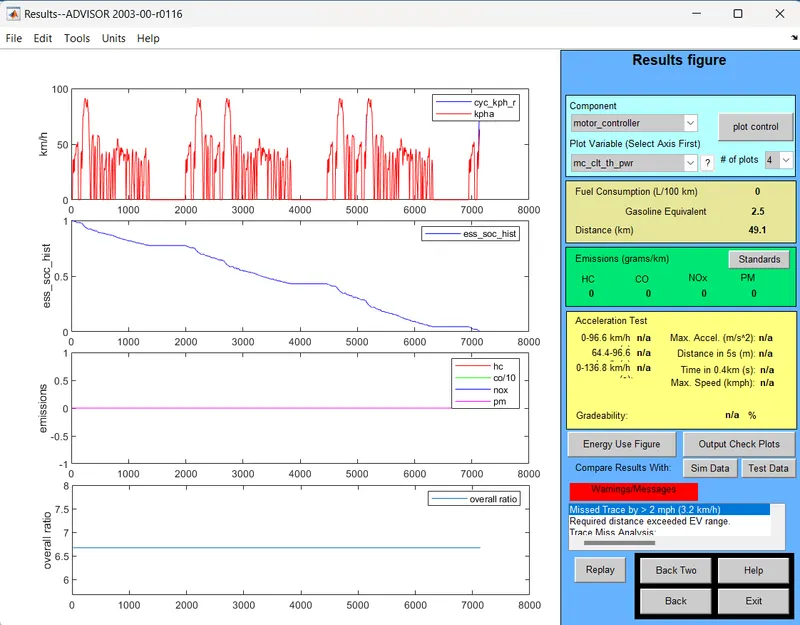
Hence the vehicle can reach 45km for the CYC_FTP 3 number of drive cycle with an battery capacity of 30KW,Then vehicle reach the 49.1 Km for the fully charged battery with an given drive cycle.
| S.No | No of Cycle | Vehicle Distance Reached | Battery capacity | State of Charge(charge Percentage) |
| 1 | 1 | 17.8 Km | 30KW | 65% |
| 2 | 2 | 35.5 Km | 30KW | 30% |
| 3 | 3 | 49.1 Km | 30KW | 0% |
******************************************************************************************
Question 3:
Perform gradeability test with PRIUS_Jpn_defaults_in file
Compare your results in table and conclude.
Solution:
To open the ADVISOR Tool by download the the folder, open the ADVISOR matlab file and run the file.
Then the ADVISOR tool is open.
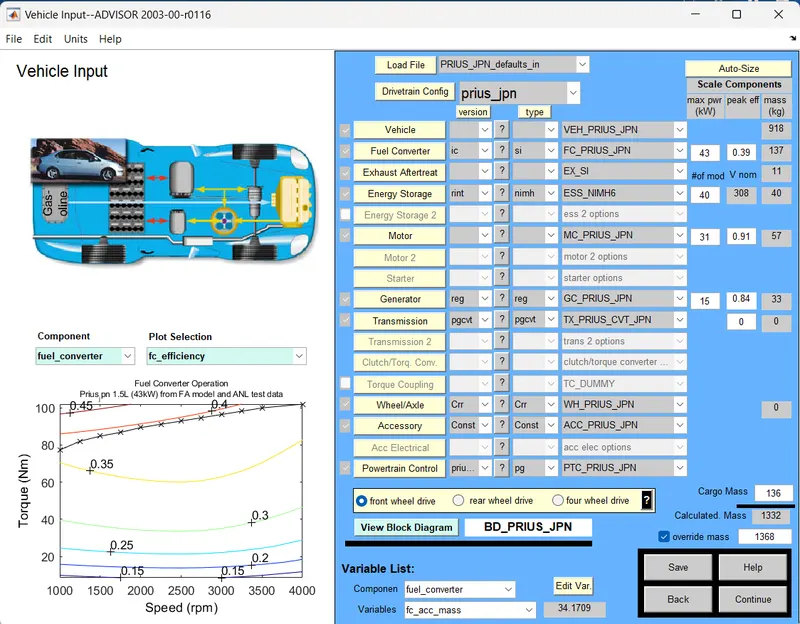
In an Load File tab set the vehicle model as PRIUS_Jpn_defaults_in, Then Click on Continue to design the Drive Cycle
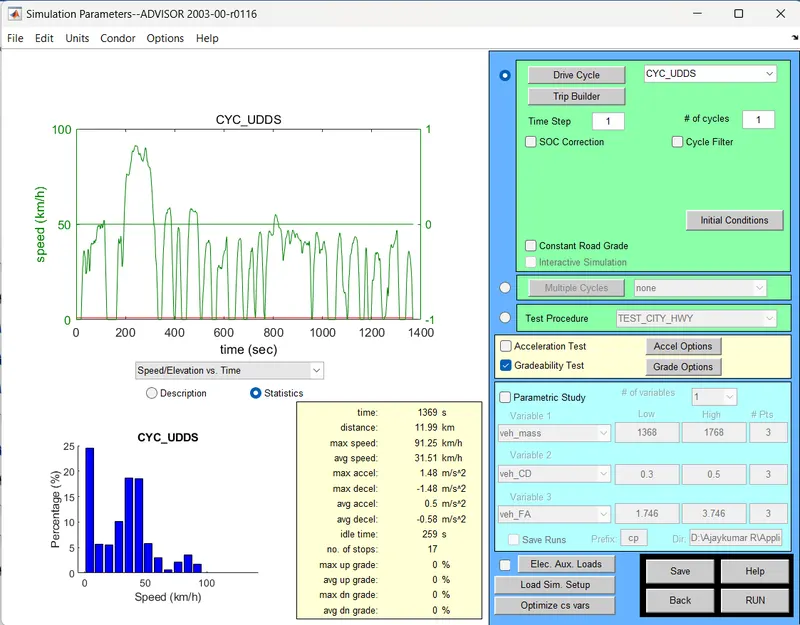
Here, I used an Drive Cycle of CYC_UDDS with number of drive has 1.
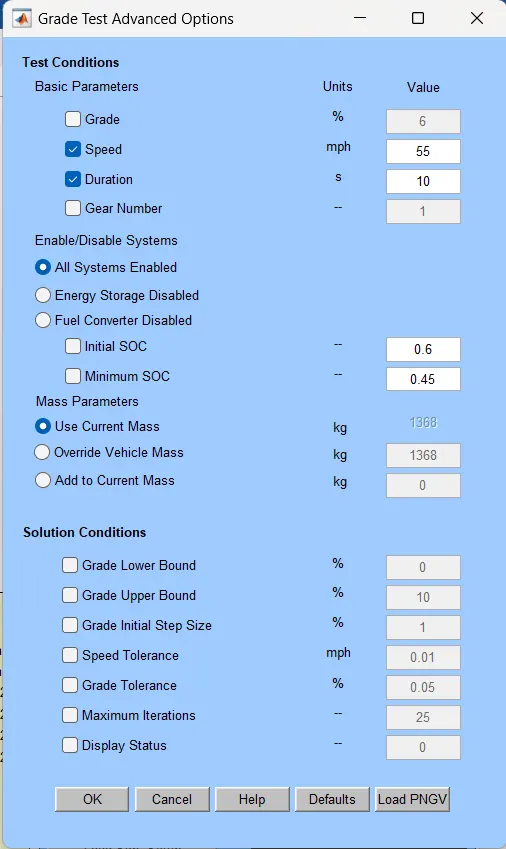
Here, I set speed of 55mph=88.5kmph and time need to cross the gradeability road is set has 10sec.
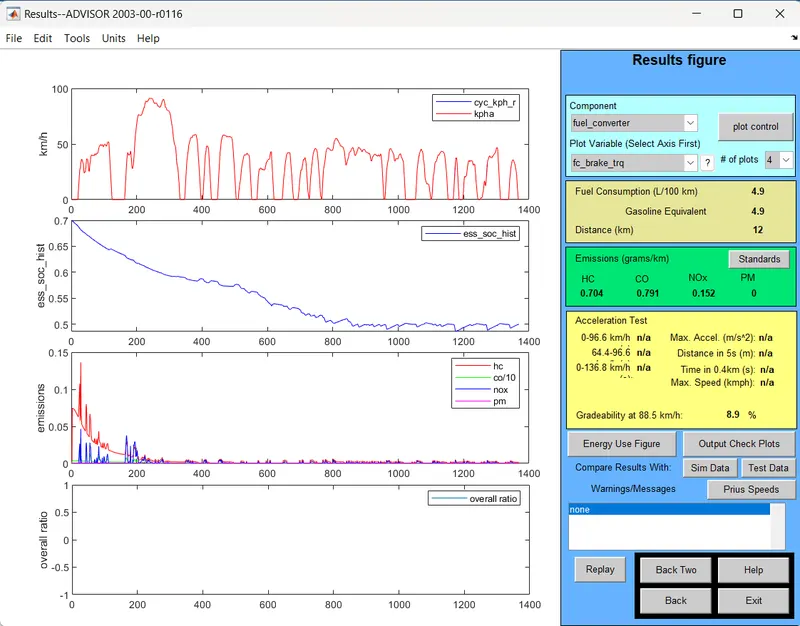
The result Show that, for taken speed and time of 88.5 kmph and 10 sec,the gradeability is 8.9%.
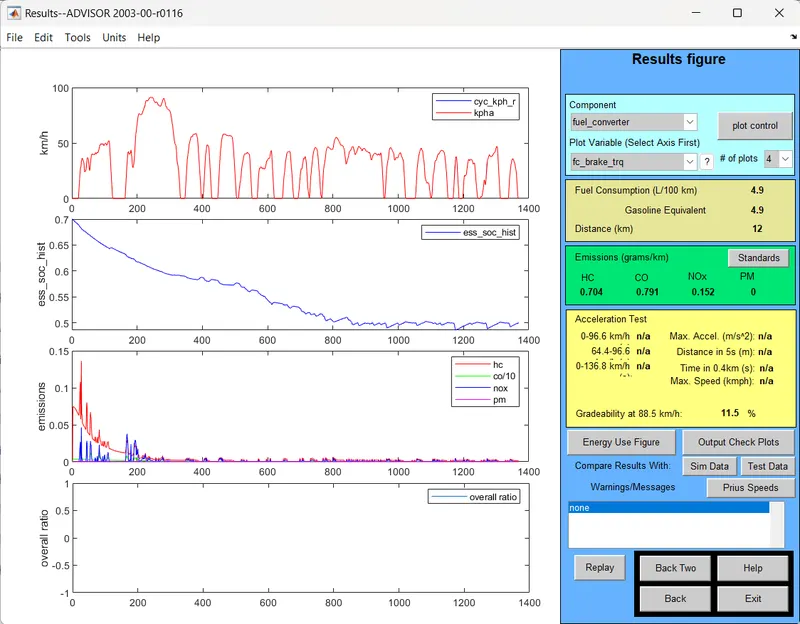
Now, I set speed of 55mph=88.5kmph and time need to cross the gradeability road is set has 20sec.
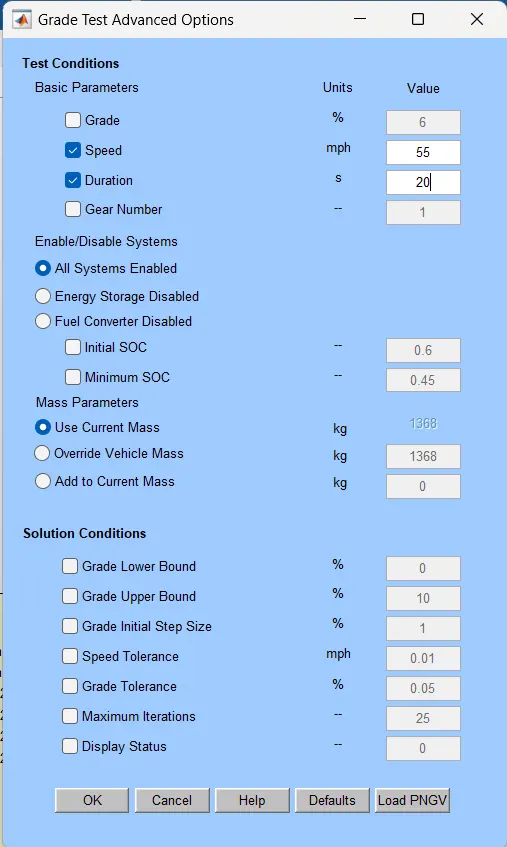
The result Show that, for taken speed and time of 88.5 kmph and 20 sec,the gradeability is 11.5%.
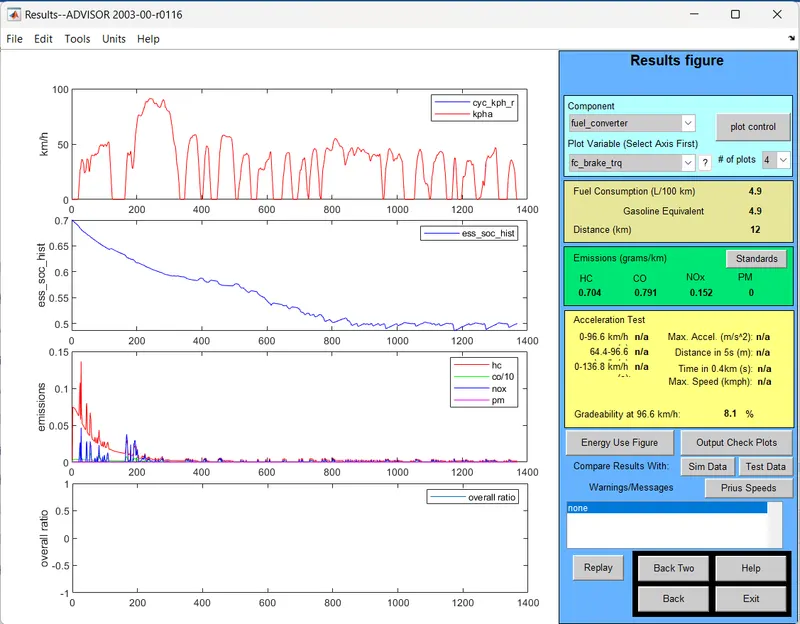
Now, I set speed of 60mph=96.5kmph and time need to cross the gradeability road is set has 10sec.
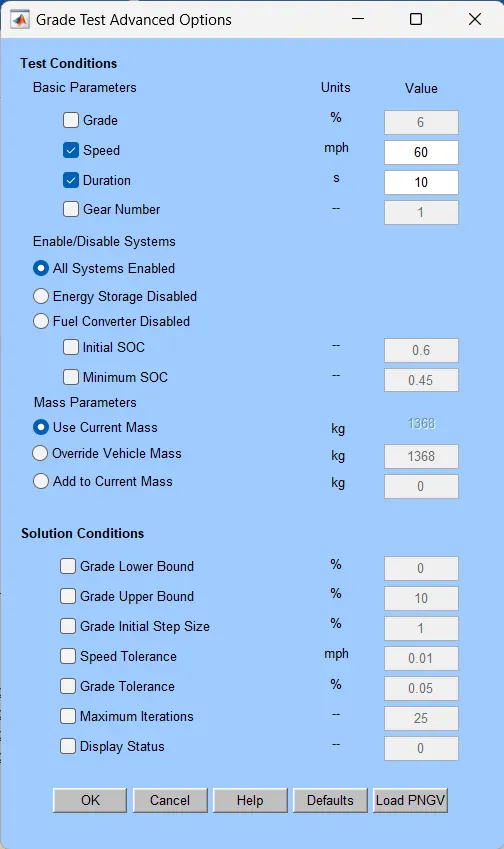
The result Show that, for taken speed and time of 96.5 kmph and 10 sec,the gradeability is 8.1%.
Now, I set speed of 60mph=96.5kmph and time need to cross the gradeability road is set has 20sec.
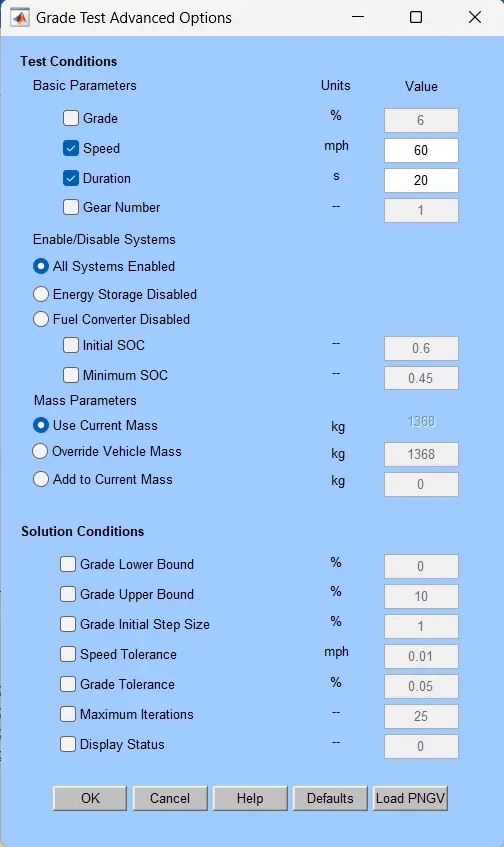
The result Show that, for taken speed and time of 96.5 kmph and 20 sec,the gradeability is 10.6%.
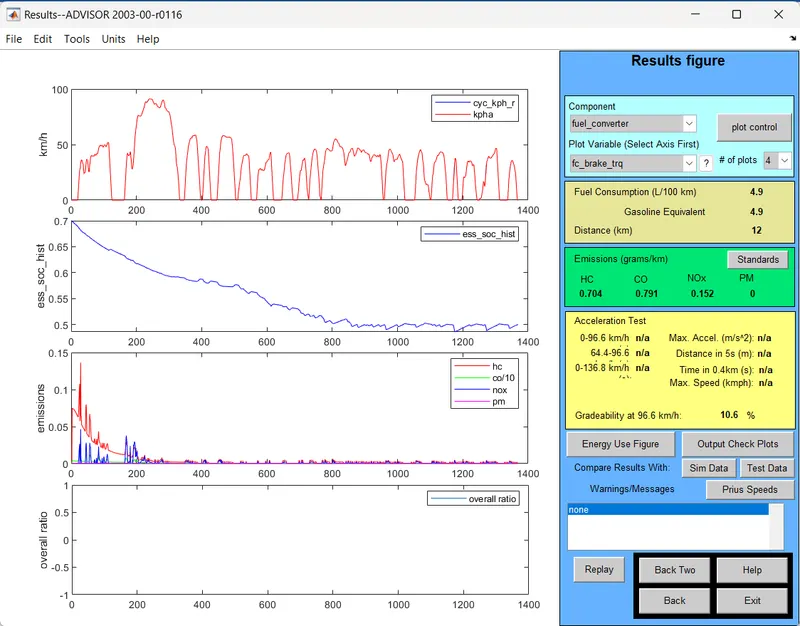
Result Table:
| S.No | Speed(mph) | Speed(Kmph) | Time(Sec) | Gradeability(%) |
| 1 | 55 | 88.5 | 10 | 8.9 |
| 2 | 55 | 88.5 | 20 | 11.5 |
| 3 | 60 | 96.5 | 10 | 8.1 |
| 4 | 60 | 96.5 | 20 | 10.6 |
Conclution:
The above table shows, That
If the speed increases the gradeability is also decreases.
If the Speed is Decrease the vehicle can climb the high gradeability hill.
******************************************************************************************