Week-3 Challenge: ADVISOR Tool
Steps to be followed to use ADVISOR Tool in MATLAB:
- Load ADVISOR tool to matlab command window and the run the advisor.m file
- Select Metric system.
1.
- Select EV_defaults_in file.
- Enter cargo mass =500kg. Keep other parameters unchanged.
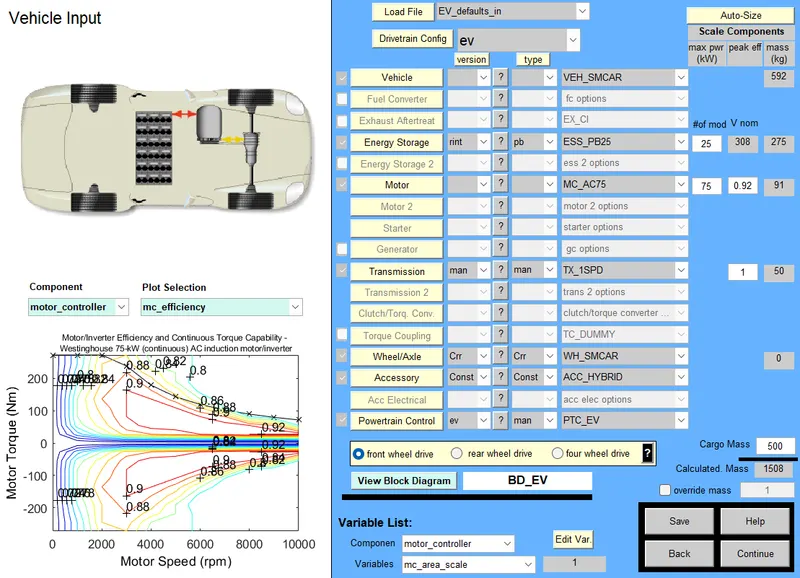
- Select Continue.
- Select CYC_FTP drive cycle. Enter no. of drive cycle=1
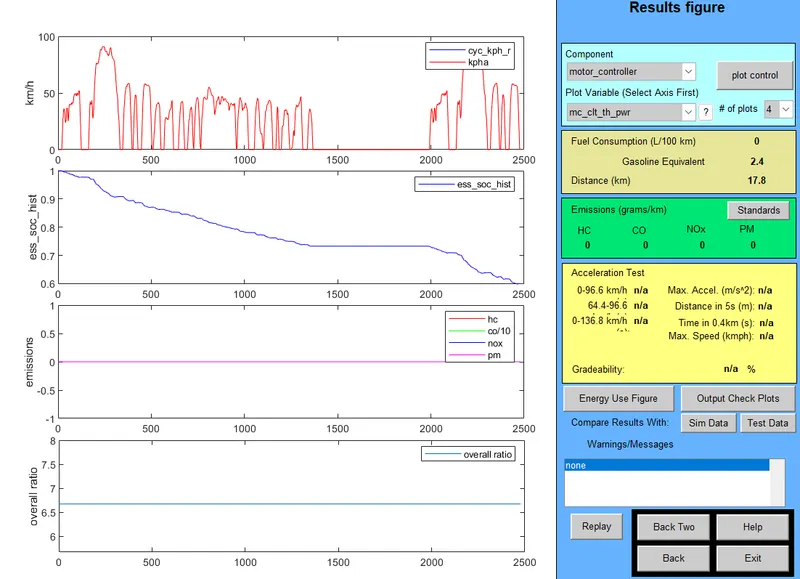
- As mentioned in the graph, the vehicle travels only for 17.8 km in one drive cycle.
- Enter no. of drive cycle=3
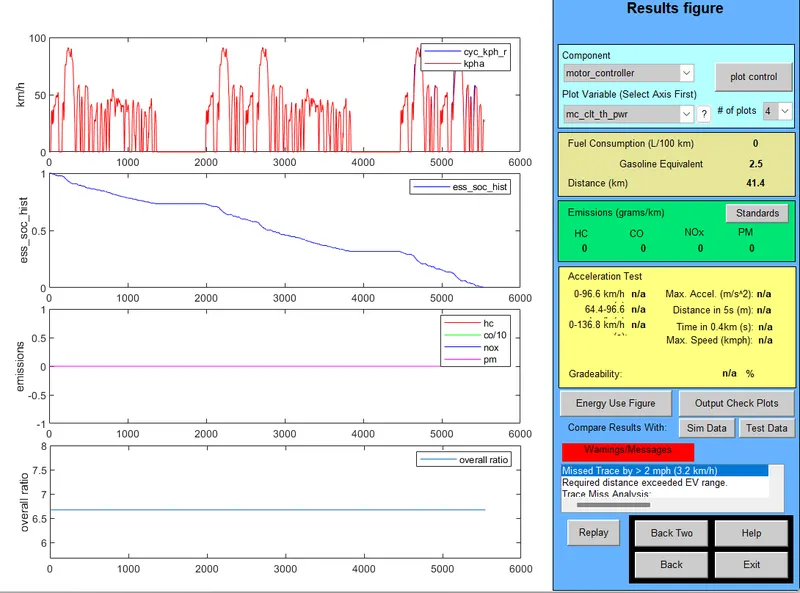
- When three drive cycles are introduced, the vehicle travels a distance of 41.4km. The vehicle falls short of distance by 3.6km from the distance to be covered and the battery is incapable to provide power required.
2.
- The battery capacity is chosen to be 35kW.
- No. of drive cycle=4
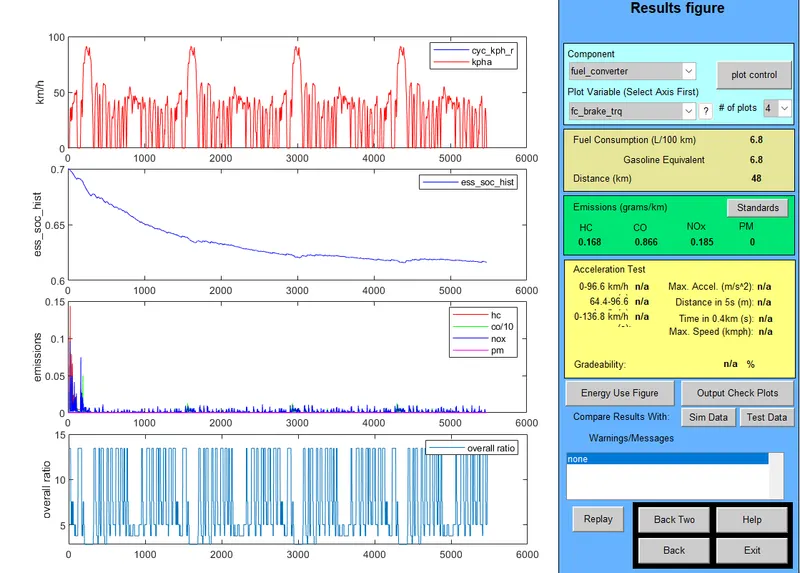
- When the battery capacity is increased, the vehicle travels more than the desired distance. Hence, we can conclude that 35kW battery is sufficient for this vehicle to travel 45km.
3. Steps to check gradeability test for PRIUS_Jpn_defaults_in:
- Select drivetrain configuration as prius_jpn.
- Keep the all parameters unchanged.
- Select gradeability test and click on grade options.
- Enter the speed value.
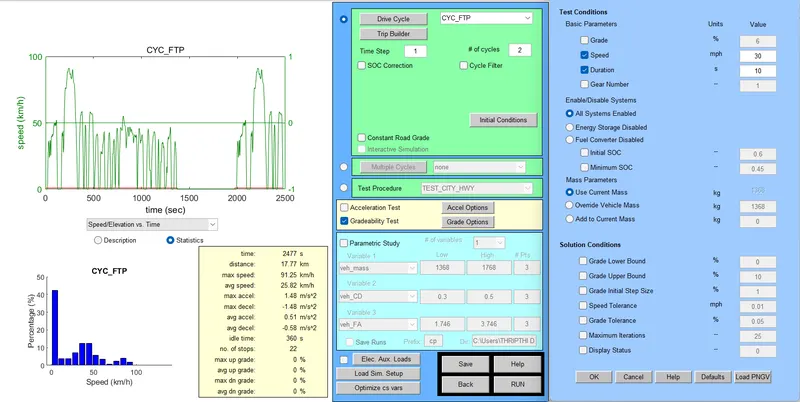
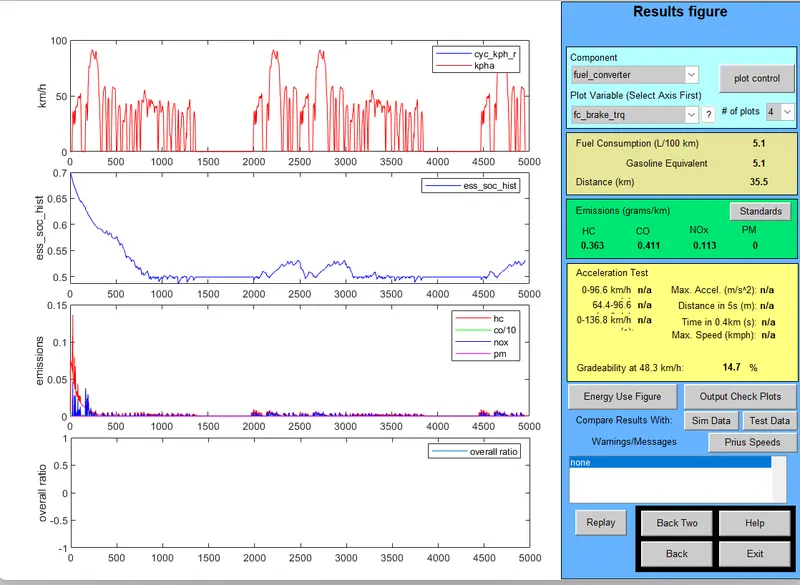
- Gradeability test is conducted for five speed values.
| Speed(mph) | % Gradeability |
| 10 | 30.3 |
| 15 | 24.4 |
| 20 | 19.8 |
| 25 | 16.5 |
| 30 | 14.7 |
- By the gradeability test, it can be seen that speed increases as the gradeability decreases.