Week-3 Challenge: ADVISOR Tool
(1)
ADVISOR which stands for Advanced Vehicle Simulator, created by NREL(National Laboratory for Renewable Energy, USA, is a set of model, data, and script text files for use with MATLAB and Simulink. It is designed for rapid analysis of the performance and fuel economy of conventional, electric, and hybrid vehicles.
Step-1
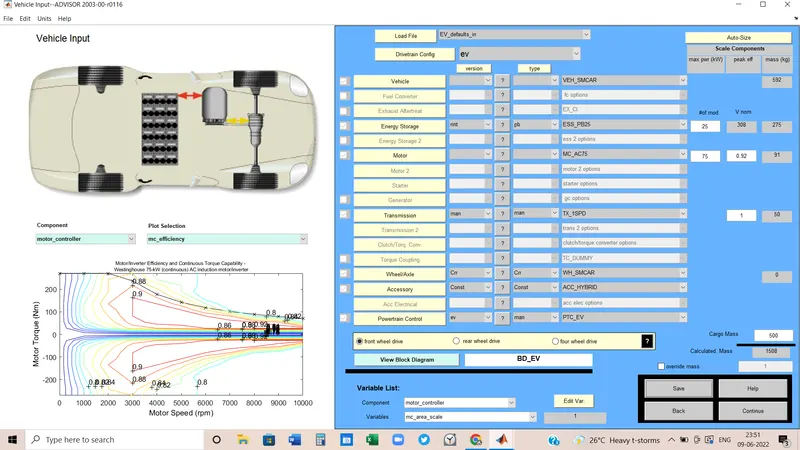
Load File: EV_defaults
Cargo weight: 500 Kg
Other default values would not be changed.
Step-2
Click on Continue for selecting the drive cycle.
Step-3
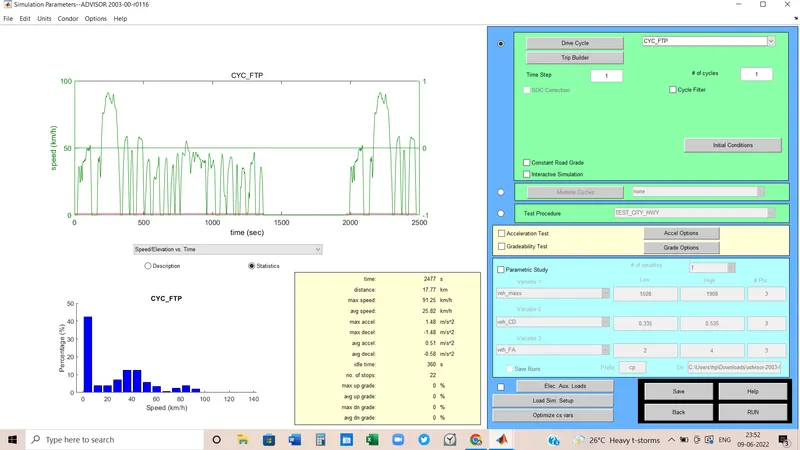
From the Drive Cycle menu, Choose the drive cycle as CYC_FTP by keeping the other parameters same.
Left side a graph will come as per the drive cycle we will have chosen.
Step-4
Hit the RUN button to see the output result.
Result:
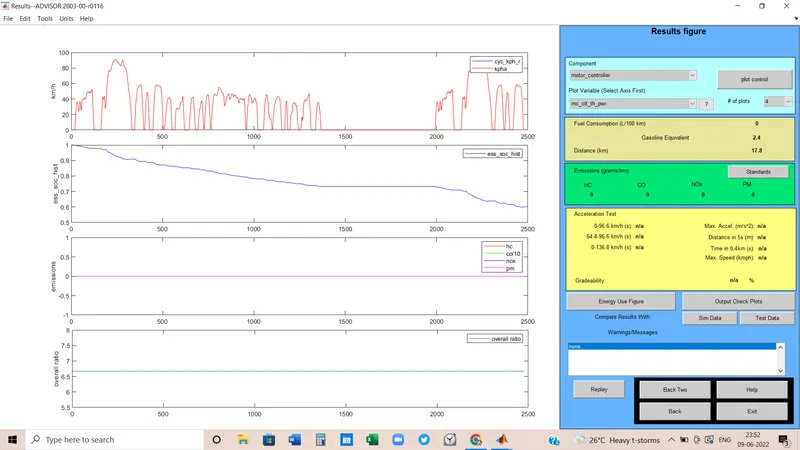
1. Here the vehicle can cover 17.8 Km in one recharge so it's impossible to travel 45 km in a single recharge.
2. According to the second plot Which is referring to the emission rate Battery is going to die after 2500 seconds. It means after 2500 seconds battery should be recharged.
(2)
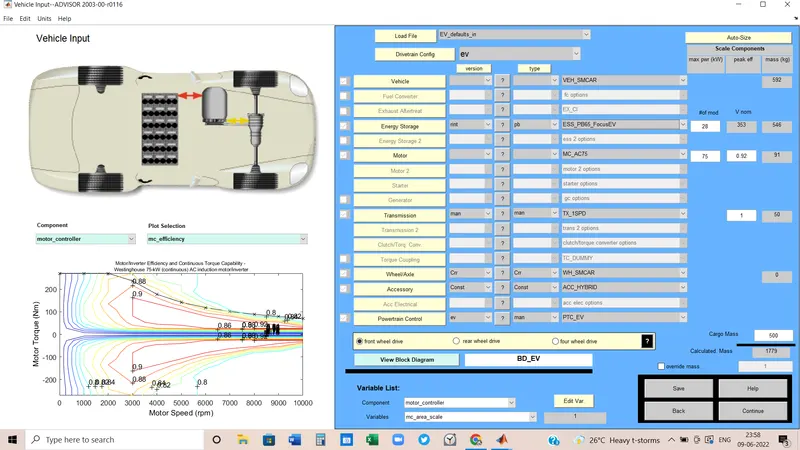
By hitting the 'Back two' button I came again to the first page where I selected the vehicle type. Now as per the 2nd question I changed the battery model by keeping all the value to see the change in graph.
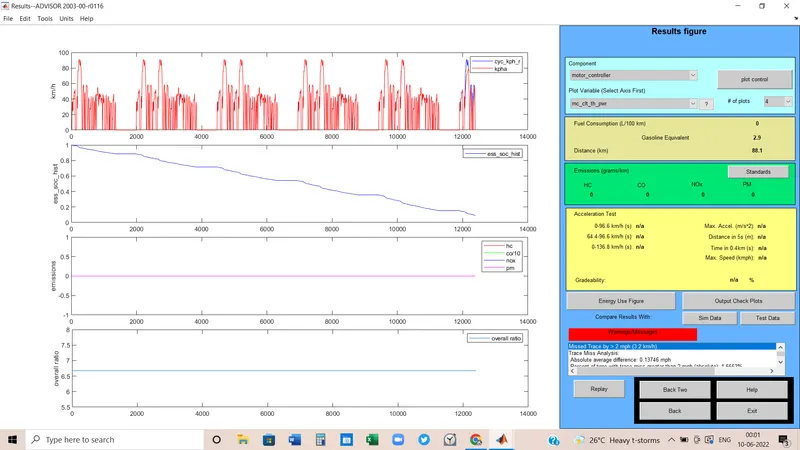
Here the battery is ESS_PB65_FocusEV. Its nominal voltage of it is 353 volt and the mass is 546 Kg.
Result:
After changing the battery model to ESS_PB65_FocusEV, the vehicle can cover more distance and according to the second plot battery emission time has been increased.
To check, how much distance the vehicle can cover now, I added 5 the same drive cycles.
Battery emission SOC time is increased to more than 12000 seconds.
And Distance covered = 88.1 Km.
(3)
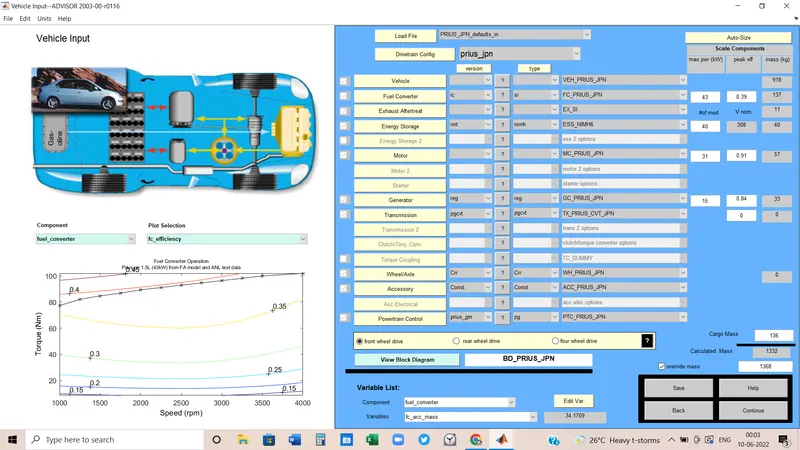
Here is the new vehicle model name PRIUS_JPN.
Keeping all the parameter values the same, tested the gradeability.
The total vehicle mass is 1368 Kg.
By hitting the continue, there will be various options to test the vehicle like Drive cycle, Gredebility test, and acceleration test.
I was only concerned with the Gradeability test.
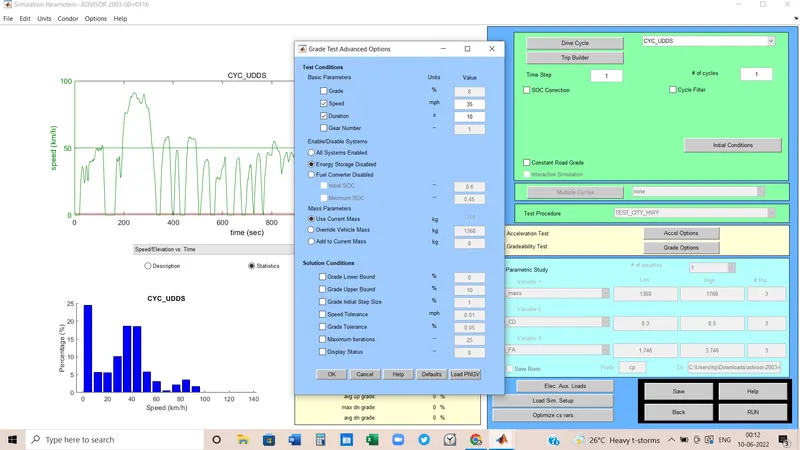
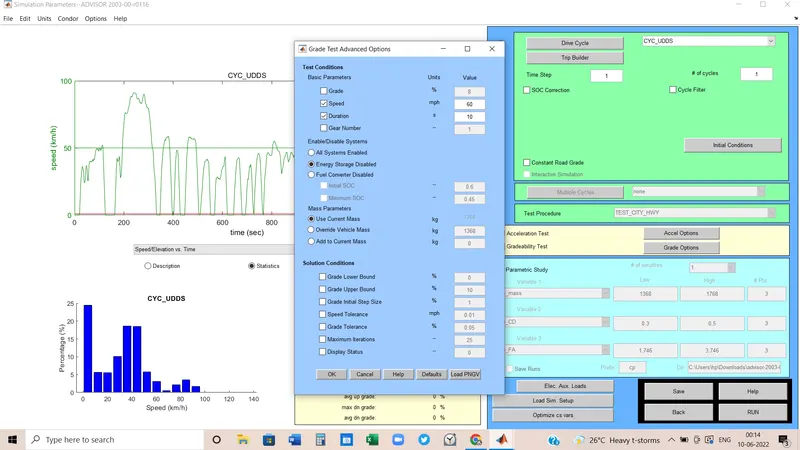
By ticking the space beside the Gradeablity test, we can start the test. Next, we have to click on Grade option to set the parameters.
Result:
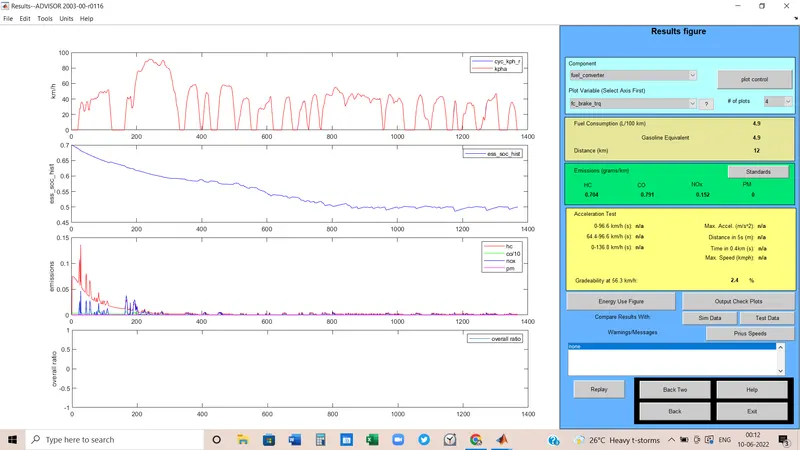
1st case:
Here I chose a speed value is 35 mph.
In the case of 2.4% gradeability, speed is 56.3 kmph
2nd case:
speed value is 50 kmph
for 2% gradeability, speed of the vehicle would be 80.5 kmph
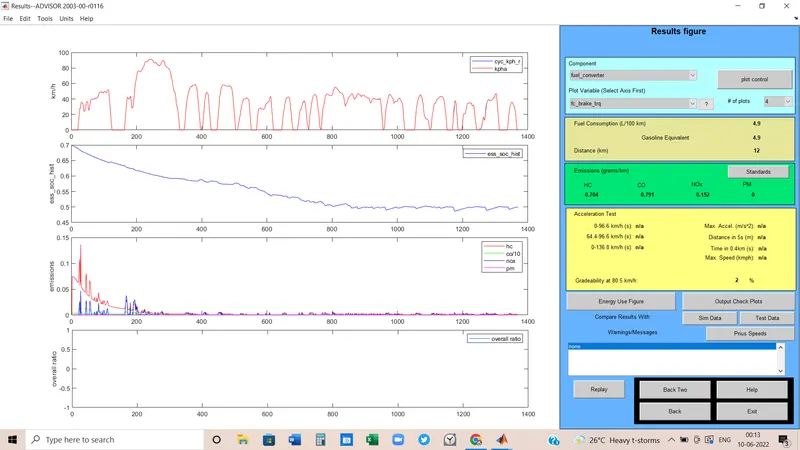
3rd case:
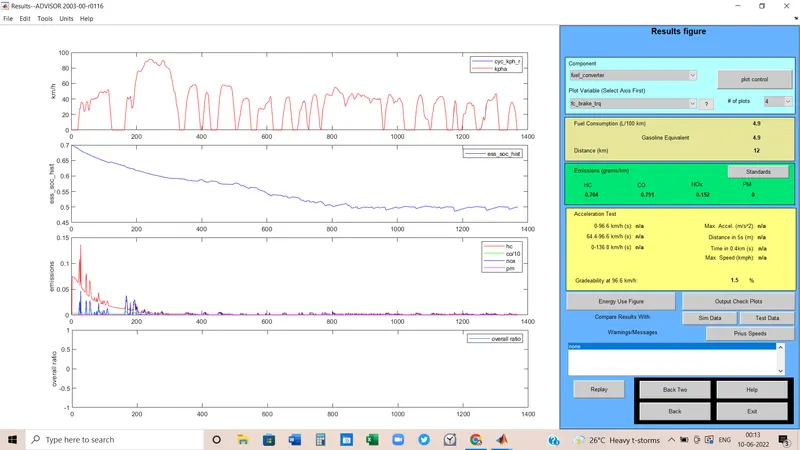
Here the value of speed = 60 mph
at the speed of 96.6 kmph, gradeability is 1.5%
Compare:
| condition | Vehicle Speed (kmph) | Gradeability | Gradeability speed |
| case-1 | 60 | 1.5% | 96.6 kmph |
| case-2 | 50 | 2% | 80.5 kmph |
| case-3 | 35 | 2.4% |
56.3 kmph |
Conclusion:
As per the different conditions, we can conclude that higher the vehicle speed, Gradeability decreases and to cover the sloped road, the vehicle needs more speed.
So if vehicle runs at a slower speed, it can cover high sloping road.