Week-3 Challenge: ADVISOR Tool
NOTE: EV LIVE BATCH 16
Use ADVISOR tool and simulate the following
Q1. For EV_defaults_in file, if cargo mass is 500 kg with all other default conditions, can the vehicle travel for 45 km with FTP drive cycle? Conclude your observations.
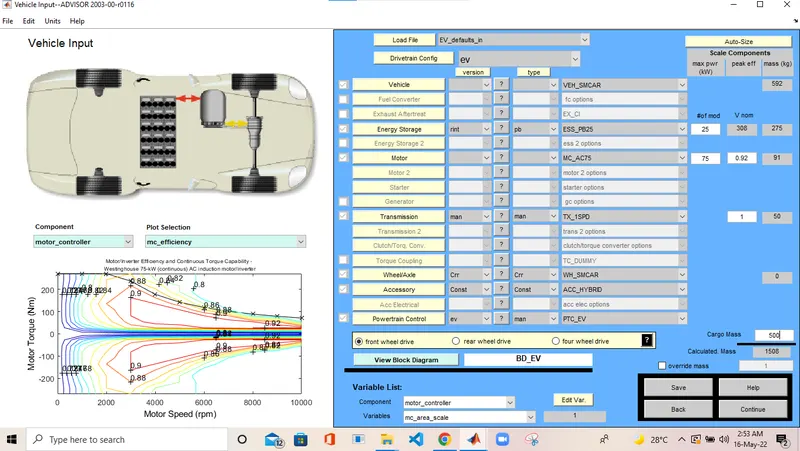
- we need to change the duty cycle above 2.5
- therefore i took duty cycle =2.6
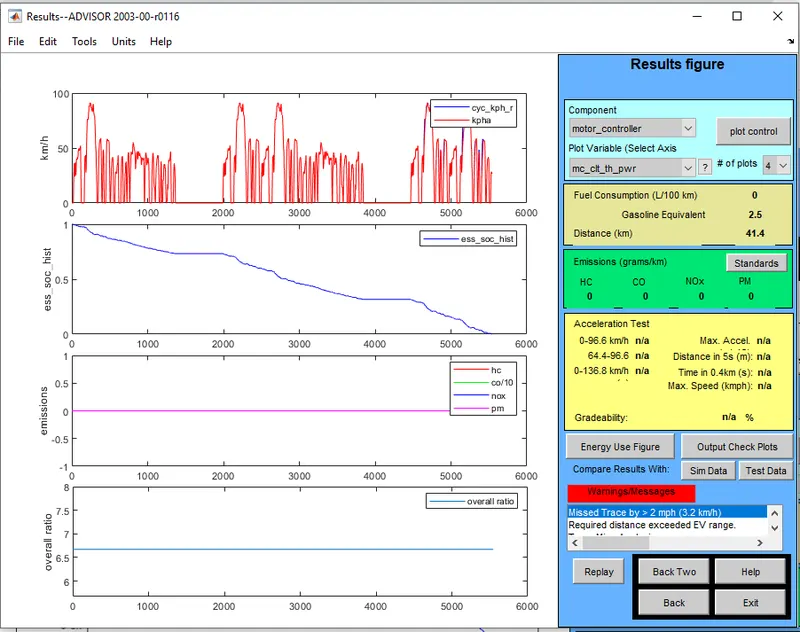
- In above case for EV_defaults_in file, if cargo mass is 500 kg with all other default conditions after running the module it show that the distance travelled is 41.4km with FTP drive cycle and warning massage show that required distance exceeded EV range
- so we conclude that vehical can not able to run 45 KM with given value of parameters.it need more energy to run 45 km of distance.battery capacity need to increase.
---------------------------------------------------------------------------------------------------------------------------------------------------
Q2. In the above case, try changing the battery capacity and repeat the simulation.
- The below fig is of changing battery size.
- in this case i change the capacity from 25 to 35
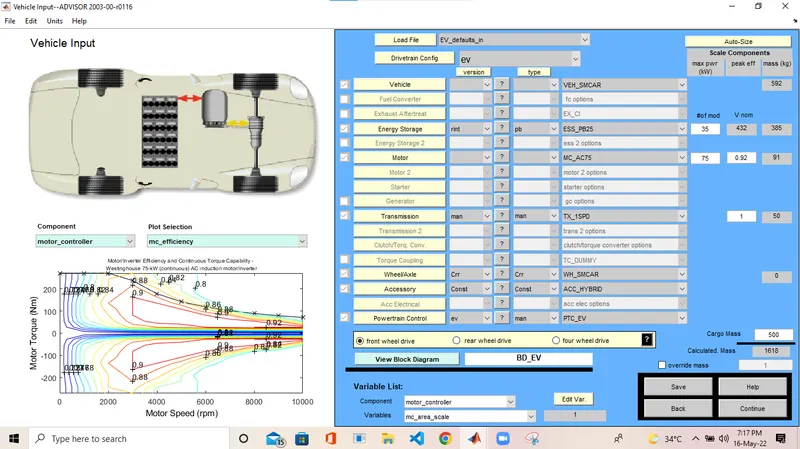
- In privious case we seen that the vehical travell only 41.4 KM
- here we need to change the duty cycle above 2.5
- therefore i took duty cycle =2.6
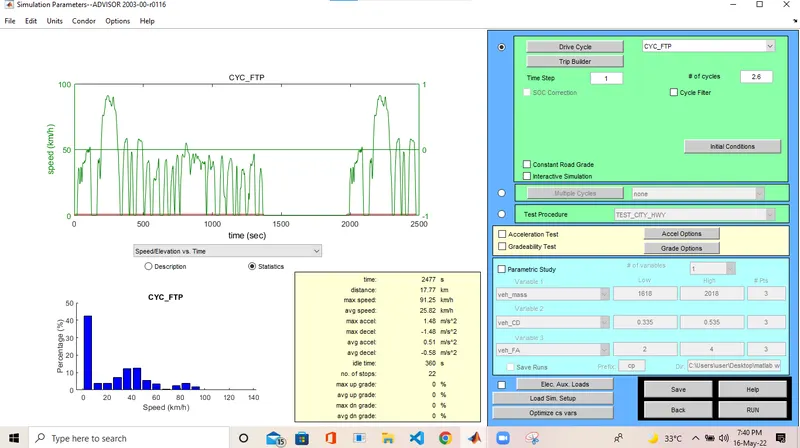
- After the run command we get following display show that the vehical can travell 47.5 Km with this battery
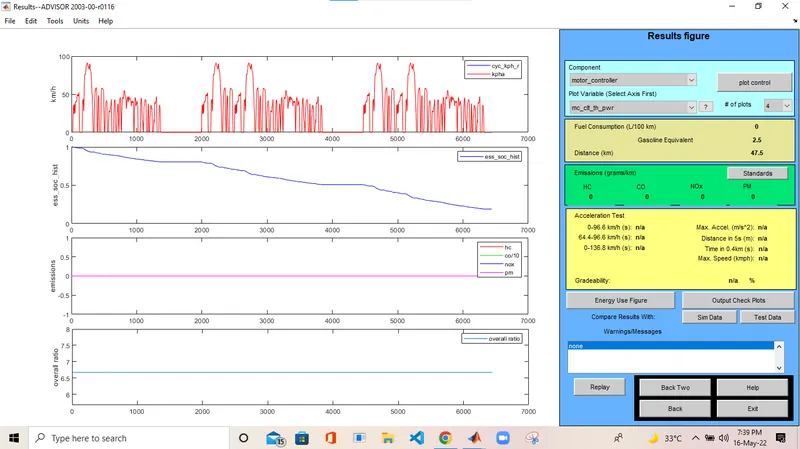
- So by changing battery capacity and duty cycle we achived the more than 45KM range which is before the changing it less than it
also it dont show any warning massage
---------------------------------------------------------------------------------------------------------------------------------------------------------
Q3. Perform gradeability test with PRIUS_Jpn_defaults_in file
Compare your results in table and conclude.
ANS:
- To Perform gradeability test with PRIUS_Jpn_defaults_in load this file in advisor
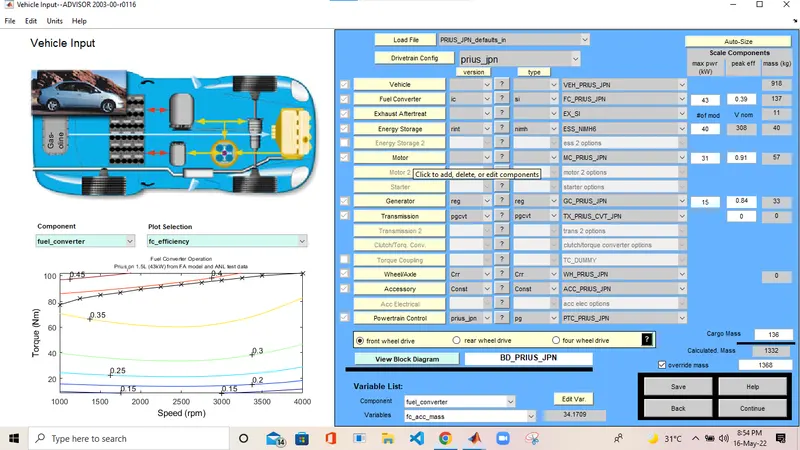
- After loading PRIUS_Jpn_defaults_in click on continue and then next page will open
- we have to do gradeability Test so select gradeability option.
- then select all system anable in it
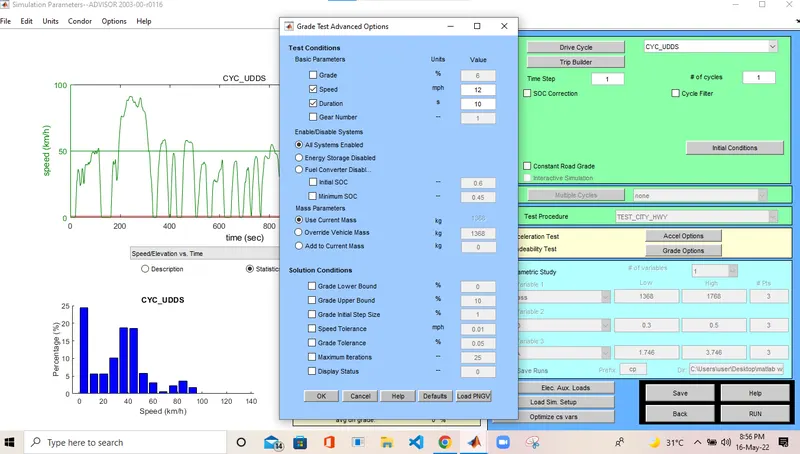
- Here we vary the speed from 10 mph to 35mph to see value og gradeability
- After click on Run button we get result of gradability as in fig bellow
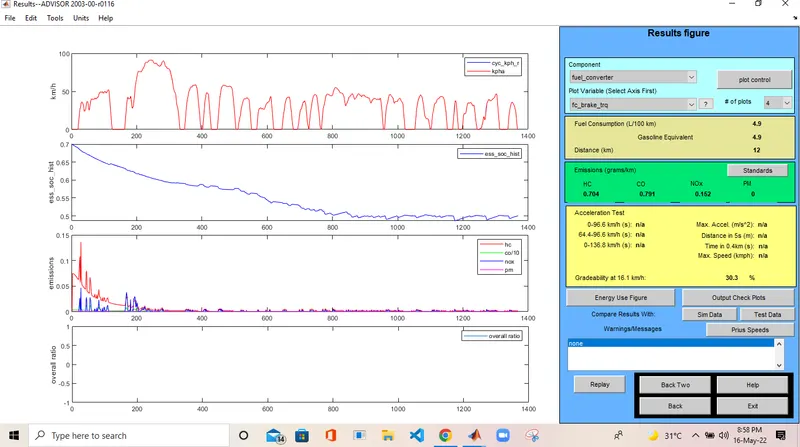
- From Gradeability Test we get following test result
| Speed in mph | Gradeability |
| 10 | 30.3 % |
| 15 | 24.4 % |
| 20 | 19.8 % |
| 30 | 14.7 % |
| 35 | 13 % |
CONCLUSION: From above gradeability test we conclude that as speed increases the gradeabilty decreases