Week-3 Challenge: ADVISOR Tool
Objective -
To determine whether the vehicle can travel for 45 km with FTP drive cycle, if the cargo mass is 500 kg keeping all other conditions default for the EV_defaults_in file. Also conclude the observations.
Theory -
ADVISOR TOOL -
- ADVISOR, NREL's Advanced Vehicle Simulator, is a set of model, data, and script text files for use with MATLAB and Simulink.
- It is designed for rapid analysis of the performance and fuel economy of conventional, electric and hybrid vehicles.
- ADVISOR also provides a backbone for the detailed simulationand analysis of user defined drivetrain components, starting point of verified vehicle data and algorithms from which it takes full advantage of the modelling flexibility of simulink and analytic power of MATLAB.
- Some benefits from using ADVISOR are -
- estimation of fuel economy of vehicles that have not yet been built.
- learn about how conventional, hybrid or electric vehicles use energy throughout their drivetrains.
- compare relative tailpipe emissions produces on a number of cycles.
- evaluation of energy management strategy for hybrid vehicle's fuel convertor.
- optimisation of the gear ratios in transmission to minimize fuel use or maximize performance, etc.
- The models in ADVISOR are -
- mostly emphirical, relying on drivetrain component input/output relationship measured in the laboratory
- quasi-static, using data collected in steady state tests and correcting them for transient effects such as the rotational inertia of drivetrain components.
On loading the EV_defaults_in file with cargo mass 500 kg, in the first window different parameters and graphs can be seen.
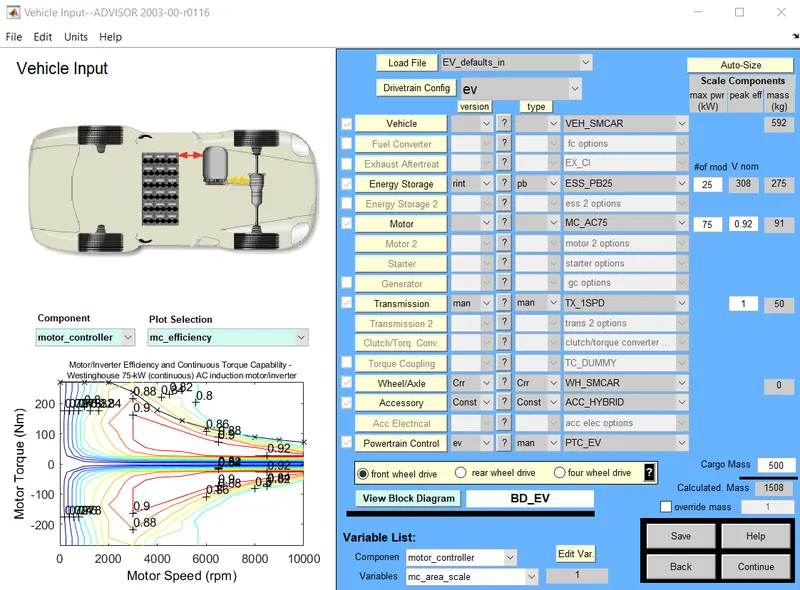
After click on 'Continue', next window will come where drive cycle and different tests can be selected.
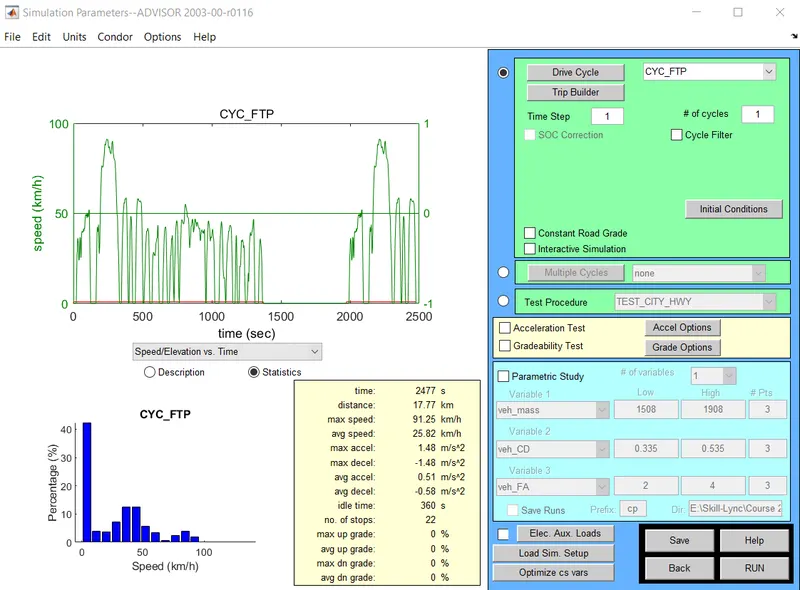
After click on 'RUN', it simulate the vehicle acoording to the inputs given.
Here we run this model for one drive cycle -
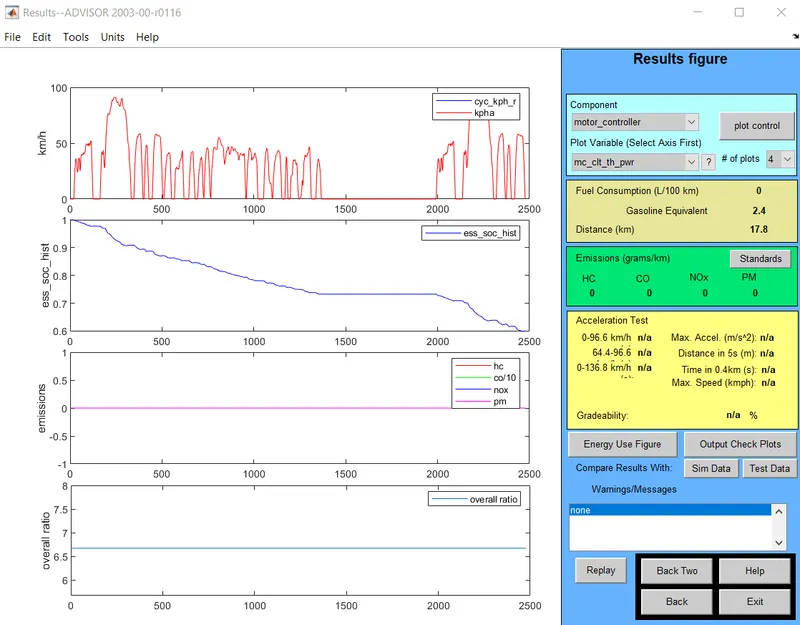
From this fig it is seen that vehicle travels for 17.8 km distance for 1 drive cycle.
After changing drive cycles to 2
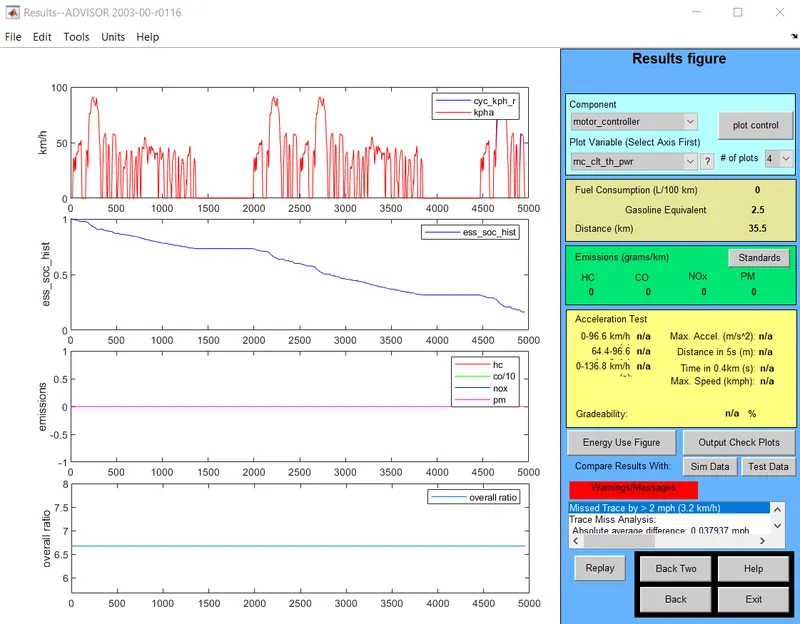
For 2 drive cycles vehicle travels 35.5 km
Similarly, after changing drive cycles to 3
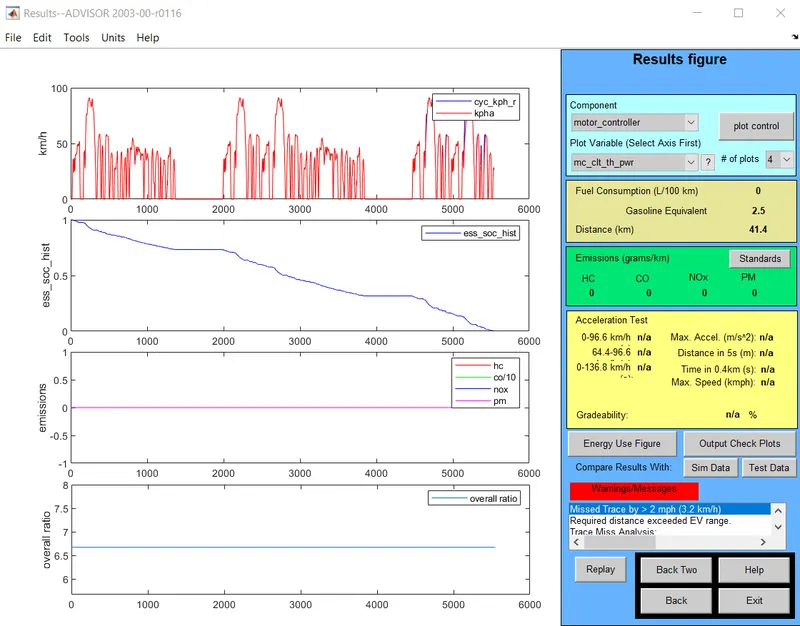
For 3 drive cycles, vehicle travels 41.4 km.
Also battery depleted its energy after running for 3 drive cycles and the vehicle not able to travel 45 km distance.
Conclusion -
The vehicle travel distance increases as drive cycles increase but the battery power in insufficient to travel for more than 3 drive cycles and thus the maximum distance travelled by the vehicle is 41.4 km.
Thus, the vehicle fails to travel 45 km distance.
------------------------------------------------------------------------------------------------------------------------------------------------------------
Objective -
To simulate the above file after changing the battery capacity.
Process -
- As from the model, in battery there are 25 number of modules by default and it fails to cover 45 km distance.
- So, here we increase the modules number to make the vehicle travel 45 kms.
- Here we provide three drive cycles
For 26 modules, didtance covered is 42.4 km.
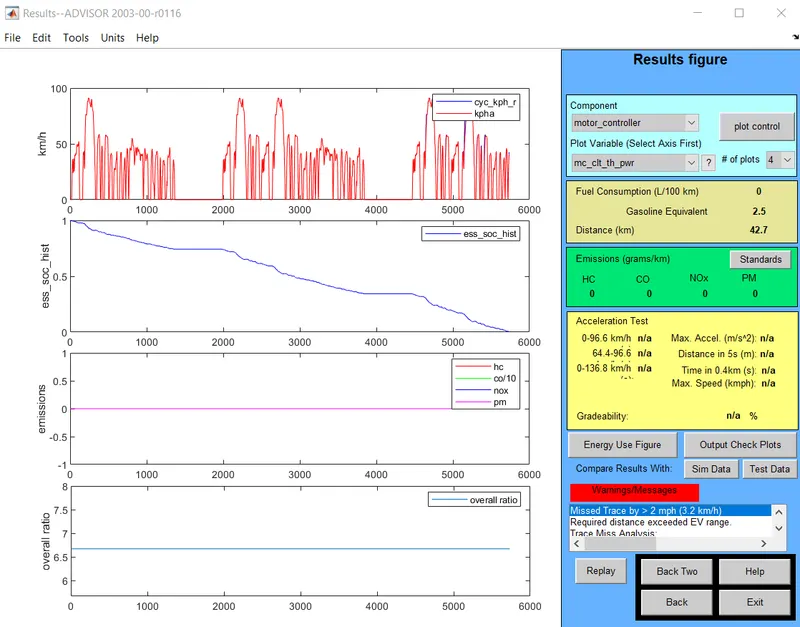
For 27 modules, distance covered is 44.8 km.
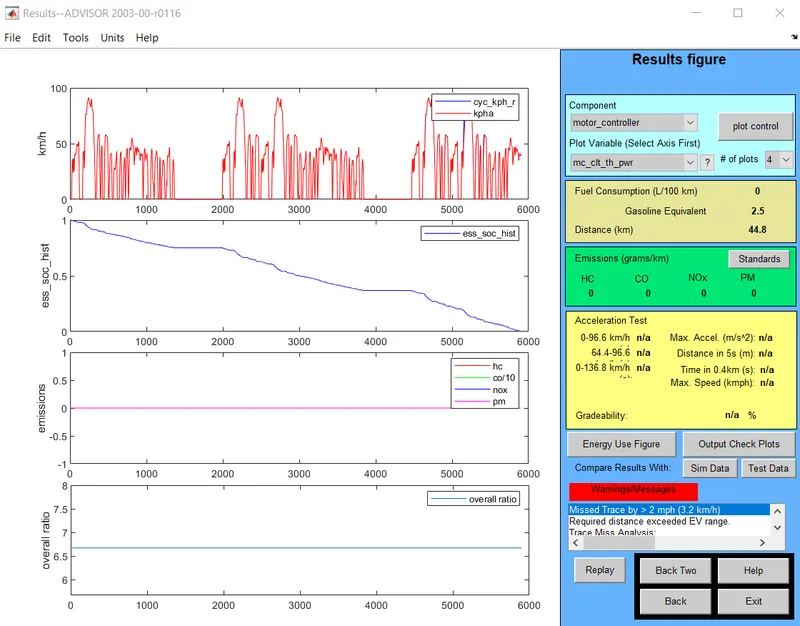
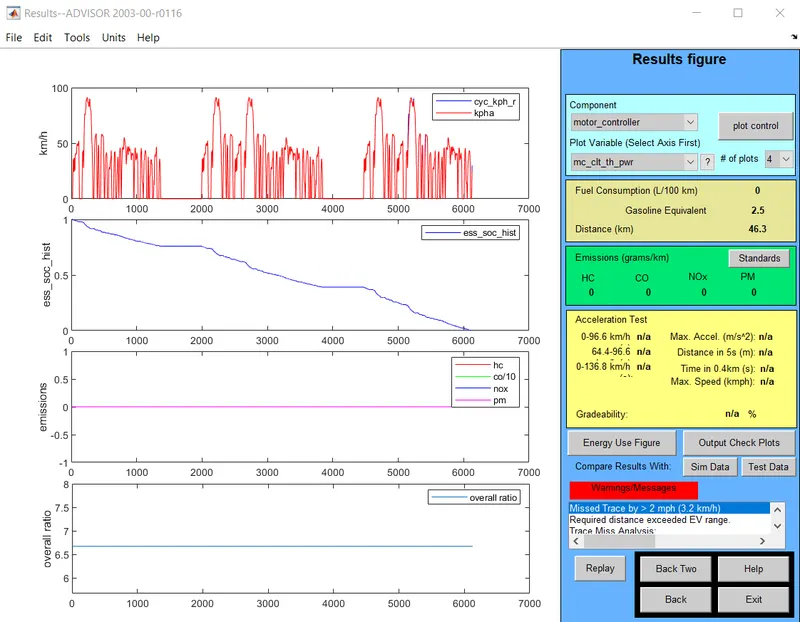
For 28 modules, distance covered is 46.3 km.
| No. of modules | Voltage of battery (V) | Distance travel (km) |
| 25 | 308 |
41.4 |
| 26 | 321 |
42.4 |
|
27 |
333 | 44.8 |
| 28 | 345 |
46.3 |
From the table it is seen that for the vehicle to travel 45 km distance, at least 345 V battery with 28 modules is required.
Conclusion -
The vehicle can travel 45 km with a battery of 345V.
--------------------------------------------------------------------------------------------------------------------------------------------------------
Objective -
- To perform gradeability test with PRIUS_Jpn_defaults_in file.
- To compare your results in table and conclude.
Theory -
- The grade test routine in ADVISOR will determine the maximum grade on which the vehicle can sustain the specified constant speed.
- A grade test can be performed via the Simulation Setup window.
- We can specify the parameters for the test in the Grade Test Advanced Options window which is opened by selecting Grade Options.
- The test can be run with a drive cycle by selecting the Gradeability Test in the Additional Tests box.
Process -
- Load the Prius_Jpn_defauts_in file from the main window.
- After clicking 'Continue', check the Gradeability test option.
- In this option we will change the speed keeping grade constant.
- The value of grade is 12%.
Default window for the file Prius_Jpn_defaults_in is sown below -
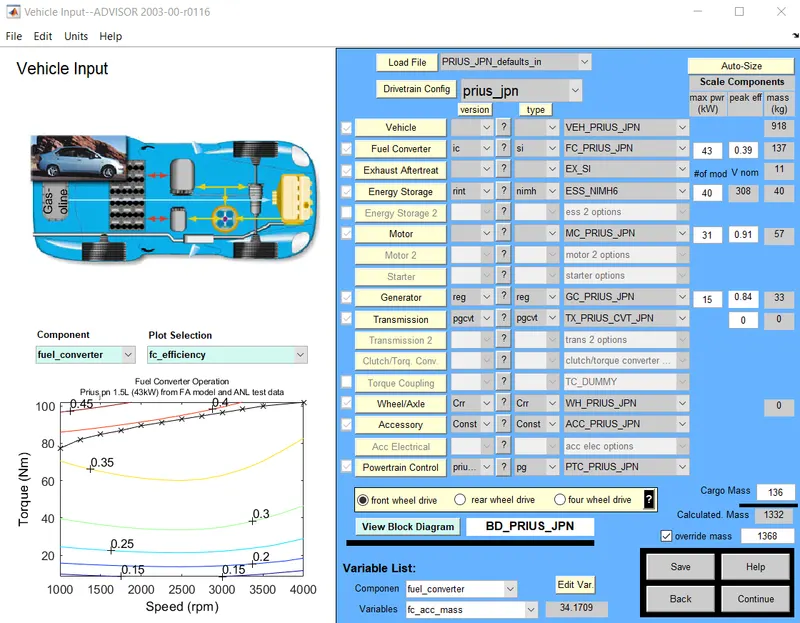
After clicking 'Continue', the simulation parameters window opened
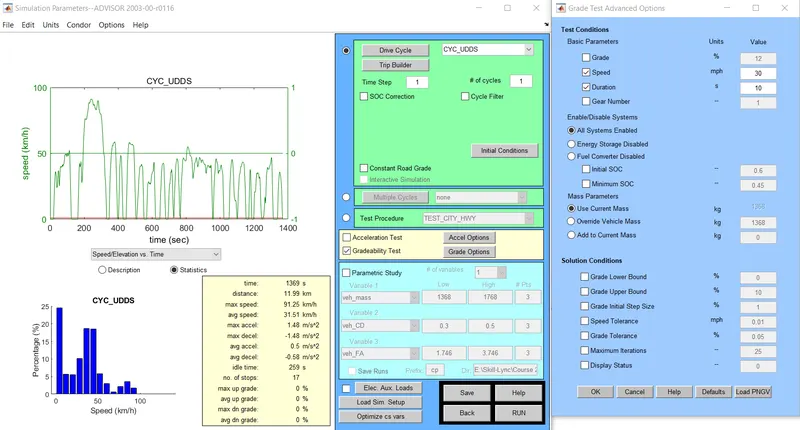
Here the grade is given 12% and duration is 10 sec.
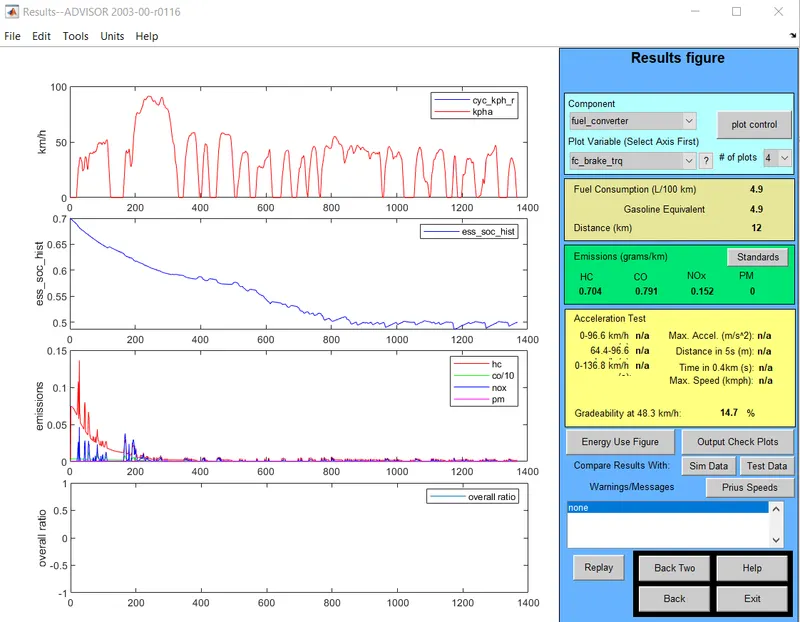
Case - 1 : Speed is 30 mph.
After running this simulation we get the gradeability 14.7% -
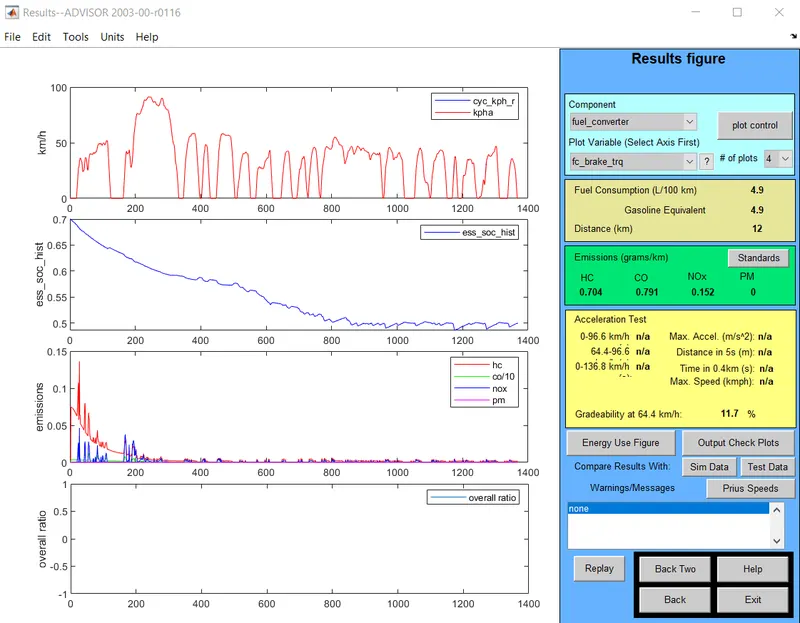
Case - 2 : Speed is 40 mph.
After running this simulation we get the gradeability 11.7% -
Case - 3 : Speed is 50 mph.
After running this simulation we get the gradeability 9.7% -
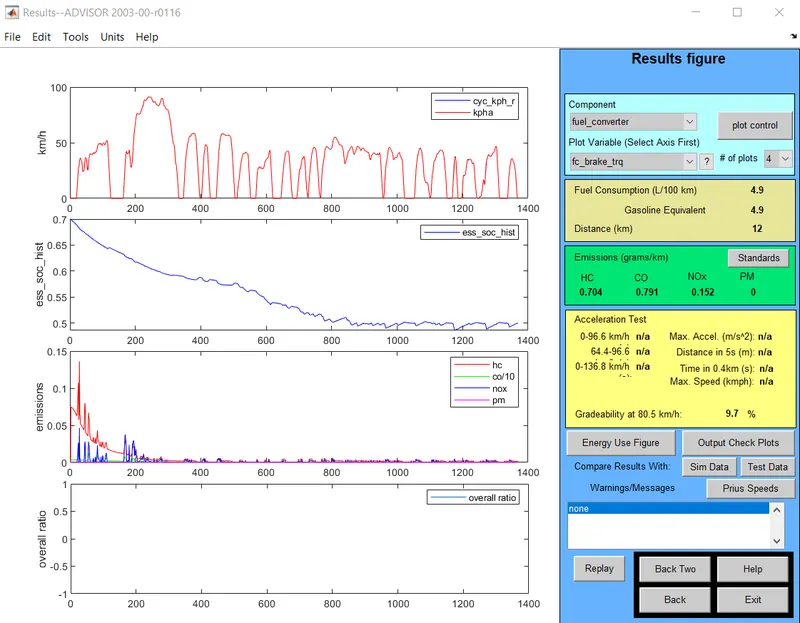
Case - 4 : Speed is 60 mph.
After running this simulation we get the gradeability 8.1% -
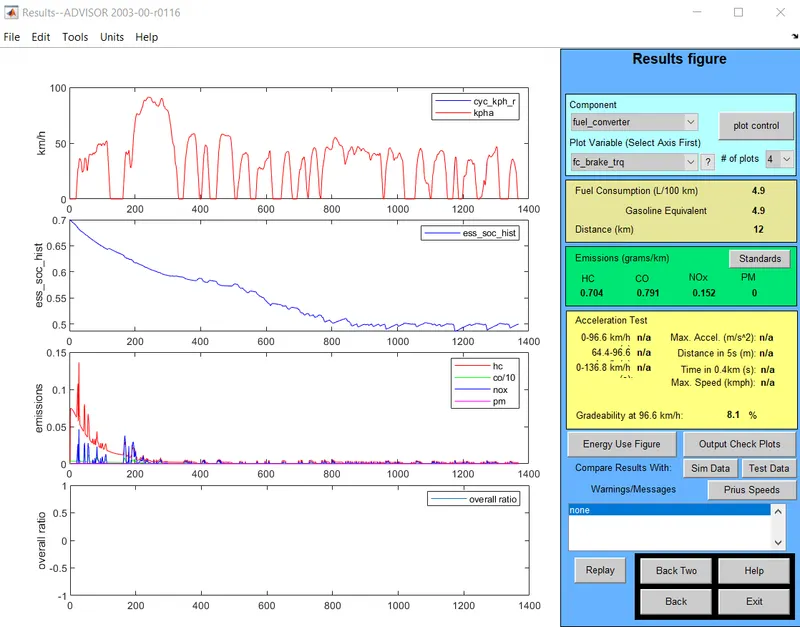
From the above cases, following table can be created -
| Speed (mph) | Gradeability |
| 30 | 14.7 |
| 40 | 11.7 |
| 50 | 9.7 |
| 60 | 8.1 |
From this table, it is observed that for constant grade and duration as speed is increasing the gradeability is decreasing.
Conclusion -
From this study it is concluded that with the increase in speed gradeability reduces.