Week-3 Challenge: ADVISOR Tool
1. For EV_defaults_in file, if cargo mass is 500 kg with all other default conditions, can the vehicle travel for 45 km with FTP drive cycle? Conclude your observations.
In general car are classified as ICE(Internal Combustion Engine), EV(Electric Vehicle) and HEV(Hybrid Electriv Vehicle).
Under Advisor tool, we are going to see the EV model.
Advisor tool is download and which will be run in matlab. By typing "Advisor" in command window of matlab, it can be opened. After opening, we are selecting metric unit and then start.
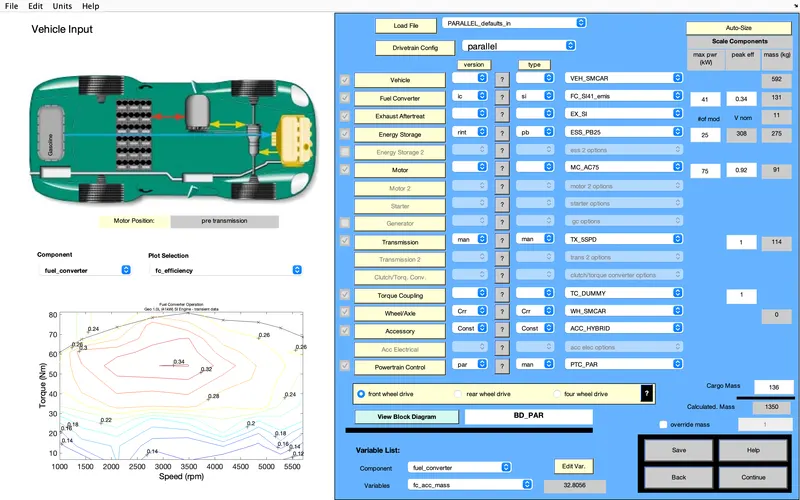
In initial page it will be in PARALLEL_Default. But we are indeeded to run EV_default, so we change the model in Load File option.
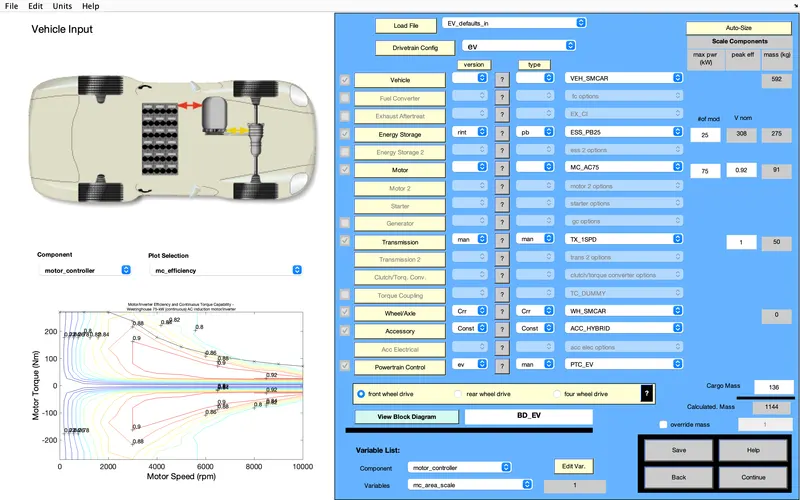
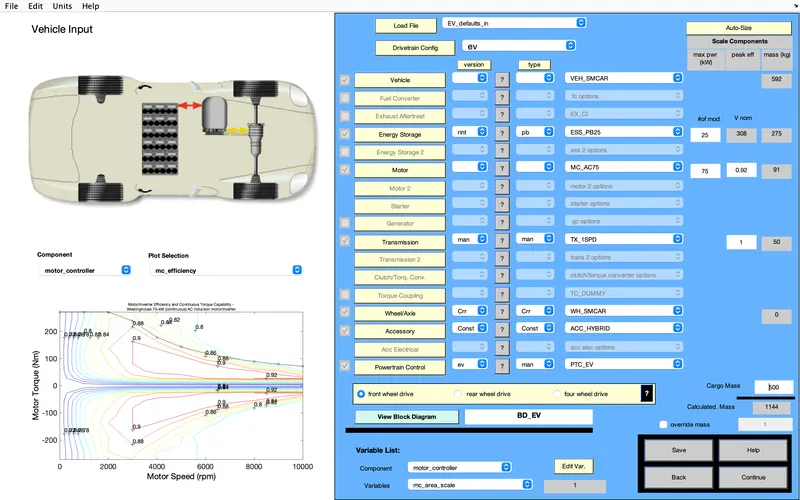
After loaded the EV_default file, cargo mass need to be changed from 136 to 500.
Move on to next page by clicking continue, FTP driver cycle is selected under Drive cycle option. no of cycle=1
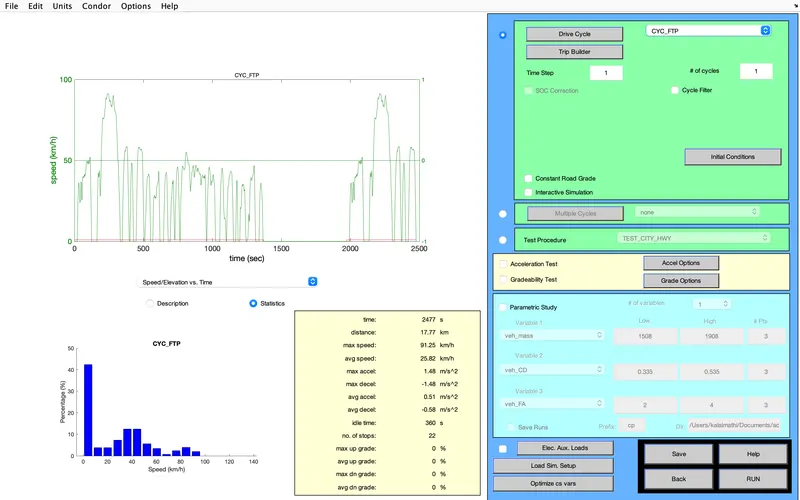
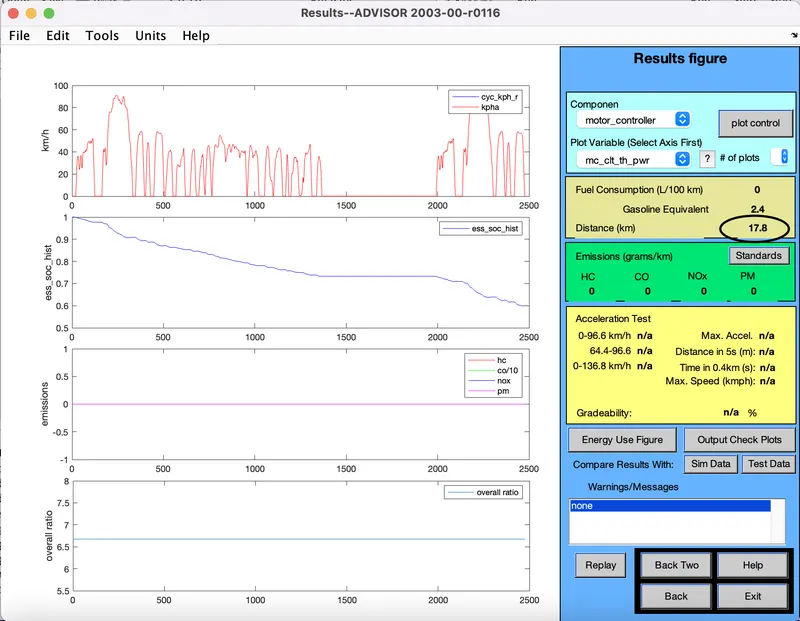
For cycle=1; distance cover is 17.8Km
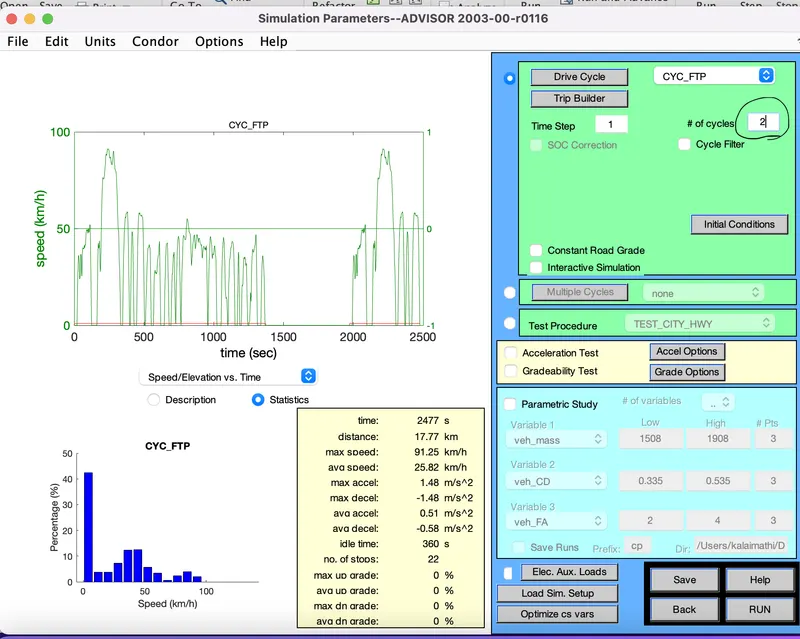
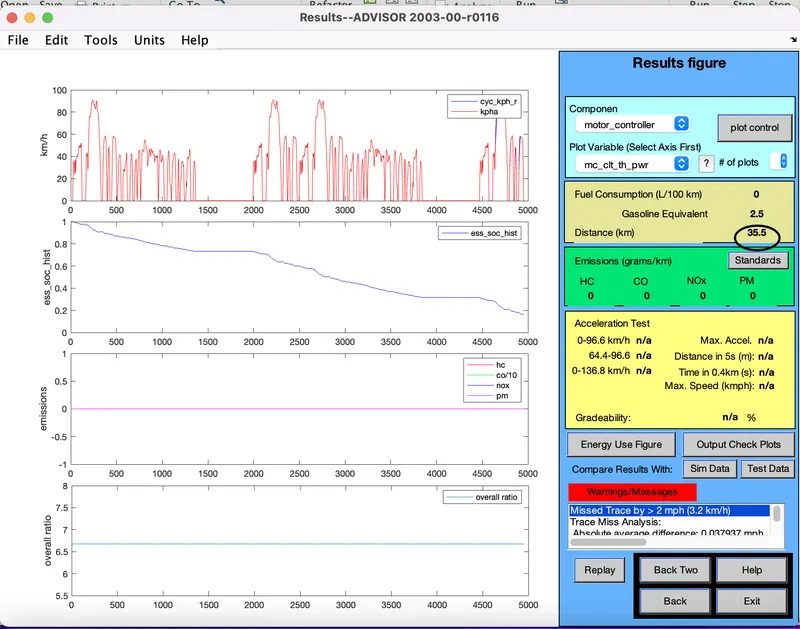
same model is run under the numbe of cycle 2 and its distance is 35.5Km.
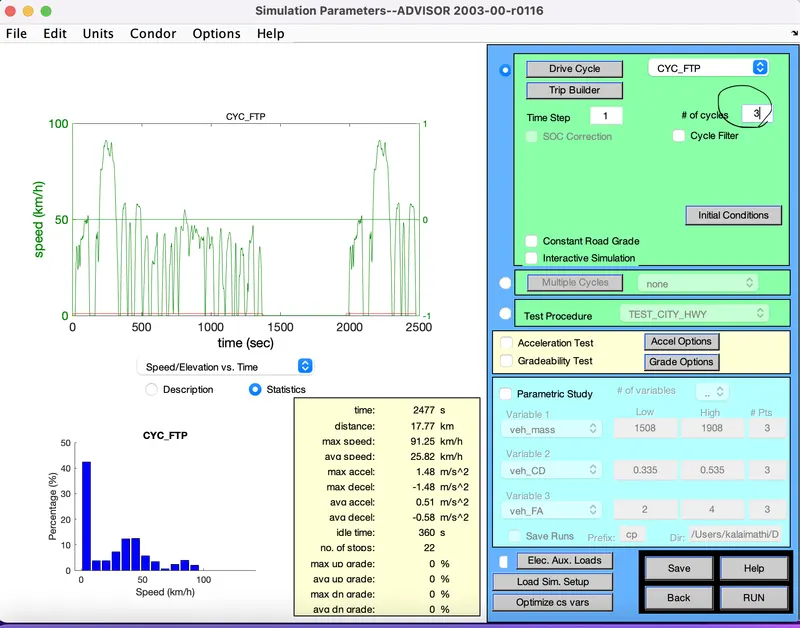
For number of cycle is 3, distance cover is 41.4km
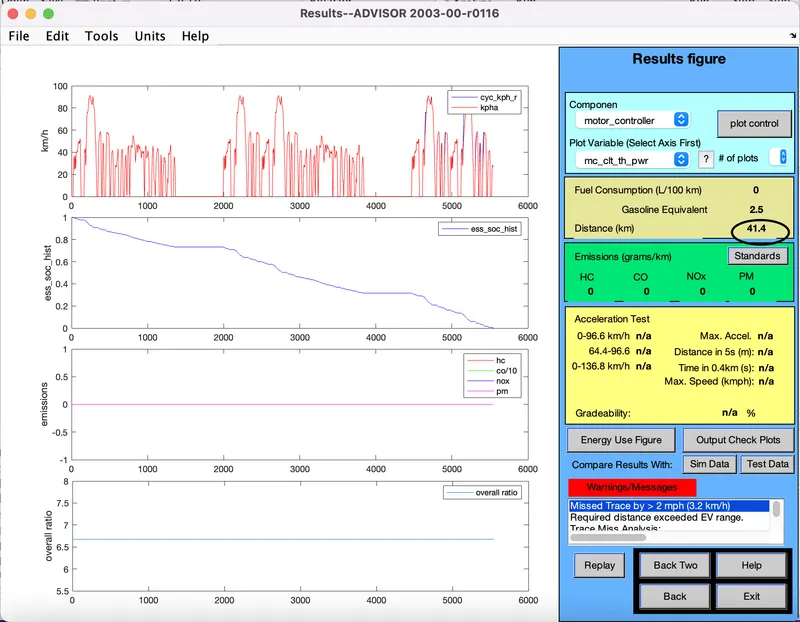
Conclusion:In cycle 2 and 3, warning is arising in the model. It denotes that battery is not capable to cover the distance of 45km under FTP drive cycle.
2. In the above case, try changing the battery capacity and repeat the simulation
In previous design, we couldnot run the model to cover the distance of 45 km since the battery is not capable. so under this section, battery capacity is increases like trail error method and let us observe that at which range we can reach a distance of 45 km.
In intial page, under energy storage, we just change the capacity from 25 to 27 and observe it performance where the drive cycle is taken as 3.
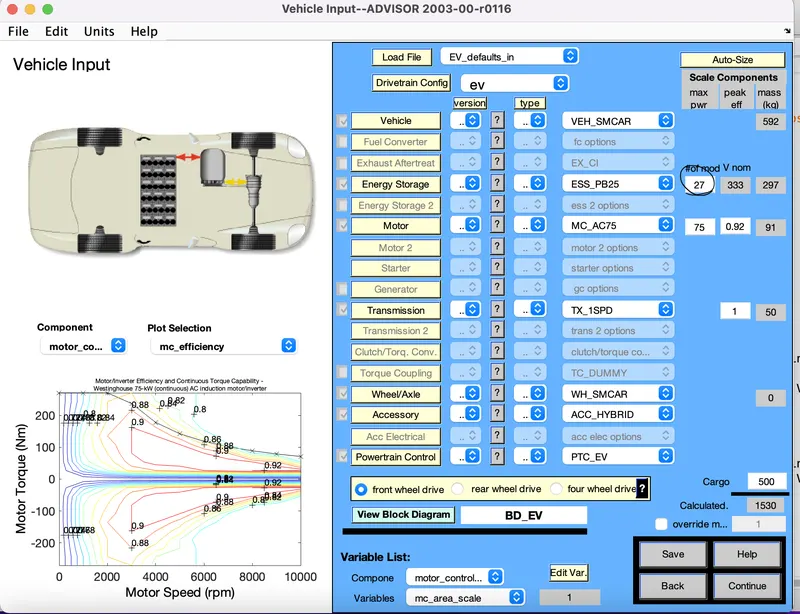
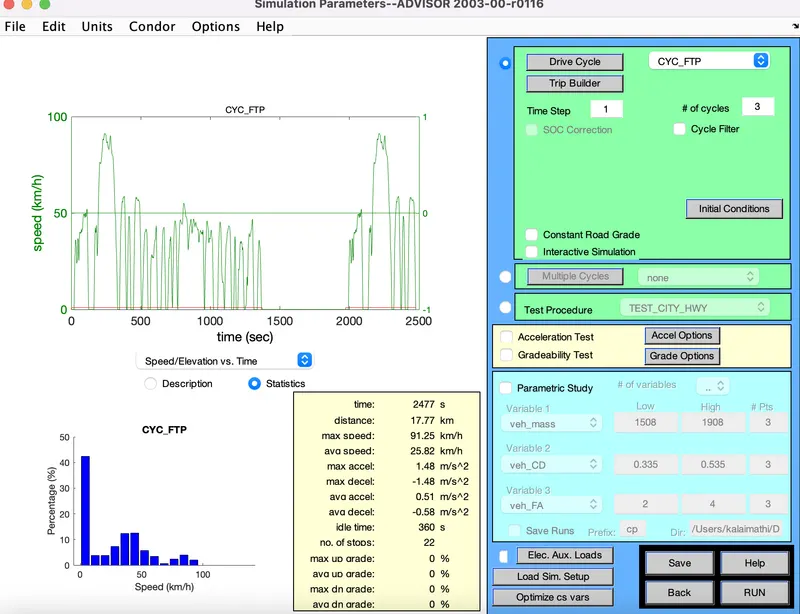
By increasing battery capacity as 27 and distance travelled is 44.8km.
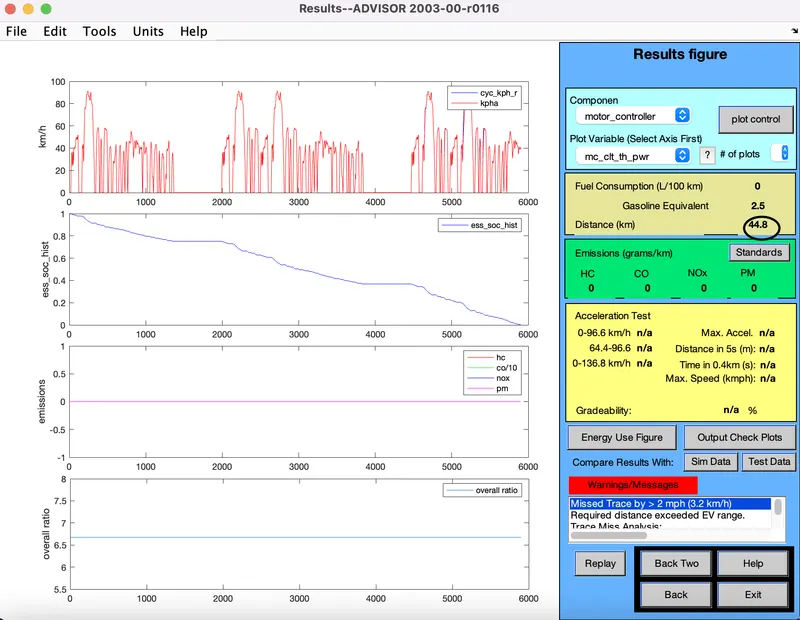
From the previous change, If the battery is increased into 28, vehicel have higher possiblity to cross 45Km with cycle count of 3. Let us observe it as follows.
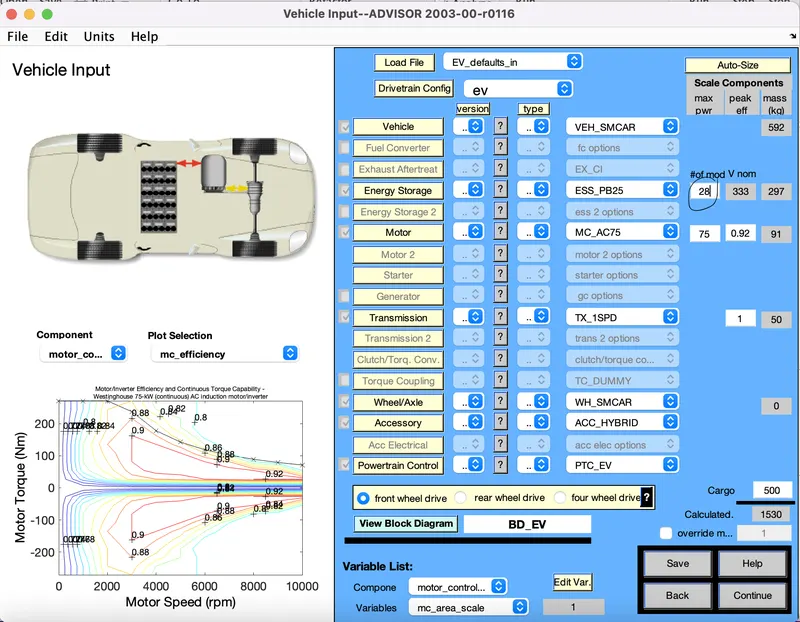
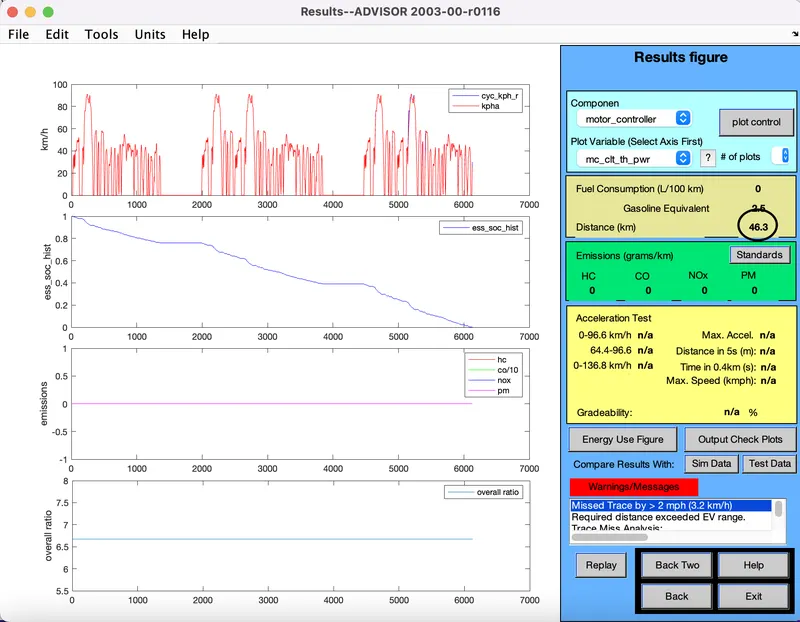
Conclusion:Hence distance covered is 46.3km. So by doing some changes in battery capacity, it is possible that car can travel 45km under FTP drive cycle.
3. Perform gradeability test with PRIUS_Jpn_defaults_in file
Compare your results in table and conclude.
Under this section, gradeability test is done with PRIUS_jpn file. To do this we first load the PRIUS_jpn file.
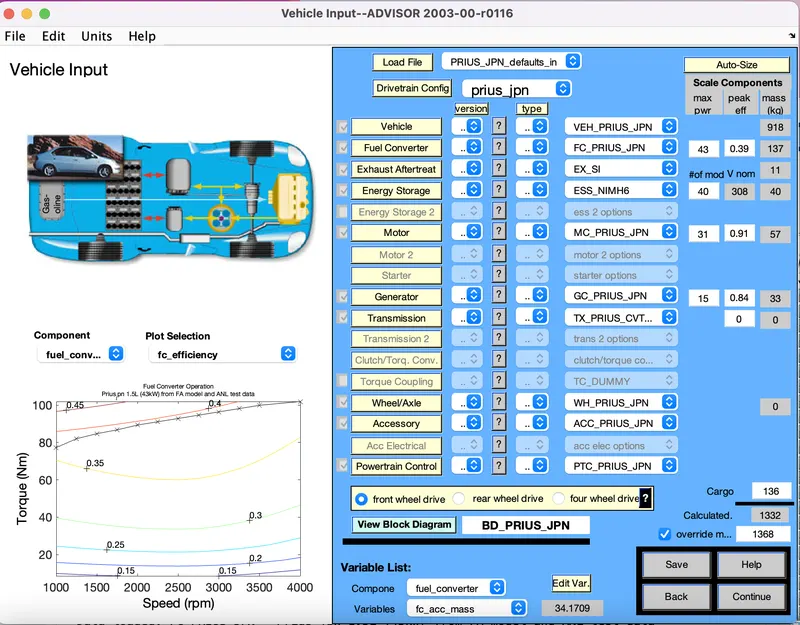
To analyse the Gradeability, we select gradeability option and we have the parameters inside the gradeability.
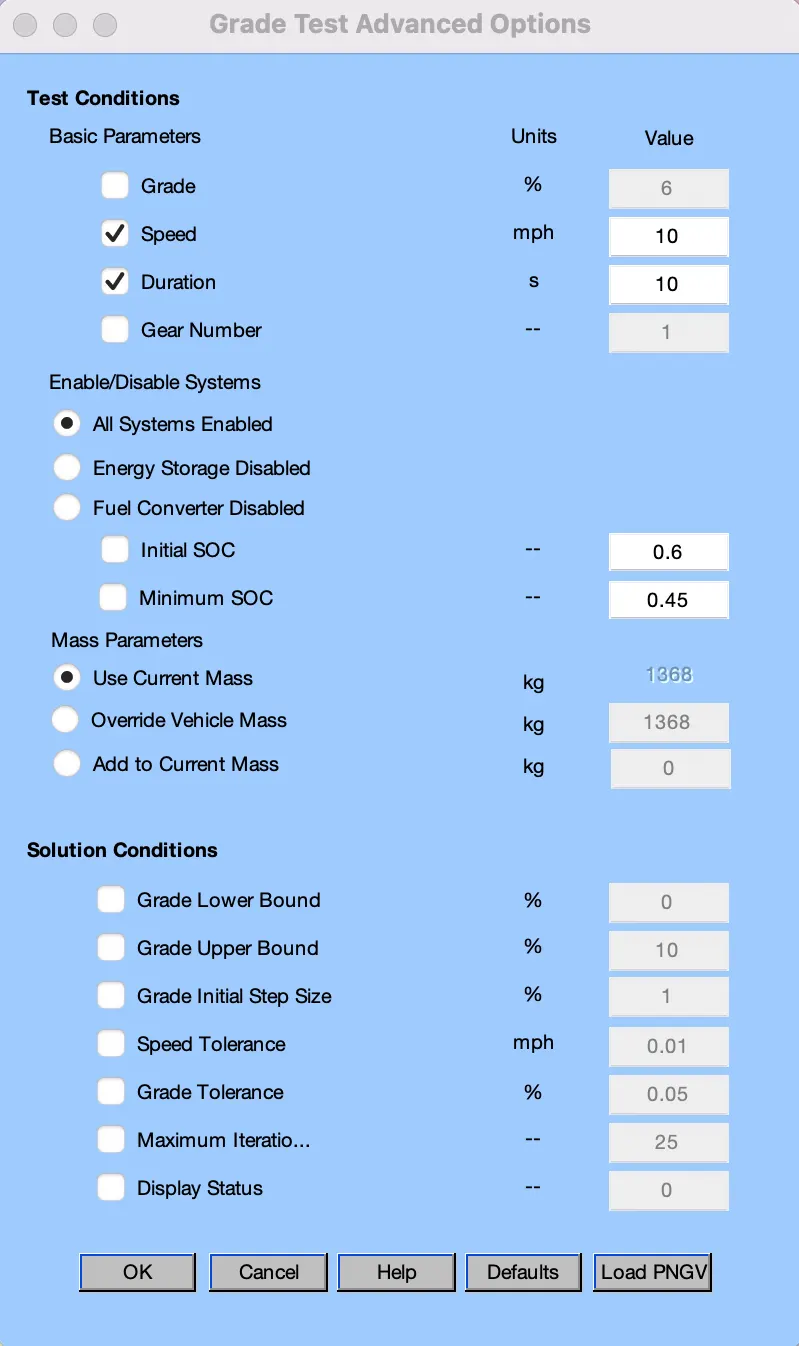
Speed and Duration are the two things which will cause some noticeable change in gradeability.
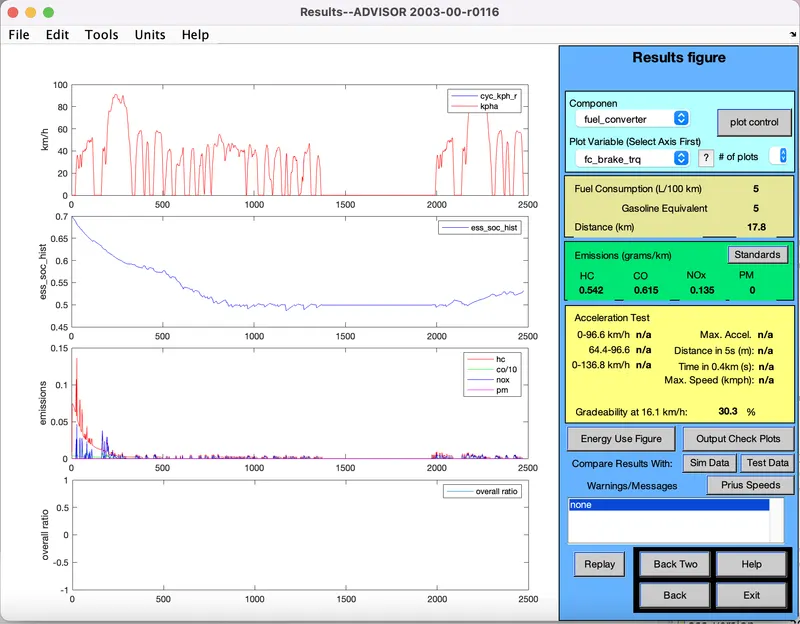
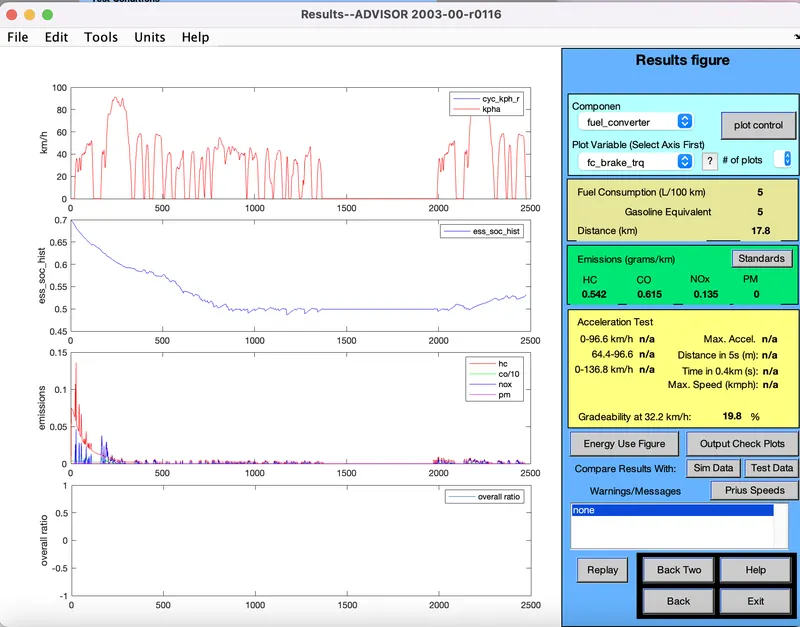
By keeping duration as constant(10sec), change Speed(10,20,30) and will observe the gradeablity
Duration=10sec
Speed=10m/h
Gradeability=30.3%
Duration=10sec
Speed=20m/h
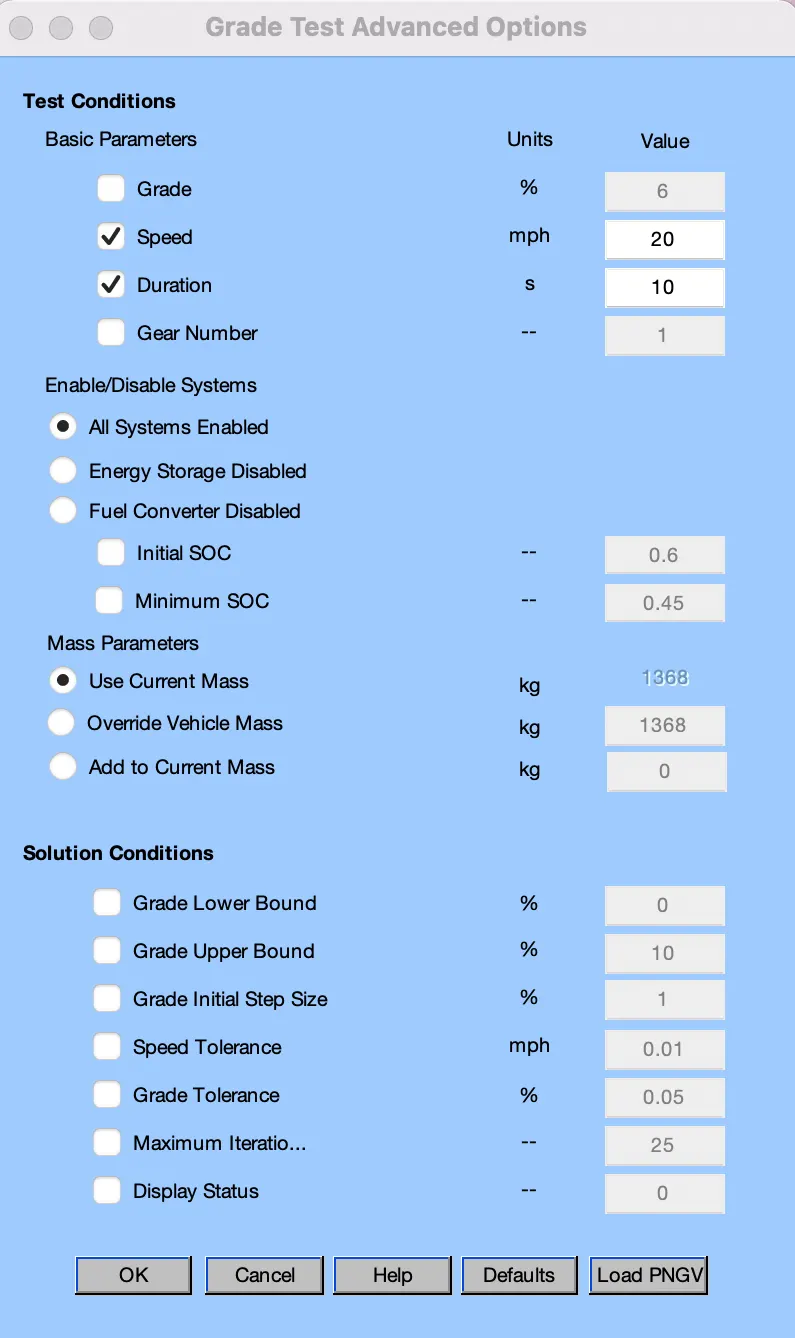
Gradeability=19.8%
Duration=10sec
Speed=30m/h
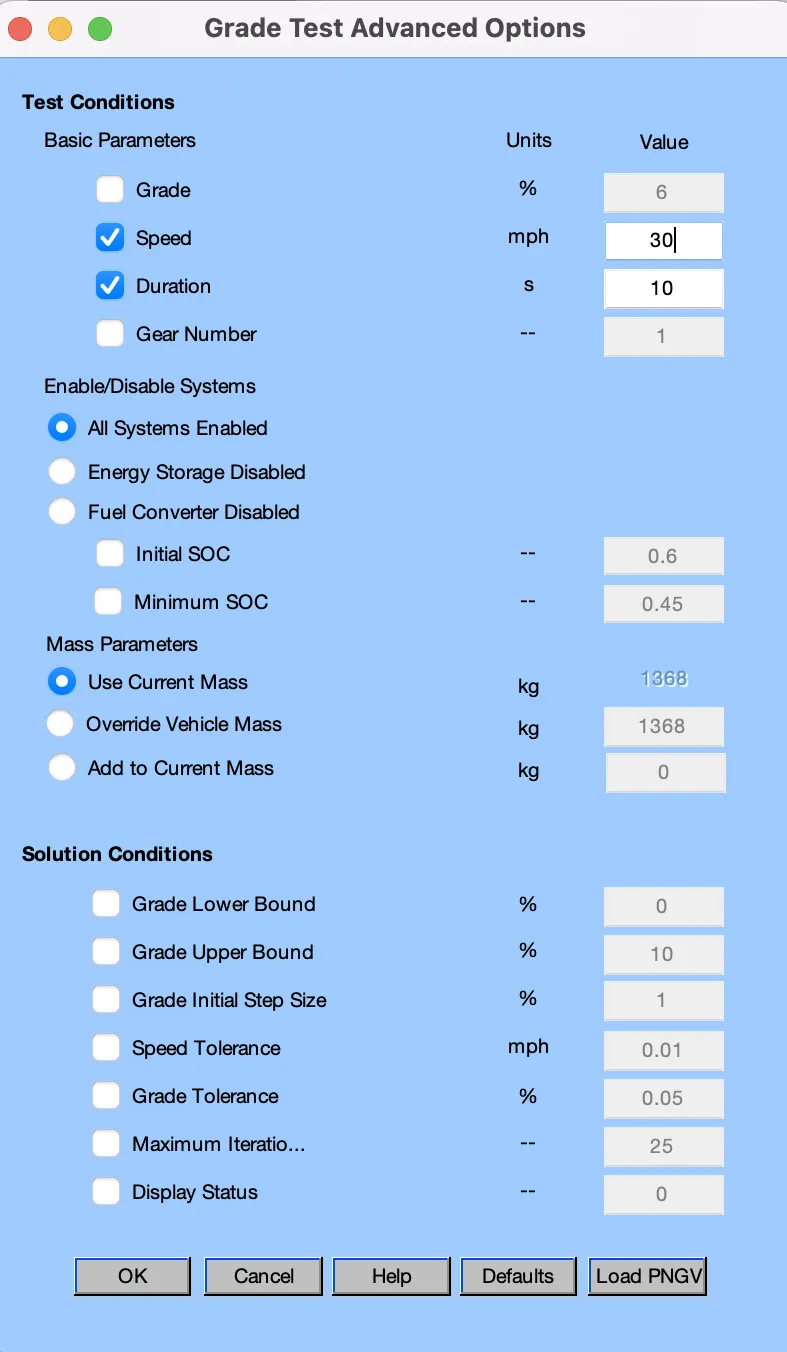
Gradeability=14.7%
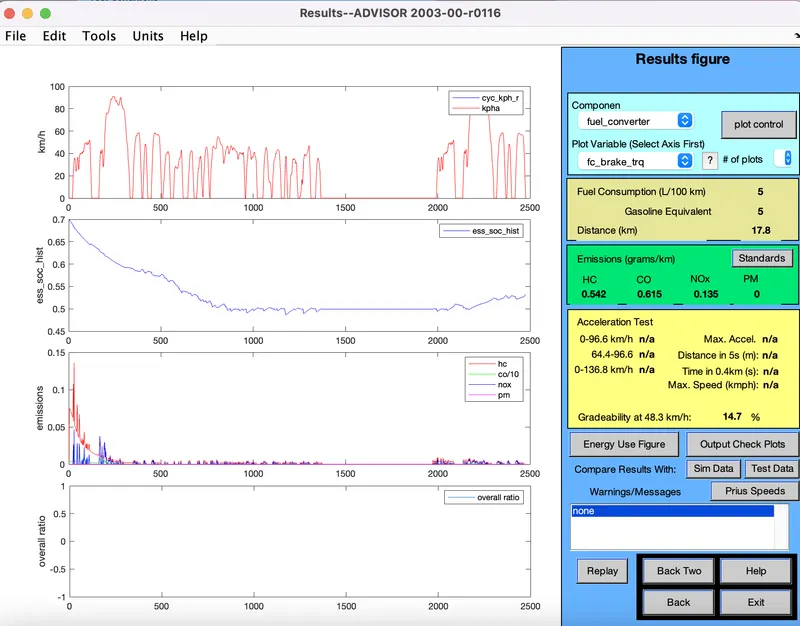
Above Observation is consolidated as table for our clear understanding,
| S.no | Duration(sec) | Speed(m/h) | Gradeability(%) |
| 1 | 10 | 10 | 30.3 |
| 2 | 10 | 20 | 19.8 |
| 3 | 10 | 30 | 14.7 |
Observation:So Speed is changed periodically wheras time duration is kept as constant. Gradeability is decreased if the speed is increased.