Week-3 Challenge: ADVISOR Tool
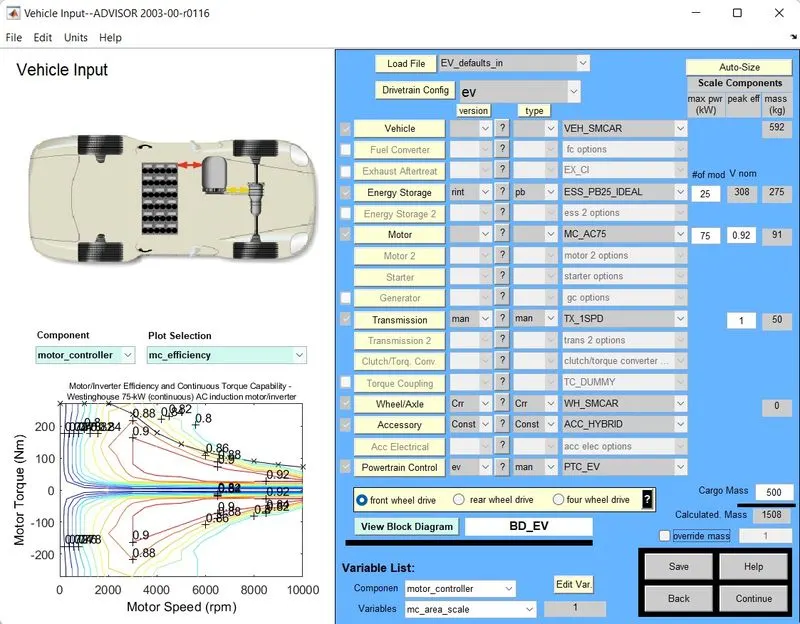
1. To start off, we select the EV_defaults_in file and change the cargo mass to 500 kg and then click on Continue.
In the Simulation Parameters window, we need to select the CYC_FTP drive cycle.
When we do this, the specifications of that particular drive cycle appears. Here, we can check that the distance covered in this drive cycle is 17.77 km.
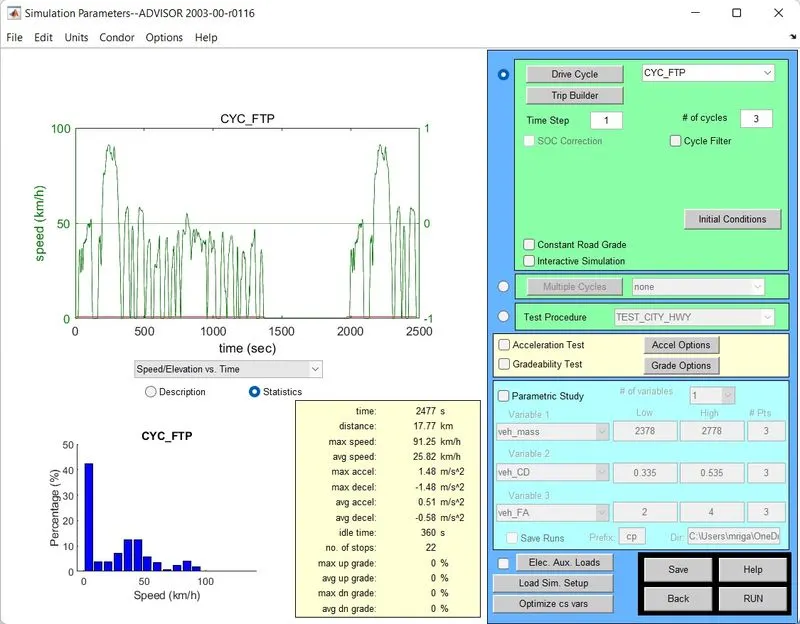
Since, our vehicle needs to last for 45km on a single charge, we will run the drive cycle 3 times, i.e., # of cycles = 3.
Shown below are the results for the drive cycle being simulated once, twice and thrice.
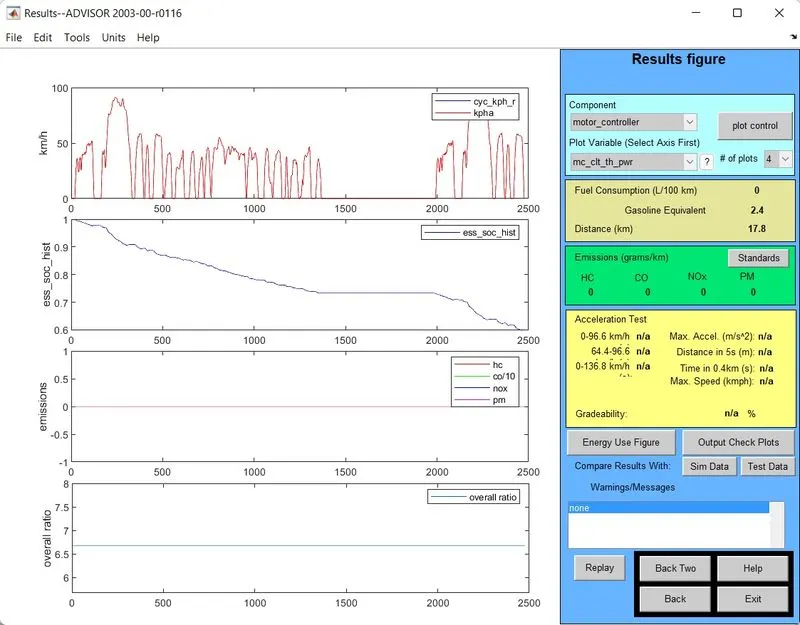
At the end of one drive cycle, the state-of-charge of the battery drops to around 60 percent.
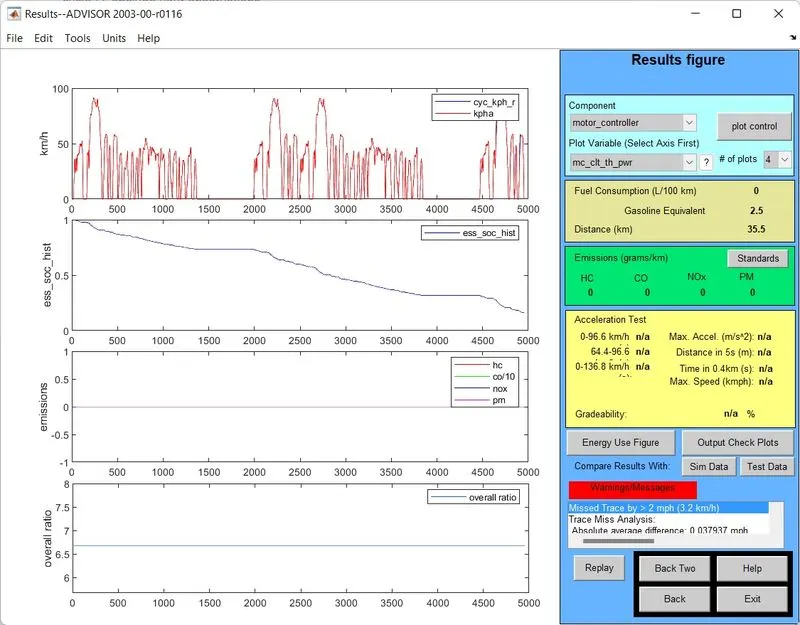
At the end of two drive cycles, the state-of-charge of the battery drops to around 20 percent.
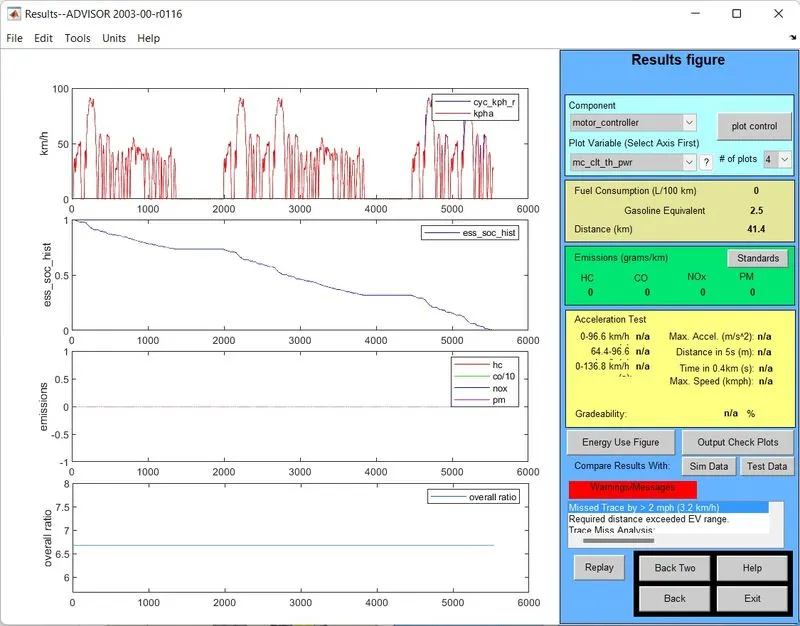
Our vehicle doesn't last for 3 drive cycles on a single charge. The battery is fully drained once the vehicle has travelled 41.4 km.
RESULT: Our vehicle with the stock battery does not last for 45 kms on a single charge.
2. Let us now change our battery to ESS_PB25_IDEAL and run the same simulation.
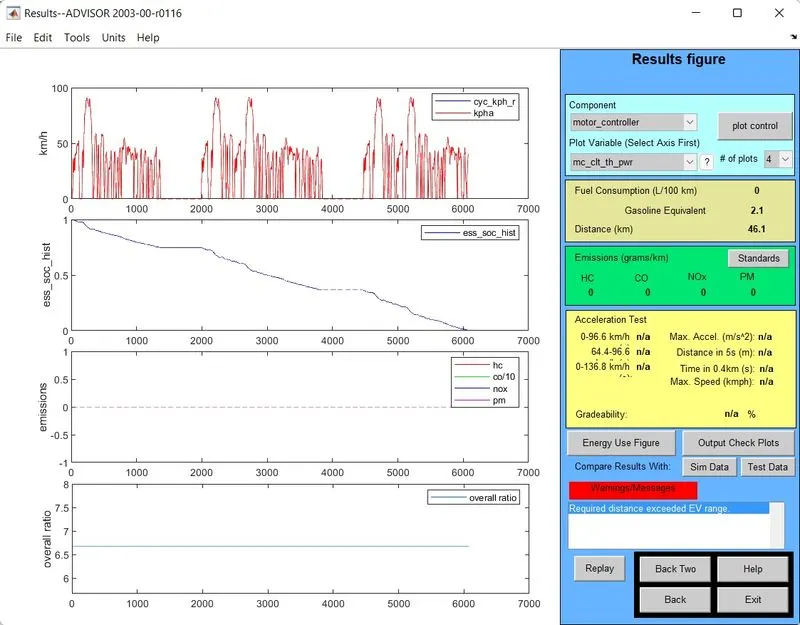
We can see that our vehicle now covers a distance of 46.1 km before the battery runs out of charge.
Let us upgrade our battery even further. Let's consider the ESS_PB65_FocusEV battery and run the simulation.
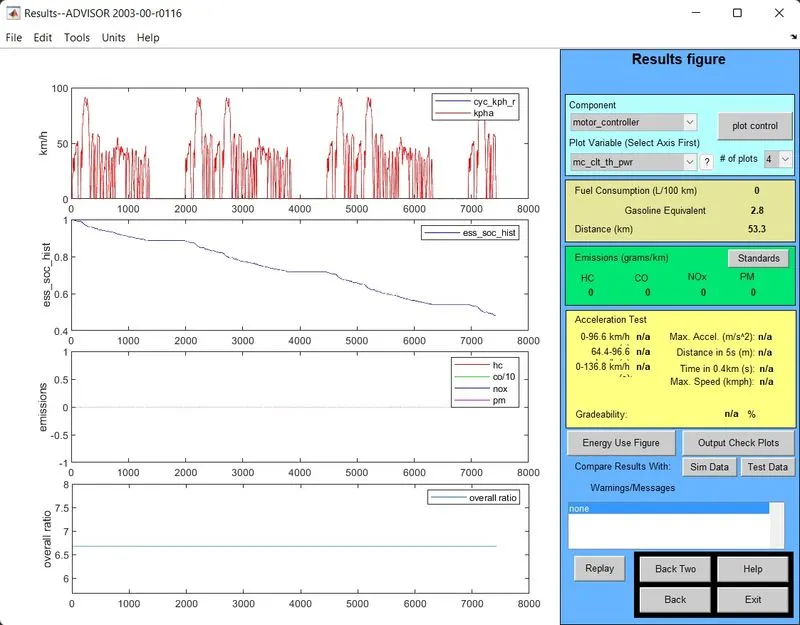
Here, we can see that our vehicle completes 3 drive cycles travelling a distance of 53.3 km and the battery is still at around 50 percent state-of-charge. But in this case the battery weighs almost twice as much as the stock battery.
CONCLUSION: We can say that as we increase the battery capacity, the vehicle will run for longer distance on a single charge but a higher capacity battery will also add to the weight of the vehicle.
3. For this question let us first open the PRIUS_Jpn_defaults_in file.
When we open this file we can see all the specifications of the vehicle as shown below:
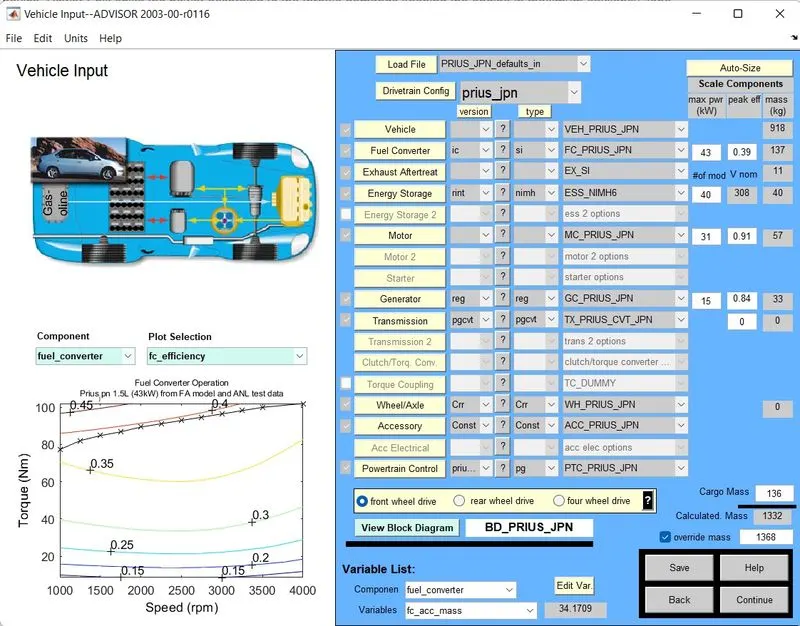
Now, to perform the gradeability test, we click on 'Continue' and then tick the 'Gradeability Test' checkbox and click on 'Grade Options' tab.
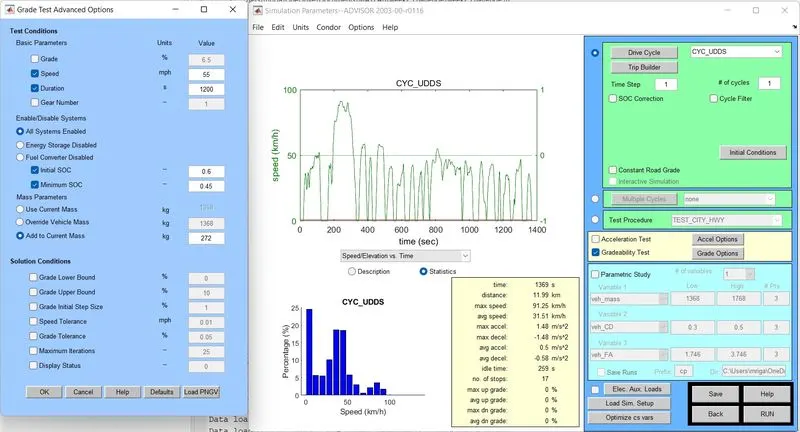
In the 'Grade Options' menu, we click on 'Load PNGV' tab and click OK and then RUN the simulation.
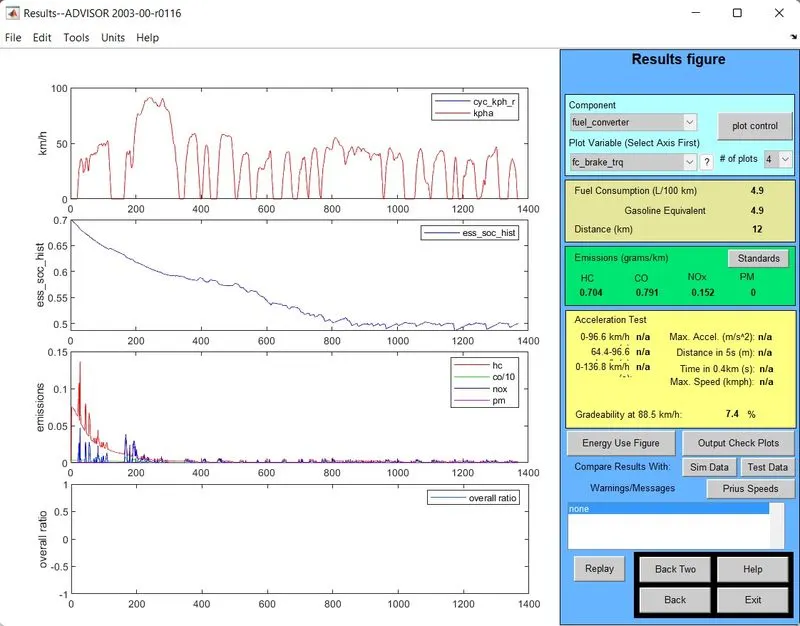
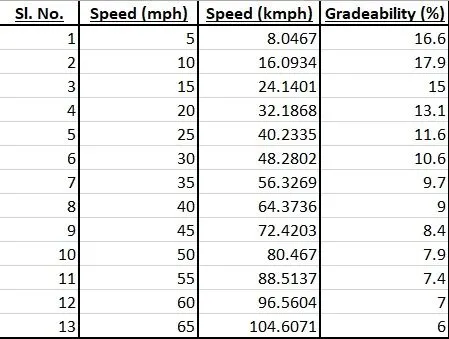
We obtain the gradeability value at that particular speed. So for the test, we shall vary the speed of the vehicle from 5 mph to 65 mph with an interval of 5 mph and obtain the gradeability values and put them in a tabular format.
The result thus obtained is: