Week-3 Challenge: ADVISOR Tool
1. For EV_defaults_in file, if cargo mass is 500 kg with all other default conditions, can the vehicle travel for 45 km with FTP drive cycle? Conclude your observations.
Solution:
ADVISOR Tool: ADVISOR, NREL's ADvanced VehIcle SimulatOR, is a set of model, data, and script text files for use with MATLAB and Simulink. It is designed for rapid analysis of the performance and fuel economy of conventional, electric, and hybrid vehicles. It also provides a backbone for the detailed simulation and analysis of user defined drivetrain components, a starting point of verified vehicle data and algorithms from which to take full advantage of the modeling flexibility of simulink and analytic power of MATLAB. By using ADVISOR tool we can,
- Estimate the fuel economy of vehicles that have not yet been built.
- Learn about how conventional, hybrid, or electric vehicles use energy throughout their drivetrains.
- Compare relative tailpipe emissions produced in a number of cycles.
- Evaluate an energy management strategy for your hybrid vehicles fuel converter.
- Optimize the gear ratios in your transimission to minimize fuel use or maximize performance etc..
The models in ADVISOR are:
- Mostly empirical, relying on drivetrain component input/output relationships measured in the laboratory, and
- Quasi-static, using data collected in steady state(for example, constant torque and speed) tests and correcting them for transient effects such as the rotational inertia of divetrain components.
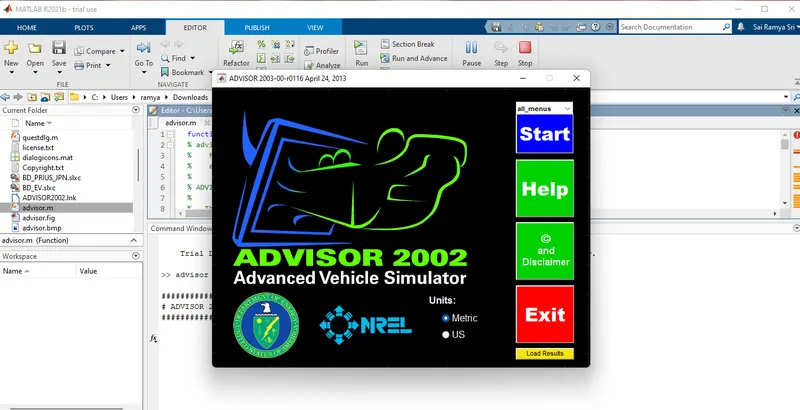
Open the ADVISOR tool in the MATLAB window. Open the advisor.m file and click on run then the following window wil appear. Where select the start button to start the ADVISOR tool.
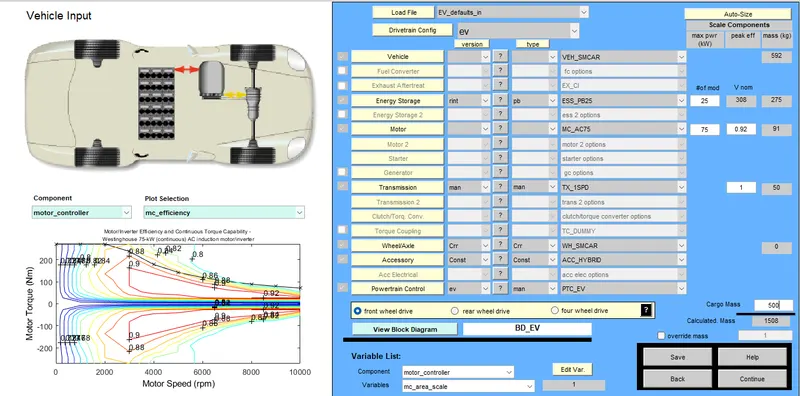
After starting the tool the following window will appear where we have to load the file at the top corner. From here will select EV_defaults_in file then automatically related car and details will appear. After that as per the given data we are changing the corgo mass value to 500 and keeping all the parameters same. The following figure shows this window of EV_defaults_in file. AFter changing the cargo mass value click on continue.
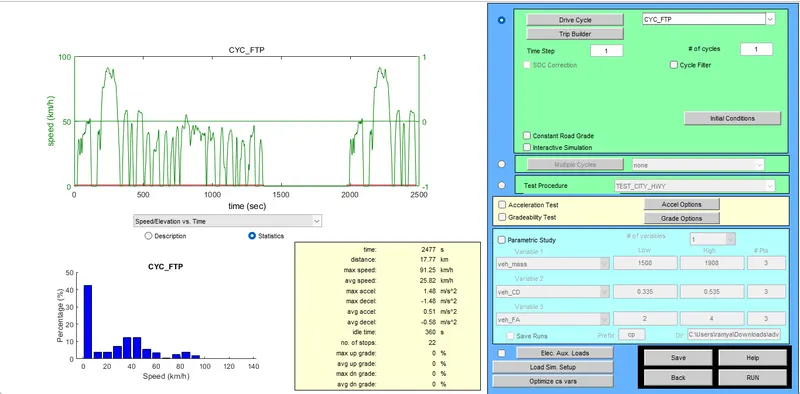
As per the given challenge we are changing the Drive cycle to the CYC_FTP mode. And click on RUN.
Here our main objective is to find whether the vehicle is moving upto 45km distance. So after running the program we have to verify the distance value. After running the program the following result window will opens where we can see the distance travelled by the vehicle.
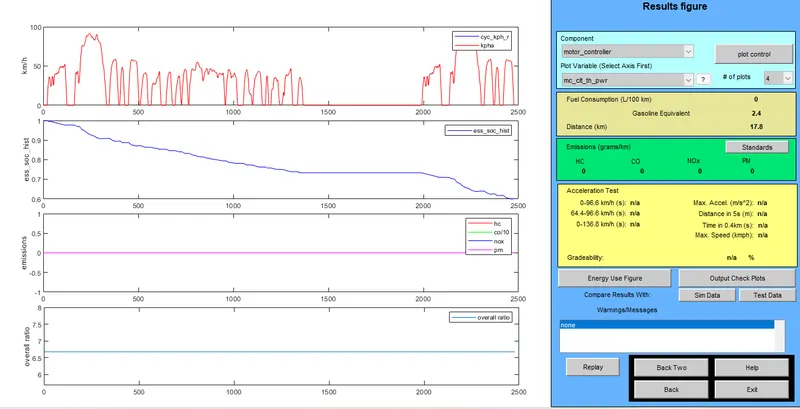
From the above figure it is clearly say that the vehicle is moving only upto 17.8km. Will try again by changing the number of cycles to 3 which is at the Drive cycle changing window. So after 3 number of cycles the following result window will appears.
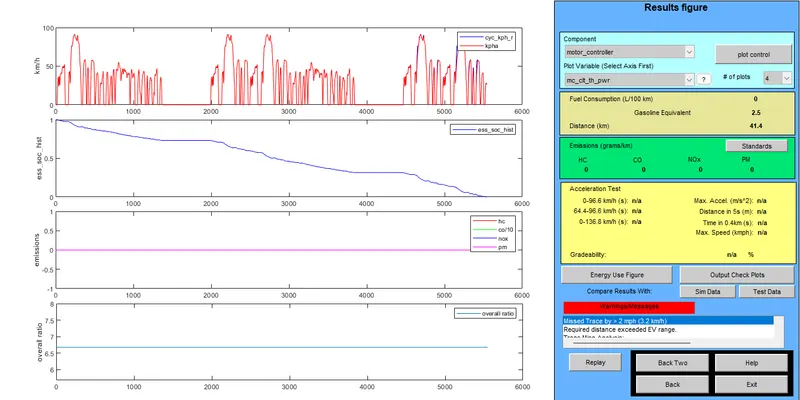
Eventhough we changed the number of cycles still the distance value is only 41.4km and it doesn't reach the value our objective(i.e.45km).
2. In the above case, try changing the battery capacity and repeat the simulation.
Solution: In this case Procedure is same as above case the only thing changing is Battery capacity. We are changing battery capacity to 50kw and start running the file by clicking on the continue button. The following figure shows the changes in battery capacity.
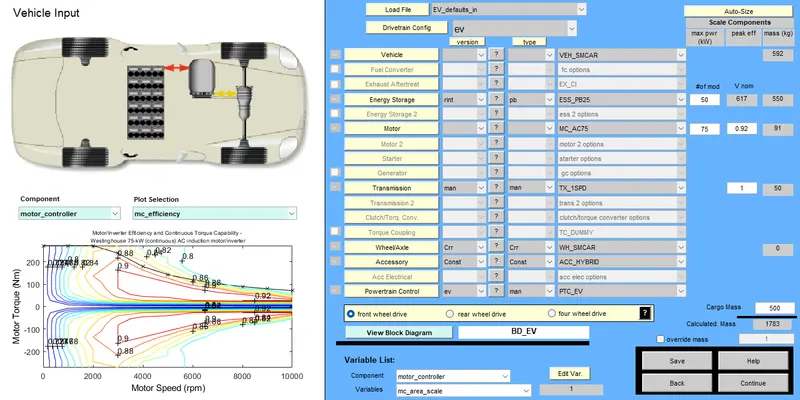
Same as before we are taking Driving cycle mode as CYC_FTP. And by running the file the following window will appears with the results.
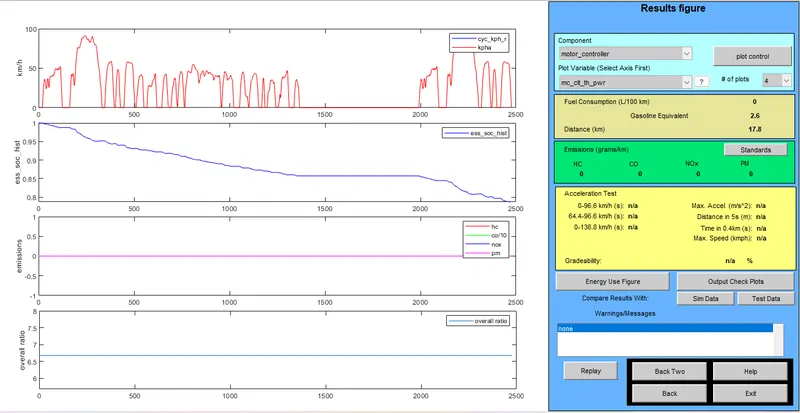
Eventhough we changed the Batter capacity still the vehicle distance is 17.8km. So will try here also by changing the number of cycles to 3 and will observe the results. After changing the number of cycles the following results will be updated.
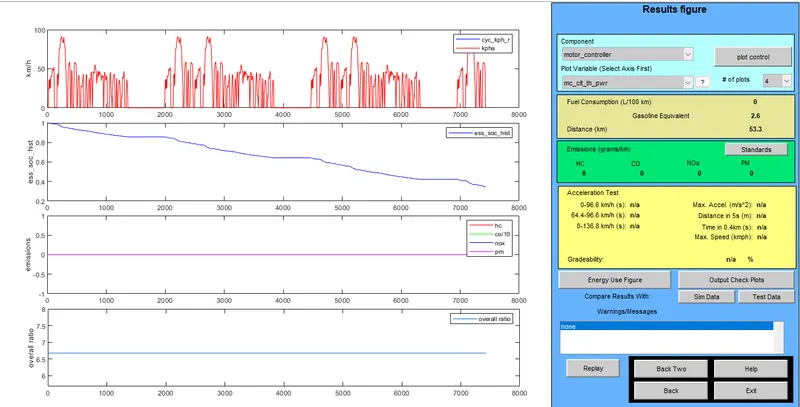
Here after changing the number of cycles to 3 the vehicle covers the distance of 53.3km. And from the SOC plot we can observe that the value doen't goes to zero. Which means that the charging in the battery is still left and it covers some more distance. In the before case even we changed the number of cycles still there is not much difference in the result. But here after changing the battery capacity and number of cycles the distance covered by the vehicle is reaced our objective value and still there is battery left.
3. Perform gradeability test with PRIUS_Jpn_defaults_in file and Compare your results in table and conclude.
Solution: In this case we are loading the PRIUS_Jpn_defaults_in file and keeping all the parameters same. The following figure shows the window of the loaded file parameters.
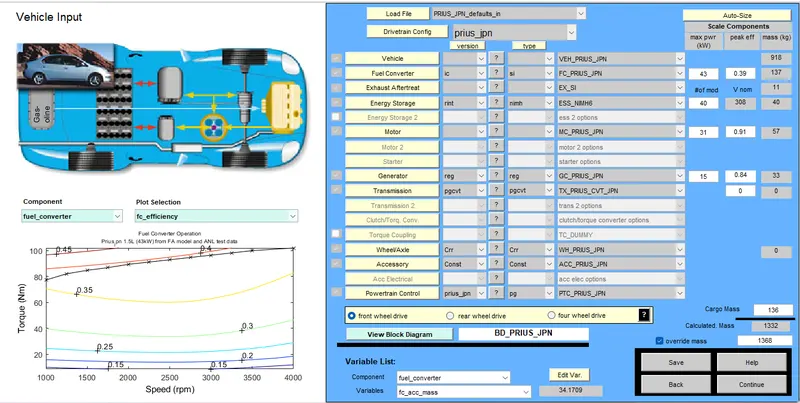
By clicking on the continue in the above image the following window will appears. In this challenge we are performing the gradeability test so we ticking the Gradeability test.
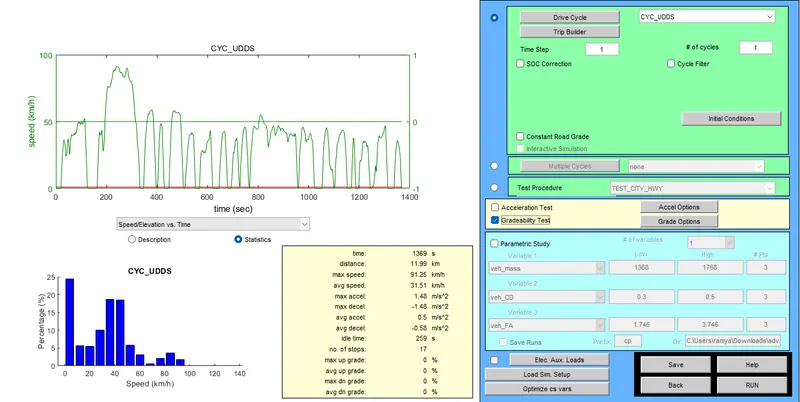
In the above image click on Grade options to make changes in speed or any other parameters. After clicking on Grade options the following window will opens.
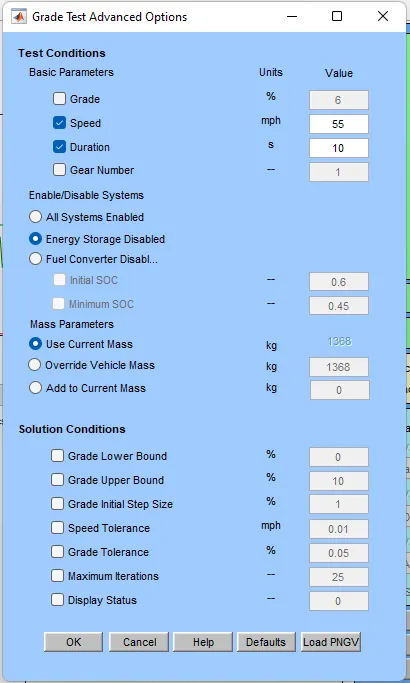
Here we are observing the Gradeability by changing the value of speed. First we are taking the speed at 55mph. And after running the file at this distance the following results are shown.
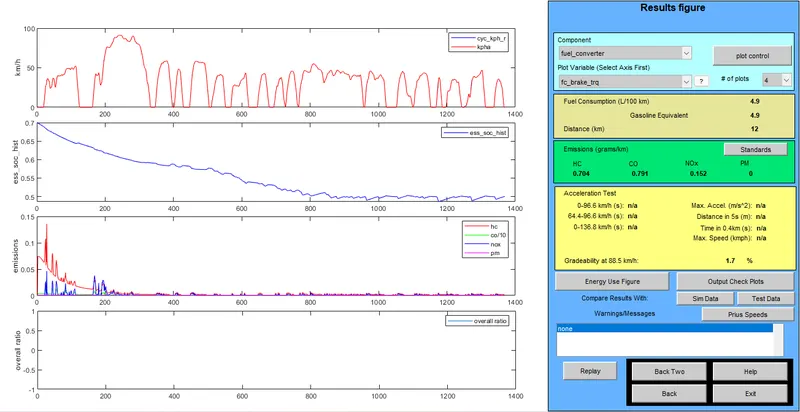
From the above figure we can say that at 55mph speed the Gradeability is 1.7%.
Now we are changing value of speed to 40mph and observing the results from the following window.
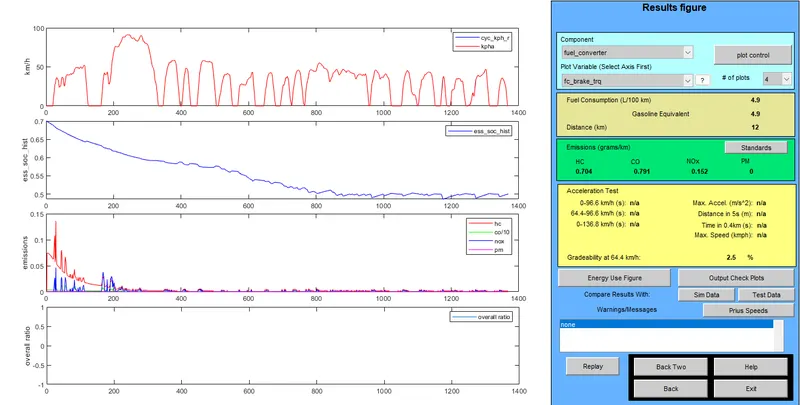
From the above figure we can say that at 40mph speed the Gradeability is 2.5%.
Now we are changing the speed value to 70mph and observing the results from the following results.
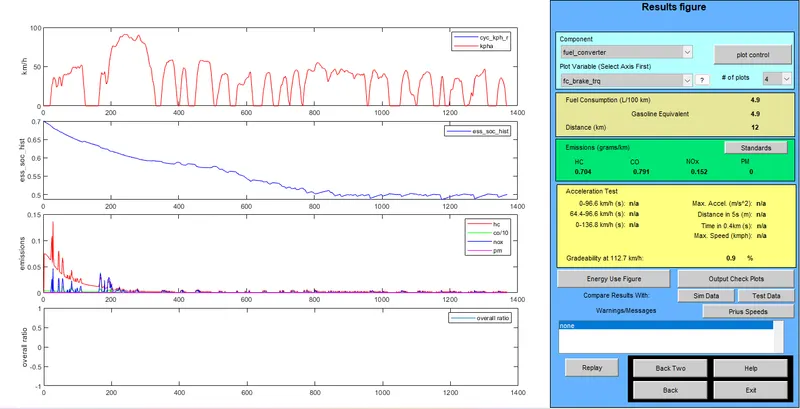
From the above daigram we can say that at 70mph speed the Gradeability is 0.9%.
Tabulating the Results:
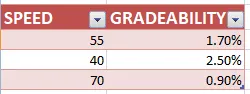
Conclusion: From above table we can say that intially at 55mph the Gradeability is 1.7%. After the speed is reduced to 40mph the the Gradeability value increase to 2.5%. Then the speed is increased to 70mph here the Gradeability decrease to 0.9%. From this results we can conclude that if speed increases the value of Gradeability decreases and if speed decreases the value of Gradeability increases.