Week-3 Challenge: ADVISOR Tool
INTRODUCTION TO ADVISOR (ADVANCE VEHICLE SIMULATOR) TOOL:
- Create by National Laboratory for Renewable Energy (NREL) & Deparment of Energy USA.
- Development Phase 1994 to 2004.
- ADVISOR tool is a Rapid analysis of the performance and fule economy of conventional electric and hybrid vehicles.
- Use a backward flow (driving cycle to energy storage)
- Vehicle models are mostly experiential, relying on drivetrain component input/output relationships meusured in the laboratory.
How To start ADVISORB Tool:
- advisor.m is a main file select the module file.
- this tool is based on the advance vehicle simulation tool.
- there are two options one is metric and other one is US selecting the one unit.
- start the advisor tool.
Advisor tools have 3 windows:
- Vehicle input window
- Simulation parameter window
- Result window.
AIM: For EV_defaults_in file, if cargo mass is 500 kg with all other default conditions, can the vehicle travel for 45 km with FTP drive cycle? Conclude your observations.
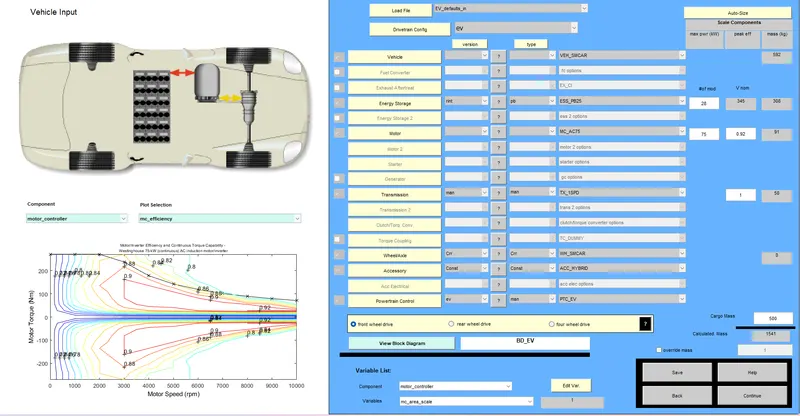
This is the vehicle input window
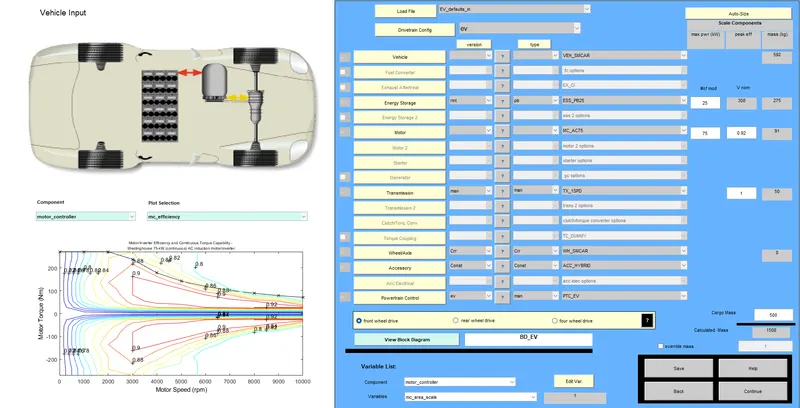
now change the load file is EV_defaults_in file and Drivetrain config is EV
vehicle type is VEH SMCAR vehicle mass(kg) 592
Energy storage is version rint and type pd ESS_PB25 max power (kw) is 25 nad 308v nom mass 275
Motor is a MC_AC75 and max power is 75 and 0.92eff mass 91
Transmission version man and type man TX_1SPD peakeff 1 and mass 50
wheel/axle version crr and type crr WH_SMCAR
Accessory version const and type const Acc_HYBRID
Powertrain control is ev and man PTC_EV
this is the front wheel drive
cargo mass is given 500
calculation mass is 1508
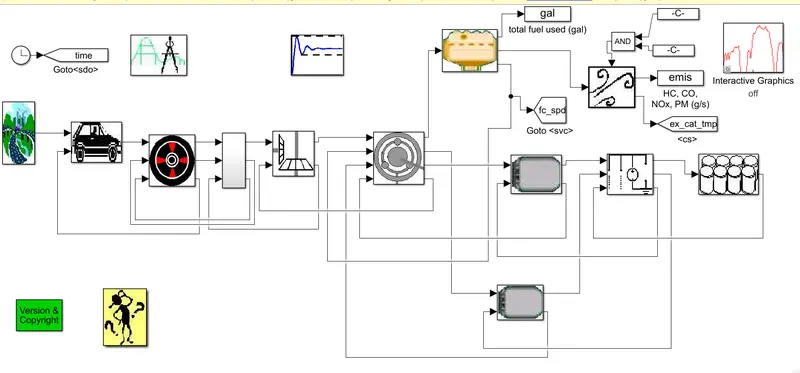
nexte click on the view Block diagram
The arangement in side the blocks.there all this block are data or cript files
this module starting with the drivecycle and end with the energy storage system.
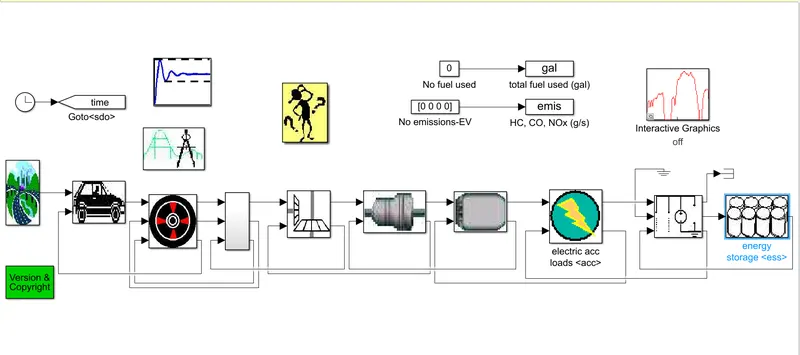
next click on the continue open simulation parameter window
select the drive cycle "CYC_FTP" and remaining are constant
next click on the run button.
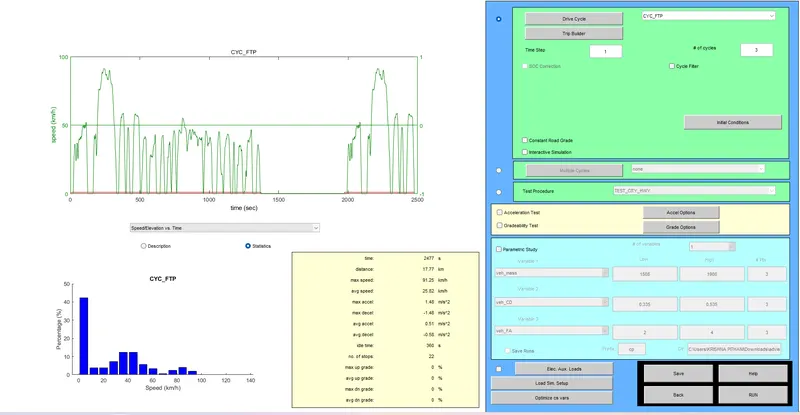
the click on the run and it will open result window
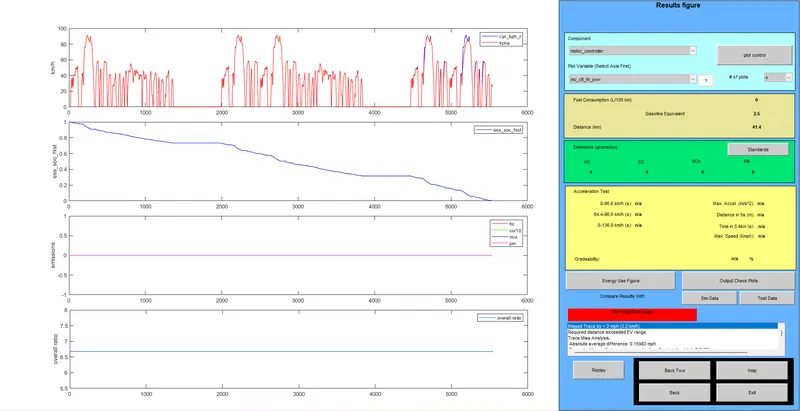
the distance covered by the vehicle is 17.77km by the one number of cycle.
the previous page and enter the three number of cycle, the distance covered by the vehicle is 41.4km.
AIM: In the above case, try changing the battery capacity and repeat the simulation..
in the vehicle input window in the energy storage tab we try to increases the number of modules of the battery so that it increases the capacity of the battery
the increases the battery capacity the vehicle distance is also increase
change the energy storage 28kw and 345volts mass of the battery308 and cargo mass is 500
next click on the continue.
Next open the simulation parameter window and select the drive cycle "CYC_FTP"file.
The one number of drive cycle distance covered by 17.77km
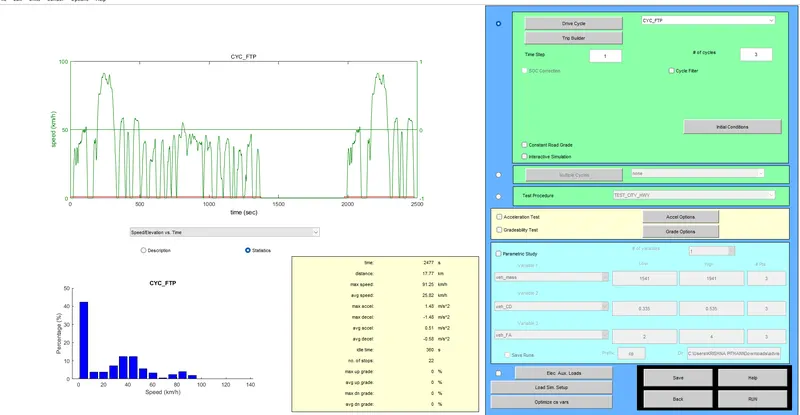
given the three number of drive cycle.
click on the run button.
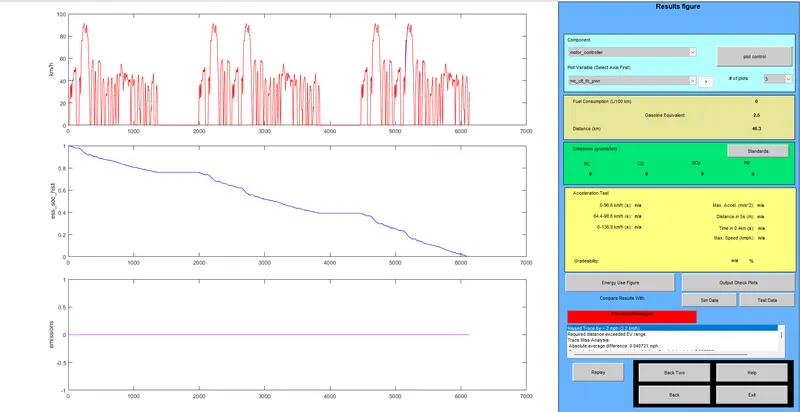
the max power 28kw battery storage and three number of drive cycle and the vehicle is able to travel a distance of 46.3km.
AIM: Perform gradeability test with PRIUS_Jpn_defaults_in file Compare your results in table and conclude.
The advisor tool in change the load file in vehicle PRIUS_jph_defaults_in file.
vehicle mass is 918kg and fuel converter max power 43kw and 0.39eff and 137kg
Energy storage is 40kw and 308v mass is 40kg
Motor is MC_PRIUS_JPN 31kw max power and 0.91eff and 57kg
generator 15kw max pwoer and 0.84eff and 33kg
this is front wheel drive
In side of the vehicle arangements PRIUS_jph vehicle
cargo mass is given 500 and claculated mass is 1696kg
Next click on the continue button
open the simulation parameter window.
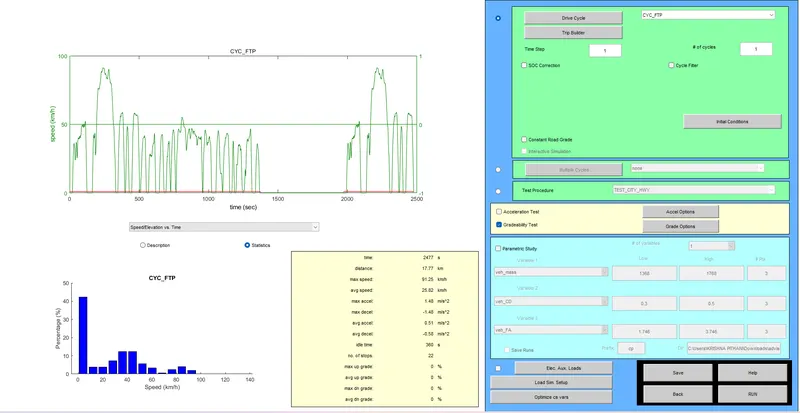
Select the drive cycle is "CYC_FTP"flie
the number of cycle is one distance is 17.77km
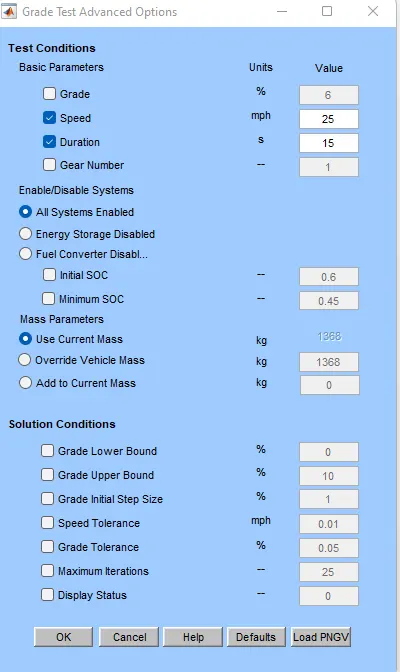
Next click on the Gradeability test
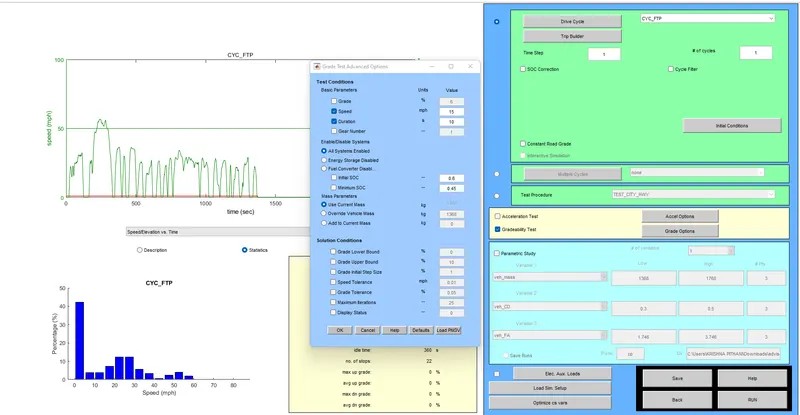
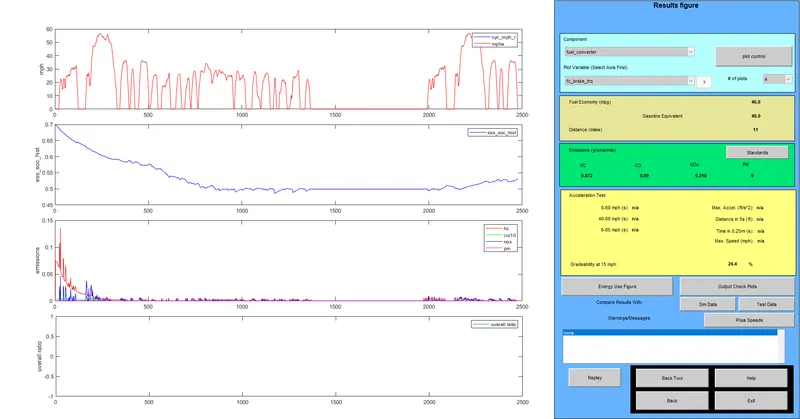
input: Speed is 15 mph for 10s duration
output: Gradeability is 24.4%
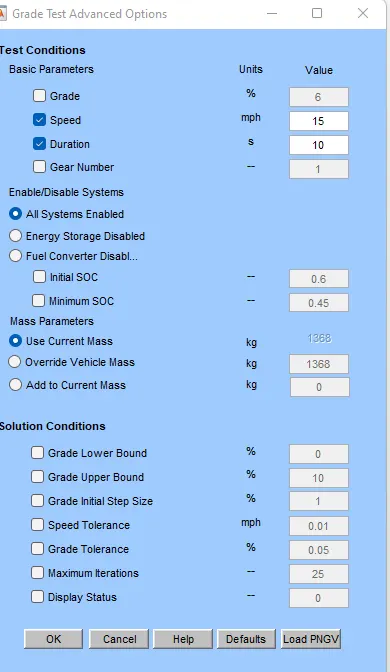
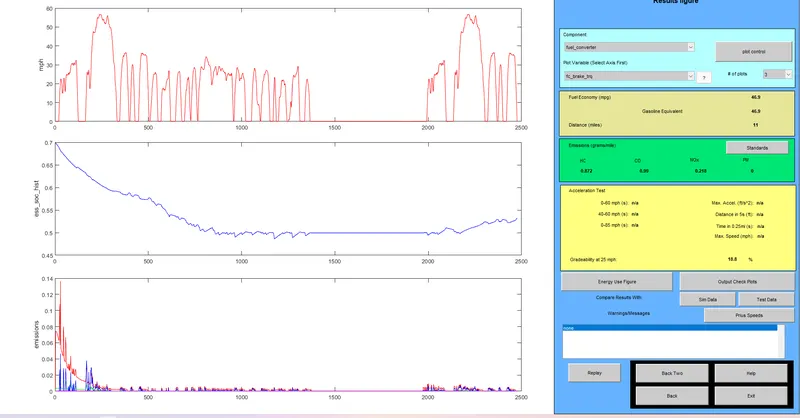
input: Speed is 25 mph for 15s duration
output: Gradeability is 18.8%
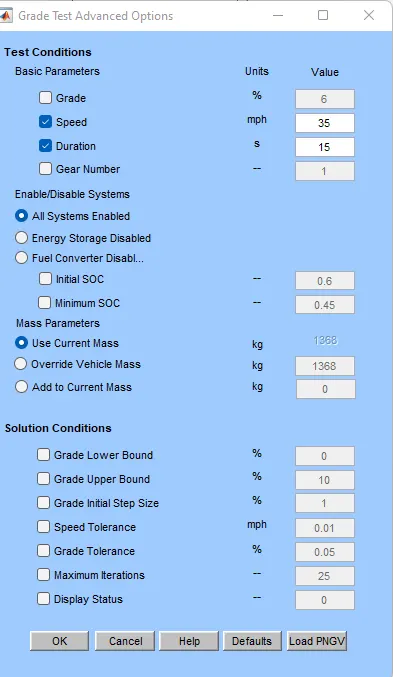
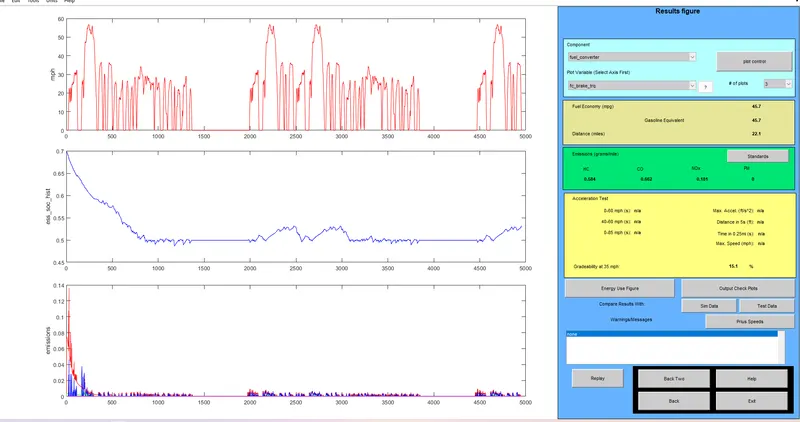
input: Speed is 35 mph for 15s duration
output: Gradeability is 15.1%
observation Data:
| Speed(mph) | Speed(km) | Duration(s) | Gradeability(%) |
| 15 | 11 | 10 | 24.4 |
| 25 | 11 | 15 | 18.8 |
| 35 | 22.1 | 15 | 15.1 |