Week -2
AIM: MAKE A SIMULINK MODEL OF DOORBELL USING SOLENOID BLOCK.
SIMULIMK BLOCKS:
SIMULINK BLOCKS EXPLANATION:
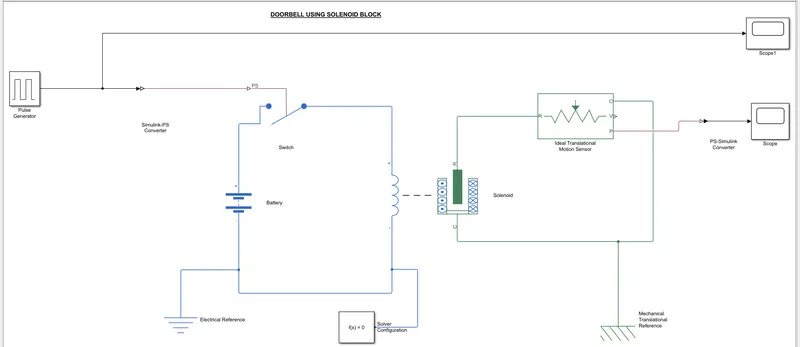
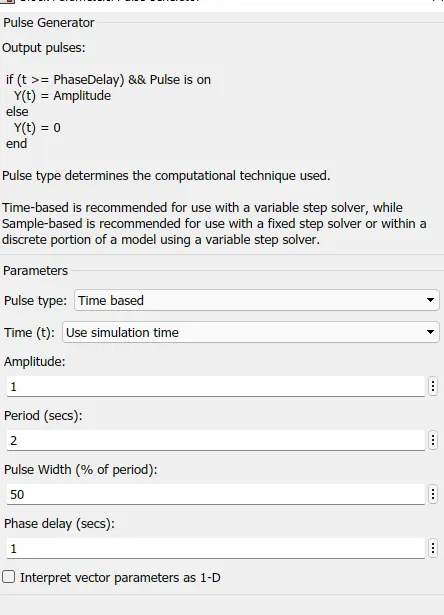
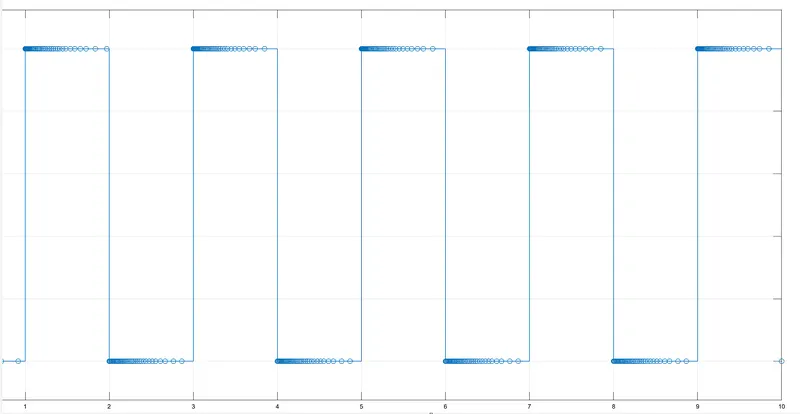
- The pulse generator is used to create square wave pulse at regular intervals.
- the block waveform parameters amplitude, width, peiod and phase delay, detrmine the shape of the output waveform.
- The switch block used is controlled by external physical signal. if the external signal is greater than the thresold parameter then the switch is closed, otherwise switch is opend.
- The block models a barrery. if you select infinite for the battery charge capacity parmeter, the block models the barrery as a series internal resistance and a constant voltage source.if you select finite for the battery charge capacity parameter, the block models the battery as a series internal resistance plus a charge dependent voltage source defined by
v=Vnom*SOC/(1-beta*(1-SOC))
- where soc is the state of charge and Vnom is the nominal voltage. coeffcient beta is calculated to satisfy a user defined data point [AH1,V1].
- The solenoid block is connected with switch and battery and we will get a complete electrical circuit.
- The R moves away from port c.
- the ideal translational sensor is connected with solenoid block R to observe the movement to the plunger.
- scope is connected with the ideal translational sensor to get the output.
- PS-Simulink converter is used to convert the physical signal to simulink signal.
- Solver configuration Each physical network represented by a connected simscape blocks requires by a connected simscape blocks requires solver setting information for simulation.
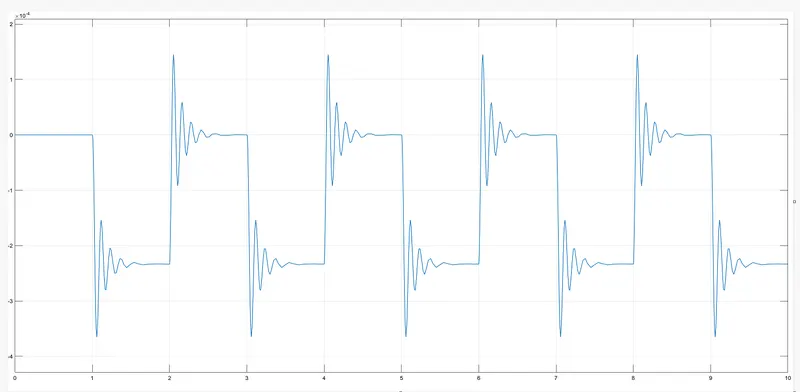
OUTPUT RESULT:
2) AIM:
Use athermistor to sense the temperature of a heater & turn on or turn off the fan as per the below conditions.
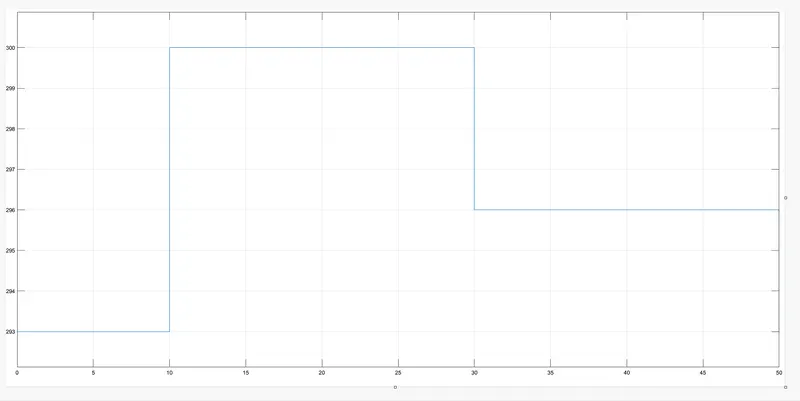
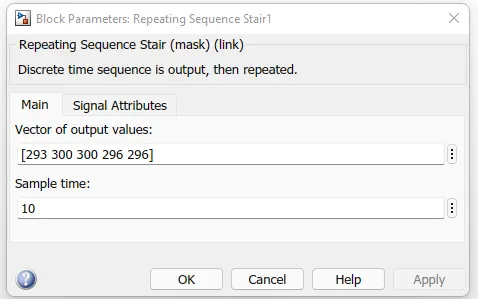
Temperature source 20 degree celsius from 0 to 10 seconds 27 degree celsius from 10 to 30 seconds 23 degree celsius from 30 to 50 seconds
Fan conditions ON if the temperature above 25 degree celsius OFF otherwise.
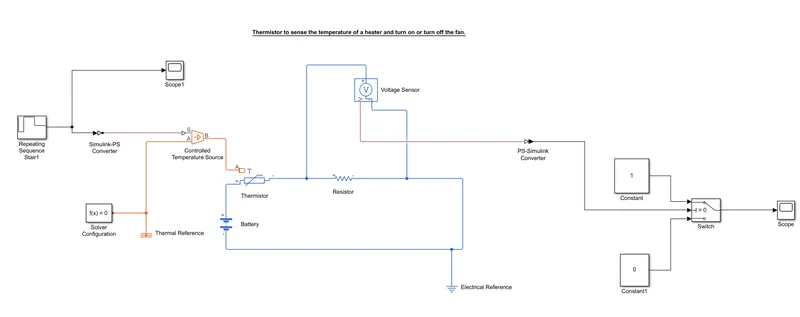
simulink model:
Repeating Sequence Stair: The repeating sequence stair output and repeats astair sequence that you specify with the vector output values parameter.
PS-Simulink converter: converts simulink signals to the respective physical signal.
controlled temperature source: (CTS) provide a temperature physical output based on the condition given to port S.
Thermal reference: thermal reference block provides the required initial conditions to the connected thermal block for the solver.
Thermistor: Thermistor block which shows us the NTC thermistor relation between temperature and resistance.
Battery: Battery is a storage device that provides the required voltage based on the parameter given. we can use DC voltage source blocks too.
Resistor: Resistor which provides the opposing nature of current in a circuit.
Voltage sensor: This is used to measure the voltage or potential difference across any electrical component and it should connect in parallel only.
Electrical reference: These domain specific electrical reference block will provide the required initial conditions to the connected thermal block for the solver.
Solver configuration: The solver configuration block specifies the solver parameters that your model needs before you can begin simulation and this is mandatory for all simscape designs.
PS-simulink converter: Converts physical signals to the respective simulink signal.
Constant: Provides a constant output value.
Switch: This block is used from the library simulink/ signal routing where it has three inputs namely port1,port2,port3. port2 is a control input where the signal given to port2 is satisfied with the condition and threshold of the switch block then it passes port1 as output and if it is not satisfied then it will pass port3 as output.
Scope: This is an output block that shows the signal with respective time in an X-axis.
OUTPUT RESULT: