ADVISOR Tool challenge
ADVISOR TOOL
OBJECTIVE:
-
For the EV_defaults_in file, cargo mass is 500 kg with all other default conditions, the vehicle travels for 45 km with an FTP drive cycle.
-
Using the above case, the simulation is repeated by changing the battery capacity.
-
Performing the gradeability test with the PRIUS_Jpn_defaults_in file.
THEORY:
The National Renewable Energy Laboratory (NREL) developed the ADVISOR tool, which lets users simulate and evaluate conventional, advanced, light, and heavy cars, as well as hybrid electric and fuel-cell vehicles. Users can use this tool to evaluate the impact of changes to vehicle components (such as motors, batteries, catalytic converters, climate control systems, and alternative fuels) and other adjustments on fuel efficiency, performance, and emissions.
The tool is very useful in the case of user-defined powertrain or vehicle dynamics and wants to see the results in a simulated environment before the implementation of the model.
There're lots of benefits of using the ADVISOR TOOL: -
-
Evaluation of the hybrid vehicle's fuel converter's energy management system.
-
Estimation of a vehicle's fuel efficiency.
-
Transmission gear ratios are optimized to reduce fuel consumption or boost performance.
-
Comparison of tail-pipe emissions produced on the number of drive cycles.
To start/open the ADVISOR tool, set the directory to where the ADVISOR tool is located. Then, type 'advisor' in the command window and the ADVISOR tool will open.
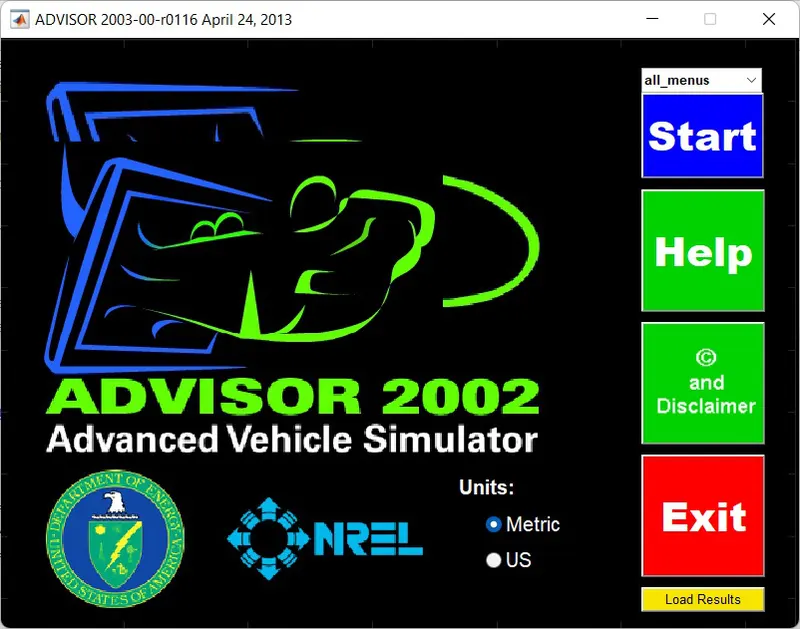
After that, select the unit under which you want to work and click 'Start' and a new window (Vehicle Input) will open.
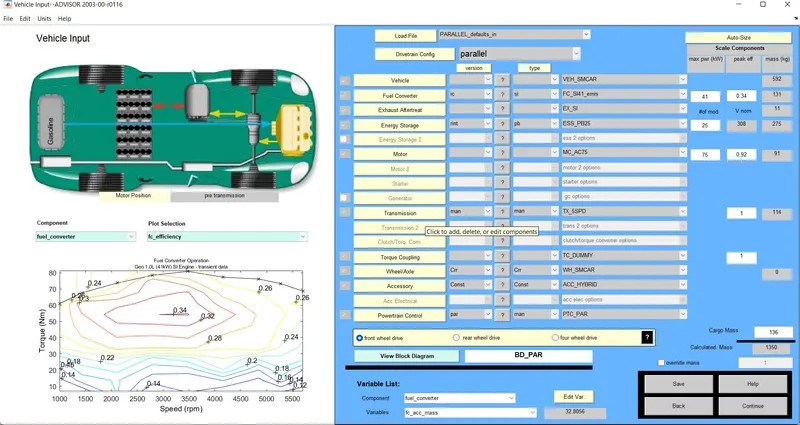
In the Vehicle input window, after selecting the Load File and the DriveTrain Config, by clicking on the Continue option, another window (Simulation Parameters Window) will open.
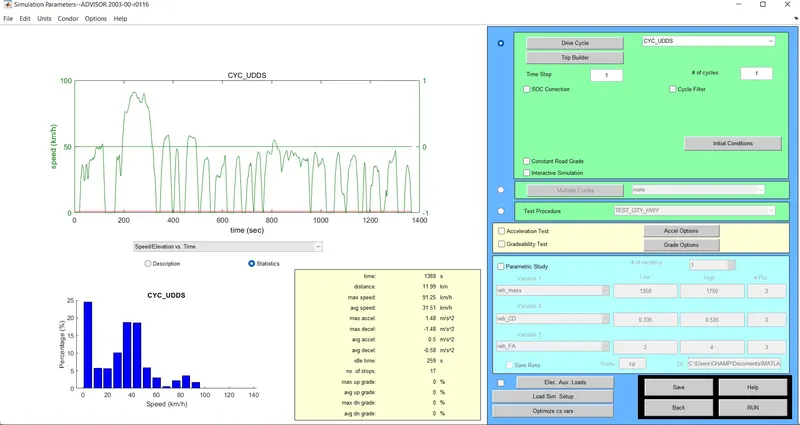
In this window, you can select the type of drive cycle, # of cycles, Acceleration test, Gradeability test, etc.
1. EV_DEFAULTS_IN file with 500 kg cargo mass:
We'll select the “ev_defaults_in” from the Load File option and change the Cargo mass to 500 kg.
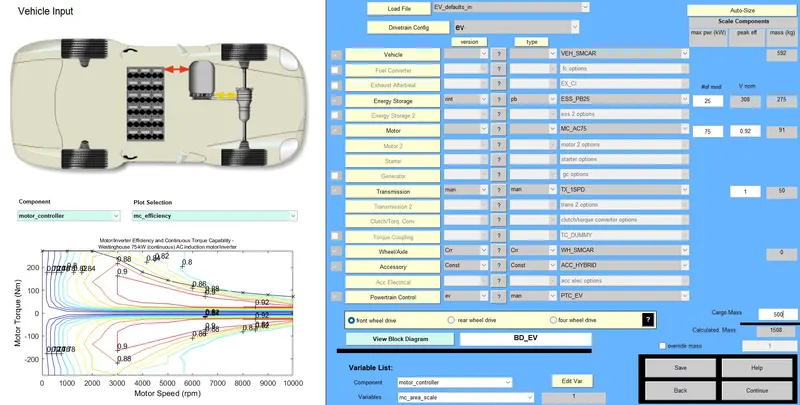
Then after that click on the Continue and the Vehicle input window will open. In this window, select the “CLC_FTP” drive cycle and # of cycles – 1. (For the initial condition), and then hit RUN.
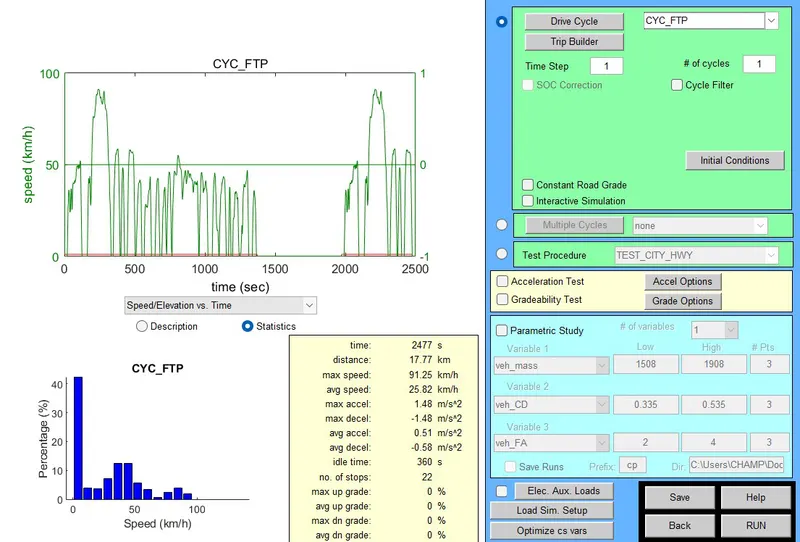
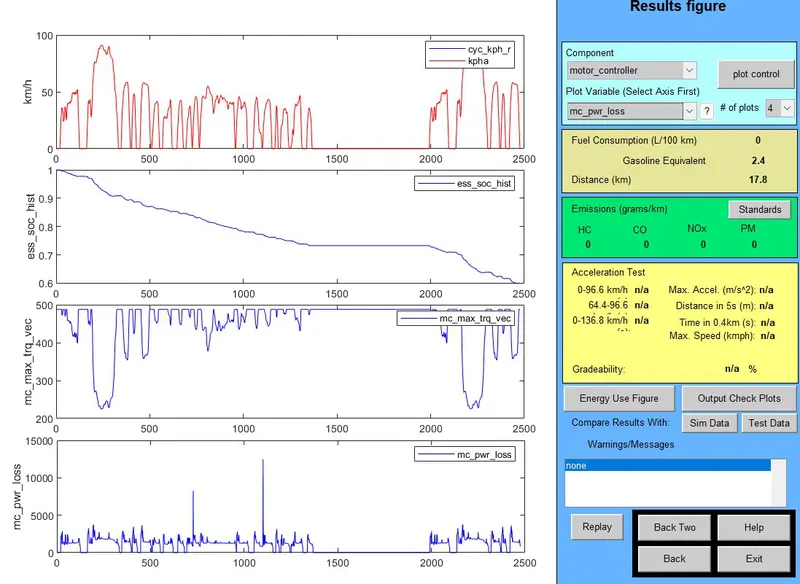
Here, we can see that the battery ran out of charge. (ess_soc_hist plot) in 1 cycle by travelling a distance of 17.8 km.
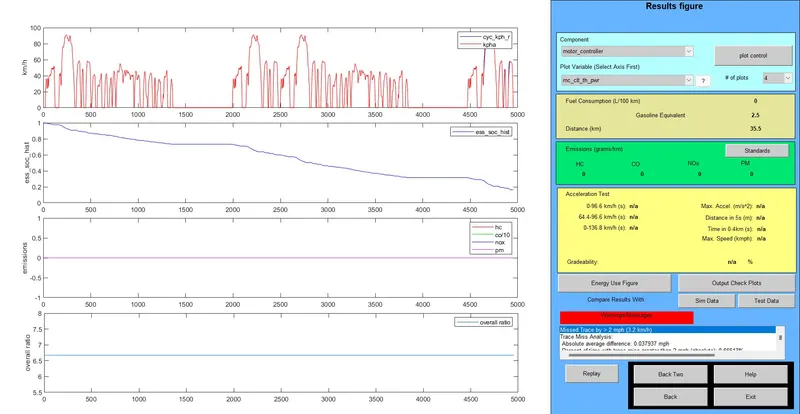
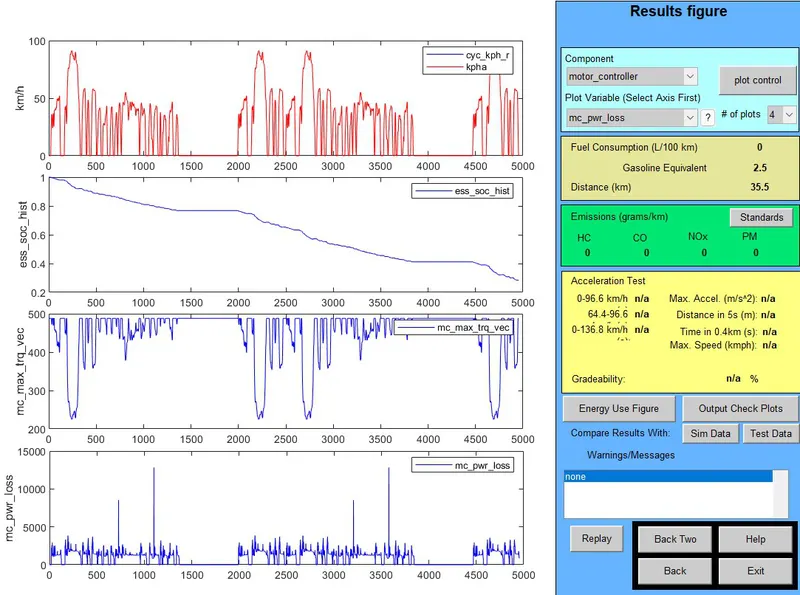
Now, running the same simulation with 2 number of cycles. In 2 cycles, the total distance the vehicle travels is 35.5 km by carrying a cargo mass of 500 kg. We can also see that the battery drains out almost by double-time as compared to 1 cycle.
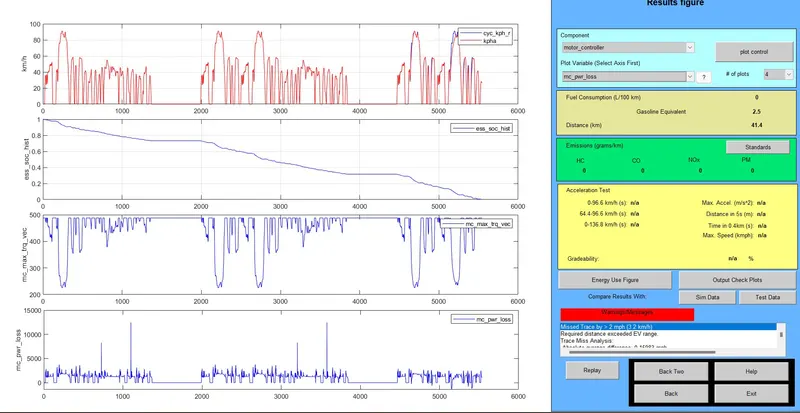
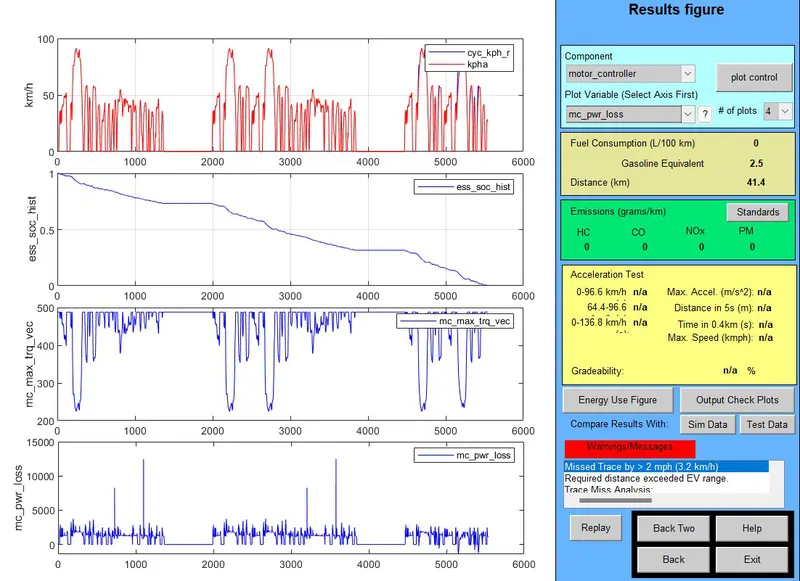
and, again running the same simulation with 3 number of cycles. And the vehicle travels 41.4 km carrying a cargo mass of 500 kg. The battery takes a little bit more to drain out, by comparing it with 2 number of cycles and takes more than double the amount of time to drain by comparing it with 1 cycle.
Repeating this with 4 cycles, we can observe that the vehicle covers the same distance as of with 3 number of cycles, i.e., 41.4 km and the battery drains out at the same time as it was in 3 number of cycles.
|
Number of Drive Cycles |
Distance Covered (in km) |
| 1 | 17.8 |
| 2 | 35.4 |
| 3 | 41.4 |
| 4 | 41.4 |
So, the vehicle is not able to cover the exact distance of 45 km in the FTP cycle, but it's able to cover 41.4 km.
2. Changing the Battery Capacity:
Keeping some of the parameters the same, i.e., CYC_FTP, 500 kg cargo weight, now we'll increase the battery modules by 1 for 2 number of drive cycles and 3 number of drive cycles.
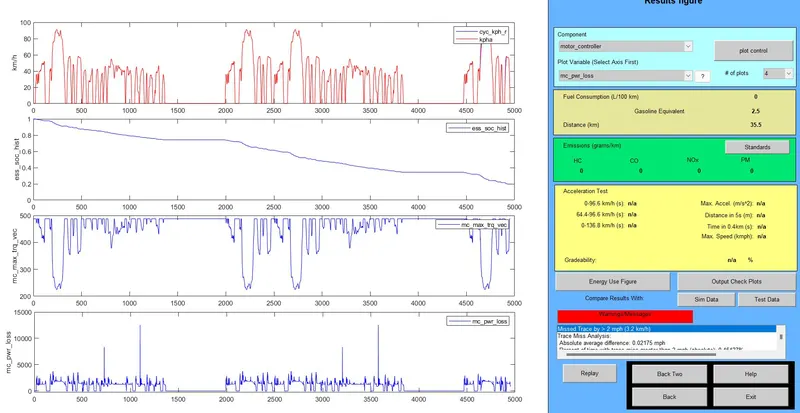
i) Battery modules – 26, # of Cycles – 2

i.i) Battery modules – 26, # of Cycles – 3
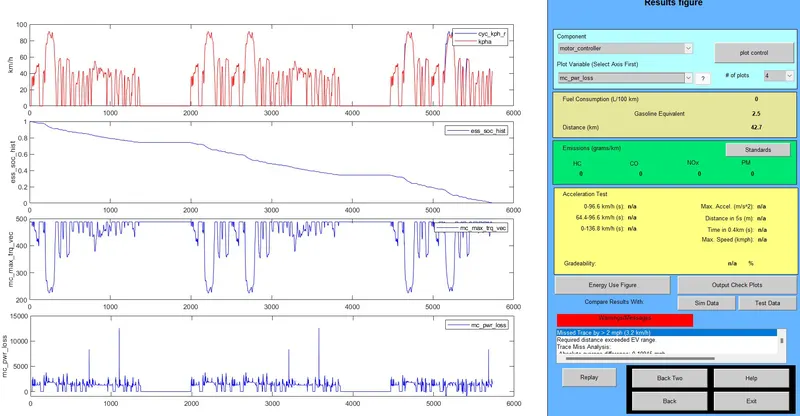
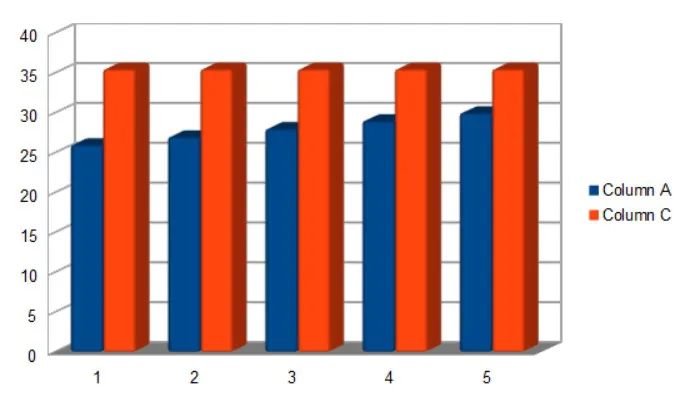
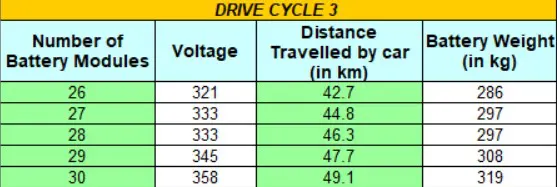
With 26 battery modules, we can see that vehicle travels a distance of 35.5 km in 2 number of cycles, whereas it covers a distance of 42.7 km in 3 number of cycles. Also, the battery takes a much longer time in 3 number of cycles as compared to 2 number of cycles to drain out.
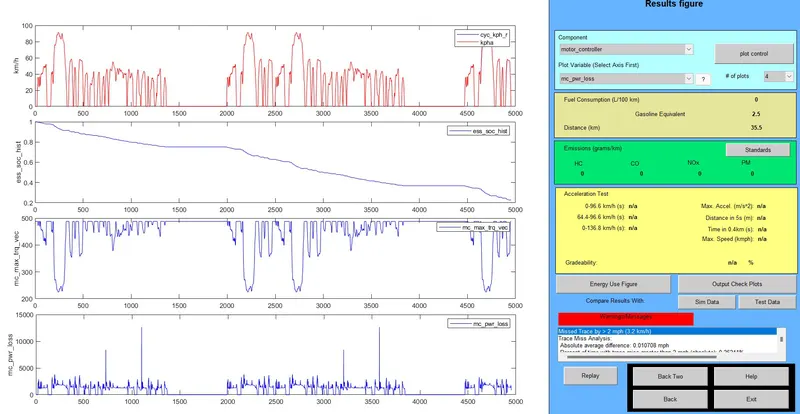
ii.i) Battery modules – 27, # of Cycles – 2

ii.ii) Battery modules – 27, # of Cycles – 3
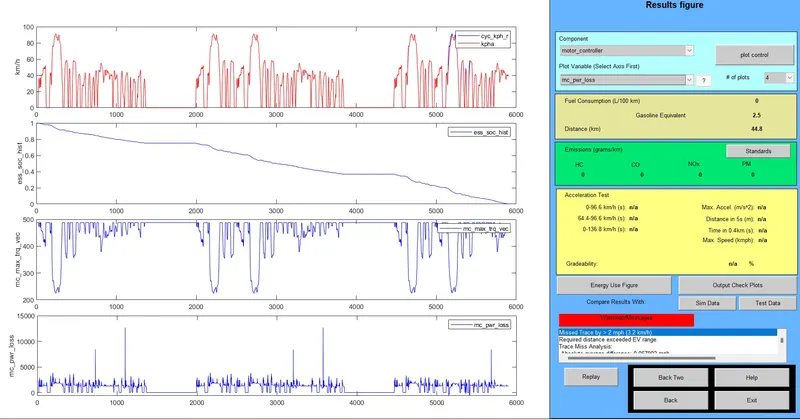
With 27 battery modules, we can see that vehicle travels a distance of 35.5 km in 2 number of cycles, whereas it covers a distance of 44.8 km in 3 number of cycles. Also, the battery takes a much longer time in 3 number of cycles as compared to 2 number of cycles to drain out.
iii.i) Battery modules – 28, # of Cycles – 2

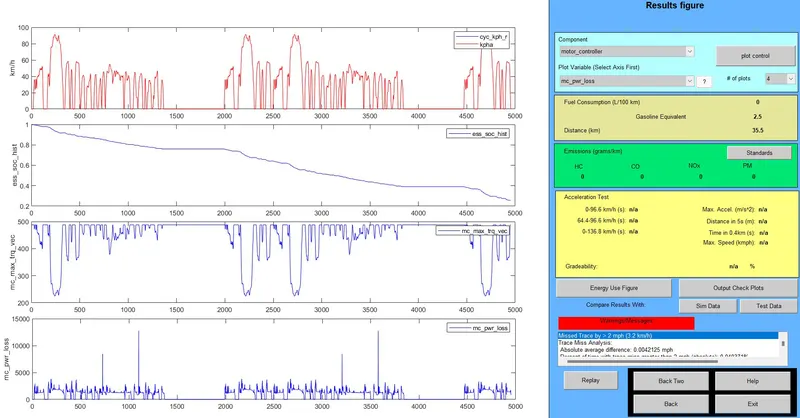
iii.ii) Battery modules – 28, # of Cycles – 3
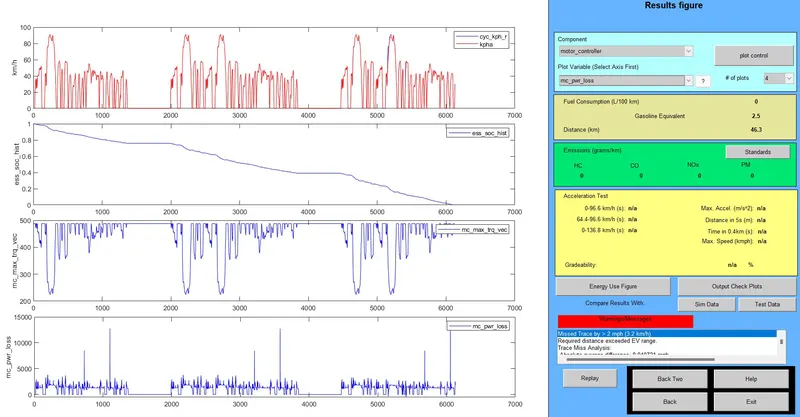
With 28 battery modules, we can see that vehicle travels a distance of 35.5 km in 2 number of cycles, whereas it covers a distance of 46.3 km in 3 number of cycles. Also, the battery takes a much longer time in 3 number of cycles as compared to 2 number of cycles to drain out.
iv.i) Battery modules – 29, # of Cycles – 2

iv.ii) Battery modules – 29, # of Cycles – 3
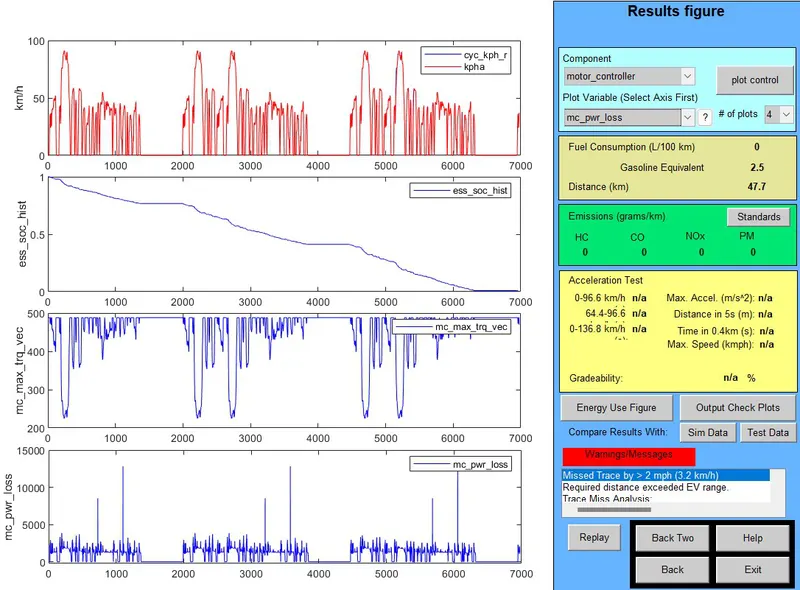
With 29 battery modules, we can see that vehicle travels a distance of 35.5 km in 2 number of cycles, whereas it covers a distance of 47.7 km in 3 number of cycles. Also, the battery takes a much longer time in 3 number of cycles as compared to 2 number of cycles to drain out.
v.i) Battery modules – 30, # of Cycles – 2

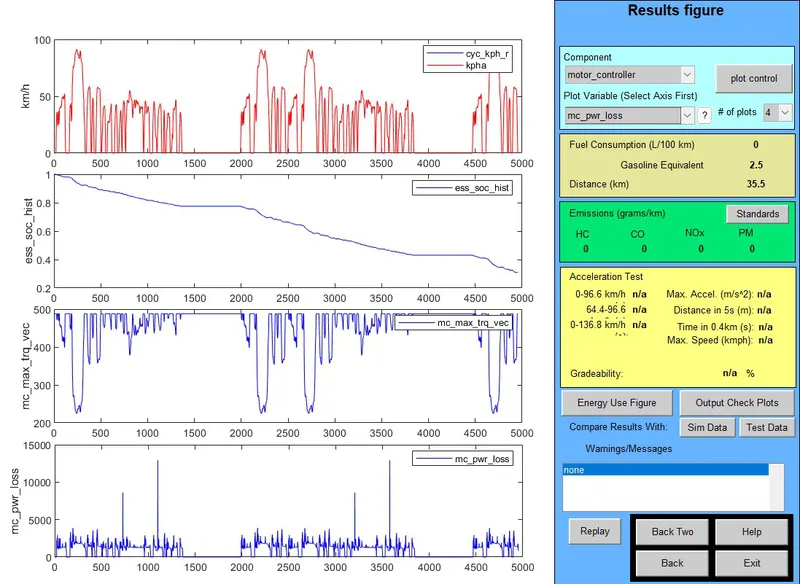
v.ii) Battery modules – 30, # of Cycles – 3
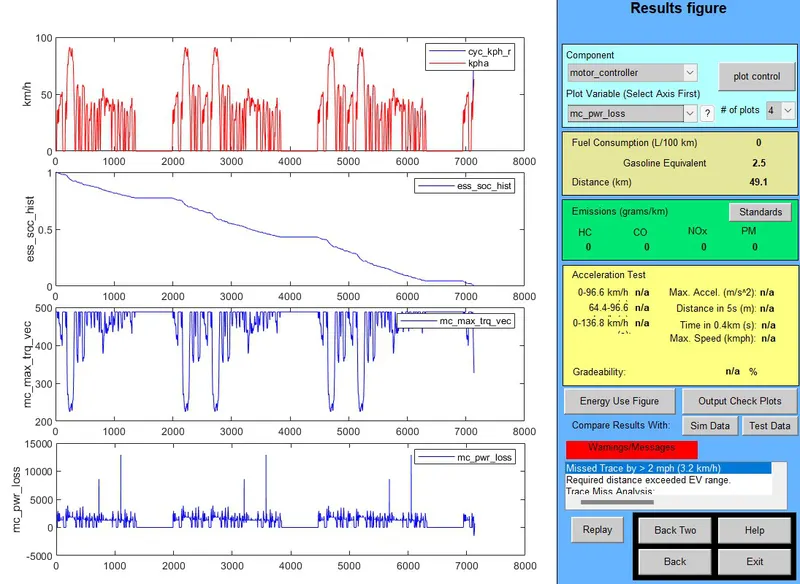
With 29 battery modules, we can see that vehicle travels a distance of 35.5 km in 2 number of cycles, whereas it covers a distance of 49.1 km in 3 number of cycles. Also, the battery takes a much longer time in 3 number of cycles as compared to 2 number of cycles to drain out.
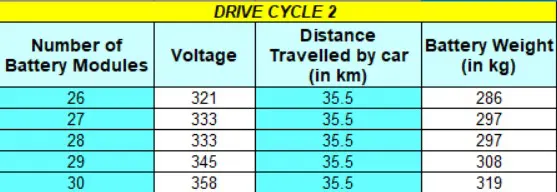
Overall,
and
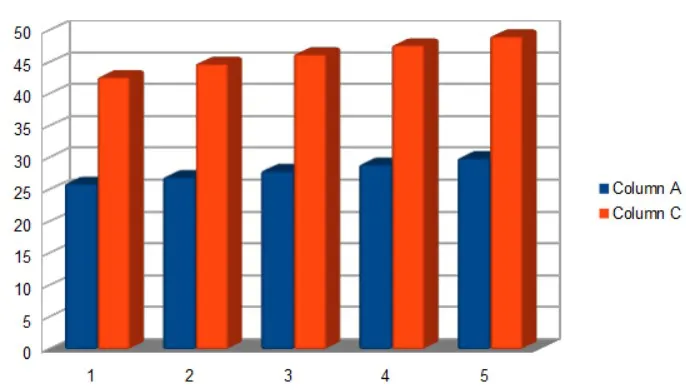
We can observe that in case I, i.e., 2 number of drive cycles, the distance covered by the vehicle remains the same. 35.5 km, even if the number of battery modules is changed. But, in case II, i.e., 3 number of drive cycles, the distance covered by the vehicle gradually increases with an increase in the battery modules.
In case II, the distance increases almost at the same rate as we increase the battery modules.
3. Gradeability test with PRIUS_Jpn_defaults_in file:
In the Vehicle Input window of the ADVISOR tool, select the PRIUS_JPN_DEFAULTS_IN file from the Load file and then click CONTINUE.
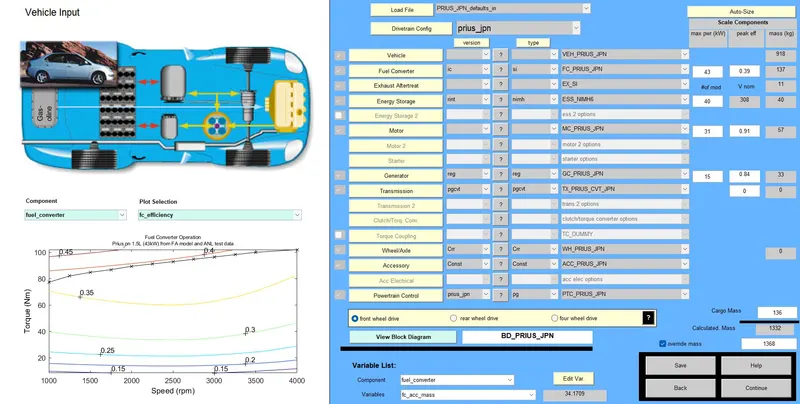
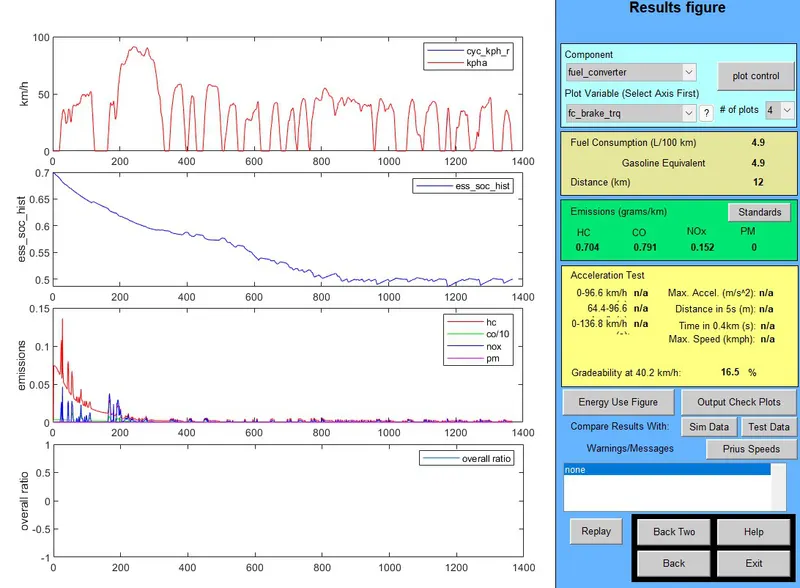
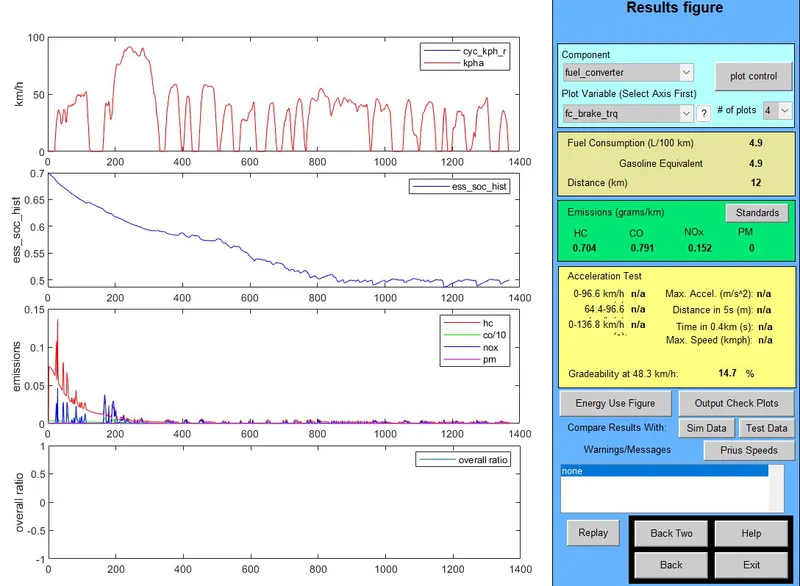
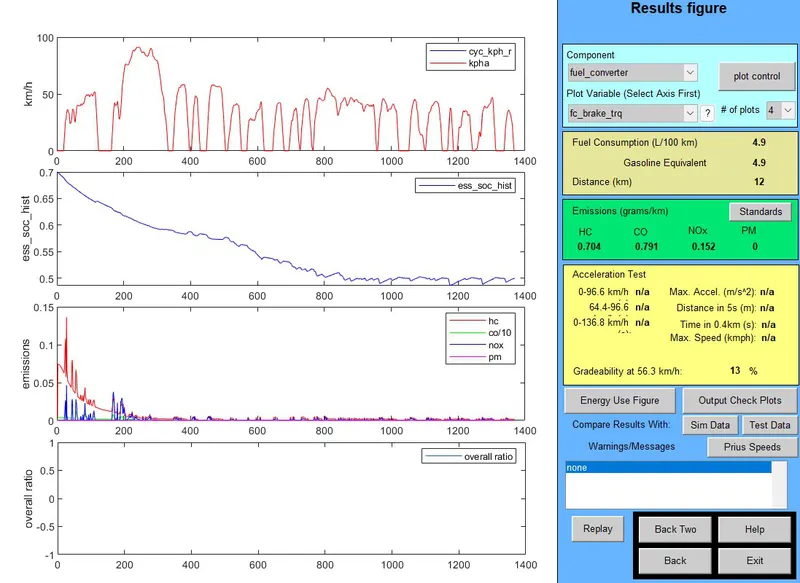
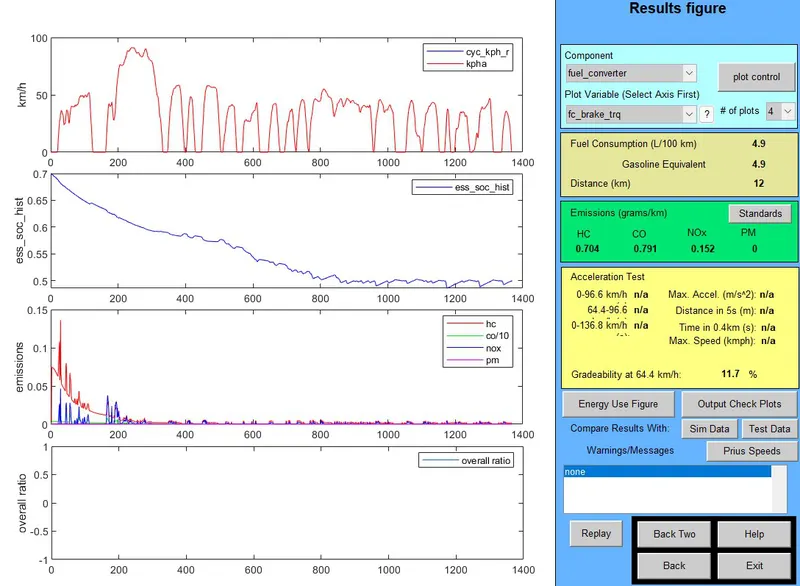
In the Simulation Parameters window, select the mark Gradeability Test box and click on the Grade option and change the speed to 10, 15, 20, 25, 30, 35 & 40. (Each for every execution) and enabling All Systems.
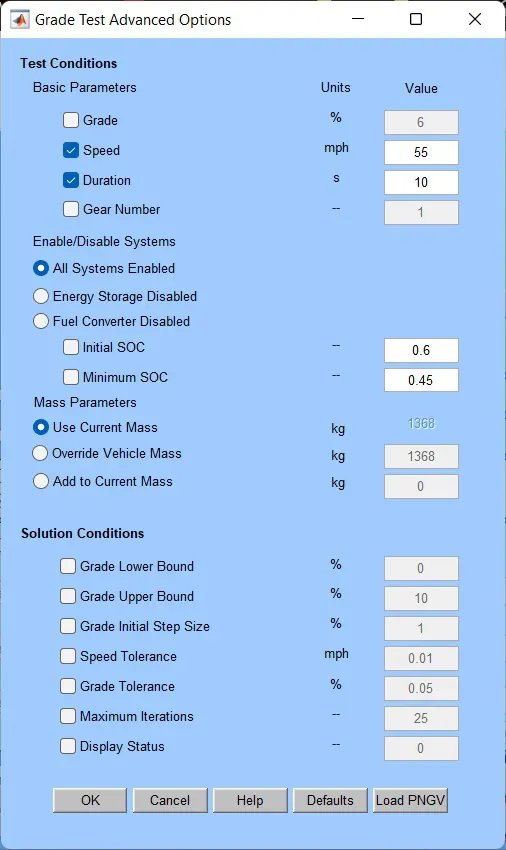
-
Gradeability at 10 mph
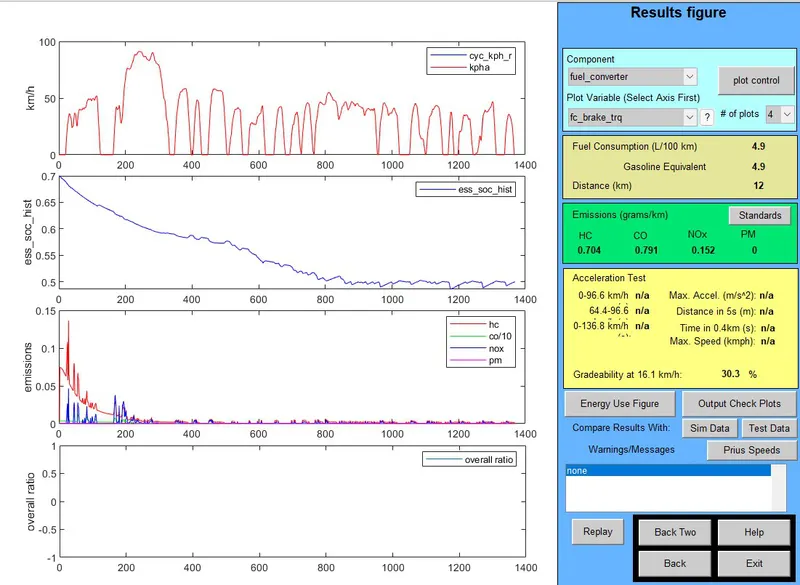
-
Gradeability at 15 mph
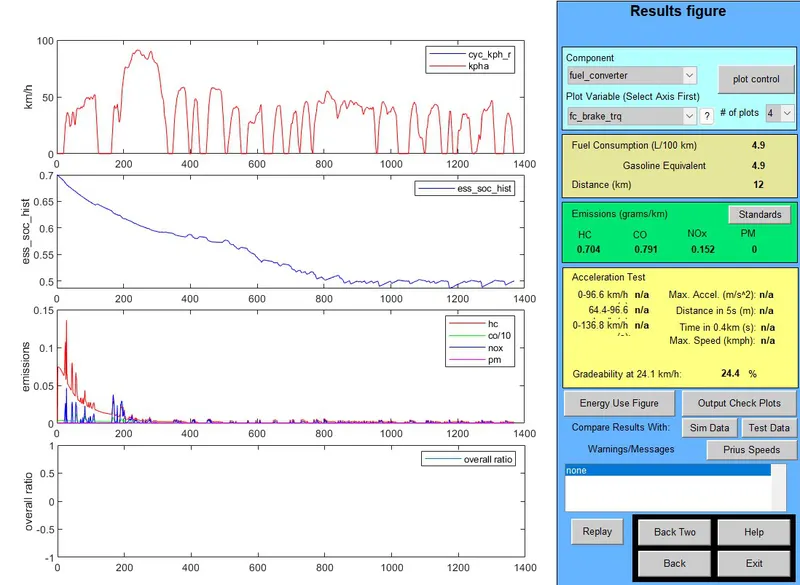
-
Gradeability at 20 mph
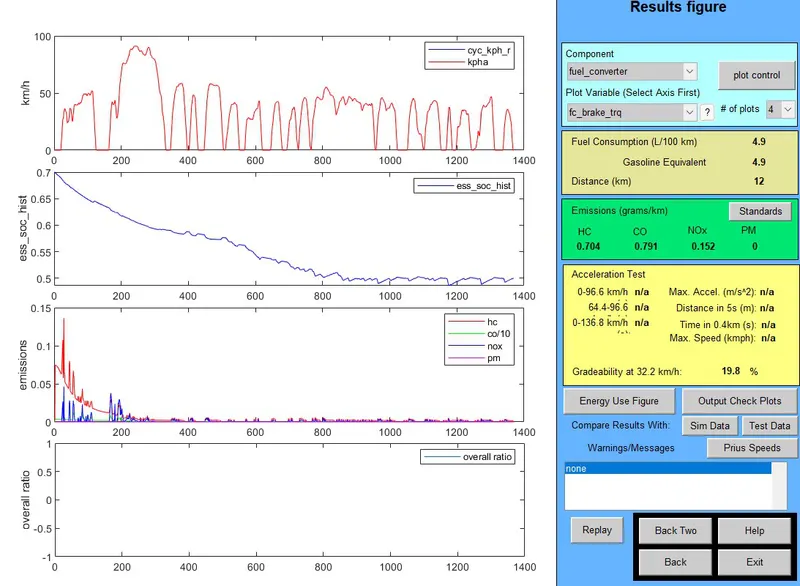
-
Gradeability at 25 mph
-
Gradeability at 30 mph
-
Gradeability at 35 mph
-
Gradeability at 40 mph
-
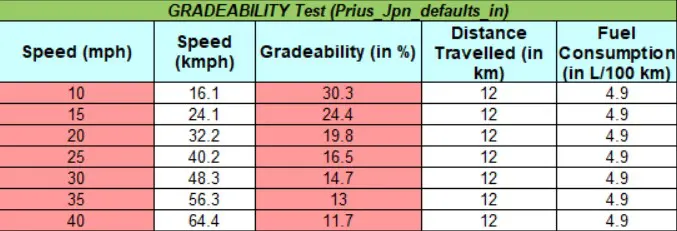
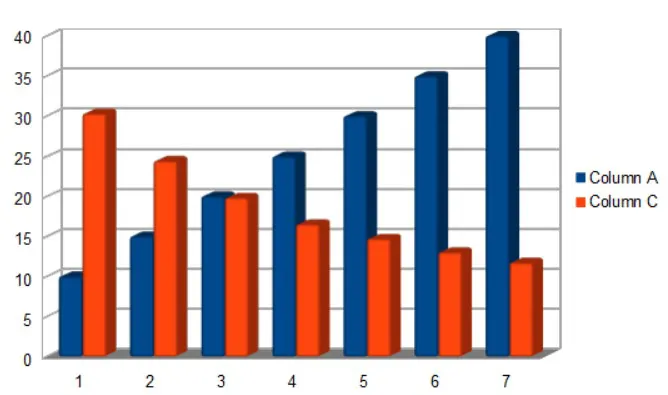
Gradeability table and chart:
Here, in the chart, we can see that the gradeability is maximum at the slowest speed and minimum at the fastest speed. We can say that gradeability increases with a decrease in speed and decreases with an increase in speed.
-
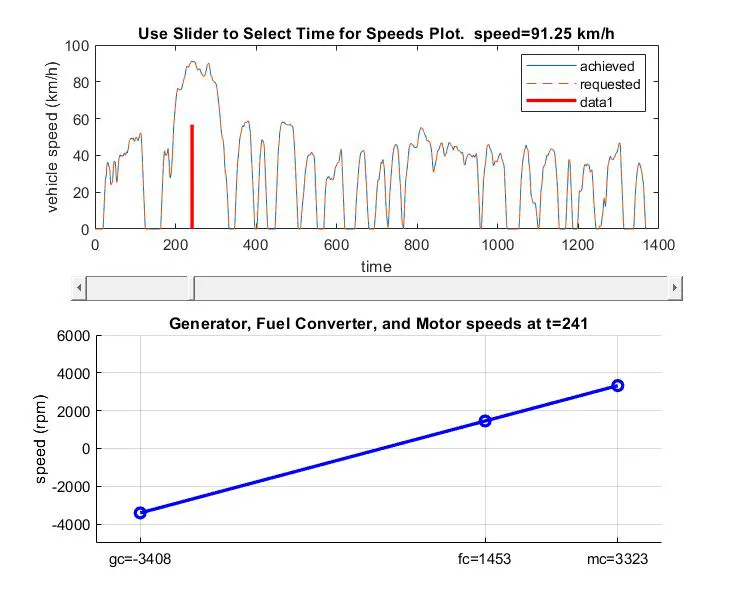
Component Speed:
The vehicle reaches its max speed of 91.25 kmph at t = 241 sec at which the speed of the Generator is -3408 rpm, the Fuel Converter's speed is 1453 rpm and Motor Controller's speed is 3323 rpm.
CONCLUSION:
-
The vehicle is not able to cover the exact distance of 45 km in the FTP cycle, but it's able to cover 41.4 km.
-
Case – 1: Distance covered by the vehicle remains the same even by changing the number of battery modules.
Case – 2: The covered distance increases almost at the same rate as the increase in the number of battery modules.
-
Gradeability test of PRIUS_Jpn_defaults_in results that it is maximum at slowest speed and minimum on the fastest speed.