Simulation of Forward Kinematics of a 2R Robotic Arm using MATLAB
AIM:
Simulation of Forward Kinematics of a 2R Robotic Arm using MATLAB
Diagram:
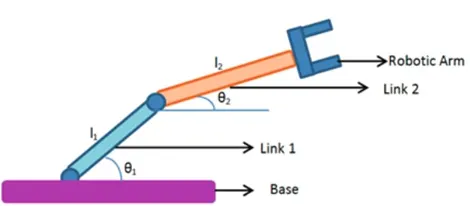
The robotic arm has 2 links. Link – 1 & Link – 2.
Length of Link – 1 = L1,
Angle made by Link – 1 with base = Theta1 (with respect to the x-axis),
Length of Link – 2 = L2, and
Angle made by Link – 2 with respect to base = Theta2 (with respect to the x-axis)
First Coordinates = x0, y0 => (0, 0)
Second Coordinates = x1, y1 => (L1*cosd (theta1), L1*sind (theta1))
Third Coordinates =x2, y2 => (x1 + L2*cosd (theta2), y1 + L2*sind (theta2))
OBJECTIVE:
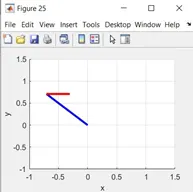
The main objective of this project is to write a MATLAB code for forward kinematics of the robotic arm and simulate its movement and present it through animation.
WORKFLOW OF THE PROJECT:
- Initially, we assume the lengths of Link1 & Link2 and vary the angle between links and x-axis to different degrees.
- Plotting the graph of individual values.
- Merging of all the plots in one and demonstrating it with animation.
Plots:
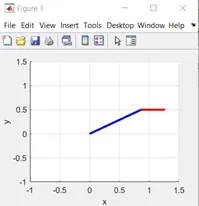
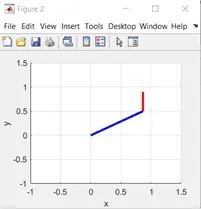
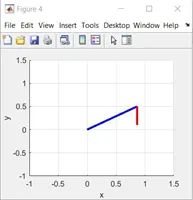
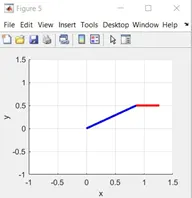
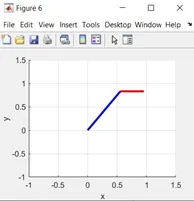
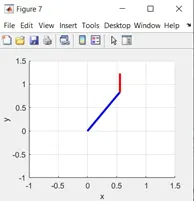
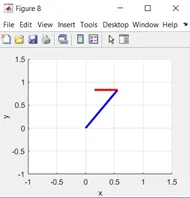
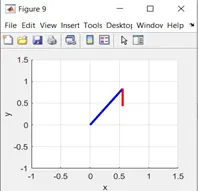
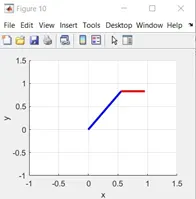
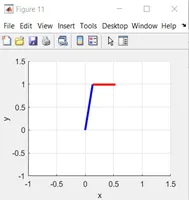
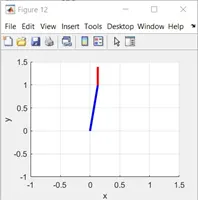
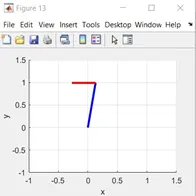
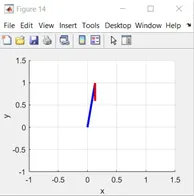
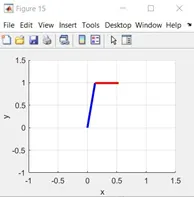
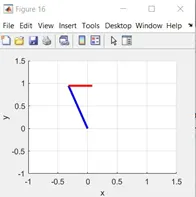
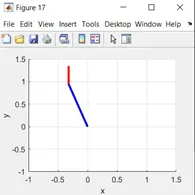
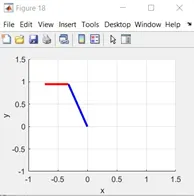
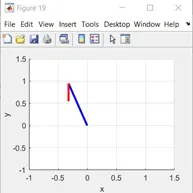
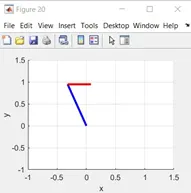
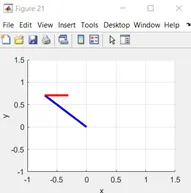
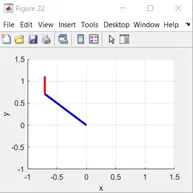
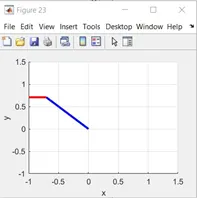
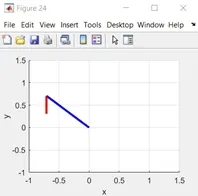
CODE
% Forward kinematics plotting and animation
clc
clear all
close all
% Inputs for the robotic arm
L1 = 1;
L2 = 0.4;
theta1 = linspace (30, 135, 15);
theta2 = linspace (0, 360, 15);
ct = 1;
for a = 1 : length (theta1)
THETA_1 = theta1 (a);
for b = 1 : length (theta2)
THETA_2 = theta2 (b);
x0 = 0;
y0 = 0;
x1 = L1 * cosd (THETA_1);
y1 = L1 * sind (THETA_1);
x2 = x1 + L2 * cosd (THETA_2);
y2 = y1 + L2 * sind (THETA_2);
% Plotting
plot ([x0 x1], [y0 y1], [x1 x2], [y1 y2], 'linewidth', 2.5);
axis ([-1.5 1.5 -1.5 1.5])
xlabel ('x');
ylabel ('y');
grid on
pause (0.05);
M(ct) = getframe (gcf); % gets the current window figure
ct = ct + 1;
end
end
% Movie creation of the plot
movie(M)
videofile = VideoWriter ('forward_kinematicsAnimation.avi', 'uncompressed avi')
% This line will create the .avi
% file which will dump-out all the
% frames.
open (videofile)
writeVideo (videofile, M)
close (videofile)
CODE EXPLANATION:
- Initially, lengths of links 1&2 are assigned (1, 0.4, respectively) as well the angles theta1 & theta2. The angles are varied using “LINSPACE”.
- Using the “FOR-LOOP”, we get the different positions of the arm of the robot (Link1 & Link2). (After initially the loop counter ct.)
- The graph is plotted and is being saved in the new variable “M”. Using the “PAUSE” command, a continuous plot is got which seems like an animation.
- For creating the movie, ‘MOVIE’ command is used which saves all the values from the variable M. First the .avi file is created which will dump-out all the frames created. Then, it’ll open the video file, write it in M, and then it’ll close it.
CONCLUSION:
The forward kinematics of the 2R robotic arm was successfully simulated using MATLAB.
Link: