Week-3 Challenge: ADVISOR Tool
ADVISOR Tool
AIM:
To use ADVISOR tool and simulate the following
- For EV_defaults_in file, if cargo mass is 500 kg with all other default conditions, can the vehicle travel for 45 km with FTP drive cycle? Conclude your observations.
- In the above case, try changing the battery capacity and repeat the simulation.
- Perform gradeability test with PRIUS_Jpn_defaults_in file. Compare your results in table and conclude.
INTRODUCTION:
ADVISOR Tool:
ADVISOR is a MATLAB/Simulink based simulation program for rapid analysis of the performance and fuel economy of light and heavy-duty vehicles with conventional (gasoline/diesel), hybrid-electric, full-electric, and fuel cell powertrains.
In November of 1994, NREL's Center for Transportation Technologies and Systems created a simulation model for advanced vehicles called ADVISOR (ADvanced VehIcle SimulatOR) in the graphical, object-oriented programming language of Simulink/ MATLAB from the MathWorks, Inc. The model was created in support of the hybrid vehicle subcontracts with the auto industry for the Department of Energy. ADVISOR approximates the continuous behavior of a vehicle as a series of discrete steps during each of which the components are assumed to be at steady state.
A significant advantage of using a model that is in the Simulink/MATLAB environment is the flexibility and ease of changing the model, such as replacing one control strategy or regenerative braking algorithm with another.
ADVISOR is driven by the input driving profiles which can be the classic speed vs. time, such as the federal urban driving schedule (FUDS), or a speed and grade vs. time driving profile. With a given driving profile goal, ADVISOR then works its way backwards from the required vehicle and wheel speeds to the required torques and speeds of each component between the wheels and the energy source, which is either fuel from the hybrid power unit (HPU) or electricity from the batteries.
1.For EV_defaults_in file, if cargo mass is 500 kg with all other default conditions, can the vehicle travel for 45 km with FTP drive cycle? Conclude your observations.
Procedure:
- ADVISOR Tool is opened by entering advisor in command window of Matlab. (Directory Path should be set to respective directory on beforehand).
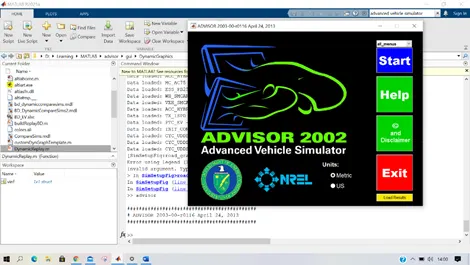
- Units is set to ‘Metric’
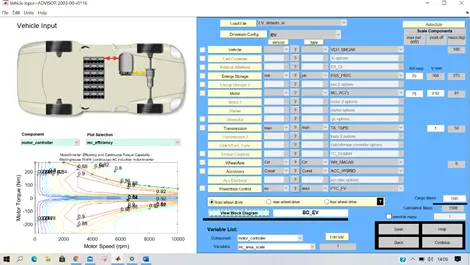
- ADVISOR Tools opens in Vehicle Input page. Using Load File dropdown list ‘EV_defaults_IN’ is loaded. Cargo Mass value is set as 500 and then ‘Continue’ button is clicked to go to next step.
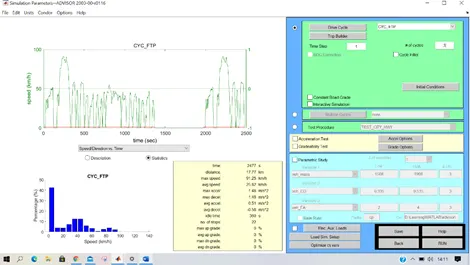
- In the Signal Parameters window, Drive Cycle is set to ‘CYC_FTP’. In FTP cycle, per cycle 17.77 Km is covered. To cover 45 Km, a minimum of 3 cycle is required. Hence # of Cycles is set to ‘3’ and the ‘Run’ button is clicked.
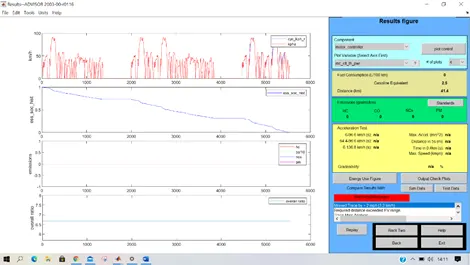
- Results are displayed.
CONCLUSIONS:
For the given vehicle ‘EV_defaults_IN’ with Cargo mass of 500 Kg, The Vehicle cannot travel 45 Km with FTP Drive cycle. The Battery SoC becomes zero at 41.4 Km.
- In the above case, try changing the battery capacity and repeat the simulation.
Process:
In the above case, By default ‘ESS_PB25’ is used with 25 modules.
To increase the Battery Capacity, Number of Cells per Module should be increased. But We don’t have option to change that in the ‘Vehicle Input’ window. We can shange either the Energy Storage device or the Number of modules of the Battery. Increasing the Number of modules increases the Nominal Voltage
Method 1 - Energy Storage: ESS_PB65_FocusEV
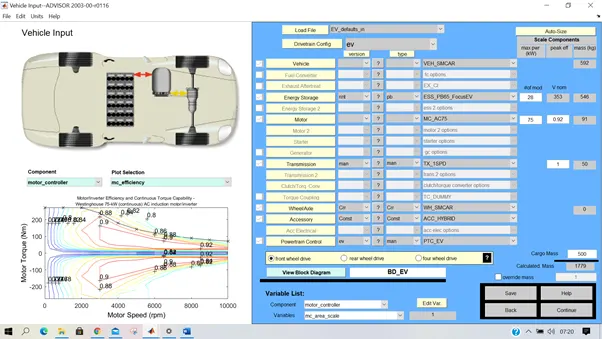
ESS_PB65_FocusEV has 28 Modules and a nominal Voltage of 353V.
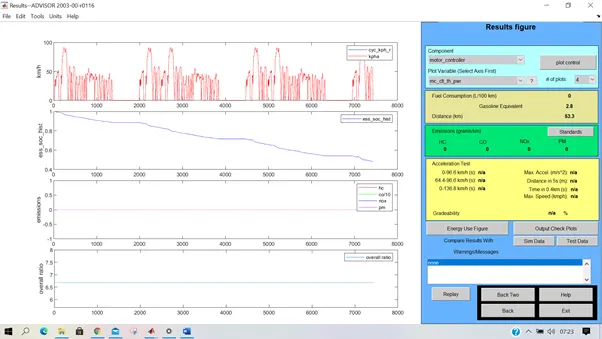
With the Energy Storage ‘ESS_PB65_FocusEV’ the vehicle can travel 53.3 Km with a Cargo mass of 500Kg in FTP Drive cycle.
Method 2 – Energy Storage ‘ESS_PB25’ with more No.of modules:
Increasing the Number of Modules increases the Nominal Voltage of the Battery.
ESS_PB25 – No.of Modules=26
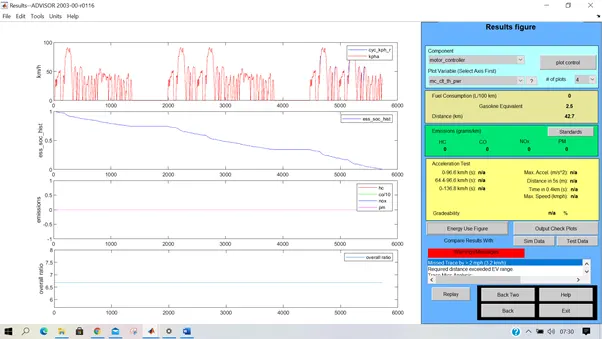
Distance covered is 42.7 Km
ESS_PB25 – No.of Modules=27
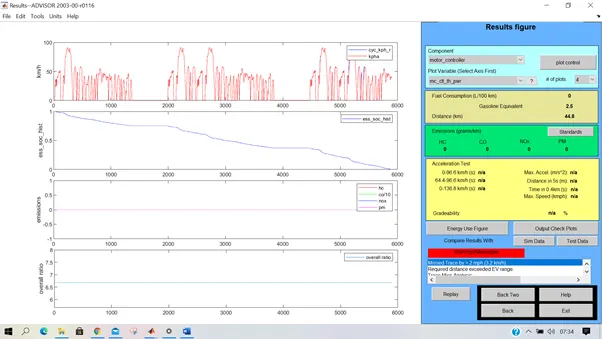
Distance covered is 44.8 Km
ESS_PB25 – No.of Modules=28
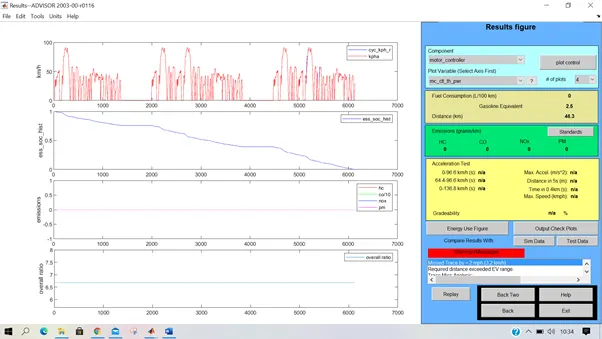
Distance covered is 46.3 Km.
Conclusion:
With 28 Modules, The distance of 45 Km can be covered.
- Perform gradeability test with PRIUS_Jpn_defaults_in file
Procedure:
- Load File ‘PRIUS_JPN_defaults_in’ in the Vehicle input window and then click continue.
- In Simulation Parameters window, select Gradeability Test check box.
- Click Grade Options button. In the Grade Test Advanced Options pop-up window, Select 'All Systems Enabled' radio button. Specify the Spped and Duration values. Then press Ok.
- Press Run button. Results window appears.
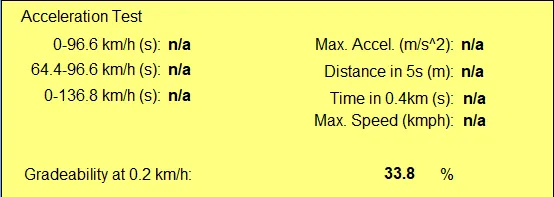
Duration = 65 sec
Duration = 65 sec
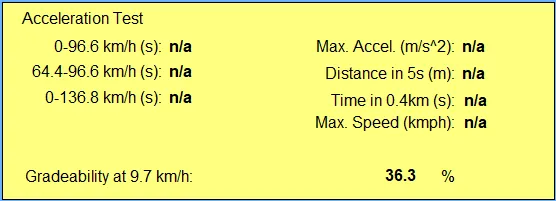
Duration = 65 secs
|
Speed |
Time |
Max Possible Gradeability |
|
0.2 Kmph |
65 sec |
33.80% |
|
0.8 Kmph |
5 sec |
31.70% |
|
0.8 Kmph |
10 sec |
32.30% |
|
0.8 Kmph |
20 sec |
32.80% |
|
0.8 Kmph |
50 sec |
33.70% |
|
0.8 Kmph |
60 sec |
34.10% |
|
0.8 Kmph |
65 sec |
34.30% |
|
1.6 kmph |
5 sec |
31.70% |
|
1.6 Kmph |
65 sec |
34.60% |
|
3.2 Kmph |
65 sec |
35.30% |
|
8 Kmph |
65 sec |
36.30% |
|
9.7 Kmph |
65 sec |
36.30% |
|
10.5 Kmph |
65 sec |
36.30% |
|
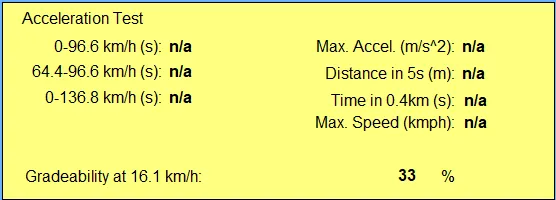
16.1 Kmph |
65 sec |
33.00% |
Gradeability at Maximum Speed:
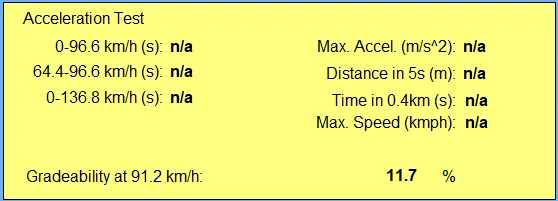
At max speed of 91.2 Kmph, The Maximum gradeability is 11.7% for a duration of 65 seconds.
CONCLUSION:
The Maximum possible Gradeability of the Vehicle is 36.3% and it is achieved between speed 8 Kmph to 10.5 Kmph for a duration of 65 seconds.