Week-3 Challenge: ADVISOR Tool
Use ADVISOR tool and simulate the following
1. For EV_defaults_in file, if cargo mass is 500 kg with all other default conditions, can the vehicle travel for 45 km with FTP drive cycle? Conclude your observations.
2. In the above case, try changing the battery capacity and repeat the simulation.
3. Perform gradeability test with PRIUS_Jpn_defaults_in file
Compare your results in table and conclude.
ADVISOR- ADVISOR or ADvanced VehIcle SimulatOR is an advance MATLAB Tool which was created by National Laboratory for renewable Energy (NLRE) and Department of Energy, USA. By using this toolbox we can learn and simulate vehicles in macro statistics prospective.It is designed for rapid analysis of the performance and fuel economy of conventional, electric and hybrid electric vehicles. It is a set of models, data, and script text files to use with MATLAB and SIMULINK. ADVISOR also provides a backbone for detailed simulation and analysis of user defined drivetrain components, a starting point of verified vehicle data and algorithms from which we can take full advantage of the modeling flexibility of simulink and analytical power of MATLAB.
Most emperical, relying on drivetrain component input/output relationship measured in the laboratory, and quasistatic, using data collected in steadystate (eg.- Constant torque and speed) tests and correcting them for transient effects such as the rotational inertia of drivetrain components.
Uses of Advisor Tool
- estimate the fuel economy of vehicles that have not yet been built
- learn about how conventional, hybrid or electric vehicles use (and lose) energy throughout their drivetrains
- compare relative tailpipe emissions produced on a number of cycles
- evaluate an energy management strategy for your hybrid vehicle’s fuel converter
- optimize the gear ratios in your transmission to minimize fuel use or maximize performance, etc.
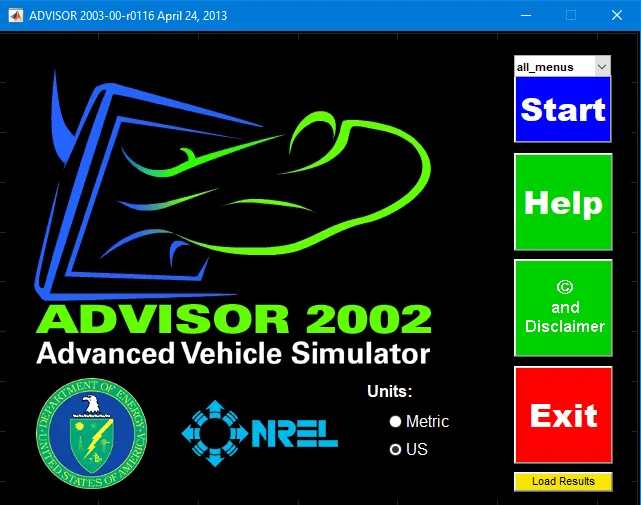 The GUI of ADvance VehIcle SimulatOR
1. For EV_defaults_in file, if cargo mass is 500 kg with all other default conditions, can the vehicle travel for 45 km with FTP drive cycle? Conclude your observations.
FTP-75 Cycle- The EPA Federal Test Procedure, commonly known as FTP-75 for the city driving cycle, are a series of tests defined by the US Environmental Protection Agency (EPA) to measure tailpipe emissions and fuel economy of passenger cars (excluding light trucks and heavy-duty vehicles).
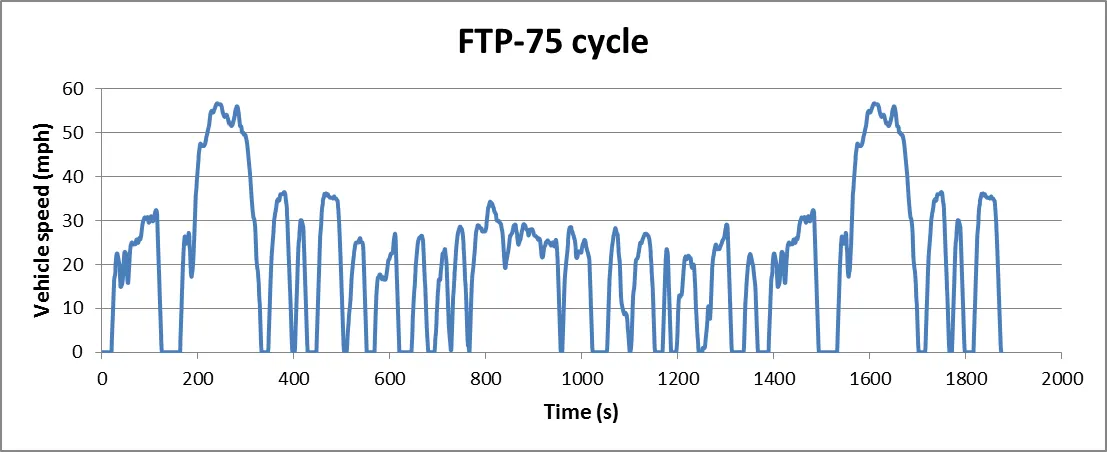
The FTP-75 (Federal Test Procedure) has been used for emission certification and fuel economy testing of light-duty vehicles in the United States. The test is often referred to as simply ‘FTP’ (this should not be confused with the FTP test for heavy-duty engines).
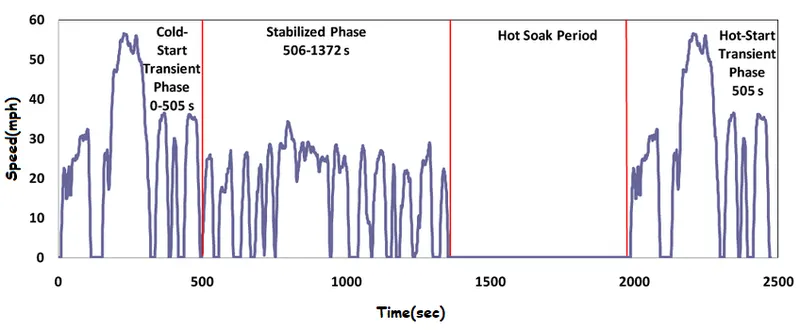
The FTP-75 and the FTP-72 are two variants of the EPA Urban Dynamometer Driving Schedule (UDDS). The FTP-75 cycle is derived from the FTP-72 by adding a third phase of 505 s, identical to the first phase of FTP-72 but with a hot start. The third phase starts after the engine is stopped for 10 minutes.
Thus, the entire FTP-75 cycle consists of the following segments:
- Cold start transient phase (ambient temperature 20-30°C), 0-505 s,
- Stabilized phase, 506-1372 s,
- Hot soak (min 540 s, max 660 s),
- Hot start transient phase, 0-505 s.
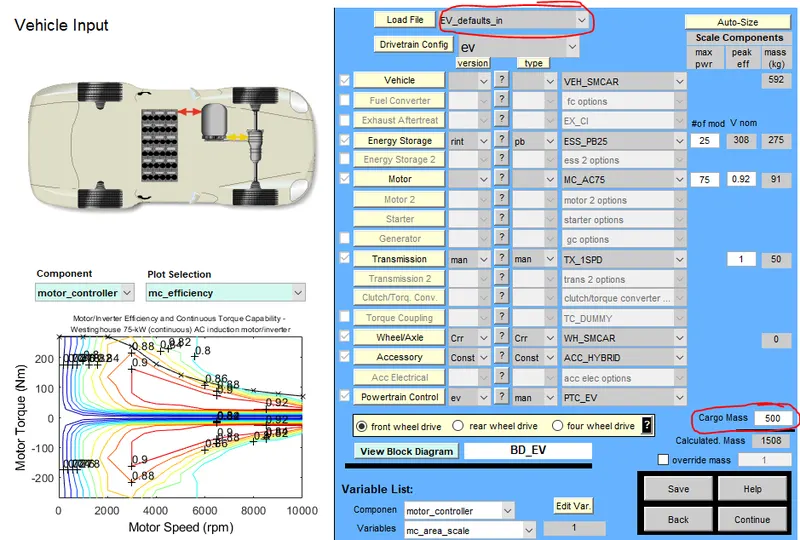
Given input for the simulation
Vehicle file used= EV_defaults_in Mass of cargo= 500kg Drive Cycle used= FTP drive cycle
Steps to perform this simulation
Step1. Open the ADVISOR tool by typing the advisor in the command window and click enter. Here the toolbox may take sometime to load based on your system configuration
Step2. When the toolbox is completely loaded a GUI for ADVISOR will appear on the screen where we can perform the simulation. Here click on the units that you want to perform on from metric or US and click START to open the vehicle input in ADVISOR Simulator
Step3. Now search for the file "EV_defaults_in" from load file in the top of the Vehicle input and click on the file to open. In ADVISOR tool the simulation consist of every parameters of vehicle modeling, like mass of vehicle and its load, vehicle type, energy storage, motor, engine, transmission, wheel/axle, etc.
Step4. Now change some parameters in this file (eg.- here we are changing the mass of Cargo mass from 136 to 500 Kg as said above).
Step5. Then click continue to open Simulation parameters. The simulation parameters consists of different drive cycle which you can choose from and you can also creat your own drive cycles by giving different data to the simulink parameters like Acceleration test, Gradeability test or Parametric study.
Step6. Now search for the "CYC_FTP" from the drive cycle list and click on that drive cycle.
Step7. Now if u want to add more number of cycles for the drive cycle. you can enter the amount in # of cycles and click RUN to get results.
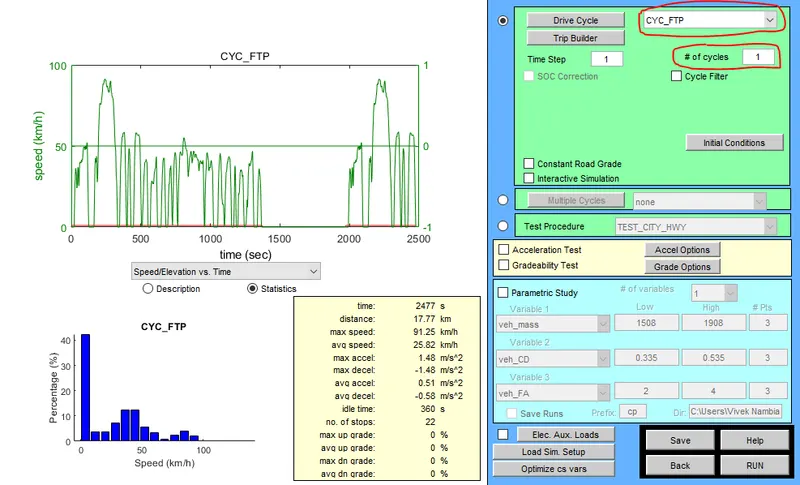
CASE 1- When the default value of cargo weight of 136 kg is kept
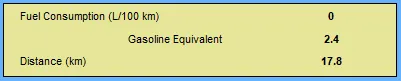

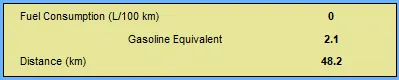
Here from the simulation for case1 we observed that
- When the simulation is run for 1 cycle, the distance is to be travelled is 17.8 km which is completely covered by the vehicle.
- When the simulation is run for 2 number of cycles combined the distance to be travelled is 35.5 km which is again completely covered by the vehicle.
- When the simulation is run for 3 number of cycles combined the distance to be tavelled is 53.4 km but the vehicle travels only for 48.2 km.
- Similarly When the simulation is run for 4 number of cycles combined the distance to be travelled is 71.2 km but the vehicle travels only for 48.2 km.
CASE 2- When the value of cargo weight is increased from 136kg to 500kg

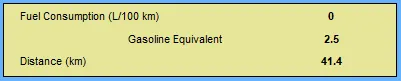
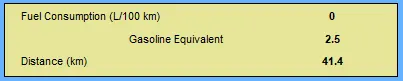
Here from the simulation for case2 we observed that
- When the simulation is run for 1 cycle, the distance is to be travelled is 17.8 km which is completely covered by the vehicle.
- When the simulation is run for 2 number of cycles combined the distance to be travelled is 35.5 km which is again completely covered by the vehicle.
- When the simulation is run for 3 number of cycles combined the distance to be tavelled is 53.4 km but the vehicle travels only for 41.4 km.
- Similarly When the simulation is run for 4 number of cycles combined the distance to be travelled is 71.2 km but the vehicle travels only for 41.4 km.
Conclusion
- The vehicle cannot travel for 45 km with FTP Drive cycle because the cargo mass is increased to 500kg.
- If the original default condition is taken into consideration with cargo mass of 136 kg the vehicle can travel upto 48.2 km.
- So increase in weight leads to loss in power which might decrease the distance that the vehicle can travel.
_______________________________________________________________________________________
2. In the above case, try changing the battery capacity and repeat the simulation.
Now as we changed the value for the cargo mass in the input parameters similarly, we can also change the value for the energy storage or number of battery modules
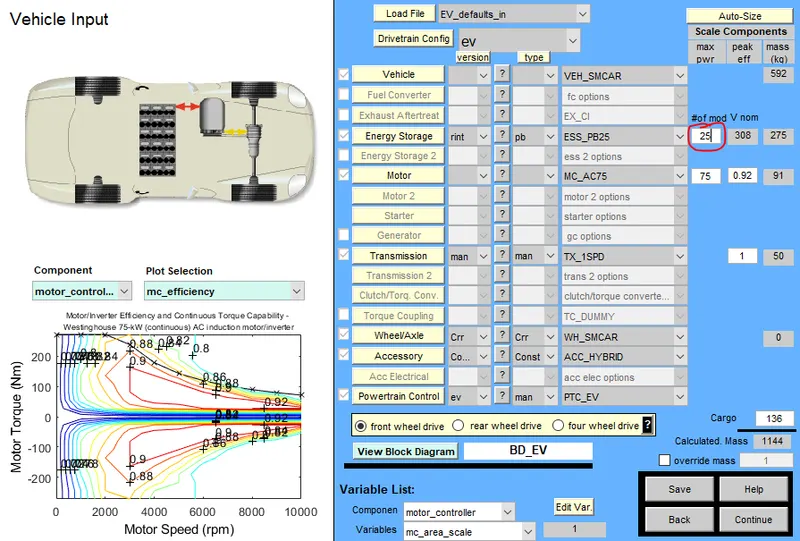
CASE 1- When the value of cargo weight is 500kg and other parameters like battery capacity is kept as default (25 module)
Here from the simulation for case1 we observed that
- When the simulation is run for 1 cycle, the distance is to be travelled is 17.8 km which is completely covered by the vehicle.
- When the simulation is run for 2 number of cycles combined the distance to be travelled is 35.5 km which is again completely covered by the vehicle.
- When the simulation is run for 3 number of cycles combined the distance to be tavelled is 53.4 km but the vehicle travels only for 41.4 km.
- Similarly When the simulation is run for 4 number of cycles combined the distance to be travelled is 71.2 km but the vehicle travels only for 41.4 km.
CASE 2- When the value of cargo weight is 500 kg and battery capacity is decreased from 25 module to 20 module
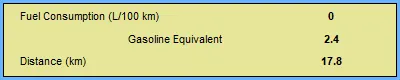
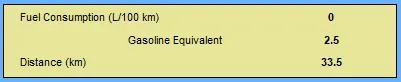
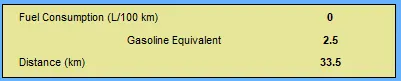
Here from the simulation for case 2 we observe that
- When the simulation is run for 1 cycle, the distance is to be travelled is 17.8 km which is completely covered by the vehicle.
- When the simulation is run for 2 number of cycles combined the distance to be travelled is 35.5 km but the vehicle travels only 33.5 km.
- Similarly when the simulation is run for 3 number of cycles combined the distance to be tavelled is 53.4 km but the vehicle travels only for 33.5 km.
CASE 3- When the value of cargo weight is 500 kg and battery capacity is increased from 25 module to 30 module
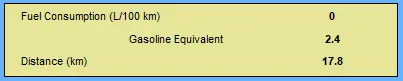
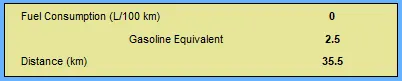
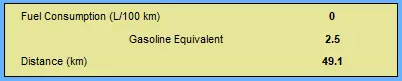
Here from the simulation for case 3 we observe that
- When the simulation is run for 1 cycle, the distance is to be travelled is 17.8 km which is completely covered by the vehicle.
- When the simulation is run for 2 number of cycles combined the distance to be travelled is 35.5 km which is again completely covered by the vehicle.
- When the simulation is run for 3 number of cycles combined the distance to be tavelled is 53.4 km but the vehicle travels only for 41.4 km.
- Similarly When the simulation is run for 4 number of cycles combined the distance to be travelled is 71.2 km but the vehicle travels only for 41.4 km.
Conclusion
- When the capacity of the battery or no. of madule of the battery is reduced then the distance that the vehicle can travel is also reduced and vice versa
- Hence, the battery capacity or energy storage the vehicle is dependent for distance and time.
______________________________________________________________________________________
3. Perform gradeability test with PRIUS_Jpn_defaults_in file
Compare your results in table and conclude.
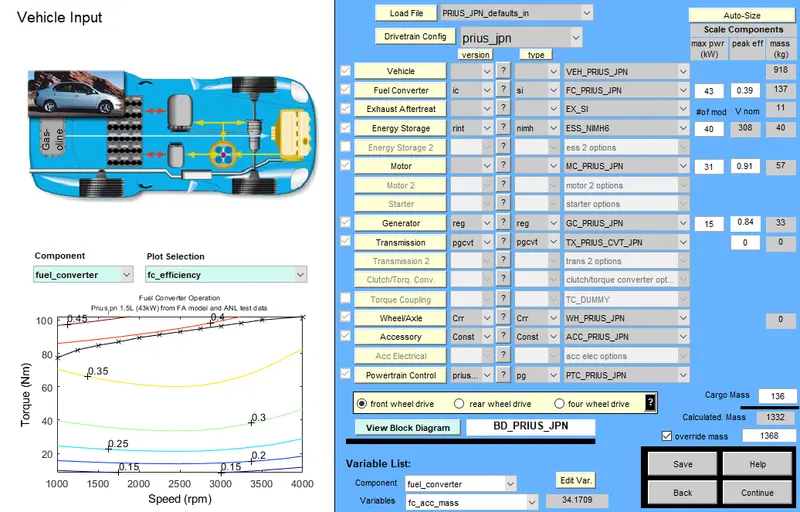
Step1. Open the ADVISOR tool by typing the advisor in the command window and click enter. Here the toolbox may take sometime to load based on your system configuration
Step2. When the toolbox is completely loaded a GUI for ADVISOR will appear on the screen where we can perform the simulation. Here click on the units that you want to perform on from metric or US and click START to open the vehicle input in ADVISOR Simulator
Step3. Now search for the file "PRIUS_JPN_defaults_in" from load file in the top of the Vehicle input and click on the file to open. In ADVISOR tool the simulation consist of every parameters of vehicle modeling, like mass of vehicle and its load, vehicle type, energy storage, motor, engine, transmission, wheel/axle, etc.
Step4. Then click continue to open Simulation parameters. The simulation parameters consists of different drive cycle which you can choose from and you can also creat your own drive cycles by giving different data to the simulink parameters like Acceleration test, Gradeability test or Parametric study.
Step7. Now search for any drive cycle that is prefered. Here we choose "CYC_FTP" from the drive cycle list and click on that drive cycle.
Step7. Now if u want to add more number of cycles for the drive cycle. you can enter the amount in # of cycles and click RUN to get results.
Step8. Now perform the Gradeability test by clicking on the grade option menu folder. (fig below).
Step9. Here we can change the the value of the parameters like speed, duration or you can even enable disable based on what you want to include in the Gradeability test. 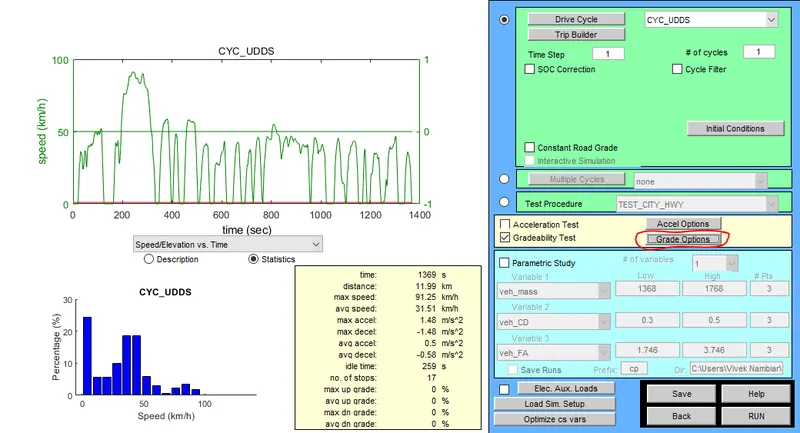
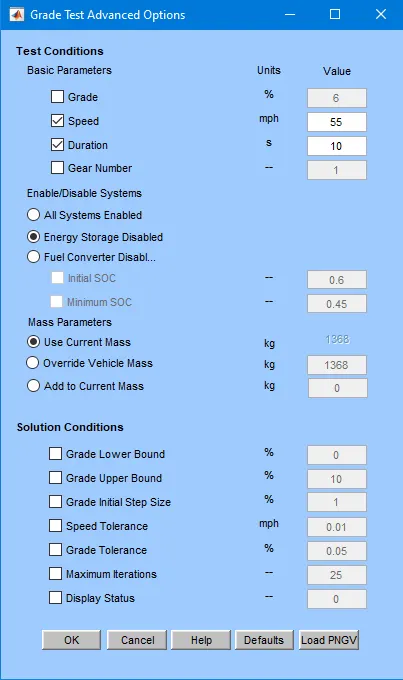
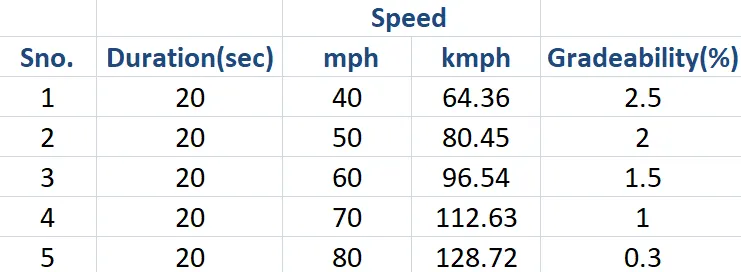
In the below table, it is seen that the gradeability has been tested for different speed values keeping the duration values constant. from the table, it is evident that the gradeability decreases with the increase in speed of the vehicle. the change in duration has no the gradeability of the vehicle.
Conclusion- Simulation is completed by using ADVISOR MATLAB Tool