Week-3 Challenge: ADVISOR Tool
Advanced Vehicle Simulator(ADVISOR):
This is one of the simulation tool. It was developed firstly by the NREL(National Renewable Energy Laboratory) in the year 1994,November.It was desingned as analysis tool to assist the US Development Of Energy(DOE) in developing the technologies for Hybrid Electric Vehicles through Hybrid Electric Vehicles Propulsion System contracts with Ford ,General motors, Daimler Chrysler.
This tool has a system level interactions of hybrid and electric vehicle components,parameters and drive cycle which will impact on the vehicle performance and fuel economy.
Advisor tool uses a basic physics and measured component performance to the existing models or for future vehicles. Its real power lies in the prediction of the performance of vehicles that have not even built.It usually predicts the fuel use, tailpipe emissions,acceleration performance and gradeability.
The user takes two steps:
1.Define a vehicle using measured or components estimation and overall vehicle data.
2.Speed v/s time race along with road grade that vehicle must follow these prescription given by the user.
ADVISOR then puts the vehicle through all these requirements and making sure it meets the cycle to give the best performance and measures each torque,speed ,voltage,current and power passed from one component to other.
It use three primary graphical user interface screens to guide the user through simulation process.With this GUIs the user can iteratively evaluate the impact of vehicle parameters and drive cycles requirement on the vehicle performance,fuel economy and emissions.This GUI gives availabity of interaction with raw input and output data that is present in the matlab workspace.The vehicle model is depicted graphically using Simulink block diagrams to define the connection between the components.
The model then reads the input data from workspace during the simulation and outputs the result to the workspace to be viewed in the result window.
Use ADVISOR tool and simulate the following
1. For EV_defaults_in file, if cargo mass is 500 kg with all other default conditions, can the vehicle travel for 45 km with FTP drive cycle? Conclude your observations.
Steps in the simulation:
1.Open the MATLAB software and change its path directory to the folder where we downloaded the Advisor Tool.
2.To open the Advisor software “advisor.m” file has to be executed.
3.When the software will open, change it units into Metric then the window will open.
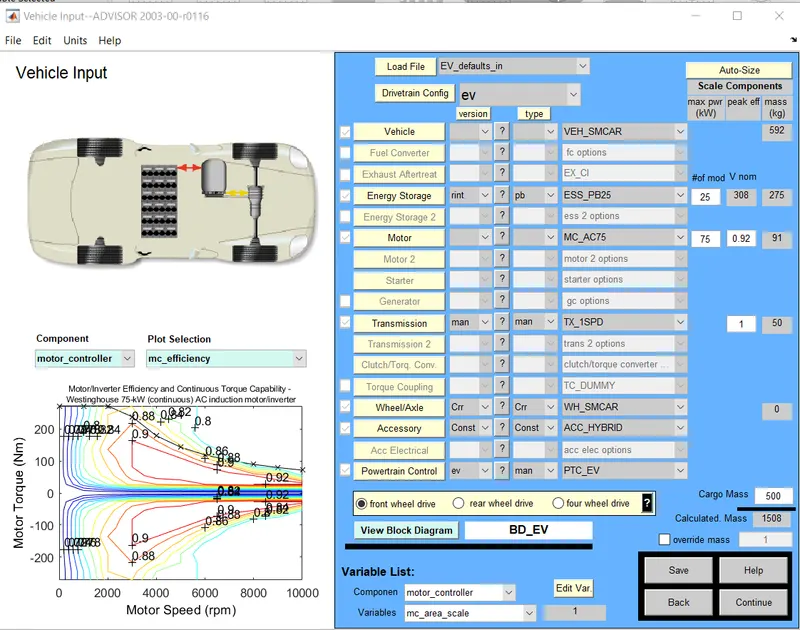
4.After that go to “load file” to change the vehicle input and load “EV_default_in”from dropdown menu.
5.Enter the Cargo mass value has 500kg and don’t change any other values it has to be default.
6.Now click the continue button to go on next part.
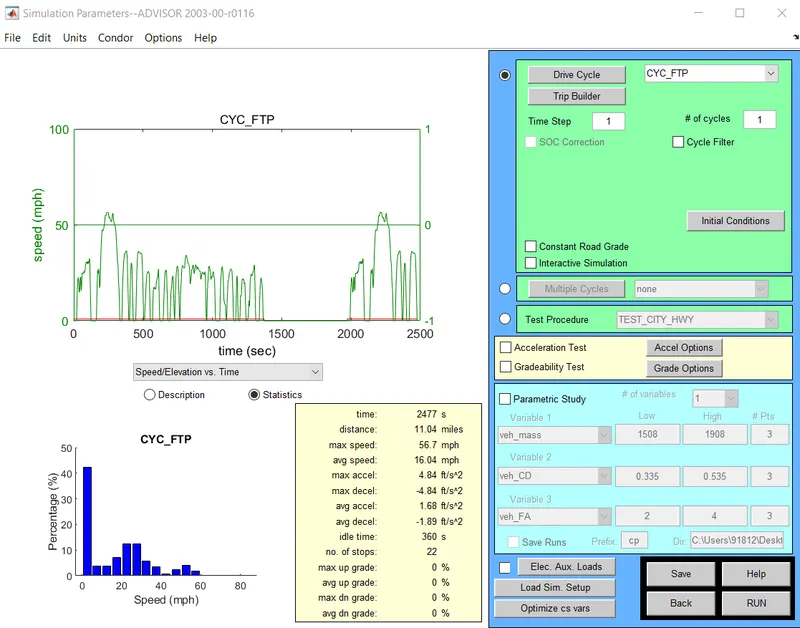
7.Now from the drive cycle menu load “CYC_FTP”drive cycle and enter number of cycle=1.
8.After this click on Run button to see the simulation and see the results.
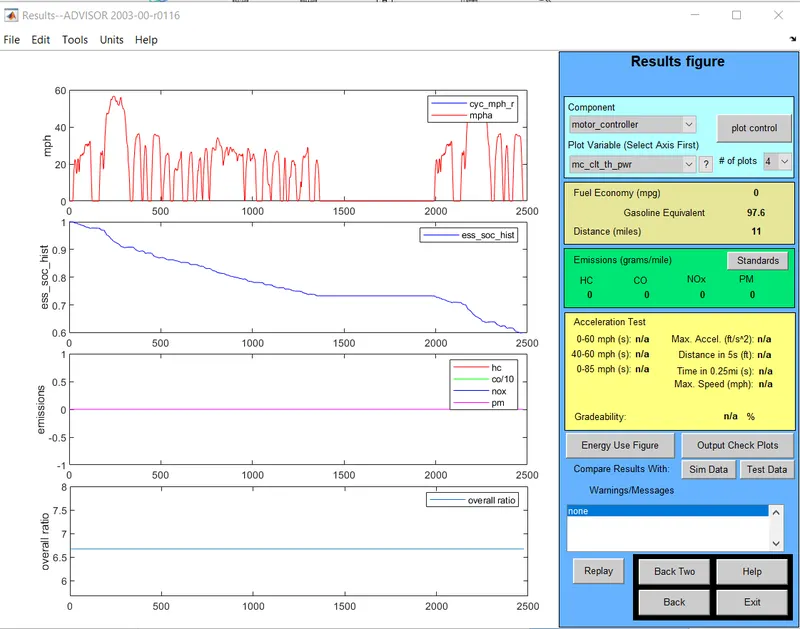
Distance travelled by the vehivcle after 1st cycle,vehicle covers 11miles(17.699kmph) of distance 40% battery power consumption since SOC is not equal to 0 ,so we can add more no. of cycle to this drive cycle.
2.If we want to change drive cycle =2 then go back to the previous page and enter it.
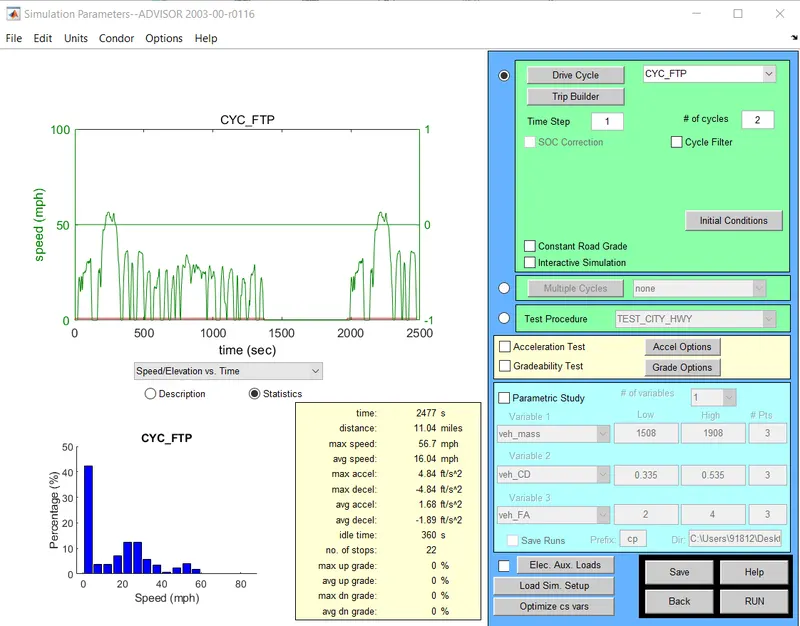
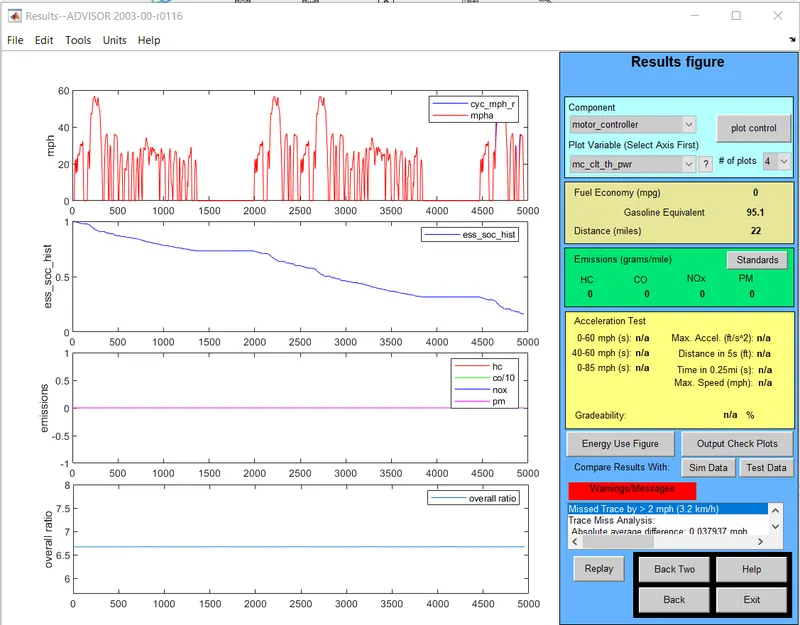
Distance travelled by the vehicle after 2nd cycle is 22miles(35.398 kmph)distance and the battery power consumption is 70%,since SOC is not equal to 0 we can add more no. of cycle to this drive cyclde.
3.If we want to change drive cycle =3 then go back to the previous page and enter it.
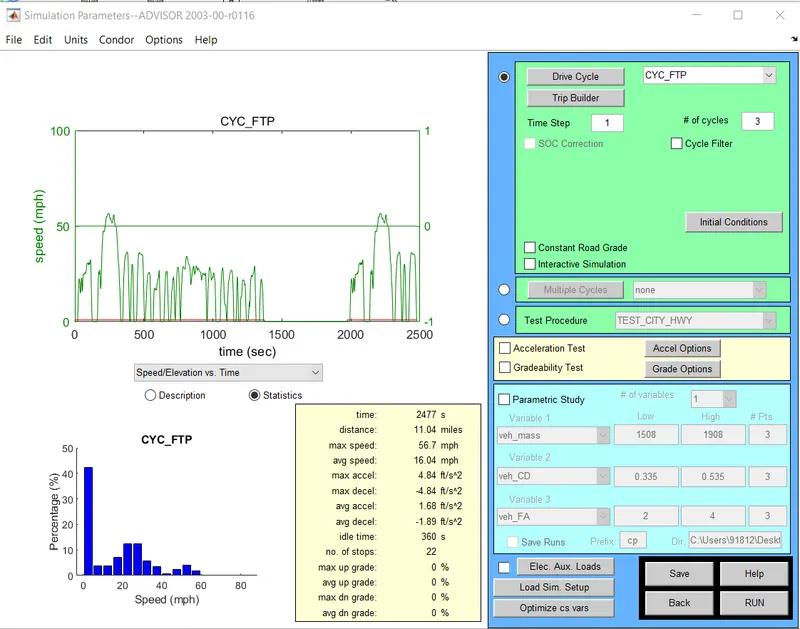
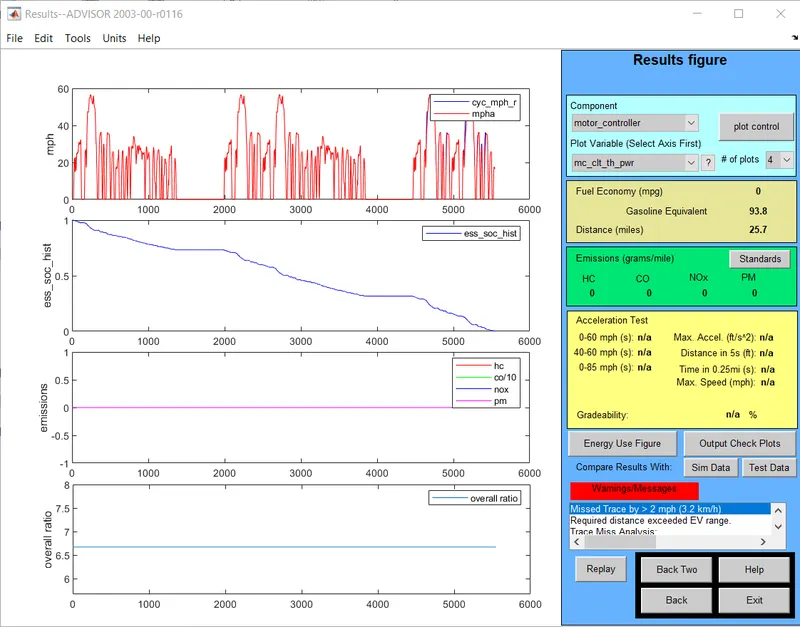
Distance trvelled by the vehicle after 3rd cycle is 25.7miles(41.35kmph) and battery power consumption is 100% since battery consumed fully i.e SOC is now equal to 0 here in this cycle we can not add any cycle.
Conclusion:So the vehicle covers a maximum distance with single charge of a battery is 41.35kmph.
From the result
No. of cycle Distance covered(km)
1 17.8
2 35.5
3 41.4
2. In the above case, try changing the battery capacity and repeat the simulation.
In this case by default value the battery module will be 25.If we change the battery module then the nominal voltage and weight also changed.
Do the same procedure,but change the parameters of battery modules =26, nominal voltage=321
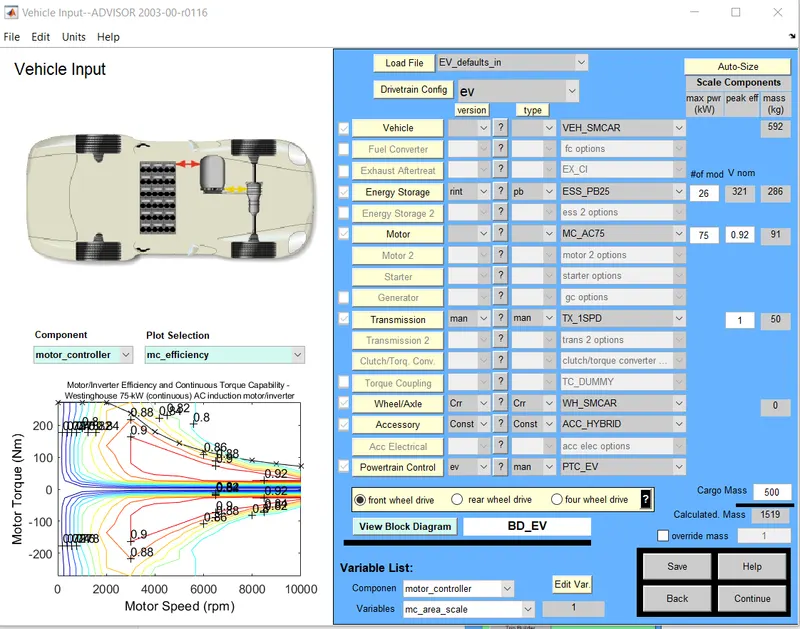
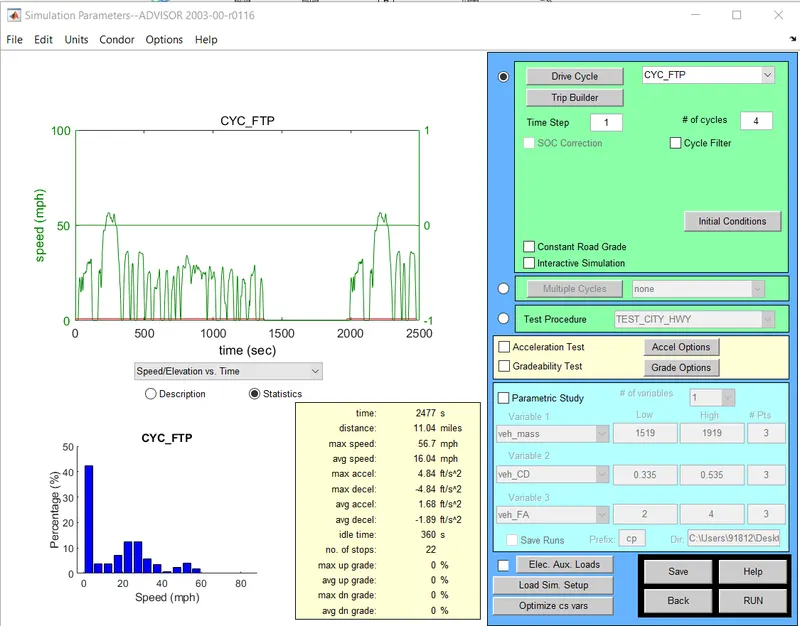
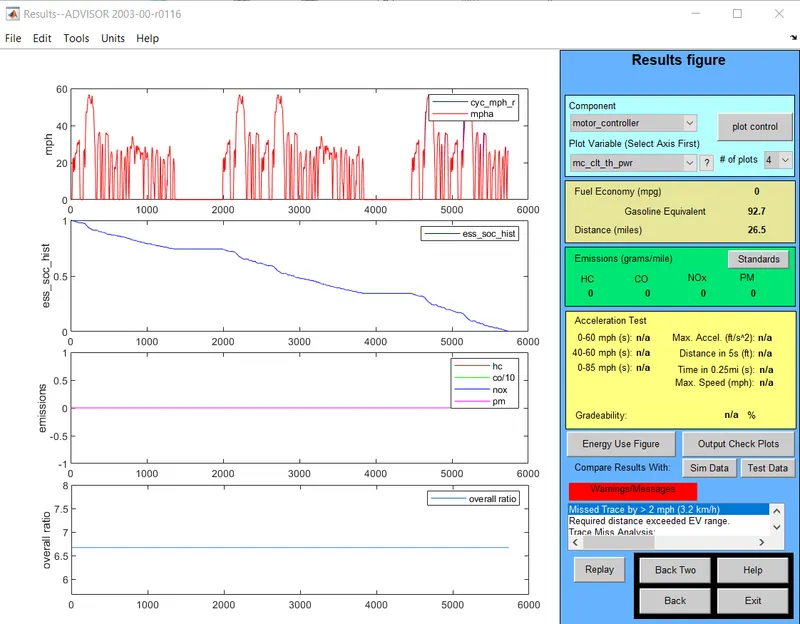
In this case,for 26 modules of battery the vehicle covers a distance of 26.5miles(42.63kmph).
2. Change the battery modules=27,nominal voltage=333
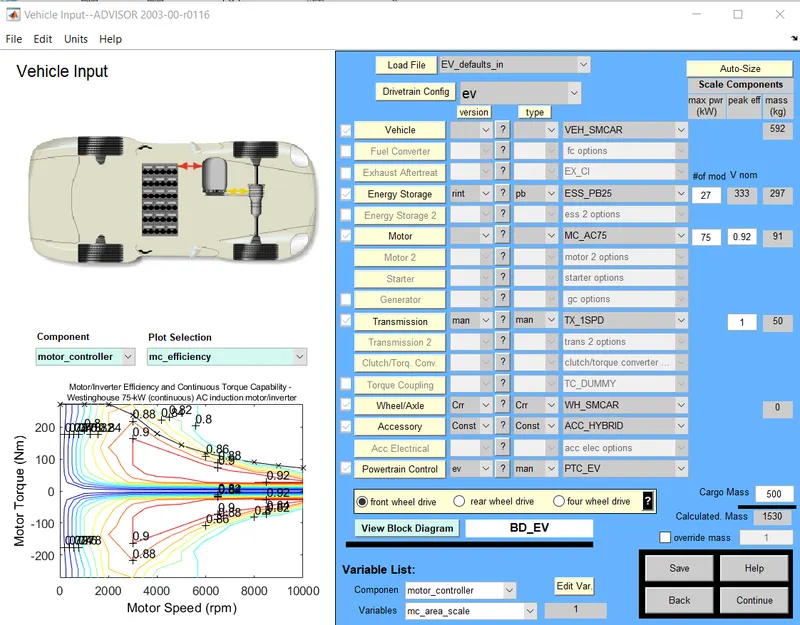
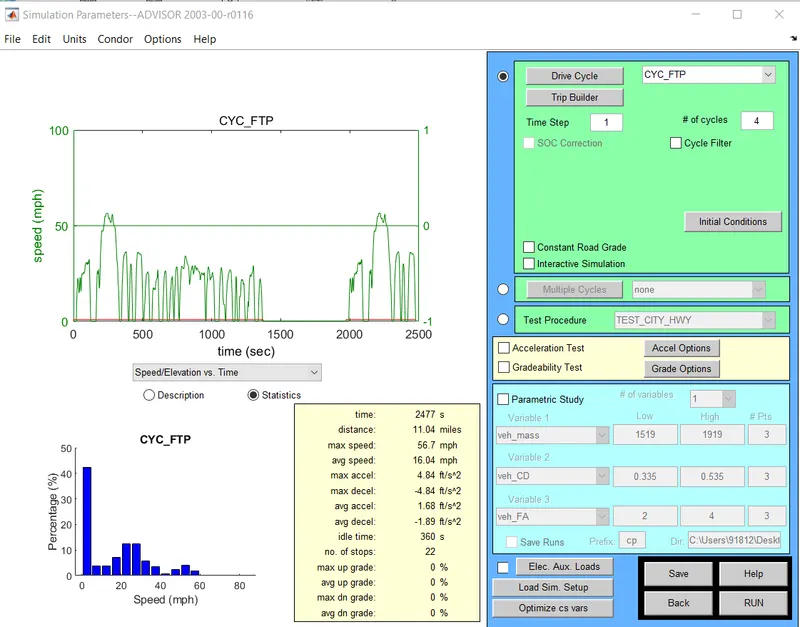
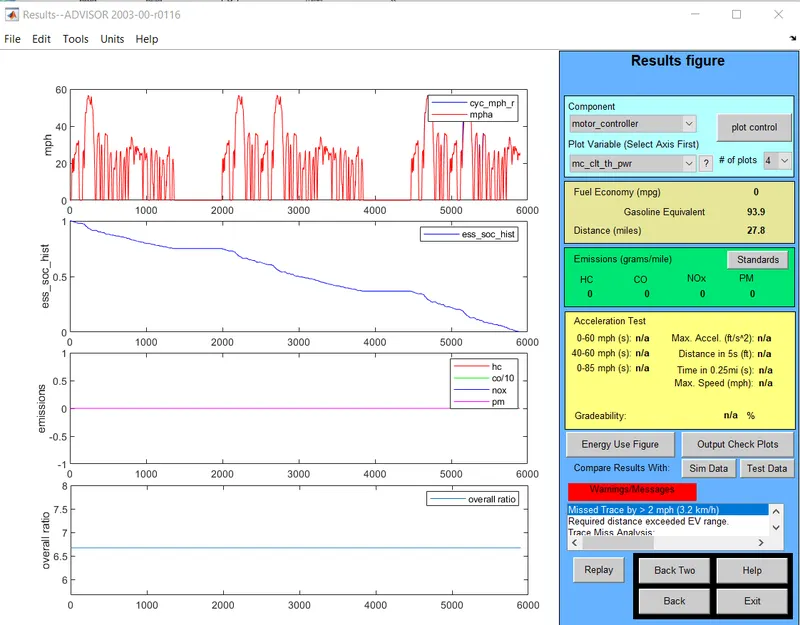
when the battery module=27 then the vehicle covers a distance of 27.8miles(44.73kmph)
3 .Change the battery modules=28,nominal voltage=345
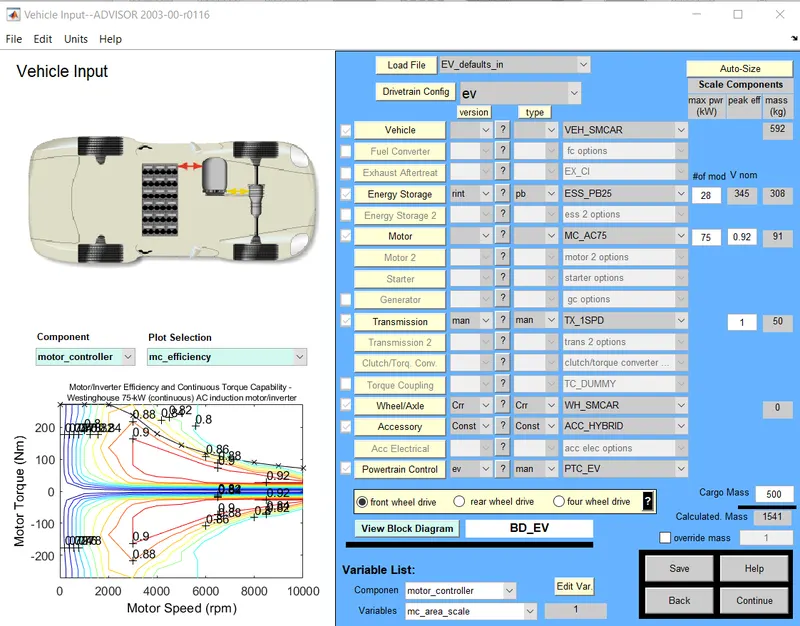
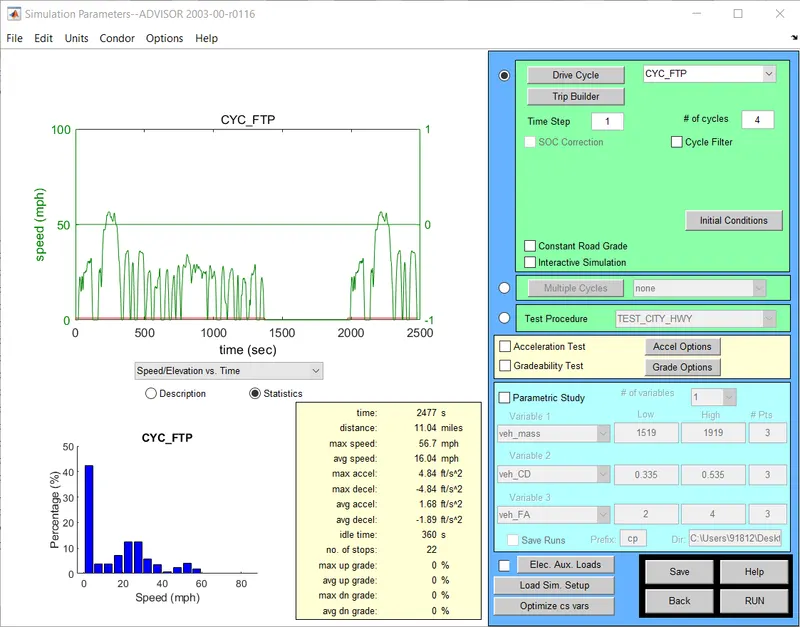
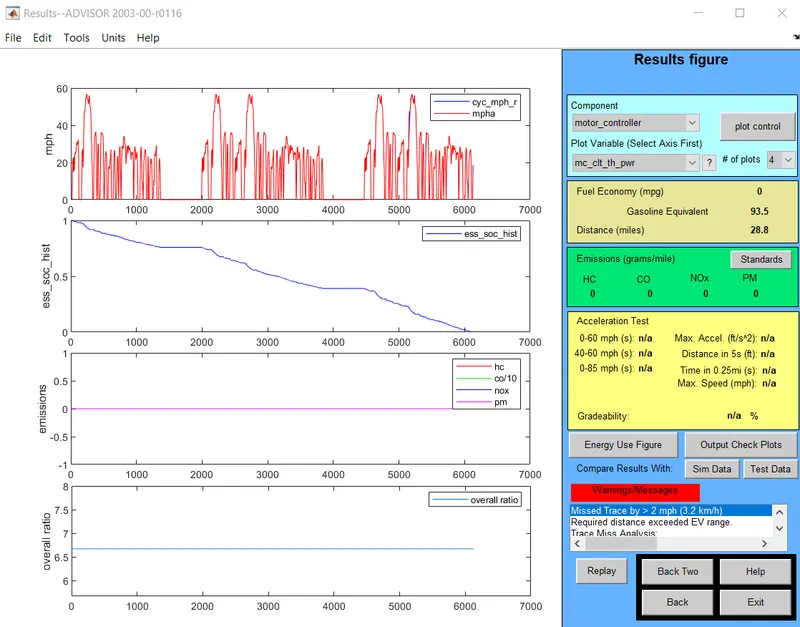
When the battery module=28 then the vehicles cover a distance of 28.8miles(46.33kmph)
Conclusion:So from these results we can see that a vehicle covers a distance of 45kmph whwn the battery module=28.
From the result:
#mod distance covered(km)
26 42.63
27 44.73
28 46.33
3. Perform grade ability test with PRIUS_Jpn_defaults_in file
Compare your results in table and conclude.
Gradeability:It is the ability of the vehicle to climb the incined angle of slope.It is measured in the % or degree unit.45 degree gradient of vehicle is 100%.it is depend upon the engine power,gear ratio,weight,traction force of a car.
Steps to do this performance:
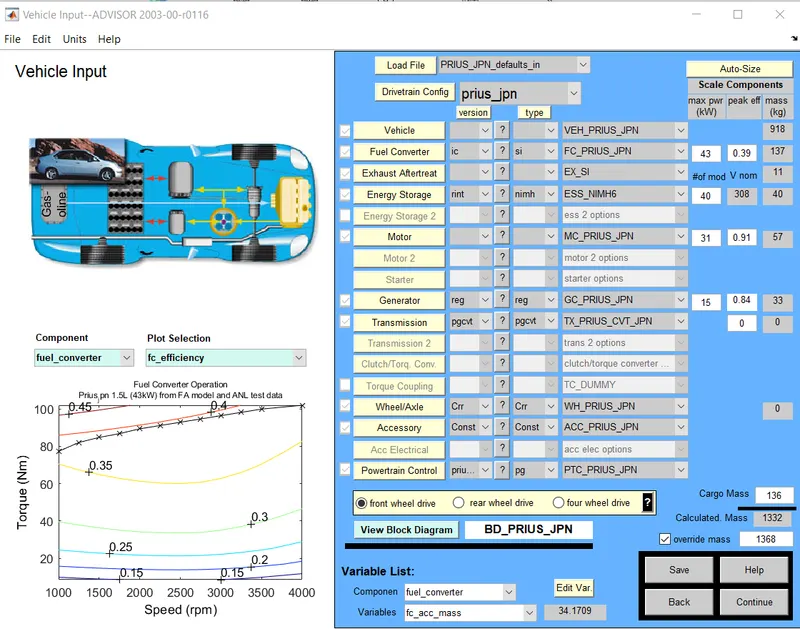
1.First we have to load the file of PRIUS_JPN_defaults_in file.When we click the enter it will change all the parameters according to the loaded file and click continue.
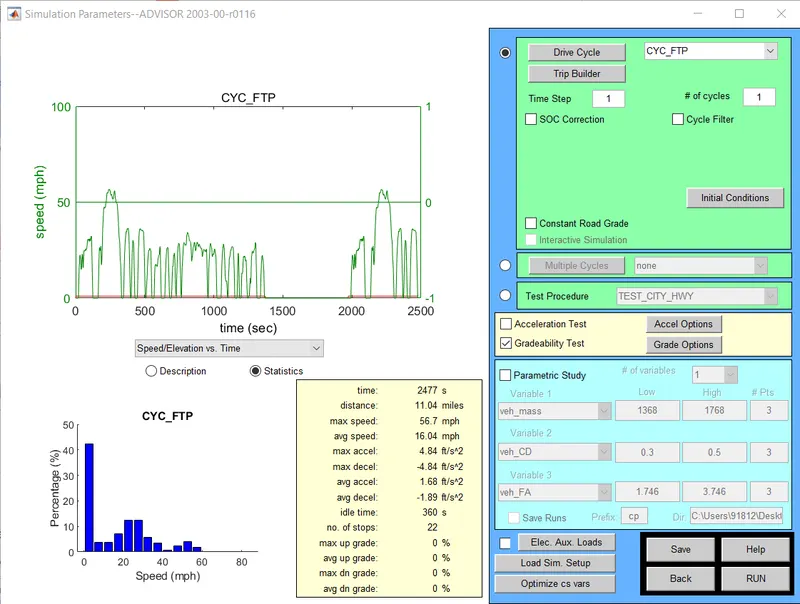
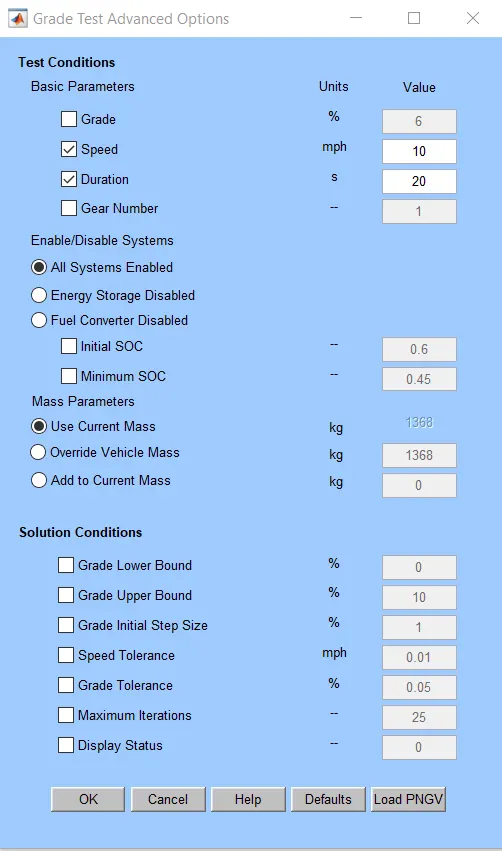
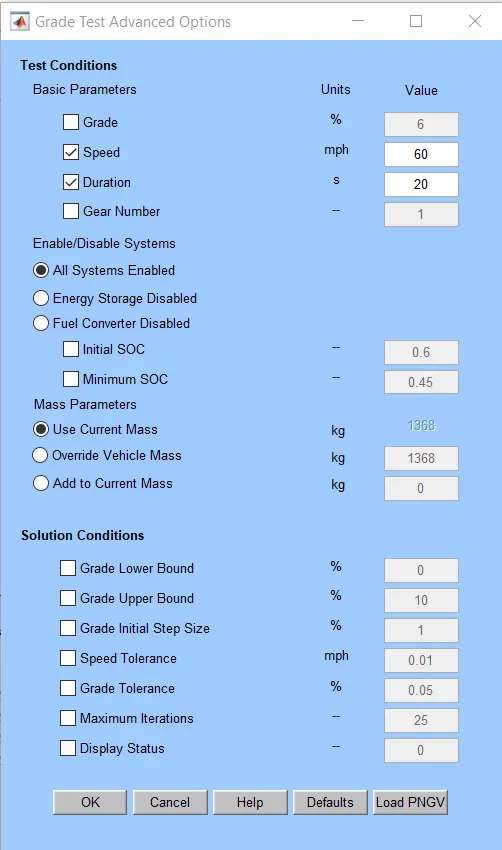
2.Select drive cycle as CYC_FTP and no. of cycle=1 and go to the gradeability test,grade option in this put the second =10mph,duration=20s,click all system enabled, click use current mass and click Ok.
3.Click run and see the simulation result.
4.If we to change the grade options click go back and put the values and click run.
5.Repeat all the steps for different second=10,20,30,50,60mph and duration=20sec.
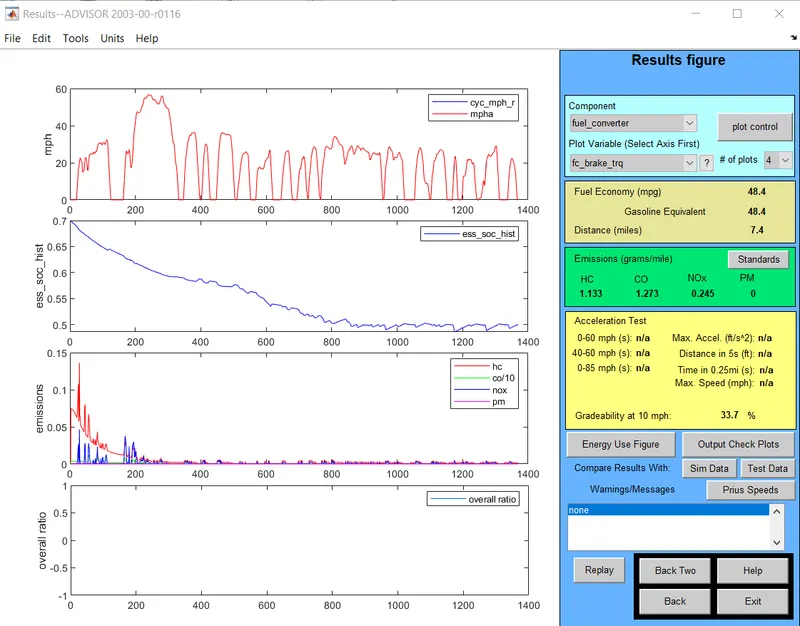
In this figure we can see the gradeability=33.7% for speed=10mph.
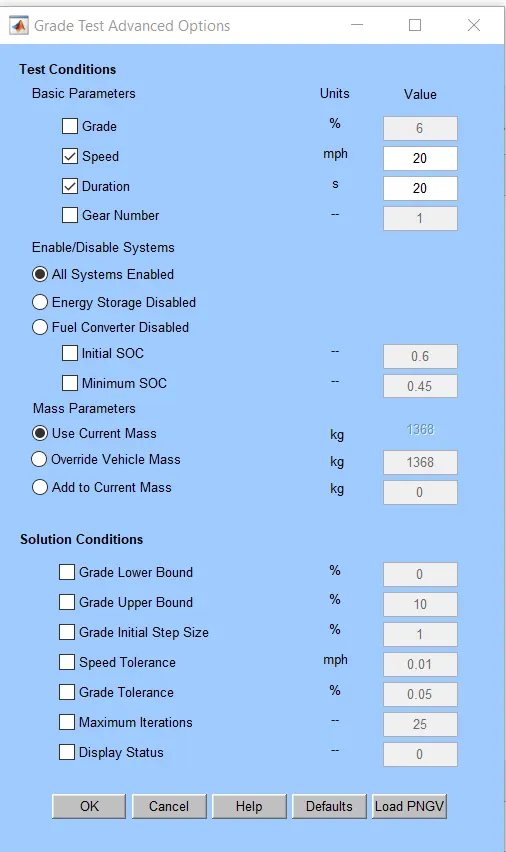
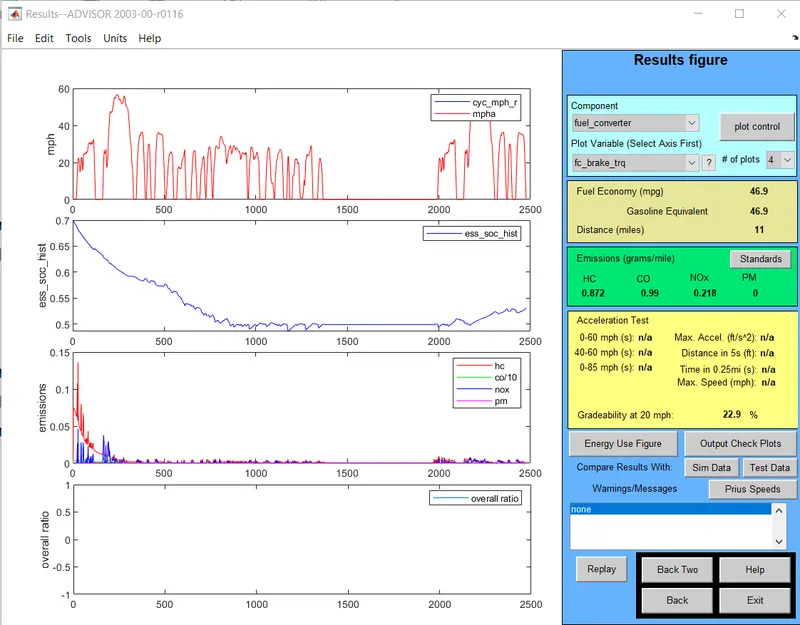
In this figure we get gradeability=22.9% for speed=20mph.
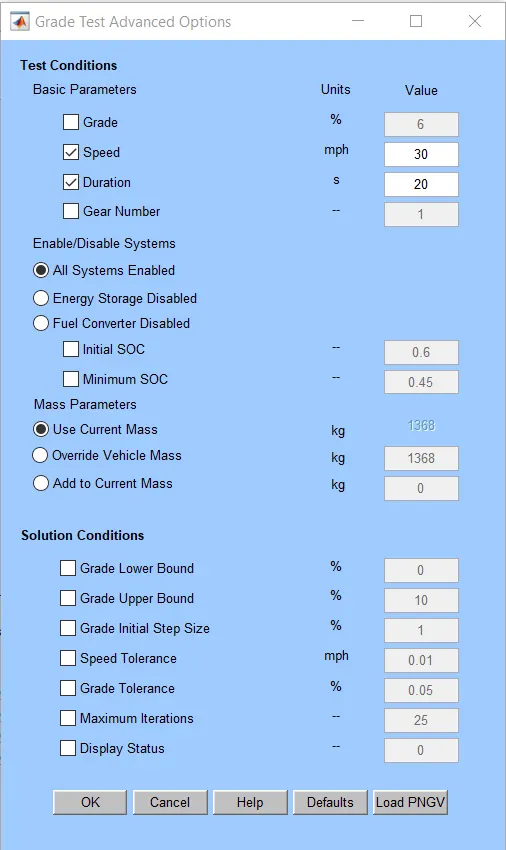
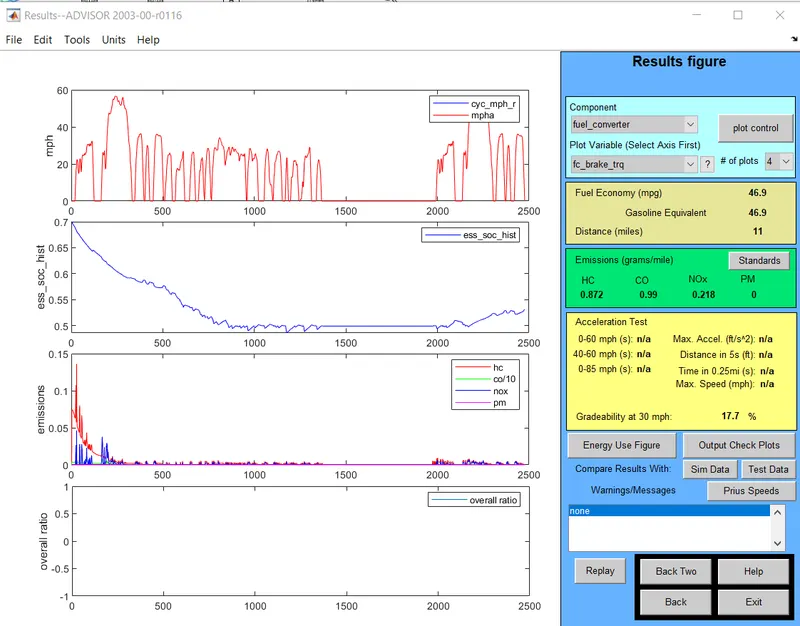
In this figure we get gradeability=17.7% for speed=30mph.
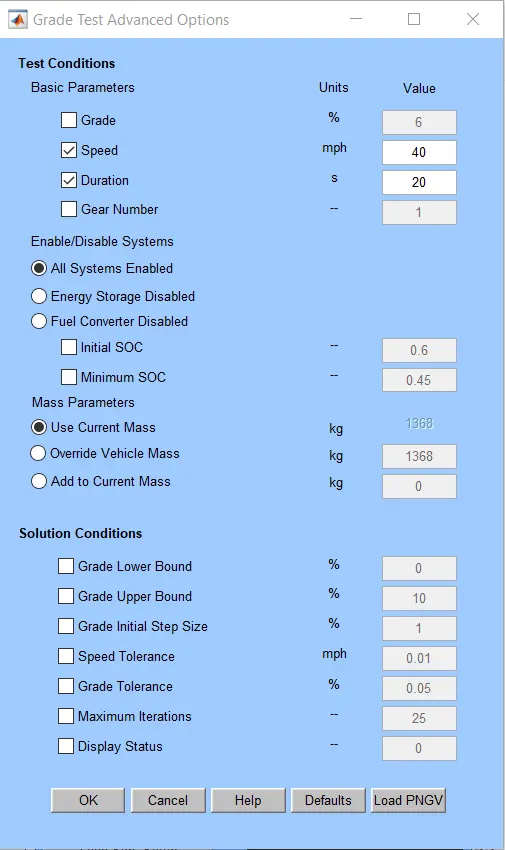
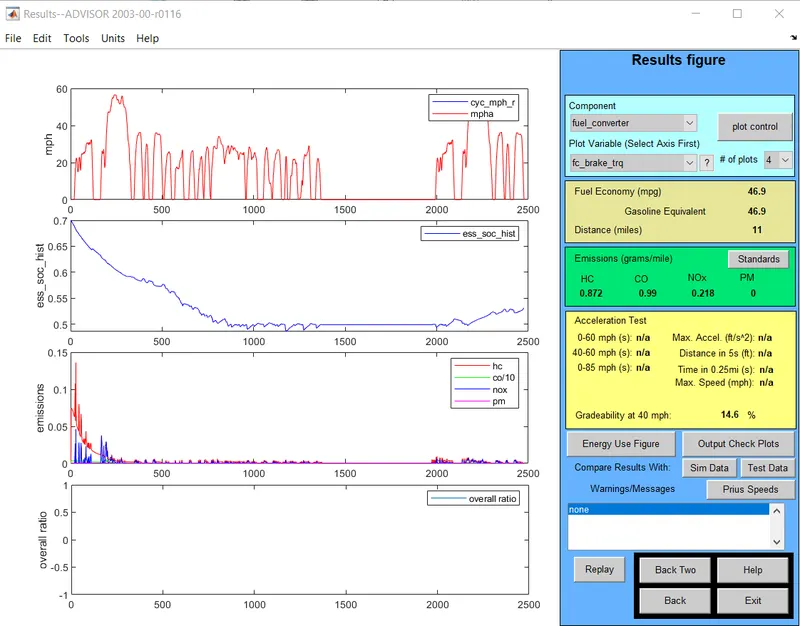
In this figure we get gradeability=14.6% for speed=40mph.
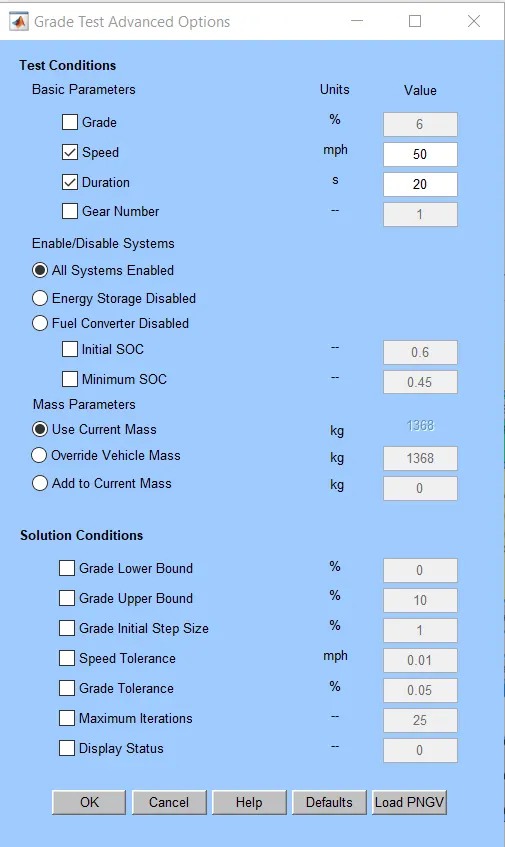
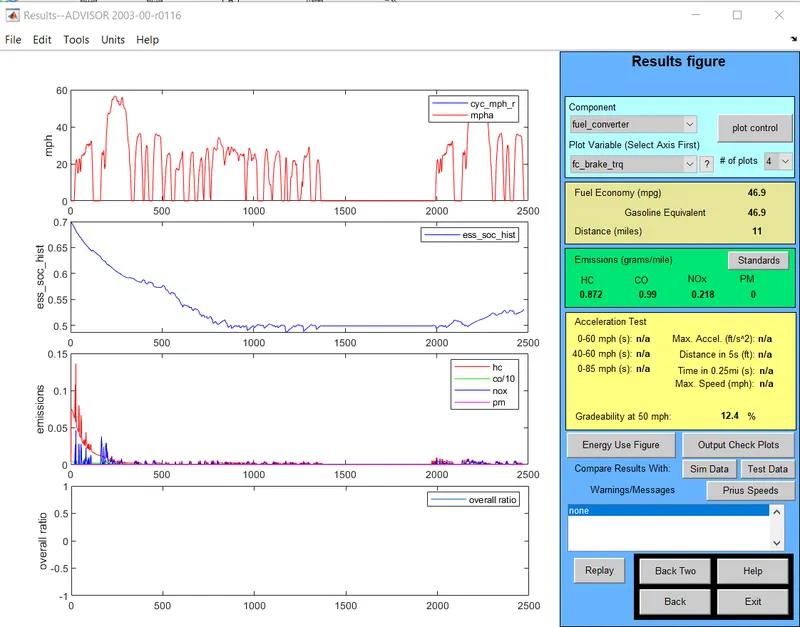
In this figure we get gradeability=12.4% for speed=50mph.
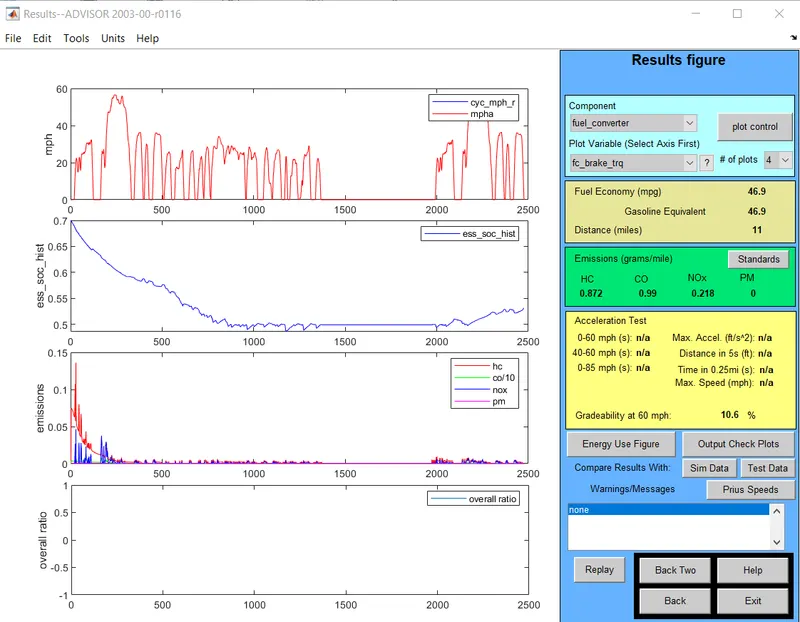
In this figure we get gradeability=10.6% for speed=60mph.
From the result
Speed(mph) Speed(km) Duration(sec ) Gradeability(%)
10 16.1 20 33.7
20 32.2 20 22.9
30 48.3 20 17.7
40 64.4 20 14.6
50 80.5 20 12.4
60 96.6 20 10.6
Conclusion:If we go on increasing the speed of the vehicle then the gradeability will be decreasing.