Week-3 Challenge: ADVISOR Tool
AIM: Use ADVISOR tool and simulate the following
Objectives:
- For EV_defaults_in file, if cargo mass is 500 kg with all other default conditions, can the vehicle travel for 45 km with FTP drive cycle? Conclude your observations.
- In the above case, try changing the battery capacity and repeat the simulation.
- Perform gradeability test with PRIUS_Jpn_defaults_in file
Compare your results in table and conclude.
ADVISOR TOOLS:
- ADVISOR, NREL’s ADvanced VehIcle SimulatOR, is a set of model, data, and script text files for use with Matlab and Simulink.
- It is designed for rapid analysis of the performance and fuel economy of conventional, electric, and hybrid vehicles.
- ADVISOR also provides a backbone for the detailed simulation and analysis of user defined drivetrain components, a starting point of verified vehicle data and algorithms from which to take full advantage of the modeling flexibility of Simulink and analytic power of MATLAB.
Steps to launch ADVISOR Tool:
- Launch MATLAB and set the wokspace to the location of advisor.
- Open the advisor.m file and type "advisor" in the MATLAB command window.
- A new window pops up. Select the desired metric and the ADVISOR Tool window opens.
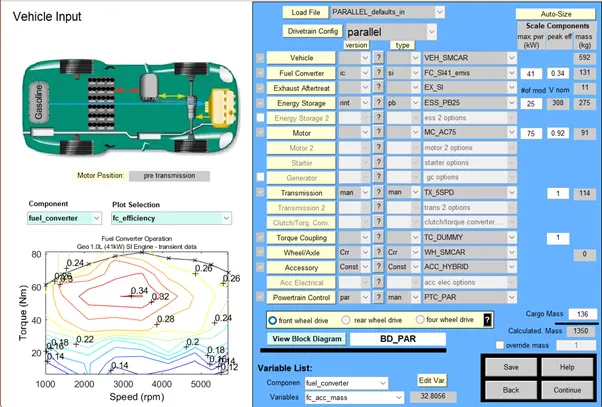
- The window consists of Vehicle Input, Simulation Parameter and Results Window.
1. EV_defaults_in :
- Select EV_defaults_in in the drop-down menu and change the given parameters, i.e, the mass to 500Kg.
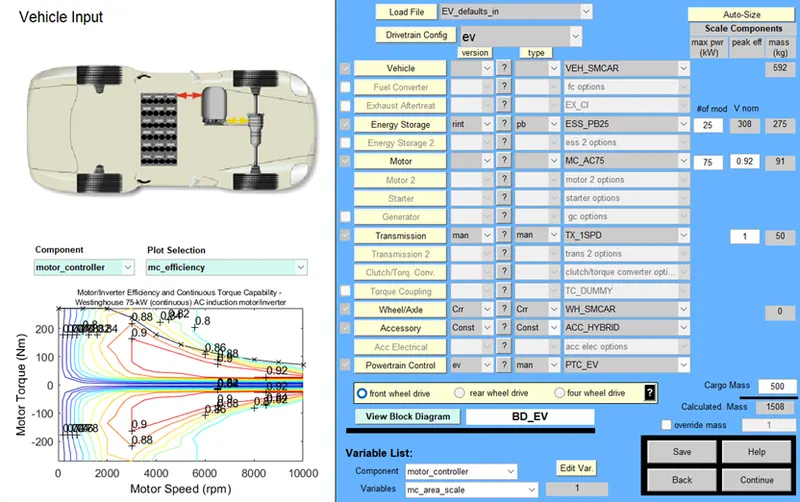
- Then click on Continue and a new window appears.
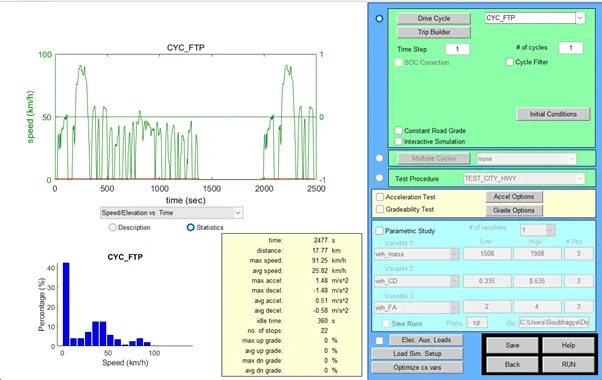
- In the above window select CYC_FTP in the drop-down menu.
- IT can be seen than the vehicle travels 17.77Km in a single drive cycle. So, we need to check for atleast 3 drive cycles to compare the range of the vehicle.
- Enter 3 in # of cycles and Click on RUN.
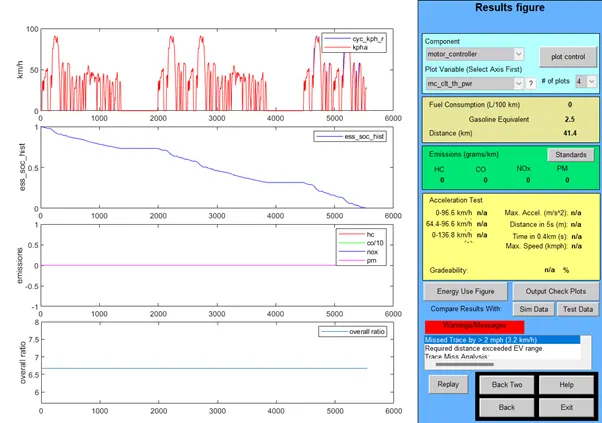
- The above window shows Plots after 3 FTP Drive Cycles.
- The 1st Plot shows the Drive Cycle Speed against Time.
- From the 2nd Plot, it can be Observed that Battery SOC has declined to 0 at time 5500s(approx), even before completing the defined DC.
- Emission is absolute 0 since it is an Fully Electric Drive as shown in Plot 3.
- Plot 4 shows the overall ratio.
- In the above window, the Distance travelled is measured to be 41.4Km in three drive cycles.
Hence the Vehicle cannot travel a distance of 45 Km under FTP cycle with an Payload of 500 Kg.
2. To get an approximate range of 45 Km by changing the Battery Capacity of EV_defaults_in :
- The Battery Module is by default set at 25 offering a Voltage of 308 V.
- The voltage is gradually increased and the range of the Vehicle is checked in every iteration.
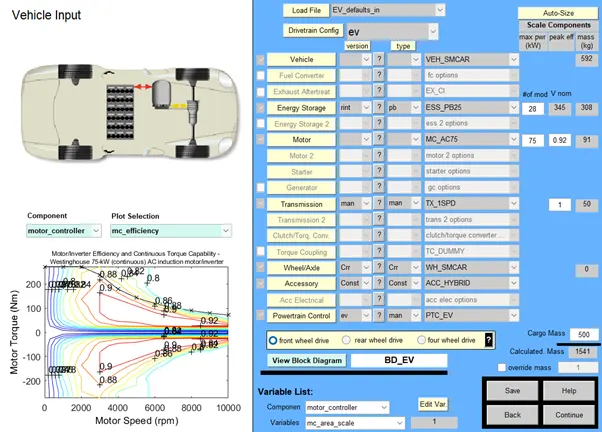
- From the above it can be seen that the Overall Mass increases with increase in the no. of modules.
- The module is set to 28 and Click on Continue.
- Then the drive cycle is selected as 3 and it is RUN.
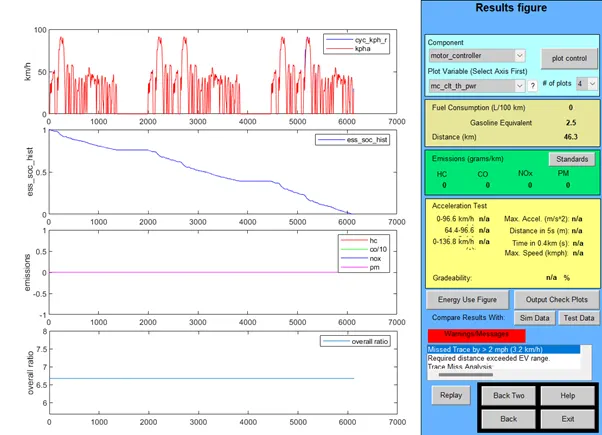
- In the above window it can be seen that the distance travelled in three drive cycles is 46.3 Km.
Hence to cover a distance of 45 Km, a 28 module 345 Volts battery is required.
3. Gradeability test with PRIUS_Jpn_defaults_in :
- Load the PRIUS_Jpn_defaults_in file in the ADVISOR Tools.
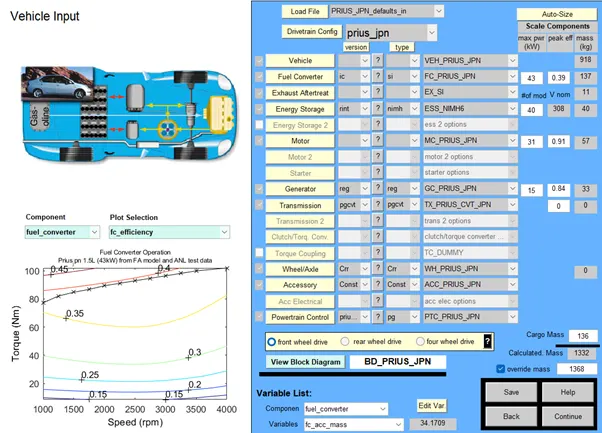
- Use the Default values and Click on Cintinue.
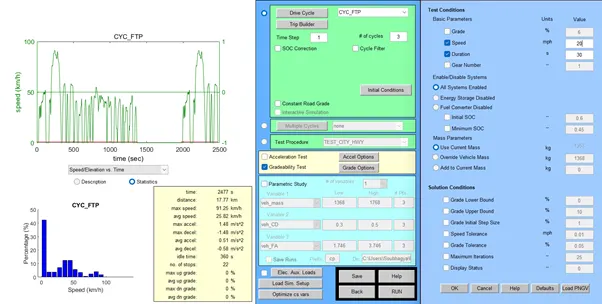
- Here the Gradeability Test box is checked and Click on Grade Options.
- The duration is set to 30 seconds and the speed is varied from 20 to 40 mph and the gradeability is noted for each speed value.
Results:
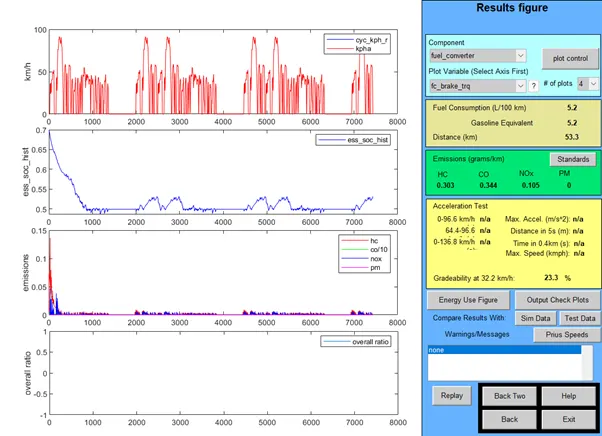
i. Speed = 20 mph or 32.2 Kmph
Gradeability = 23.3%
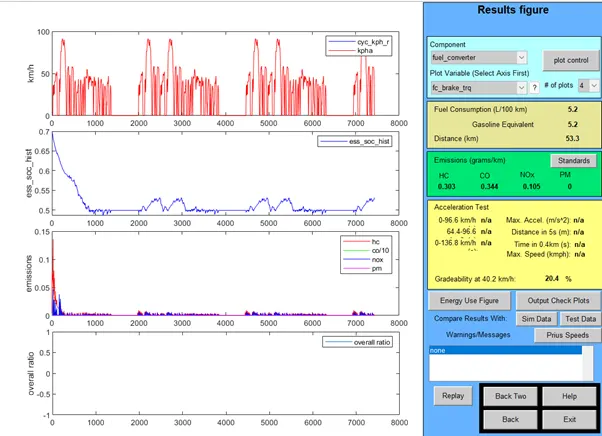
ii. Speed = 25 mph or 40.2 Kmph
Gradeability = 20.4%
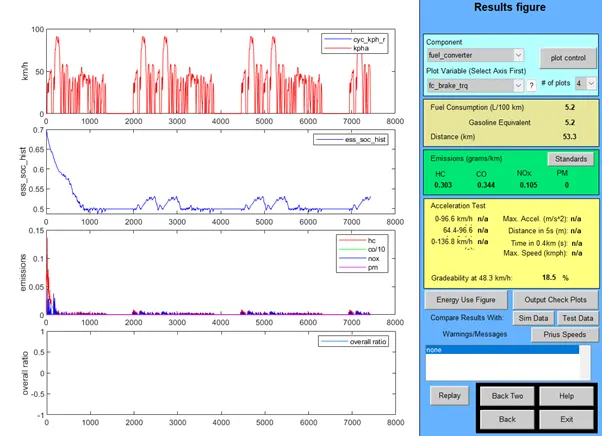
iii. Speed = 30 mph or 48.3 Kmph
Gradeability = 18.5%
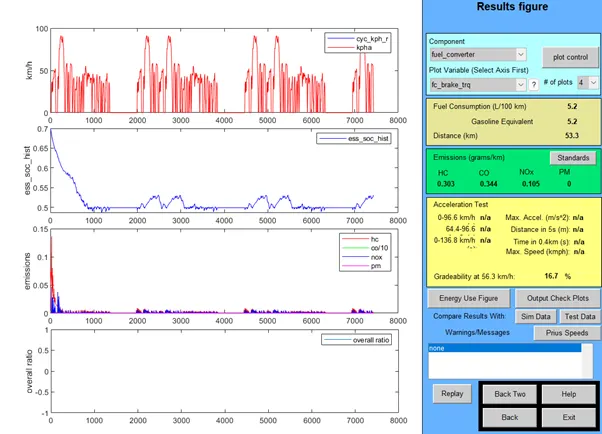
iv. Speed = 35 mph or 56.3 Kmph
Gradeability = 16.7%
v. Speed = 40 mph or 64.4 Kmph
Gradeability = 15.3%
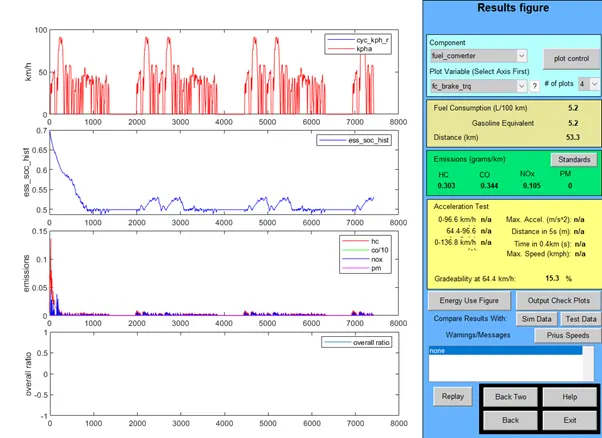
The above data can be represented as:
| Sl. No | Speed (mph) | Speed (Kmph) | Gradeability % |
| 1 | 20 | 32.2 | 23.3% |
| 2 | 25 | 40.2 | 20.4% |
| 3 | 30 | 48.3 | 18.5% |
| 4 | 35 | 56.3 | 16.7% |
| 5 | 40 | 64.4 | 15.3% |
Hence from the above table it can be concluded that the Gradeability decreases with increase in Vehicle Speed.