Week-3 Challenge: ADVISOR Tool
1) EV_defaults_in vehicle travel Distance:
Objective:
To observe that the EV_defaults_in vehicle can drive for 45 km by increasing the cargo mass by 500kg with FTP drive cycle using Advisor.
Application used:
- Matlab
- Advisor(Advanced Vehicle Simulator)
Procedure:
- Advanced Vehicle Simulator (Advisor) is downloaded from the Google.
- In the Matlab open the Advisor location.
- In the Matlab command window, type Advisor.
- In the popup window click add path.
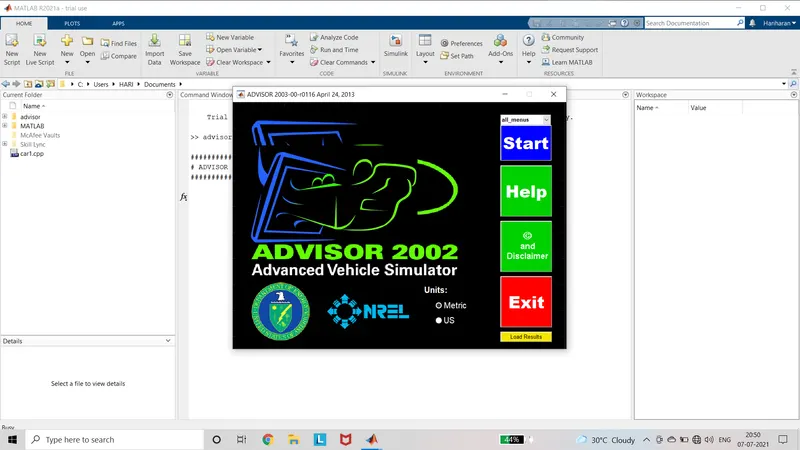
- Advisor application homepage opens and select the Metric and start the application.
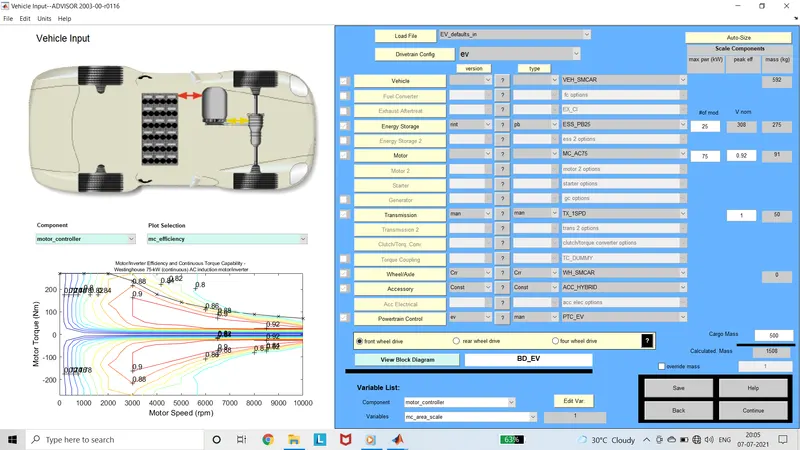
- Load EV_defaults_in file and cargo value is changed to 500kg and hit continue.
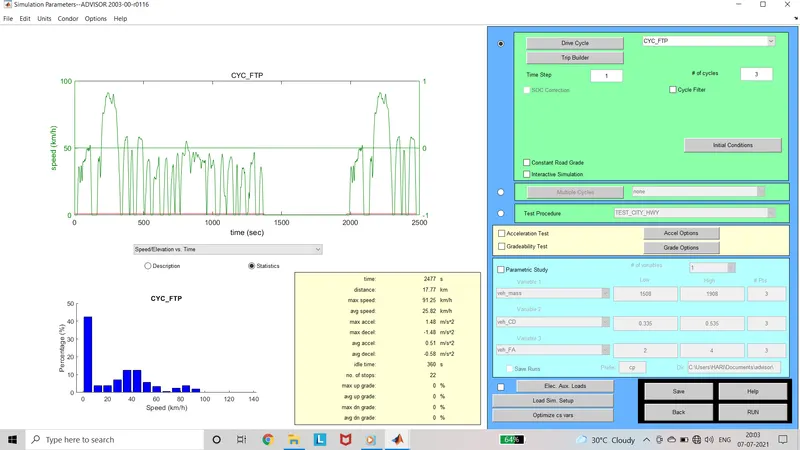
- Simulation parameter window opens and in that change drive cycle to FTP and cycles is changed to 2. In FTP for one cycle 17.77 km is covered. Run the model.
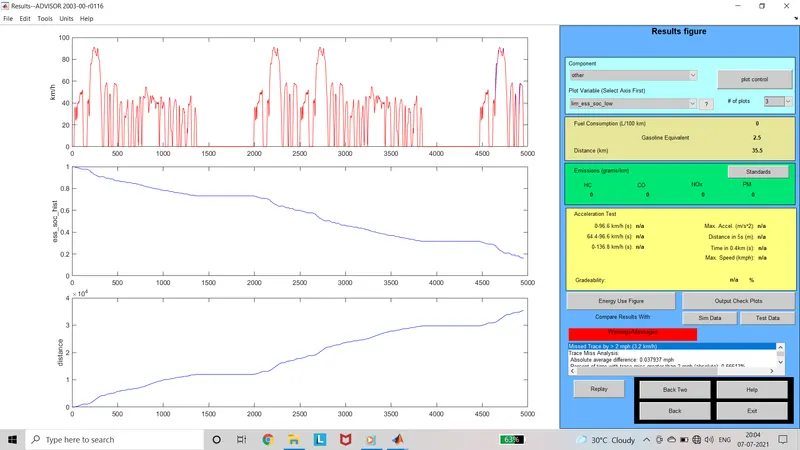
- Result window opens. In the right side of window total distance covered is displayed. The distance covered is 35.5km. The SOC of the battery is plotted in the graph. The remaining power is battery is less than 20%.
- Again go back and change the number of cycles to 3. The total distance of the cycle is 53km. Run the simulation.
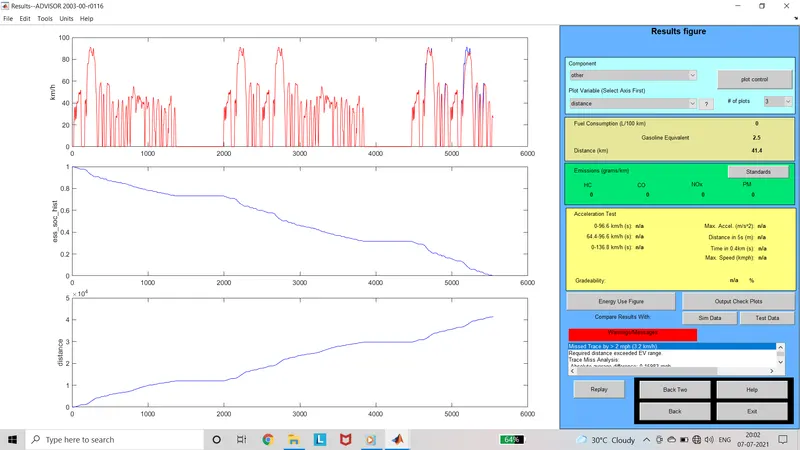
- Here the total distance covered by the car is 41.4km and battery is completely drained.
Result:
In the EV_defaults_in file the vehicle does not travel 45km with the cargo weight of 500kg by keeping all other parameters same. The vehicle stops at 41.4km. The power delivered through the battery is not sufficient to travel the car for 45kms. So that to travel the car for 45km with 500kg the battery capacity is increased.
2) Changing the battery capacity and repeat the above simulation:
Objective:
To repeat the above simulation by changing the battery capacity alone and keeping all other parameters same except cargo mass.
Procedure:
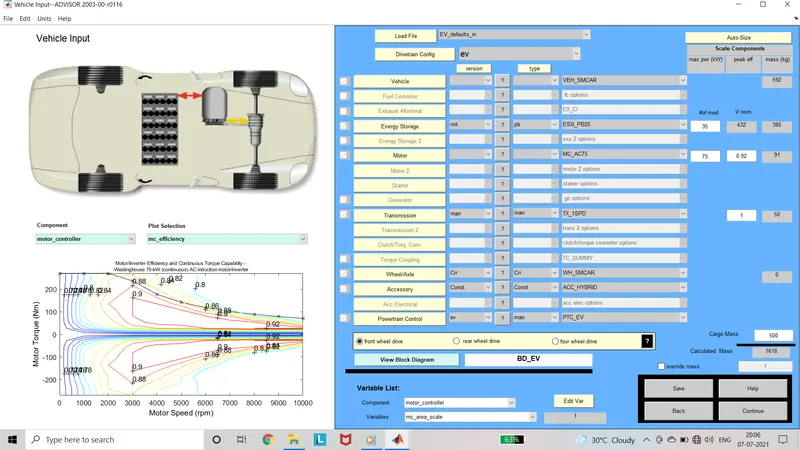
- Again get back to the Vehicle input page and now the number of cells in the energy storage is increased to 35 cells from default 25 cells. The output voltage is increased to 432V. Continue to the simulation parameters.
- In the simulation parameters the number cycles is changed to 3 and run the simulation.
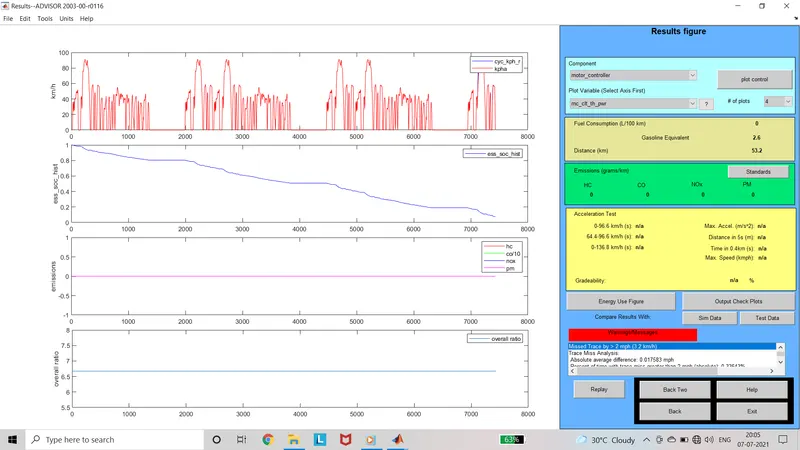
- In the result window the distance covered is displayed as 53.2kms.
- And also the State of charge of battery is around 10% remaining.
Result:
By increasing the capacity of the battery, the distance covered by the vehicle also increases. And also while increasing the capacity of the battery, the weight is also increased. The Battery supplies the enough power to travel the vehicle to desired distance of 45km.
3) Gradeability test with PRIUS_Jpn_defaults_in:
Objective:
To conduct the gradeability test in PRIUS_Jpn_defaults_in file using Advisor.
Applications used:
- MAtlab
- Advisor
Procedure:
- Open Advisor using Matlab command window.
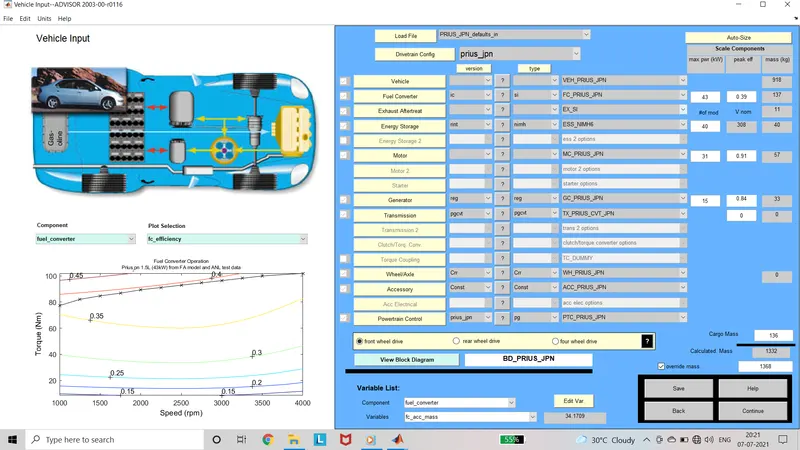
- In the vehicle input window load PRIUS_Jpn_defaults_in file.
- By keeping all the default values continue to the simulation parameter window.
- Select the Gradeability test Check box and in the grade options speed and time value is changed to 30mph and 100seconds. Select all systems enabled. Hit Ok and run the simulation.
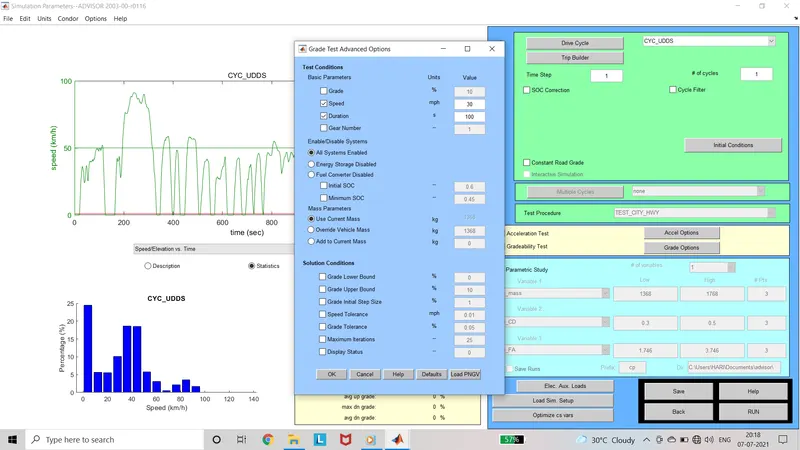
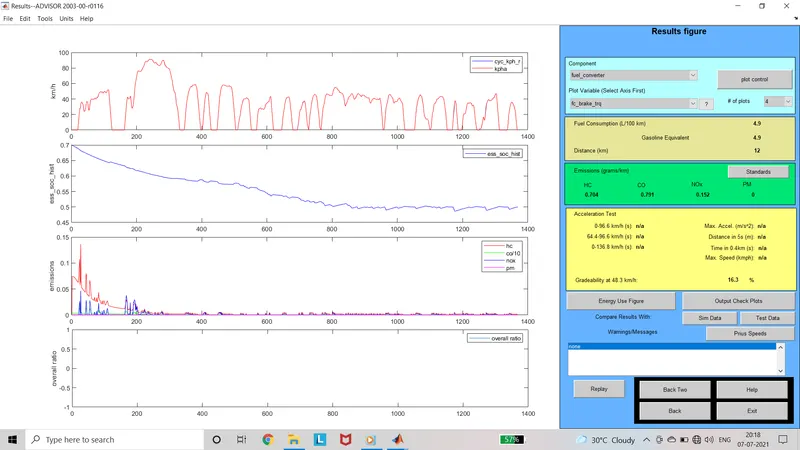
- In the output window, Gradeability at given speed is displayed.
- Gradeability at 48.3kmph is 16.3%
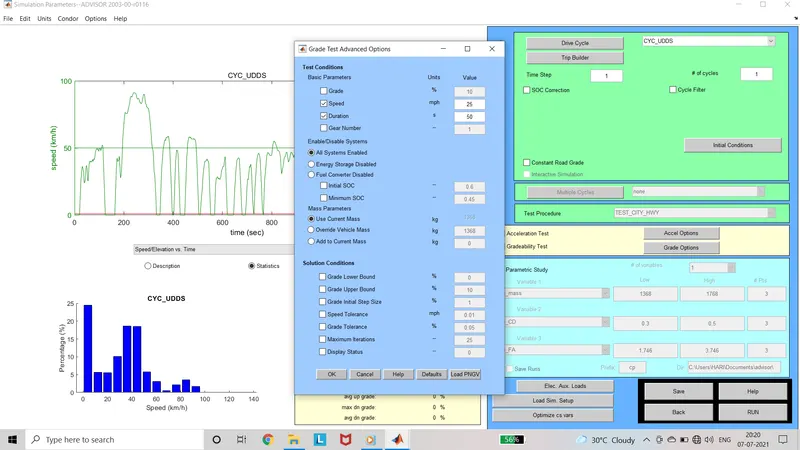
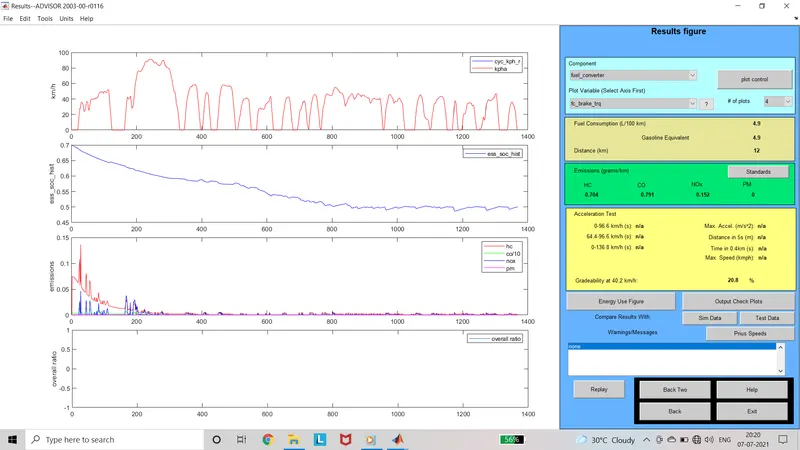
- To get more knowledge, again go back and change the values of speed and time to 25mph and 50seconds. Select all systems enabled. Run the simulation.
- In the output window, Gradeability is displayed. Gradeability at 40.2kmph is 20.8%.
- Go back and in the grade options select energy storage disabled. Run the simulation.
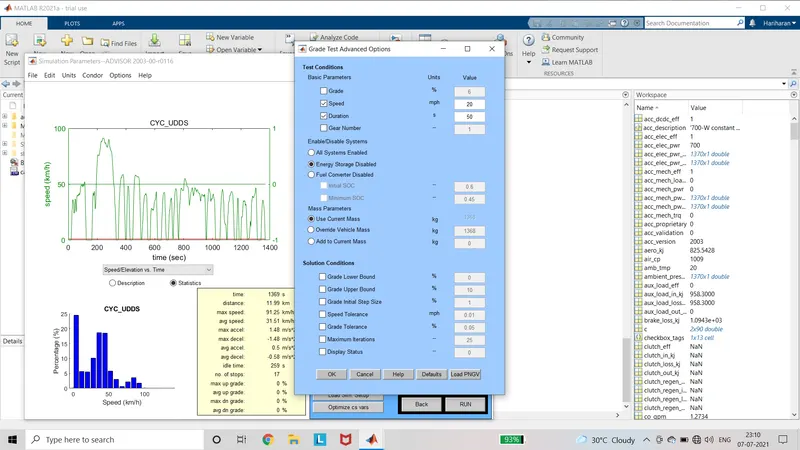
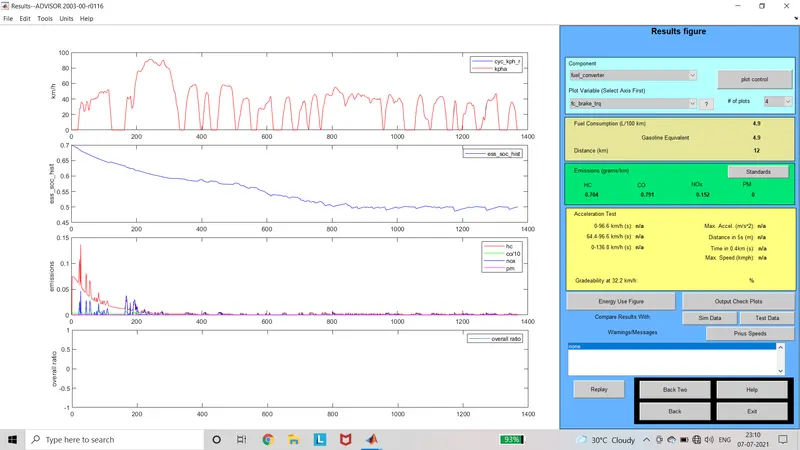
- In the output window, the Gradeabilty is displayed as n/a.
- When fuel selector is disabled, the output displays the gradability value.
- Energy source must be enabled to calculate the gradeability.
| speed(mph) | kmph | time | Gradeability(%) |
| 35 | 56.3 | 10 | 2.5 |
| 40 | 64.3 | 10 | 2.4 |
| 30 | 48.3 | 100 | 16.3 |
| 50 | 80.5 | 50 | 13.6 |
| 25 | 40.2 | 50 | 20.8 |
| 25 | 40.2 | 100 | 17.3 |
Result:
When the speed is kept constant and time is increased, the gradability value decreases. when the time is kept constant and speed is increased, the gradeability decreases.