Week-3 Challenge: ADVISOR Tool
Use ADVISOR tool and simulate the following,
1. For EV_default_in file, if cargo mass is 500kg with all other default condition, can the vehicle travel for 45km with FTP drive cycle? Conclude your observations.
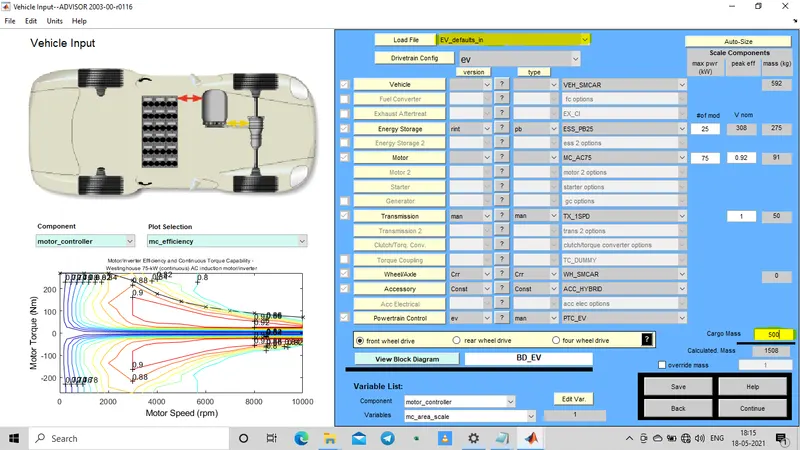
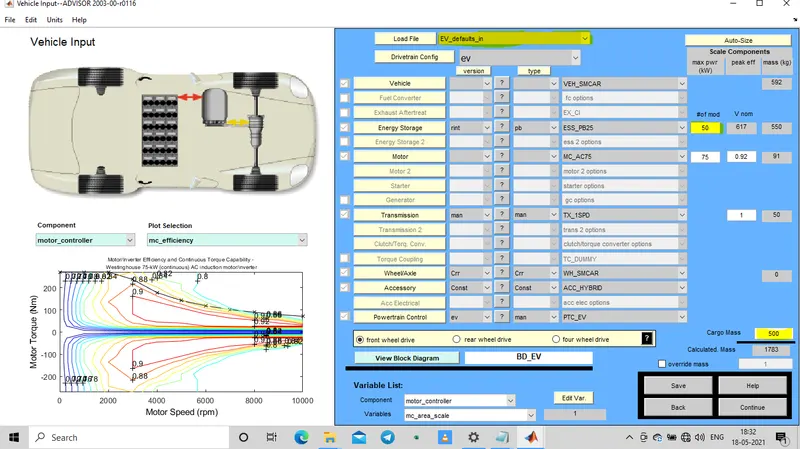
The figure shows the interface of the ADVISOR simulator using mathlab,
Here as per the question the file loaded is EV_defaults_in with a change in cargo mass to 500kg.
The other variable are made unchanged. (The changed variables are highlighted.)
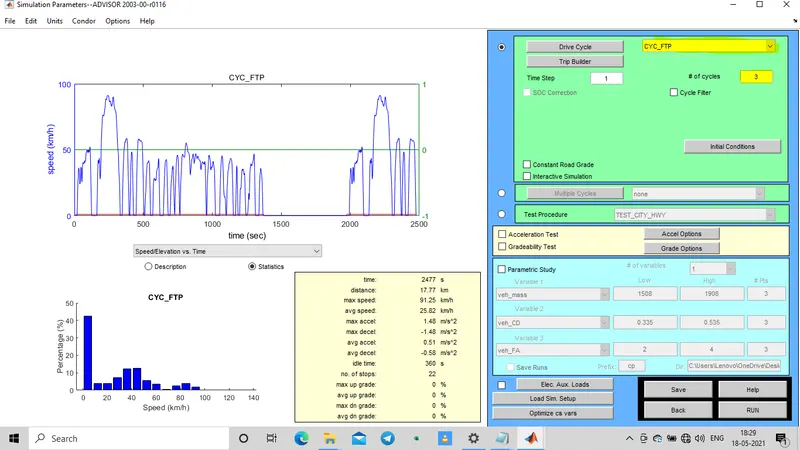
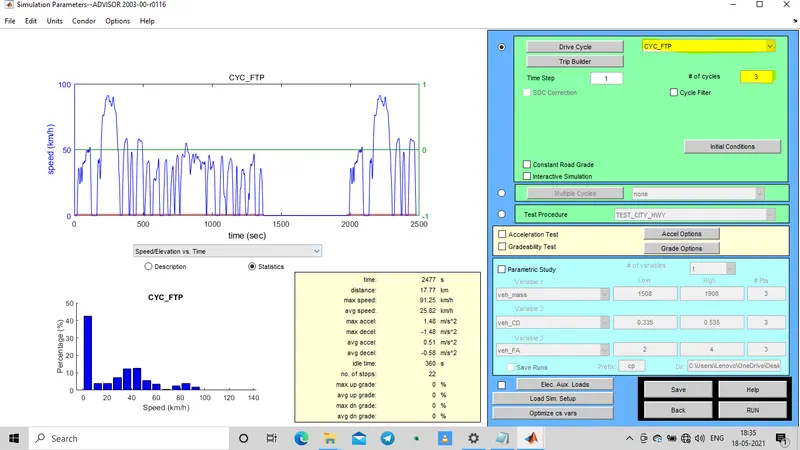
As per the aim the drivecycle is changed to CYC_FTP and it is shown in the leftside of the below picture. One CYC_FTP drive cycle lasts for 17.77km as mentioned below the graph and takes 2477 seconds. To check weather the vehicle can run 45km, here we need to take atleast three drive cycles.
BY clicking on RUN button, we will get the graph of velocity, state of charge, emissions and overall ratio are displayed which can also be changed according to our convienence.
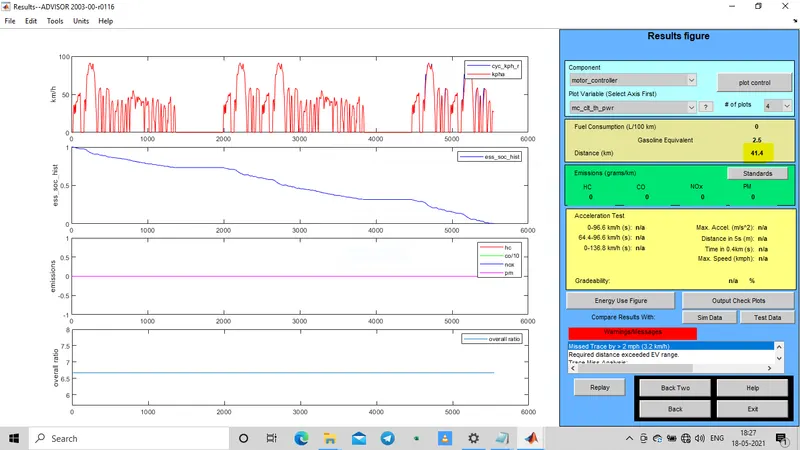
Here we can coclude that the State of charge (soc) has come to zero with a distace covered 41.4km with also doesnot complete three FTp cycle and also a warning message is also displayed. Thus driving in FTP drive cycle with cargo mass 500kg for 45km is difficult considering every factors.
2.In the above case, try changing the battery capacity and repeat the simulation.
Here the only change from above section is incrementing the battery modules to 50 resulting to a voltage of 617v.
Here CYC_FTP drive cycle is used for a three number of drive cycles and the simulation is made run.
By increasing in battery modules increases the voltage and thus the range too. Here we can notice a 53.3km distance covered and no warning message was shown like the above case.
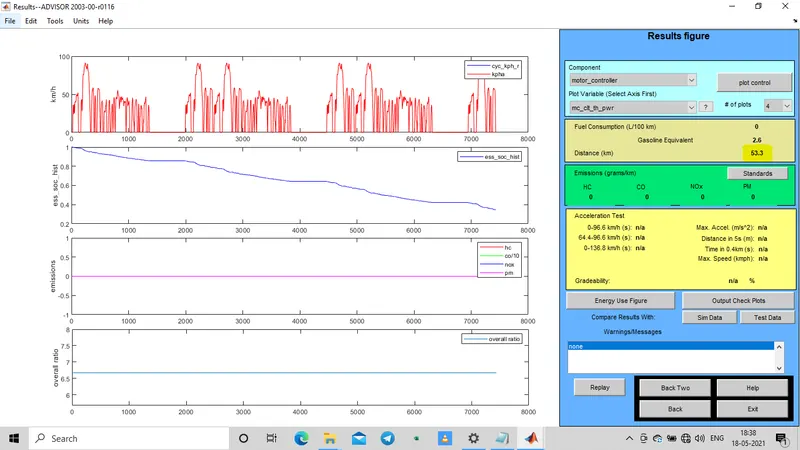
Here we can conclude that by changing the battery capacity, we can also increase the kilometer range of the vehicle. i.e, in the above case we used just 25 battery modules which results in a distance of 41.4km and in this case we increased the battery modules to 50 and the distance also increased to 53.3 km.
3.Perform gradeability test with PIRUS_Jpn_defaults_in file. Compare your results in table and conclude.
In the Load File option we selected the PIRUS_JPN_default_in. The continue option is clicked with the default setup.
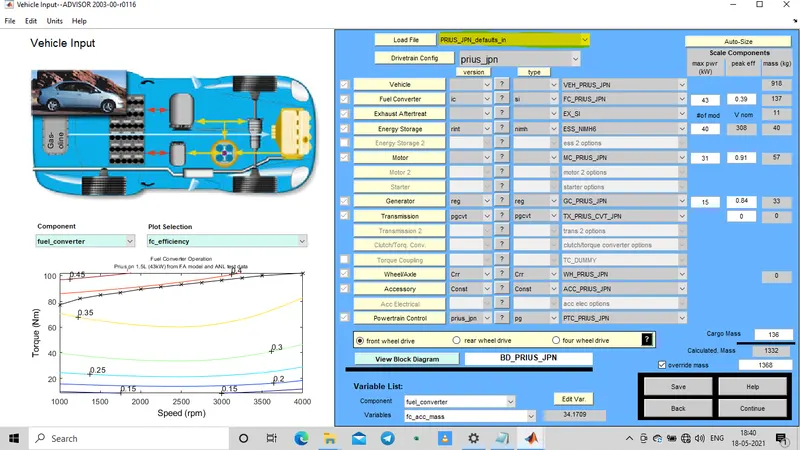
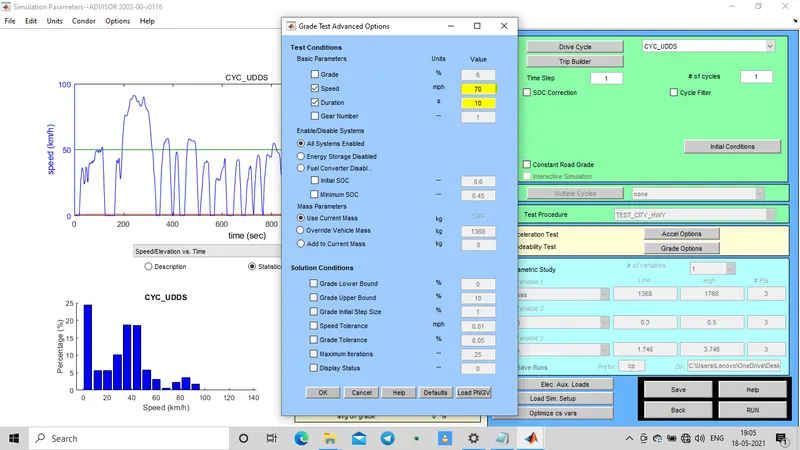
The drive cycle is set default, i.e CYC_UDDS. The Gradeability test toggle is selected. select the grade options near to gradeability and we can see another window to change speed and time as shown below.
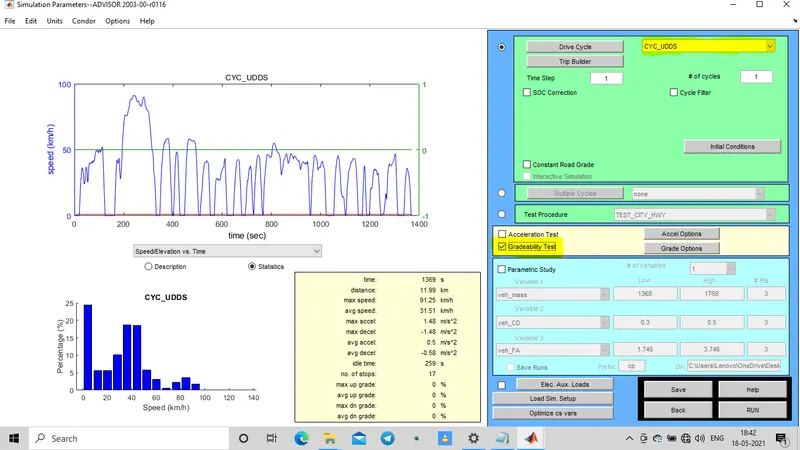
The time is kept constant for all below cases i.e duration = 10 sec.
CASE 1: Speed = 50mph. Here All system Enabled toggle option is selected.
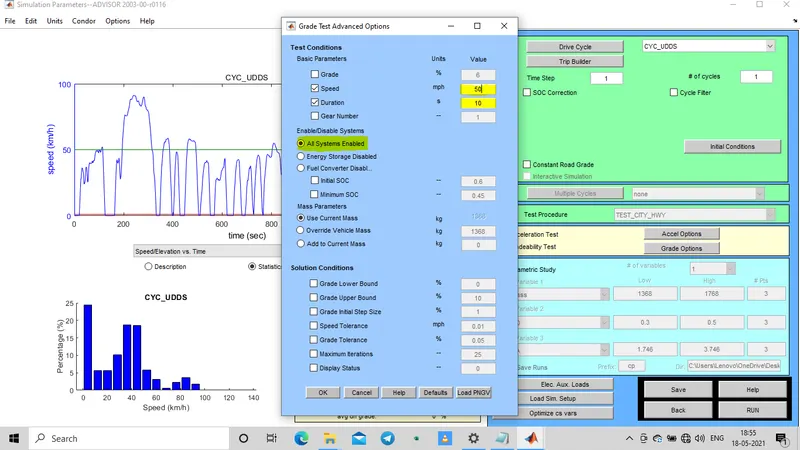
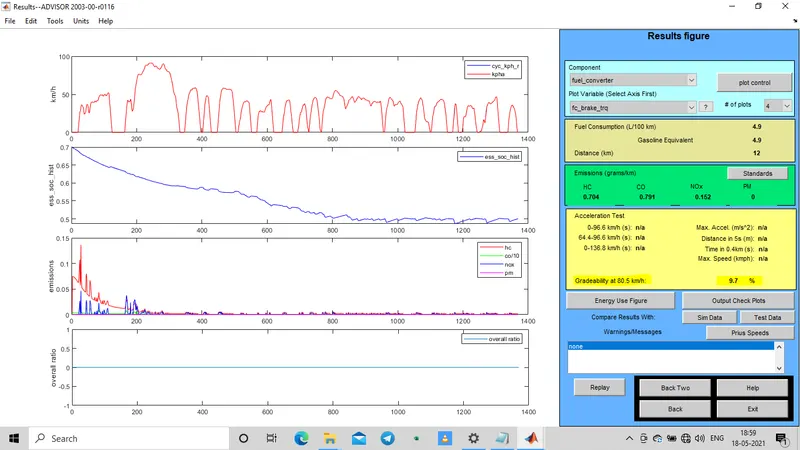
Gradeability obtained = 9.7%
CASE 2: Speed = 60mph.
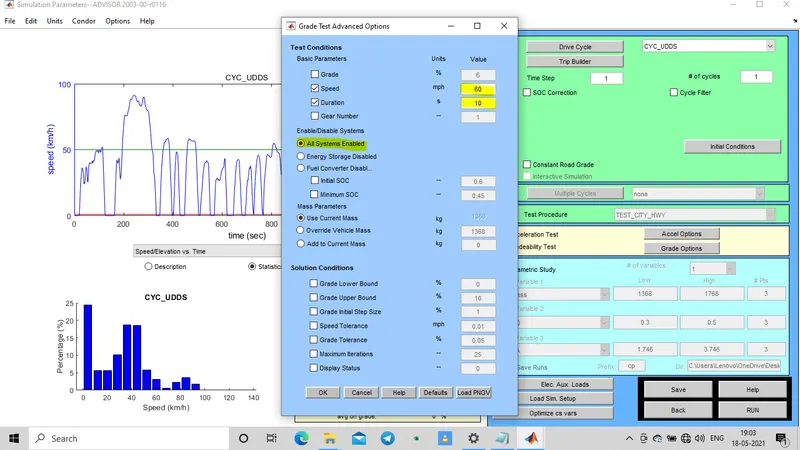
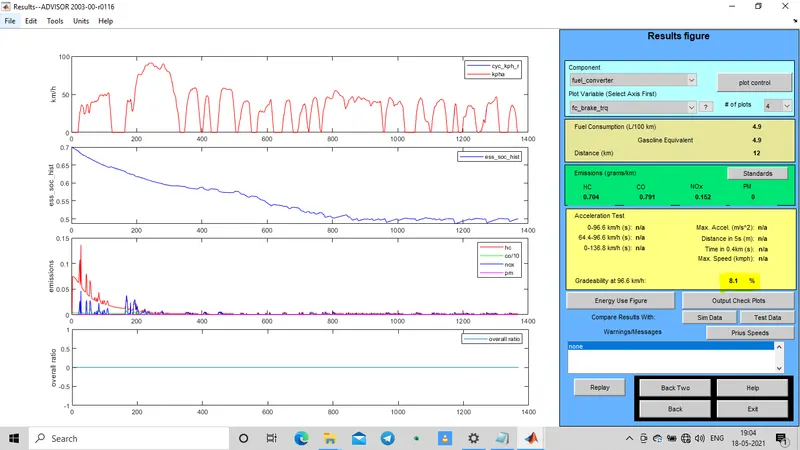
Gradeability = 8.1%.
Case 3: Speed = 70mph.
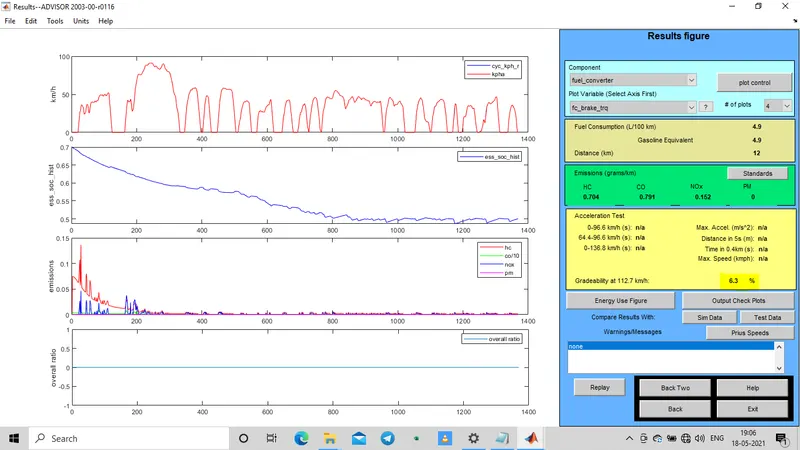
gradeability = 6.3%
Case 4: speed = 80mph.
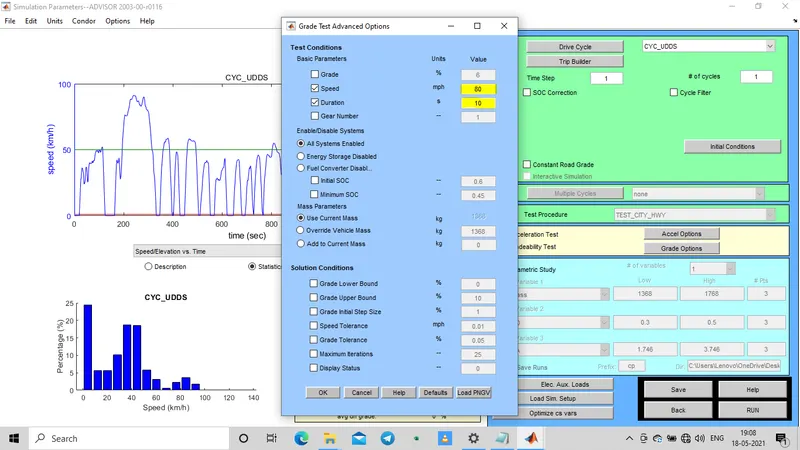
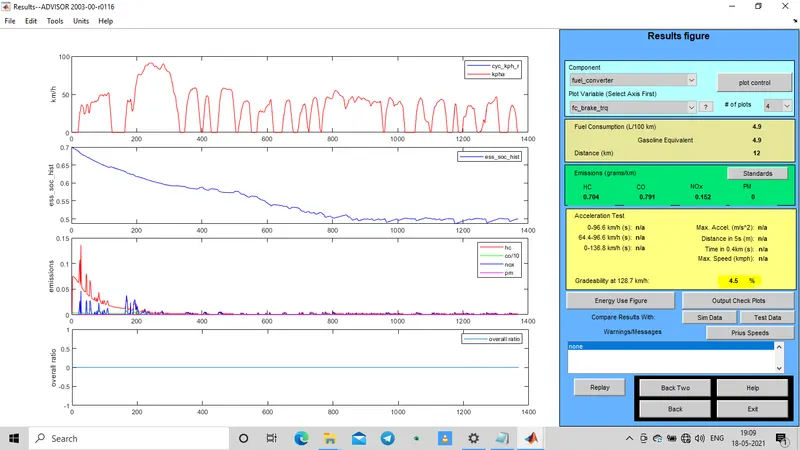
Gradeability = 4.5%.
Case 5: speed = 90mph.
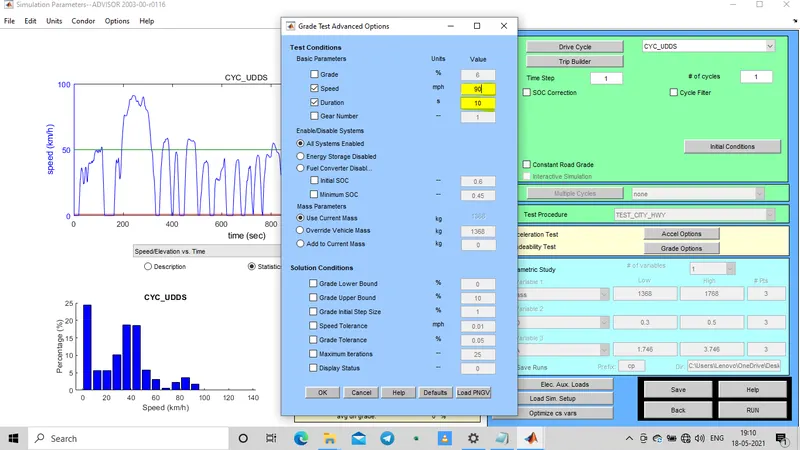
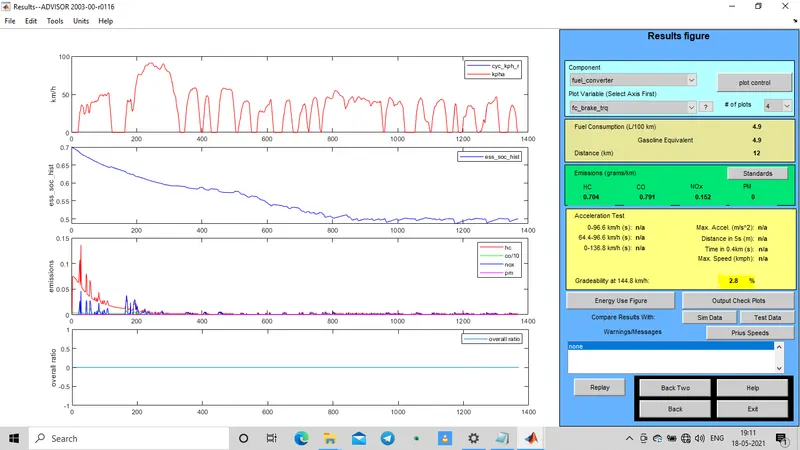
Gradeability = 2.8%
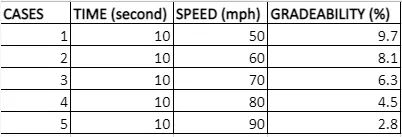
Conclusion: The Gradeability test is done for different speed ( case1 to case5) keeping the duration values constant and the results obtained is shown iin the below table.
Here we can notice that when speed of the vehicle increases the Gradeability decreases.