Week-3 Challenge: ADVISOR Tool
1. For EV_defaults_in file, if cargo mass is 500 kg with all other default conditions, can the vehicle travel for 45 km with FTP drive cycle? Conclude your observations.
In here we have to open the advisor tool in the matlab
ADVISOR TOOL
The National Renewable Energy Laboratory's (NREL) ADVISOR tool, created in November 1994, allows users to model and analyse traditional, modern, medium, and heavy vehicles, including hybrid electric and fuel cell vehicles. Users may use the tool to evaluate the impact of improvements to vehicle components (such as engines, batteries, catalytic converters, climate control systems, and alternative fuels).
Steps to start Advisor tool
First, we must launch the MATLAB programme.
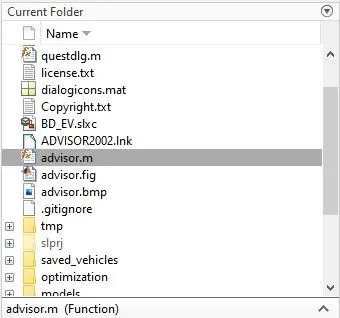
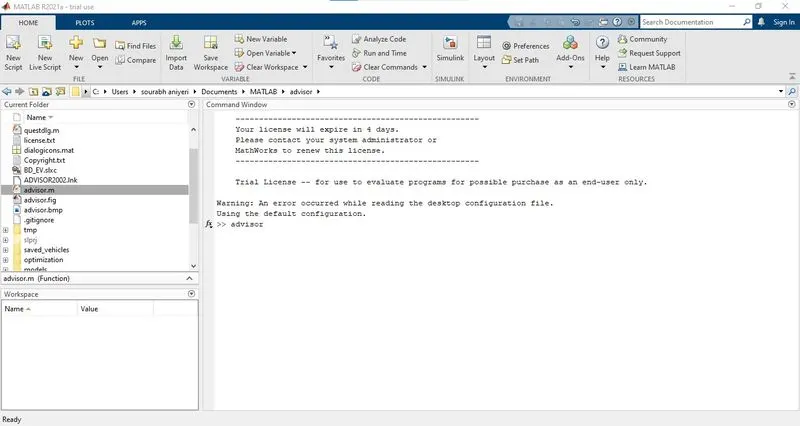
Then we must choose the default location advisor folder. and we must type "advisor" into the command window
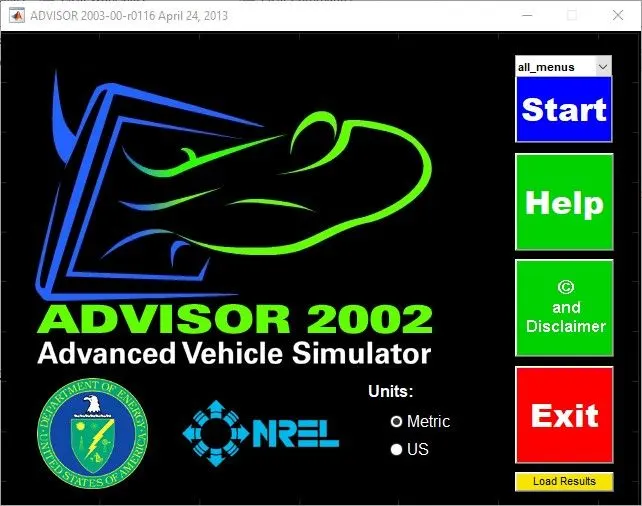
After typing the advisor into command window, another window will open, and we must click start.
Then, a vehicle input window will appear.
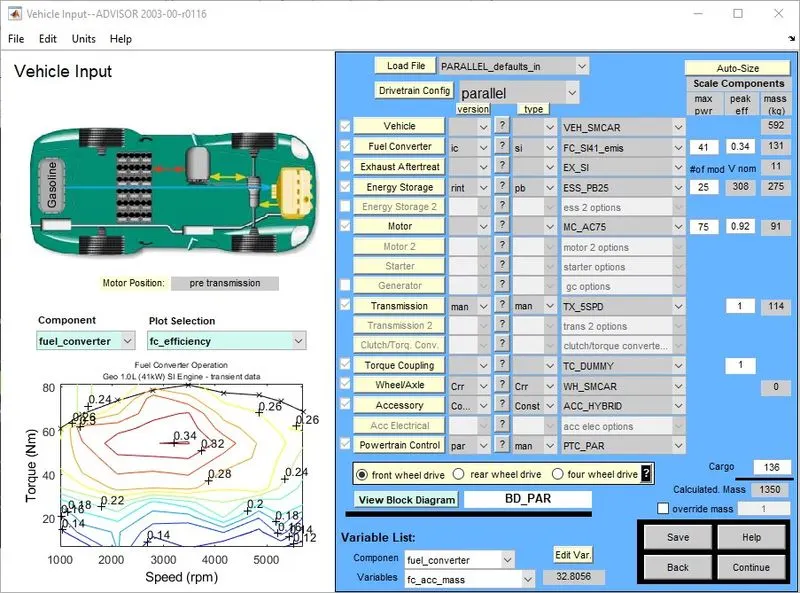
In this window, we can pick the vehicle model, mass, and everything else. They are given the file Ev default in, and the cargo weight is 500, which we can adjust from here.
- From the Vehicle Input window, we first change Parallel_default_in to EV_defaults_in.
- then changing the cargo mass to 500 kg
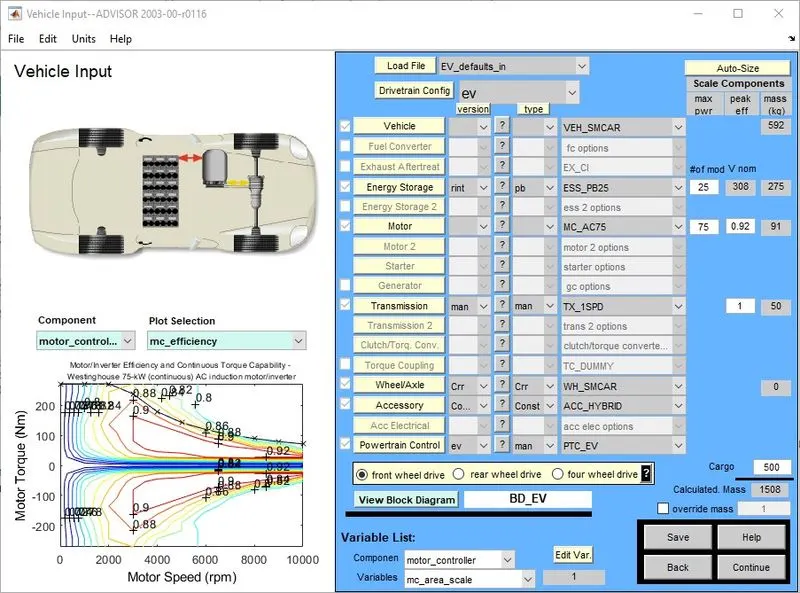
We modified the file and mass to 500 in here, so we can see the total mass measured, and then we must select continue.
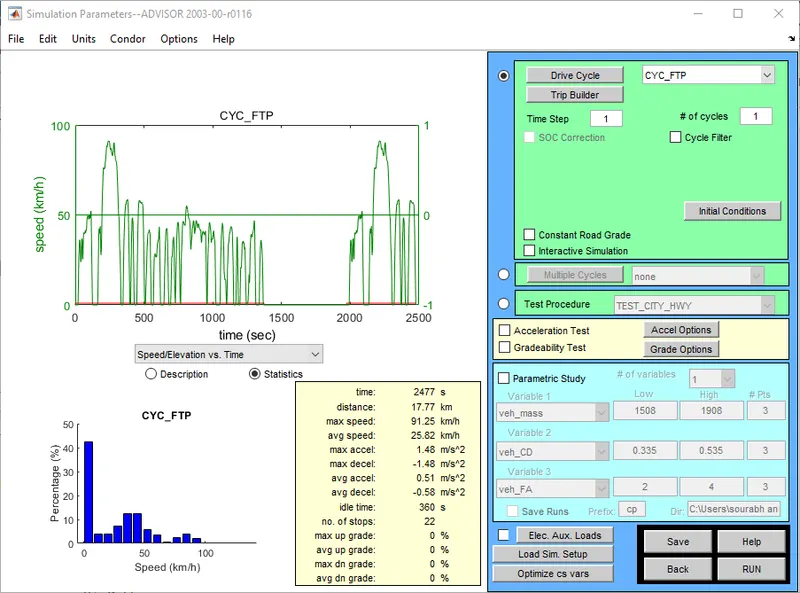
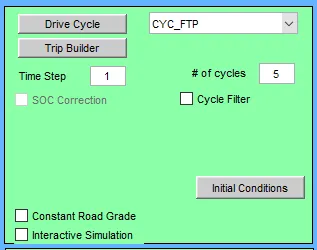
After pressing the continue button, we can see a parameter window. Since we want the FTP drive cycle, we must change the default drive cycle to CYC FTP and then press RUN.
We want select the cycle # of cycles and then find output
*First we have to select the drive cycle has 1
we can see the output
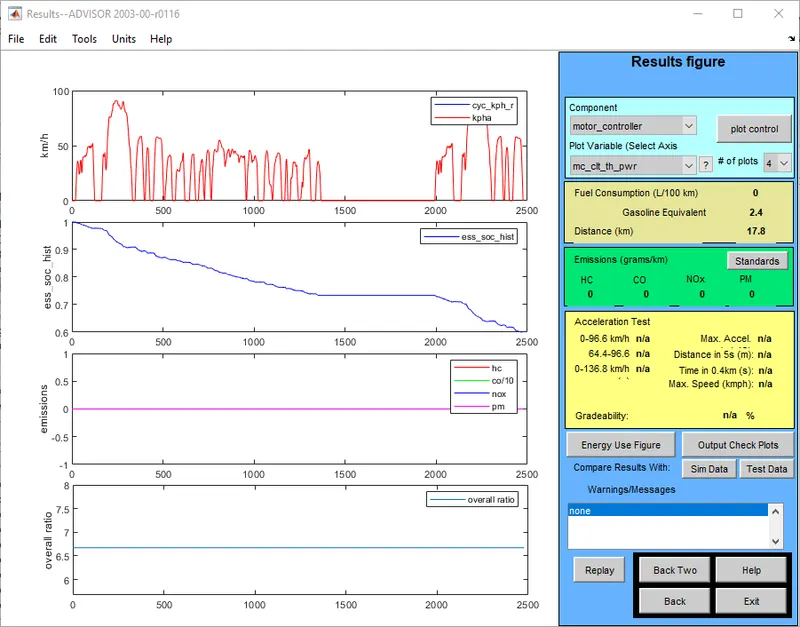
This is the performance that we have obtained; we can see that the vehicle travels 17.8 km and that the soc is reduced.it used almost 40% of soc
* We can change the drive cycle to 2 and see the output
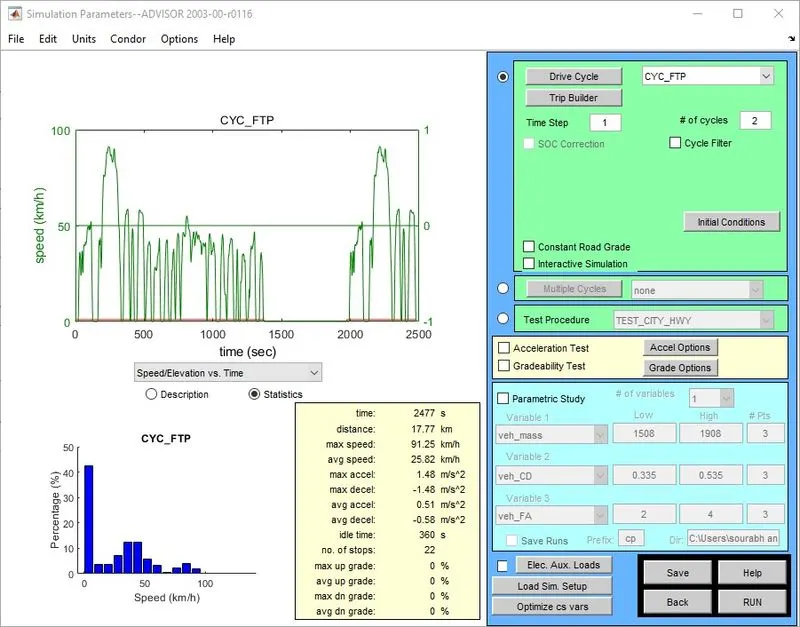
We changed the drive cycle to 2 in this section and can now inspect the output.
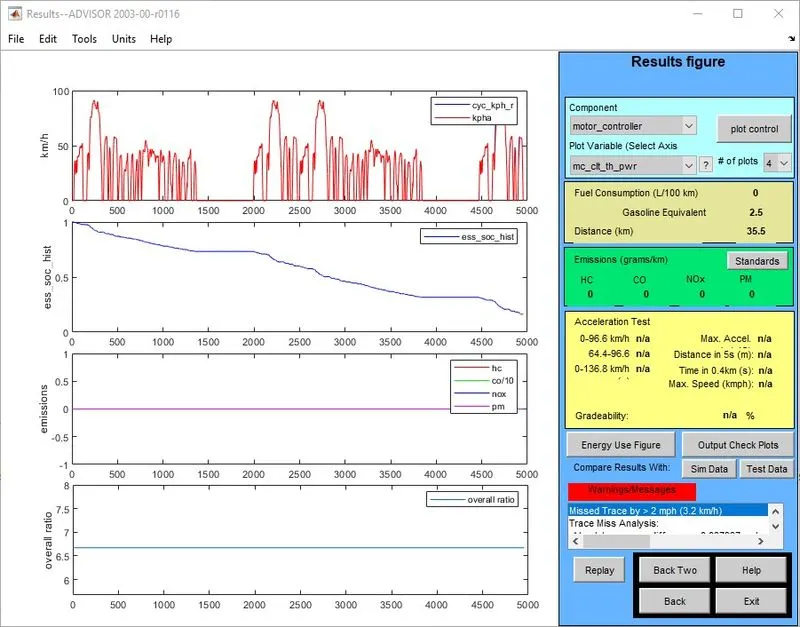
This is the performance that we have obtained; we can see that the vehicle travels 35.5 km and that the soc is reduced.it used almost 80% of soc and we can check for the drive cycle 3
* We can change the drive cycle to 3 and see the output.
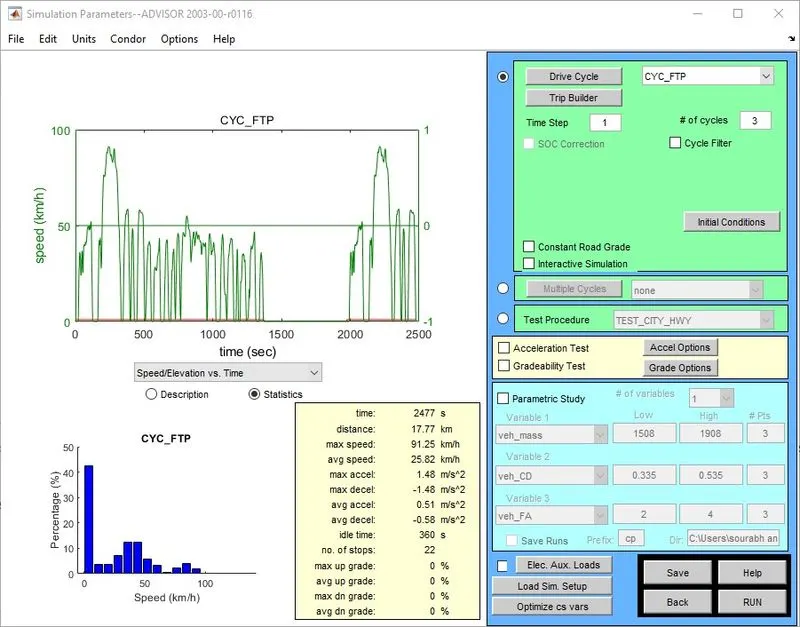
In this section, we adjust the drive cycle to 3 to see the performance and how far the vehicle travels.
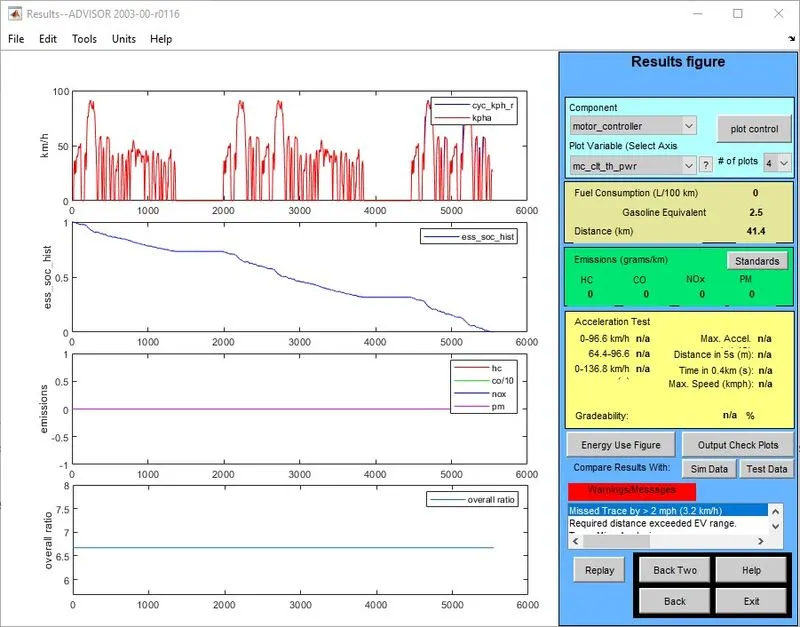
This is the performance that we have obtained; we can see that the vehicle travels 41.4 km and that the soc is reduced.SOC is 100% completed.
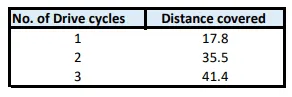
After examining the performance of the three driving cycles, we can see that at the lowest, the car can travel up to 17.8 km, at which point it absorbs 40% of the soc, and at the limit, the car can travel 41.4 km, at which point the soc is completely zero. As a result, the car has a maximum range of 41.4 kilometres.
2. In the above case, try changing the battery capacity and repeat the simulation.
We must adjust the battery capacity in this segment, which is set to 25 by default. The battery capacity must then be adjusted, and the vehicle's range determined.
In here

We can see that the battery storage values are 25 by default; we can adjust that to 50 and see how far the car can go by changing the driving cycle.

here we changed the battery storage value in to 50
* set the driving cycle in to 1
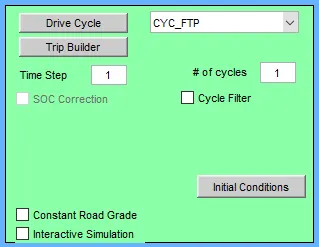
we set the driving cycle as 1 so the output will be
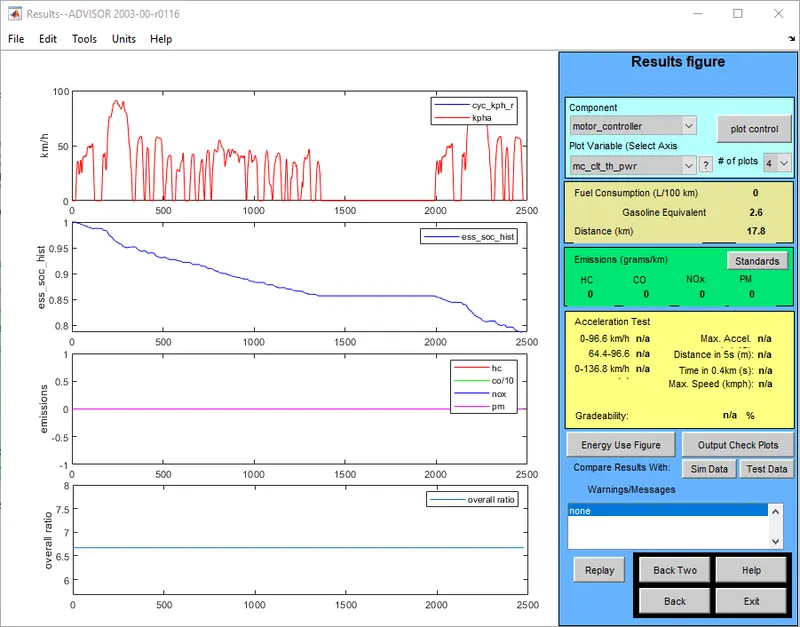
By changing the battery storage to 50 and the drive cycle to 1, we can see that the vehicle travels up to 17.8 km at this time 20 % soc is used.
* Set driving cycle as 2 and get the output.
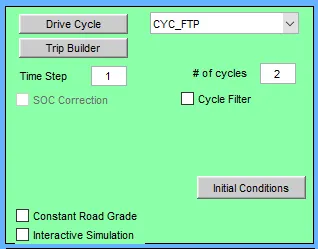
We set the drive cycle as 2 and check out the output
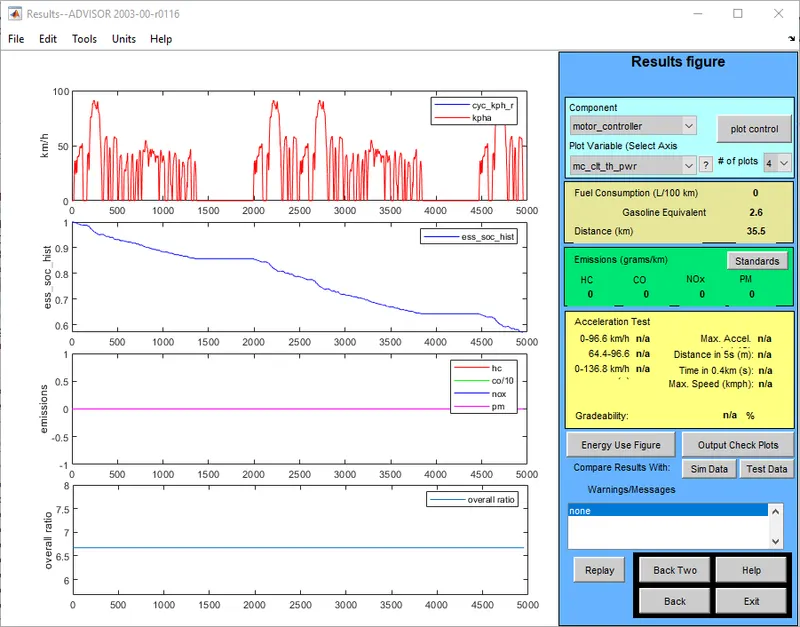
When we set the drivecycle to 2, the output is as shown above: the vehicle moves 35.5 kilometres and the SOC is used 40%.
* set the drive cycle as 3 then seen the output.
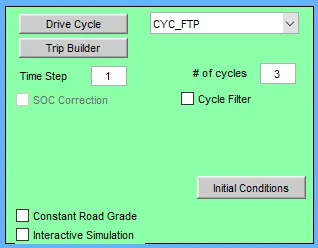
We set the drive cycle as 3 and output will be
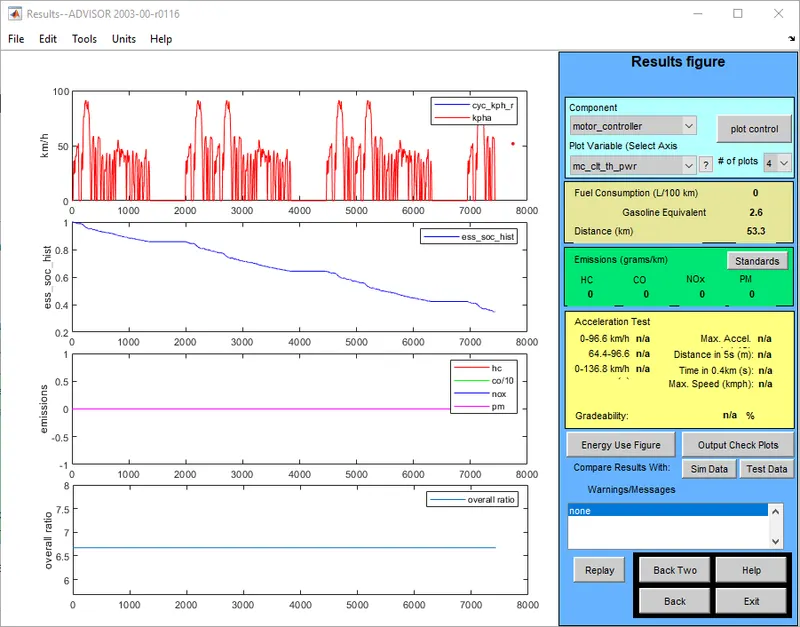
When we set the drivecycle to 3, the output is as shown above: the vehicle moves 53.3 kilometres and the SOC is used 60%.
* set drive cycle as 4 and checkout the output
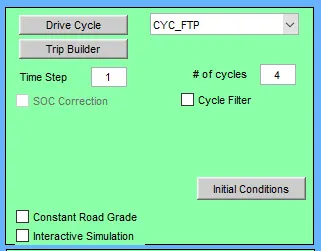
After insert the drive cycle has 4 and the output will be
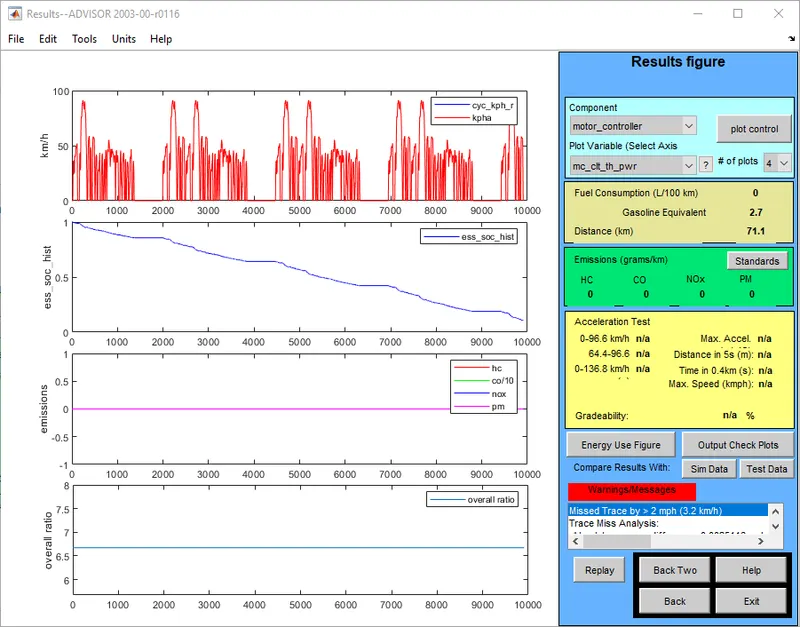
When the vehicle is in drive cycle 4, it drives or travels 71.1 km. As we can see, the soc is nearly zero.
* We can check how much car can travel in drive cycle 5
we can check the output
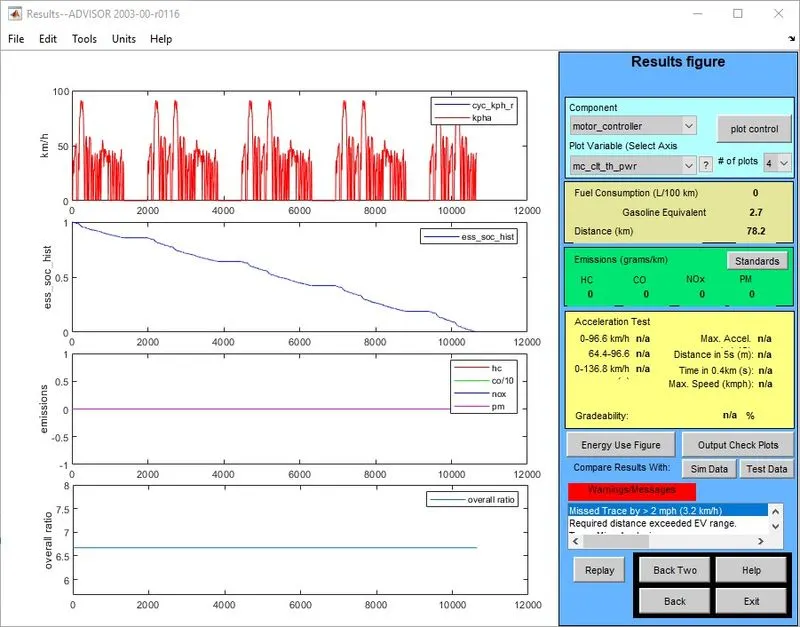
In this case, we can see that the soc is used completely, and the car is travels 78.2 km at the moment.
- In this case, the battery storage value was 25 at the time, and the voltage was 308; however, when we adjusted the storage value to 50, the voltage increased to 617.
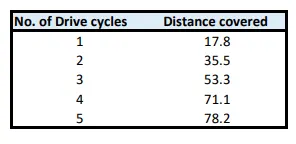
- After increasing the battery capacity, we can see that at capacity 25, the car can travel up to 41.4 km. After changing the battery capacity to 50, we can clearly tell that the car can travel up to 78.2 km.
3. Perform gradeability test with PRIUS_Jpn_defaults_in file
Compare your results in table and conclude.
in here we are checking the greadability test for the Toyota prius so that we have to change the model in to PRIUS_Jpn_defaults_in
that wil be
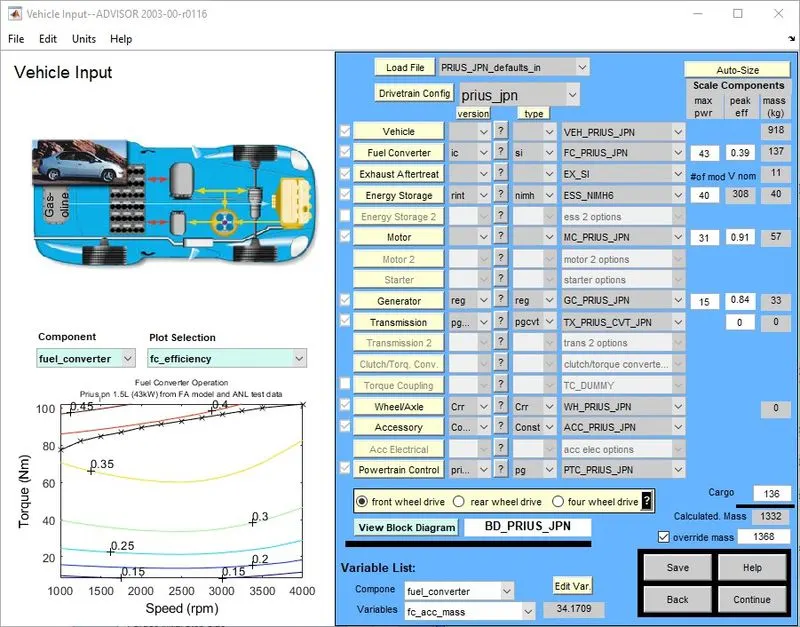
This is the Toyota Prius model. After receiving this, click the Continue button.
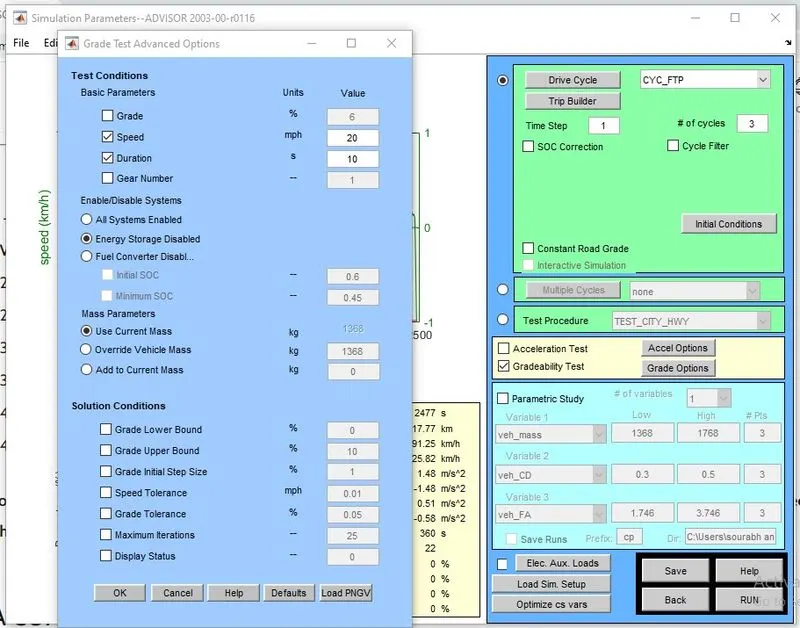
In this window, we must change the drive cycle, which we have set to 3, and we must find the gradeability test,
To test the gradeability, we must adjust the speed of the vehicles for a number of times and then compare the values.
* Set speed as 20 miles
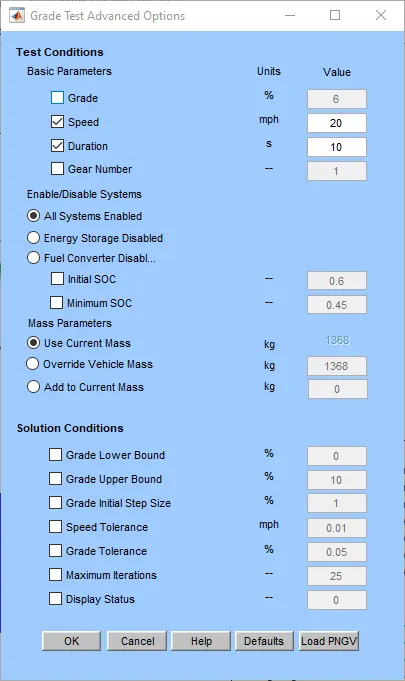
in here we set speed as 20 miles that is 32.2 kmph and we have to check the output
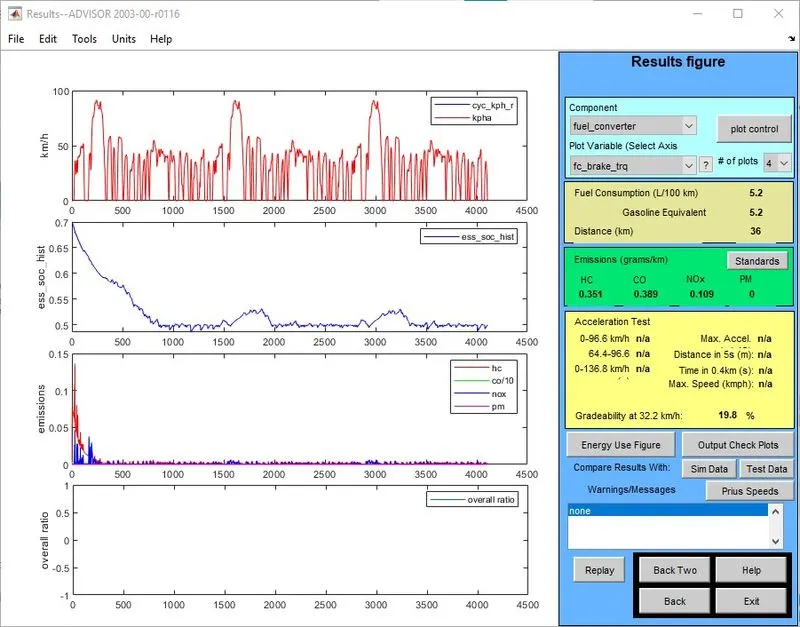
In this case, we choose the vehicle's speed to be 32.2kmph, as seen above, and the gradeability we get is 19.8 %
* set the speed as 25 and check the gradeability output.
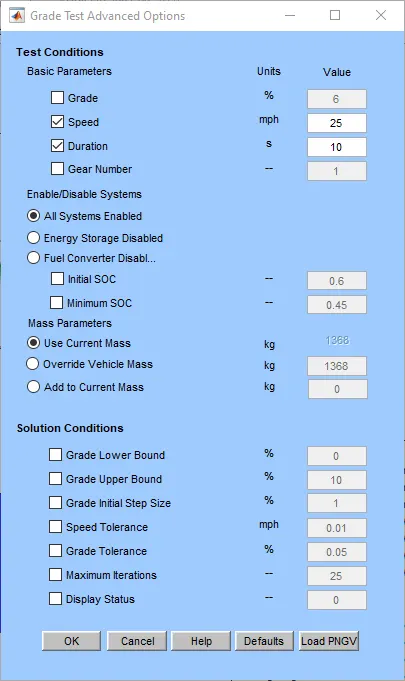
after set the speed as 25miles the output will be
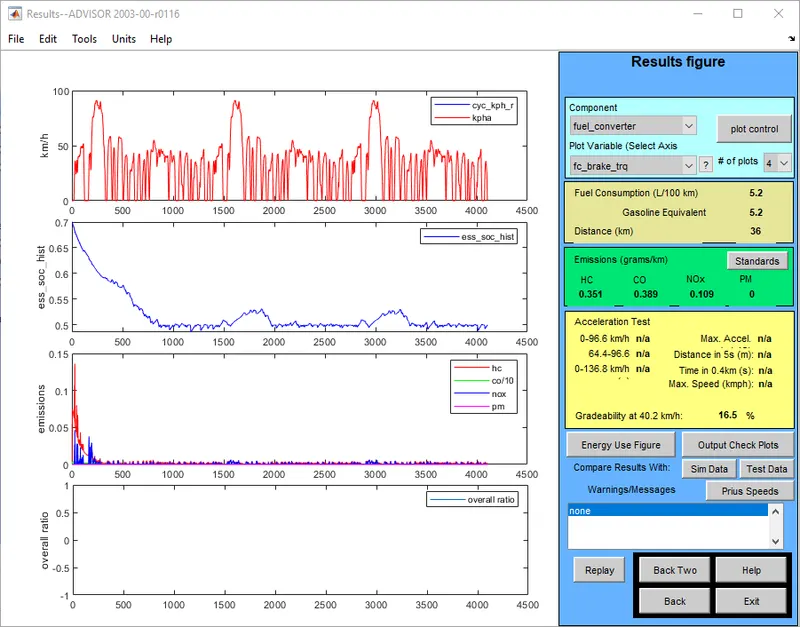
In this case, we choose the vehicle's speed to be 40.2kmph, as seen above, and the gradeability we get is 16.5 %
* We have to set the speed as 30 miles and check the gradeability .
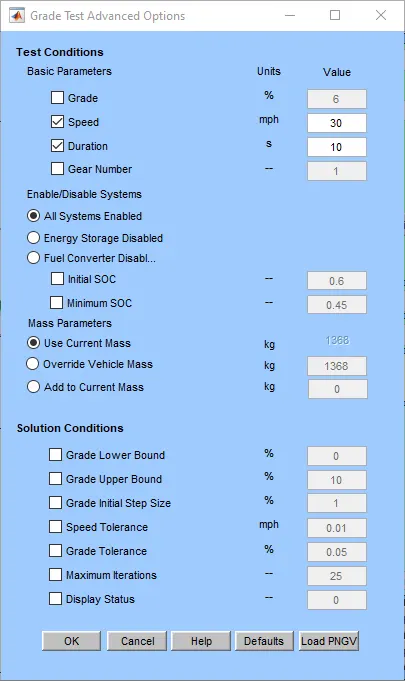
after changing the speed in to 30 miles and check the output.
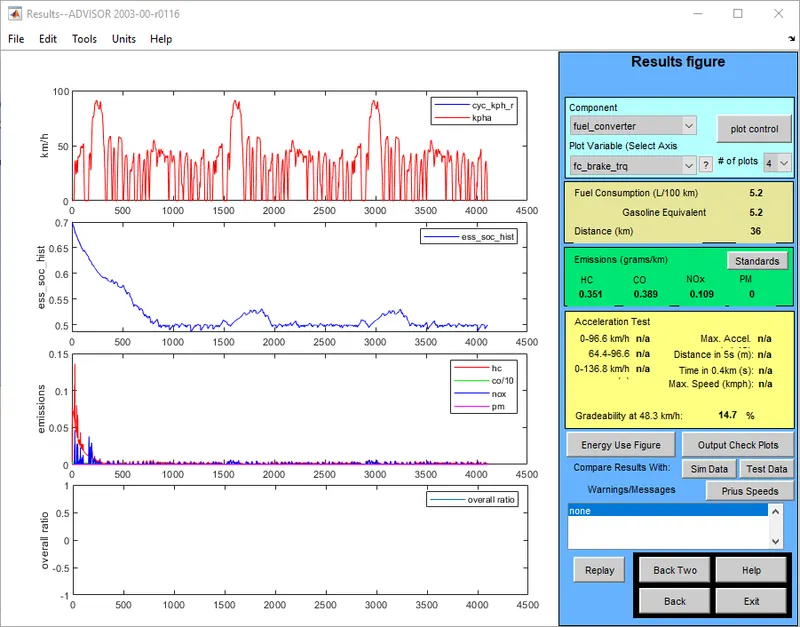
In this case, we choose the vehicle's speed to be 48.3kmph, as seen above, and the gradeability we get is 14.7 %
* set the speed as 35 miles and check the output
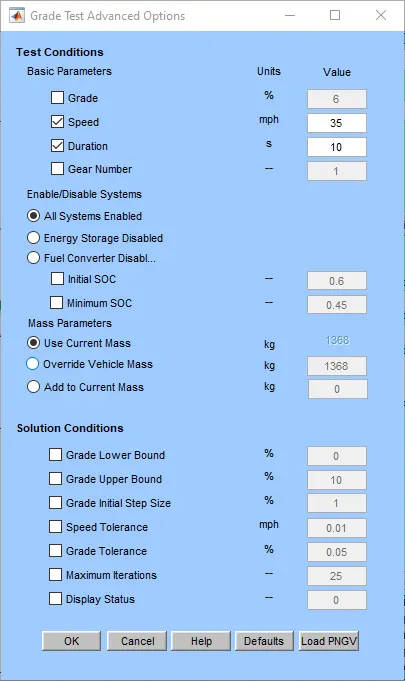
in here we set speed as 35 miles and cheked out the gradeability output
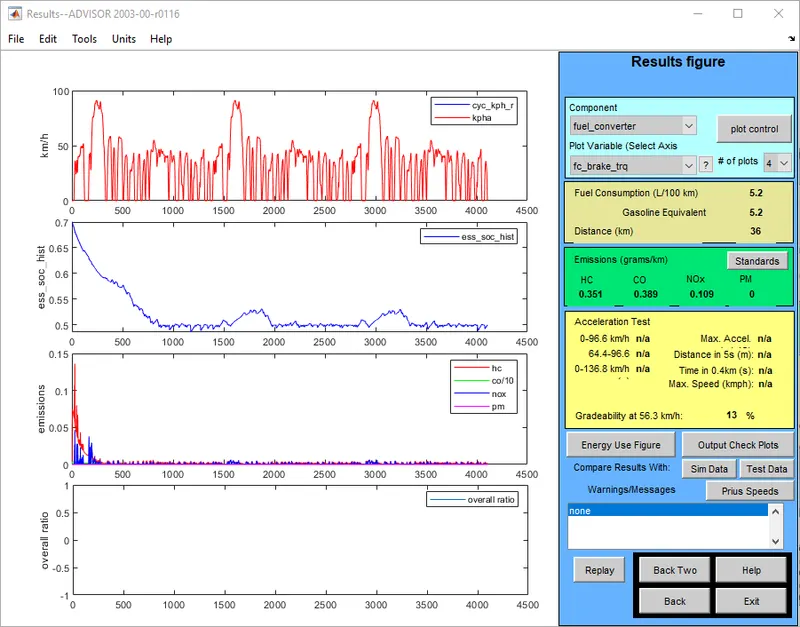
In this case, we choose the vehicle's speed to be 56.3kmph, as seen above, and the gradeability we get is 13 %
* We set speed as 40 miles and get output.
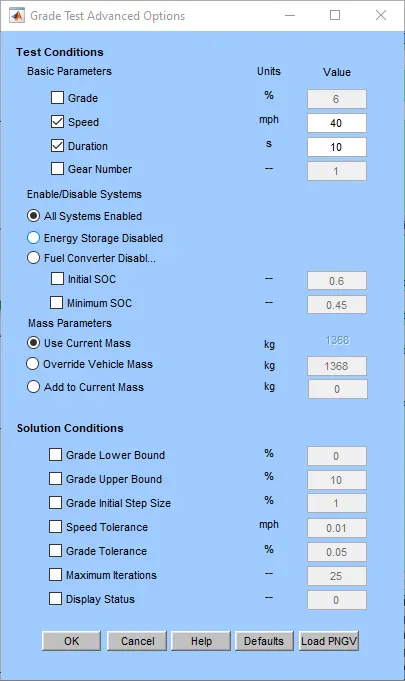
we set the speed 40 miles and checked gradeability output.
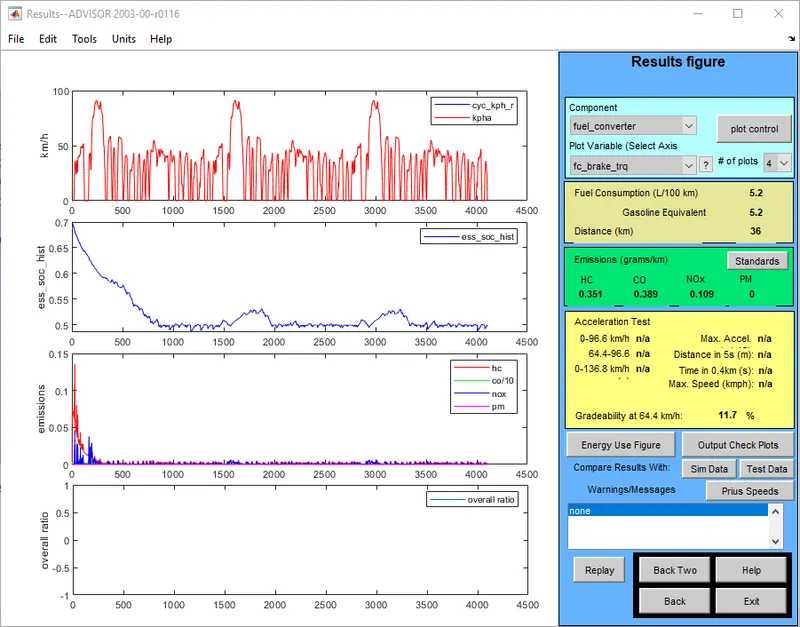
After changing the speed as 64.4 kmph we get the gradeability 11.7%
These are the gradeability output which we are taken after sets various speeds at duration set as 10 seconds.
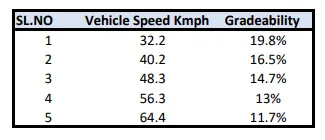
These are the various speed which we selected for checking the gradeability percentage.
In this case, we can see that as the speed increases, the gradeability decreases.
CONCLUSION
- In here .we checked EV_defaults_in file as mass is 500 kg and we compare the FTP drive cycle
- After that we changed the battey capactity and compared the output.
- Then for Toyota PRIUS we checked the gradeabilty and compared.
- As a result, all of the questions are completed in according with the conditions specified and all the required files are attached