Week-3 Challenge: ADVISOR Tool
1. For EV_defaults_in file, if cargo mass is 500 kg with all other default conditions, can the vehicle travel for 45 km with FTP drive cycle? Conclude your observations.
AIM:To Use ADVISOR tool and simulate the above.
ADVISOR (Advanced Vehicle Simulator) TOOL:
- The U.S. Department of Energy (DOE) and the National Renewable Energy Laboratory (NREL) have worked with industry partners to develop a sophisticated systems analysis tool that can answer crucial questions about specific component and vehicle designs.
ADVISOR (Advanced Vehicle Simulator) is a model written in the widely used MATLAB/Simulink software environment. - It can be used to simulate and analyze conventional, advanced, light and heavy vehicles, including hybrid electric and fuel cell vehicles. ADVISOR tests the effect of changes in vehicle components (such as motors, batteries, catalytic converters, climate control systems, and alternative fuels) or other modifications that might affect fuel economy, performance, or emissions.
- The user can alter simulation results by selecting vehicle component types, sizes, and parameters.
Step1:Open ADVISOR tool by using command advisor in MATLAB command prompt.
Step2:Select EV_defaults_in file in ADVISOR Tool input GUI.
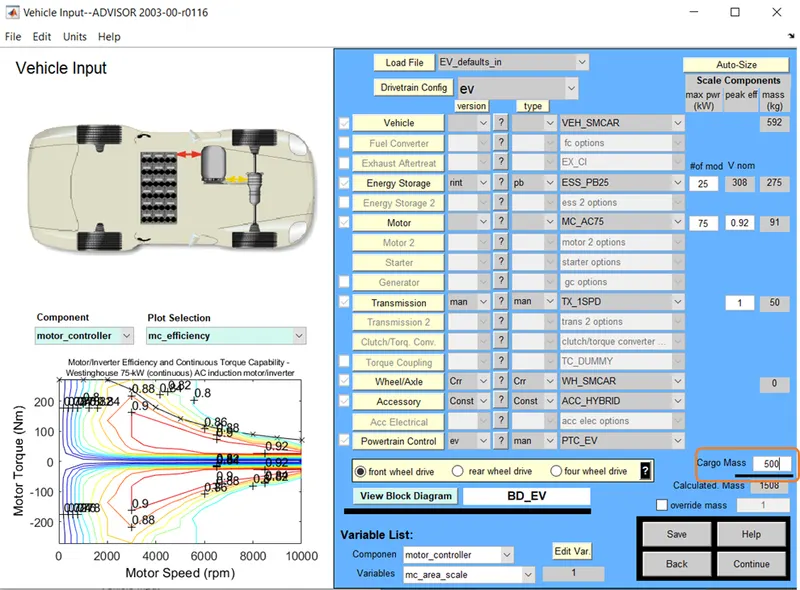
Step3:Change the cargo mass as 500 kg with all other default conditions unchanged.
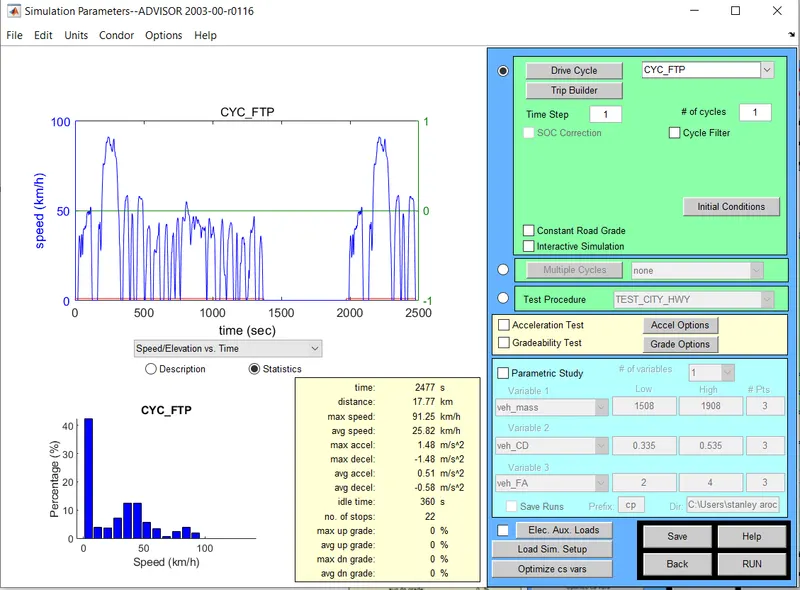
Step4:Select the drive cycle as CYC_FTP.
We infer that for 1 cycle the distance covered is 17.77km,to make our vehicle to travel at 45km set drivecycle to 2.53 or 2.6(approx)
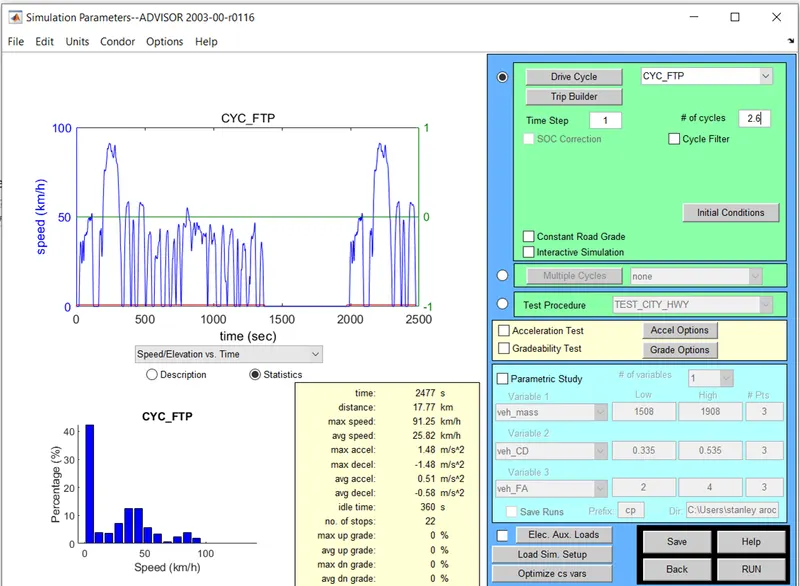
Step5:Click RUN button for the simulation.
OBSERVATION:
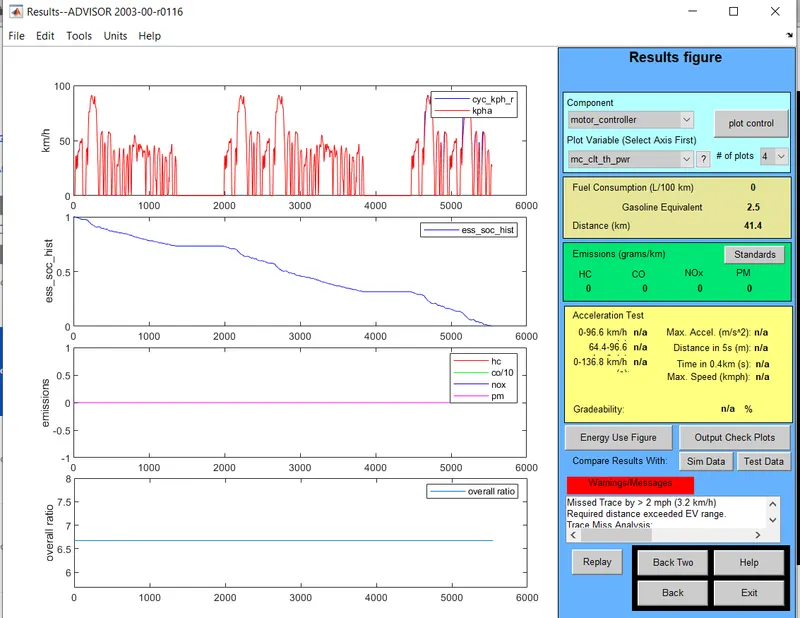
The following Warning message is shown.
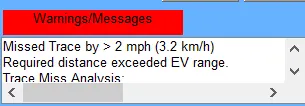
From this we infer that in a single recharge of battery the vehicle could'nt achieve the desired target distance. So we need to increase the battery charge level.
We can also see the distance 41.4km alone is covered and %of SOC (State of charge) graph shows that has reached zero at 5.5 sec.
2. In the above case, try changing the battery capacity and repeat the simulation.
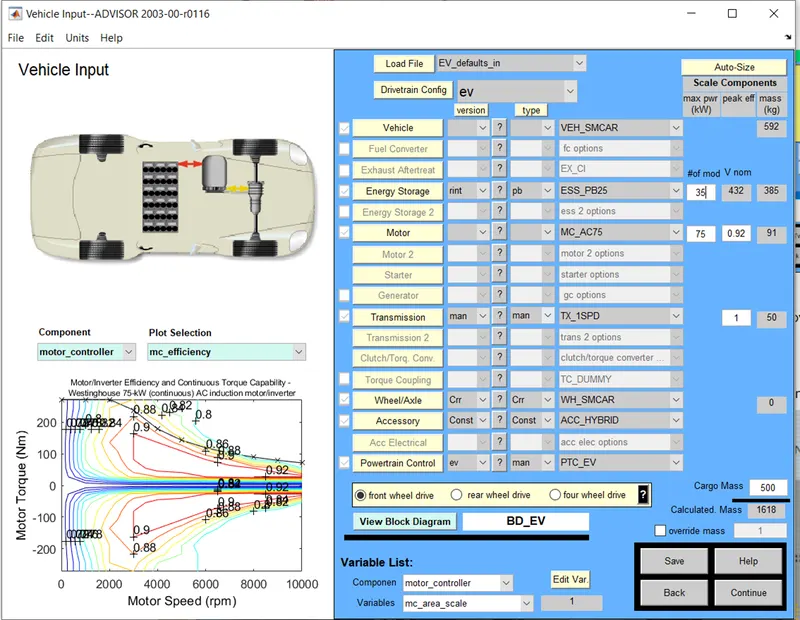
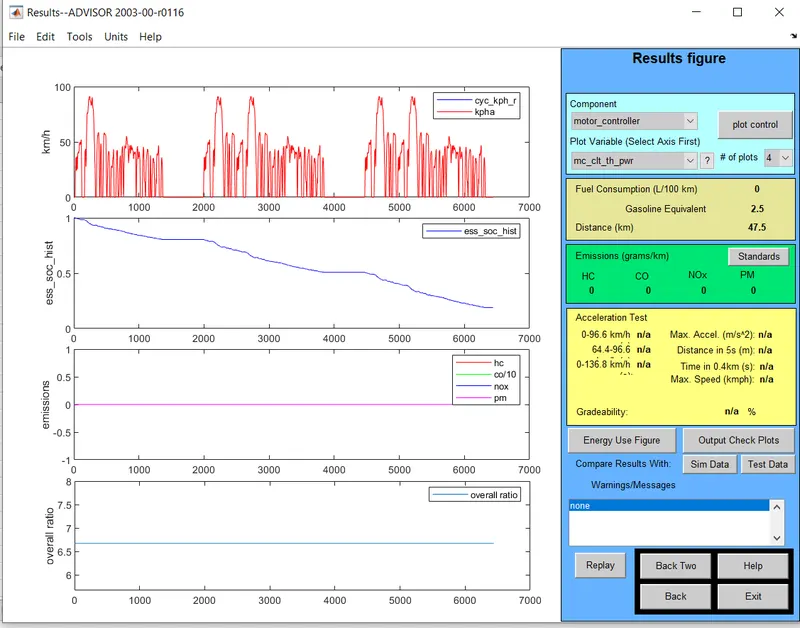
Step1:Open the previous simulation in ADVISOR tool and change the battery capacity to 35 modules and repeat the simulation.
Observation:
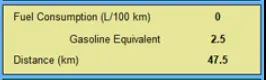
We infer that in by increasing the the battery level the vehicle could achieve the desired target distance.
3. Perform gradeability test with PRIUS_Jpn_defaults_in file
Compare your results in table and conclude.
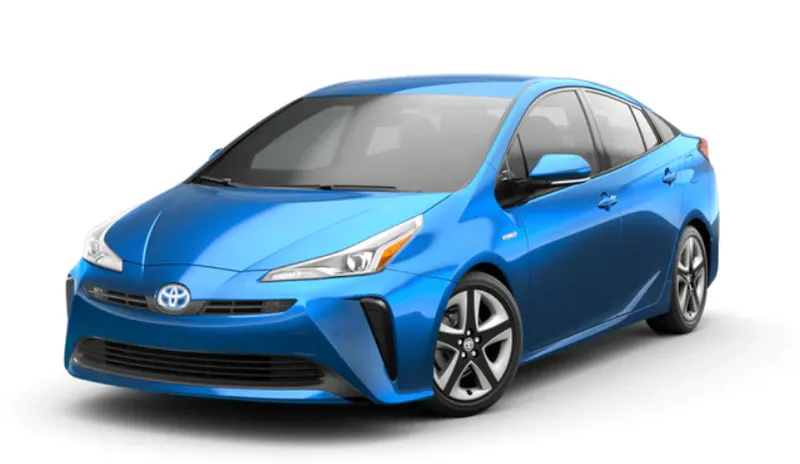
Step1:Open ADVISOR tool by using command advisor in MATLAB command prompt.
Step2:Select PRIUS_Jpn_defaults_ file in ADVISOR Tool input GUI.
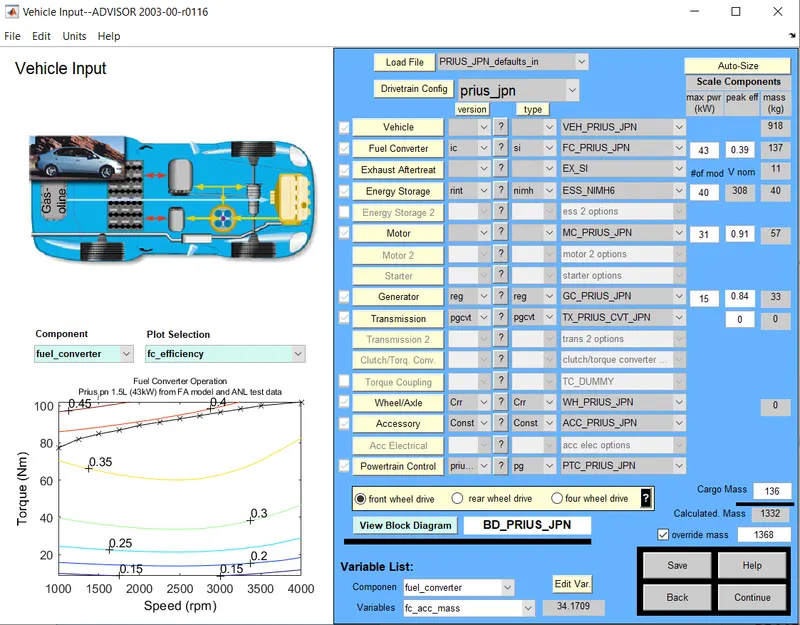
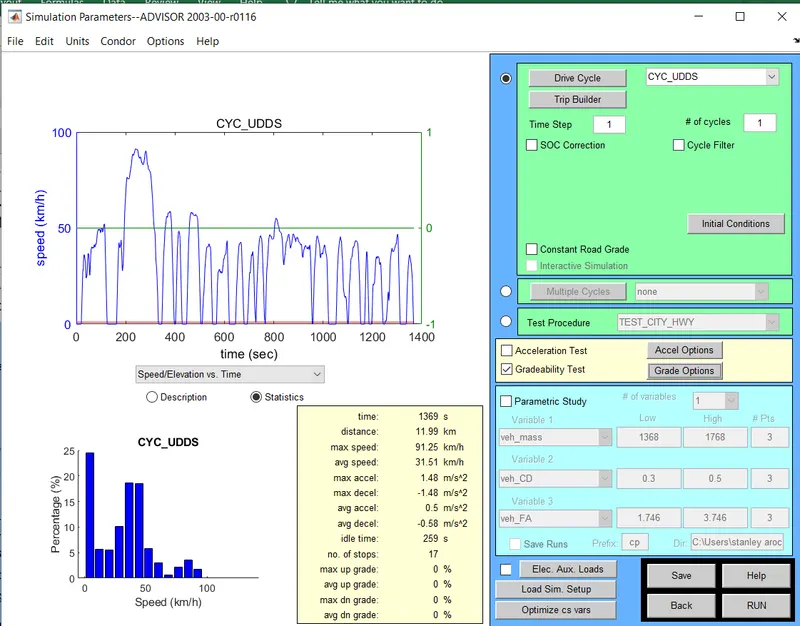
Step3:Select Continue and move to next window .
Select Gradeability test with all other default conditions unchanged
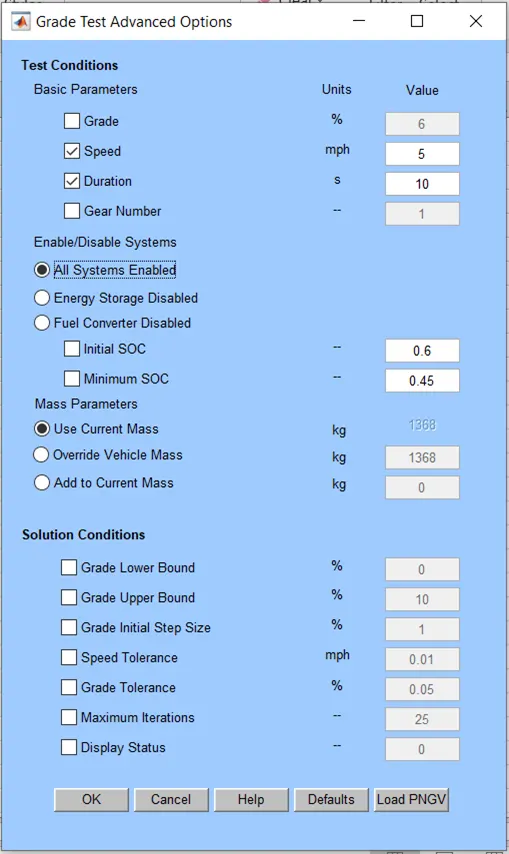
Step4:In the GradeTest Advanced Options tab select the follwing:
Set Speed->5mph
Duration->10s
Check All systems enabled.
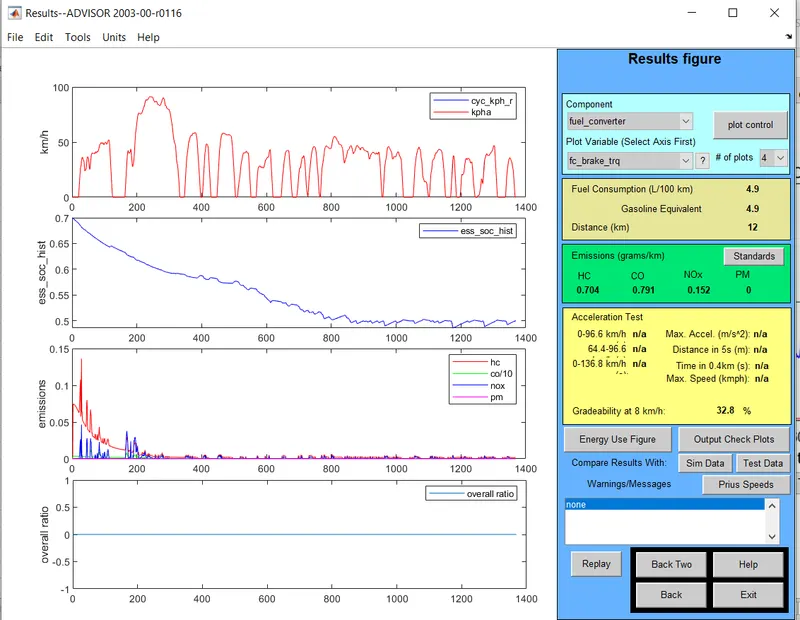
Step5:Run the simulation.We could infer that the gradeability level is 32.8%.
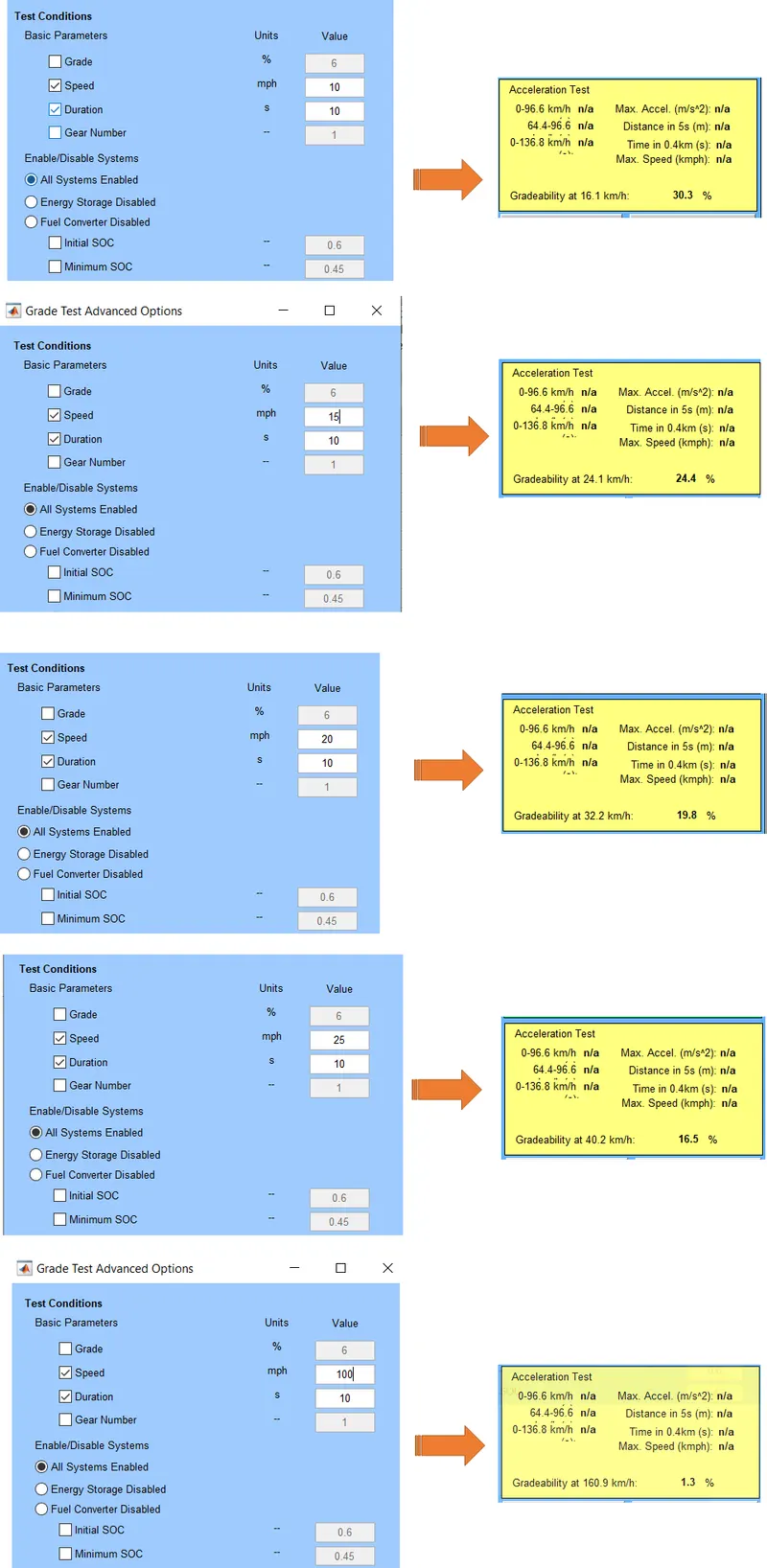
Step6:Similarly run the Gradeability test simulation for 10,15,20,25,100 mph.
OBSERVATION:
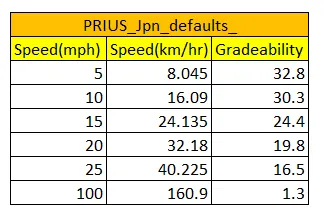
From the gradeability test conducted for PRIUS_Jpn_defaults_file for TOYOTO_PRIUS model car at the following speed limit 10,15,20,25,100 mph.
We infer that gradeability decreases with increase in speed of the car.
RESULT:
By using ADVISOR simulator the above test are performed.