Project 1
Project title:Traffic Jam Assistant Feature
Aim: To develop one specific requirement of Traffic Jam Assistant algorithm which would predominantly feature in the IPC algorithm.
Objectives:
- This model must be developed in MATLAB Simulink as per MBD guidelines.
- Code Generation Profile must be in Embedded Coder.
- Simulink Data Dictionary must be created for the model & must be linked to the model.
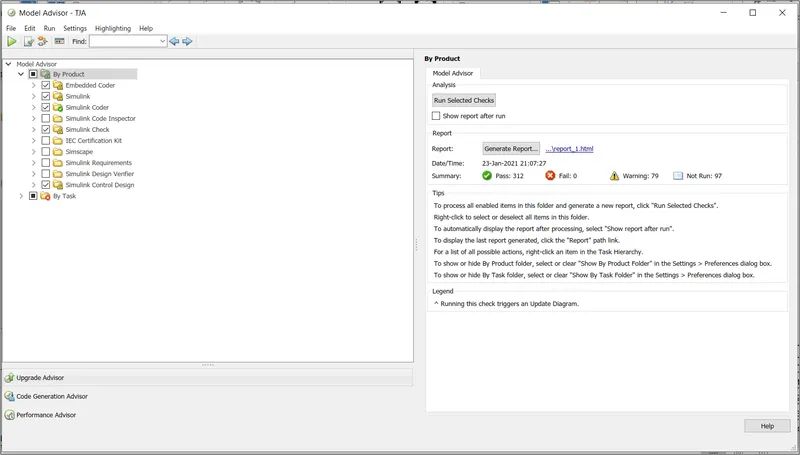
- Model Advisor Report is mandatory & this will be followed by Code Generation.
Project description:
Traffic Jam Assistant is one of the most common feature in Advanced Driver Assistance System. Traffic Jam Assistant helps the driver arrive more relaxed at their destination, even in dense traffic or in traffic jams. As a partially automated comfort function, the system takes over the longitudinal & lateral guidance of the vehicle. This means that the car can drive off, accelerate & brake automatically, as well as steer the vehicle within certain constraints. The driver has to permanently supervise the system & be ready to take over the complete control of the vehicle at any time.
Traffic Jam Assistant system helps to avoid rear end collisions in dense traffic conditions & traffic jams. In Traffic jams, the vehicle takes over driving off, acceleration, braking and steering within same lane.
Process overflow:
Step 1:Simulink model creation-To create a simulink model for the "Traffic Jam Assist".
Step 2:Simulink data dictionary creation-To create simulink data dictionary from the Signals & Calibration Data List.
Step 3:Auto code generation-To perform auto-code generation for the given simulink model using embedded coder.
Step 4:Configuration Parameter changes and Model Advisor check-To perform Configuration Parameter changes and Model Advisor check for the given simulink model.
Step 1:To create a simulink model for the "Traffic Jam Assist".
Simulink model:
Overall model of Traffic jam Assist:
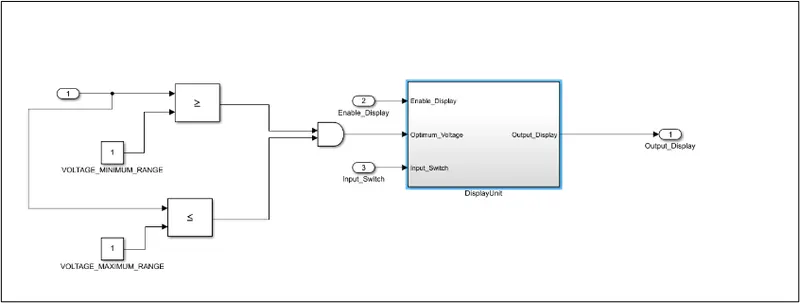
Display unit-Logic
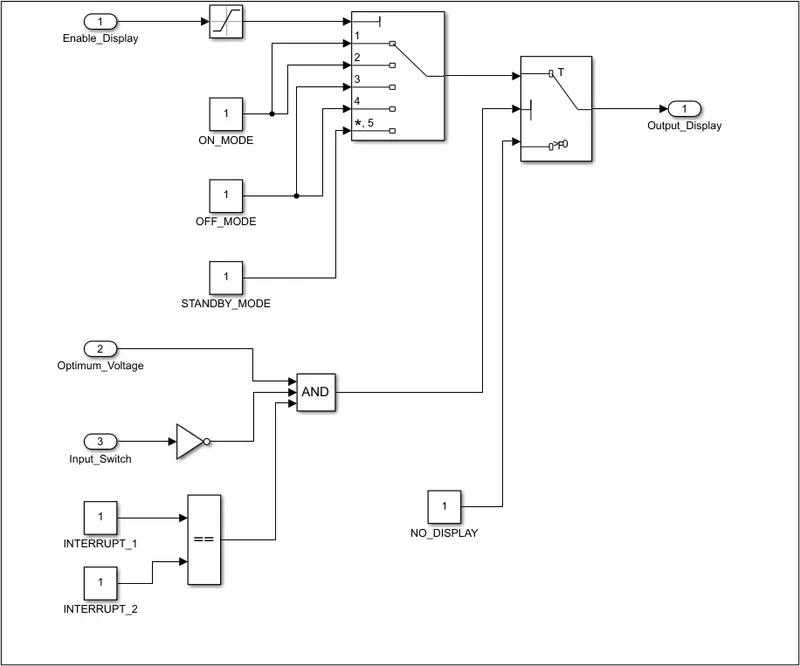
Step 2:Simulink data dictionary creation-To create simulink data dictionary from the Signals & Calibration Data List.
Simulink data dictionary:
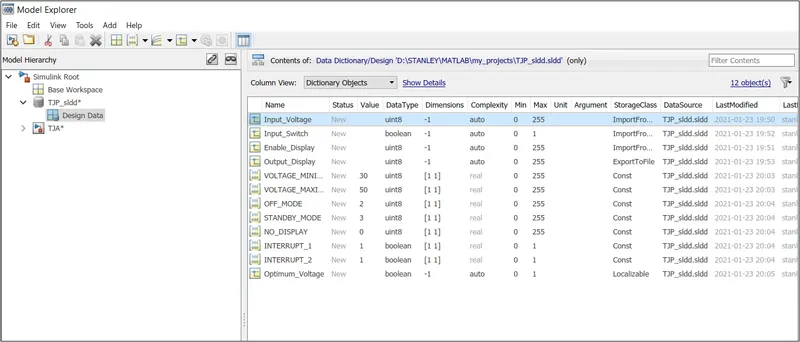
Step 3:Auto code generation-To perform auto-code generation for the given simulink model using embedded coder.
Code generation report:
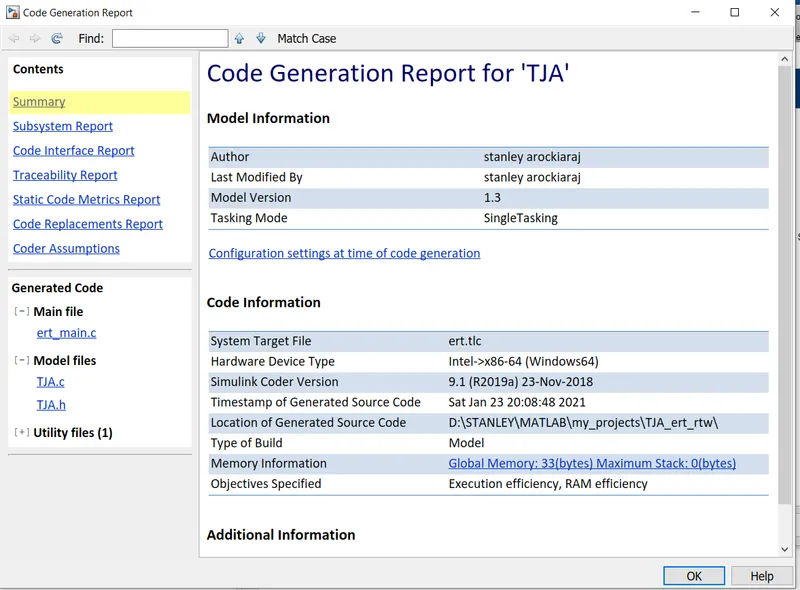
Step 4:Configuration Parameter changes and Model Advisor check-To perform Configuration Parameter changes and Model Advisor check for the given simulink model.
Model advisory check report:
Result:
- The simulink model wasdeveloped in MATLAB Simulink as per MBD guidelines.
- Code Generation Profile was done by Embedded Coder.
- Simulink Data Dictionary was created for the model & must be linked to the model.
- Model Advisor Report is generated.