Week-3 Challenge: ADVISOR Tool
Use ADVISOR tool and simulate the following
- For EV_defaults_in file, if cargo mass is 500 kg with all other default conditions, can the vehicle travel for 45 km with FTP drive cycle? Conclude your observations.
ANS:-
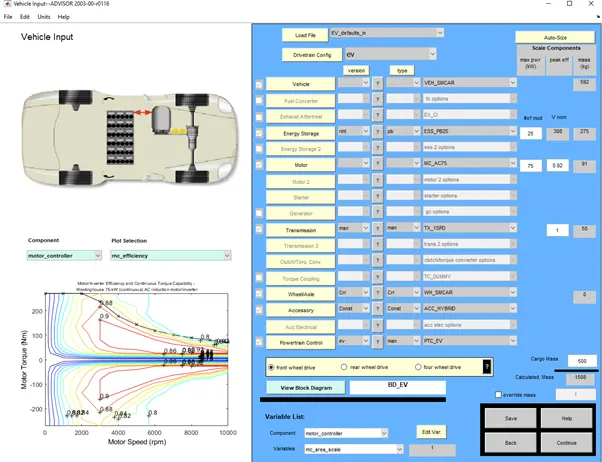
The EV default model is been taken as per all default values / parameters only the cargo mass of vehicle is been increased to 500kg .
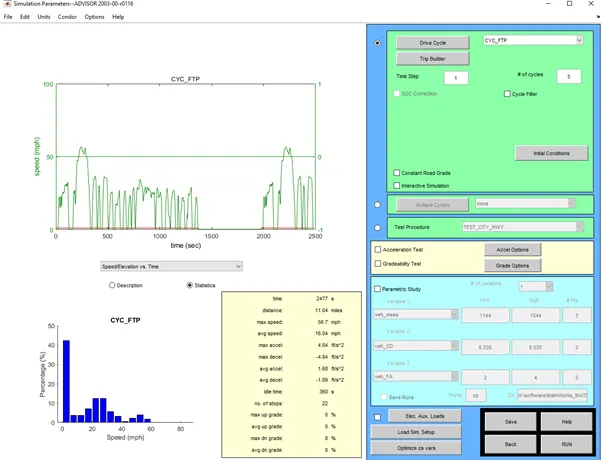
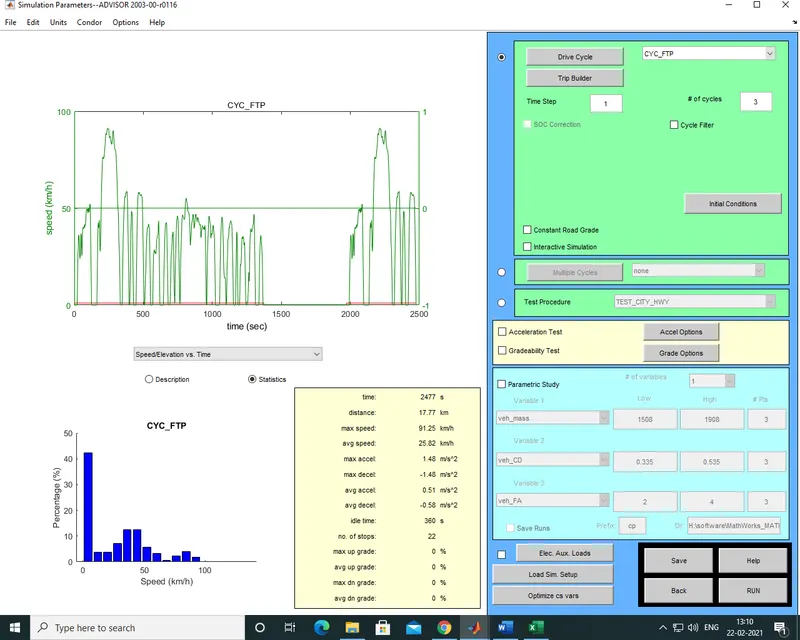
As the driving cycle is considered to be CYC_FTP the distance covered in that 1 no. of cycle is 11.04 miles which is around 17.76 km for getting 45km total driving range or distance the 3 no. of CYC_FTP driving cycle are considered which gives total distance of 11.04*= 33.12 miles which is around 53.30 km.
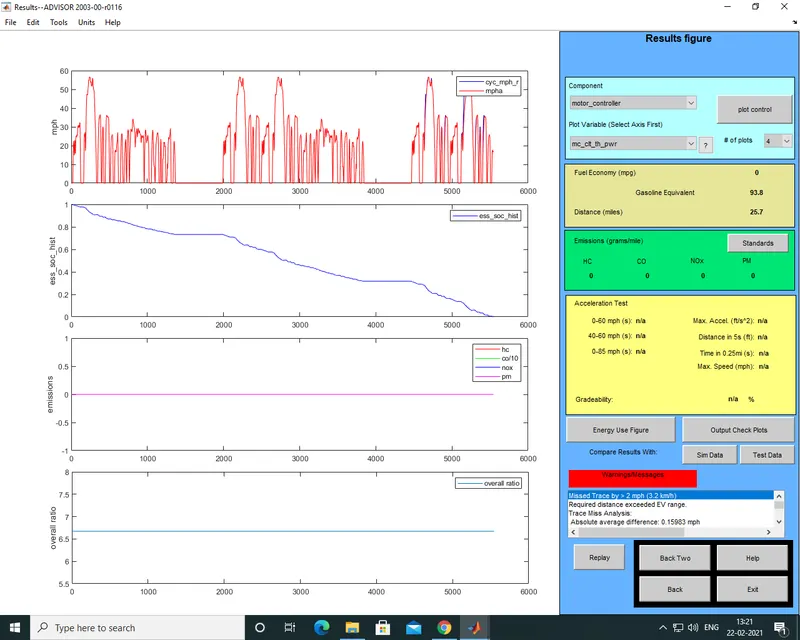
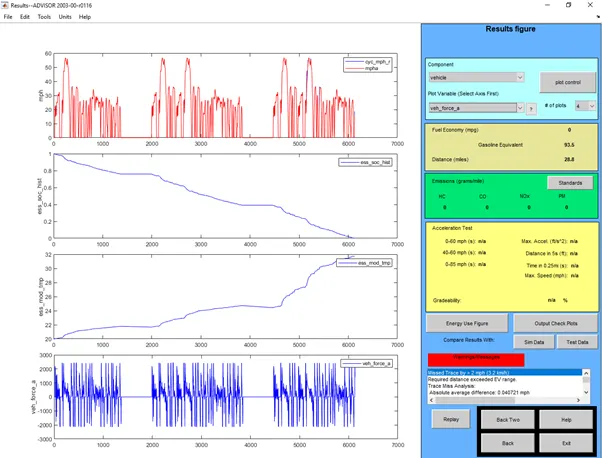
The distance which is covered by default energy storage ESS_PB25 is less than 45 km the range which the vehicle can achieve from this default battery pack is about 25.7 miles which is around 41.36 km , so this battery pack is not sufficient to get 45 km of range in single charge .
the result screenshoot is been atached below:-
- In the above case, try changing the battery capacity and repeat the simulation.
ANS:-
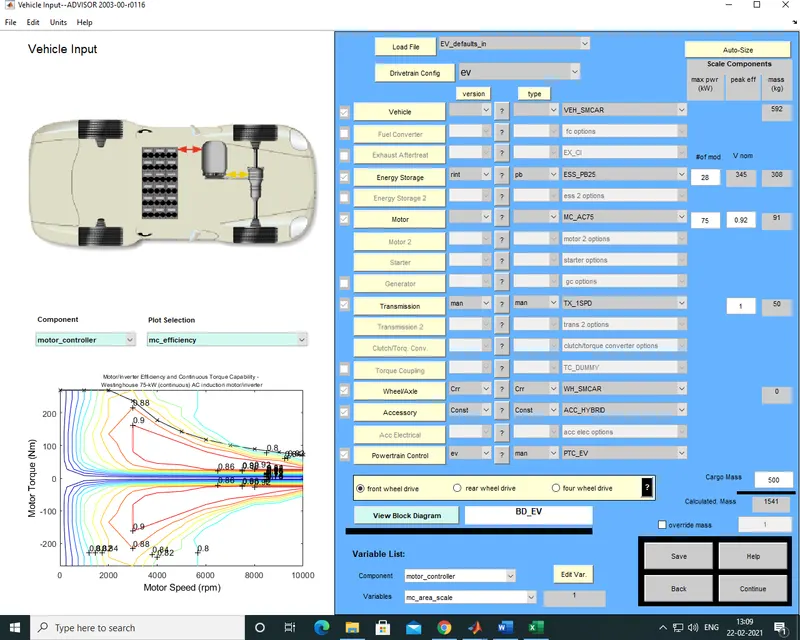
To get 45 km of range the battery pack or energy storage system is upgraded from ESS_PB25 #no.mod =25 to ESS_PB25 #no.mod =28 then I am able to get the range of 28.8 miles which is around 46.34 km.
in the below fif the Energy storage system is modigied :-
the driving cycles is set as CYCLE_FTP and no. of cycles as per set in previous question:-
the results are as follows:-
- Perform gradeability test with PRIUS_Jpn_defaults_in file
Compare your results in table and conclude.
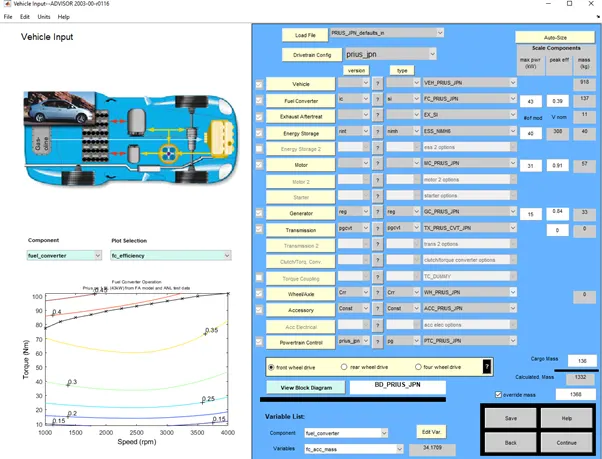
- For performing the gradeability test first step is to open the PRIUS Jpn default file or load that file
- Keep all the parameters as default and click on the continue block at bottom right corner of that window.
3.The new window will get open there select the required driving cycle I have selected Cycle _UDDS
4.Below that there’s an option of Gradeability test click that box.
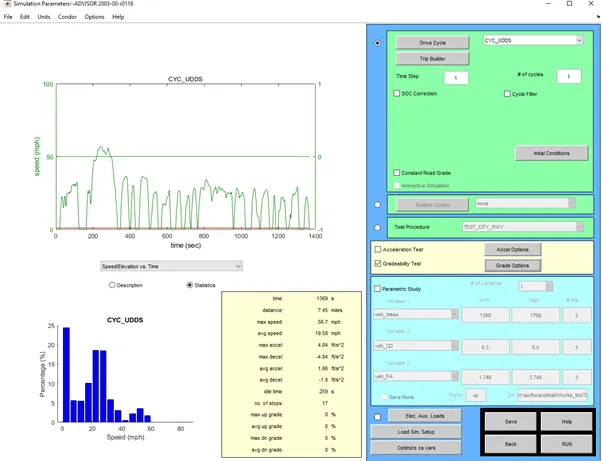
5.Click on grade option block to change the advance option related to Gradeability test
6.New window will open , in TEST CONDITIONS click or select only speed and duration block , In enable/disable system select all system enabled.
7.Then at last click on ok & RUN the simulation.
|
Speed (miles) |
Gradeability (%) |
|
10 |
30.3% |
|
20 |
19.8% |
|
30 |
14.7% |
|
40 |
11.7% |
|
55 |
8.9% |
|
64 |
7.4% |
|
98 |
1.6% |
Conclusion :-
As the speed is increasing the gradeability is decreasing , the highest gradeability that we have is 30.3% at 10 miles & the lowest gradeability is 1.6% at 98 miles of speed.