ADVISOR Tool using MATLAB SIMULINK
AIM :
- For EV_defaults_in file, simulate for the range of the vehicle carrying the Payload of 500Kg.
- Changing the Battery Capacity of the above vehicle for the next simulation.
- To perform the Gradeability test for PRIUS_Jpn_defaults_in vehicle
METHOD :
1, Ev_defaults_in :
- To check if the vehicle can travel 45Km with cargo mass of 500Kg with all other default conditions, with FTP drive cycle.
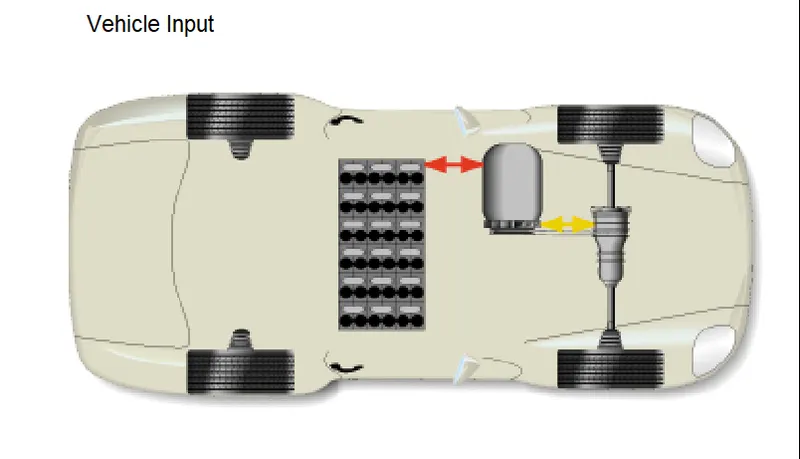
Open the ADVISOR tool and load the file :
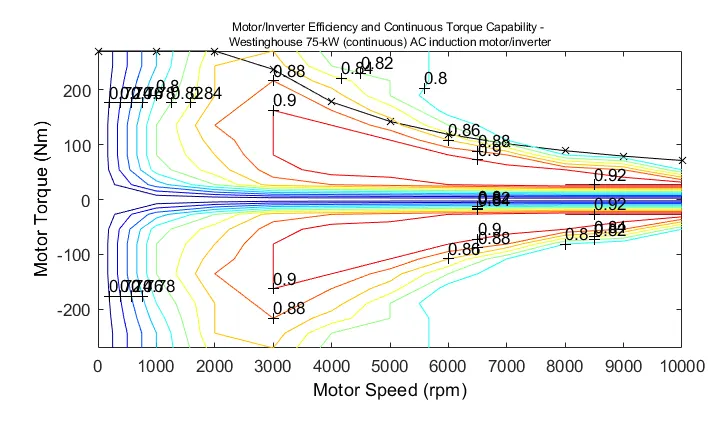
MOTOR CHARACTERISTICS :
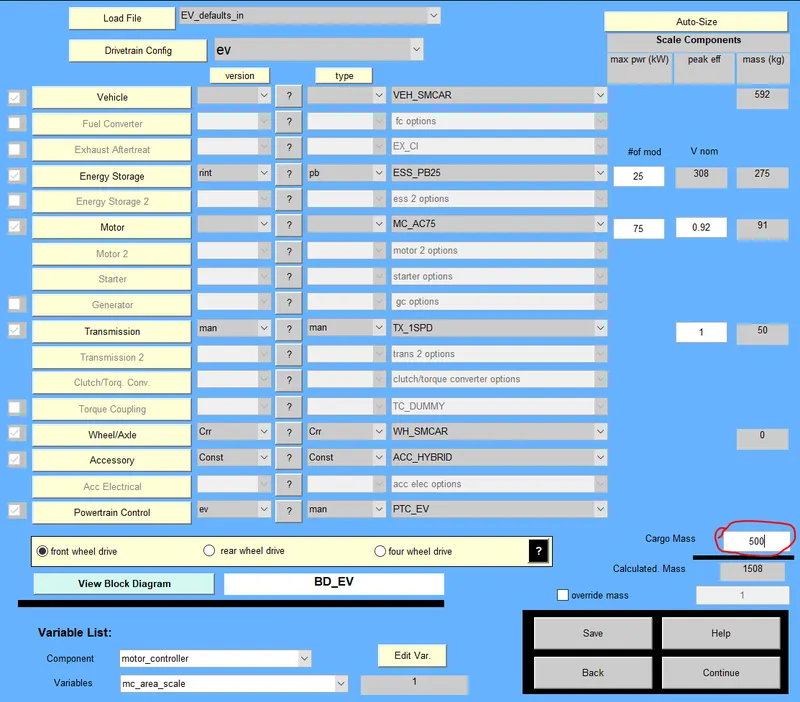
Increasing the Cargo Mass to 500Kg :
Drive Cycle FTP :
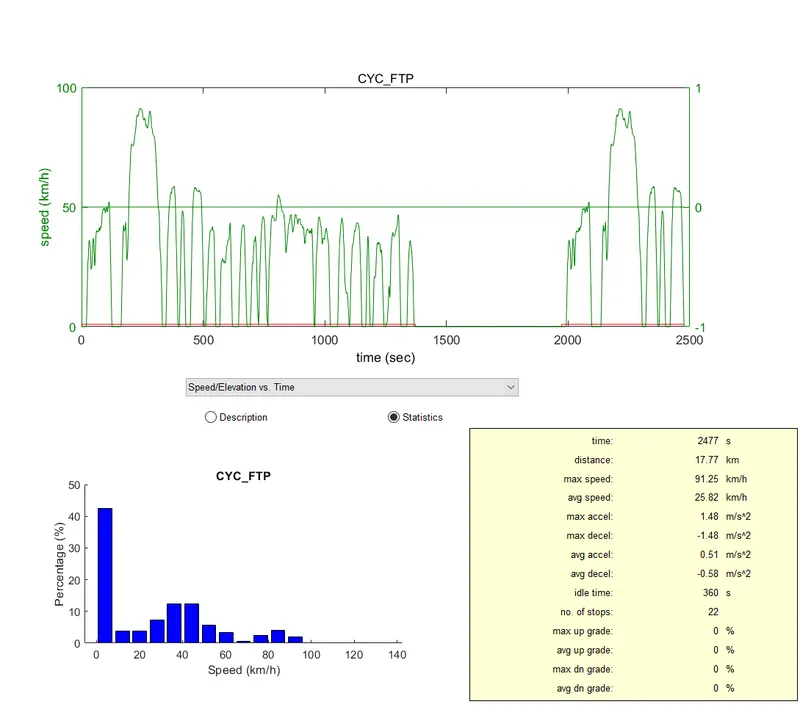
Since one cycle only contains a max distance of 17.77 Km, we have to run the simulation for 3 cycle to reach the 45Km range.
Plots after 3 cycle :
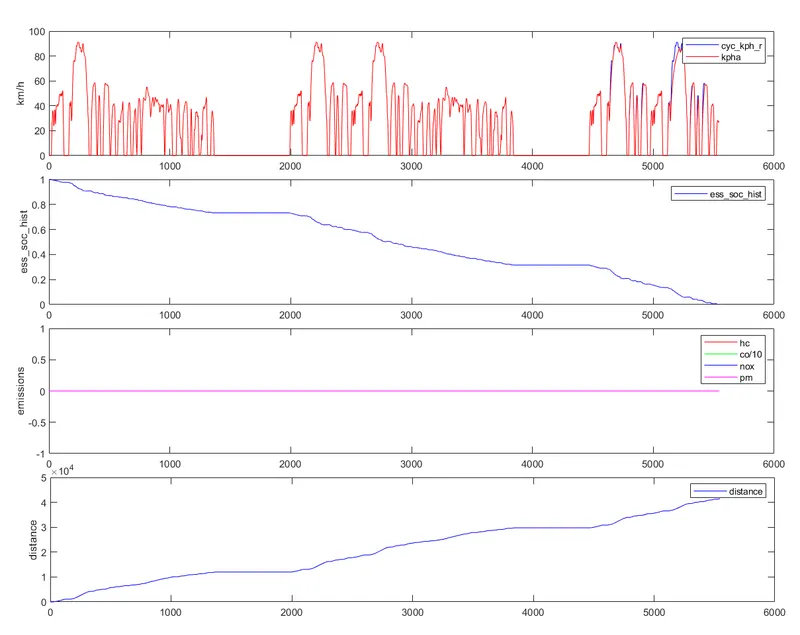
- No emissions are there because its a complete EV vehicle
- The battery drains after 5400sec which is shown in the plot 2
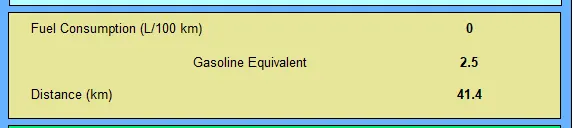
- The max. distance it can travel is shown below:
2, Changing the battery capacity for above vehicle and check the obtained changes and the Range :
- Here the number of battery modules are increased from 25 to 35 and check the Range
- Increasing in the battery modules has resulted in the increase in Voltage as well as the kerb weight of the vehicle.

Plots :
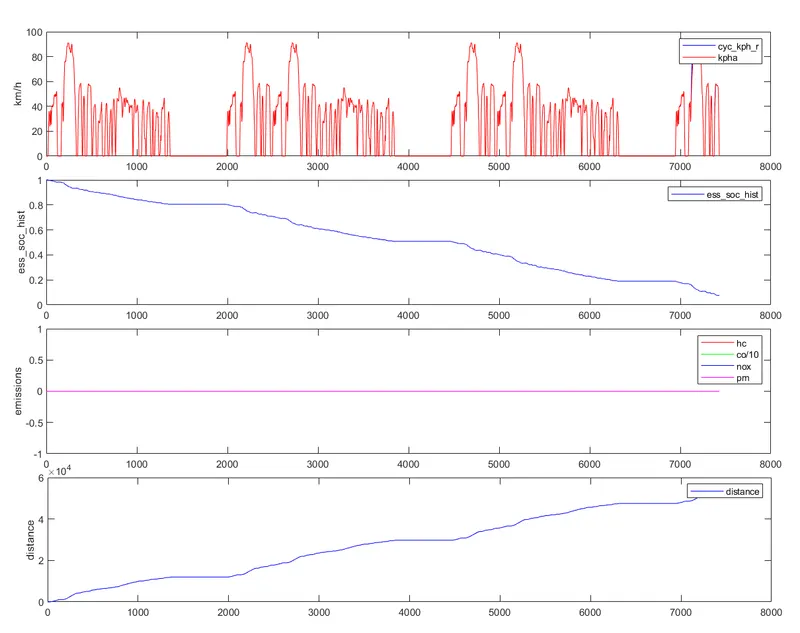
- Here the battery is drained after 7200 sec due to increase in the no. of modules
- The Distance travelled is given below :
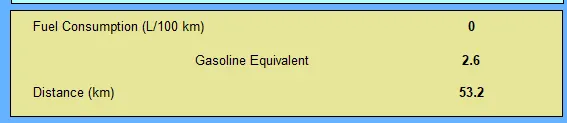
- With increase in Battery Module by 10 no.s, the vehicle managed to travel more than 45Km.
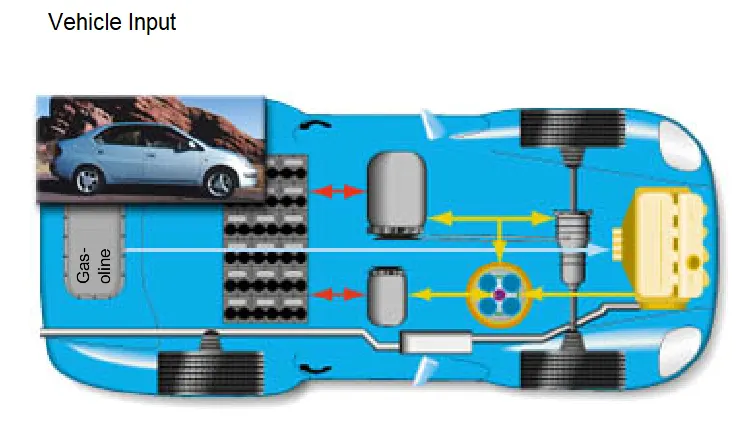
3, PRIUS_jpn_defaults_in vehicle model to perform Gradeability test :
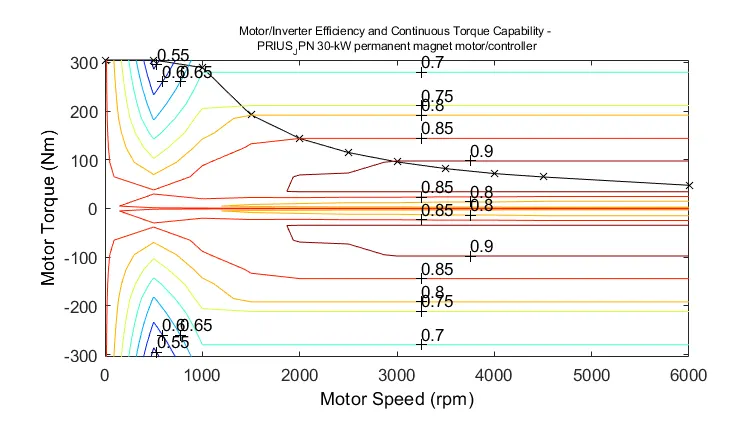
MOTOR CHARACTERISTICS :
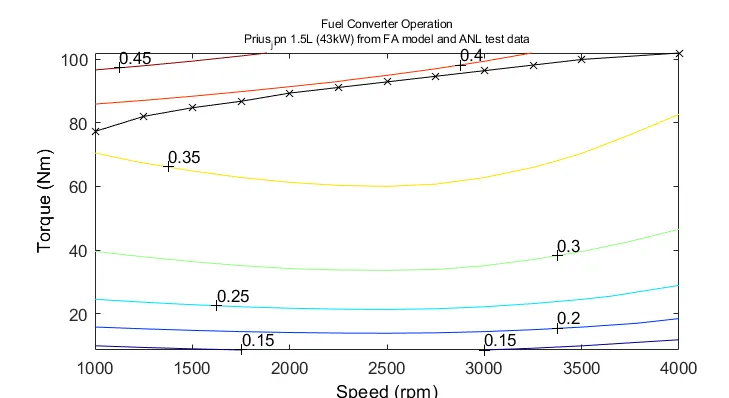
ENGINE CHARACTERISTICS :
DRIVE CYCLE :
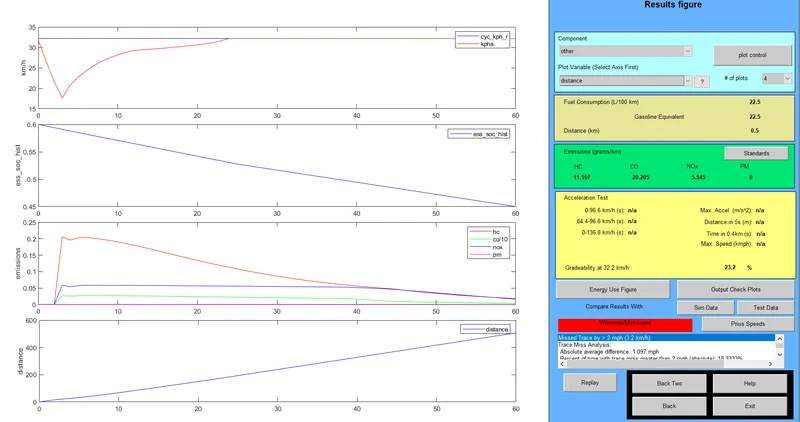
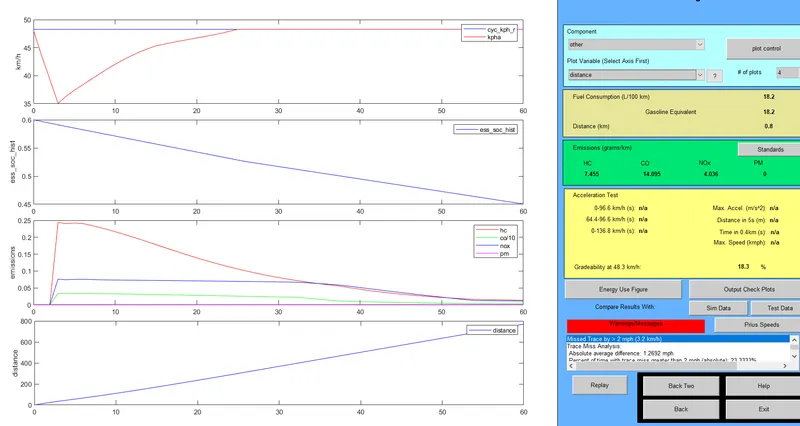
It was compared by changing the Speed of the vehicle with constant duration using TEST_GRADE option.
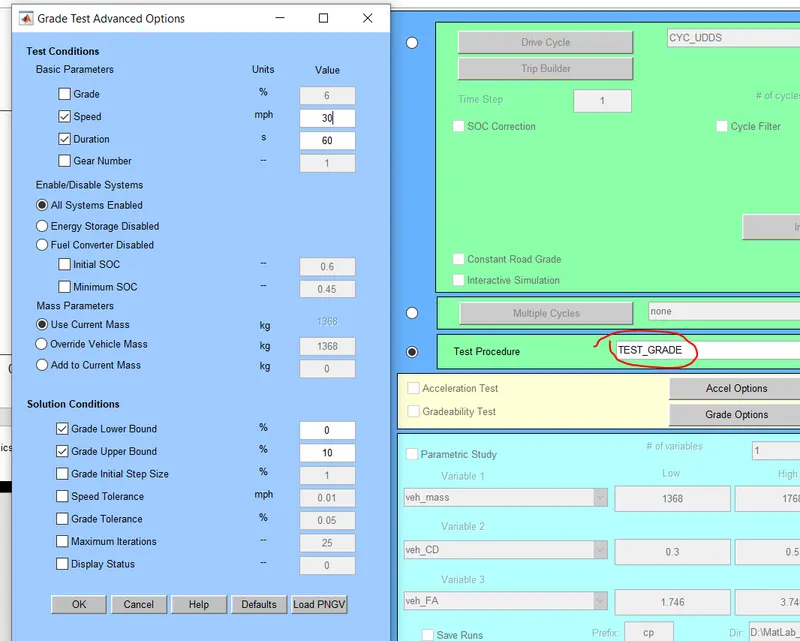
SPEED OF 20Mph :
SPEED OF 30Mph :
SPEED OF 40Mph :
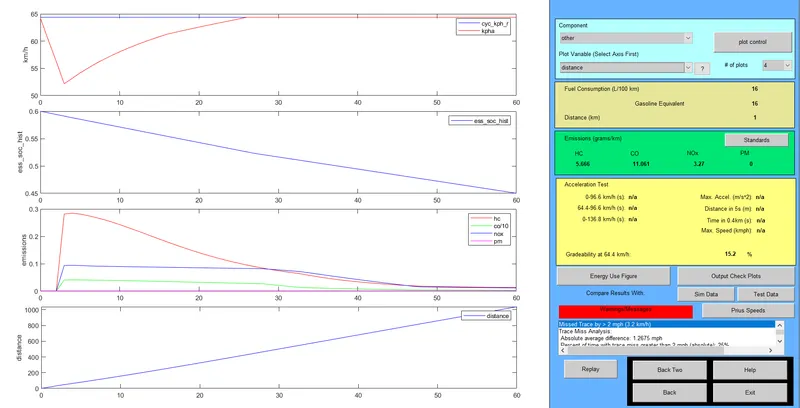
The GRADEABILITY goes on decreasing with increase in the SPEED.