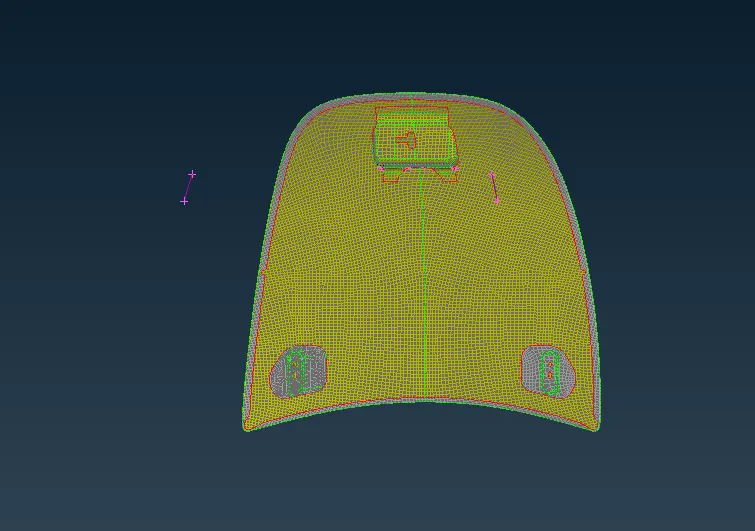
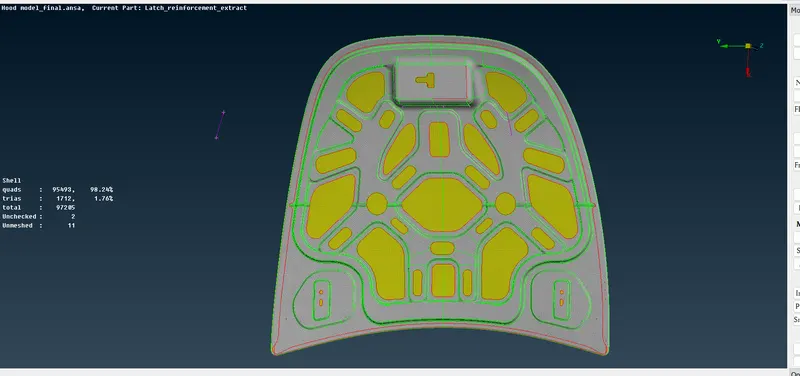
Week 3 - 2D meshing for sheet metal
Steps followed for meshing of hood model week 3 challenge
1. Fistly down load model and import it to ansa module
2. Divide the model in sub parts .
3. After sub division removing unecessry hot points in topo module of ansa.
4. Using topo command in faces feature make the continuity if there any disconnection present between parts.
5. Now using qaulity criteria asign all the mention using f11 command.
6. Now as average lenght is 5 unit given in the assigment using lenght command in paremeter command assign lenght value to
5 unit
7. Set PID for all
8. Now geometry clean has done using either mid surface or offset command in topo command faces (sub command mid s or offset ) give value hald to the thickness of componant with suitable direction
9. Middle twice and thus mid surface is generated.
10. Now again go to mesh module and separate the part using cut command in several region for meshing.
11. Using best mesh command in mesh generation try to generate mesh.
12. Using recontruct option try to eleminate maximum trias which are present in mesh.
13. Using split, paste commands tries can be remove
14. Try that there should be no trias in cons and no two tries in opposite direction using smooth command.
15. Apply same process for other parts also
16. Using transform copy option for the parts which are identical mirror image of each other.