Week 3 - 2D meshing for sheet metal
AIM: to perform geometrical checks, manual mid surface extraction, mesh with the help of given quality criteria and assign thickness to extracted mid surface. and converting the generated mesh from shell to solid.
PROCEDURE:
main steps to complete project are:
- import cad geometry
- geometrical clean-up
- extracting mid surface(manually / automatically),i have used manual method in this project.
- inserting quality criteria and mesh parameters.
- generating mesh.
- improving mesh quality.
- converting mesh from shell to solids.
now, lets discuss about each step mention above more deeply
- importing CAD geometry: firstly, open ANSA software, then navigate to open command by file>> open>> navigate to the file location on your computer, and select the file.
- geometrical cleanup: to generate mesh and perform FEA analysis, geometry needs to be free from errors. to perform geometrical errors go to checks tool>> geometry>> select all the needed attributes like single and triple cons>> execute. the resulted errors are shown below,
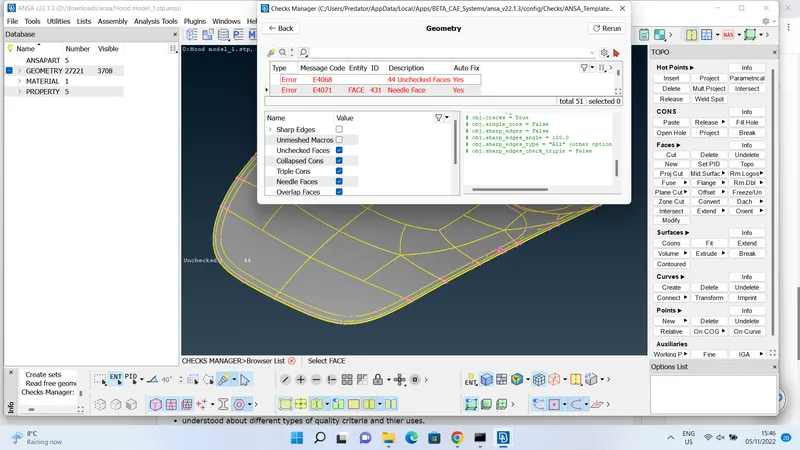 , we need to eliminate all these arrors by fixing them. they can be fixed auto fix through ANSA, but autofixing sometimes leave the remains as a unchecked surface. so, i suggest try to fix them manually. after fixing all the errors i have achieved an error free geometry, as shown below,
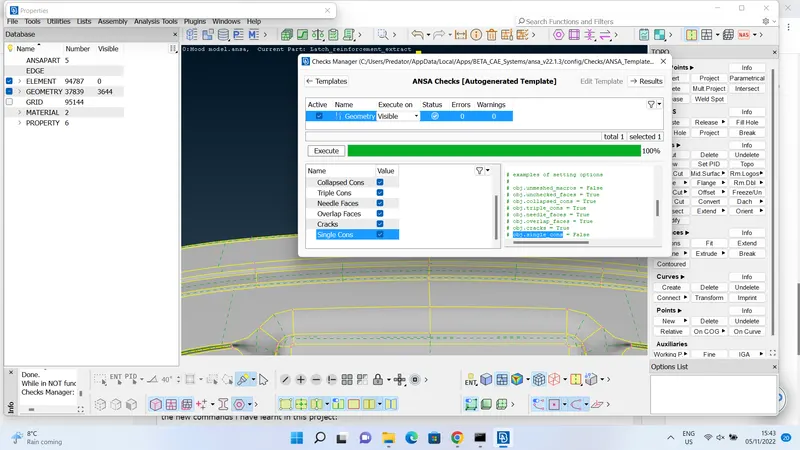 .
. - extracting mid surface: as the given model is a sheet metal, we can use automatic middle mesh generator from topo module>> faces>>mid surface>> casting/extrusion>> insert minimum thickness and target mesh length>> handle as single solid>> execute on visible. follow the steps as shown below,
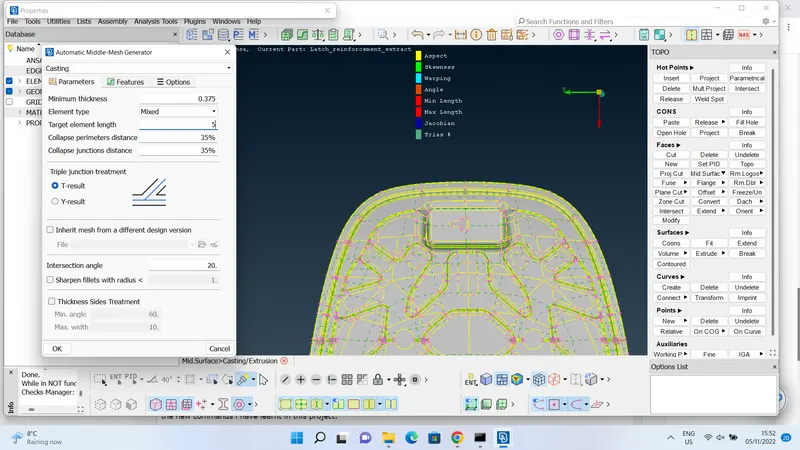
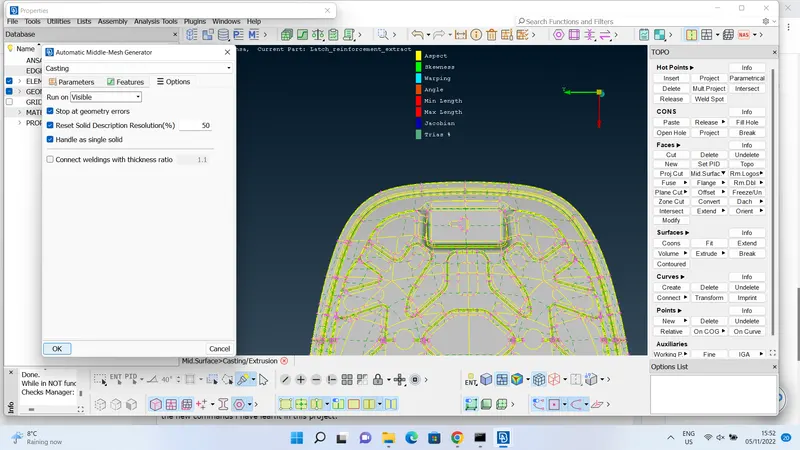 , the acheived results for auto middle mesh generation are shown below,
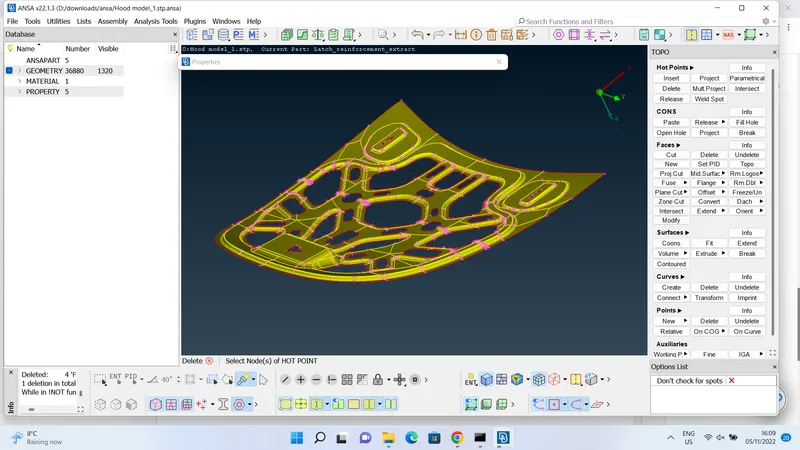
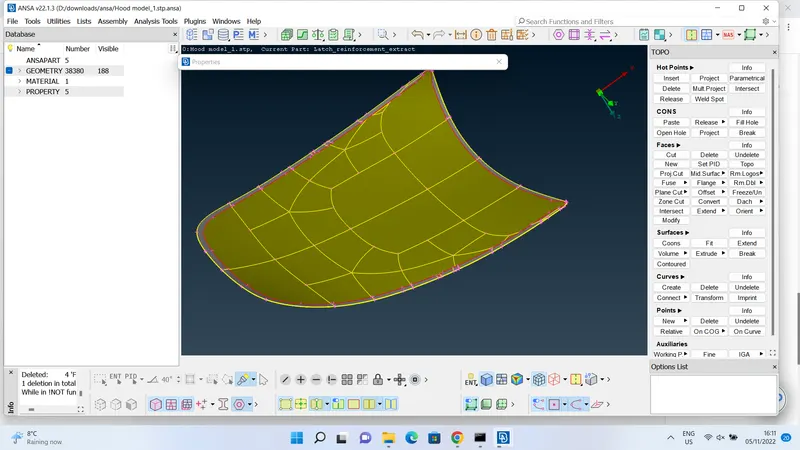
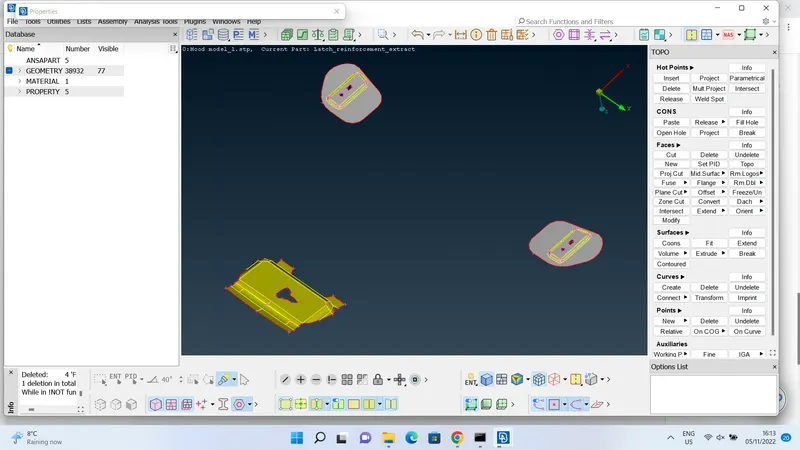
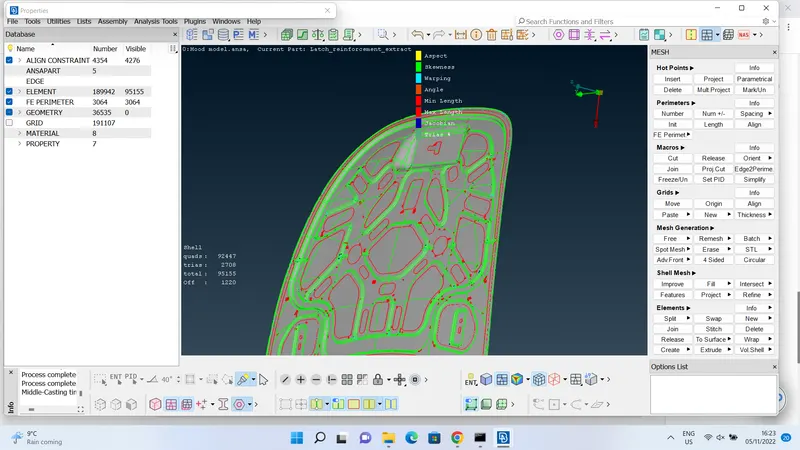 , after observing the resulted mesh i recommend to achieve the final results through manual mid surface extraction. to extract mid surface manually use offset command from topo module>> select the surface using feature area>> insert the face offset distance needed, in this case it will be half of the thickness for given model, i have measured the thickness for given model is 0.75, so insert 0.375>> choose to keep/delete the original geometry, in this case i choose to keep the original geometry, and extracted mid surfaces for PIDs are shown below,
 ,
,  ,
,  .
. - inserting quality criteria and mesh parameters: insert both given mesh parameters and quality criteria parameters as shown below,
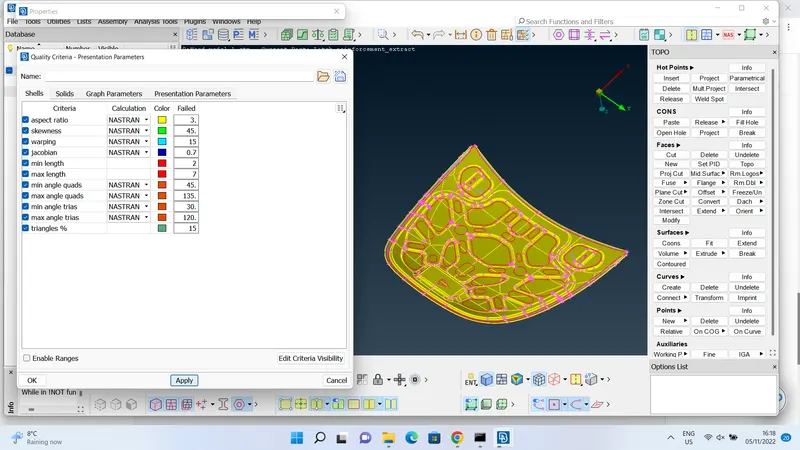 ,
, 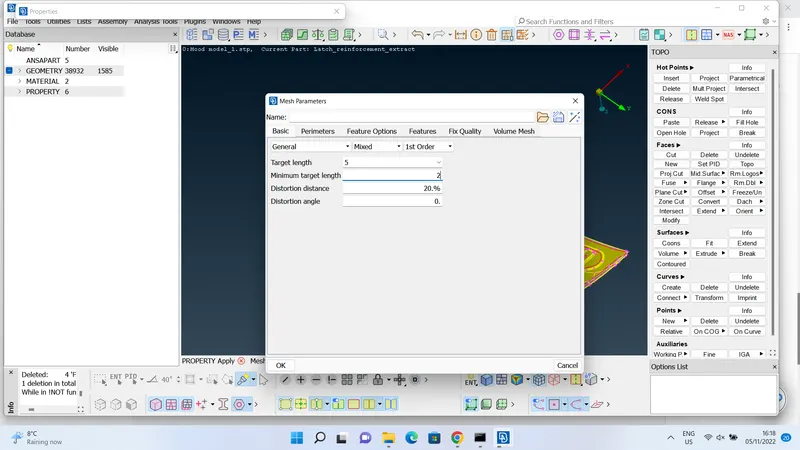 .
. - generating mesh: first give the target length for perimeter and macros, by selecting mesh module>> perimeters tab>> length command >> for this project the target length will be 5. there are many mesh genrating algorithms in ANSA, i will be using spot mesh for this project, after meshing the results are shown below,
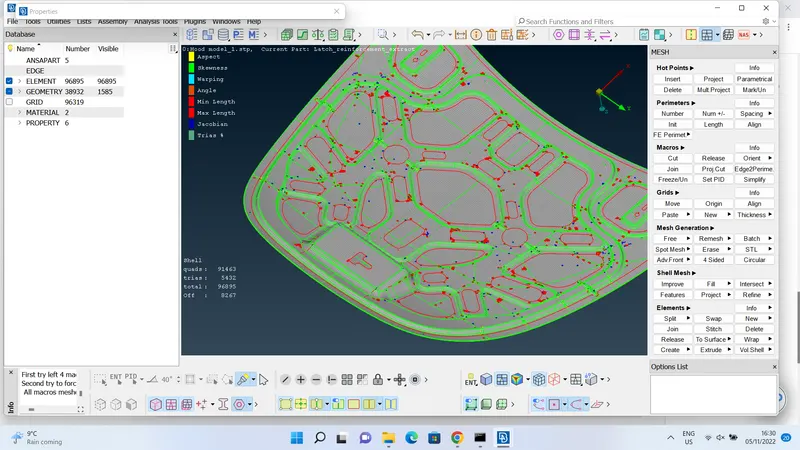 as we can in the above picture, there are many off elements, to eliminate these off elements, we need to use improvng mesh algorithms.
 - improving mesh quality: there are four algorithms in ANSA that are used to improve the mesh quality are, reconstruct, reshape, smooth and fix quality. after careful consideration i have seen that reconstruct algorithms is the effective one, i am not indicating that rconstruct algorithm will eliminate all the off elements but effectively produce good results when compared to other. now execute the reconstruct algorithm on only off elements to save time and efforts, as shown below,
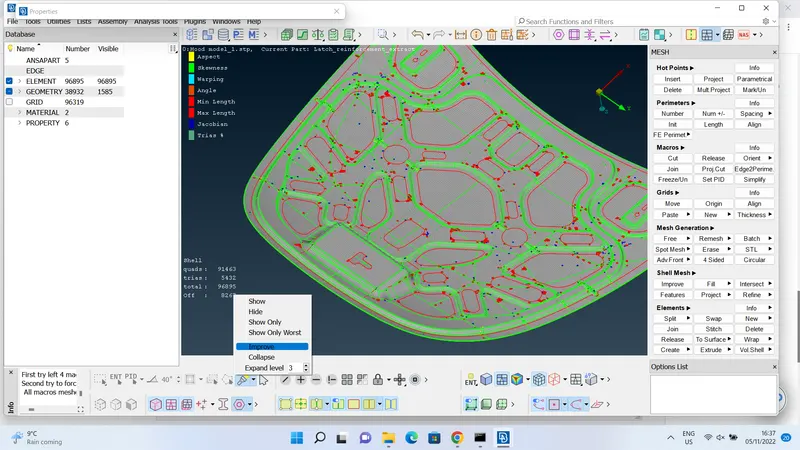 ,
, 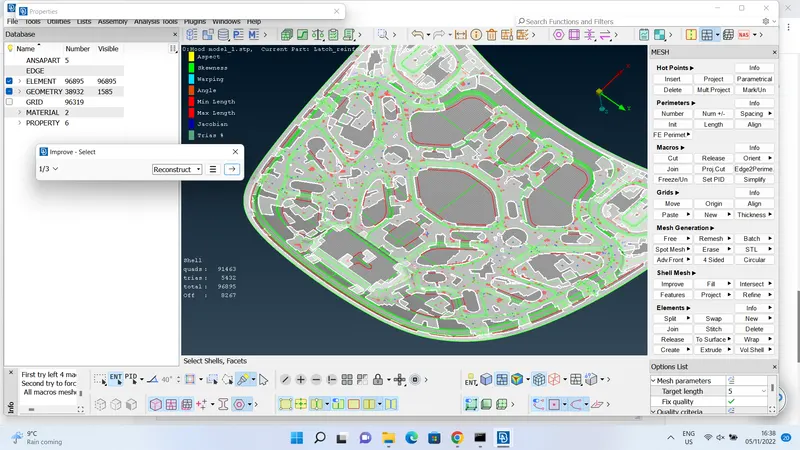 , after reconstruct algorithm the results are shown below,
 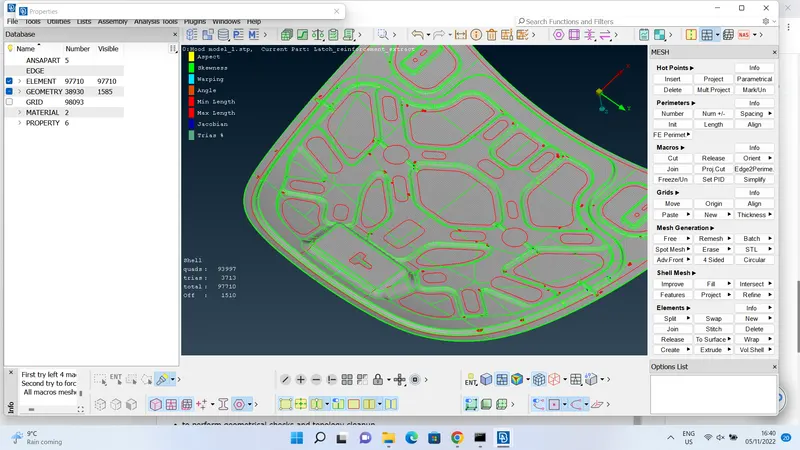 , now try using smooth algorithm as the same way above and the results are shown below,
 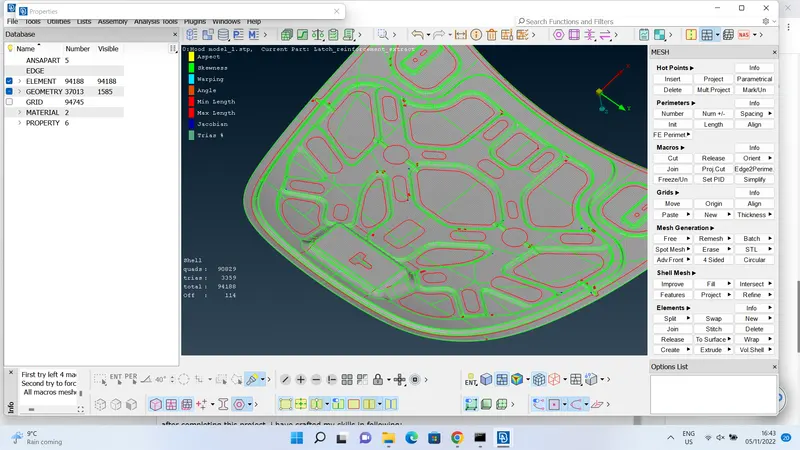 , now perform other two algorithms to improve the mesh finer, and the results are shown below,
 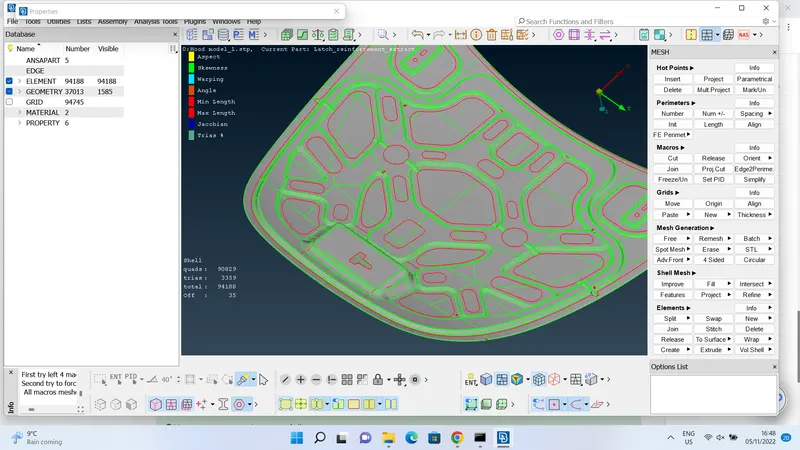 ,
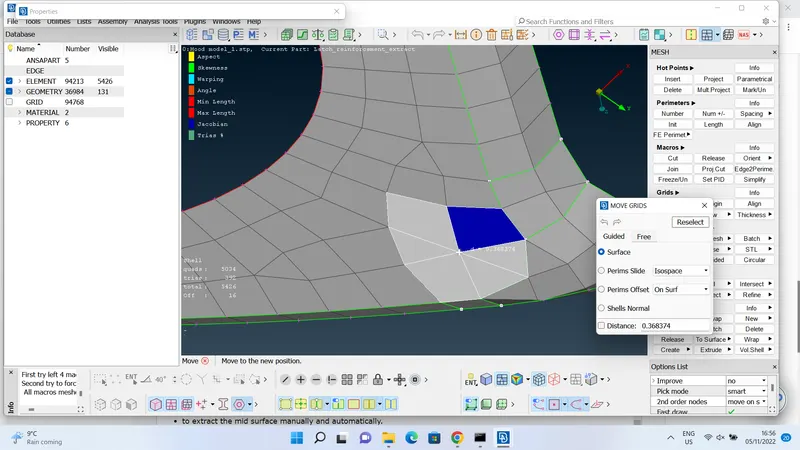
, 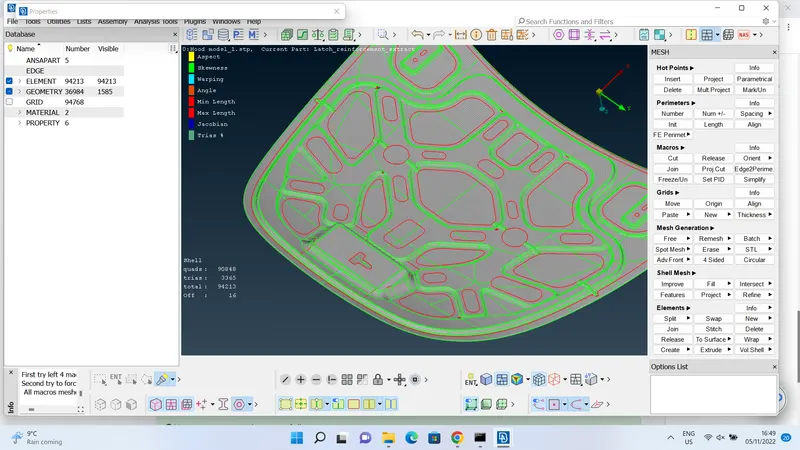 , after performing all four algorithms for couple of times, the final results are shown above, as the off elements are reduced to 16 and algorithms might not be reduce them, so we need to view every location to resolve the elements manually using commands like move, split, join, delete, new and swap elements. i have shown the use of each command below, move: this command is used to move node freely and try to eliminate the off elements, as shown below,
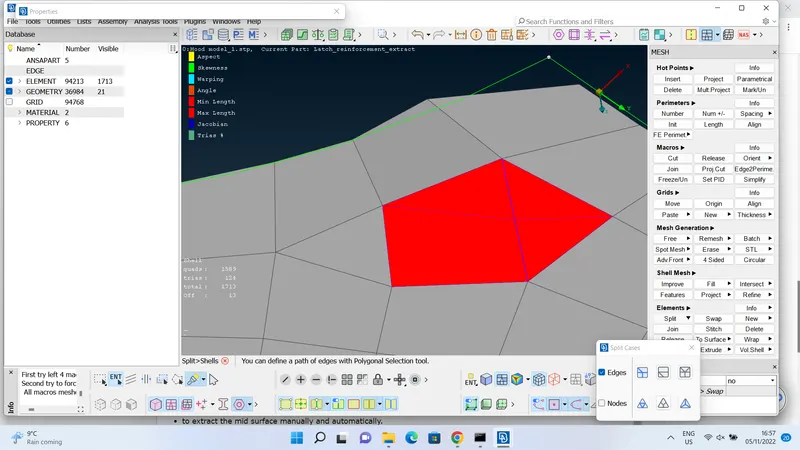
  , split: this command is mainly used to eliminate the elements that are failed due to maximum length, this helps to split two off elements into four elements, as shown below,
  , swap: this command helps to rotate the shared edge of the elements, as shown below,
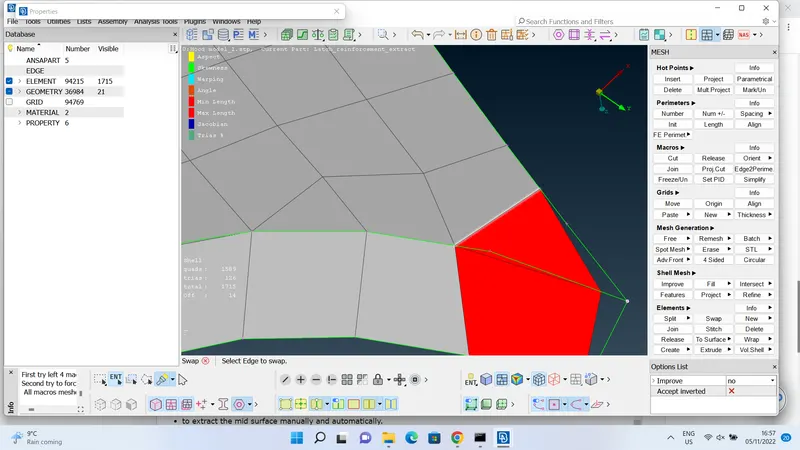 , after using swap command the tria element has changed its position, as shown below,
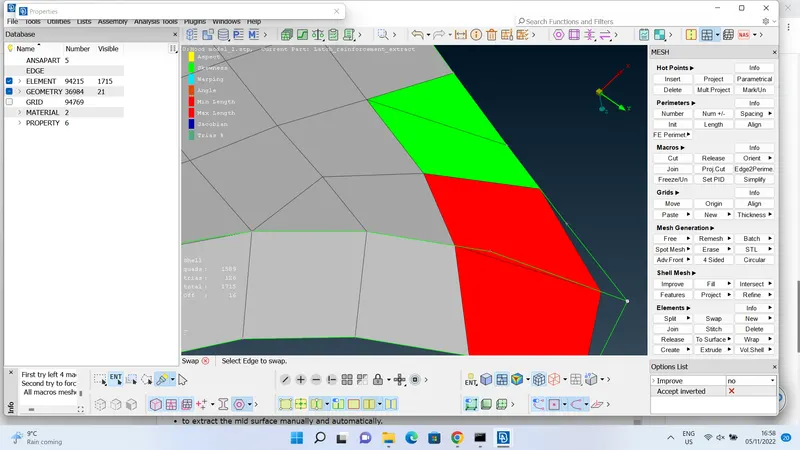 , then off elements can be eliminated using algorithms. join: this command helps to join two elements to create one element, as shown below,
 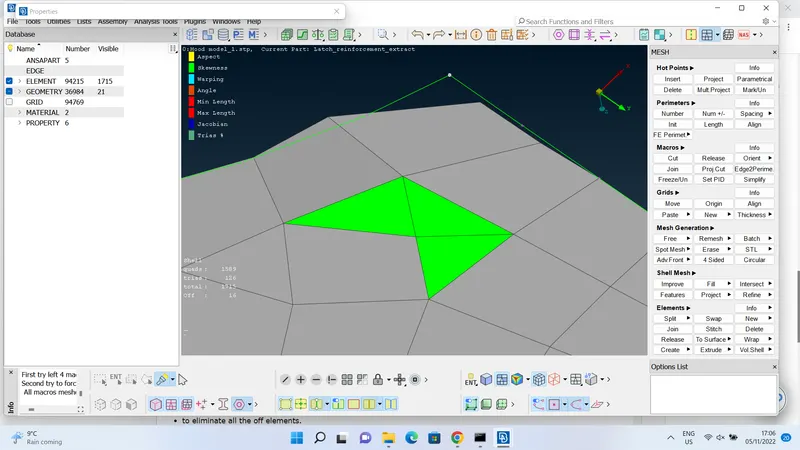 ,
, 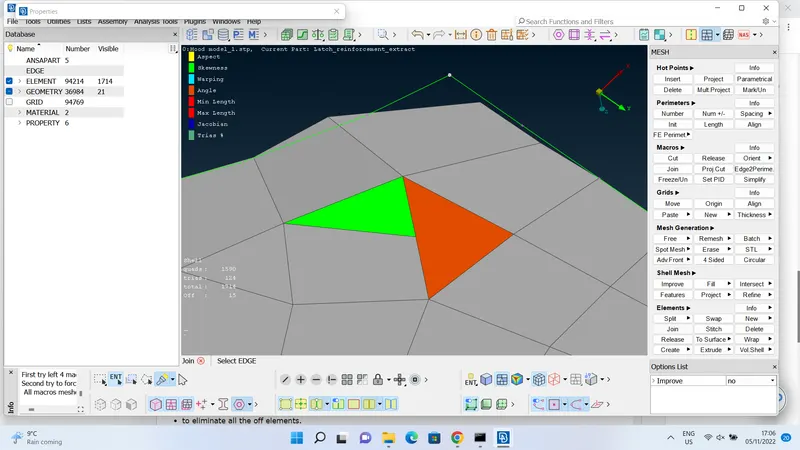 . new and delete: this commands are used to create a new element and delete an existing element, as shown below,
 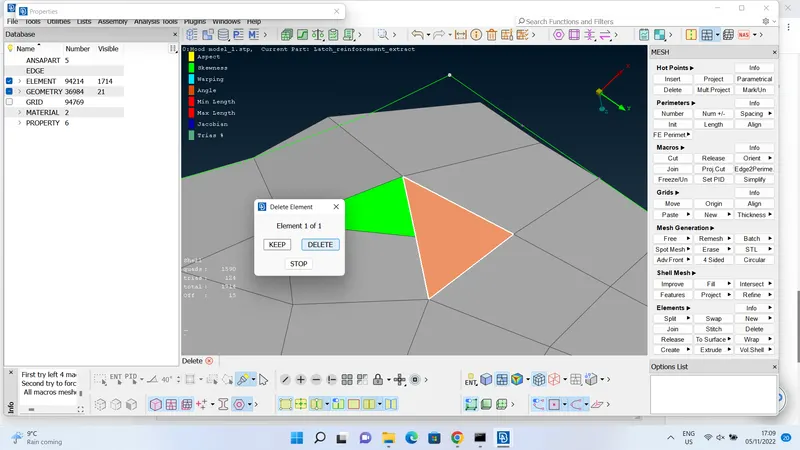 ,
, 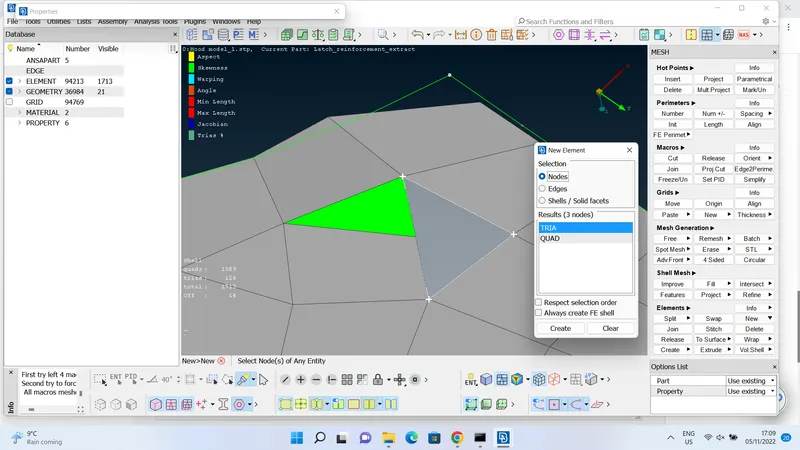 . after many operations as a final result i have achieved a finer mesh without off element and i have attached as an ANSA file. and results are shown below,
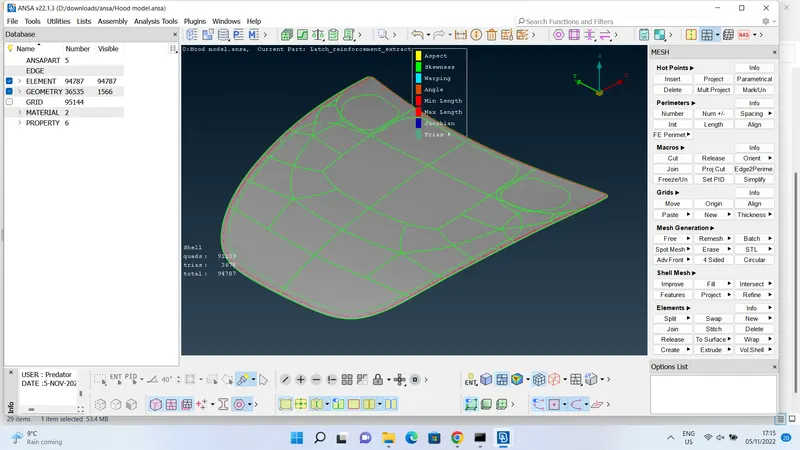 .
. - converting shells to solids: this command helps to convert all the shell elements to solid elements, and add thickness to it, as show below,
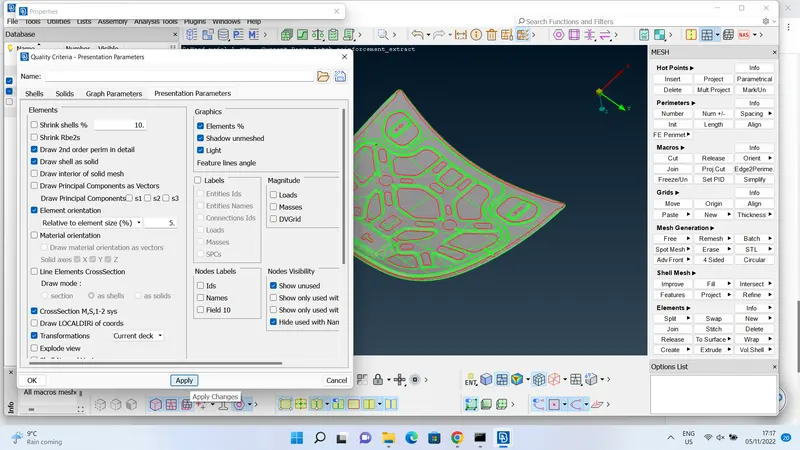 ,
, 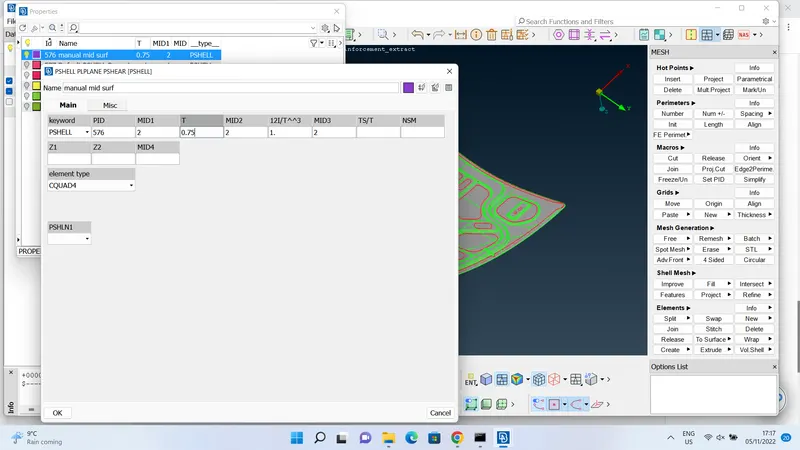 .
.
LEARNING OUTCOMES:
after completing this project, i have crafted my skills in following:
- to perform geometrical checks and topology cleanup.
- to extract the mid surface manually and automatically.
- to generate a god quality of mesh by following all the quality criteria parameters.
- to eliminate all the off elements.
- to convert the shell elements to solid elements, by inserting thickness to the extracted surface.
the new commands i have learnt in this project:
- mid surface extraction- manually using offset command - automatically using mid surface command.
- understood about different types of quality criteria and thier uses.
- different types of mesh improving algorithms, and their relativity for types of off elements.
- creating new shell elements using mesh module>>elements bar>> new.
- to improve the quality of mesh, mainly used commands are split, join and swap. these are hybrid commands that helps to adjust quality to achive better results of mesh.
CONCLUSION:
after a careful observation of the final mesh result and manuallyextracted mid surface, i can conclude that final geometry is free from geometrical and topological errors. final mesh is free from off elements by passing all the quality criterias. also achieved to add thickness to the extracted mid surface and converted all the shell elements into solid element type.
i have attached .ansa file below, assigned a PID for extracted mid surface and named it as "manual mid surf" and added thickness to it. please go to property manager to view the results, to avoid confusion.
thank you.