Project 1 : CFD Meshing for Tesla Cyber Truck
AIM:
to check and solve all the geometrical errors, assign PIDs for different parts of the model, performing surface meshing on given model and creating a wind tunnel. perform surface and volumetric mesh for wind tunnel and make the given model ready for CFD analysis.
PROCEDURE:
- firstly we need to check for geometrical errors by selecting checks from the drop down menu of tool tab>>geometry. there will be a pop-up window to select the needed, tick the box of single cons>> make sure we are executing on all the visible entities, and run the application.
- by examining all the errors found, try to resolve them with appropriate solutions.
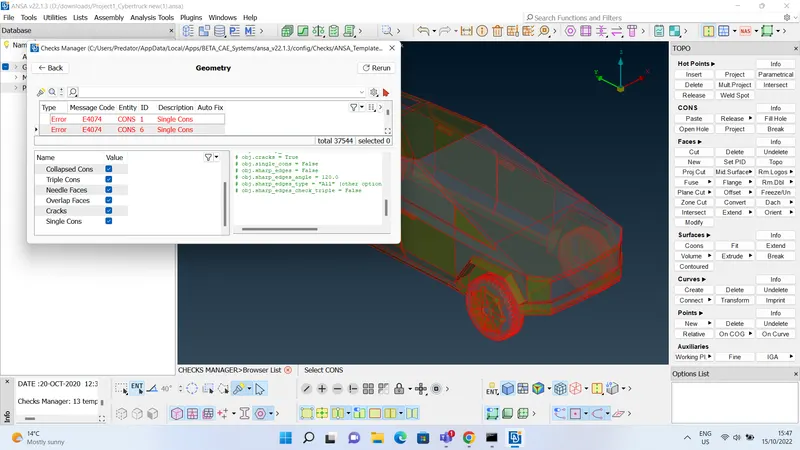 try to execute topo command to eleminate possible single cons. then rerun the geometry checks operation to find the remaining errors, then do the needful to eliminate the errors. after applying all the appropriate solutions the model without any topology errors as shown below
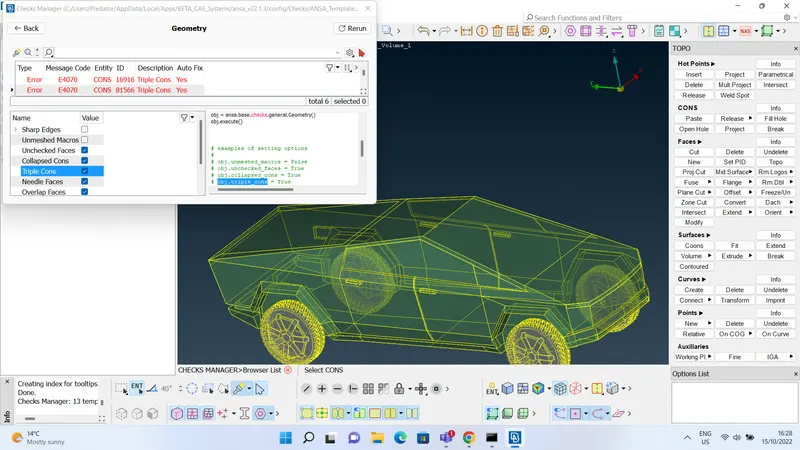 there are still six errors present, we can exempt them because they are triple cons and i have tried to eliminate them but thoose are essential for the model to be closed and make a single volume. and i have combined all the tyres and body of the model into single volume, so that would be easier to perform volumetric mesh in further steps.
 - as we finished with the topology, the next step is to assign PIDs. PIDs are the property IDs which helps to identify and perform any kind of operations on them easily and they distinguish themselves by different colours to each set. as the main parts are body and tyres i have assigned both PIDs as shown below
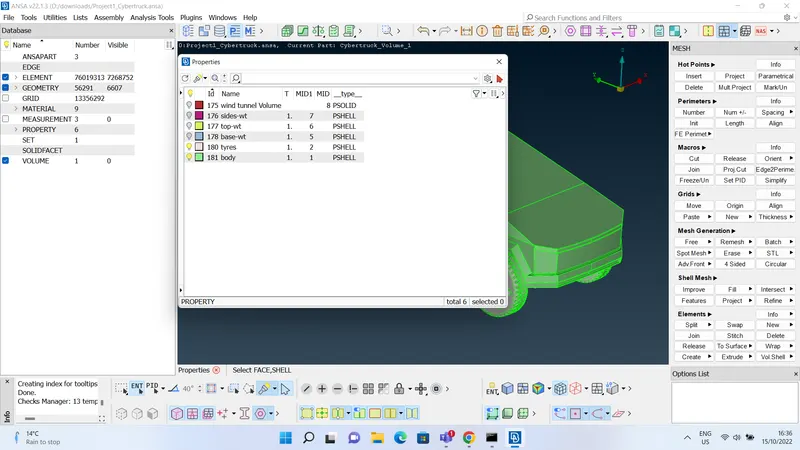 .
. - after assigning PIDs, the next step is to surface mesh the given model. as stated in the challenge that, target length can be choosen on own, so i have started looking for the smallest length in the given model so that mesh would not fail due to minimum length criteria, after careful consideration i have come to know that 2mm is the smallest length in the model as shown below
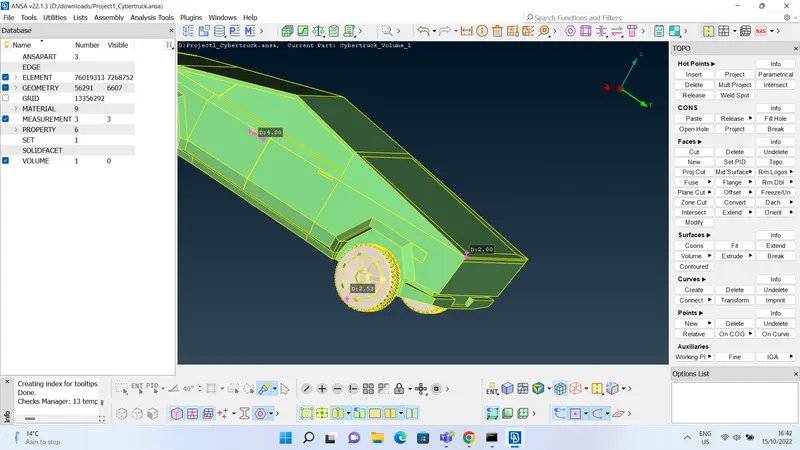 , so i have decided to choose my target length as 3 mm. And gave it a try for meshing for only body, but my laptop was continously crashing ANSA for that, so after five tries i have increased the target length to 4mm and i have succesfully generated a good mesh as shown below, and i have shown my mesh parameter and quality criteris in below screenshot
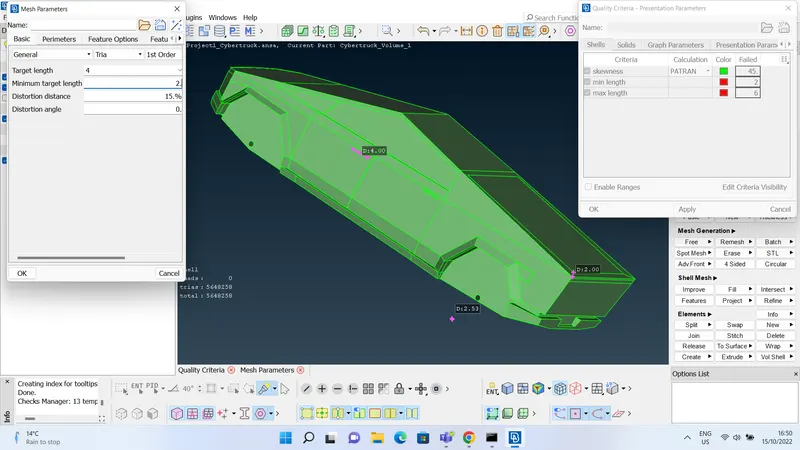 .
. - i have tried same target length, mesh parameters and quality criteria for tyres PID also. as tyres contains larger number of macros, when i was trying to mesh all tyres at a time my laptop was crashing, so i have decided to mesh a single tyre and replicate it. as shown below i have meshed a single tyre
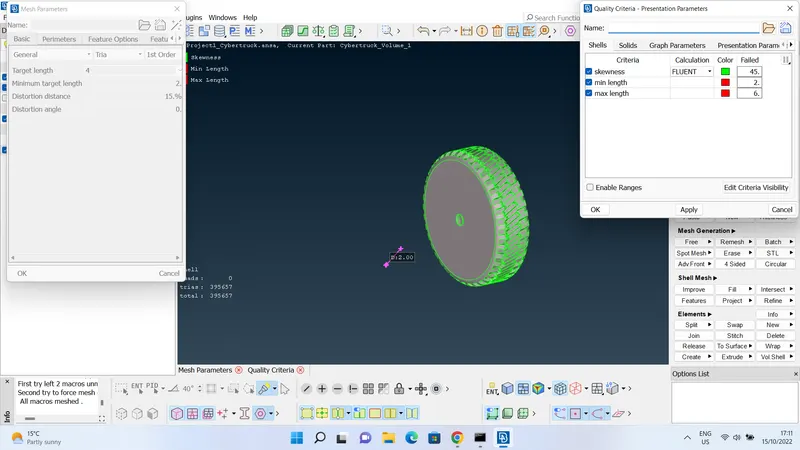 .
. - now replicating a symmetrical geometry including mesh can be done by using transform cammand from the drop down menu of utilities bar >>copy. but firstly we need a three point plane that can be used to perform symmetry, so i have created some cuts and project points as shown below
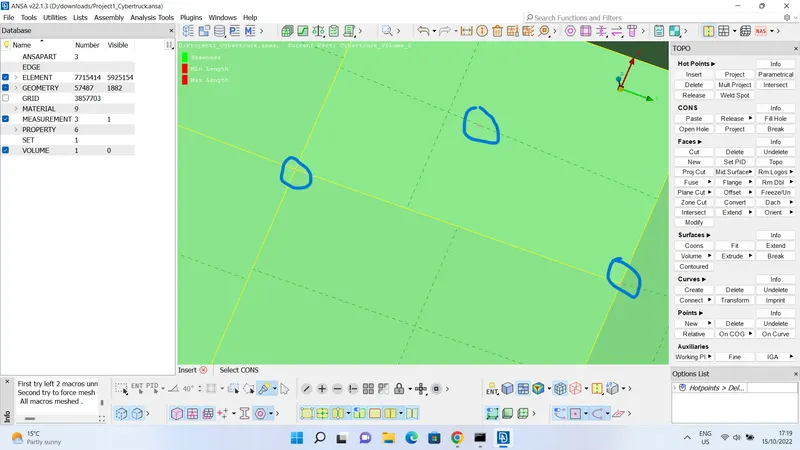 this symmetry was done for rear tyres. i could not perform a symmetry option for the front tyre by copying back tyre, so i have meshed one of the front tyre and replicated it same as stated above.
 - after meshing body and tyres, we need to create a wind tunnel with the dimensions dicussed in the challenge 4. create the relative points uding relative command in topo module, then create curves to create a closed box as shown below
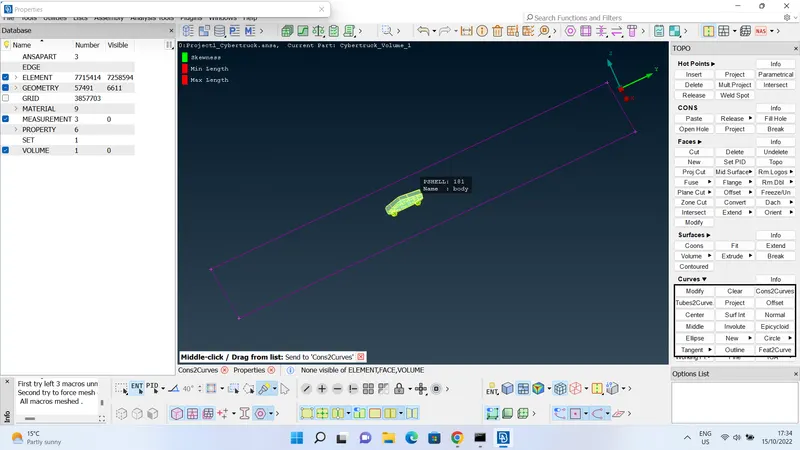 , then after we can use coons algorithm to generate faces. top face can be created by offset command and by replicating the base surface, as shown below
 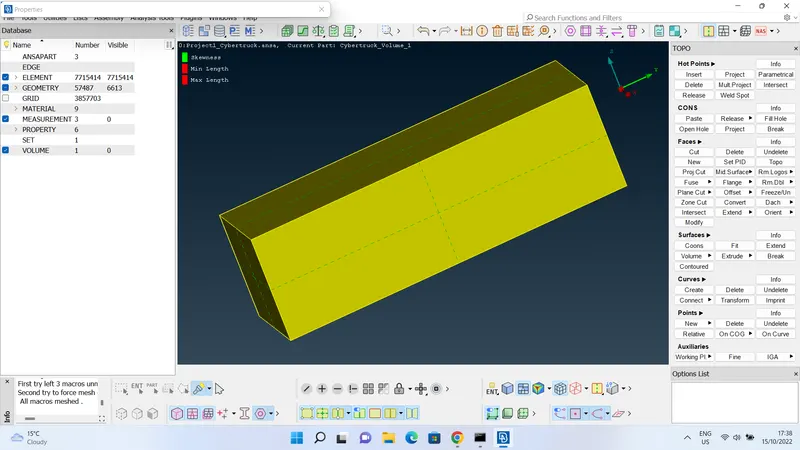 .
. - after creating wind tunnel, i have tried to mesh base surface by target length of 150 mm and top surface by 200 mm. as we need geometrically inclining mesh from base surface to top surface, i have used used spacing command to mesh the side faces of the wind tunnel. select spacing command from mesh module>> select parameters as geometric biasing, factor 1.1, Dstart 150, Dlimit 200>> select the four cons attaching the side faces from the bottom side so that the selection would be as shown below
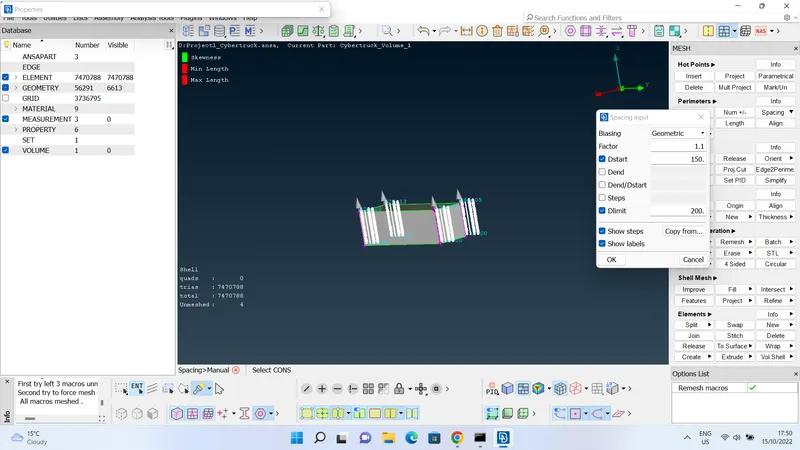 . select spotmesh>> select>> select all the four sides and mesh.
 - if we found any off elements in any mesh as shown below, right click on off>>improve>>select one of the four algorithms and perform mesh. as shown below
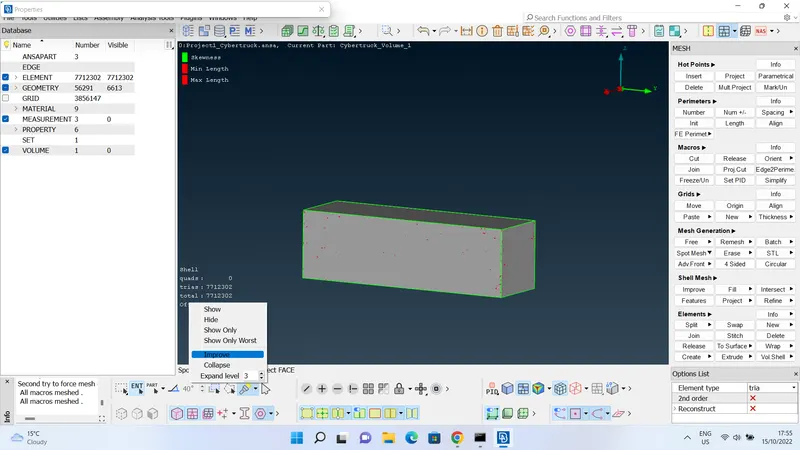
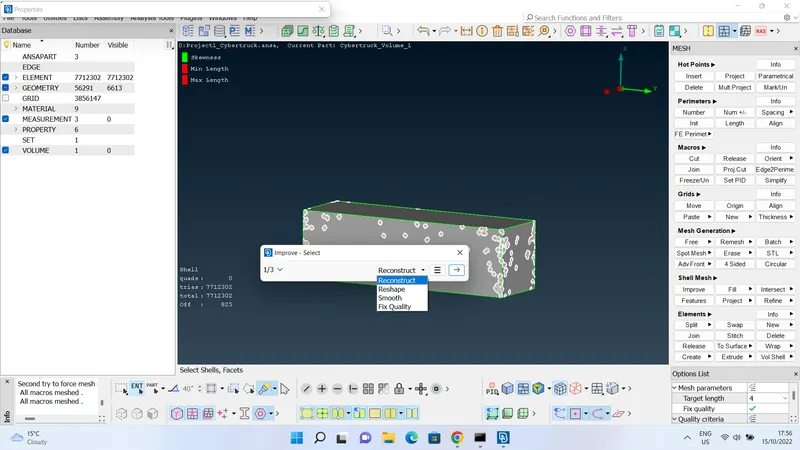
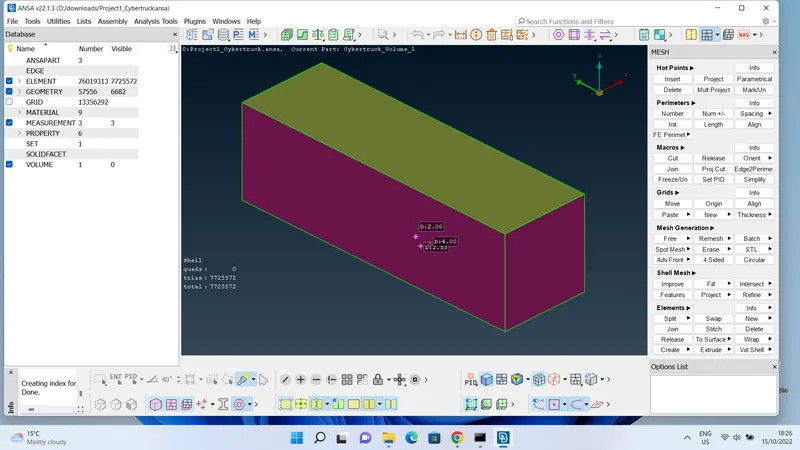 .
. - after meshing body,tyres and wind tunnel. perform a volumetric mesh. select define command from volume module>> select the whole database, there are two volumes listed - one is inside car body and another is between car body and wind tunnel, delete the volume inside car body because we don't need it as we perform cfd analysis outside the car body. the required volume is shown below
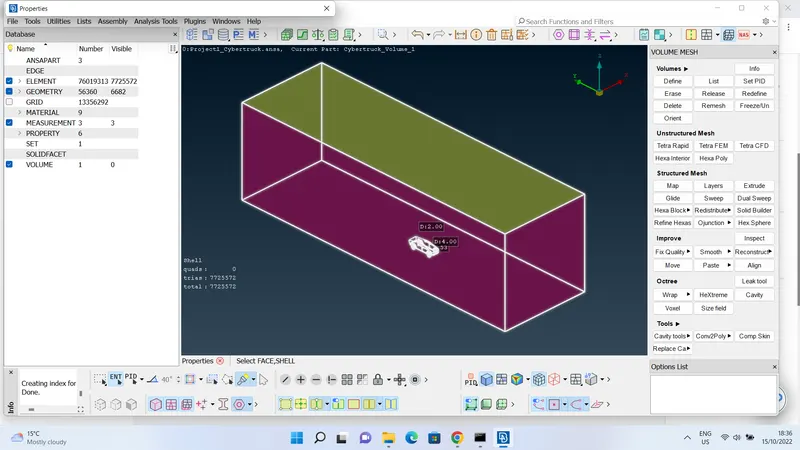 .
. - perform meshing with TETRA CFD elements by selecting as shown in the figure below
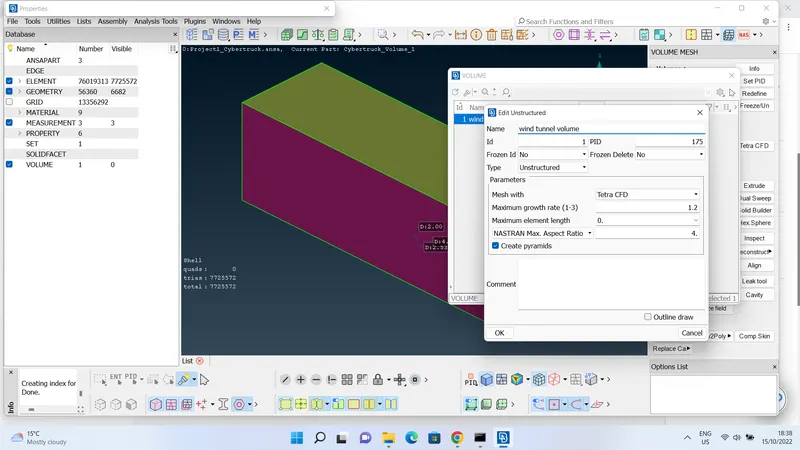 . after all the surface meshing for all the entities and volumetric meshing for required volume, is shown below
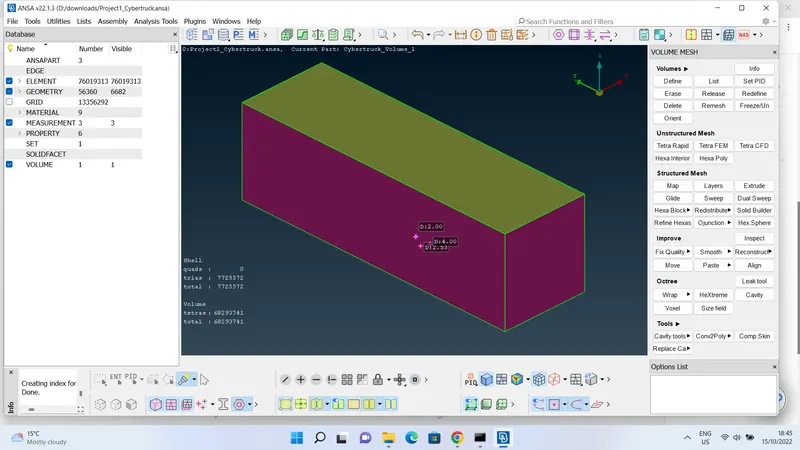 .
. - cross sectional view of the volumetric views is shown below
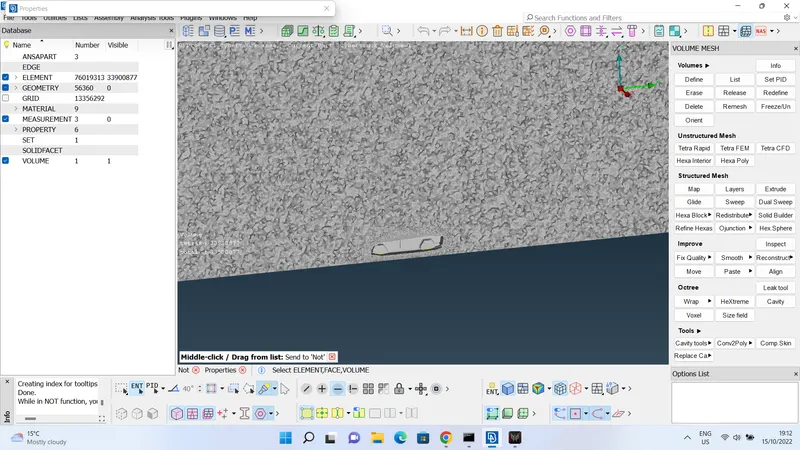
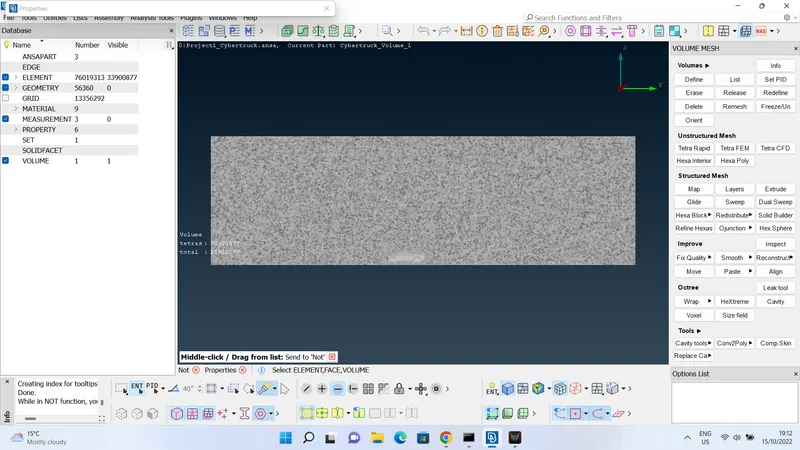 .
.
LEARNING OUTCOMES:
- i have learnt many ways for topology cleanup by this challenge.
- i have learnt the ways to surface mesh for different types of surfaces and how it depends on the number of surfaces. learnt to develop the symmetrical shapes and copy meshes and replicate them.
- creating curves and relative points to create new curves, creating wind tunnel with the specified dimensions and positioning of the body.
- meshing with differing mesh lengths using spacing command, geometrical biasing and factor multiple to Dlimit.
- defining the volumes, deleting the unwanted volumes, meshing the required volumes and make the model ready for CFD analysis.
RESULTS:
i have succesfully eliminated all the geometrical errors in topology, meshed all the surfaces of given model, created a wind tunnel with required positioning and dimensions, meshed the required volume for CFD analysis. i have attached the drive link for my model,
drive link : https://drive.google.com/file/d/103jL06I2XtDMMphzJnPXK5xO6gRu_F0S/view?usp=sharing