Week 5 Challenge : Surface wrap on Automotive Assembly
AIM:
to perform geometrical checks, delete unwanted surfaces, merge all three given models and perform a surface wrap using given target length.
PROCEDURE:
- first thing to do is to perform geometry checks on the given model to find the errors, from drop down menu of tools bar select check>>geometry. as we are performing surface wrap we need to mainly focus on the outer surface of the model.
- to delete unwanted surfaces, we need to hide all the wanted and major PIDs and can select all the unwanted surfaces by box selection and delete them using universal delete option in utilities bar, as shown below
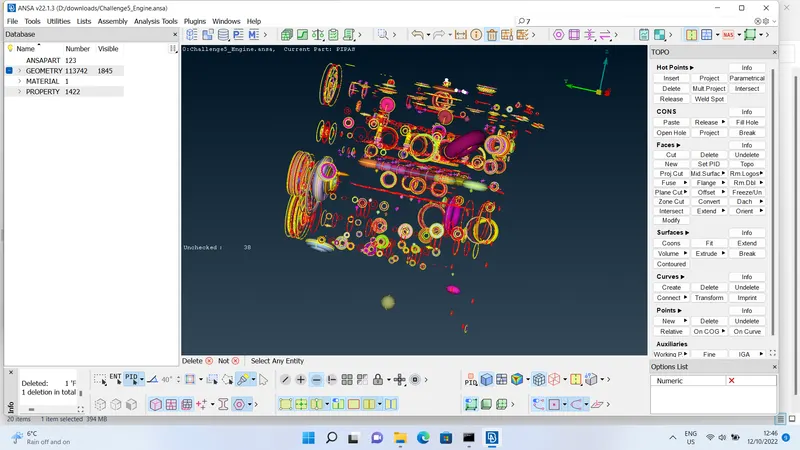 .
. - as we are performing surface wrap, we cannot afford to have thin surfaces and open surfaces. thin surfaces cannot be wrapped and gives an inacurate results. open surfaces let the wrap inside the body and create additional volumes which we not required, so we need to close all the bigger openings compared to the target length as shown below
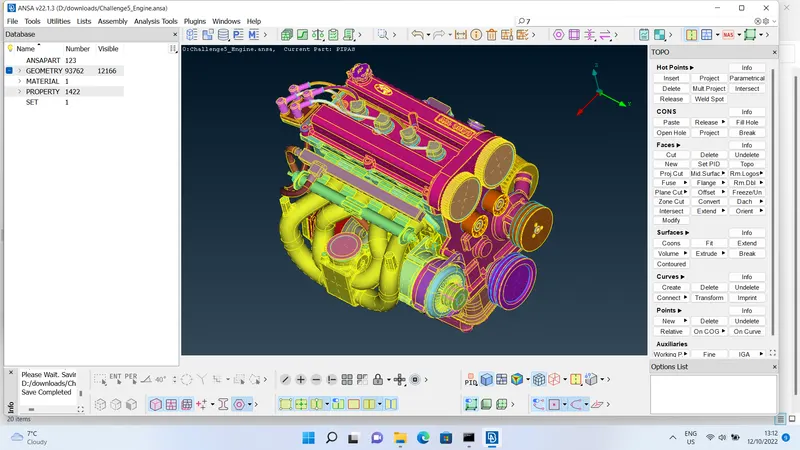 .
. - next model in this challenge is "transmission", after a careful observation all unwanted surfaces are inside the model so we do not need to take care of them. but there are some overlapped surfaces, triple cons and unwanted surfaces outside the model, that i have deleted and made the model ready for surface wrapping as shown below
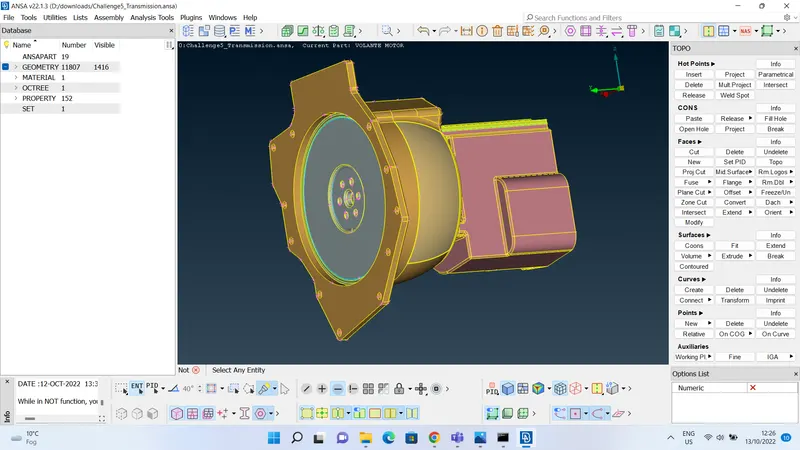 .
. - coming to next part that is "gearbox". the given model for gearbox just had four overlaping surfaces which are inside the body, so that does not effect the surface wrap. and there are no openings as well to effect the surface wrap as shown below
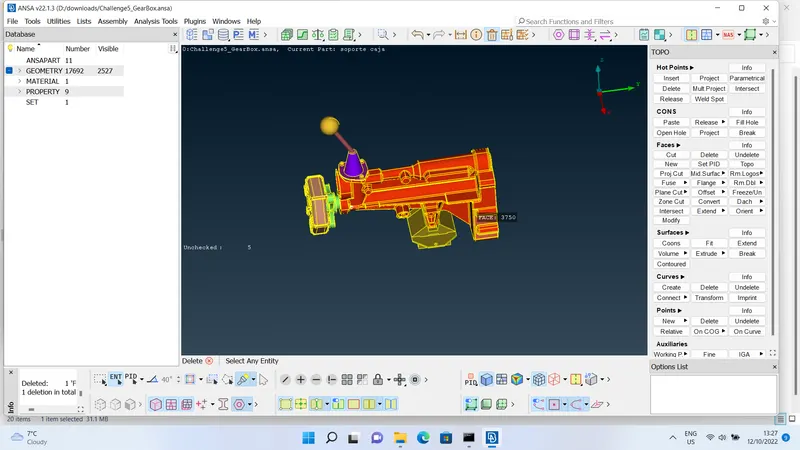 .
. - now we need to merge all three model and perform a surface wrap. merge command can be found in file>>merge, firstly open one of the three models in ansa then enable merge comand>>select the other model, then repeat same to merge another model into this as shown below
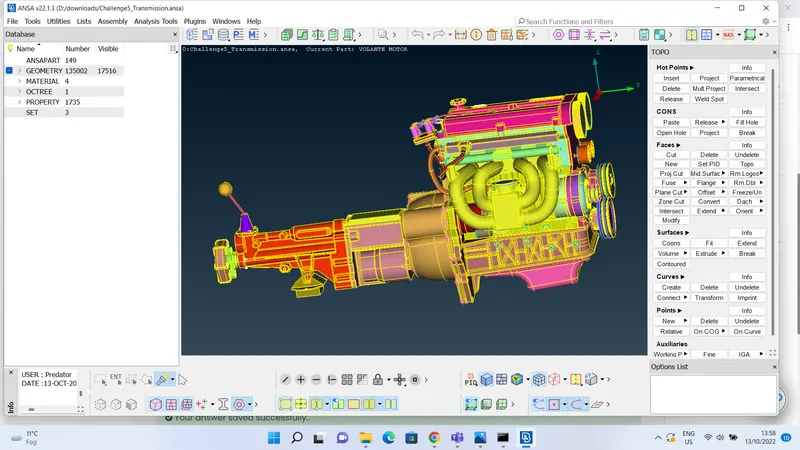 .
. - now we need to wrap our model, to enable wrap enter into classic mesh module>>elements>>wrap>>constant length, then a pop up window appears as shown below:
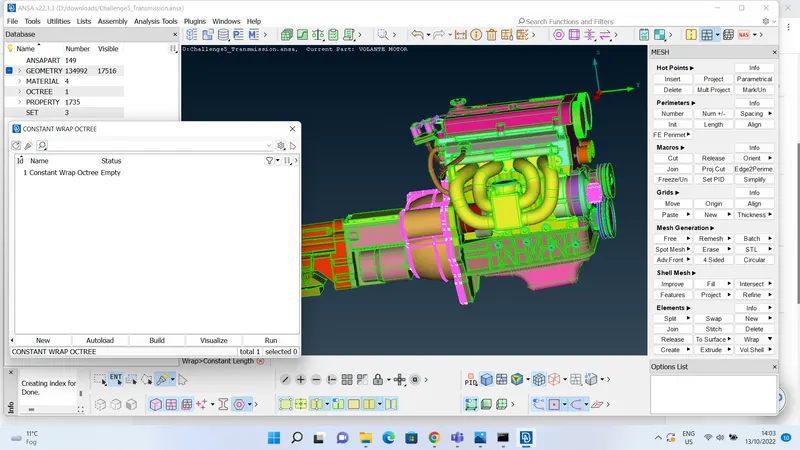 as we can see the status is empty, double click upon empty a popup window appears to give the mesh length and name of the wrap as shown below:
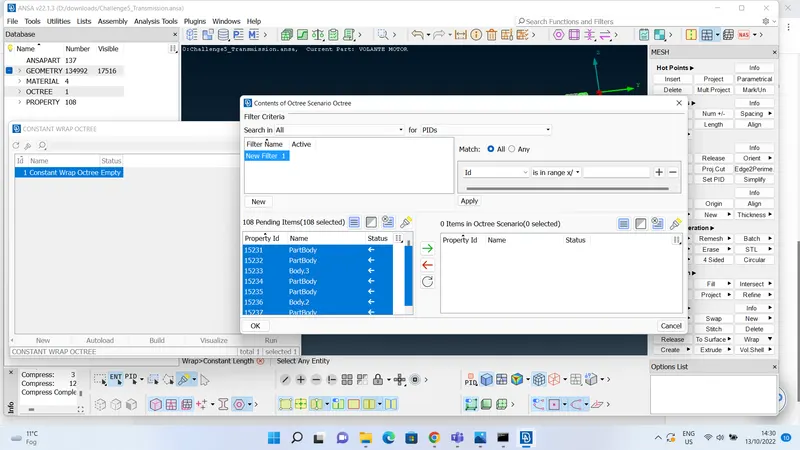
 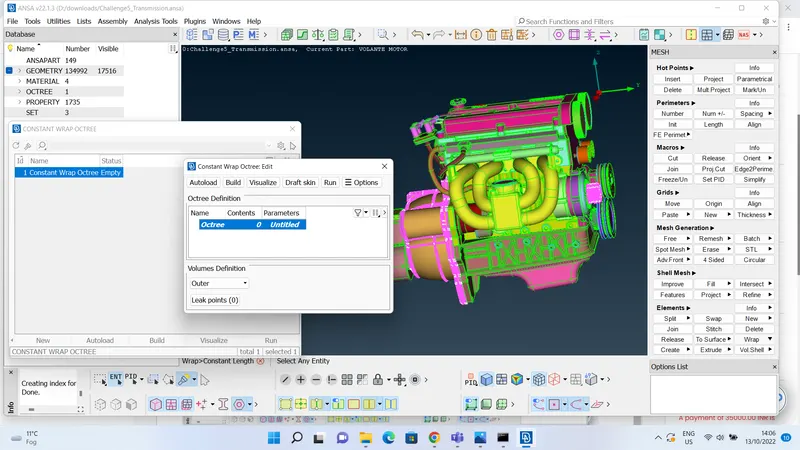 as we can see parameters for mesh are not defined, double click on the untitled parameters to insert mesh parameters such as mesh name and target length. target length for this challenge is given as 3mm. after that double click on contents to give the contents of wrap. but before giving contents for wrap, make sure you delete all the unwanted PIDs using compress command from utilities bar. then after double clicking on the contents select all the PIDs then click the green arrow button to get all the PIDs on to the right then click ok. follow the steps as shown below: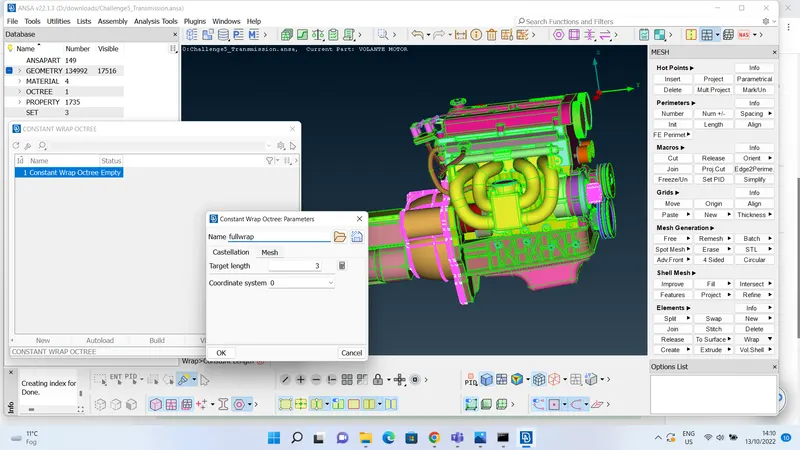
- then hit the run button on the constant wrap octree window to complete the wrap, this may take some time around fifteen minutes. simulating time depends upon the target length, if the target length is smaller it will produce a finer mesh and takes more time, if the target length is larger it will produce a coarse mesh and takes less time. the produced surface wrap took around ten minutes and the results are shown below:
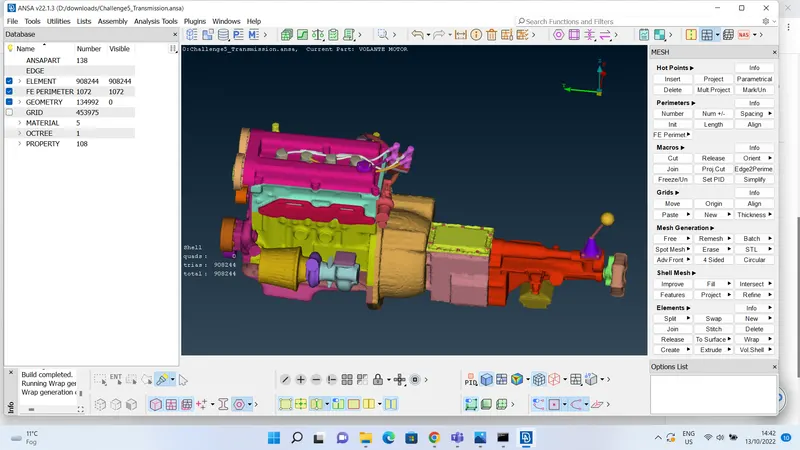
- meshing would be seen clearly if we zoom in to the model, this surface wrapped model can be used for CFD analysis of external flow around the model. as it contains a single volume, it would be easier for CFD analysis.
LEARNING OUTCOMES:
- learnt how to merge two models in ansa.
- learnt how to surface wrap the model and the way to make a model ready for a surface wrap.
- learnt about compress command, to delete all the unwanted PIDs.
- learnt how to insert the mesh parameter and contents of mesh for surface wrapping.
- learnt how to isolate all the unwanted surfaces and delete them.
RESULTS:
by following all the steps stated above, i have succefuly deleted all the unwanted surfaces, overlaping surfaces and closed all the opening surfaces from three given models to generate a finer surface wrap. then i have merged three models and form a single product ready for surface wrap. entered target length as 3mm and used constant length algorithm to maintain equal mesh length through out the model. and i have attached the drive link of my surface wrapped model.
drive link: https://drive.google.com/file/d/1b3N_GdJokuhQUylRI0go2Oh-u3YDt1yL/view?usp=sharing