2D Meshing for Automotive Hood.
Aim:
The aim of the challenge is to generate FEA mesh on the car hood model.
Objective:
- Analyze the CAD model for any geometry errors. If present, then correct it.
- Extract mid-surface from each component.
- Fix up some local geometry areas for better mesh flow.
- Apply the element quality criteria and generate mesh from the mid-surface.
Element Quality Criteria for this challenge.
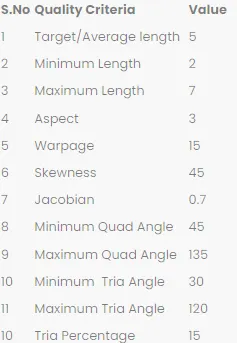
Procedure.
- The first and foremost step is to import and analyze the CAD geometry.
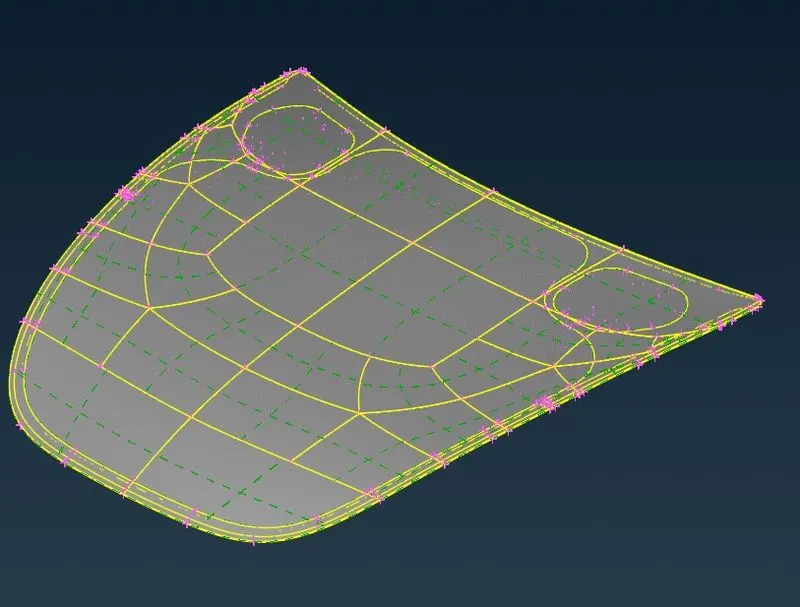
Fig 1.1 Given CAD geometry (Hood Model)
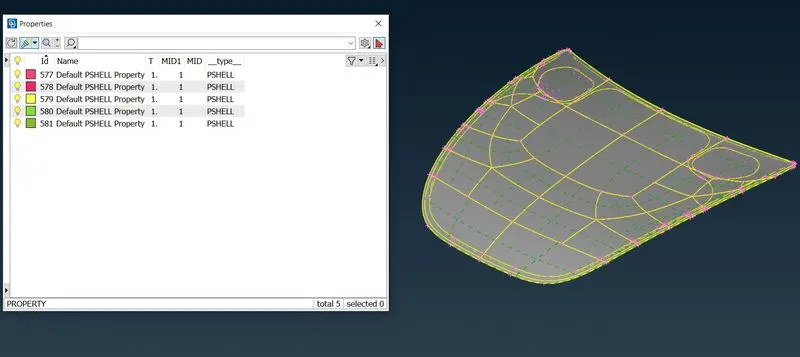
Fig 1.2
As we open the property tab in ANSA, we see there are 5 components. (Ref Fig 1.2)
- Outer Extract of Hood. (Ref Fig 1.3)
- Inner Extract of Hood. (Ref Fig 1.4)
- 2 Hinge Reinforcement of hood. (Ref Fig 1.5)
- One latch Reinforcement of hood. (Ref Fig 1.6)
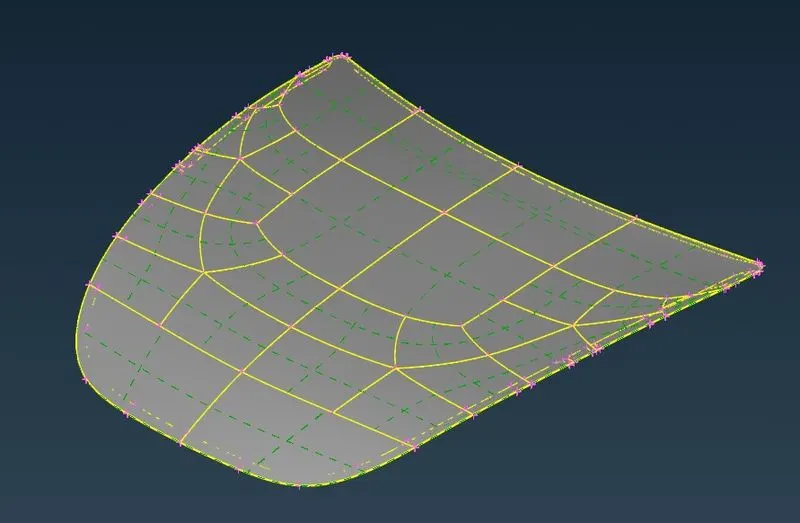
Fig 1.3
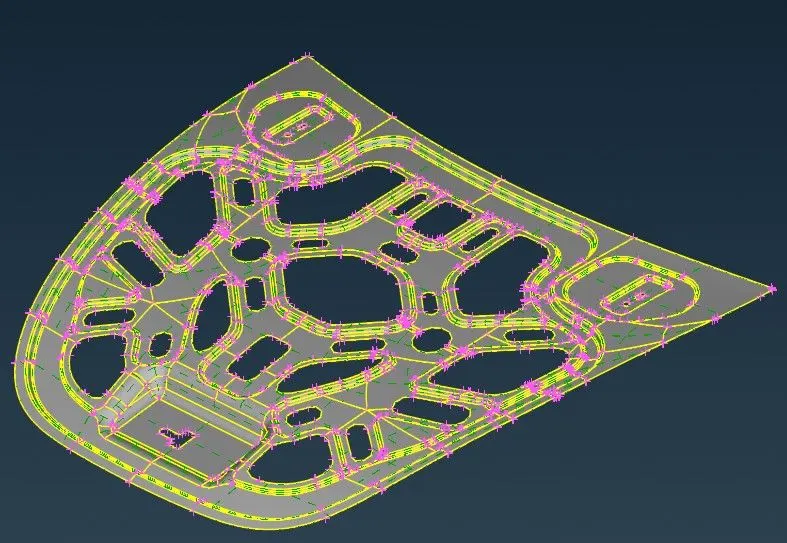
Fig 1.4
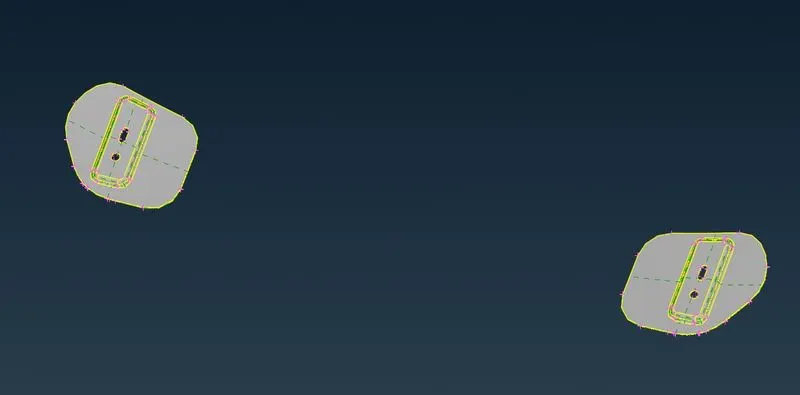
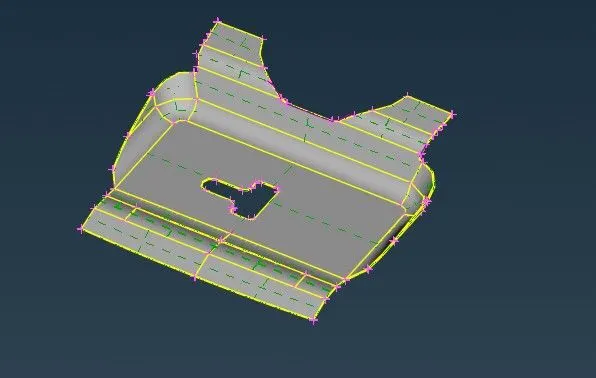
Fig 1.5 Fig 1.6
After importing the CAD geometry to ANSA we check for any geometry error that came with the model. To do so we go to the Check-Geometry option in ANSA. (Ref fig 1.7)
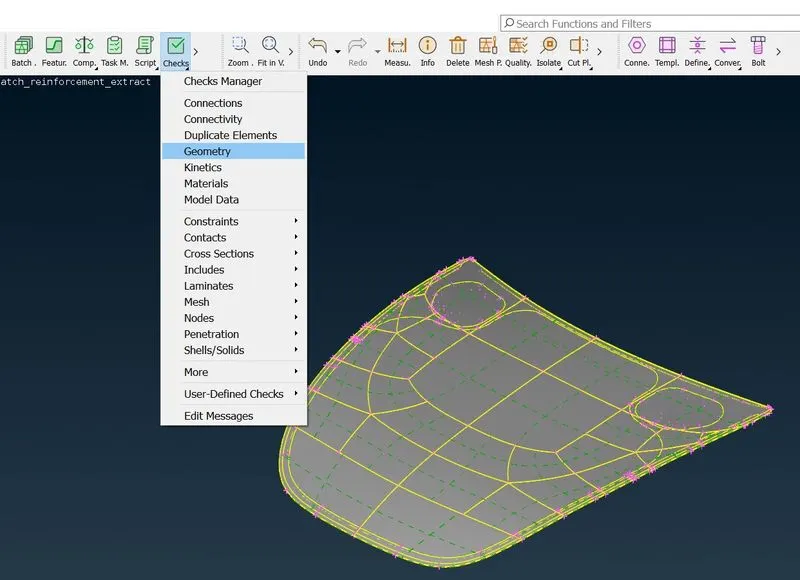
Fig 1.7
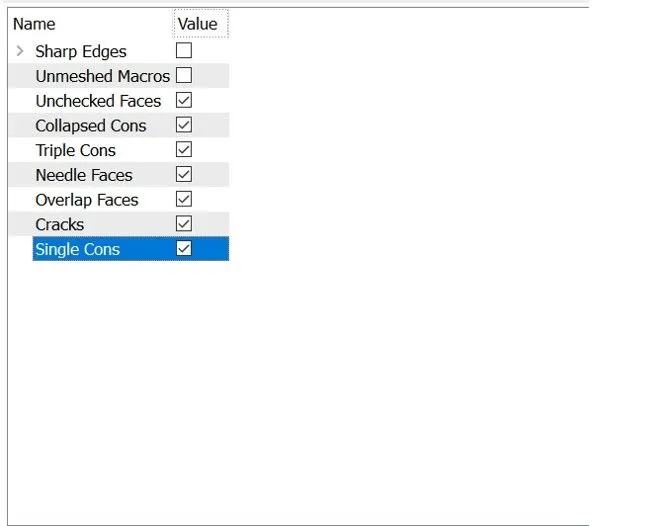
Fig 1.8 shows the criteria on which we check the CAD model.
ANSA will check the CAD model over above mention criteria, and if the model fails any of these ANSA will prompt any error describing the reason for the error.
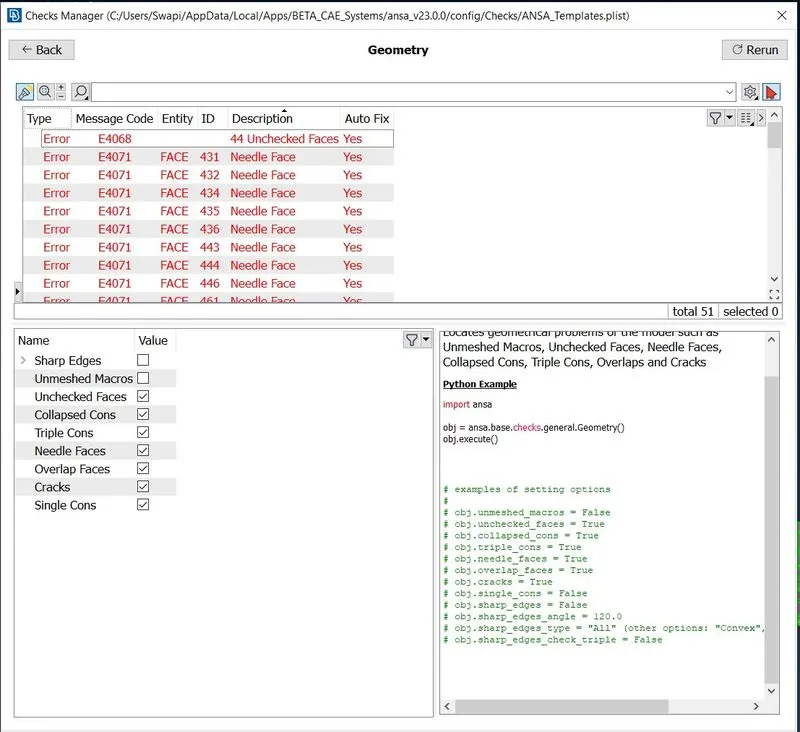
Fig 1.9
As we executed the geometry check function, we found some errors. Now there are 2 ways to solve these errors:
- Auto fix option that ANSA provides. (ANSA will fix the falling features.)
- Manual fix-User will manually fix the falling faces or Cons.
In our challenge, ANSA was able to auto-fix all the errors.
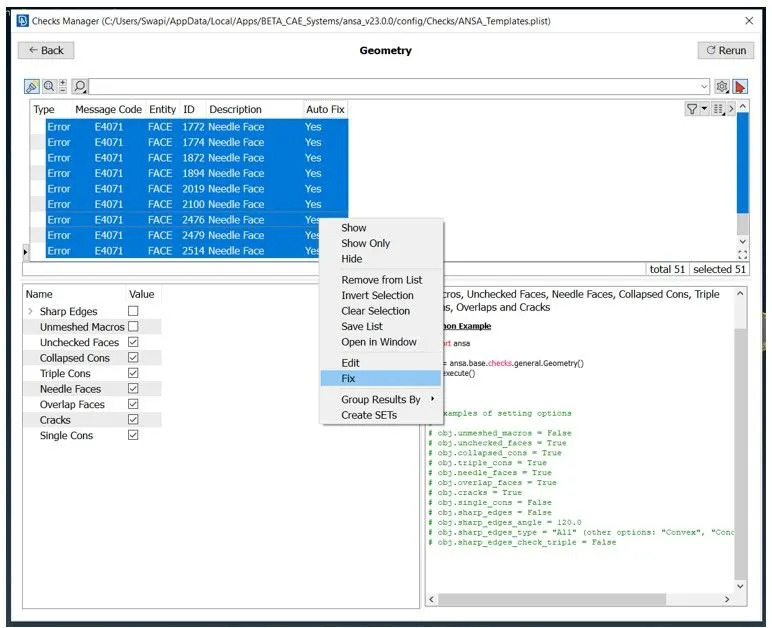
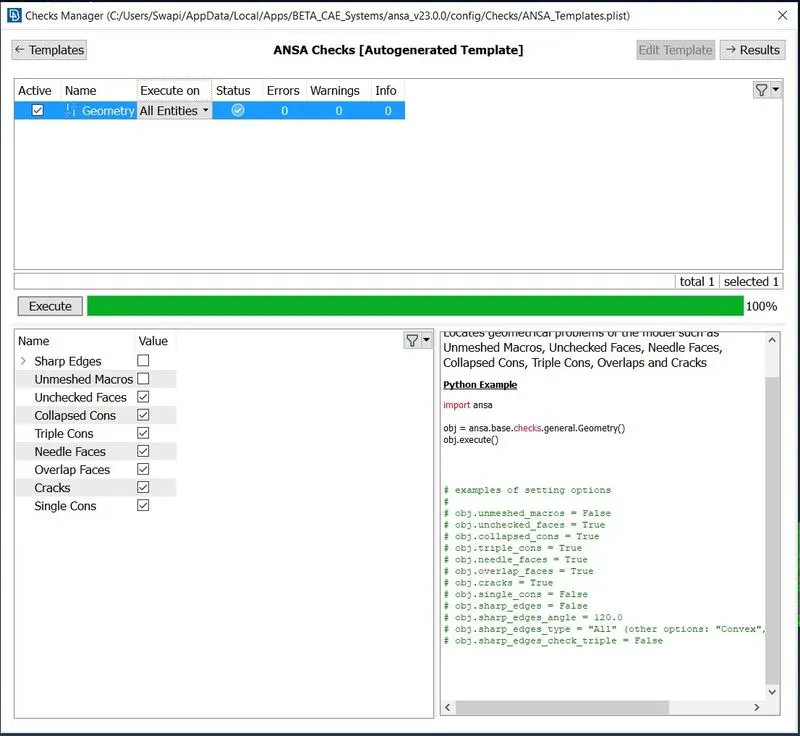
Fig 1.10 Fig 1.11
- The second step is to extract the mid-surface for each component.
In this step, we generate the mid-surface of a uniform thickness component (Sheet metal) see below fig 1.12 for more details
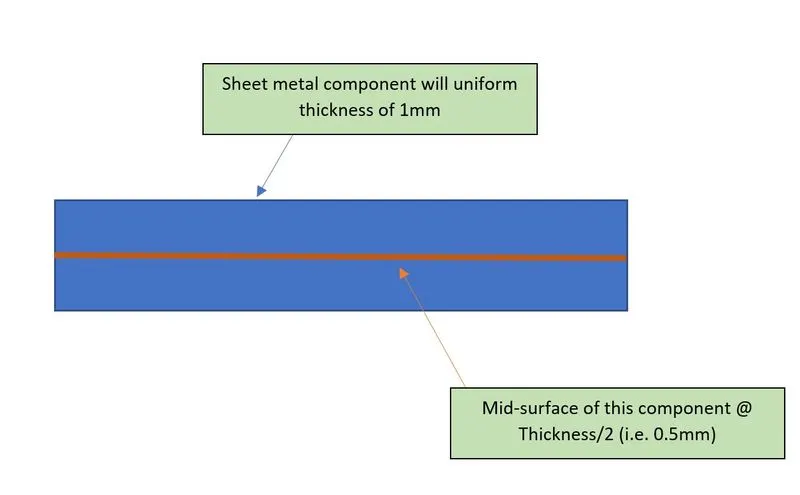
Fig 2.1
But before extracting the mid-surface we have to do a quick thickness analysis of each component to make sure it is a linear component. (Uniform thickness).
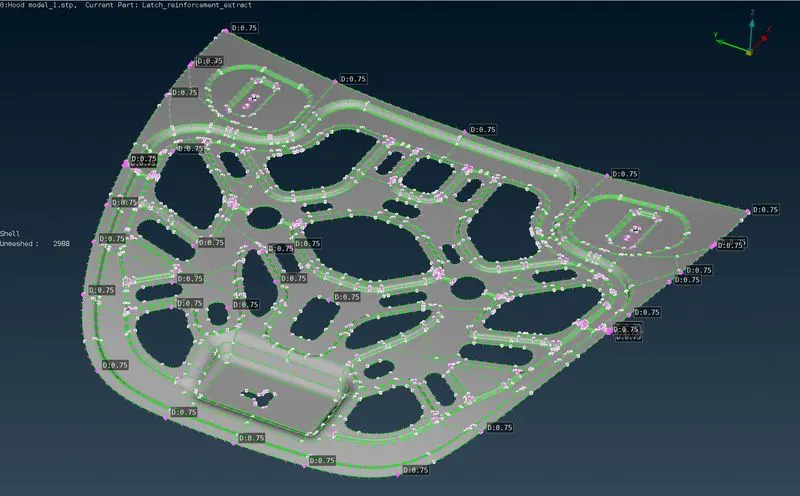
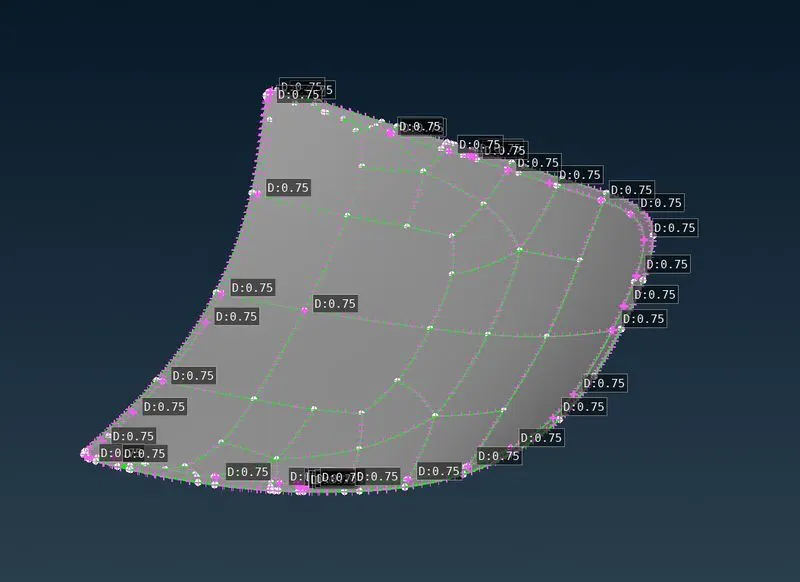
Fig 2.2 The average thickness of the Inner Extract Fig 2.3 The average thickness of the Outer Extract
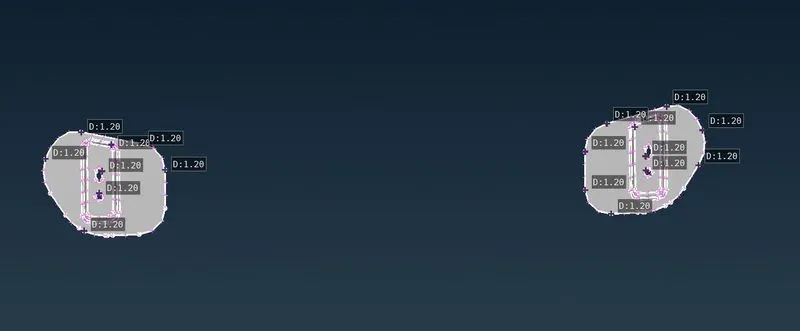
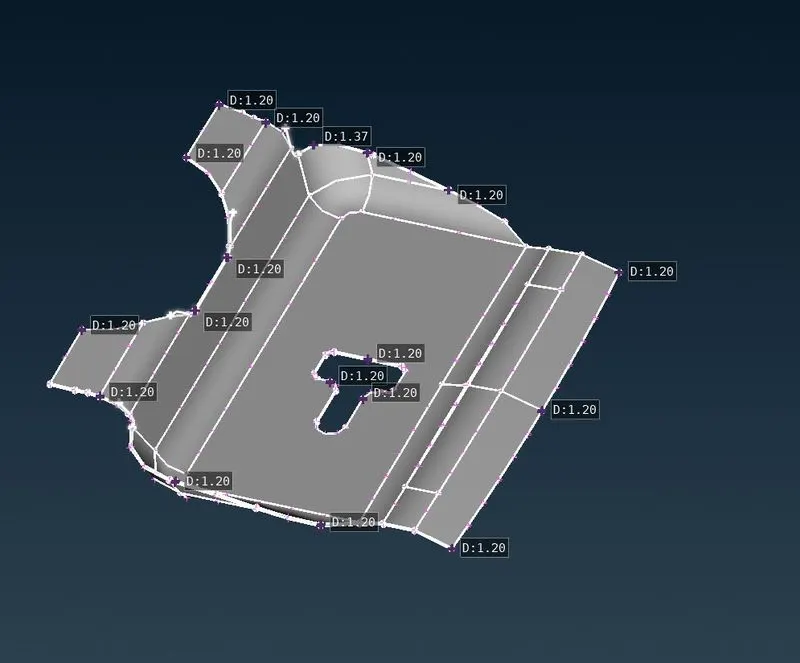
Fig 2.4 Average hinge Reinforcement. Fig 2.5 Average Latch Reinforcement.
The thickness of the components is as follows.
- Inner extract- 0.75mm
- Outer extract- 0.75mm
- Latch Reinforcement- 1.2mm
- Hinge Reinforcement- 1.2mm
Now extracting mid-surface ANSA provides commands
- OFFSET
- MID SURFACE.
For this challenge, we will be using the MID-SURFACE command which will generate mid-surface if one shot.
Now we extract mid-surface for inner extract, for this we select the mid-surface command and then select the whole component. After confirming the top and bottom faces and the thickness of the components the mid-surface will get generated. (See fig for steps)
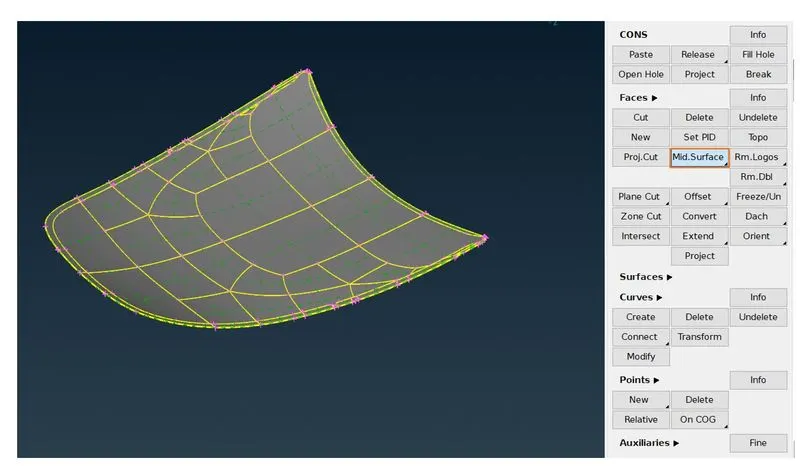
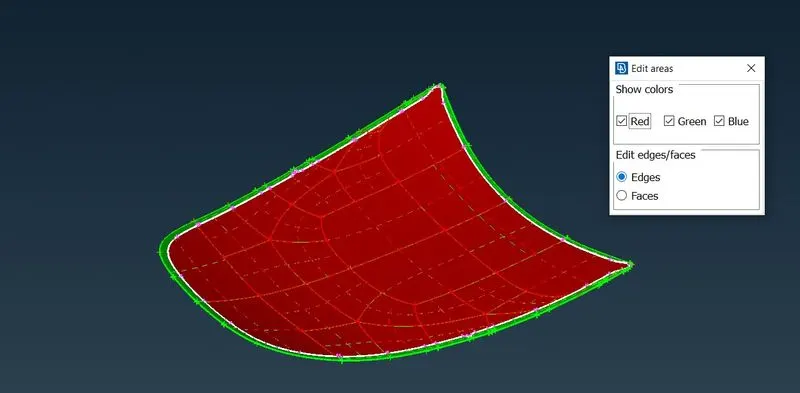
Fig 2.6 Fig 2.7
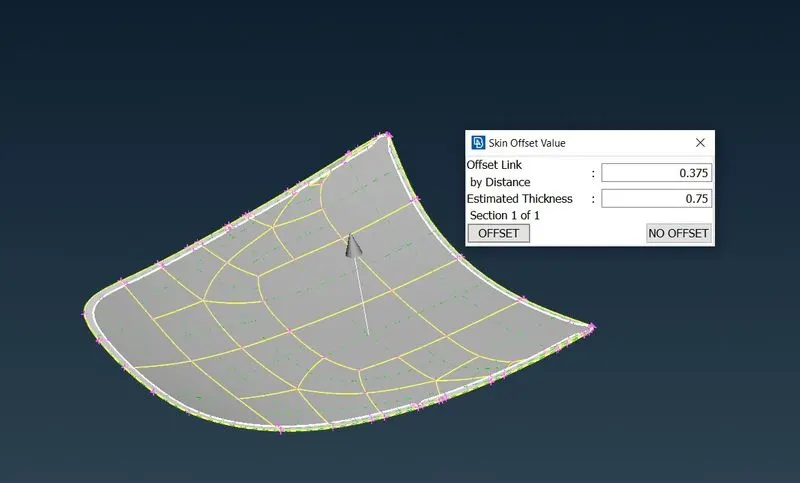
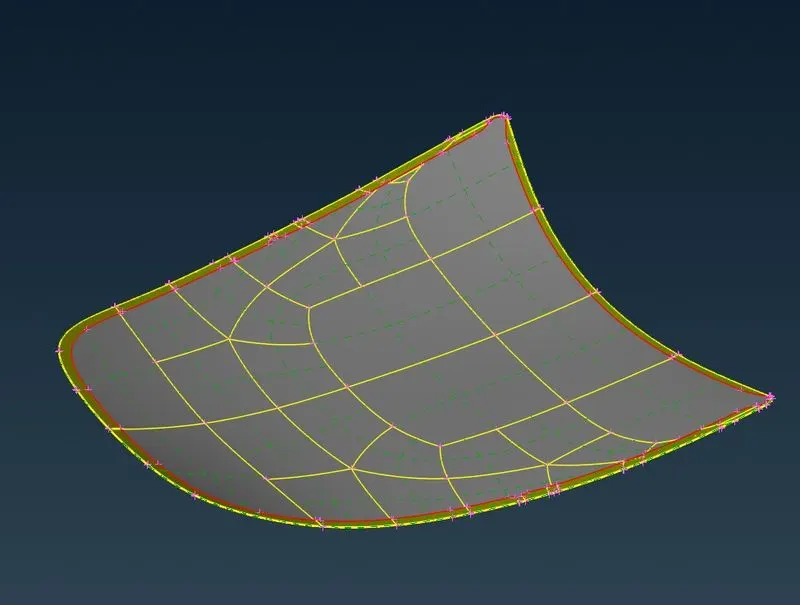
Fig 2.8 Fig 2.9
By following the same procedure we will extract mid-surface for all the components.
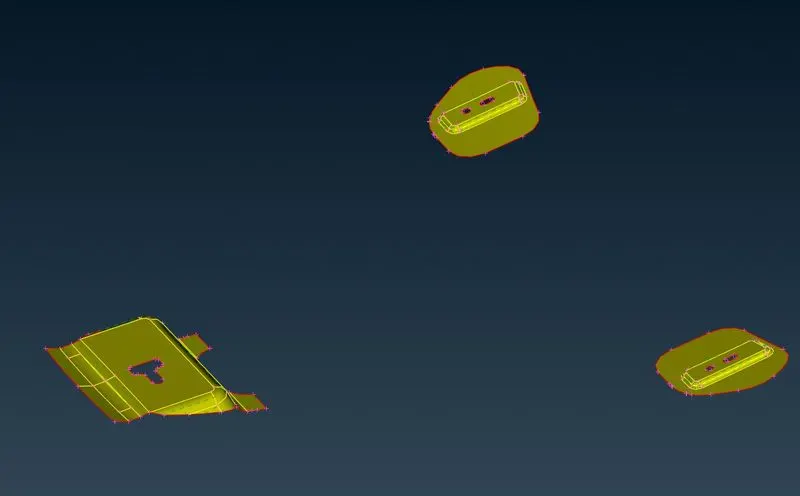
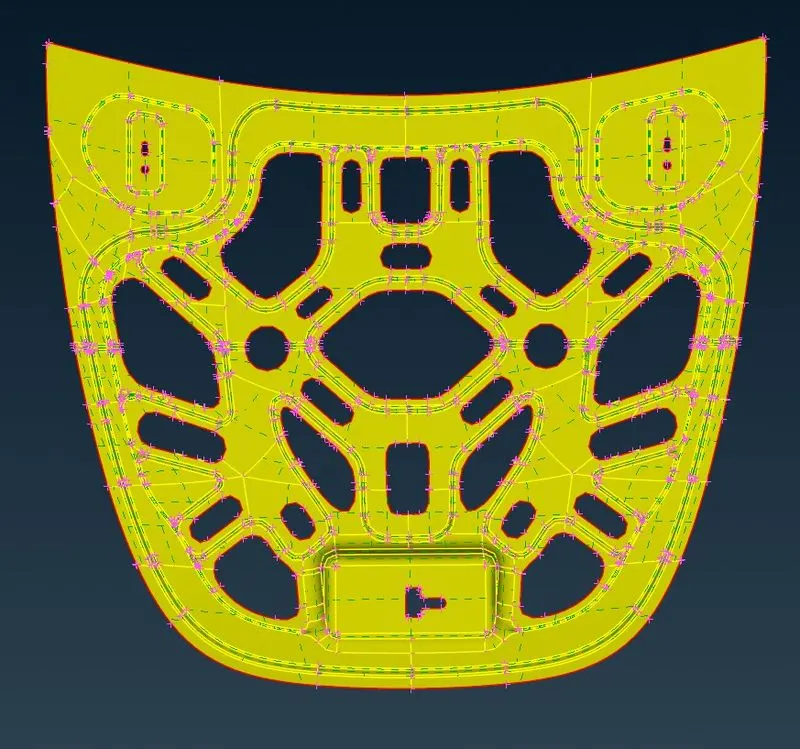
Fig 2.10 Fig 2.11
As the Inner and Outer Extract are symmetrical components, we can delete one half before applying mesh.
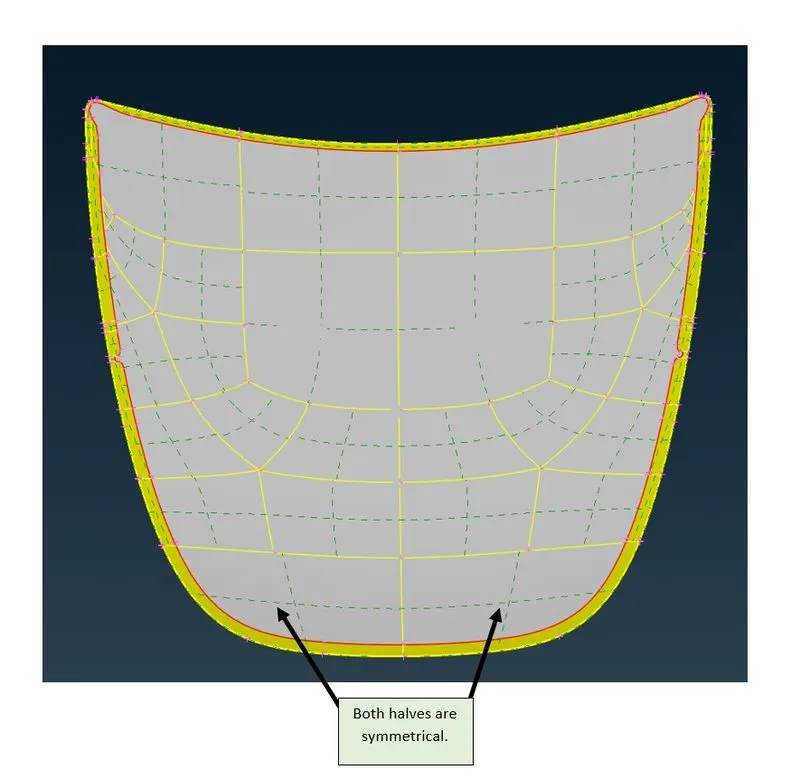
Fig 2.12
To check if the components are symmetrical or not, we use Rm. Dbl command in ANSA to analyze the part for symmetricity and delete one half automatically
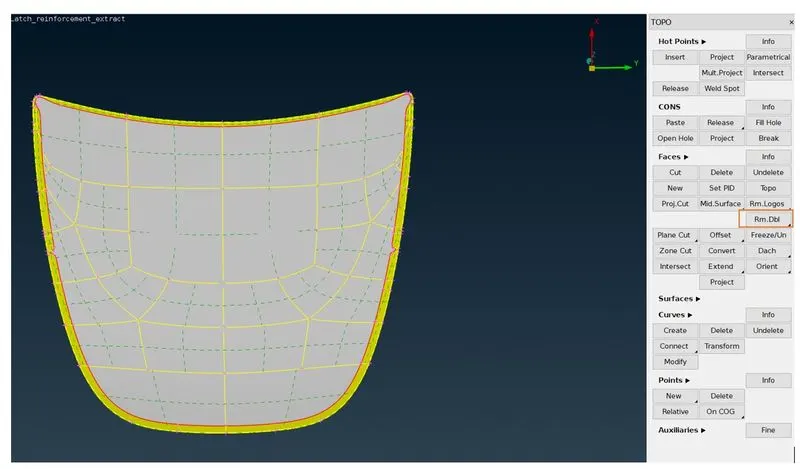
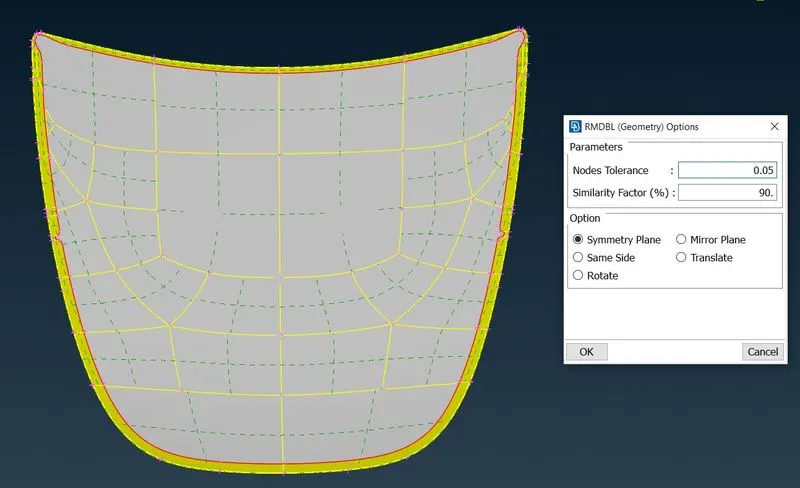
Fig 2.13 Fig 2.14
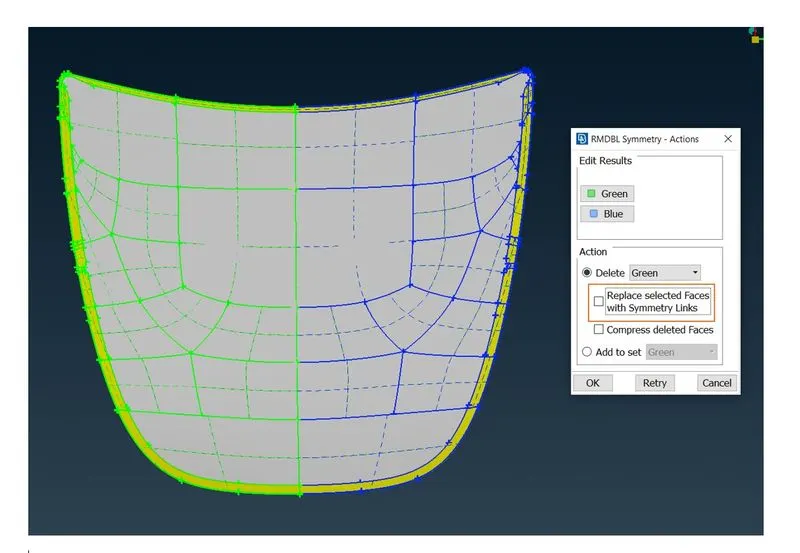
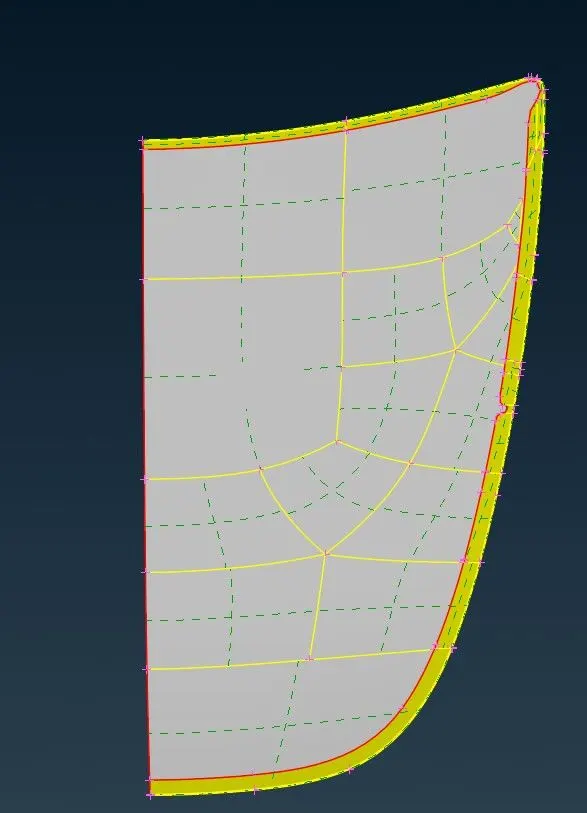
Fig 2.15 uncheck that box Fig 2.16
After extracting the mid-surface from all the components, we will do a final geometry check of our newly generated mid-surface.
- The third step is we apply the element quality criteria that are mentioned above. For this, we select the mesh parameter command in ANSA (see fig below)
In this command, we will input our target length of the element to be 5mm and a minimum length of the element to be 2mm. We keep mesh type general, mixed selection of elements and 1st order elements only.
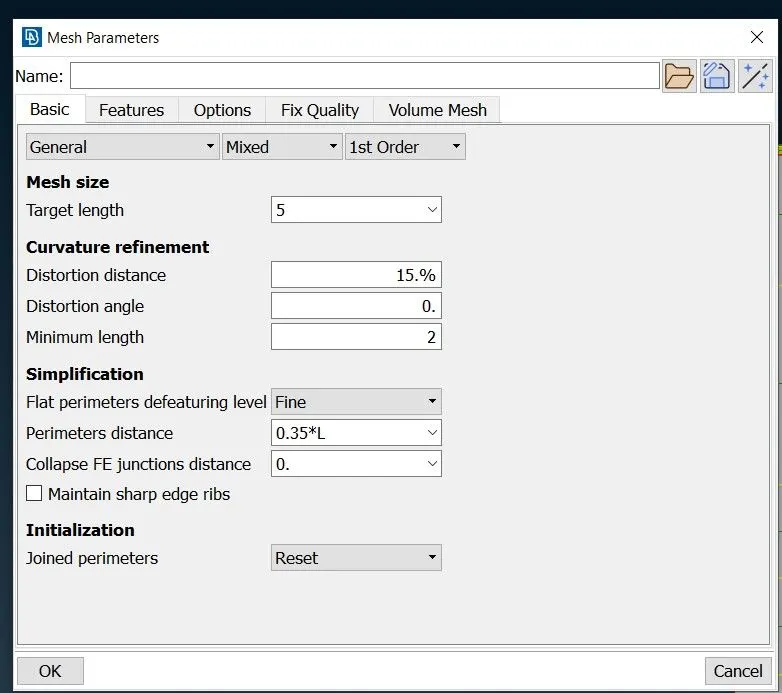
Fig 3.1
In this command, we will input the element quality criteria that are provided. And in the presentation parameters, we will do the following changes.
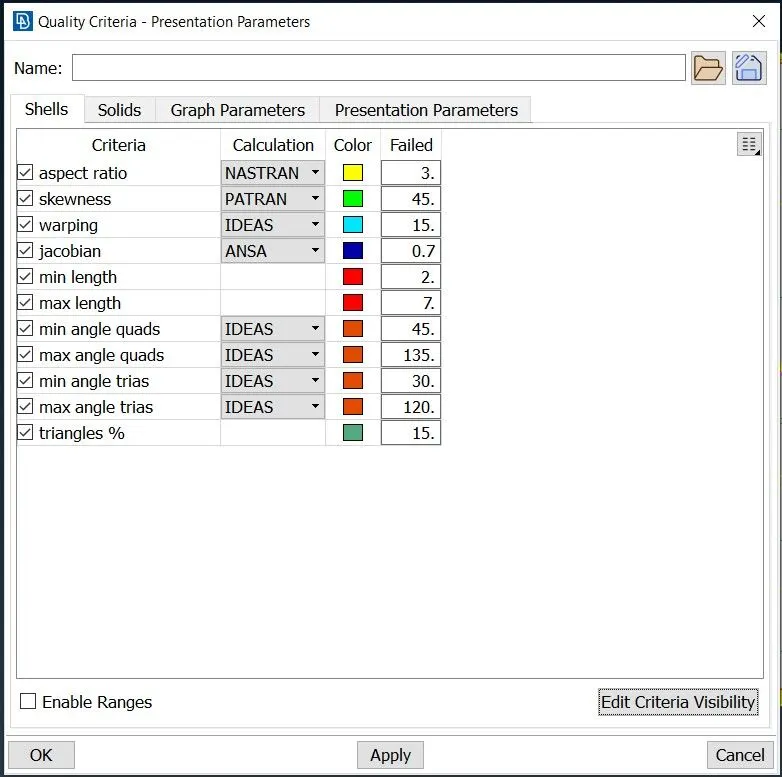
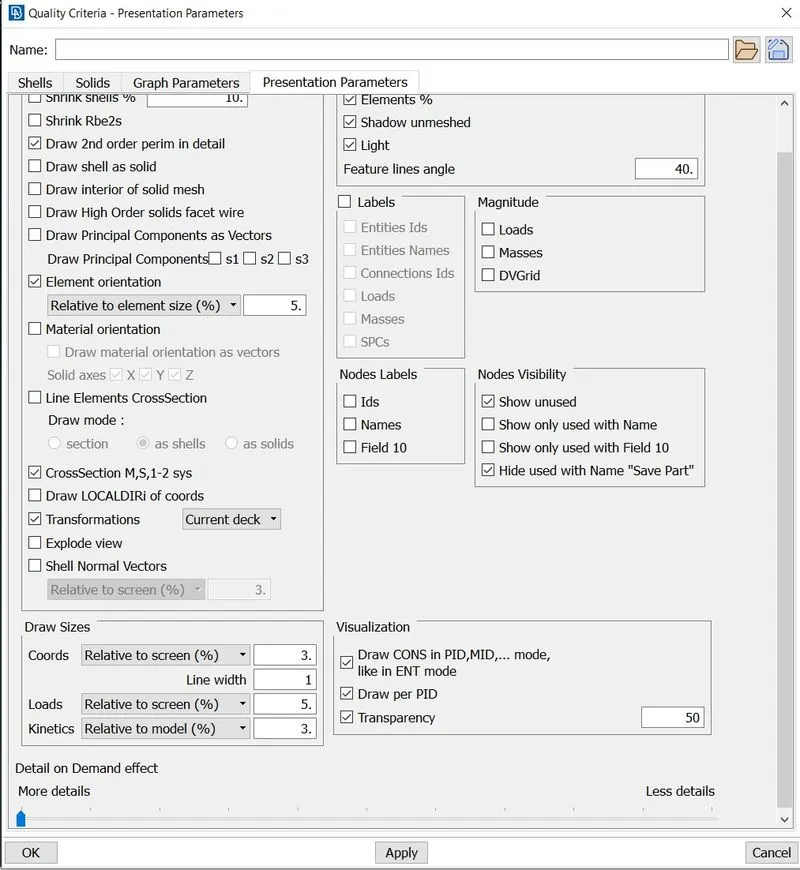
Fig 3.2 Fig 3.3
After selecting mesh parameters and quality criteria we will go to the mesh window to apply element length to our component.
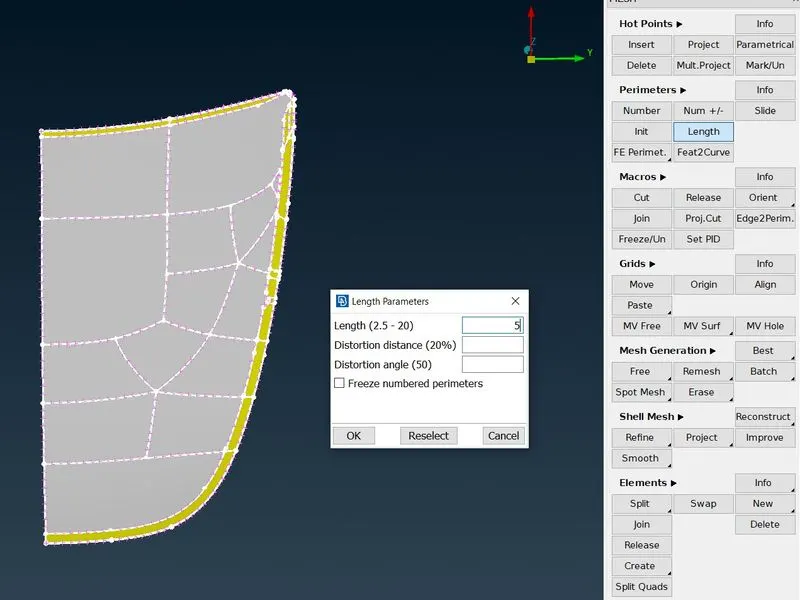
Fig 3.4
Now Ansa will create points on the surface with 5 mm approx. distance between each point.
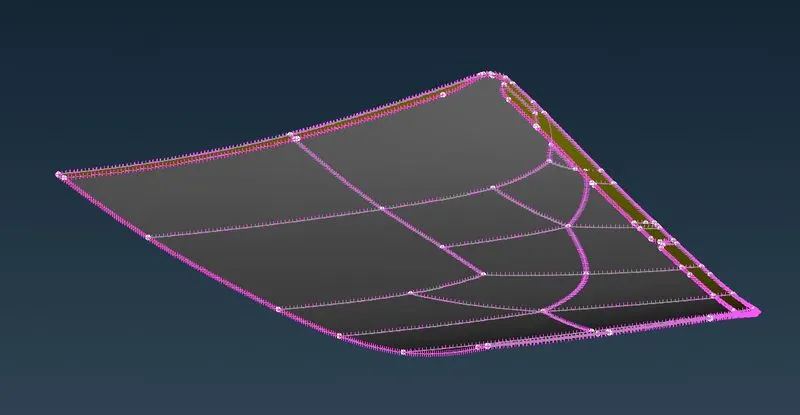
Fig 3.5
We will apply the element length to all the components. Before deploying the mesh to all the components, we will correct some geometries which can create a bad mesh flow.
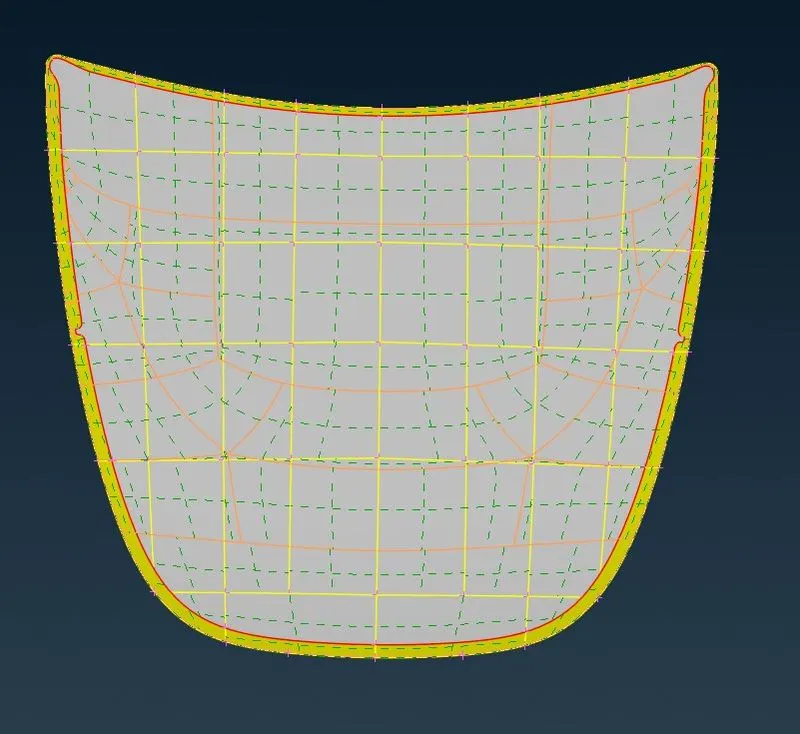
fig 3.6 all the orange edges are suppressed Cons.
We have corrected the geometry at the hemming (Defeature the radius) region for better mesh flow
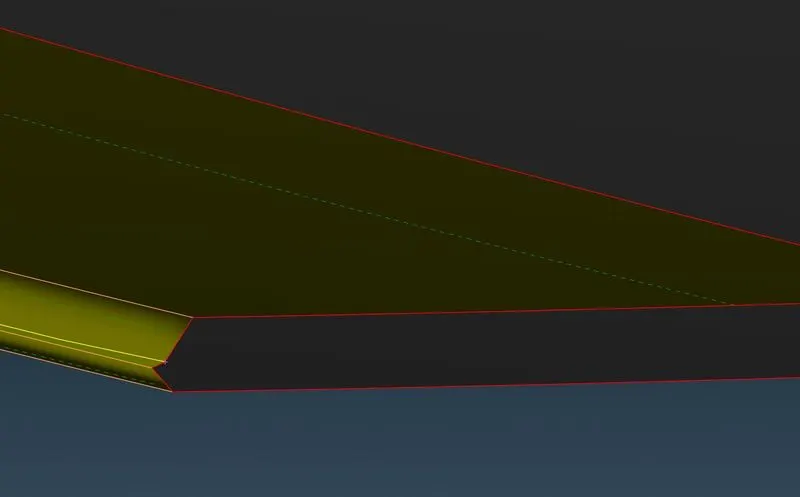
Fig 3.7
Similarly, we have corrected the geometry in the following region of the inner extract by suppressing extra cons and deleting extra hot points (Simplifying geometry for better mesh flow)
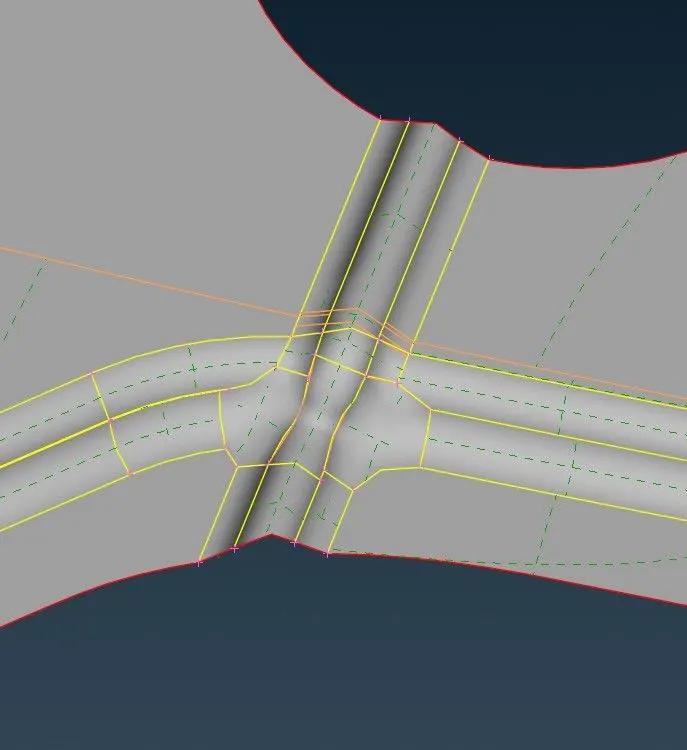
Fig 3.8
After suppressing unwanted Cons on all the components we are now ready to deploy mesh.
- Step 4 deploy mesh on all the components.
For the mesh we will use the Best Mesh command in ANSA, now this command will automatically select the best suitable mesh for the component and apply it to the component.
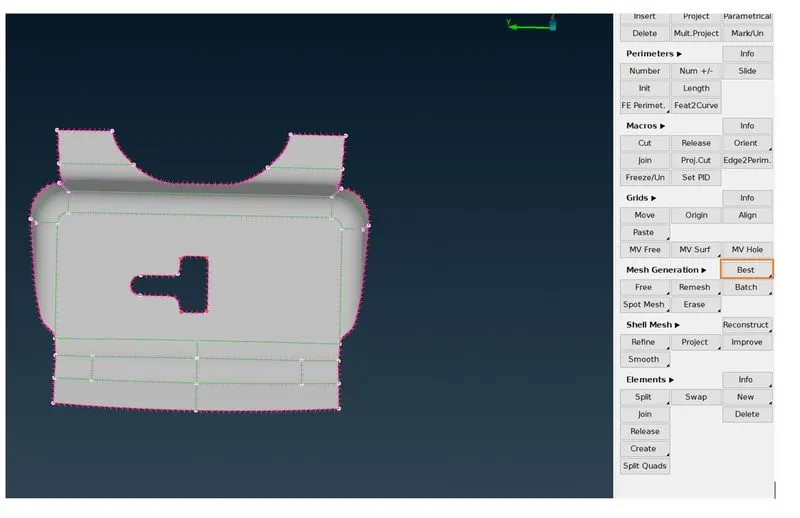
Fig 4.1
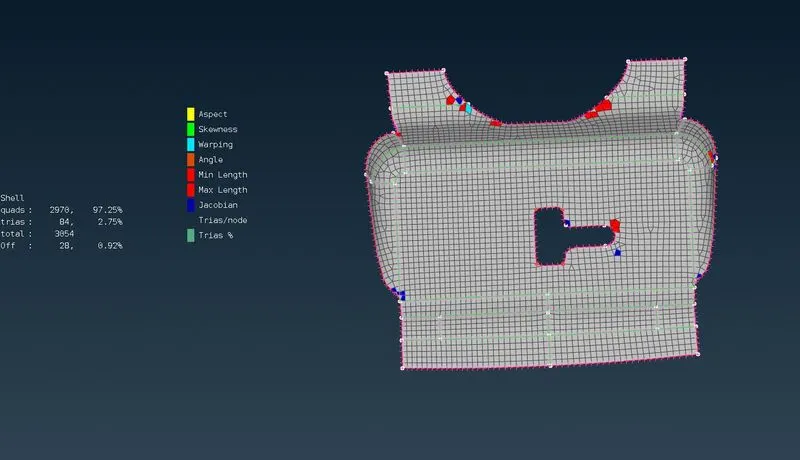
fig 4.2 Ansa will deploy Best mesh with some quality errors which can easily be removed by using Reconstruct command.
We have to remove/relocate some of the TRIA elements that are created near the feature area (hole or outer edge)
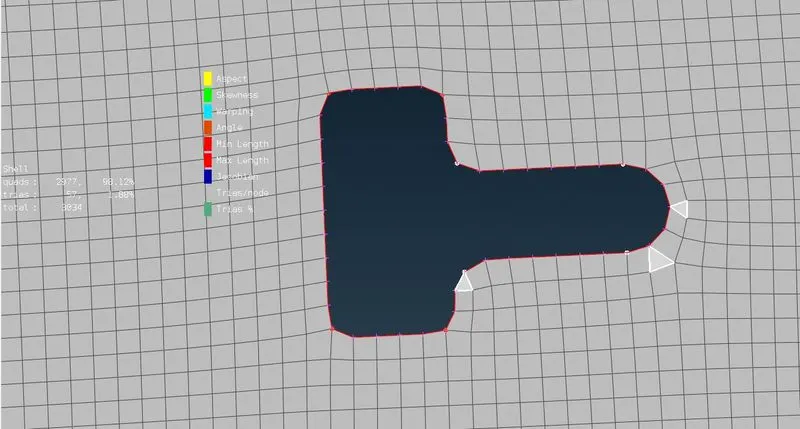
fig 4.5 TRIA Elements near features.
These TRIA elements can be removed/relocated by using the SWAP, SPLIT and JOIN Commands present in ANSA. after some iterations, we are able to remove the TRIA elements from the features.
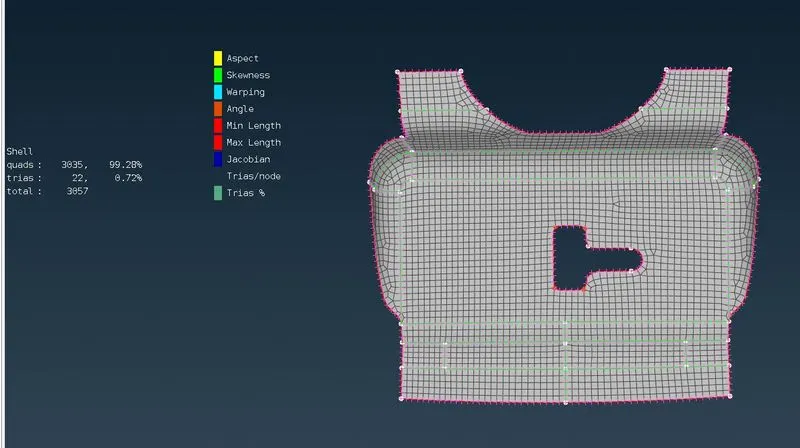
Fig 4.6
By we can apply the same procedures to all the components.
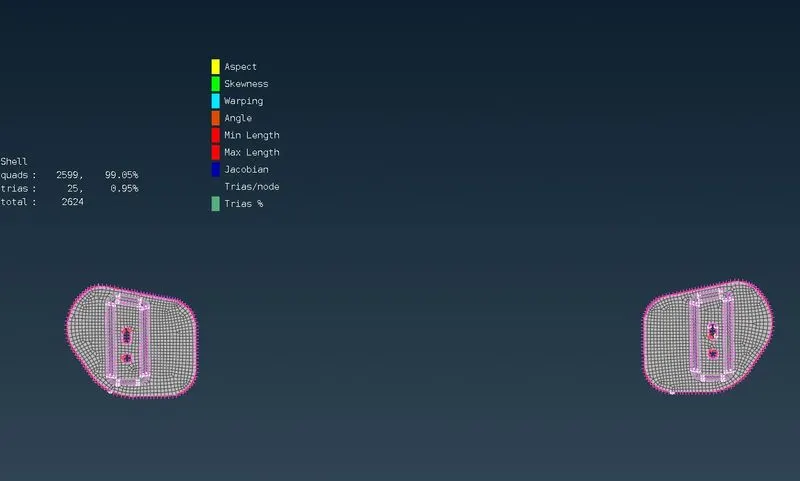
fig 4.7
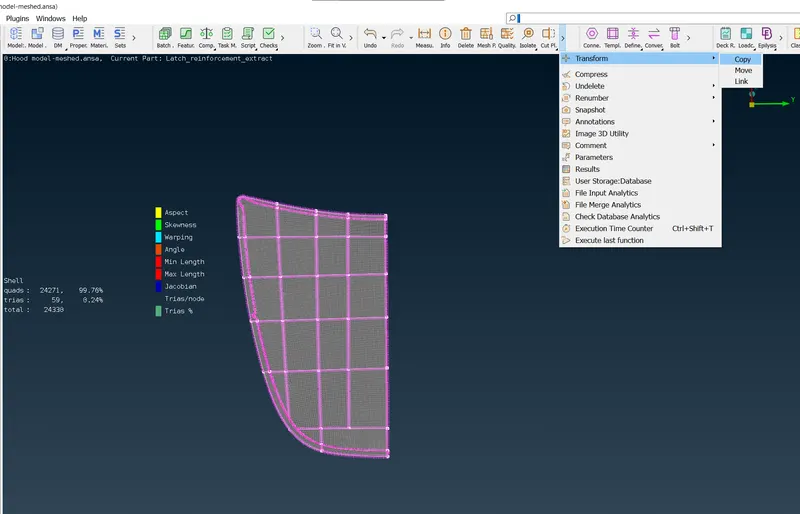
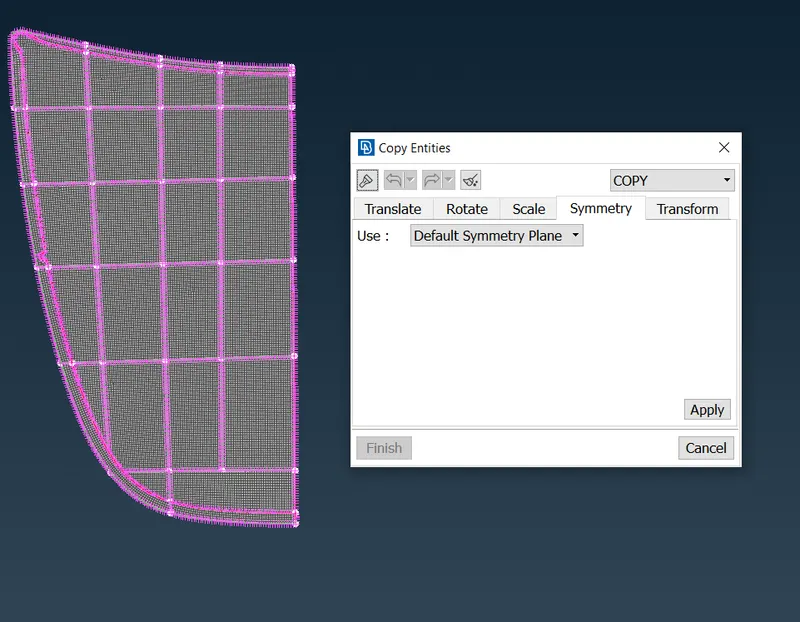
Fig 4.8 we can use the transform command to copy one half of the symmetry to another half Fig 4.9 use the default Symmetry Plane that we created before
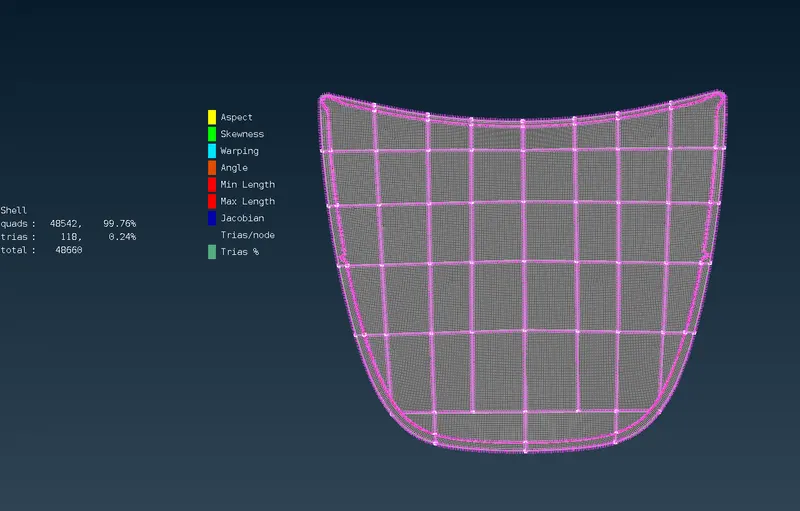
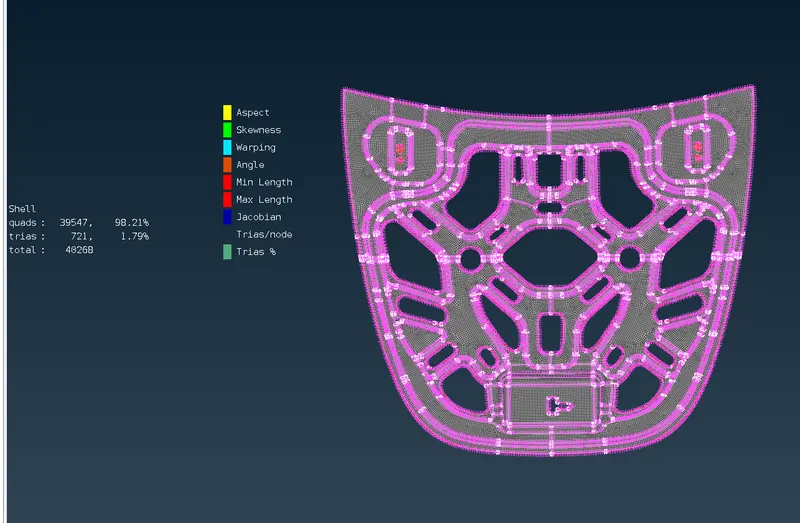
fig 4.10 Full Outer extract meshed. Fig 4.11 similarly we can copy the inner extract.
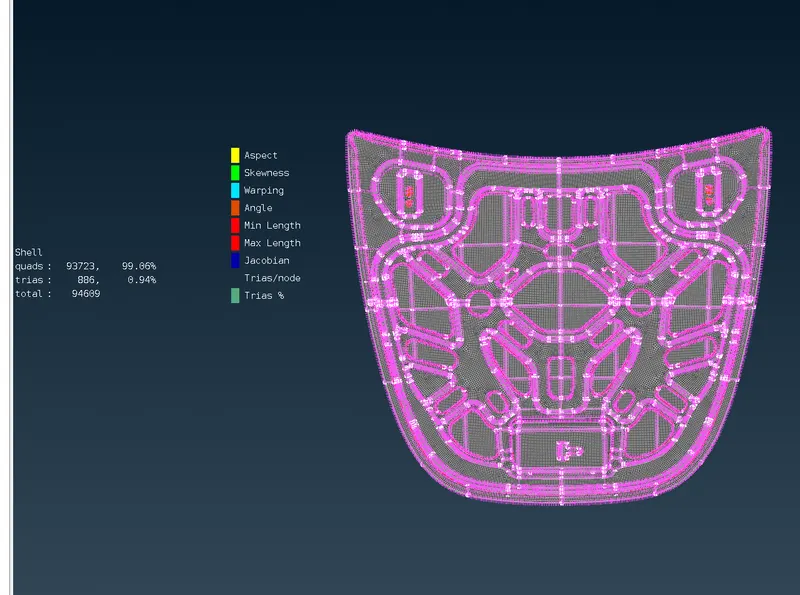
fig 4.12 All the components with prop[er mesh flow (%QUADS- 99.86 %TRIAS-0.94)
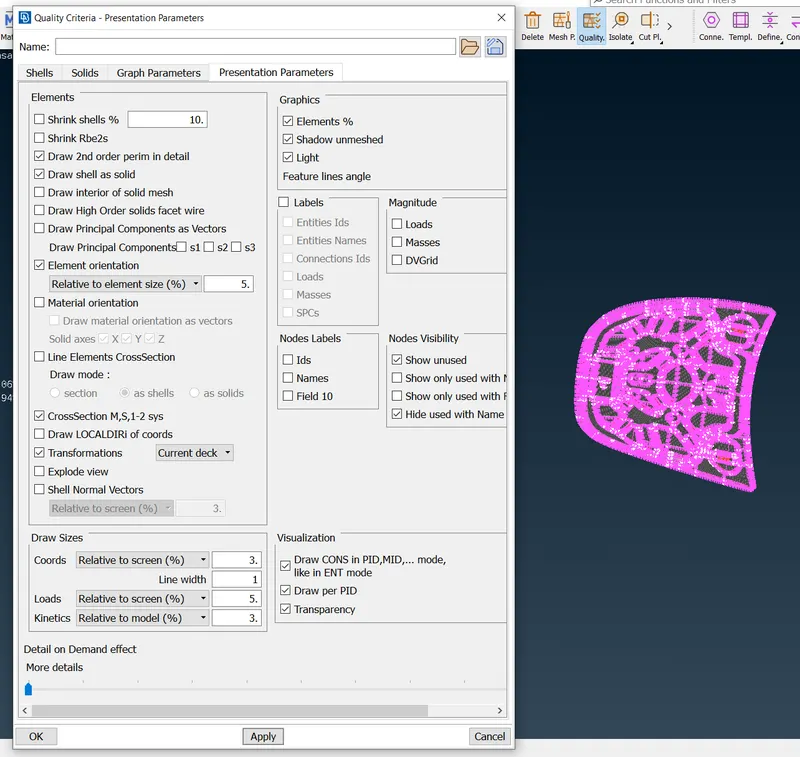
Fig 4.13 Finally we draw shells as solids
- LEARNING OUTCOME:
By doing this challenge I learned,
- How to fix geometry by suppressing different Cons for better mesh flows.
- How symmetrical components can be cut in half and can be rejoined after meshing is done to save time.
- Different ways to manipulate TRIAS in mesh for better results.
- CONCLUSION:
The hood components with properly extracted mid-surface have meshed with .94% TRIA elements and good mesh flow.