Week 3 - 2D meshing for sheet metal
AIM:For the given Hood model, Take the mid surface for all the components after checking the geometrical errors and mesh the mid surface with the given element Quality criteria. (Refer the table Below for the Quality criteria)
|
S.No |
Quality Criteria |
Value |
|
1 |
Target/Average length |
5 |
|
2 |
Minimum Length |
2 |
|
3 |
Maximum Length |
7 |
|
4 |
Aspect |
3 |
|
5 |
Warpage |
15 |
|
6 |
Skewness |
45 |
|
7 |
Jacobian |
0.7 |
|
8 |
Minimum Quad Angle |
45 |
|
9 |
Maximum Quad Angle |
135 |
|
10 |
Minimum Tria Angle |
30 |
|
11 |
Maximum Tria Angle |
120 |
|
10 |
Tria Percentage |
15 |
PROCEDURE:
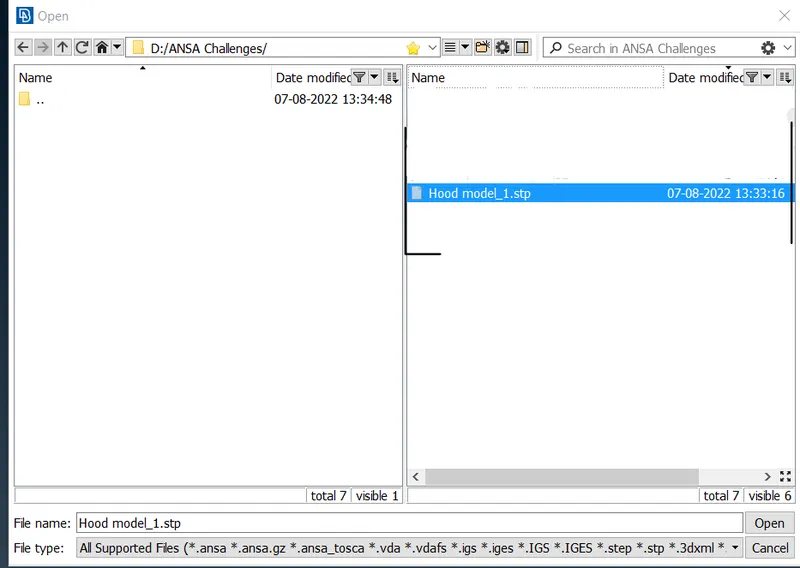
- First we are going to Import the geometry.
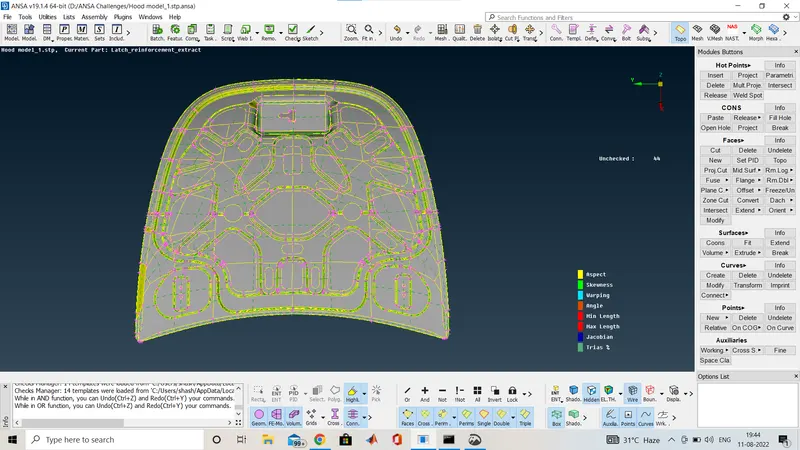
- The image given below is the CAD geometry after importing and this geometry is without topo cleaning or geometry cleanup.
- And the model is opened in toto mode .
Now We are going for geometry check:
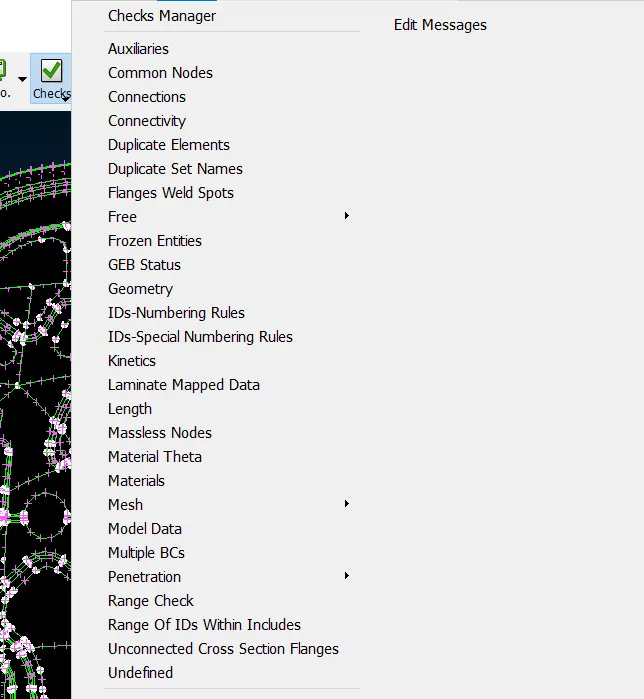
This is check manager where all types of checkes are listed or you can make your own check list.here we are going to open the geometry check for the geometry cleanup.
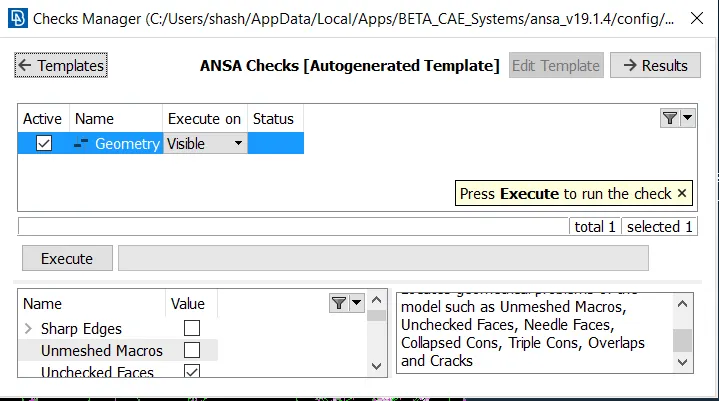
So here we opened the geometry check and now we are going to see what are the gometry cleanup required to the geometry.
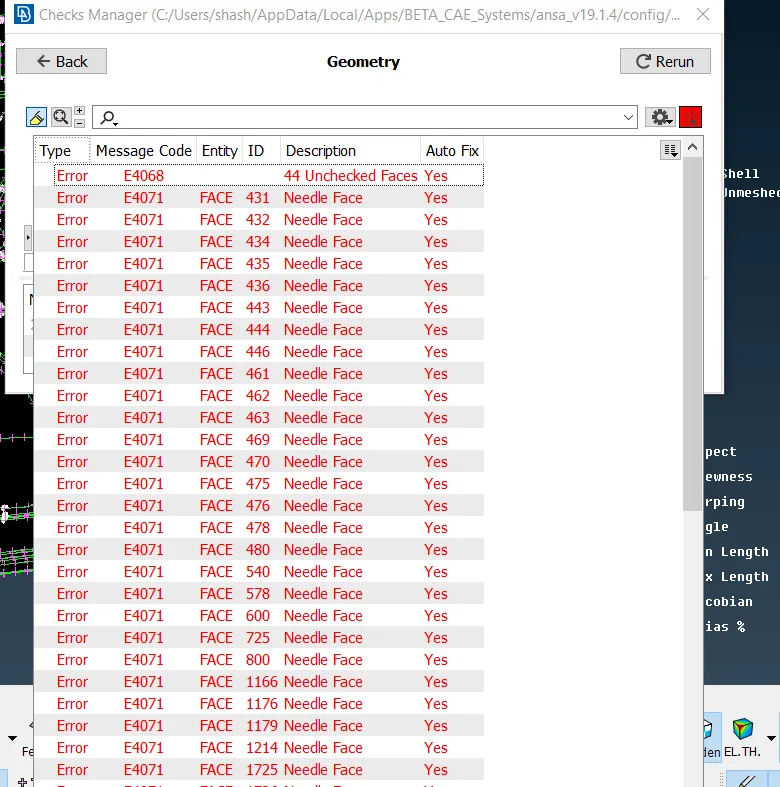
So here you can see there are 44 unchecked surface we we need to clean it so that our geometry is good for the further process.
we can clean the geometry one by one also manually and ansa has a feature to clean it in once automatically.
So now here i ams howing you manual cleanup of one part so how it looks with and without geometry cleanup and then same all others are done.
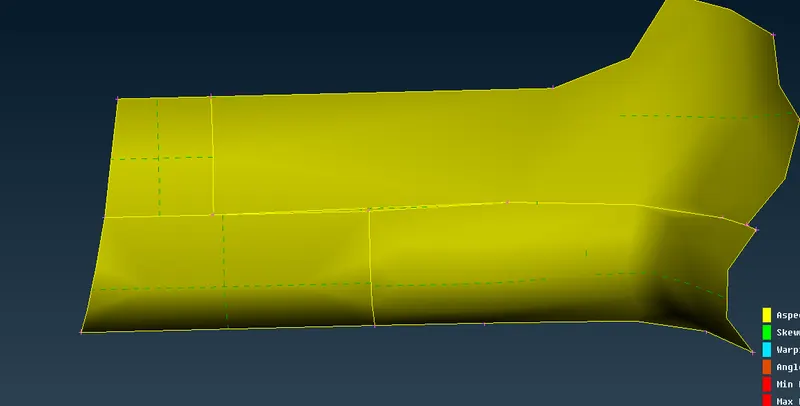
Here you can see the part is not cleaned.
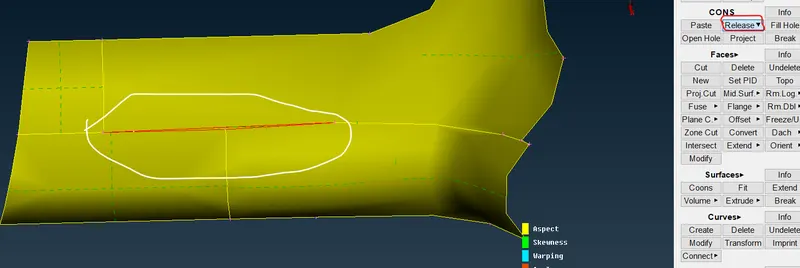
So here we use release option and release the coons.
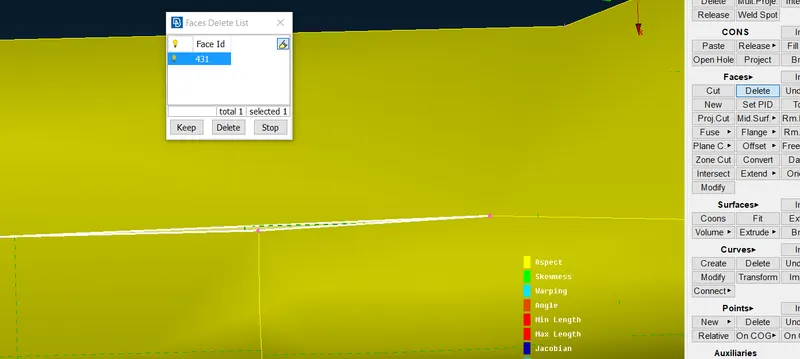
then here after release we delete the between faces.
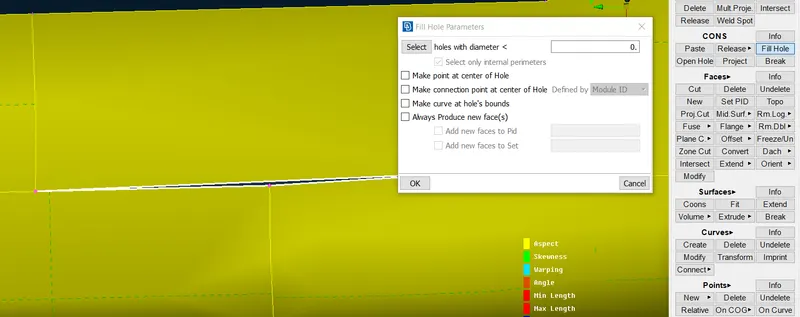
now we jst use the fill hole option in cons and tap on the surface
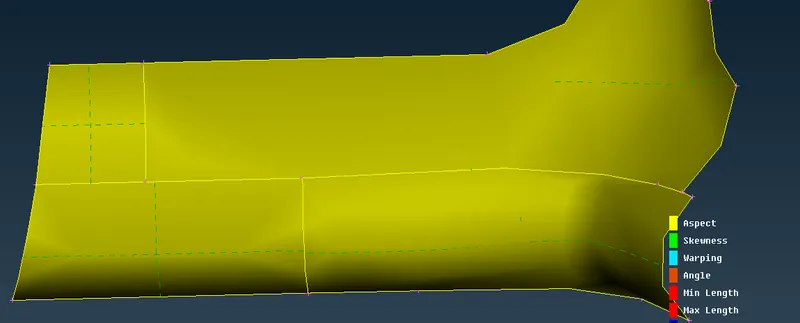
here we can see the gap is filled now the geometry is cleaned.
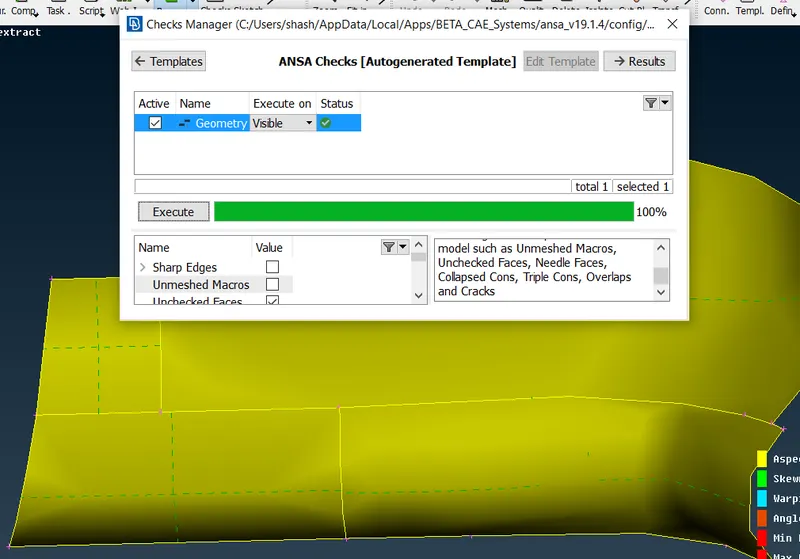
Here we checked the geometry again for that part so you can see no geometry cleanup required for this part and the same we cleane the rest of the parts.
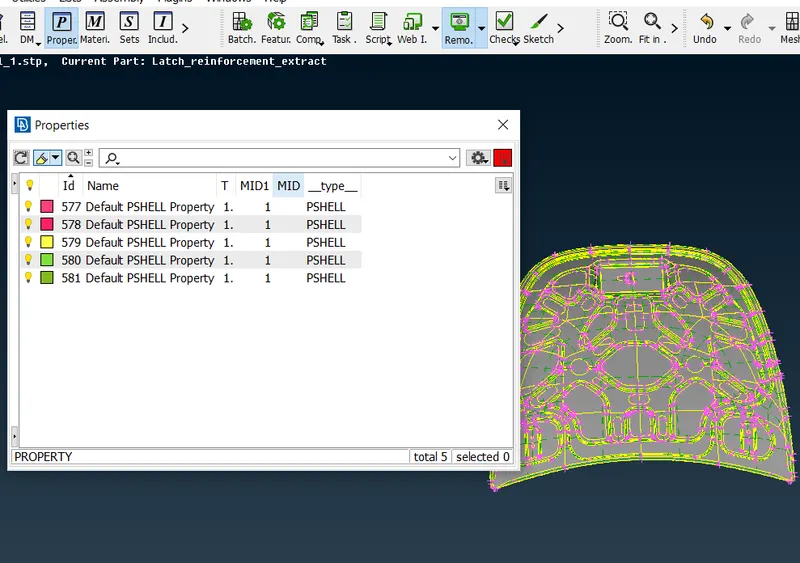
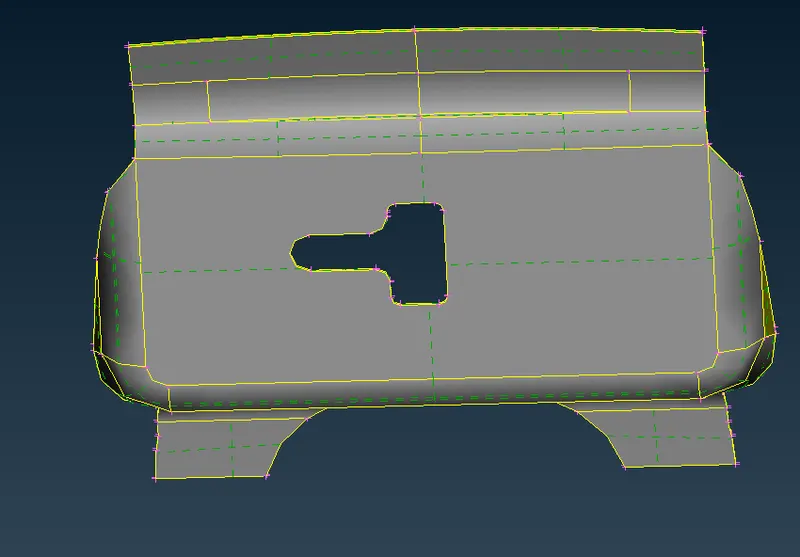
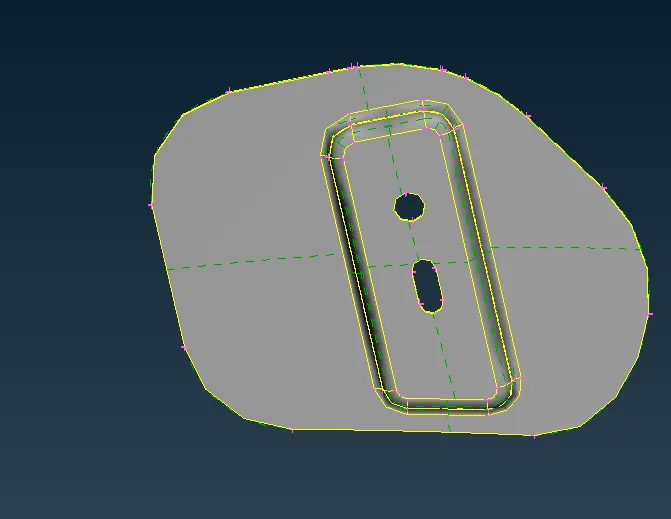
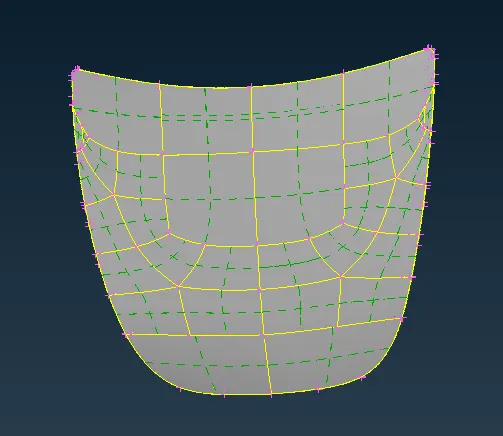
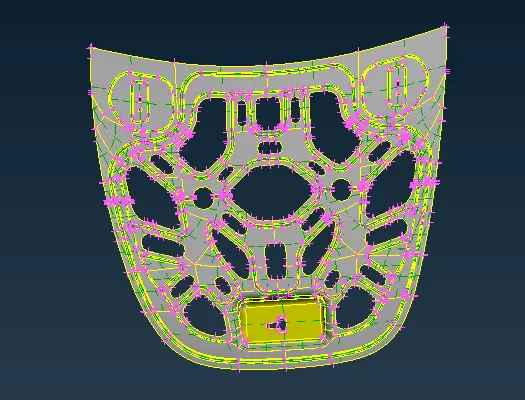
Here you can see the propert cart on the top bar and there is total 5 parts are there 2 hinge,1 latch and uper extract and lower extract
LATCH
HINGE
OUTER EXTRACT
INNER EXTRACT
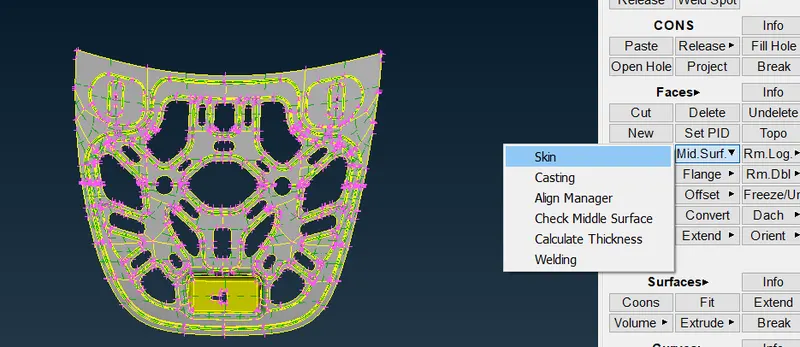
Here we are going to now extract the mid surface of all the five part seperately.
What is mid surface?
Ans:Mid surface is the extraction of mid surface which is the exact same as the part but it comes in the middle of the part like you see below in the fig there is a red line which is in middle of the part.
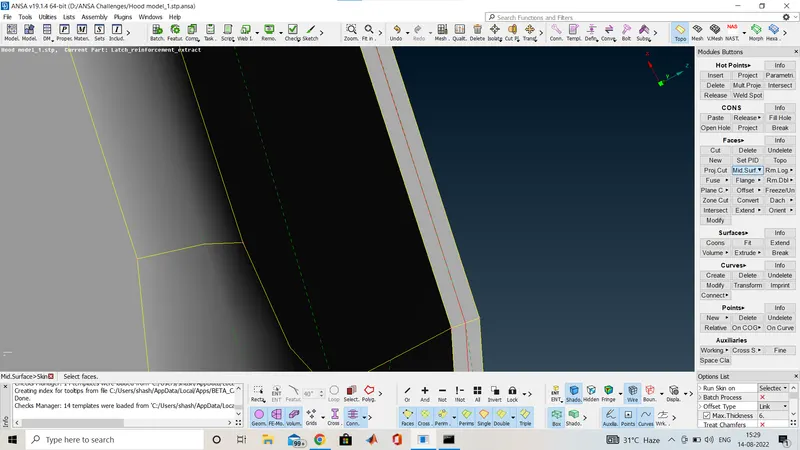
Here you can see a red line in the mid of the both surface this is the mid surface.
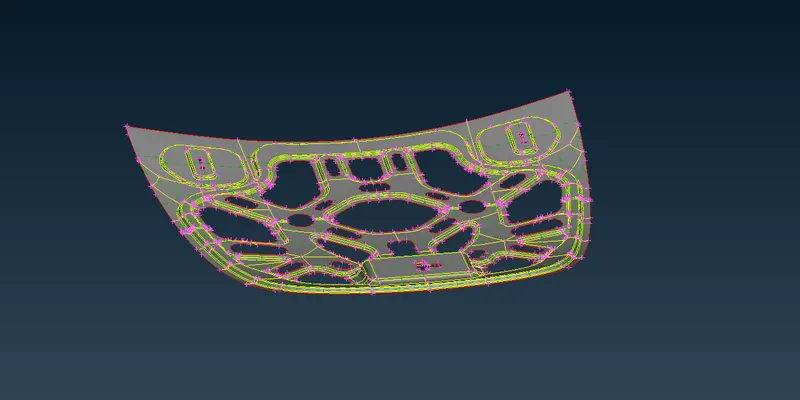
This is the mid surface of the inner extract hood and in the same way we are going to extract the mid surface of all the parts.
After the mid surface creation we have to assign the thickness to the mid surface in the property card.
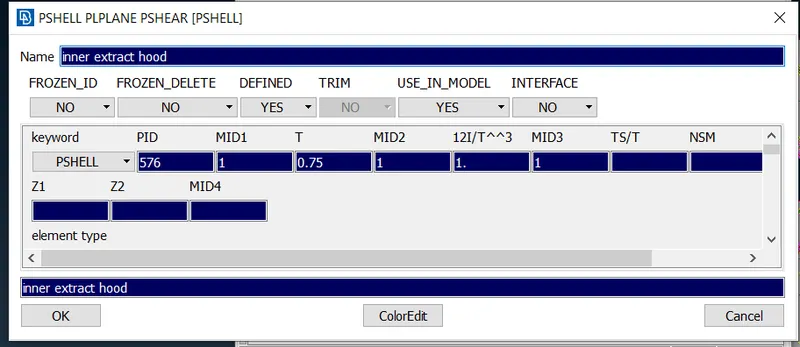
here the thickness is 0.75mm and this is the property card of this part and the same we have property card for all the parts of hood.
After the mid surface and the thickness assignment we are going to mesh on all parts of the miss surface.
What is mesh?
Ans: A mesh is a network that is formed of cell and points.It can have almost any shape in any size and is used to solve partial differential equations.Each shell of a mesh represents an individual solution of the equation which ,when combined for the whole network, results in a solution for the entire mesh.
Now before meshing is done we have to give the quality criteria for mesh now we will go in quality 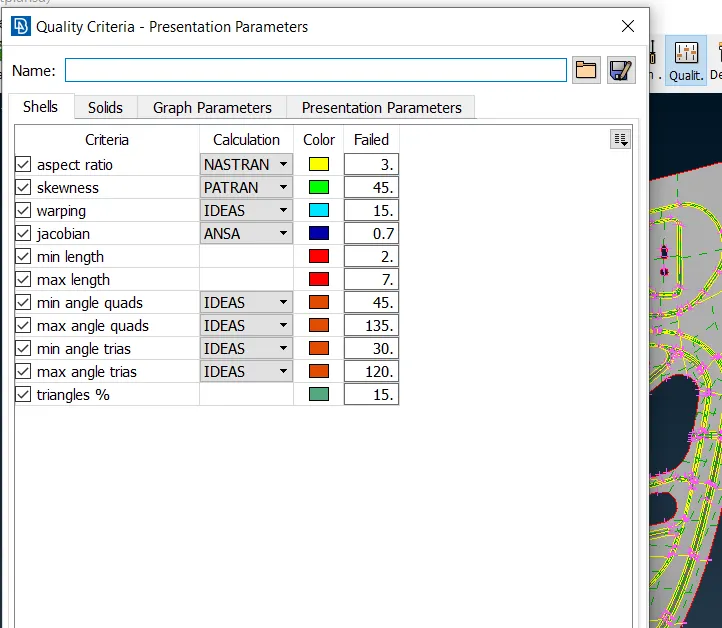
on the top bar we have quality option as you can see above and what ever is the quality criteria of the question. we have given it to the ansa.
And then open the mesh parametre from the top bar of the ansa as you can see below.
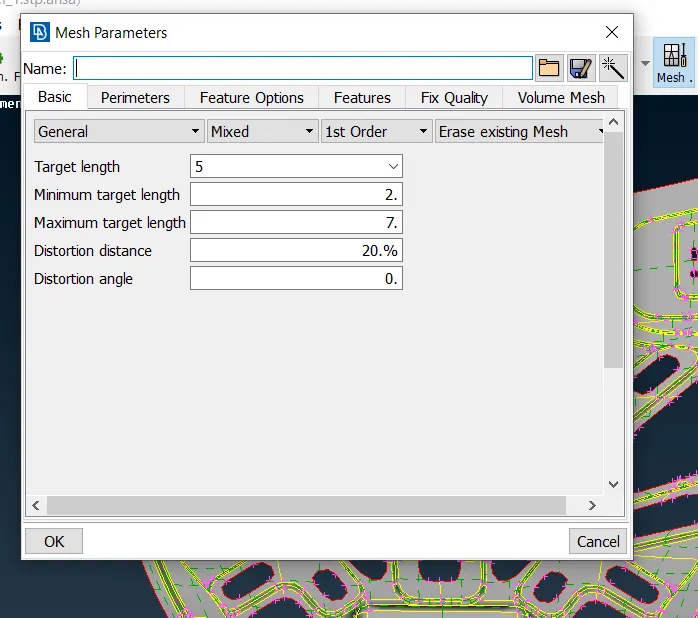
and we have given the same as question.
now we will do meshing of the smaller part and i will provide image of all parts after meshing.
here i am going to mesh the hinge part,
Now we will go to the mesh in the top right bar of the ansa preview
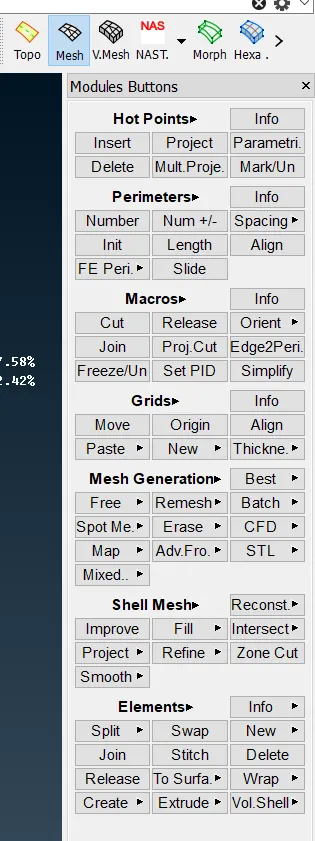
And we will do meshing from inner element hole and then we move to the outer part
And we also have to on the hidden mode so we can see which part of element is failing the quality criteria.
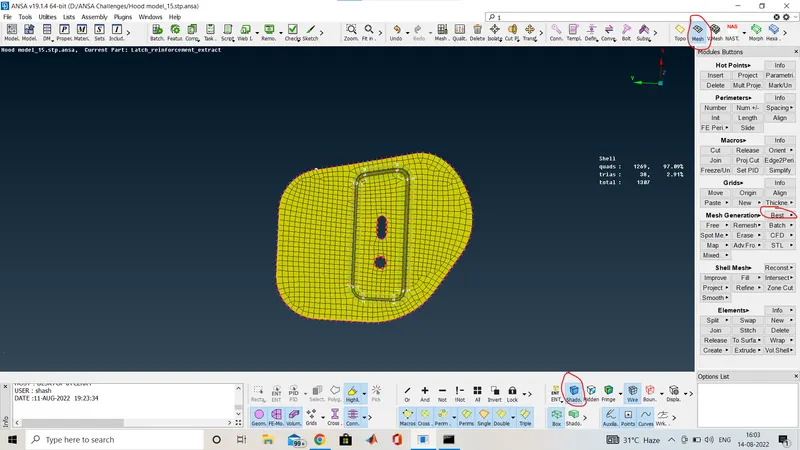
Here we used the BEST MESH option in the MESH GENERATION
And on the SHADOW mode is on.
We will use reconstruction option in shell mesh while meshing to improve the mesh flow
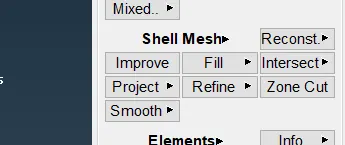
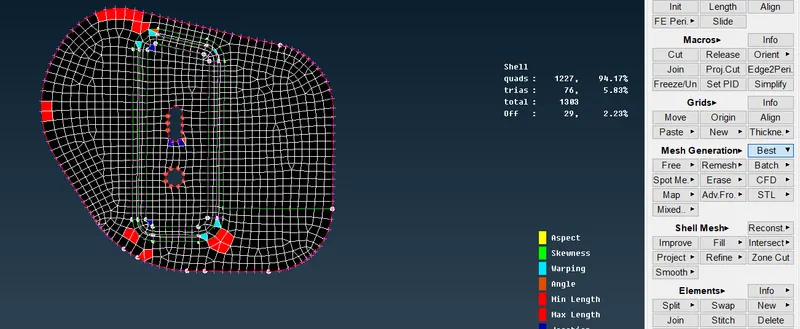
Here we use reconstruction option,After using reconstruction option we will solve all the issue and then use smooth option in Shell mesh
And this is how we achive the goo mesh the image is provided below.
you can see the red mark as where i get all the function here.
And now i am going to change the shadow mode to hidden mode which is behind the shadow where we can see the quality failure.
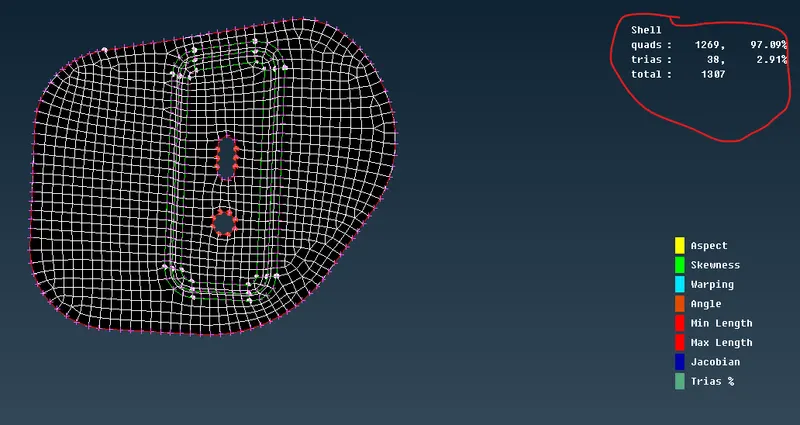
See their is no quality failure in this part and here you can see if their is any quailty issue then a off is written in the marked place .
now one by one i am going to show all the parts in hidden mode
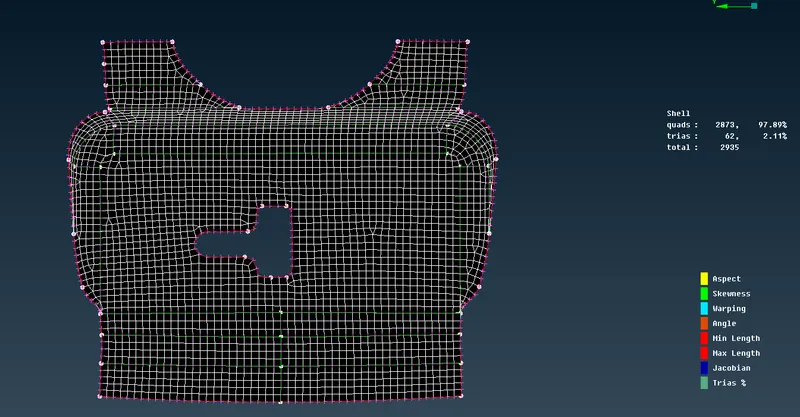
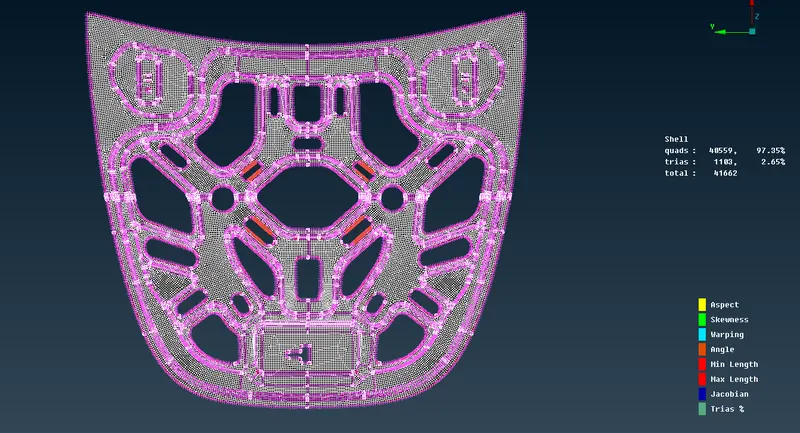
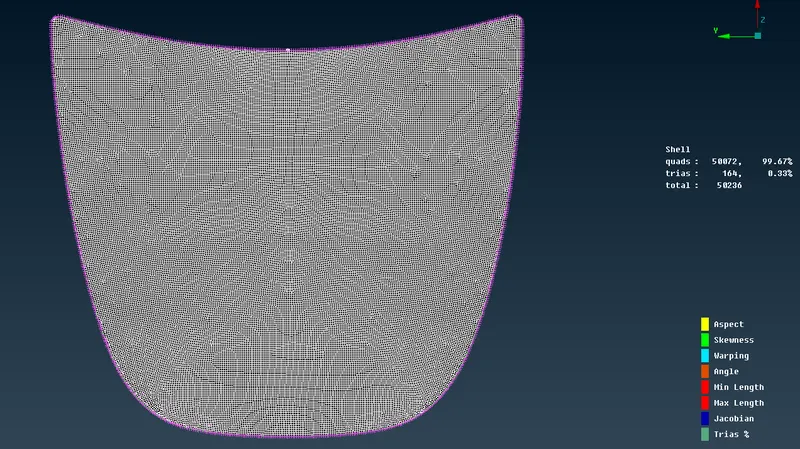
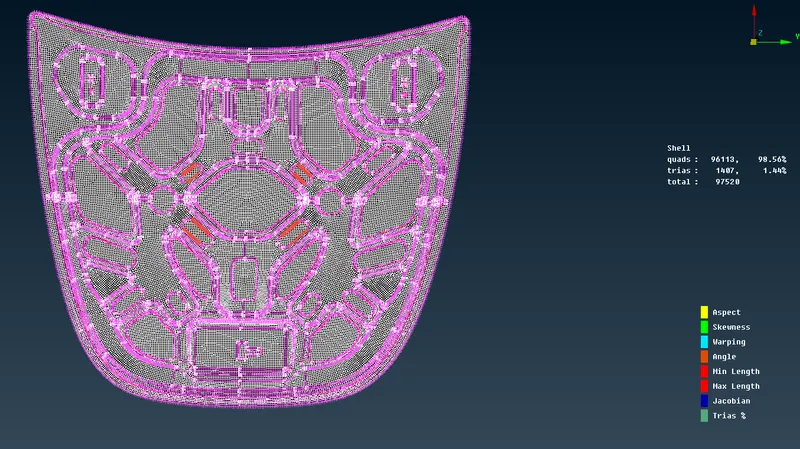
The last image is the total mesh creation of all the parts of hood at one.
and here we do not have any off elements or quality criteria issue and also you can see here the tria percentage is 1.44%.
so here we have completed the mesh creation of all the parts of the given hood.
Conclusion:
We will achived the mesh good flow of each parts of the element from the ebove method and this is how we are generating mesh for all type of model.