2D meshing for Hood (sheet metal component) using ANSA
Aim:
To mesh the given hood components using given quality crieria after cleanup the geometry and extract the midsurface. Ensure that the mesh checked for the given quality criteria.
Procedure:
the hood component had 4 components as follows
- latch (1.2mm thick)
- hinge (1.2mm)
- inner panel (0.75 mm thick)
- outer panel (0.75 mm)
|
S.No |
Quality Criteria |
Value |
|
1 |
Target/Average length |
5 |
|
2 |
Minimum Length |
2 |
|
3 |
Maximum Length |
7 |
|
4 |
Aspect |
3 |
|
5 |
Warpage |
15 |
|
6 |
Skewness |
45 |
|
7 |
Jacobian |
0.7 |
|
8 |
Minimum Quad Angle |
45 |
|
9 |
Maximum Quad Angle |
135 |
|
10 |
Minimum Tria Angle |
30 |
|
11 |
Maximum Tria Angle |
120 |
|
10 |
Tria Percentage |
15 |
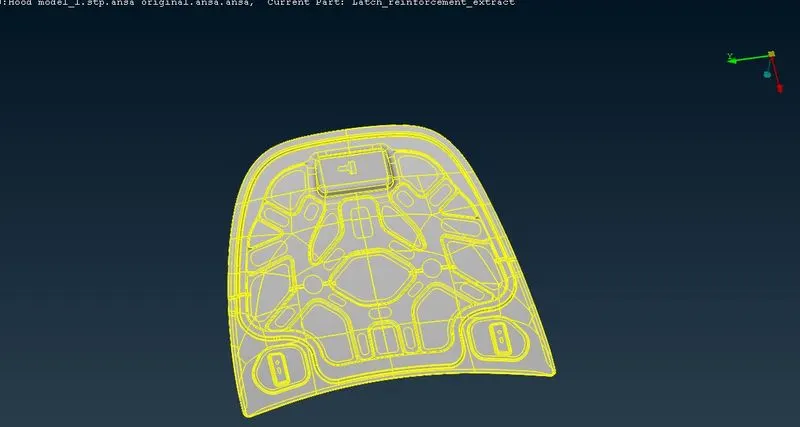
The Hood component
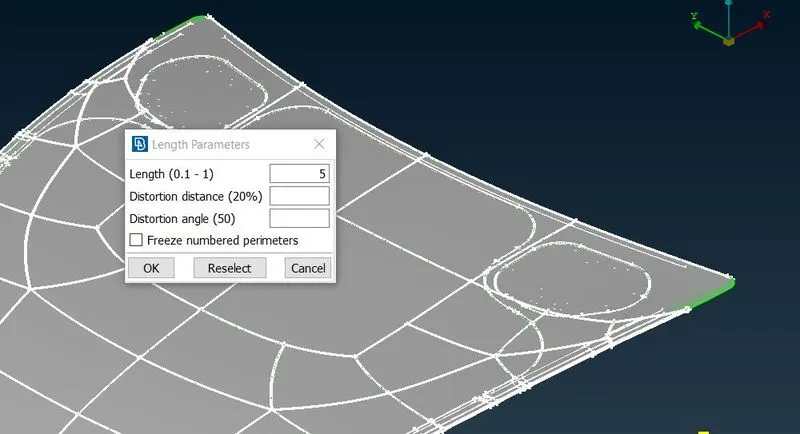
Assign length for perimeters and macros
- At first the component didn't get a proper resolution, so that assign the length of perimeters and macros as target length 5mm. (mesh-perimeters-length).this help us to see a fine resolution of the components and also get a proper mesh flow.
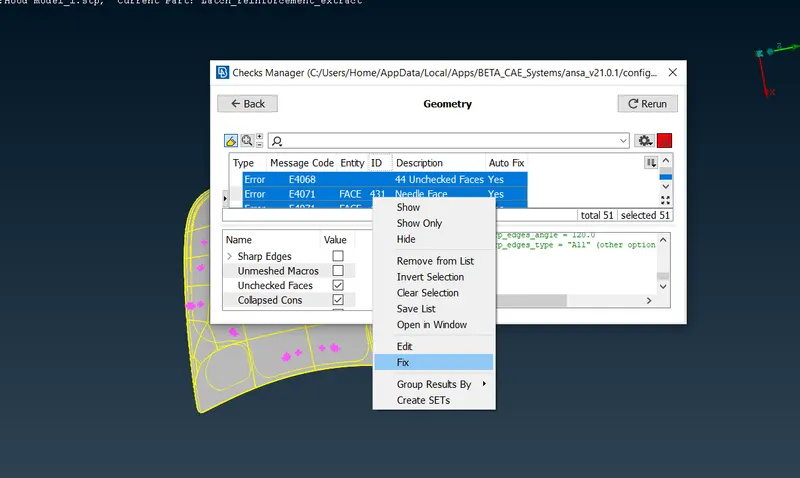
Geometry check
- After this check the geometry for cleanup. In ansa we have a automatic option to check geometry and cleanup (checks-geometry). after selecting this, select the default option like single cons, triple cons, crack faces. after this select the execute tab and select the highlighted mistakes and fix all by one click.
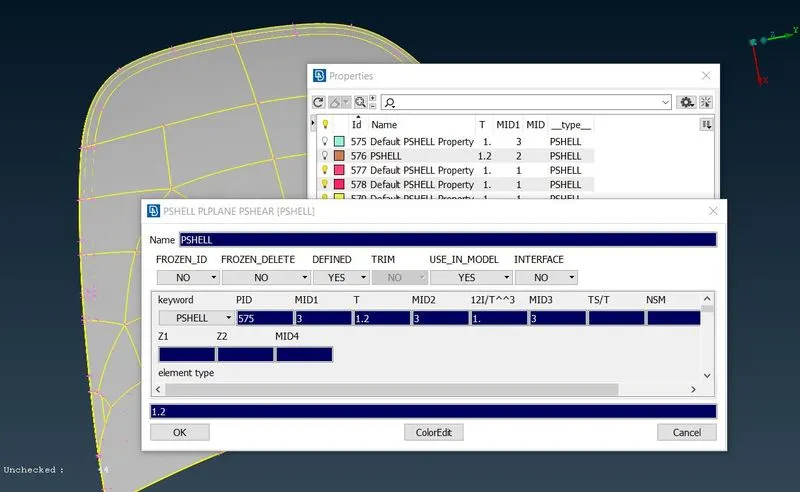
Creating property ID
- Now assign property id for the given components by select ctrl+p for property database (property in database tab-new-PSHELL), after that type the name, assign thickness by using measure tool, assign material card. after assign property, apply for the componentsfor given thickness using inot,or,not,lock view tool.
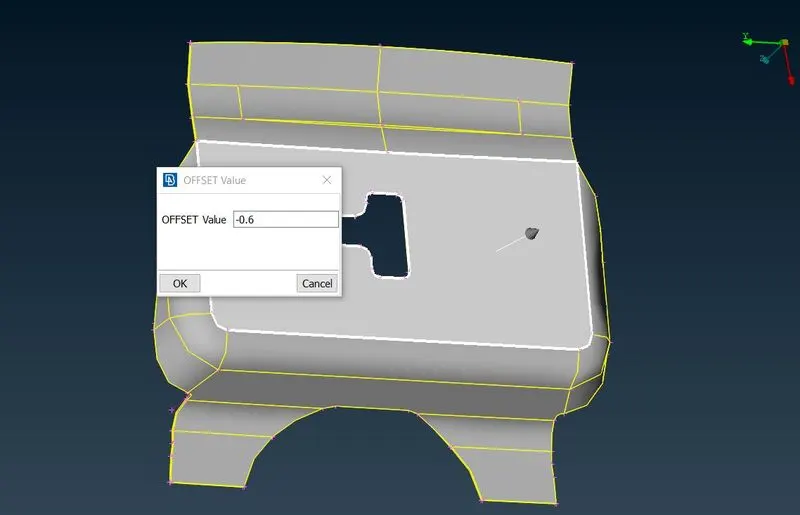
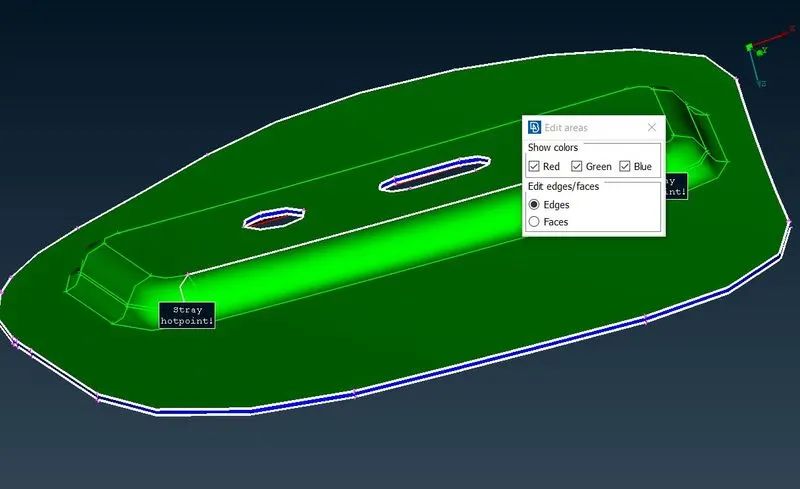
Manual mid surface auto mid surface
- Extract the midsurface for the components using auto and manual midsurface tool. For auto midsurface (topo-faces-midsurface), for manual midsurface ( topo-faces-offset)
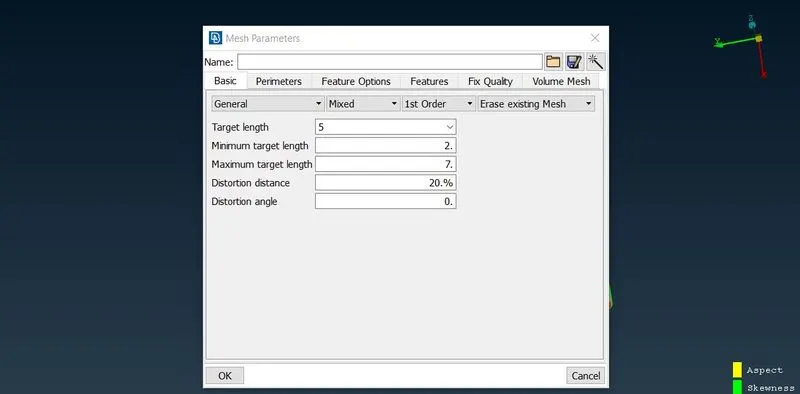
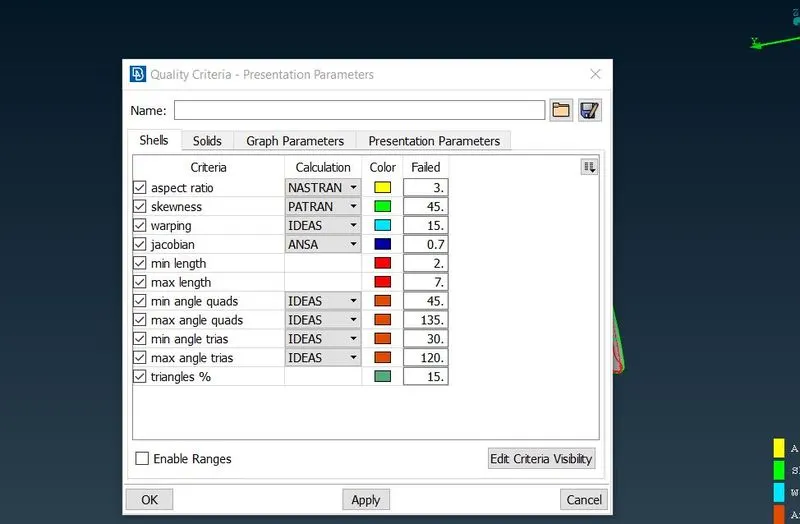
Mesh parameters quality criteria
- Now get into mesh module to mesh the parts, at first assign the mesh parameters and quality criteria as given above (target length - 5), select the mesh parameters tab (utilities-mesh parameters & quality parameters).
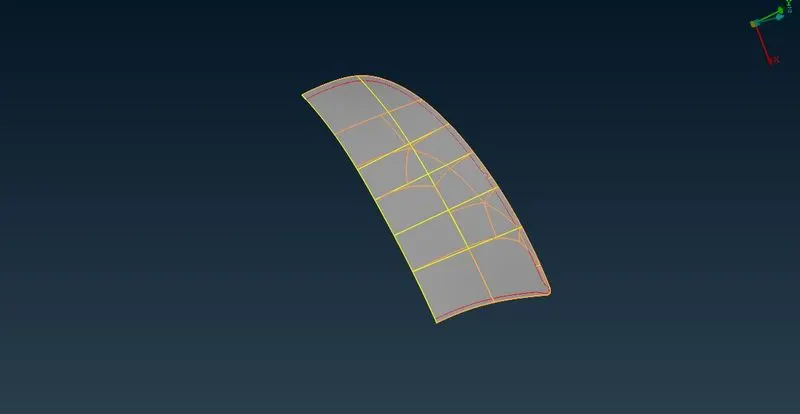
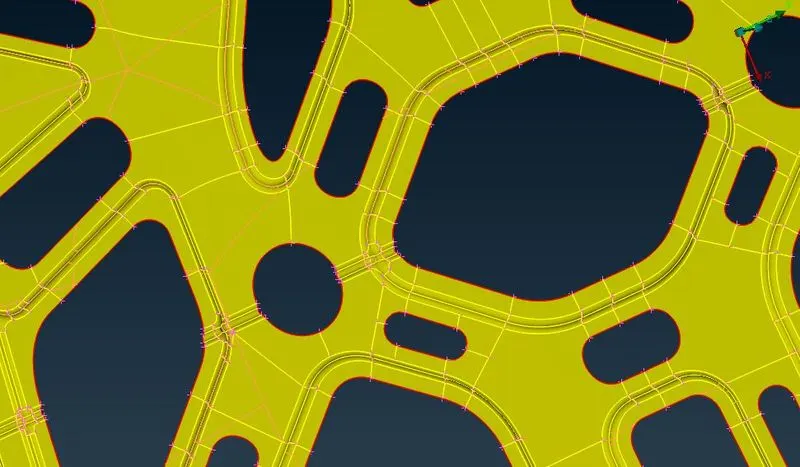
symmetrical component surface cut for mesh flow
- Now prepare the components for meshing by give a proper surface cut to get a proper mesh flow and easy way to mesh (mesh or topo-faces-cut).
- Start meshing, use best mesh option to get a good mesh. In ansa there have many meshing algorithms, try it to get a proper mesh flow (mesh-mesh generation-best).
- Here we go for edit in meshing by using many tools like reconstruct, split, join,swap, paste to remove the opposite trias, back to back trias and rotational quads in the mesh. Use these tool to remove the unnecessary trias mentioned in trias management rule and rotational quads.
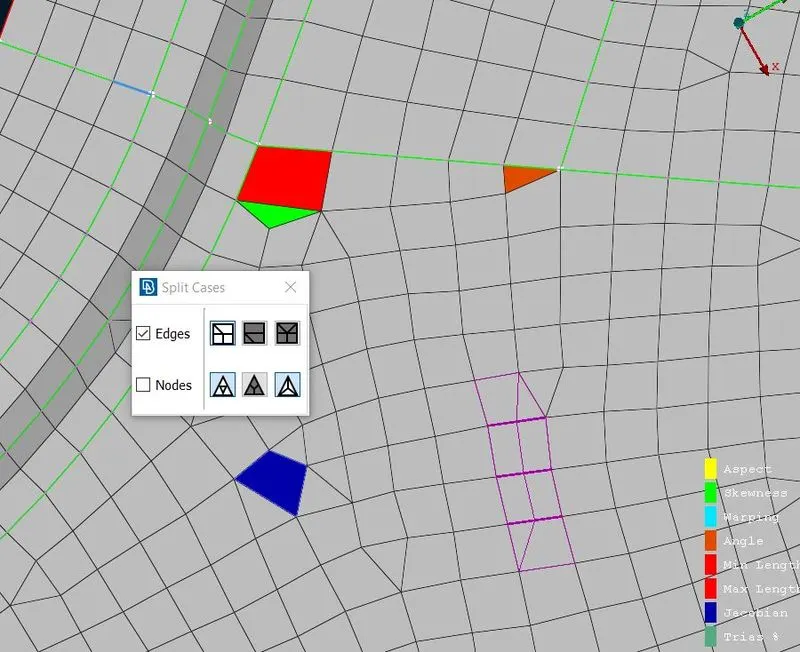
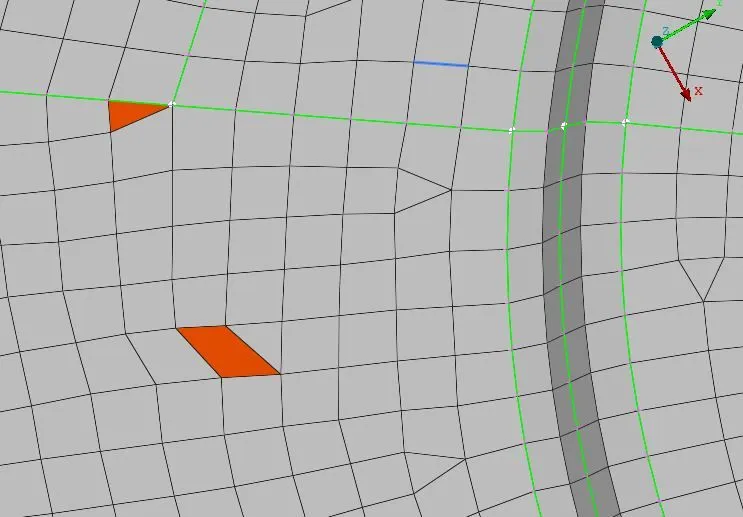
split tool swap tool
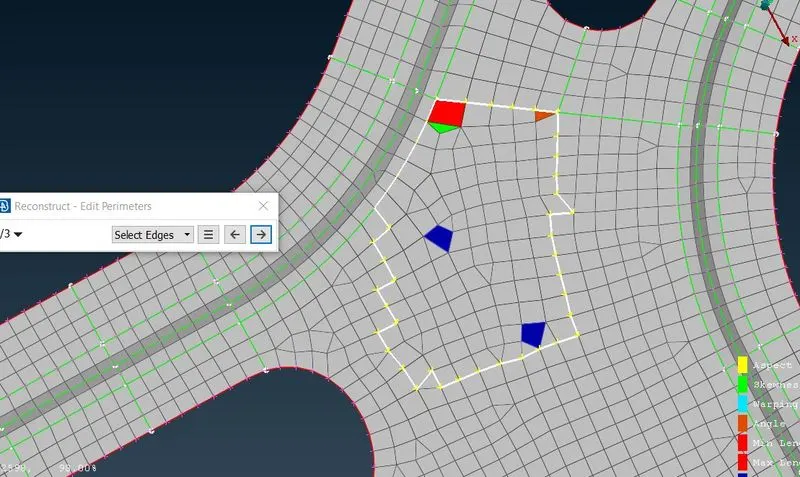
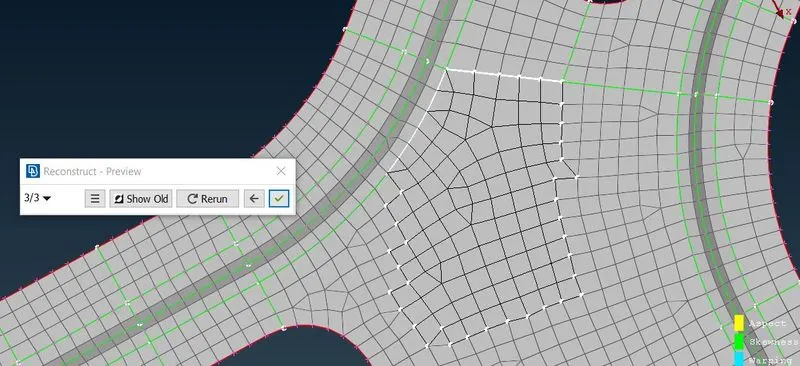
reconstruct tool
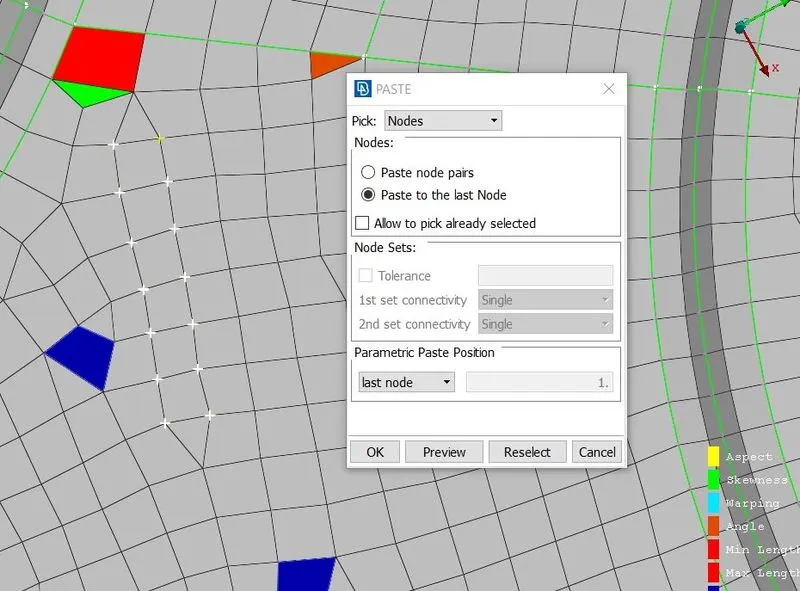
Paste option
- Reconstruct- use to remesh the selected elements.
- split- to split the elements and use to move forward the elements.
- swap- use to swap between two elements and to move the element up and down.
- paste - use to paste the two elements by nodes and move the elements to backward.
- Once mesh the surfaces go to hidden mode to check the quality criteria to get a proper mesh as per the quality.
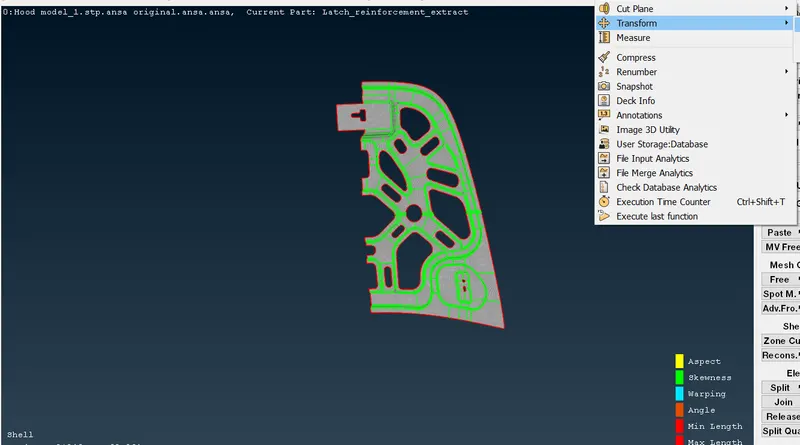
working of Symmetry tool
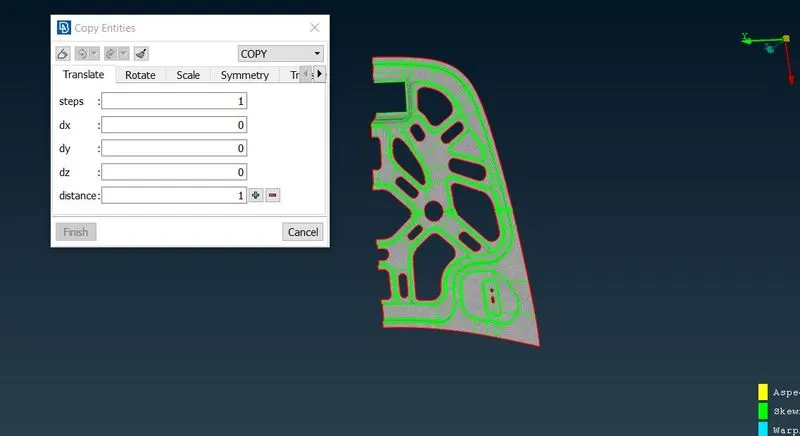
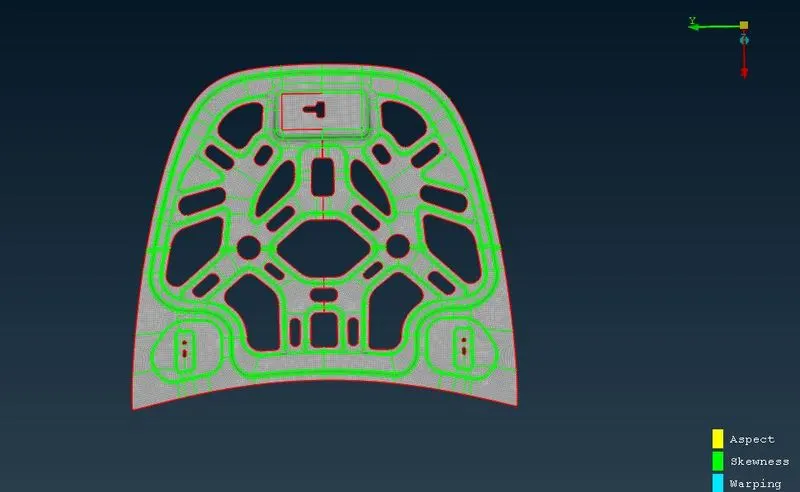
- In symmetry components , we can mesh one side of the symmetrical part and then we can do mirror or copy by using tool (transform-copy).
- After transform the symmetrical part, the part are automatically connected the elements in case any element didn't connect each other. use topo tool (topo-faces-topo).
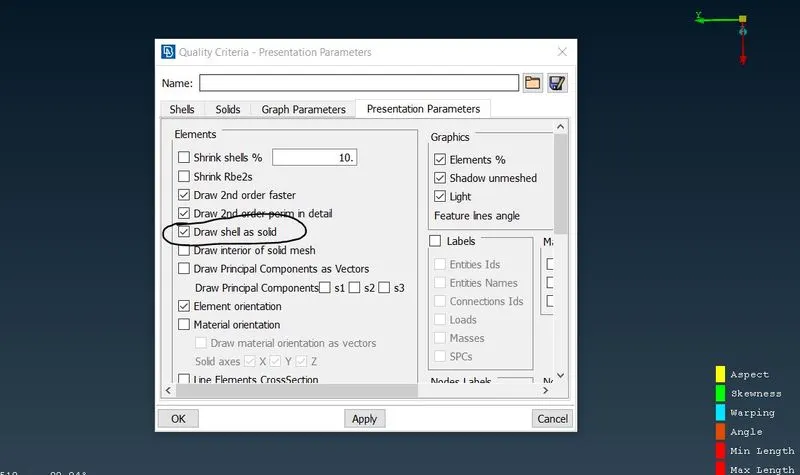
- To check the shell elements to solid as mention thickness in property id (utilities-quality criteria-presentation parameters-draw shell as solid).
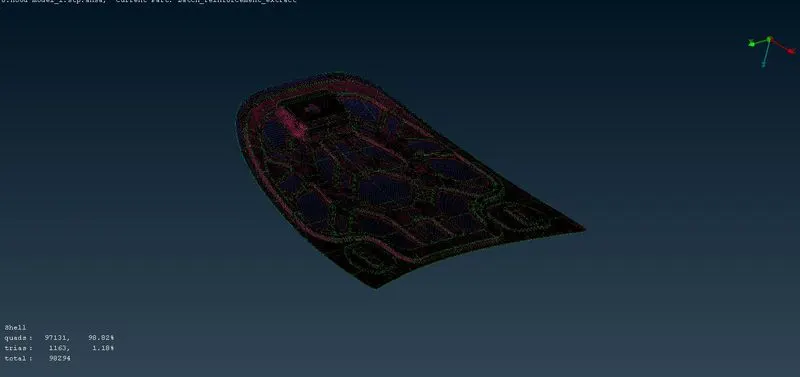
- Finally check the quality criteria as given above and check the proper mesh follow in all parts.
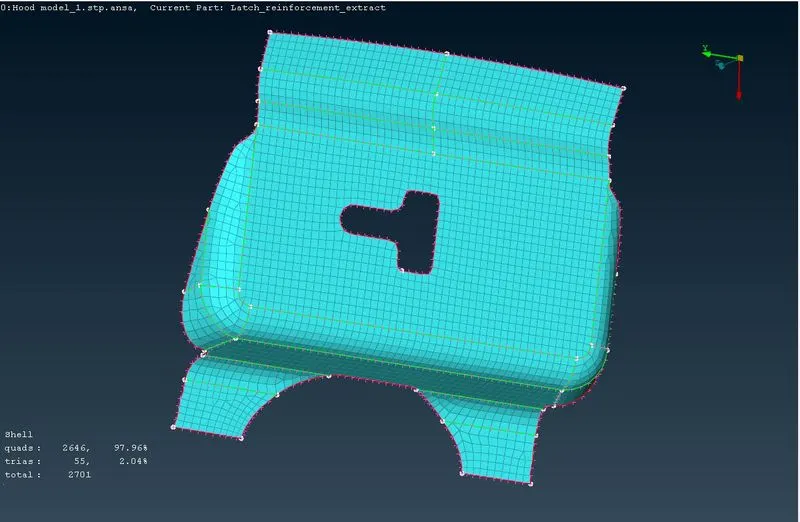
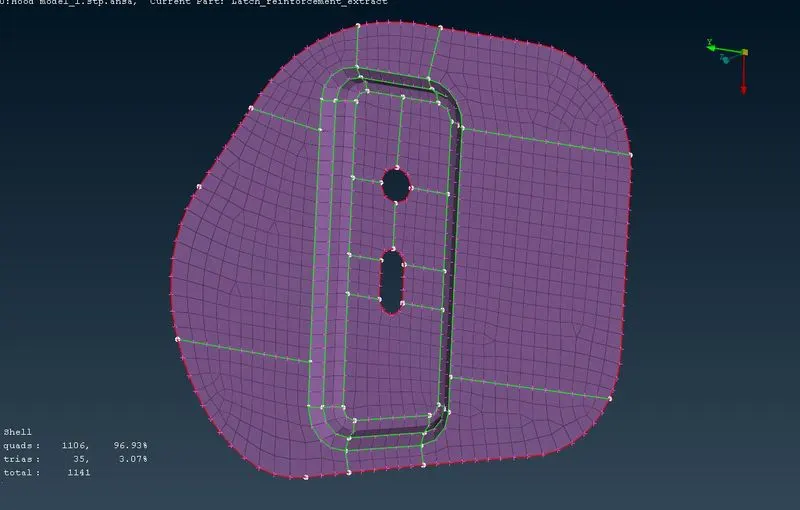
Latch Reinforcement Hinge reinforcement
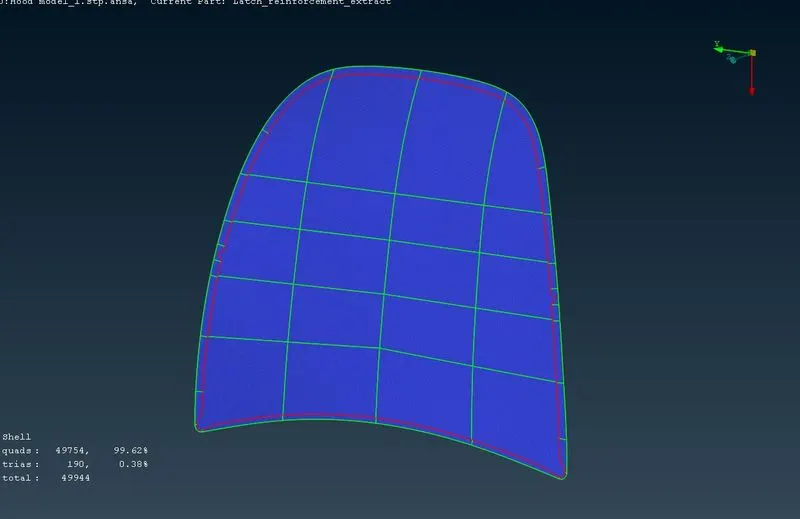
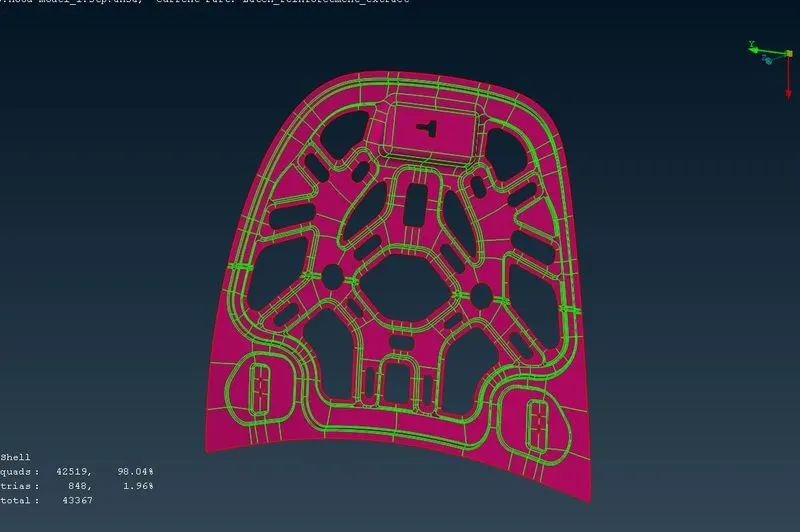
Outer panel Inner panel
Learning outcomes:
- now got a ideas for how to do geometry cleanup and take a manual &auto midsurface for sheetmetal components.
- Understand how to do mesh and get proper mesh flow and use the tools had different meshing algorithms and more dressup tools for edit the meshing.
Conclusion:
The hood components were meshed as per the quality criteria and got a proper mesh flow and assigned proper thickness for the components.