Pre-processing hood of the car - ANSA
OBJECTIVE :
To create the mesh for the given model under week 3 challenge. The given model is hood of the car. It consists of following components
- Outer panel
- Inner panel
- Latch
- Hinge
Here, meshing the inner panel is more complex than the others since it contains lots of surfaces. The hood component meshed under given quality criteria.
PROCEDURE :
- Geometry cleanup
- Mid surface extraction
- Macros splitting
- Meshing and quality criteria check up
- Property and material assign
Geometry clean up
The given hood components has been seperated and placed under seperate lock view. Each part has been checked for geometry checks to find out the errors.
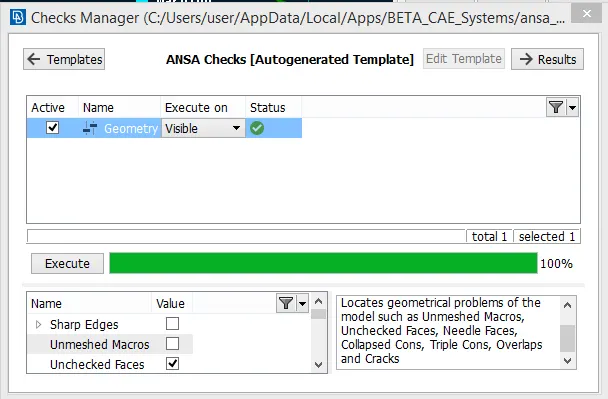
Some of the errors have been found in inner panel part. The errors listed there were it containing the needle faces which reflect error in quality criteria after meshing because of the length lesser than the minimum element length 3mm. Those errors have been cleared using auto fix. Auto fixing the errors is possible in ANSA. Only after having no geometric issues in the part, meshing has to be done. Manual cleaning of the geometric issues in the part could be done by using releasing the cons, creating the new surfaces with planar command and deleting hotpoints and then doing TOPO on the model.
Mid surface extraction
After clearing geometric issues, mid surface extraction has been done. Mid surface could be extracted only under TOPO module.
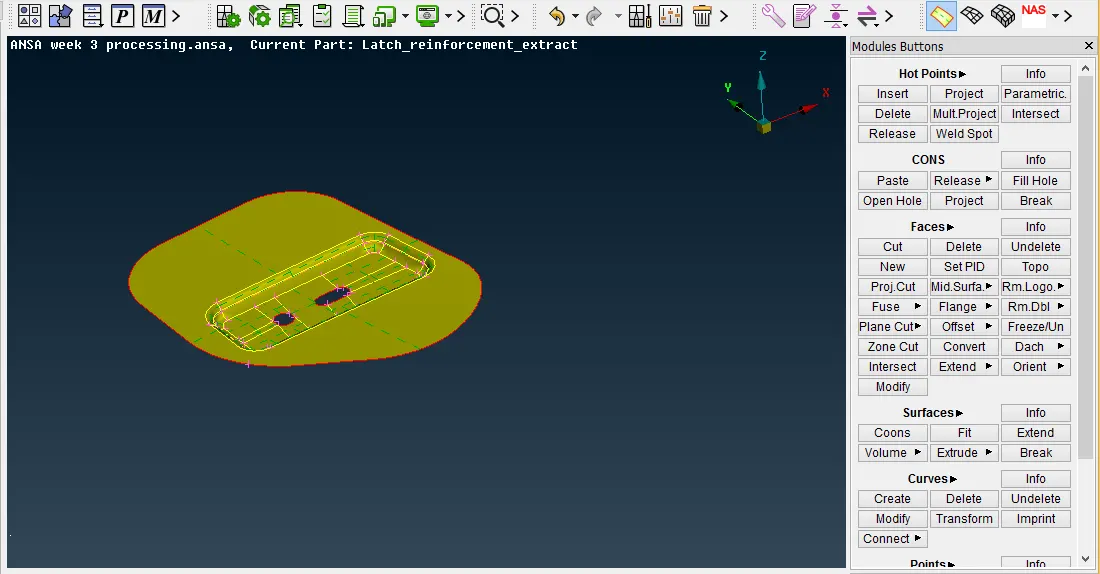
Selecting the part and left click on the mouse shows the tab with three colour edges which are red, green and violet in colour. Red colour indicates any one of the upper or lower faces. Likewise green indicates any one face. But the violet colour indicates the thickness of the part. Then middle click on the mouse provides the tab where the OFFSET value based on the thickness of the part displayed. And clicking OK provides the mid surface. It also deletes simultaneously the parent geometry and it could be retrieve by undelete tool.
Macros splitting
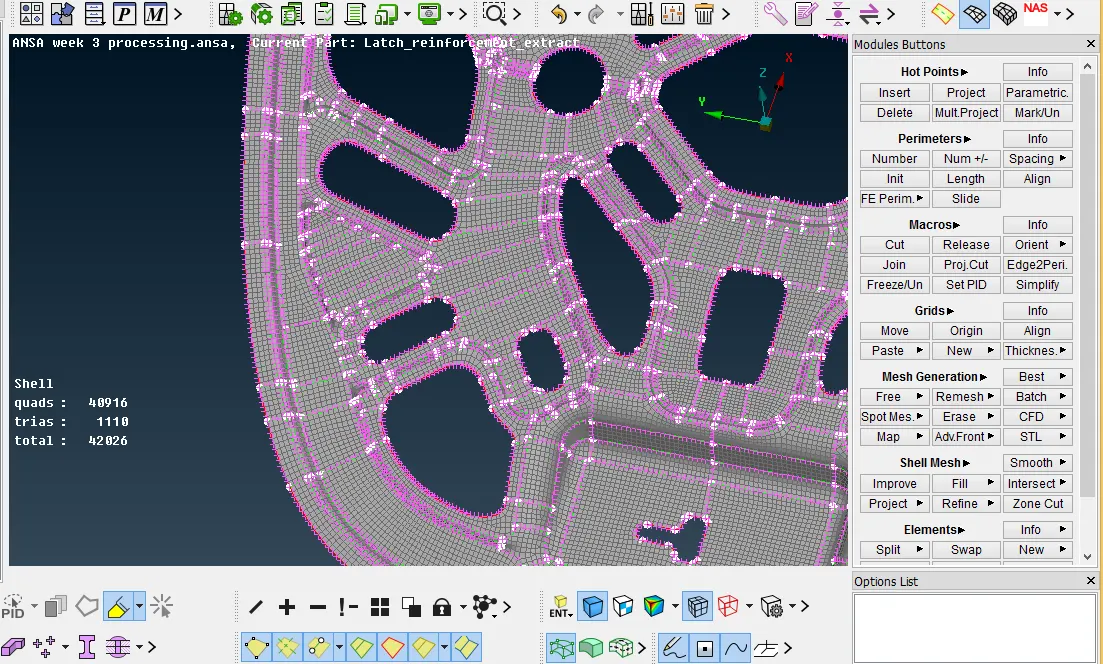
For better meshing, Macros on the part are either joined or splitted under shell mesh module. While doing so, some of the hotpoints on the free cons are left undeleted. It should be deleted as well. Under shell mesh module and perimeter, length is selected for all the required cons on the model and changed the value from default to target element size 5mm. This should be done only after deleting the hotpoints otherwise elements node placement are considering those hotpoints also. In the below image macros are splitted.
Meshing and quality criteria check up
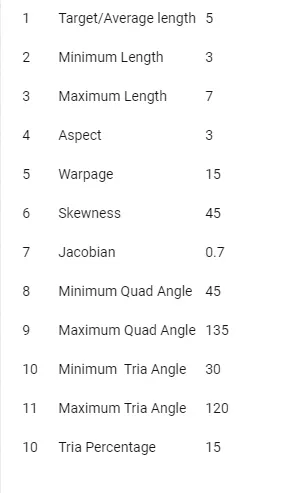
Meshing done on the hood model right after the sucessfull completion of geometry cleanup, mid surface extraction and macros splitting. Before meshing, the parameters have been entered properly.
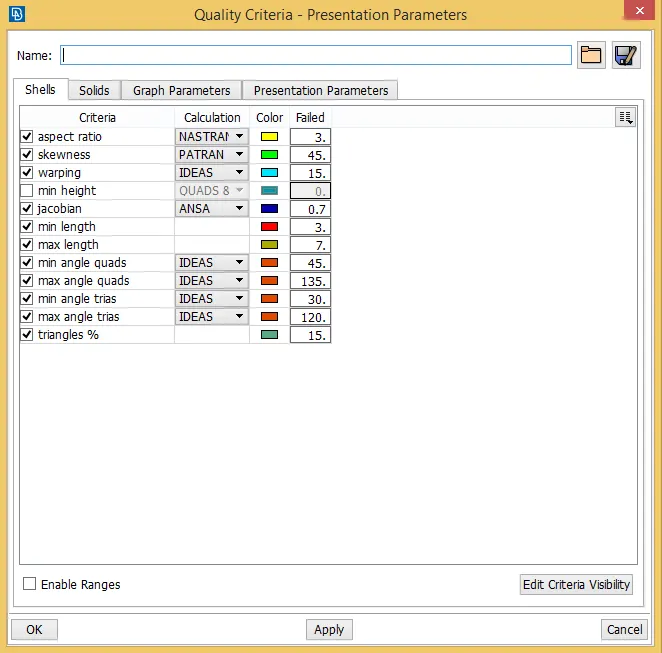
The above table shows the quality criteria. And the below table depicts the mesh parameters.
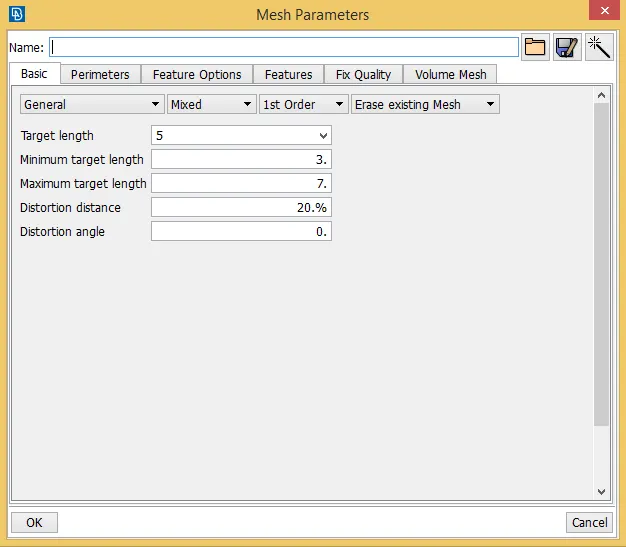
The meshing principles are followed here. They are
- mesh flow should be from critical to simple areas
- trias and rotational quad elements have to avoid
- trais should not be in fillet and free edges
After meshing, quality criteria for the elements are done once again. This check up should also done on each macros meshing. Elements failure are made ok by smoothening it and improving the mesh instead of regenerate the mesh. Improving the mesh provides good mesh than regenerating it.
Property and material assign
Property and material are assigned at the end. The default material applied here is steel and it has been applied for all parts on the hood component. Property mainly based on the thickness of the part and it has been stored in property while extracting the mid surface from parent geometry.
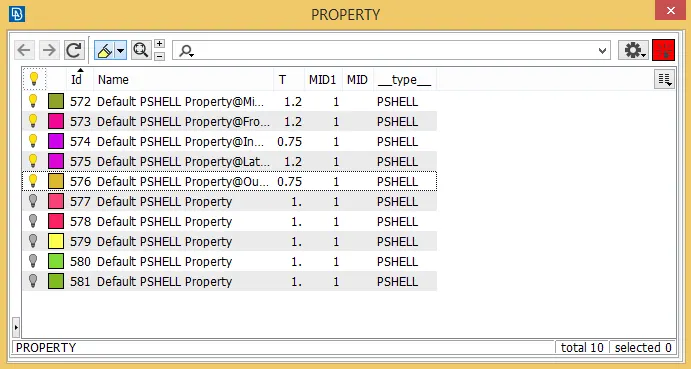
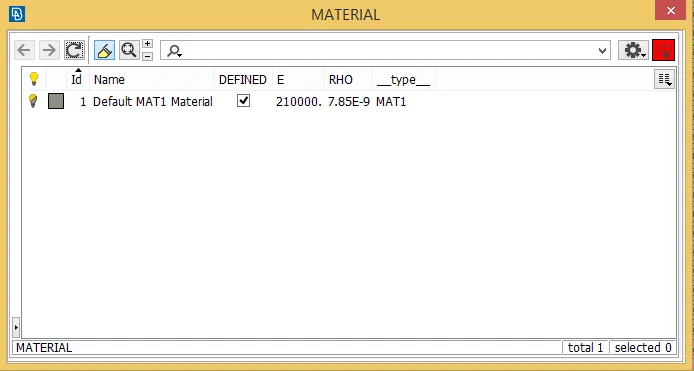
The bulb symbol at left corner side indicates whether it is defined or undefined. When it glows, it is defined and vice versa.
LEARNING OURCOME :
- How to cleanup the geometry?
- Mid surface extraction both manual and auto mid surfaces
- How to improve the mesh?
- How to apply property and material?
CONCLUSION :
Thus the given hood component has been meshed and quality criteria checked for the same and property and material are assigned.
https://drive.google.com/open?id=13NaA655hQJC18CyhMNSxw7SB_BPsYovj