Week 3.2 - 2R Robotic Arm Challenge
Aim: Write a program in Matlab to simulate the forward kinematics of a 2R Robotic Arm, as shown in the video.
Errors Encountered when executing the code:
1.
Error Code:

Output:
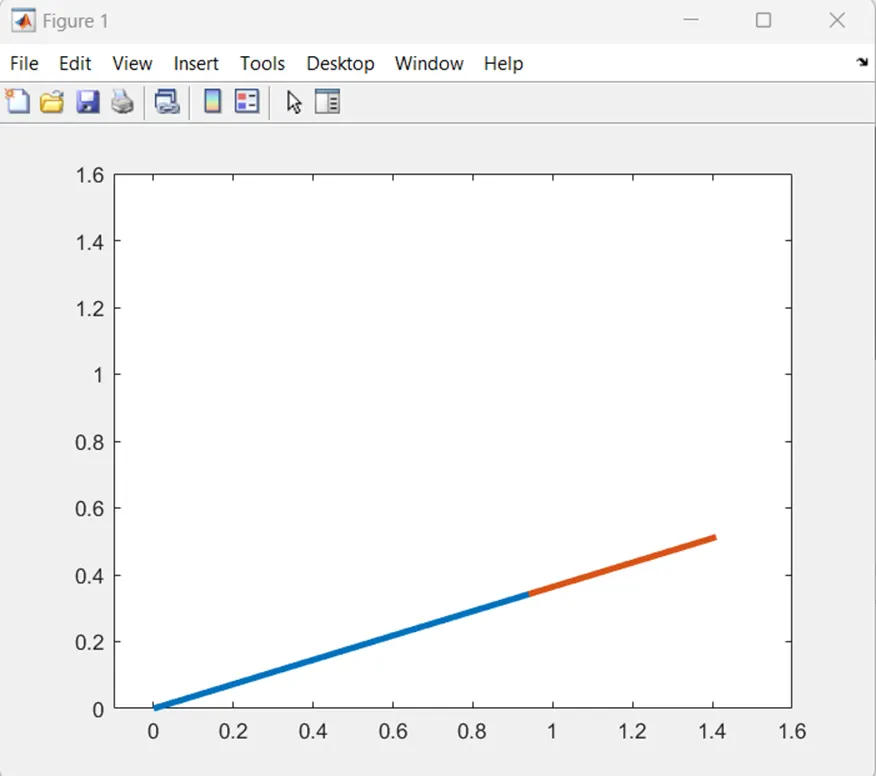
· Explanation:
- Typo error, while writing the code made a typing error of mentioning the theta2(i) instead of theta2(j). Due to which the animation plot shows a link 2 & link 1 move as one piece.
2.
Error Code:

Output:
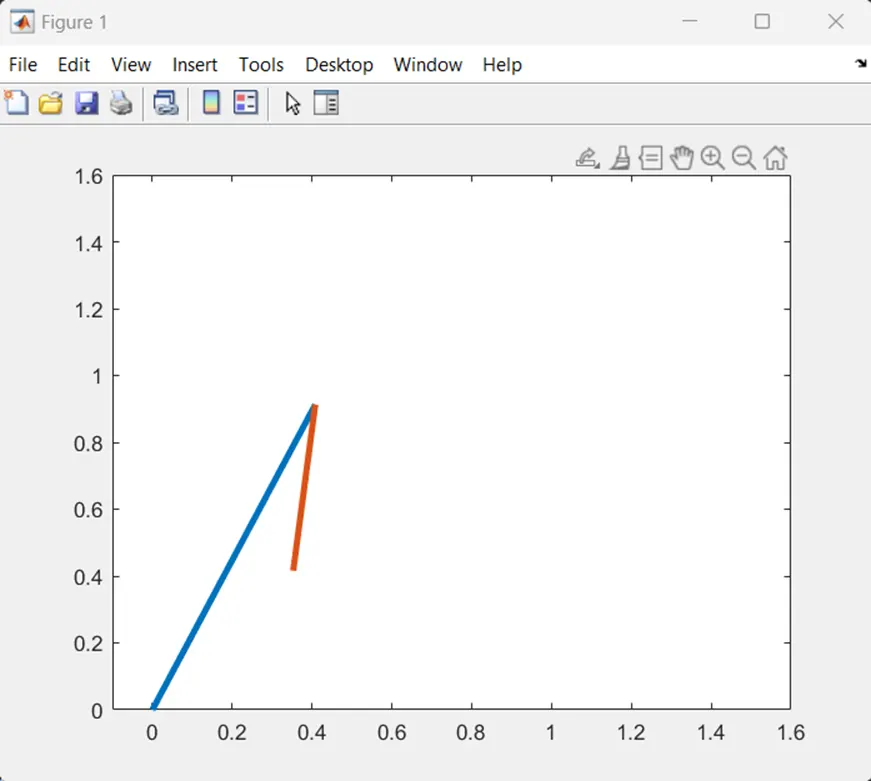
Explanation:
- Typo error, while writing the code trigonometry values at written as sin(Theta1). In matlab it gives radian values for the written code, due to which the animation plots random plot.
- To rectify the error rewrite the trigonometric values as sind(Theta1).
3.
Error Code:

Output:
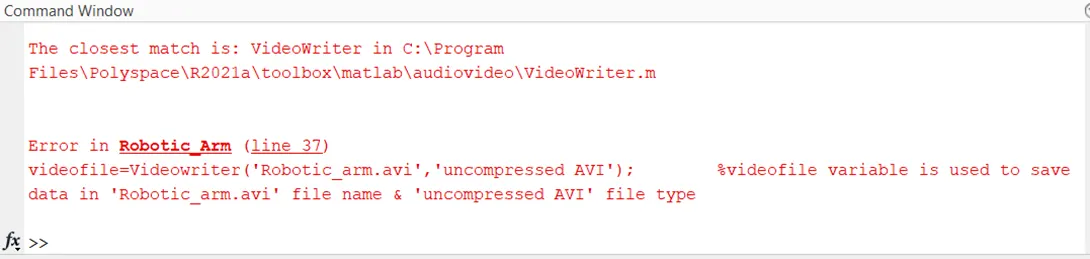
Explanation:
- When the code was executed, the following error was encountered. The error shows that in line no. 37 unrecognised matlab function.
- When checked it was found that the “Videowriter” needs to written as “VideoWriter”.
4.
Error Code:

Output:
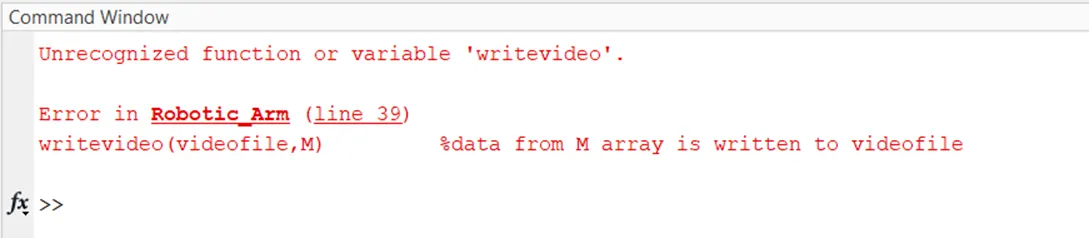
Explanation:
- When the code was executed, the following error was encountered. The error shows that in line no. 39 unrecognised matlab function.
- When checked it was found that the “writevideo” needs to written as “writeVideo”.
Matlab Code:
%Simulate robotic arm

clear all       %clears the workspace & exceutes the code
close all       %close all the opened windows
clc             %clears the command windows

%Inititialize
l1=1;           %length of link 1
l2=0.5;         %length of link 2
x0=0;           %x coordinate of link 1 fixed to base
y0=0;           %y coordinate of link 1 fixed to base
theta1=linspace(0,90,10);        %angle formed b/w link 1 & ground
theta2=linspace(0,90,10);        %angle formed b/w link 2 & ground
ct=1;              % counter which counts the frames of plot

% for loop is used to change angle of link 2 for every angle of link 1
for i=1:length(theta1)
   for j=1:length(theta2)
      Theta1=theta1(i);         %angle of link 1
      Theta2=theta2(j);         %angle of link 2

      x1=l1*cosd(Theta1);       %create x coordinate for link 1
      y1=l1*sind(Theta1);       %create y coordinate for link 1

      x2=x1+l2*cosd(Theta2);    %create x coordinate for link 2
      y2=y1+l2*sind(Theta2);    %create y coordinate for link 2

      plot([x0 x1],[y0 y1],[x1 x2],[y1 y2],'linewidth',3);  %plot is used to print both the links of linewidth 3
      axis([-0.1 1.6 0 1.6])        %fix the axis of the plot window
      pause(0.3)            %each frame of the plot is put hold for 0.3sec
      M(ct)=getframe(gcf);      %M array is used to store the current frames
      ct=ct+1;              %incremental of counter ct
   end              %end of jth for loop
end            %end of ith for loop

movie(M)            %M array data is used to craete movie in matlab
videofile=VideoWriter('Robotic_arm.avi','uncompressed AVI');        %videofile variable is used to save data in 'Robotic_arm.avi' file name & 'uncompressed AVI' file type
open(videofile)         %open videofile file
writeVideo(videofile,M)         %data from M array is written to videofile
close(videofile)            %close the videofile file
Animation File:
https://drive.google.com/file/d/1w5A3ZE3vpBWngWPJt1MWgqXdo7kR_AyO/view?usp=sharing