Week 3.2 - 2R Robotic Arm Challenge
Objective:- Objective of this project is to write a maltab program which animate 2D robotic arm and make a movie in avi formate of this animation.
Theory:- Origin of the word ‘robot’ can be traced in the Czech Origin of the word robot can be traced in the Czech word ‘robota’, which means ‘forced’ or compulsory labour.
Robot is a reprogrammable, multifunctional manipulator designed to handle material,parts,tools or specialized devices through variable programmed motions for the performance of a variety of tasks.
In genral robots are consist of link, joints and end effector.
Links are the main body or compnent of robot it should be simple arms or any any complex body as per funcnality of robot.
Joint in robots are kinematic joint which there is some kinematic motion between to links at joint. according to these motion joints are rvolving, sliding, rolling, screw and ball (sperical).
End effector are genraly grippers or any this else as per robot work requirement.
DOF of robot :- this is define as all possible motion of end effector of any robot, in 2d robot this is 3 nd in 3d robot it is 6.
There are many type of robot
1. 3D robot Cartesien robot (xy manuplator, Gantary type), Cylindrical robot, sperical robot.
2. 2D Puma 560 serial robot
3. Parallel robot (gough stewart plateform)
4. Special robot (scara 2R1P and 3R1P)
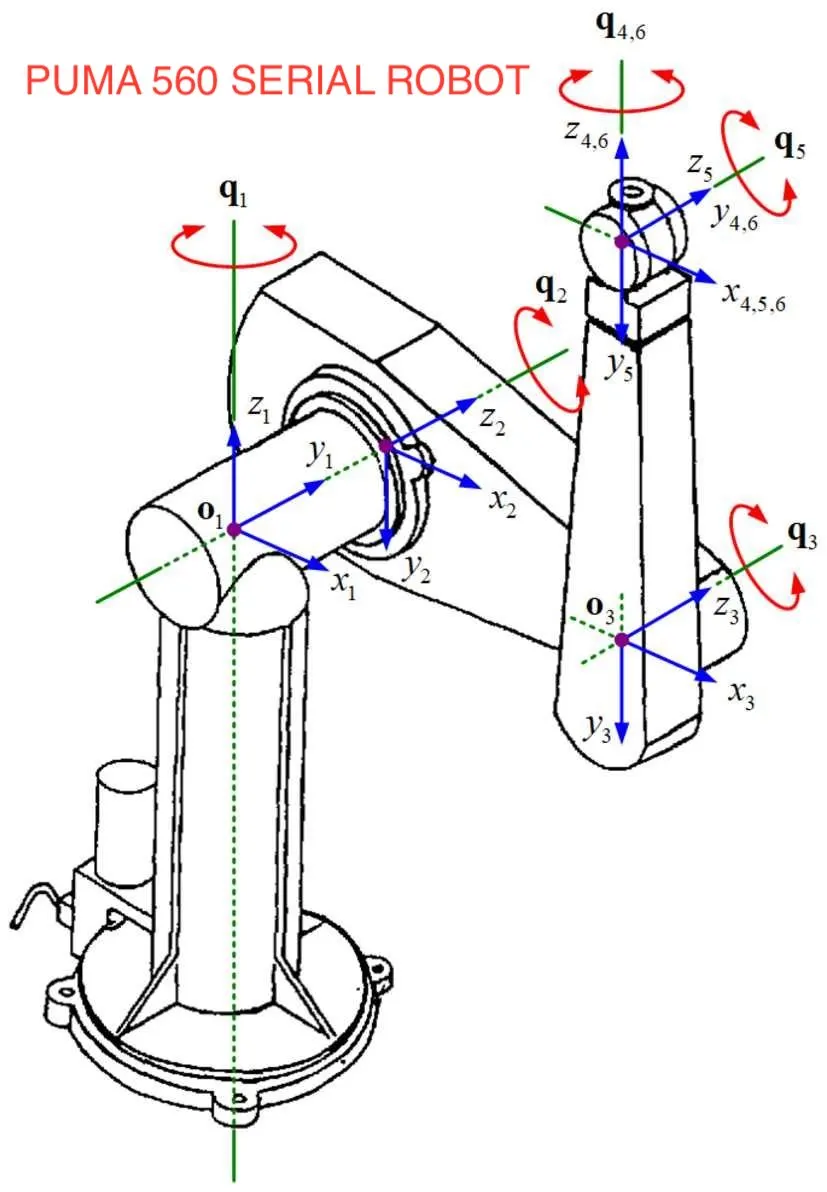
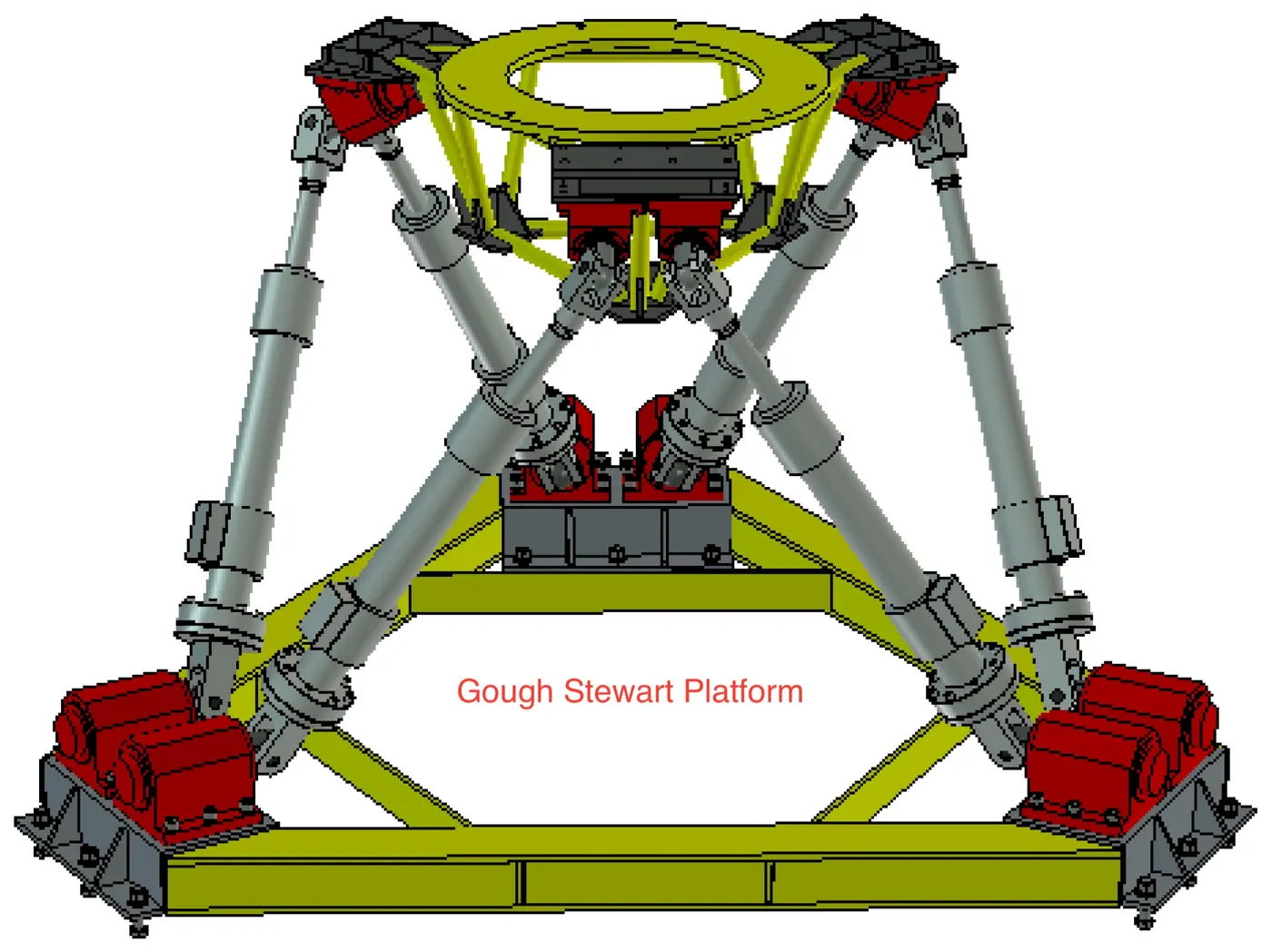
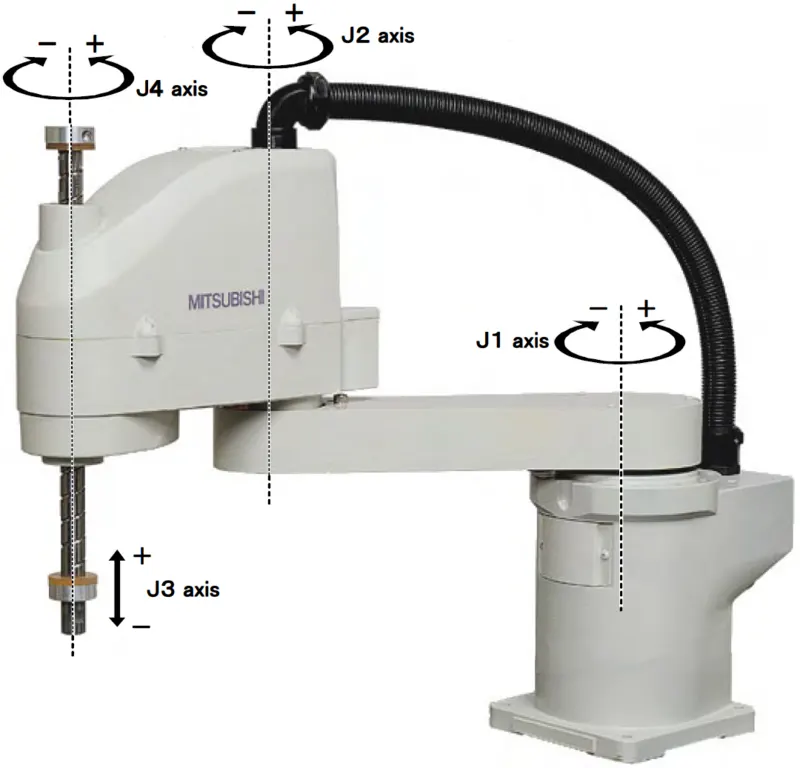
Project explation
In this project we have a robot with 2 arms of length 1 and 0.5 m. And we have to plot this Arm by ploting lines in maltab.
Here there are two revolving joint, first a origin at which arm 1 is join with ground in such a way it relative motion is complety rotation aboud oring point without any rection. and secont at end of arm1 with arm2 which transfer motiop from arm1 to arm2.
Now for matlab code we consider first joint cordinades are not changeing i.e it alway at origin and second joint is rotating with respect to orign in a circular path of radius 1m. and we also want to know position of end effort which is here anotion end of arm2 and it coordinates are consider as (x2,Y2) and second joint coordinates are consider here (x1,y1).
Now rotaion of arm 1 is consider as theta1 and for arms 2 its theta 2. these angle are start from 0 to 90 degree.
Code
% Matlab Program for Forward Kinematics of 2R robotic arm mainuplator
close all
clear all
clc
 % Inputs
 % length of Arms
 l1=1;
 l2=0.5;
 % Angle of rotation
 theta1 = linspace(0,90,5);
 theta2 = linspace(0,90,5);
 % Origion
 x0=0;
 y0=0;

ct=1; %% Count frame

for i=1:length(theta1)
  Theta1=theta1(i);
  for j=1:length(theta2)
    Theta2=theta2(j);

    % position of link 1 end point

    x1=l1*cosd(Theta1);
    y1=l1*sind(Theta1);

    % position of mauplator end point

    x2=x1+l2*cosd(Theta2);
    y2=y1+l2*sind(Theta2);

    % Ploting
    plot([x0 x1],[y0 y1],'linewidth',2,[x1 x2],[y1 y2],'linewidth',2)
    axis([-0.1 1.6 0 1.6])
    title("2D Robot Arm Motion Animation")
    pause(0.3)
    M(ct)=getframe(gcf);
    ct=ct+1;
  end
end
% Creating Movie and saving it as avi formate
movie(M)
videofile = VideoWriter('Robort_Arm_Animation.avi','uncompressed AVI');
open(videofile)
writeVideo(videofile,M)
close(videofile)
Code explination
1. First we assine two varible l1and l2 as length of arm. Then assine angle of rotaion for both arm theta1 and theta2 repectivly. These angle are array of 0 to 90 degree having 5 index in each.
2. Now we assine coordinates of orgine x0,y0.
3. Then in a for Loop we first we take all value of theta1 and inside it we run anothe for loop which run each value of theta2 . now we calcurate each value of x1 &y1 for each value of theta1 then calculate x2 & y2 for each value of theta 1 and theta 2.
4. we have to animate so we plot line (x0,y0) to (x1,y1) and (x1,y1) to (x2,y2) in side the loop for each value of theta1 and theta2. and i also use 0.3 second of pause.
5. for movie first i make varible ct=1 before the loop now in loop i make a varible M for each ct eaual to get frame (gcf) and then inclease ct by 1 in side the loop.
6. now ed loop and ceate movie in avi formate by videowriter give name of file and formate, open file write file to M and close.
Result
Scren recording of matlab plot
Animation created by matlab code
Conclusion:-
1. In this challange we understand concept of frame referance ploting in matlab.
2. In this challange we learn how make animation movie by matlab code.
3. In this challange we learn basic 2D motion of robot.