Week 2 Challenge : Surface meshing on a Pressure valve
Objective :- Objective of this challange is to perform CFD 2D meshing on given Pressure valve 3D model with three different target length 1mm,3mm and 5mm in ANSA.
Procedure :- First we have to download model from skill-lync and then import this model in ANSA software.and then follow the below steps
Step 1 :- Geometry checks
When ever we import CAD model in ANSA there are some error in geometry because of missing entity during importing, assembly of different componet in model, etc. This error can detect manulay and by ansa geometry check tool.
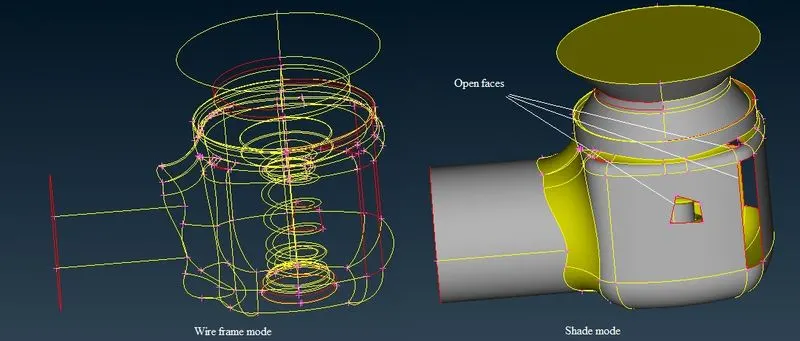
As we look at our current model in shaded mode there are some missing surfaces which easily visible but in most general case we can't easily findout and if we active wireframe mode we can see there are many single cons (red lines), double cons (yellow lines) and hot points (pink color points).
In ANSA when evere there are missing surfaces in geometry ANSA show the single cons and can't ignore these red colour cons before meshing because it is absolutely incomplete geometry.
Double cons comes where two surface are mating or overlaping each other, it can be ignore because it can't pdroduce any major problem while meshing and in complex model thre are too many double cons so we can't delete each on.
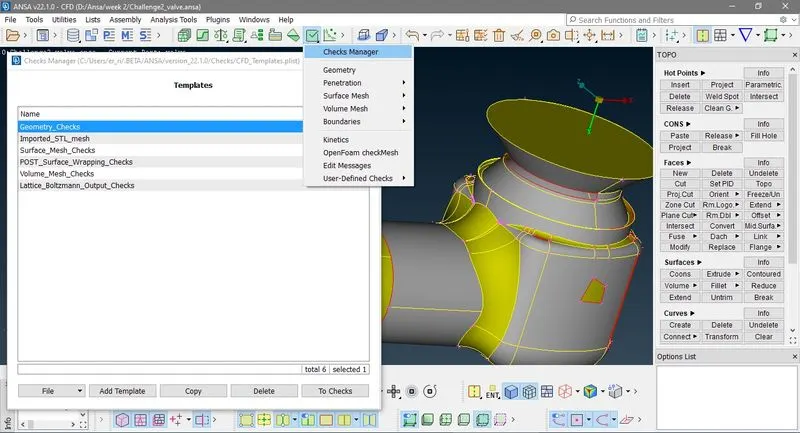
Now if we go to Model validity check/fixes > Checks Manager , Check dialog box is open then select Geometry check and click To Checks.
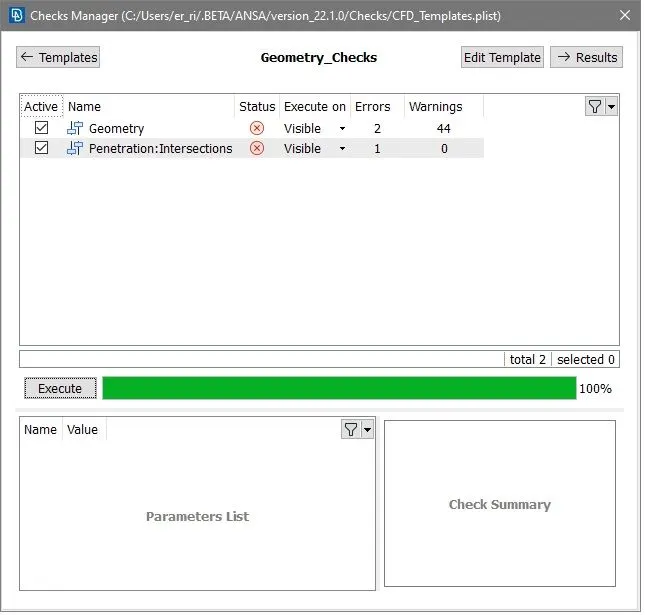
In the below image you can se there are 2 error and 44 warnings now click on results it show in detail, here most warning are due single cons.
Now click Execute to check error, here it shows 2 errors and 44 warnings in geometry and 1 Penetration and INtersection error.
To see in detail click Results.
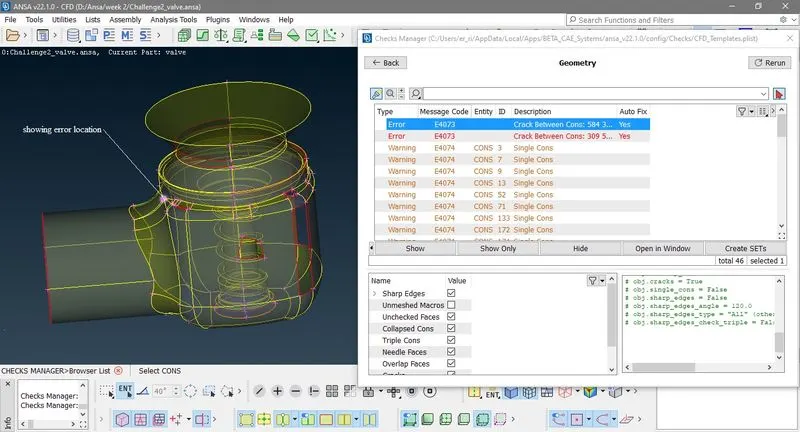
Step 2:- Geometry clean up with help of TOPO
After detecting these error or missing surface we clean up ou geometry with help of tools in TOPO, Here we use following tools
1. Fille hole :- With help of this we can heal any face or surface but it work only on same plane.
TOPO > CONS > Fill Hole > Select missing face cons and click scrol > OK.
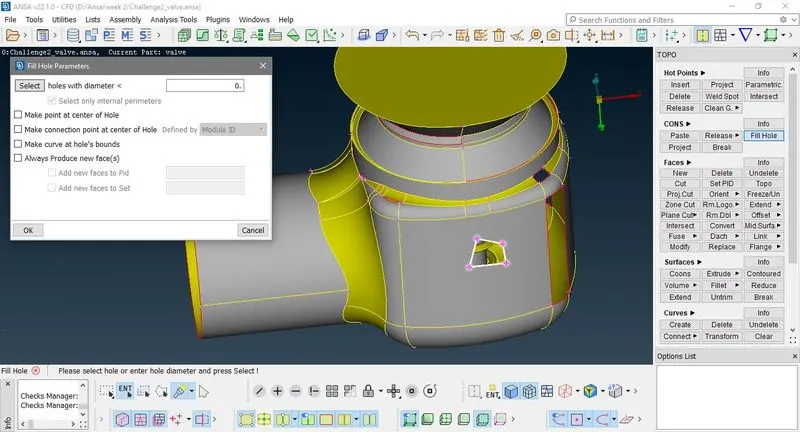
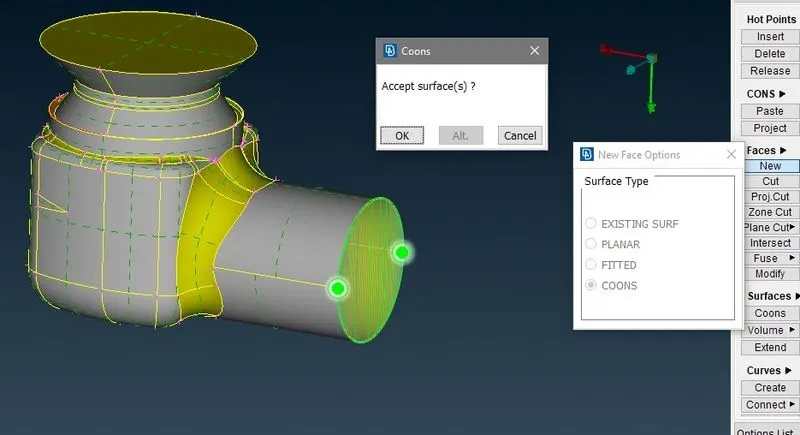
2. Coons:- With help of this you can create new face with help of cons.
Ggo to TOPO > FACES > New > Coons select loops > select cons loop > scrole > OK
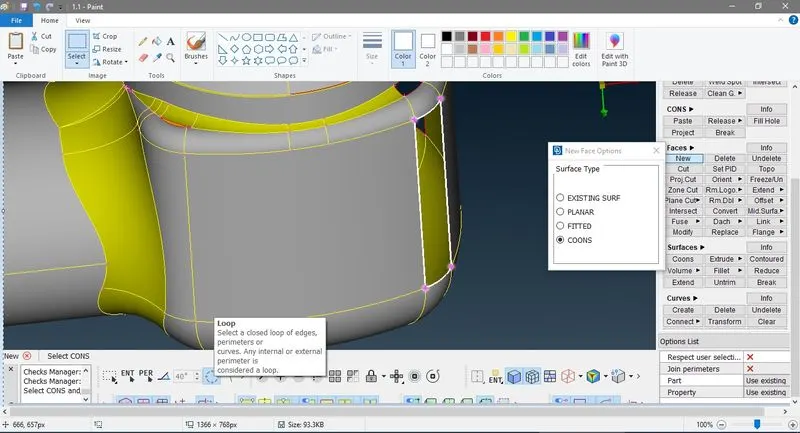
#Now if we compare coons and fille hole
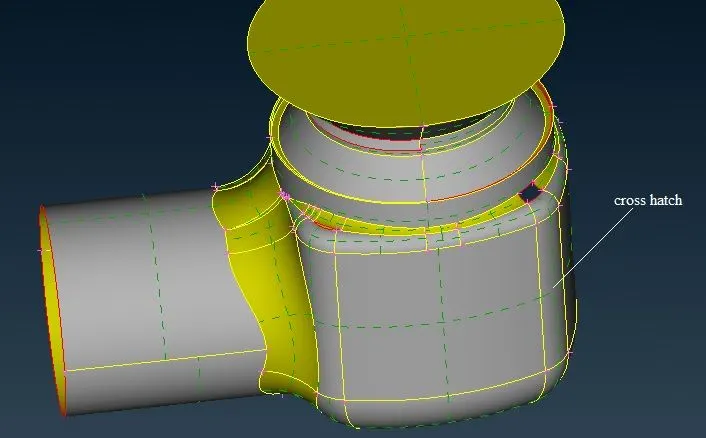
a) Fill hole only heal's face or surface so on heal face you can't see any cross hatch, where as coons create a new face or surface so you can see cross hatch on face.
b) Now If you try fill hole half cylindrical surface it join all boundaries as a palner surface as shown in figure so we use coons here.
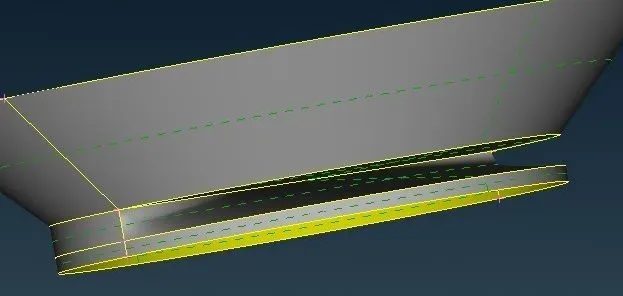
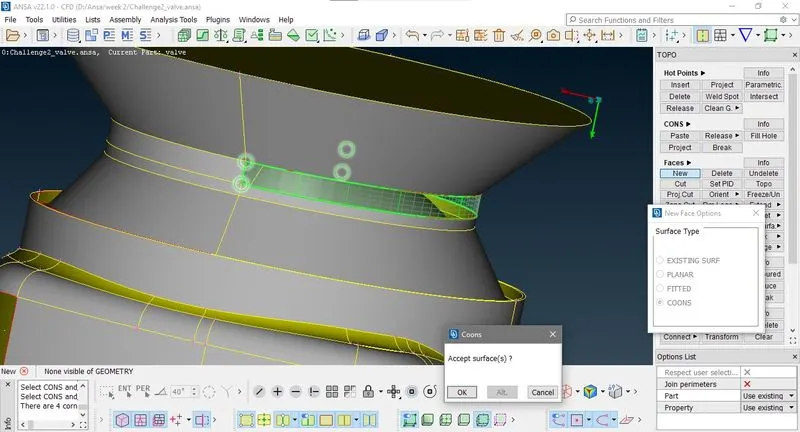
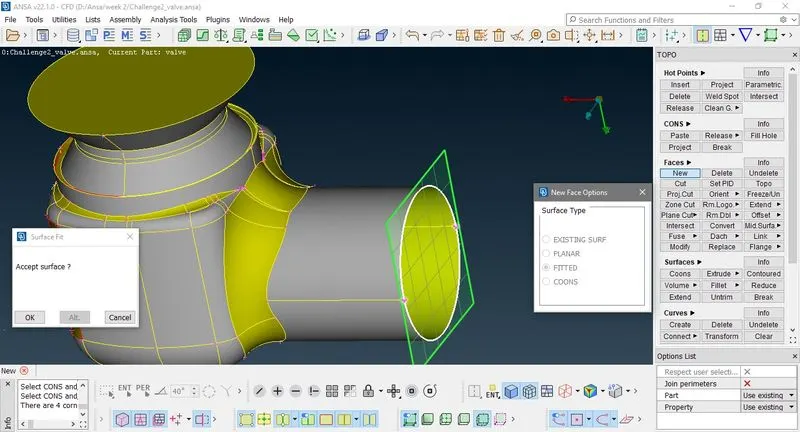
3. Fited :- Creates new face fit into Cons boundares.
If you try fill hole below face
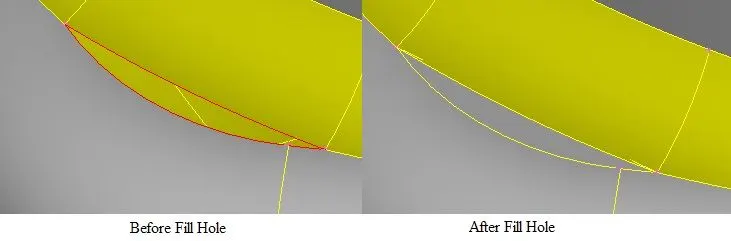
It's Overlap to the upper surface. and if you use cones there are some gap bitween new surface and bottom surface so now we use fitted option we get a perfect face.
go to TOPO > FACES > New > Fitted select loops > select cons loop > scrole > OK
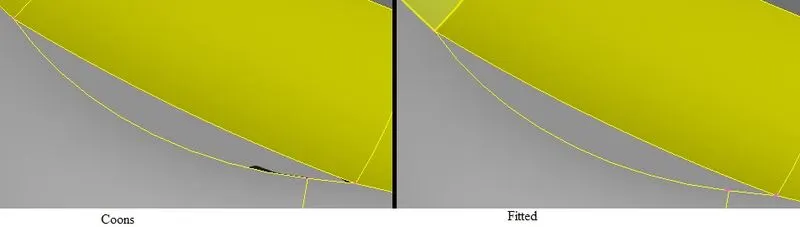
# We can heal this with another method
go to TOPO > FACES > Delete and delete the face Now go to TOPO > FACES > New > Coons select loops > select cons loop > scrole > OK
I preferred this method because previously we creats too small surface which produce difficulties in meshing.
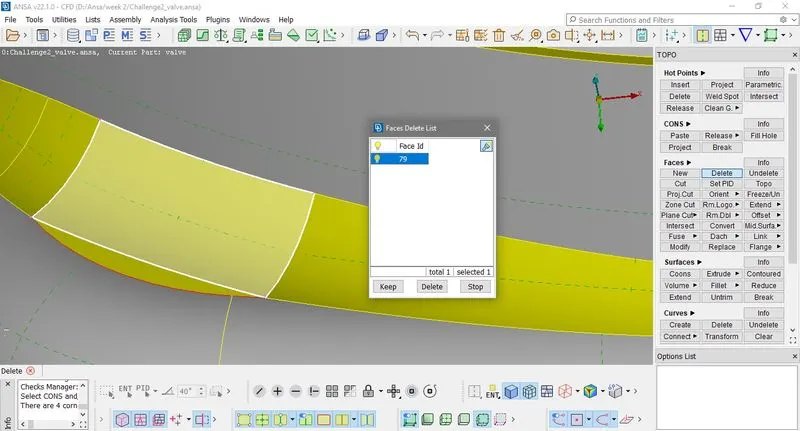
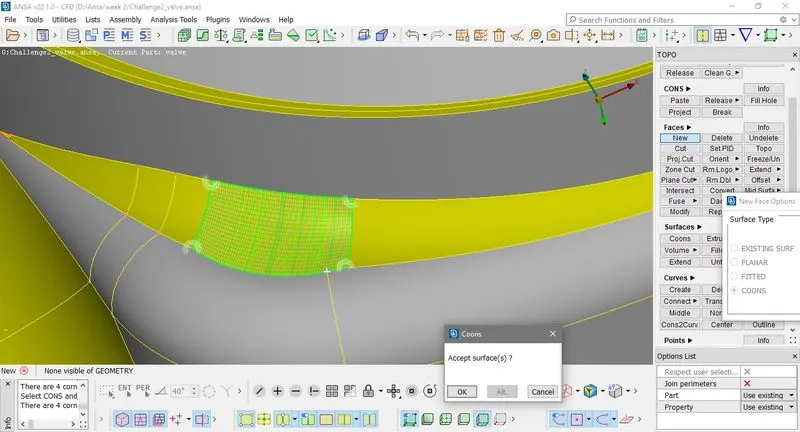
Now similarly we use this method in this problem also
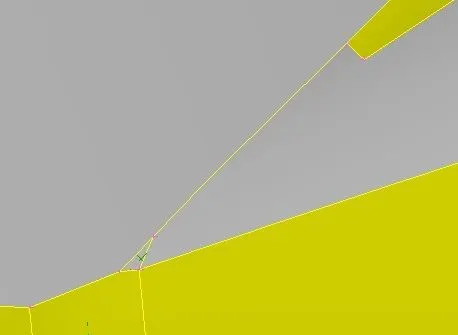
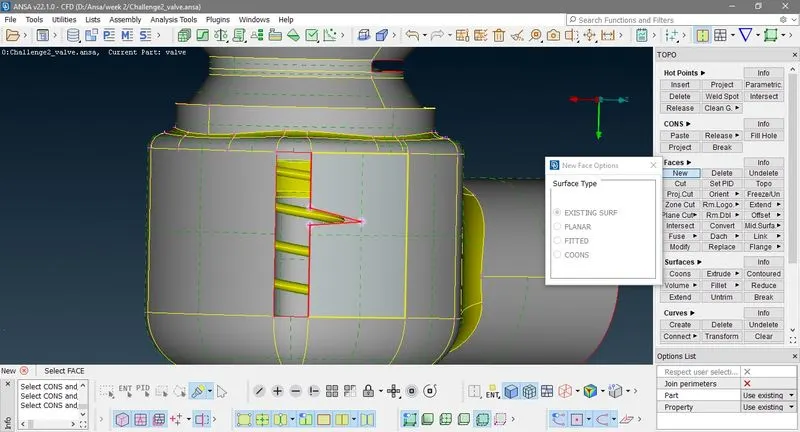
4. Existing Surface :- You can creates a new surface with help of cons and existing surface and new curvature is same as existing surface.
go to TOPO > FACES > New > Existing surface select ENT > select cons on surface > scrole > select existing surface > OK
TOPO > FACES > New > Coons select loops > select cons loop > scrole > OK
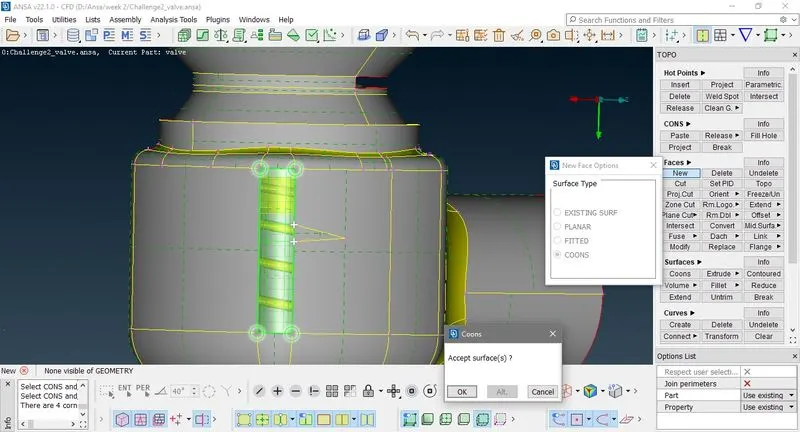
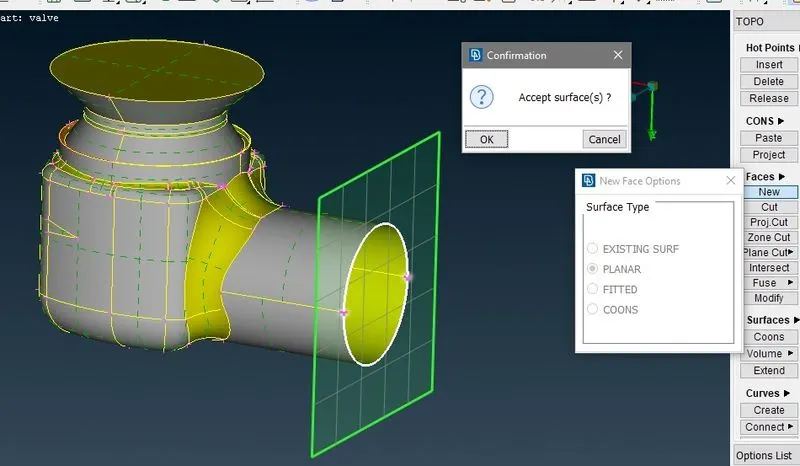
5. Planner : It crates surface on a palne of selecting cons.Here it intersect near by surface which cuts the palne.
TOPO > FACES > New > Planner select loops > select cons loop > scrole > OK
# Selection Mode
1. ENT (Entity mode) :-Select entites separately.
2. Loop :- Select all entites in a loop.
3. Box selection :- Select all entites in side a box.
4. PER (Perimeter):- Select perimeter.
5. PID :- Select PID
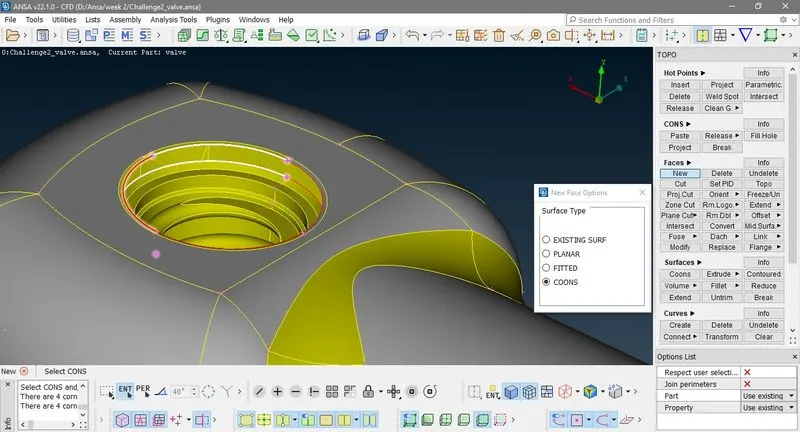
At the End we have to close of geomery for volume mesh so if we try to close inlet with coons or fitted in Loop mode of selection
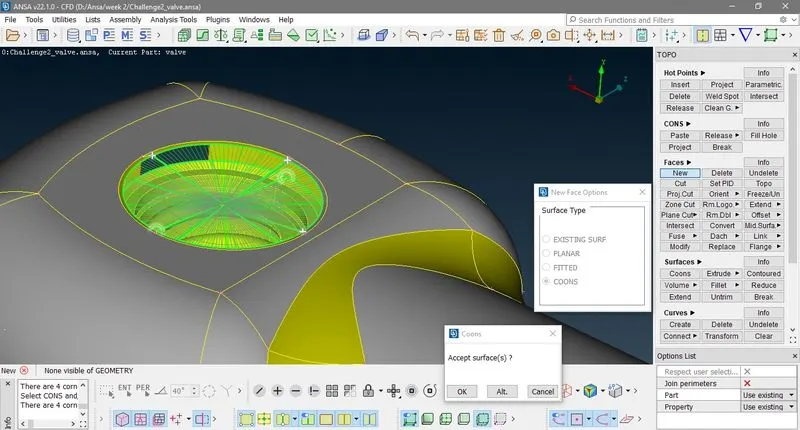
This is because upper and lower cons curvature not eual in length so we have to select it seperatly Select ENT
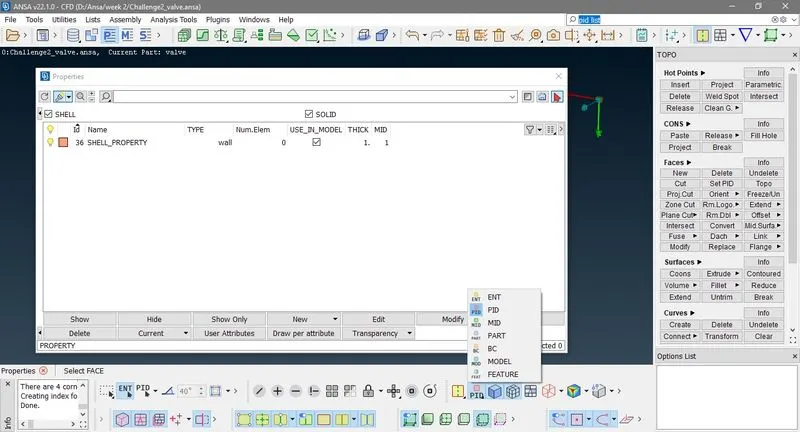
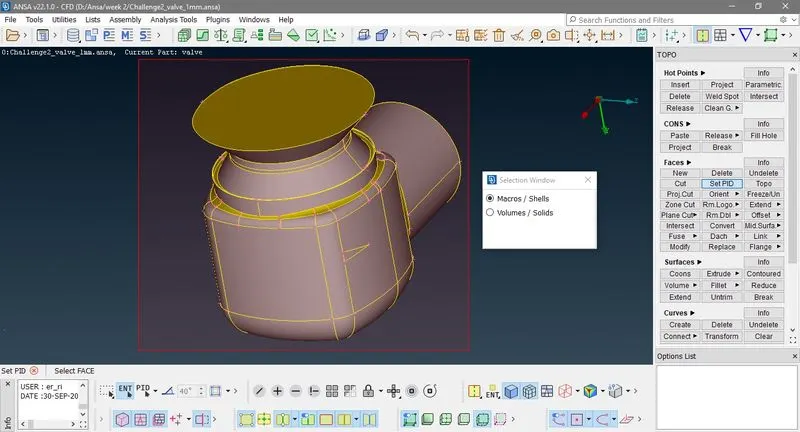
# PID :- PID is set of geometry (either survace or volume).
Now go to TOPO > FACES > Set PID Select Macro/Shells > Box select > Press Scrol ,you can also go to Properties
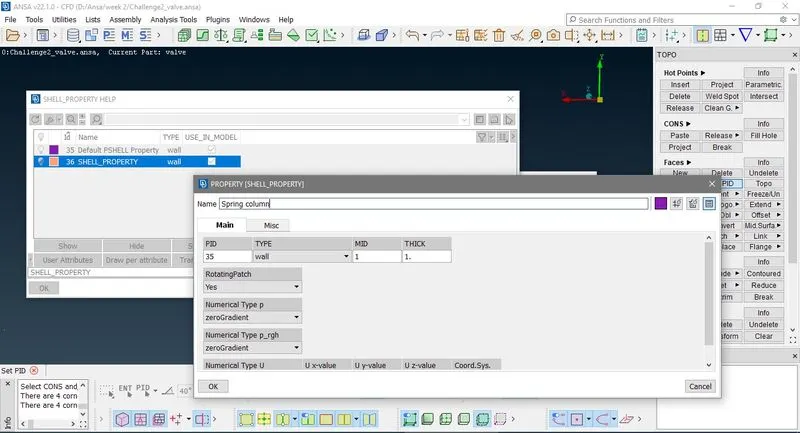
Now rigth click and click new > define name > Ok and again rigth click > apply and select those face which you put in this PID.
Here we makes four PID as shown in below image , you may hide or lock PID
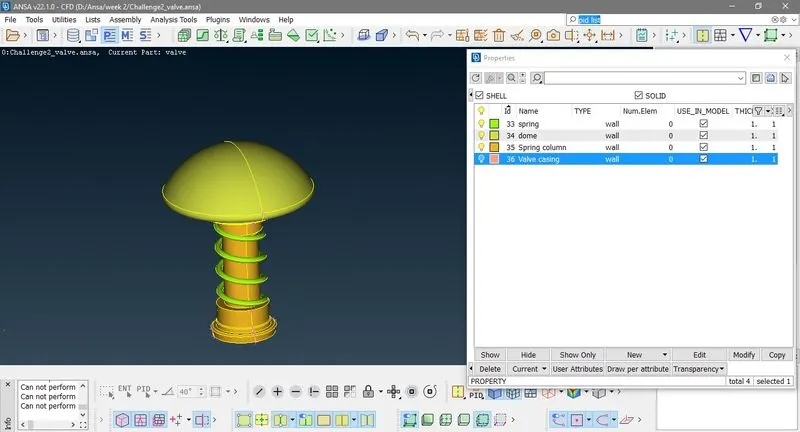
Now if you go to Model validity check/fixes > Checks Manager , Check dialog box is open then select Geometry check and click To Checks.
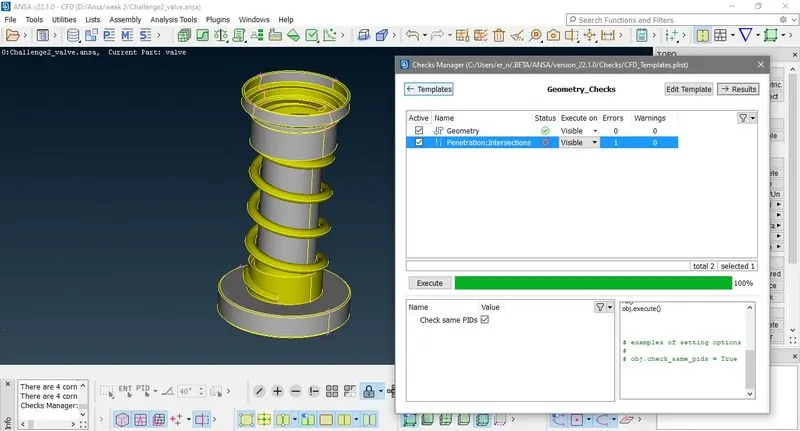
Here it show Intersection of Spring with column ,now hide all PID only visible Spring and column PID and click Lock
Go to TOPO > FACES > Intersect select PID mode of selection and hide Spring PID
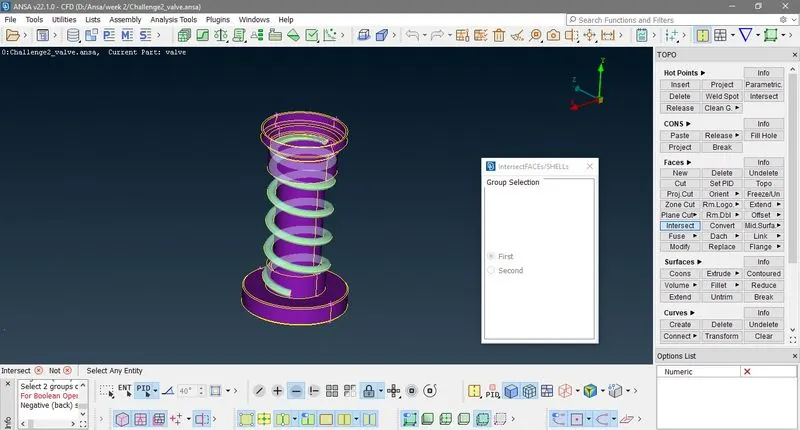
Press scrole > Box select column
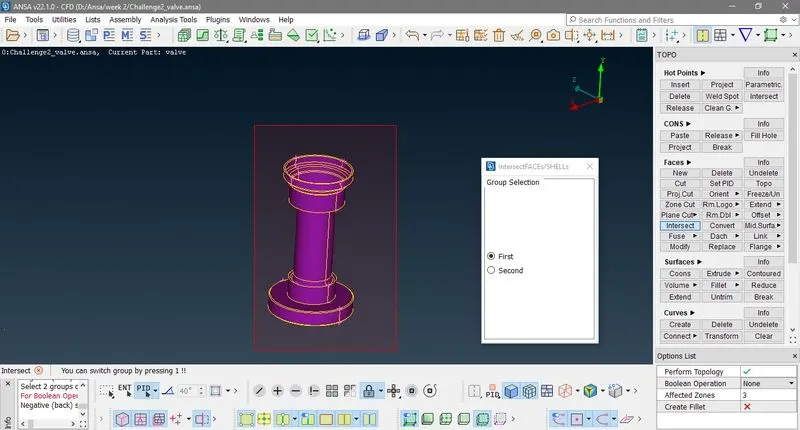
Press scrole > show all hide column PID and select spring PID
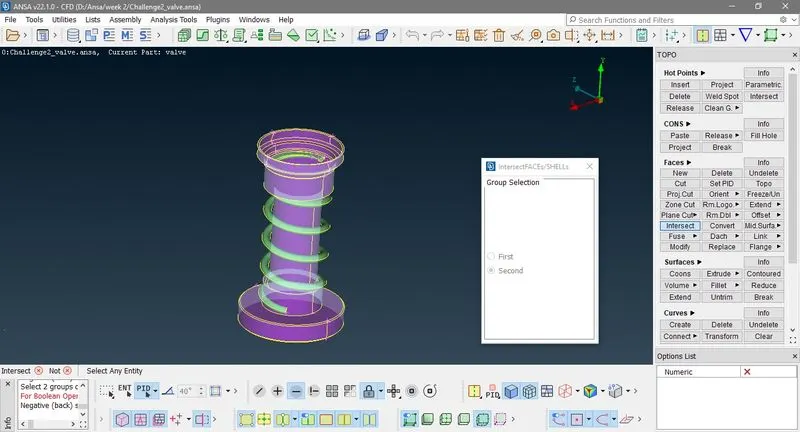
Now Press scrole > show all
Here it show fac to keep or Delete , press keep those face are requred and delete unneserary faces.
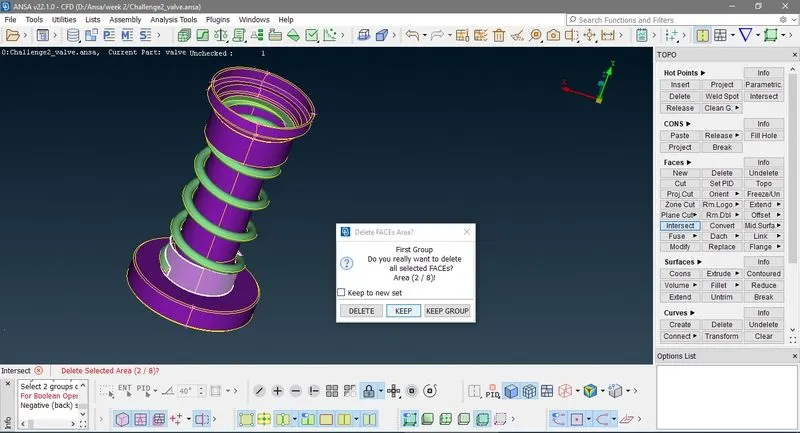
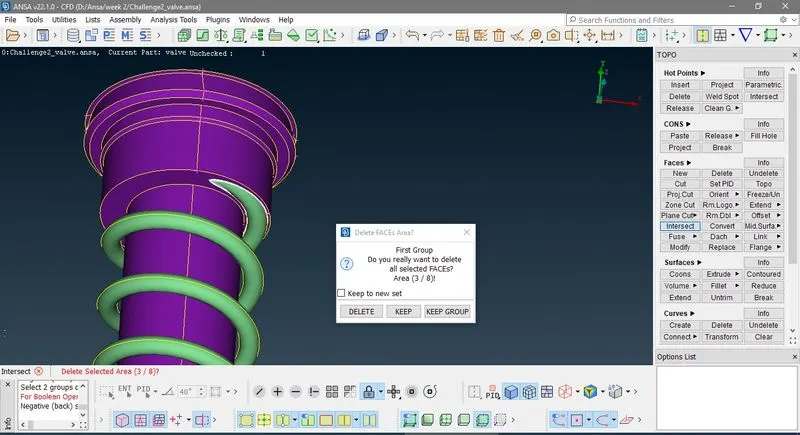
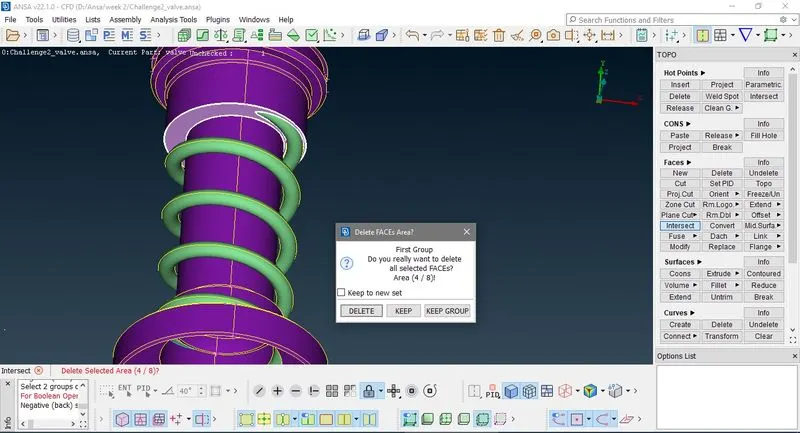
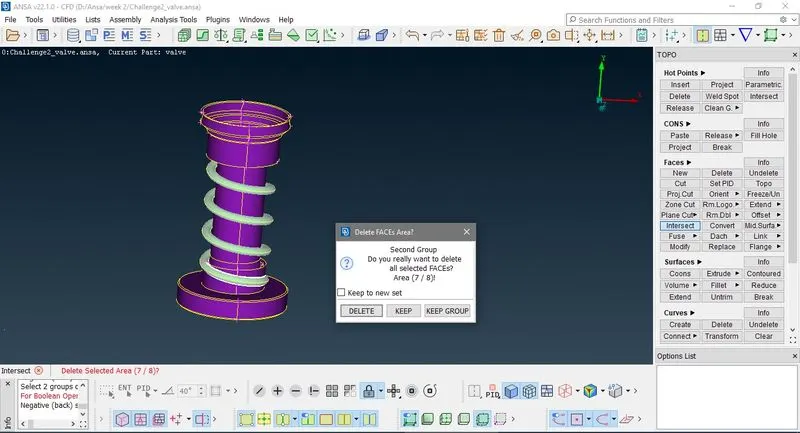
Now we clear all our Geometry erorrs then we go to meshing
Now go to TOPO > Perimeters > meshing > Perimeters box select individual PID or select all in single press scrole and give minimum target length 0.1 and maximum target length 2. and click ok. Now go to Mesh Generation > CFD > Visible
If we mesh PID individually
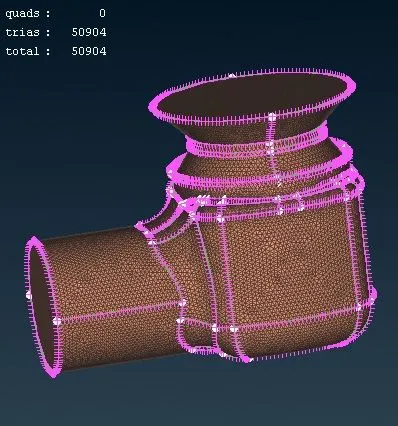
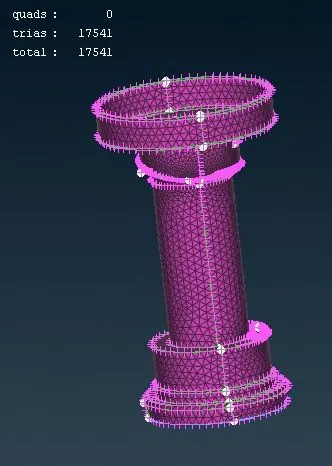
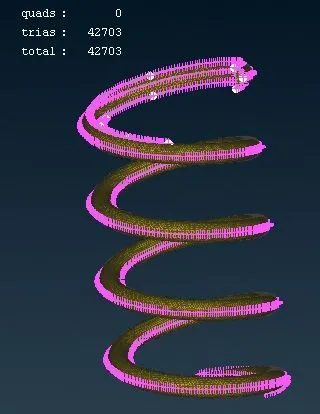
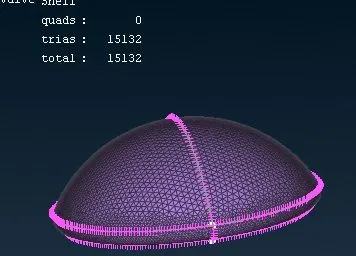
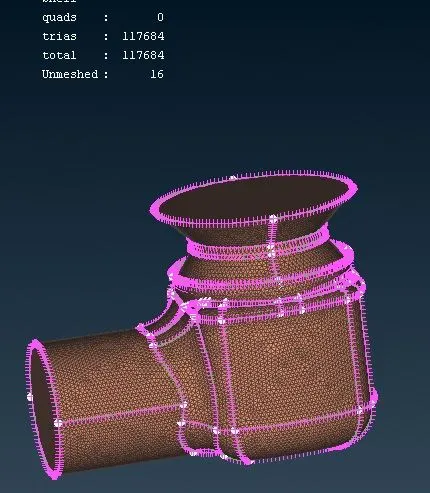
Now here we have un mesh surface
TOPO > Mesh Generation > Free mesh
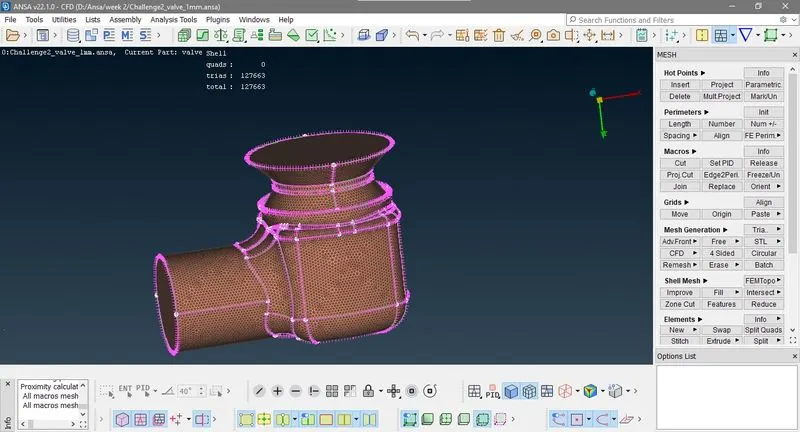
Now save file as Challange2_valve_1mm.
Now again original file againg repet above process and mesh for target length 3mm
Minimum target length 2.1mm
Maximum target length 3.9 mm
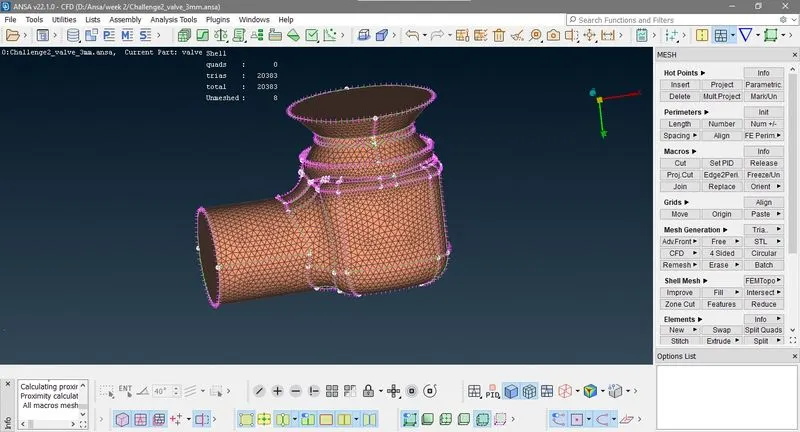
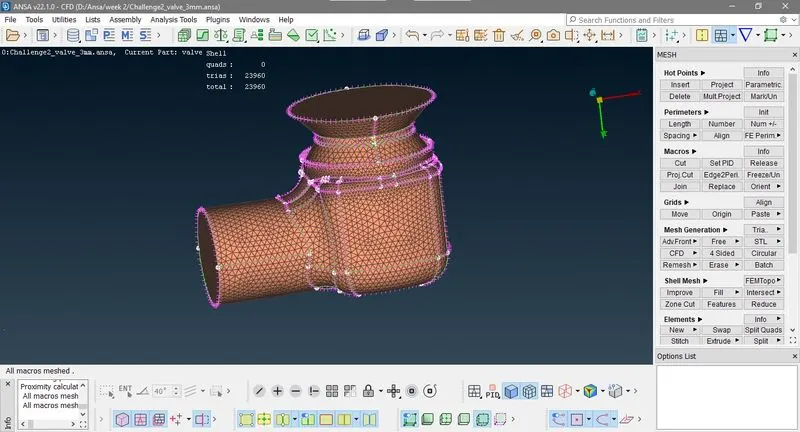
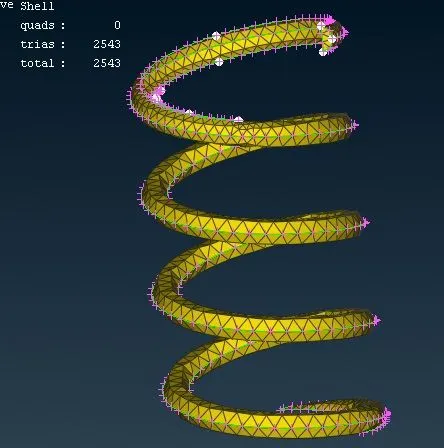
Now save file as Challange2_valve_3mm.
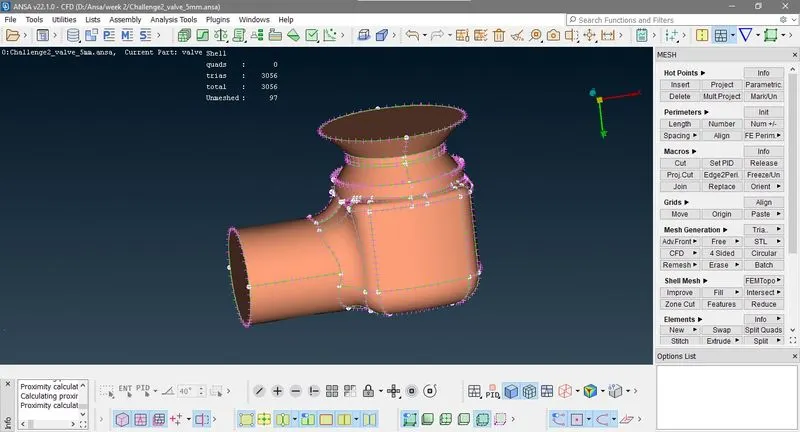
Now again original file againg repet above process and mesh for target length 3mm
Minimum target length 4.1mm
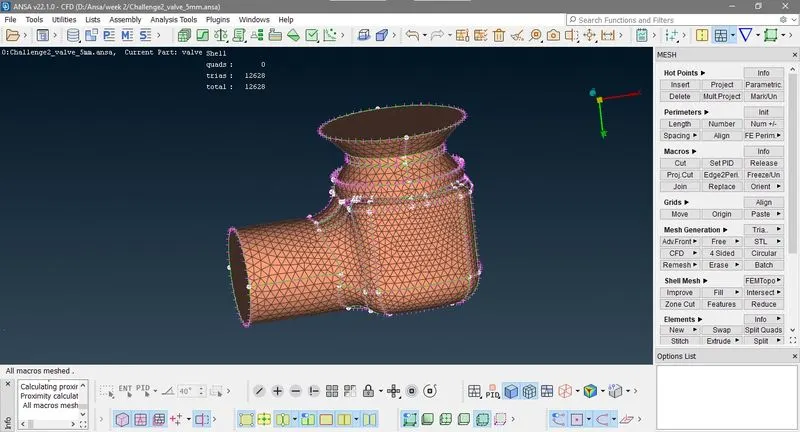
Maximum target length 5.9 mm
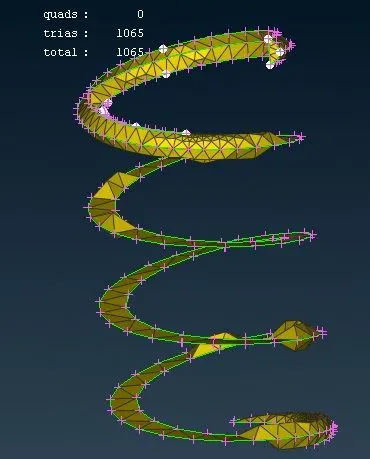
Here you can see spring is like a flat spiral this is because it try to fill tria element in target length 4.1 to 5.9 mm.
Conclusion:-
- As increse target length it requce number of elements.
- We understand how geometry clean up with various tools, and advance selection methos.
- If we individully mesh PID some unmeshe surface remain at boundaries.
- We understand how to solve Intersection of two bodies.