Week 2 - Flow over a Cylinder.
Simulate the flow over a cylinder
AIM: Simulate the flow over a cylinder and explain the phenomenon of Karman vortex street at various Reynolds numbers.
Theory: Reynolds number is a dimensionless quantity that is used to determine the type of flow pattern as laminar or turbulent while flowing through a pipe. Reynolds number is defined by the ratio of inertial forces to that of viscous forces.
 where u is the flow speed of fluid (m/s)
L is a characteristic linear dimension of the cylinder (m)
ν is the kinematic viscosity of the fluid (m2/s).
And also a Vortex occur around cylinders for any fluid, cylinder size, and fluid speed provided that it has a Reynolds number between roughly 40 and 1000.
Co-efficient of drag Cd: In fluid dynamics, the drag coefficient (Cd) is a dimensionless quantity that is used to quantify the drag or resistance of an object in a fluid environment, such as air or water. The drag coefficient of any object comprises the effects of the two basic contributors to fluid dynamic drag: skin friction and form drag. The drag coefficient of a lifting airfoil or hydrofoil also includes the effects of lift-induced drag.he drag coefficient of any object comprises the effects of the two basic contributors to fluid dynamic drag: skin friction and form drag. The drag coefficient of a lifting airfoil or hydrofoil also includes the effects of lift-induced drag.
Cd=2⋅Fd/ρu^2A
where: Fd is the drag force, which is by definition the force component in the direction of the flow velocity,
ρ is the mass density of the fluid,
u is the flow speed of the object relative to the fluid,
A is the reference area.
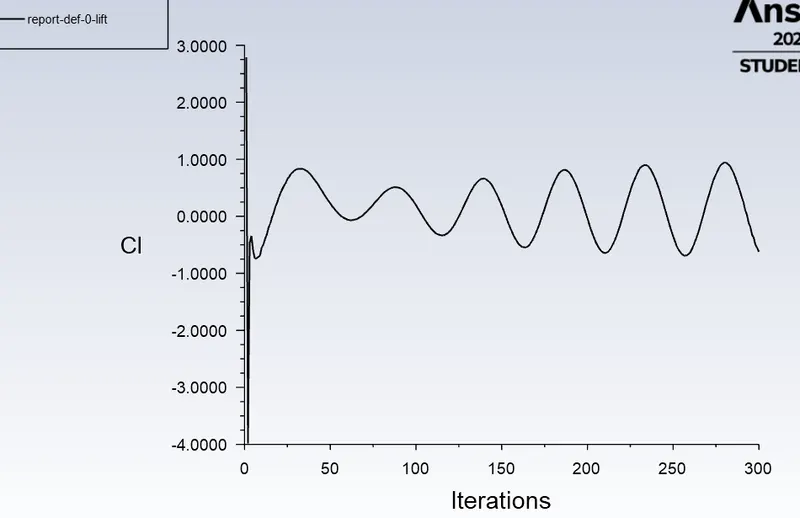
Co-efficient of lift CL: The lift coefficient (CL) is a dimensionless coefficient that relates the lift generated by a lifting body to the fluid density around the body, the fluid velocity, and an associated reference area.
The section lift coefficient cl refers to the dynamic lift characteristics of a two-dimensional foil section, with the reference area replaced by the foil chord.
CL=2L/ρu^2S
where L, is the lift force,
S is the relevant surface area and
q is the fluid dynamic pressure, in turn, linked to the fluid density, and to the flow speed.
Procedure:
PART-I :-
Here, we Simulate the flow with the steady and unsteady case over a cylinder and also, we should calculate the Strouhal Number for Re= 100.
So, open the ANSYS Workbench, and start the Geomentry setup, here take X-Y plane and sketch a circle of diameter 2m and consider as a cylinder face, and also draw a line at a distance 20m from the center of the circle and also make a line of 40m from the circle's center, and also draw a line of 20m from the one end of the line, then create a rectangle throught out these lines, as shown in the fig.
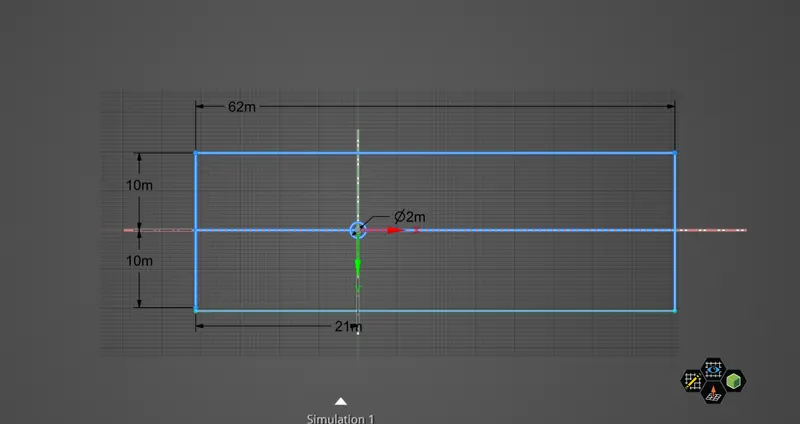
Then, the sketch into surface and delete the contruction lines of the surface. After, that close the geomentry tool and update the mesh tool.
Then after, loading the geeomentry create a automatic Mesh method to the entire body surface and select Traingles as the element type and also the mesh element size as 0.25m, after that create a sizing mesh method to the edge of the cylinder and give the element type of divisions into 36, then make a Influaton type of mes by selectig the edge of the cylinder and enter the first layer inflation as 5e-3. And the model parts as inlet, outlet, walls, ans symmentry respectively. And then mesh the model within the given limits as shown in below fig.
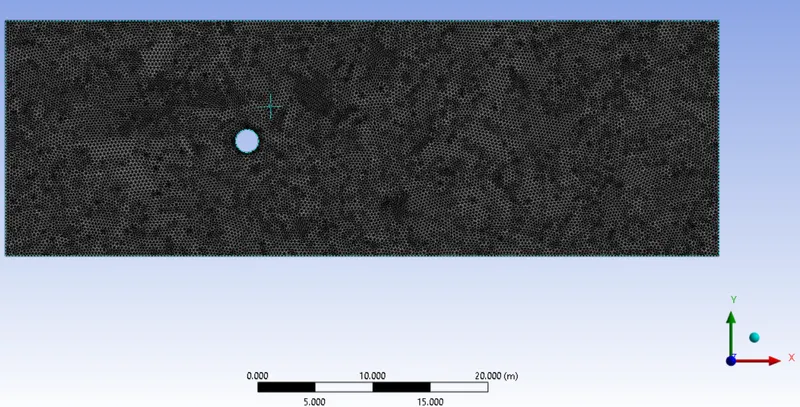
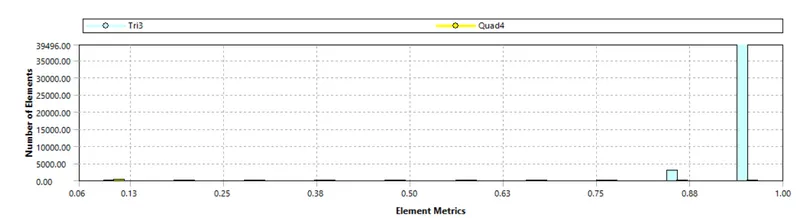
And here is the mesh metric quality graph of the meshed model, here the model is beyond the element metric value of 0.05 so we consider our mesh results are safe, and the number of mesh elements are 39496.
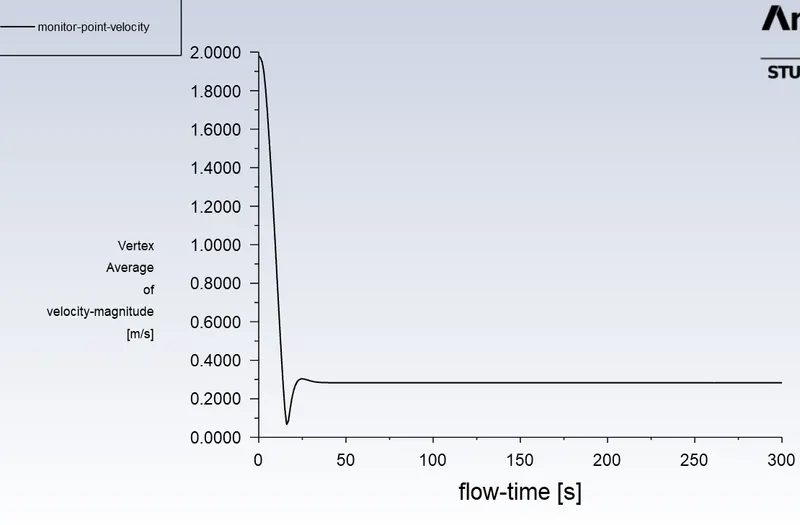
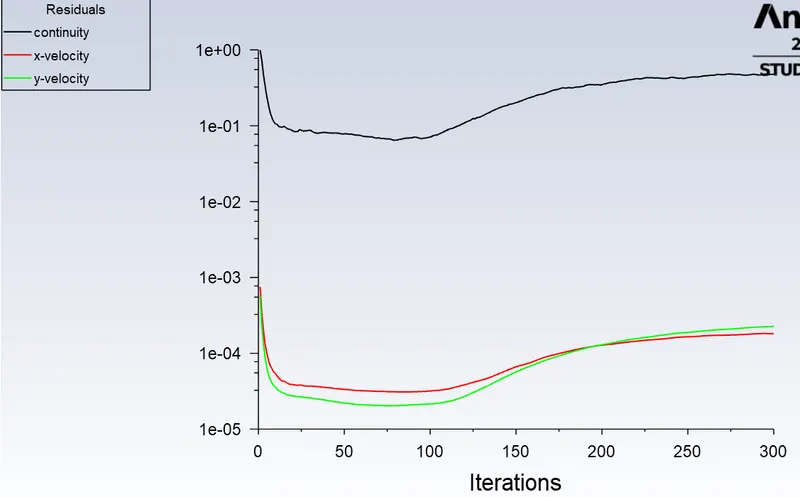
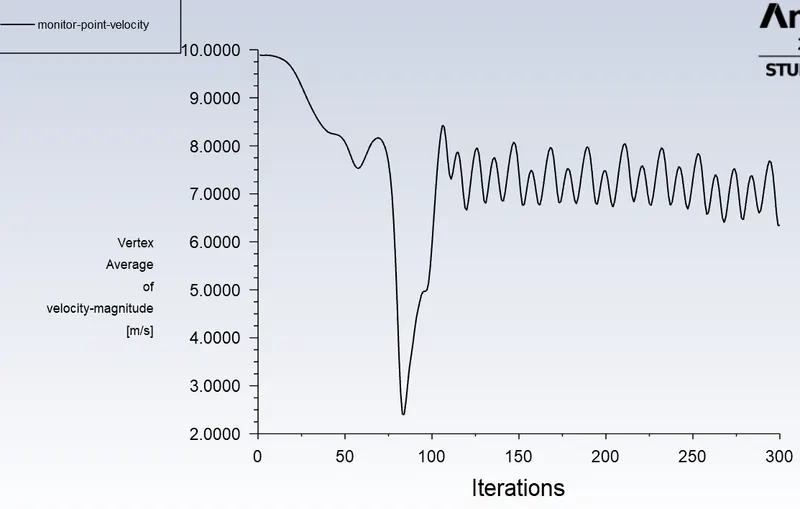
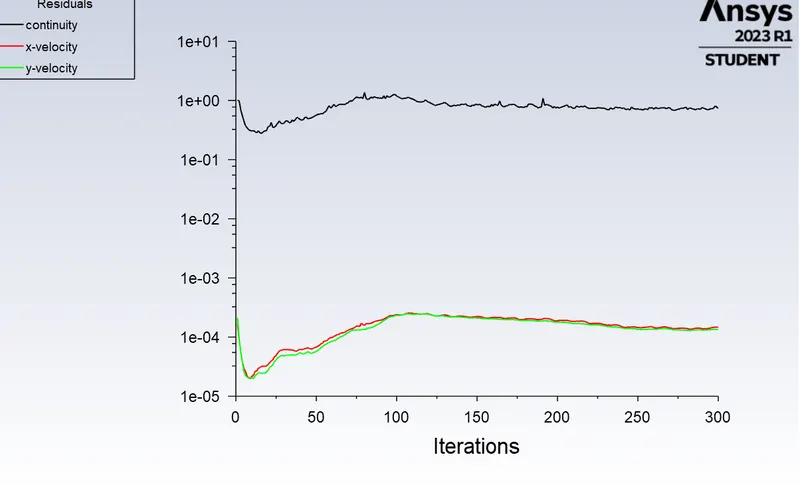
Close the mesh mode and then load the Setup tool and here setup the viscous model as laminer, and define the material as user-material of density 1 kg/m^3 and the viscosity as 0.04 kg/m s. And also setup the inlet boundry conditions like velocity as 2 m\s, and outlet pressure should be gauge pressure i.e..., 0 pascal, and walls shear condition should be in no slipping. Then moveon to post-processing solution setup and create a point callled monitor point of X distance as 8m and y as o m, and setup a Report definition called monitor-point-veloctiy of the given monitor point as a vertex average surface report of requiered velocity-magnitude as results, then initialize the flow field t=0. And also setup the countour plots of all the model sufaces of velocity countour and save it. And also create pressure countour of all the surfaces and save it. And also create a scene animation for velocity stimulation for every 10 iterations. Then Run 300 iterations and observe the results.
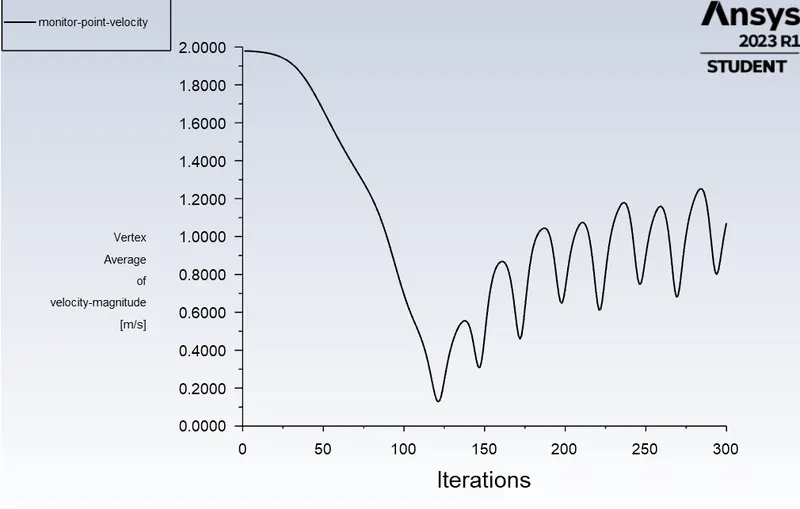
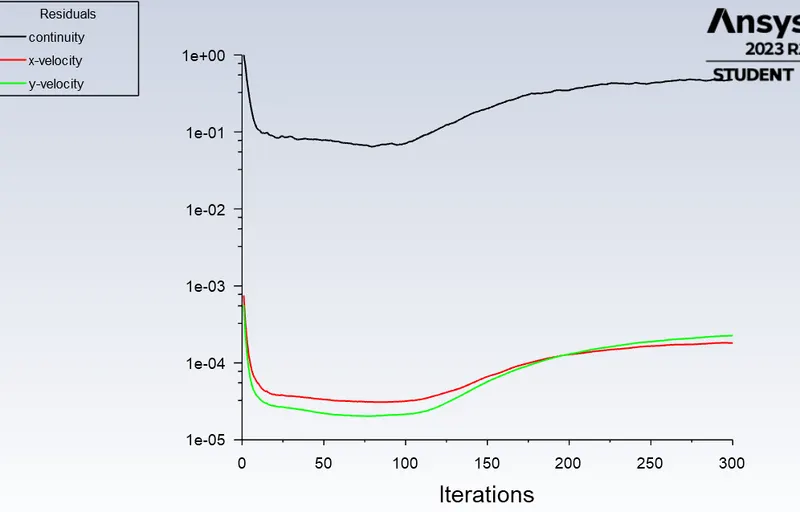
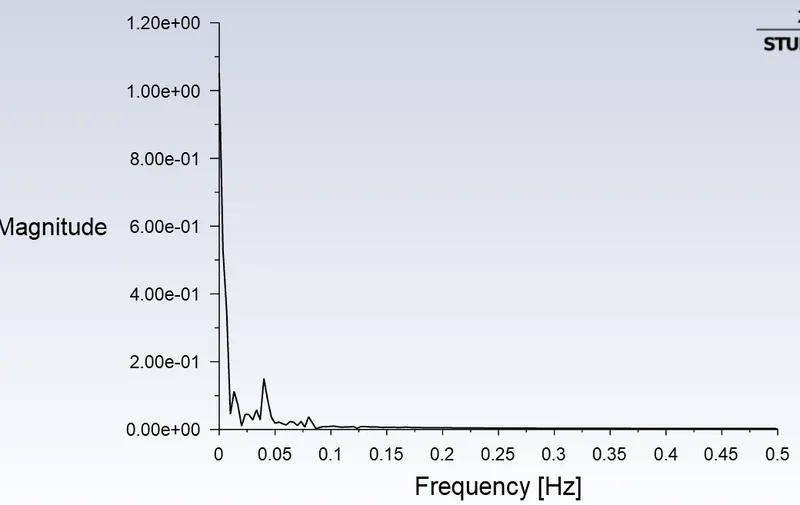
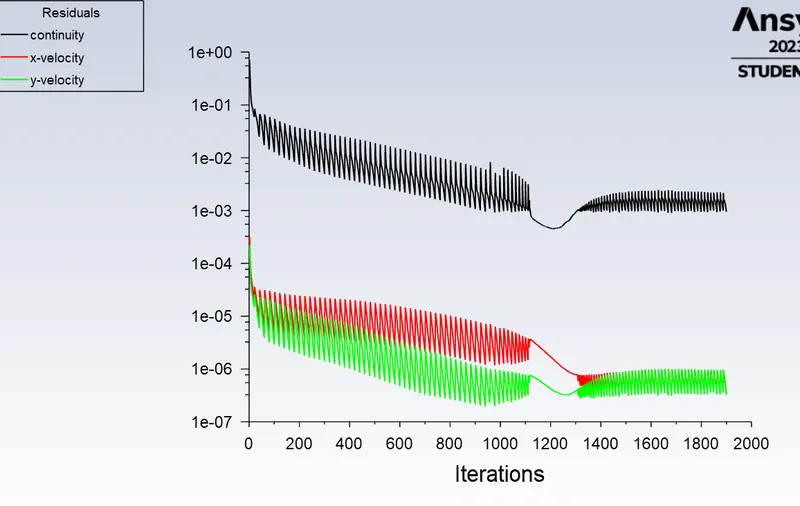
And also change the flow setup into unsteady i.e.., Transient for the above setup model and run the model to 300 interations and monnitor the results.
CASE 2:-
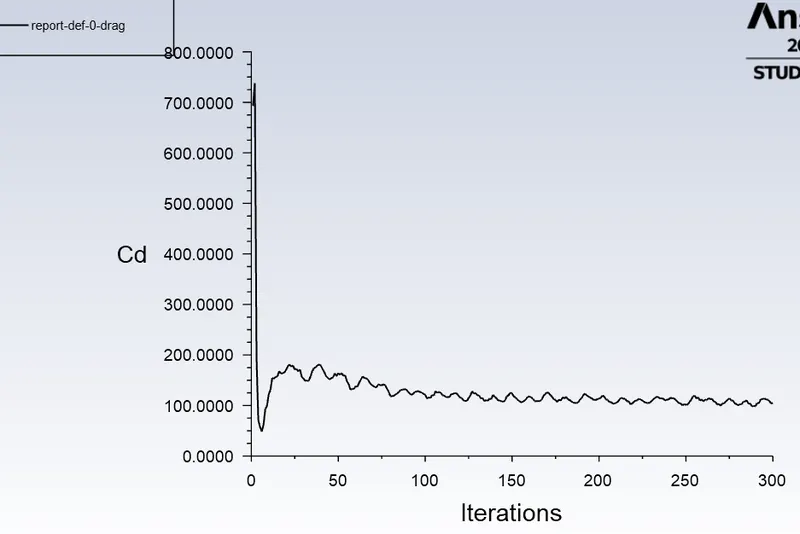
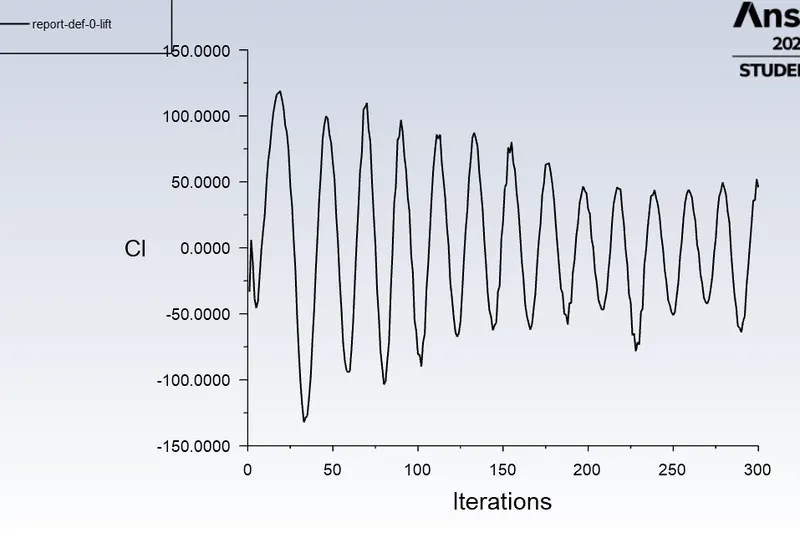
Here, we should Calculate the coefficient of drag and lift over a cylinder by setting the Reynolds number to 10,100,1000,10000 & 100000. so now i take the density as contant for the case and by changing the velocity input and viscosity of the fluid i will change the Reynolds number valve.
For, this I use the above model parameters and apply variable velocity and viscosity value to the model.
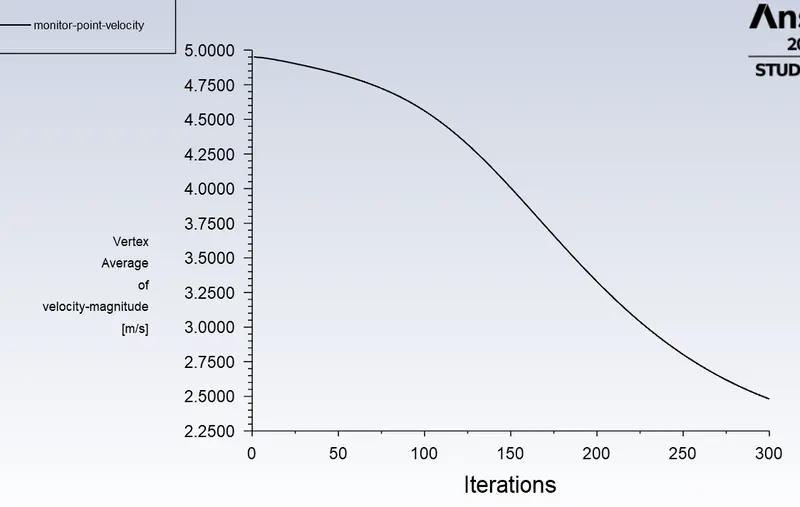
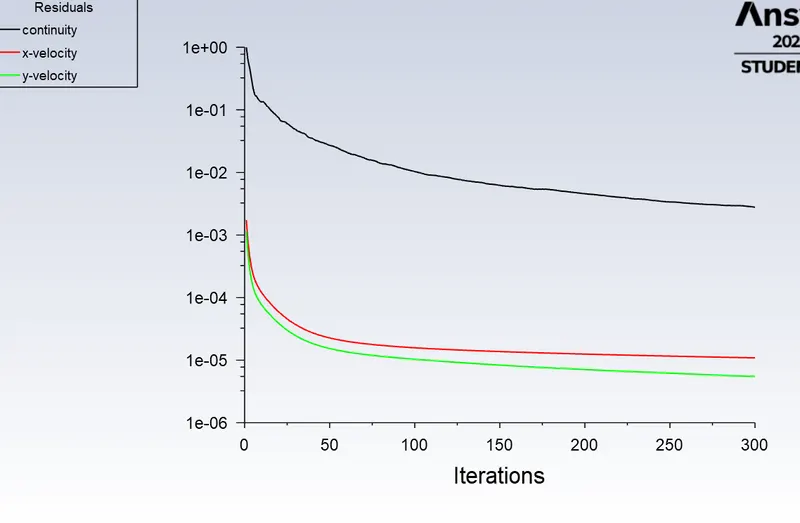
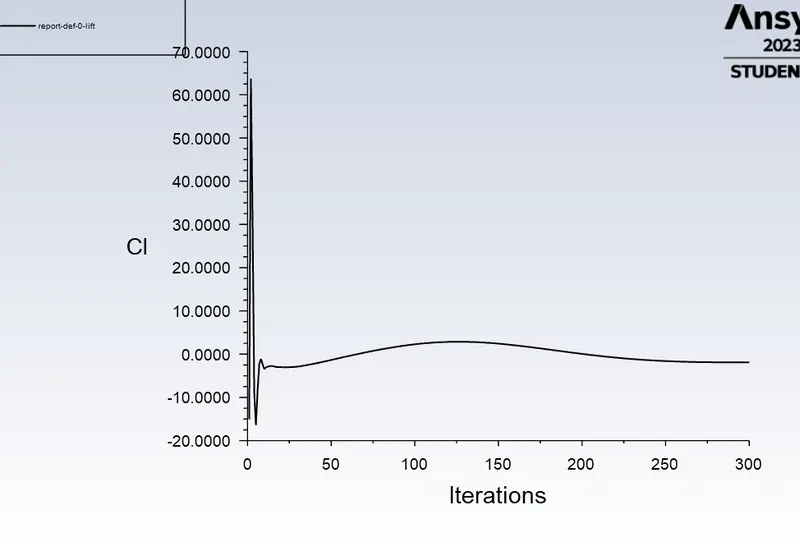
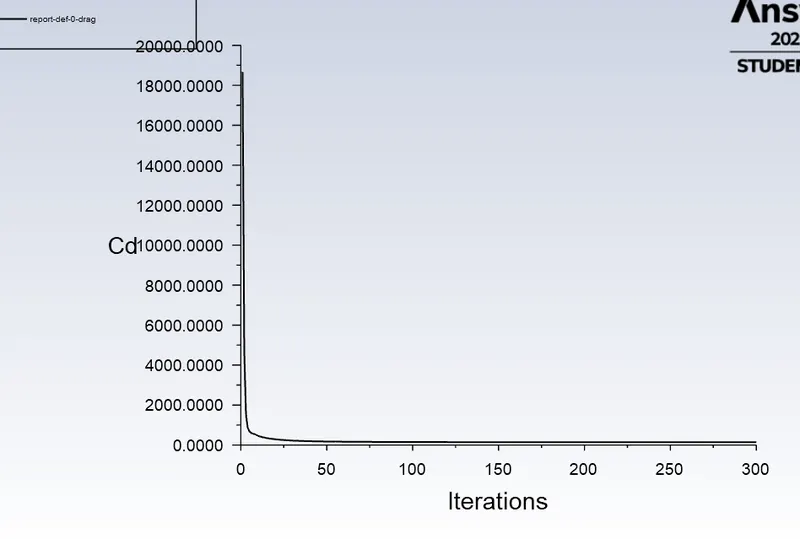
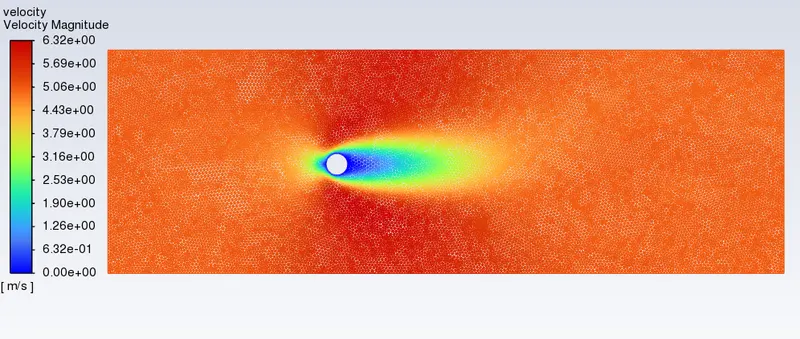
- Now for Re=10, i define the input velocity as 5 m/s, and viscosity as 1 kg/m s. And by using steady state solver we stimulate the model under these parameters and get the required results are as shown below.
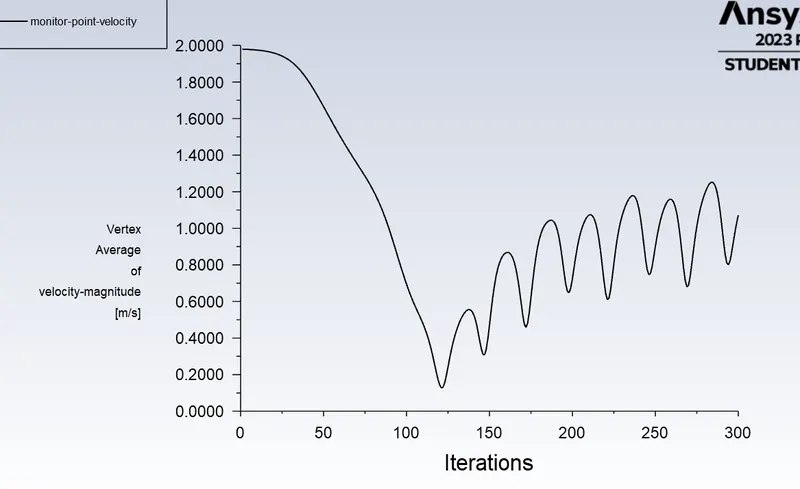
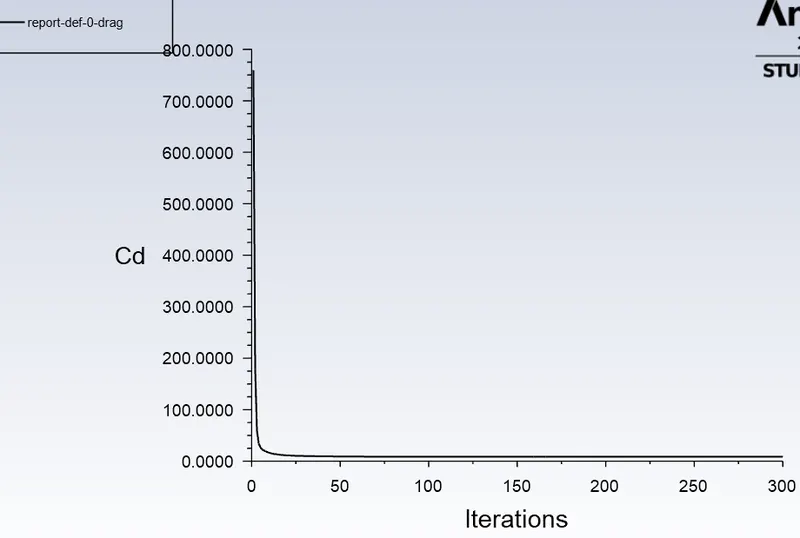
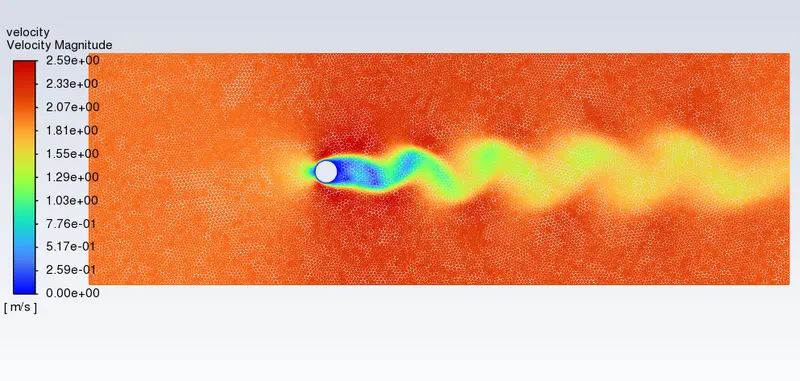
- Now for Re=100, i define the input velocity as 2 m/s, and viscosity as 0.04 kg/m s. And by using steady state solver we stimulate the model under these parameters and get the required results are as shown below
- Now for Re=1000, i define the input velocity as 5 m/s, and viscosity as 0.01 kg/m s. And by using steady state solver we stimulate the model under these parameters and get the required results are as shown below,
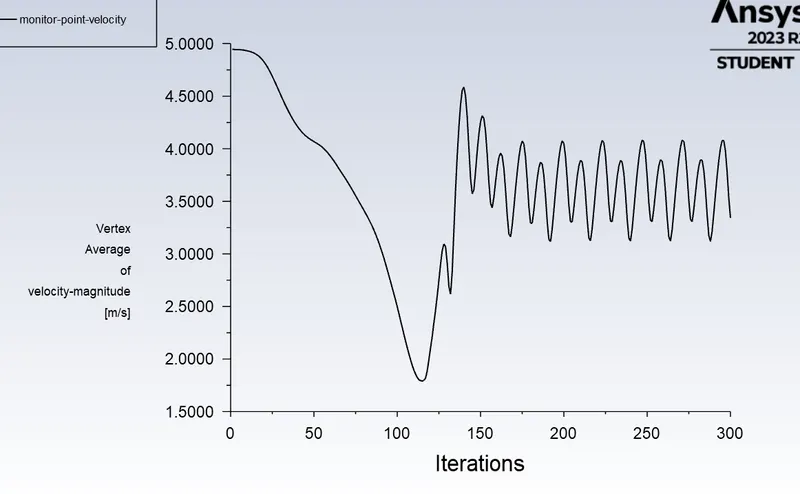
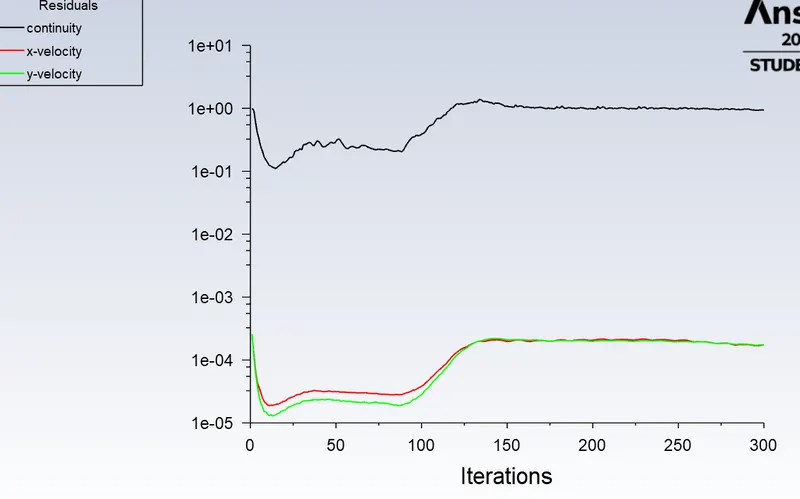
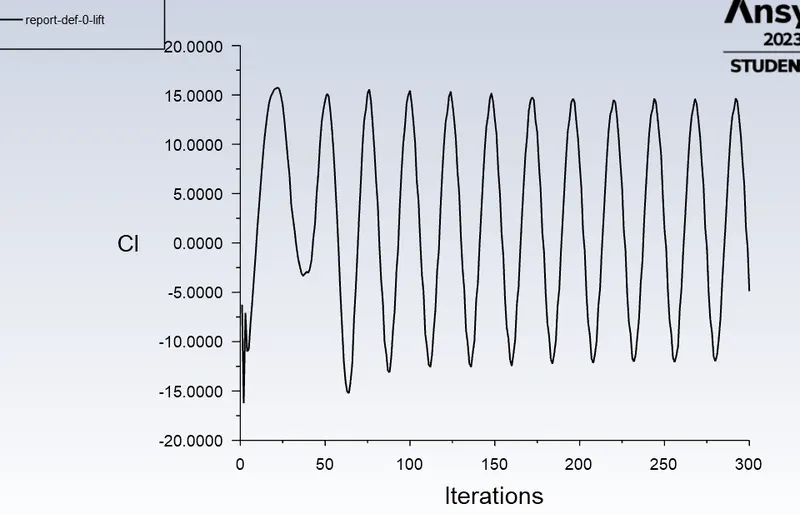
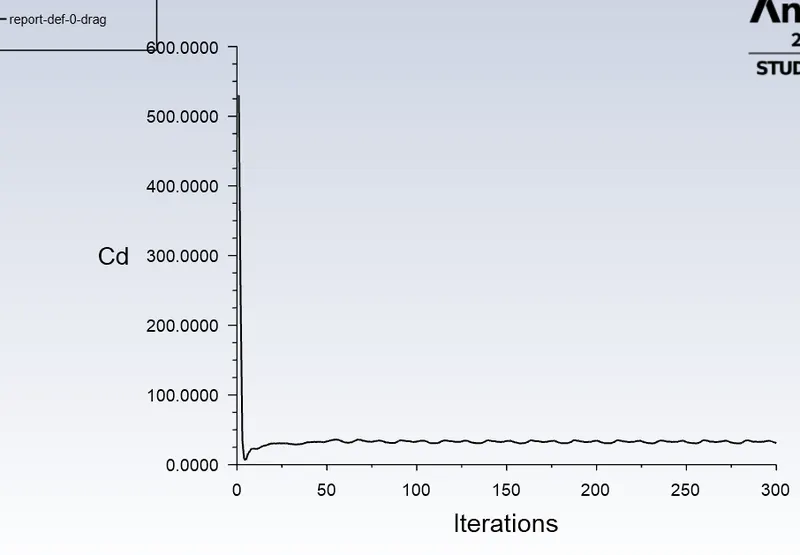
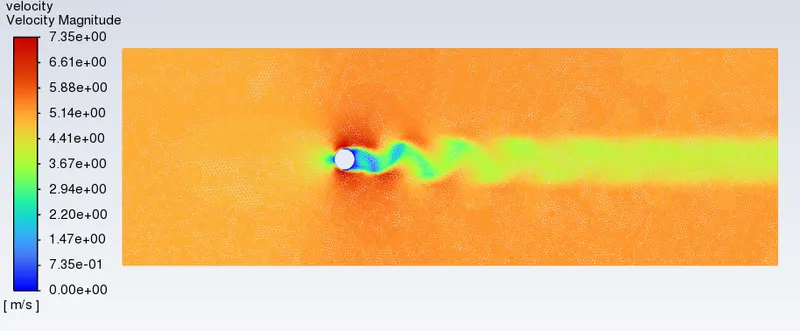
- Now for Re=10000, i define the input velocity as 10 m/s, and viscosity as 0.002 kg/m s. And by using steady state solver we stimulate the model under these parameters and get the required results are as shown below
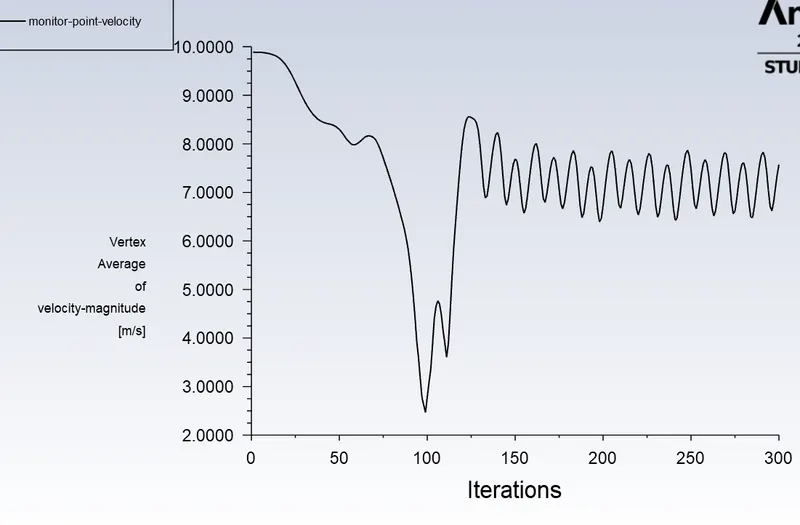
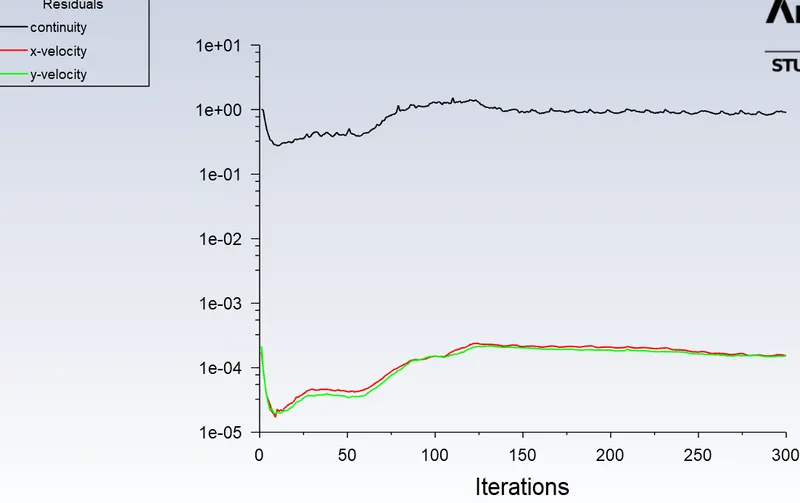
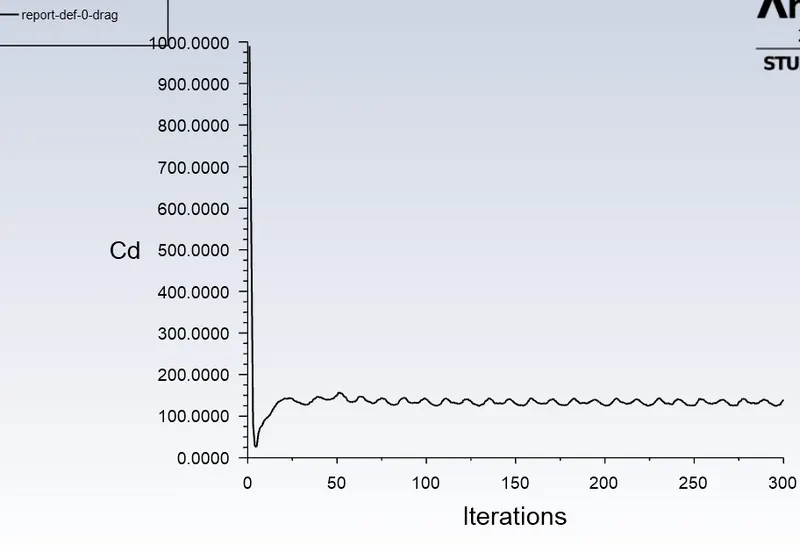
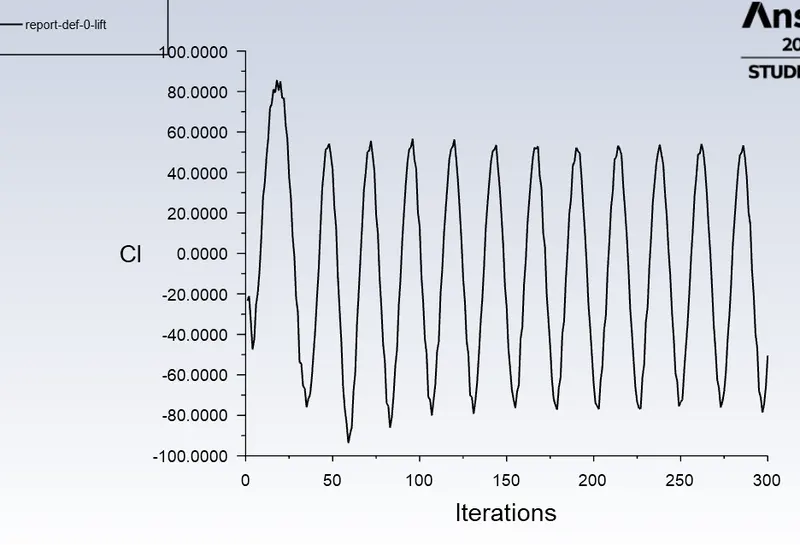
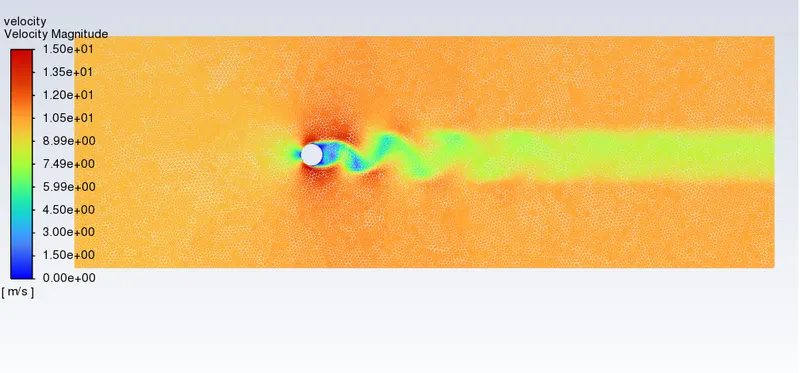
- Now for Re=100000, i define the input velocity as 10 m/s, and viscosity as 0.0002 kg/m s. And by using steady state solver we stimulate the model under these parameters and get the required results are as shown below
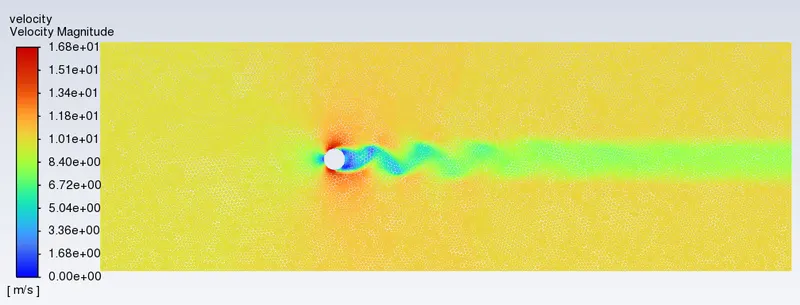
RESULTS:-
CASE 1:-
After stimulating the case 1 model using ANSYS under academic limit, the flow over a cylinder is simulated for both Steady and unsteady cases with Reynolds number = 100, with this stimulation it generated Von Karman Vortex Street.
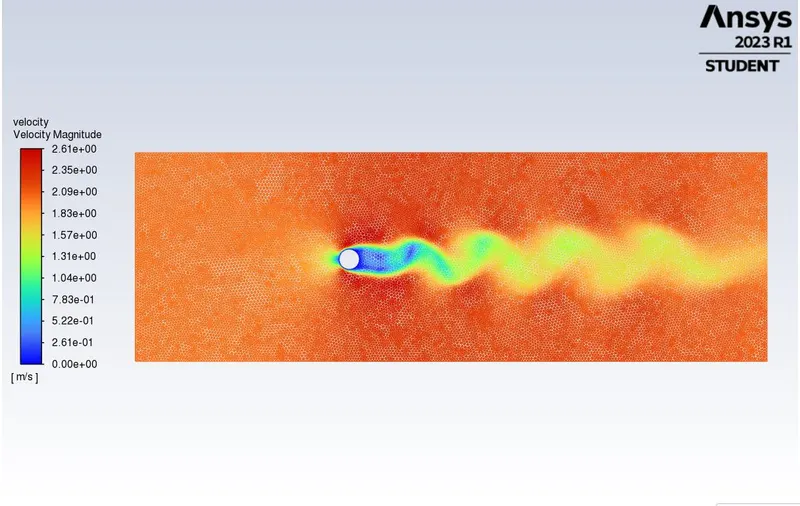
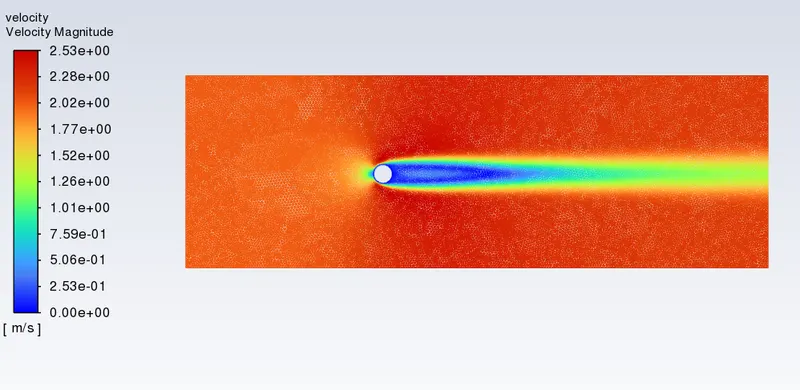
Here we know that at Re<2000 the flow is a Laminar flow so at unsteady state of Re=100 there is no formation of vertex in the stimulation.
Here, the mesh is fine with a little mesh length of 0.25m and 39496 mesh cells are obtained, Here under the limits of Re=100 the minimu velocity of the stimulation is 0 and the maximum velocity of the stimulation is 26.1, And Strouhal Number for Re= 100 is calculated by opening the FFT file in Excel we get the Sn results
| re | Sn | state | |
| 100 |
|
steady | |
| 100 |
|
unsteady |
CASE 2:-
From, these case 2 we simulated the model of flow with the steady conditions using ANSYS under academic licence limits, and the calculated the coefficient of drag and lift over the cylinder by setting the Reynolds number to 10,100,1000,10000 & 100000 as shown below.
| Re | coeff of drag | coeff of lift |
| 10 | 137.6 | -1.886 |
| 100 | 8.685 | -0.62 |
| 1000 | 31.08 | -4.8 |
| 10000 | 139.19 | -50.46 |
| 100000 | 105.481 | 45.80 |
Here, we changed Re value by varying the velocity of the flow and viscosity of the fluid and kept remaining parameters as constant. And, here the flow is a lamianar folow and we observe that at Re=10 there is no formation of vertex and at Re=1000 the vertex is intiated and by increasing the Re value the vertex formation improved, And also we created the mesh with too fine mesh size so, the error in this file is in the limits of 5 %.
Conclusion:-
Here I, completed the stimulation of the both Cases using ANSYS under academic licence limits and monitored the results of and described the observations of both the cases.