Week 2 Challenge : Surface meshing on a Pressure valve
AIM : To mesh the given Valve model by three different Target length i.e..., 1mm, 3mm, 5mm and Conclude by observing all the three cases.
PROCEDURE :
- Run the ANSA sofware and load the downloaded model file into it.
- Then, Check the Geometric errors by using Check option i.e..., (check --> Geomentry -->) and enable the single cons, cracks, overlap faces, needle faces, triple cons, collapsed cons and execute the check option, and it will results the all the errors in the model. Then by enabling wire frame mode we will observe the single cons, and triple cons in the surface model, so first I should resolve the errors
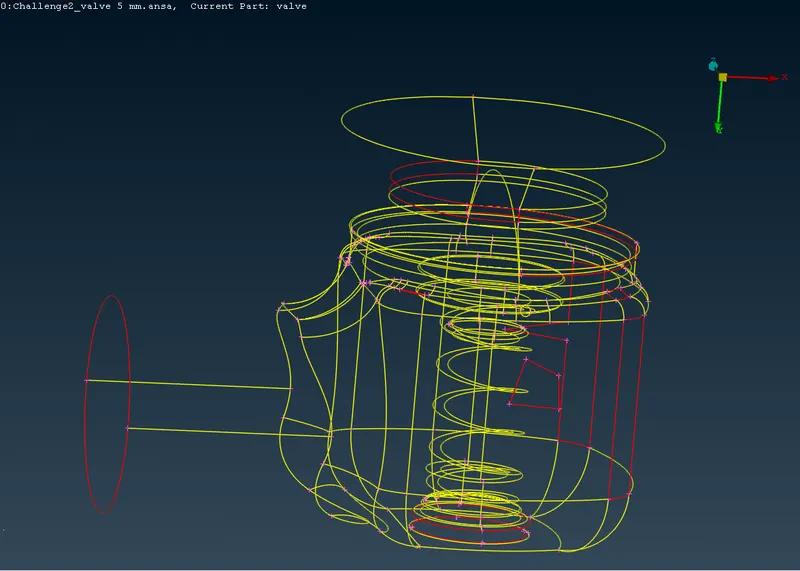
- The red colour lines represent single cons, so to resolve the error select FACE ---> NEW, then select the single cons and click on the middle button, by previewing the surface and click on ok the single con is turn into double con surface.
- By applying the previous step the total single cons present in the model are turned to double cons, so the error is resolved, and
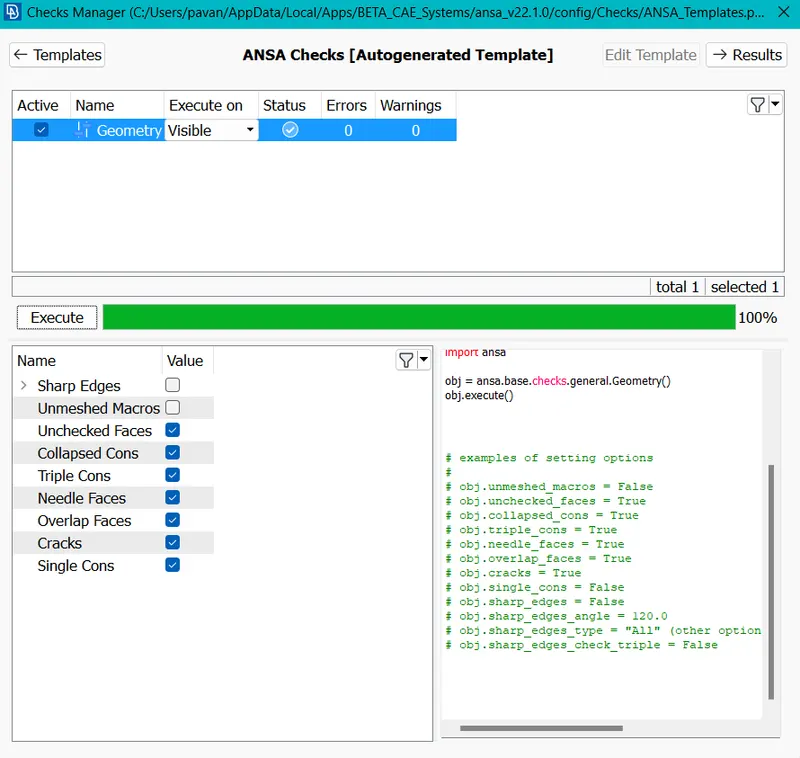
- Then remove the small surfaces which are less than the mesh lenght i.e.., less than 5mm to improve the meshing quality.
- After that, go to the PID manager and add NEW PIDS and name it as 'INLET', 'OUTLET', 'BODY', then assign the suface to the respective PID (by right clicking and select APPLY, then select the surface what we are assigning and click middle button)
- NOTE: To apply the surface to the BODY pid use PID REGION and select the suface, that results that only the body of the model is selected except the inside parts are applyed to the PID.
- Like that add the other PID's that means BASE SURFACE, VALVE HEAD, SPRING, COLOUM then repeat the previous process and assign the surfaces to the respective PID's.
- Then by using the UNDELETE tool in the FACES section we can see the deleted surfaces in the model, then here I noticed that an error area is shown on the model surface, so delete the SHELL PROPERTY pid, then the error will resolved.
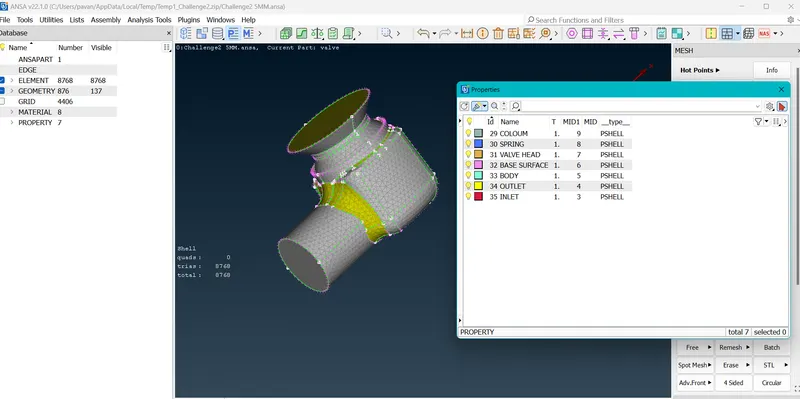
- Then, I can moved to the meshing part.
- As usually give the meshing parameters like Target length as 5mm, Element type as Trio,andd in Quality criteria give max length as 7mm and min length ass 3mm . Then click on the mesh tool and select the LENGTH, the give the mess lenght to PARAMETRS, and to MACROS as 5mm.
- Then apply the spot mess to every PID surface and mesh the model with given Target length i.e.., 5mm. And save the model into the local files.
Repet the above steps to the another models of Target lenghh 1mm, 3mm
- During the 1mm target length model give the max length as 2mm and min length as 0.5mm.
- And to the 3mm target length model give the min length as 1mm and max length as 5mm.
And save the three different models separately into the local files.
RESULTS AND COMPARISON: Fiinally we created three models of tree different Mess lengths.
We noticed that the length of the mess elements node are nearly 5mm (i.e.., 4.9)in the 5mm target length model. 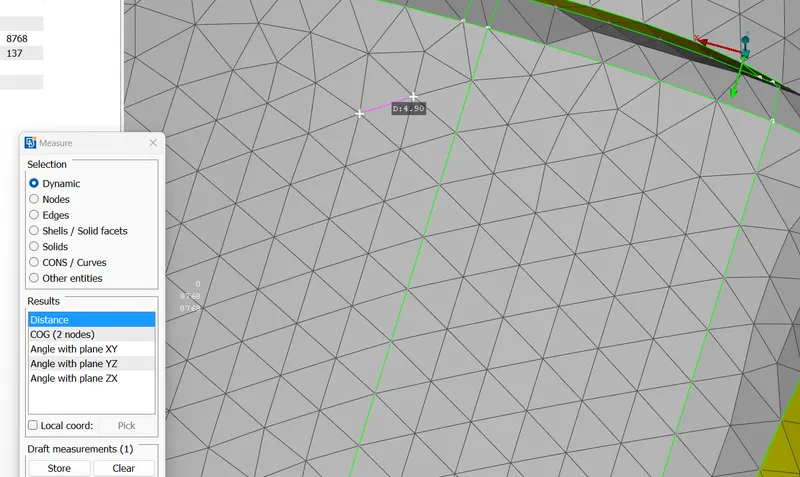
And also same as to the remaining models also the distance between the nodes of the messed element is nearly equal to the mesh length, and the number of mesh elements to be generated is depends on the mesh length.
And also we compare the meshing quality between the models, that the smallest targett length have the better mesh quality at the corners and curves compared to larger mess length model, mainly we notice that in the SPRING PID.
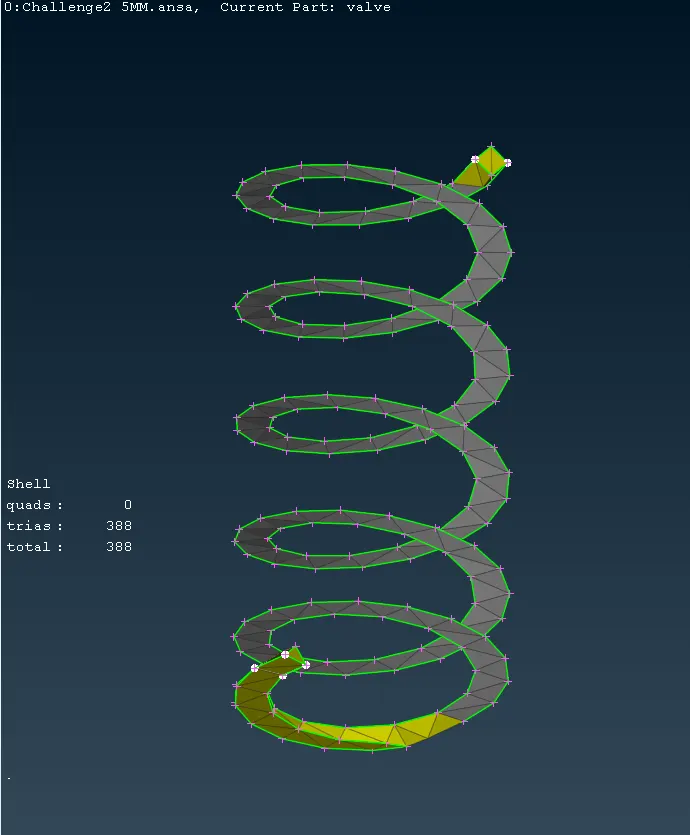
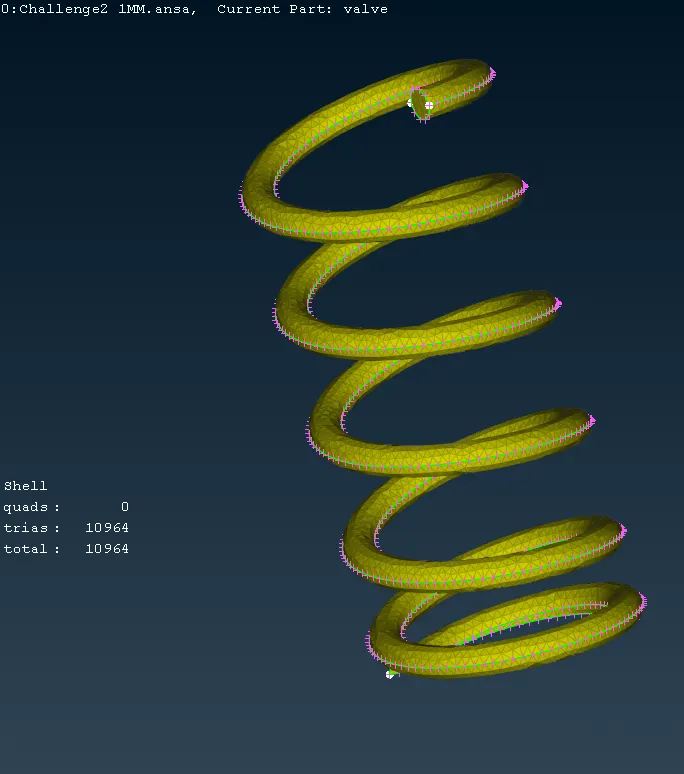
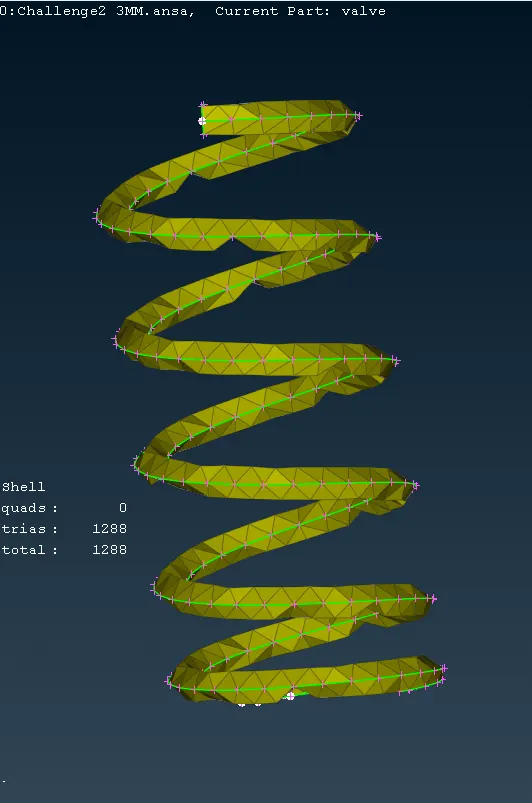
We notice some better mesh quality in the models of target lengths 1mm and 5mm. And also I simply noticed that the mess length is not evenly sutable to all the PID's.
CONCLUSION: So, finally i checked the geometrical errors and perform Topology cleanup to the given model, and performed meshing with 3 different Target lengths (5mm, 3mm, 1mm) and compared the results between the three models in the bases of mesh quality and mess length.