Week 2 Challenge : Surface meshing on a Pressure valve
Aim
To analyse and clear the geometrical error, Topology cleanup must be performed accordingly. And surface meshing on a pressure valve using ANSA.
Objective
The given pressure valve model to clear the geometry error and perform Topology clean. To set three different target lengths as three other cases and mesh the surface.
Given
Case 1
Target length = 1 mm
Element type = Tria
Case 2
Target length = 3 mm
Element type = Tria
Case 3
Target length = 5 mm
Element type = Tria
Apply any one Target length from above at a time for the entire model as one case. Here submit three models for three cases.
Procedure
The surface meshing of a pressure valve is detailed step by step are explained below.
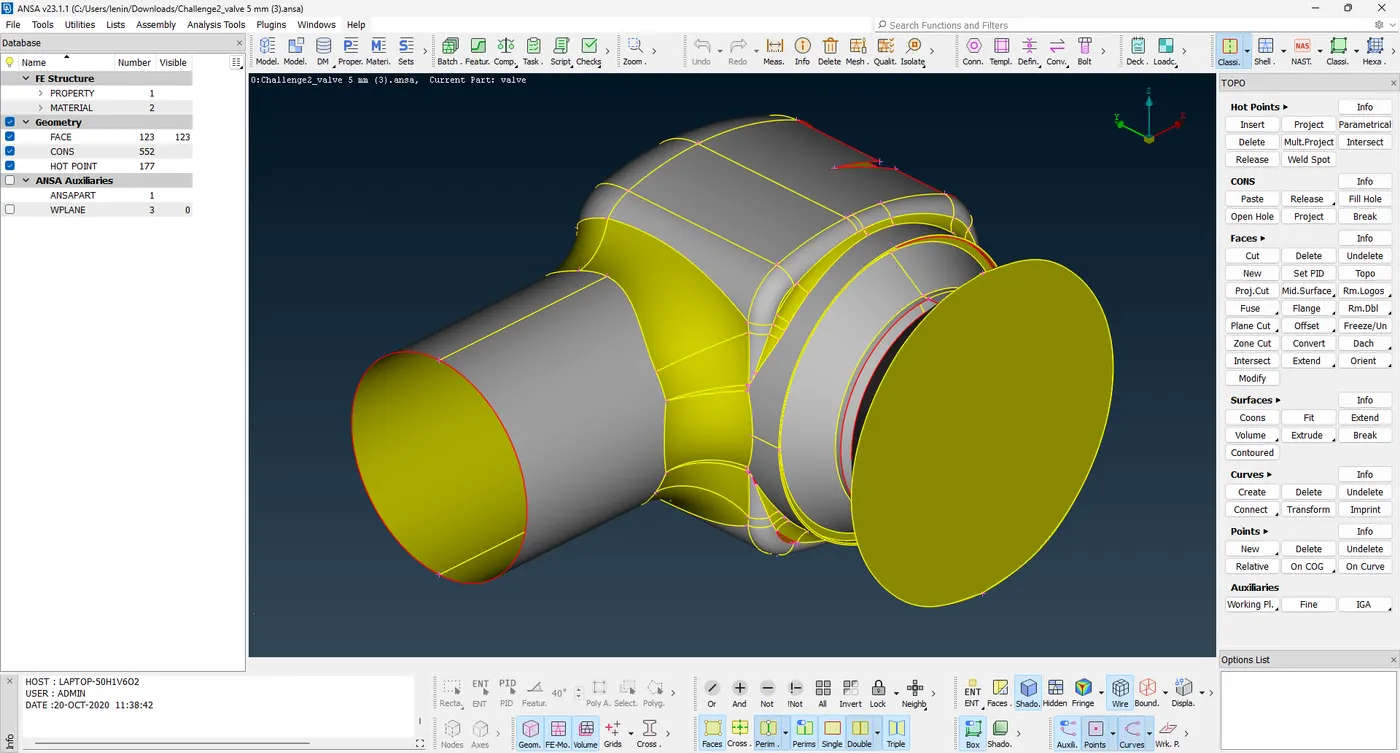
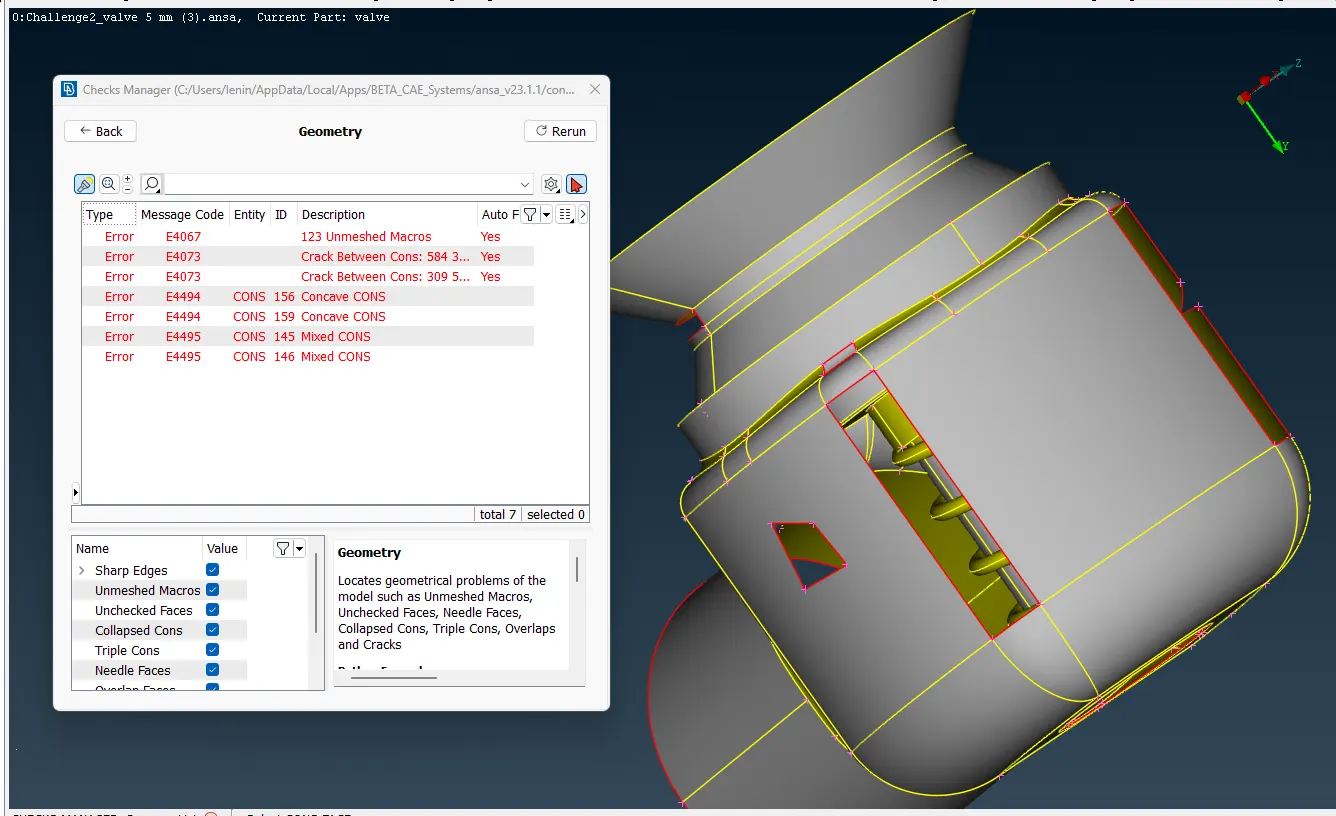
1. Download the file from the website -> open the file in the ANSA application -> to analyse the model by geometry check in the checks manager, these steps as shown in the image below.
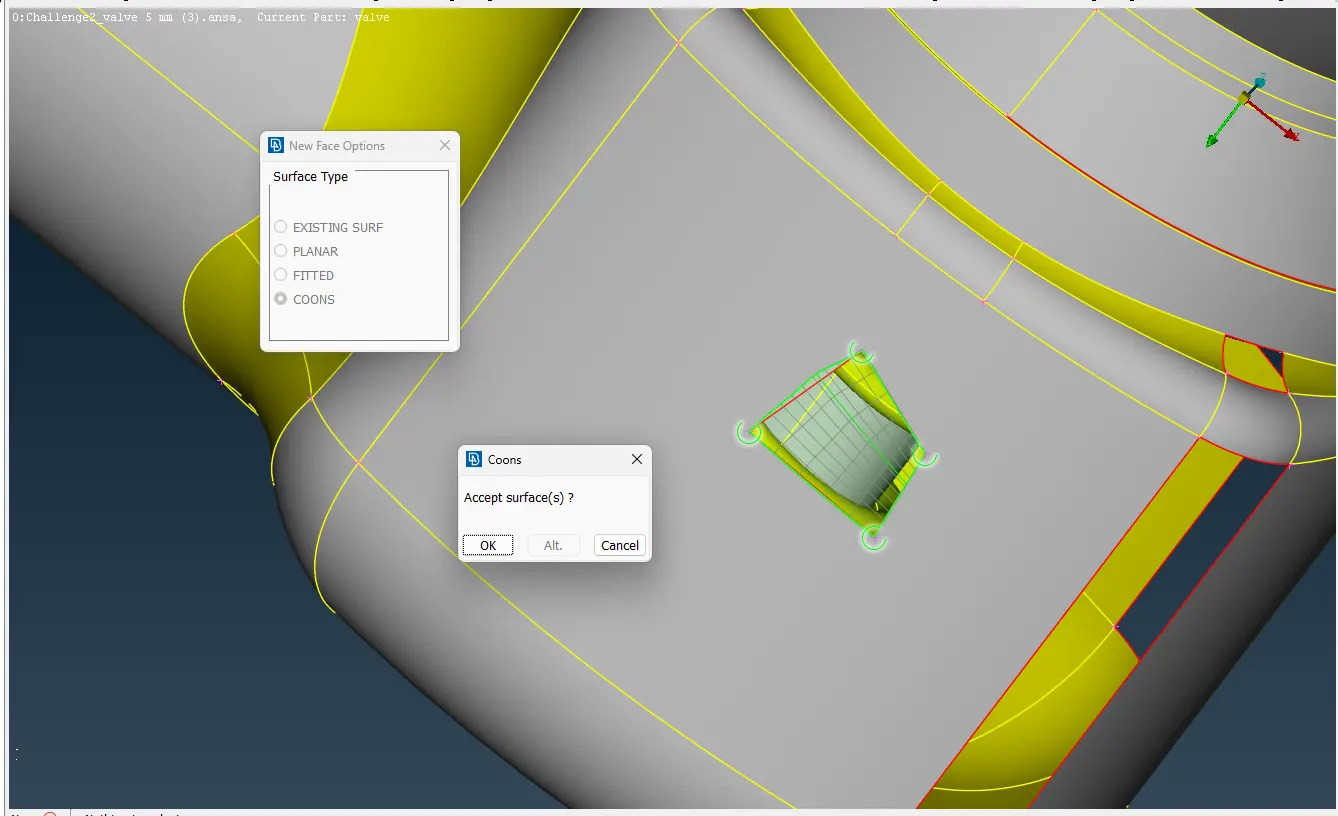
2. Goto the TOPO Mode -> to click the NEW tool is present in the FACES -> it has four options to create a new surface in the patch areas, to select the suitable option to apply the needed place -> to select the cons and click the middle button, it gives the possible way to patch the area with alternative option -> OK.
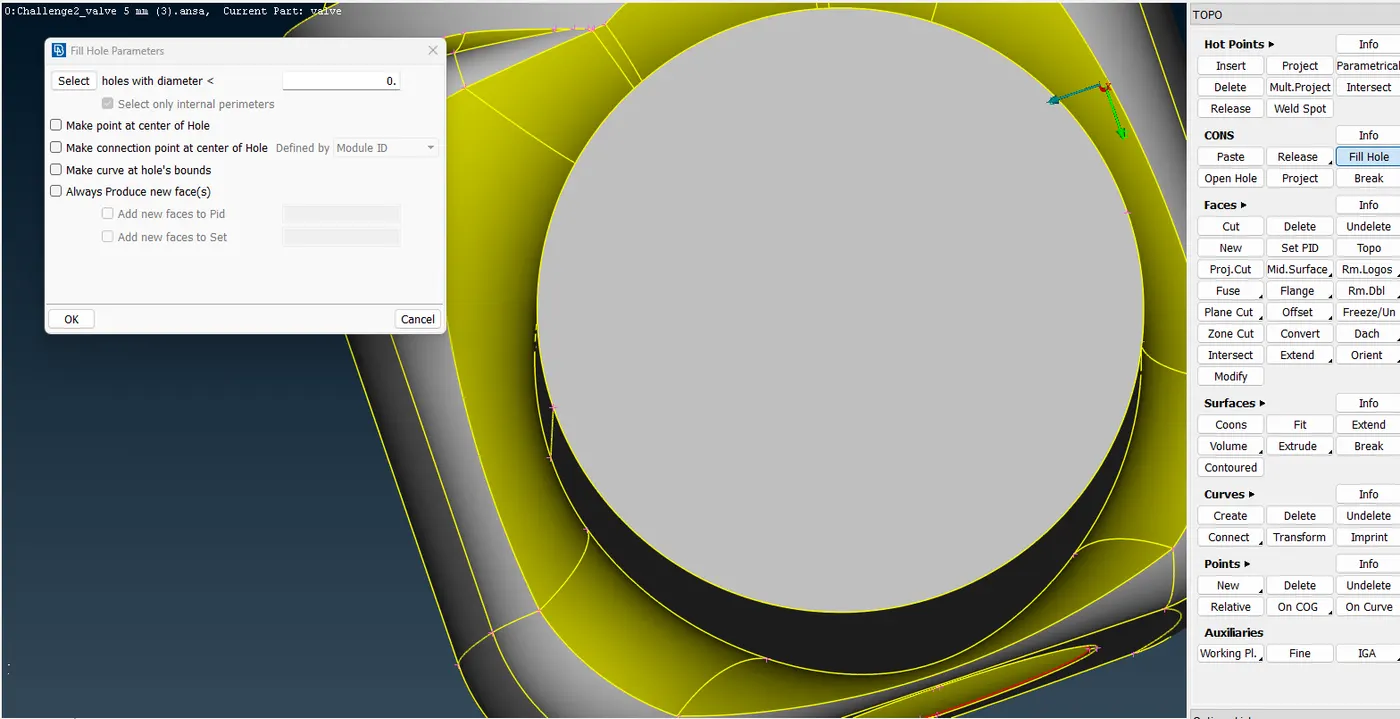
Follow this step to create the surface in the patch areas, but it is not suitable for hole-to-patch in that we used another tool to create the patch FILL HOLE in CONS.
These are shown in the images below.
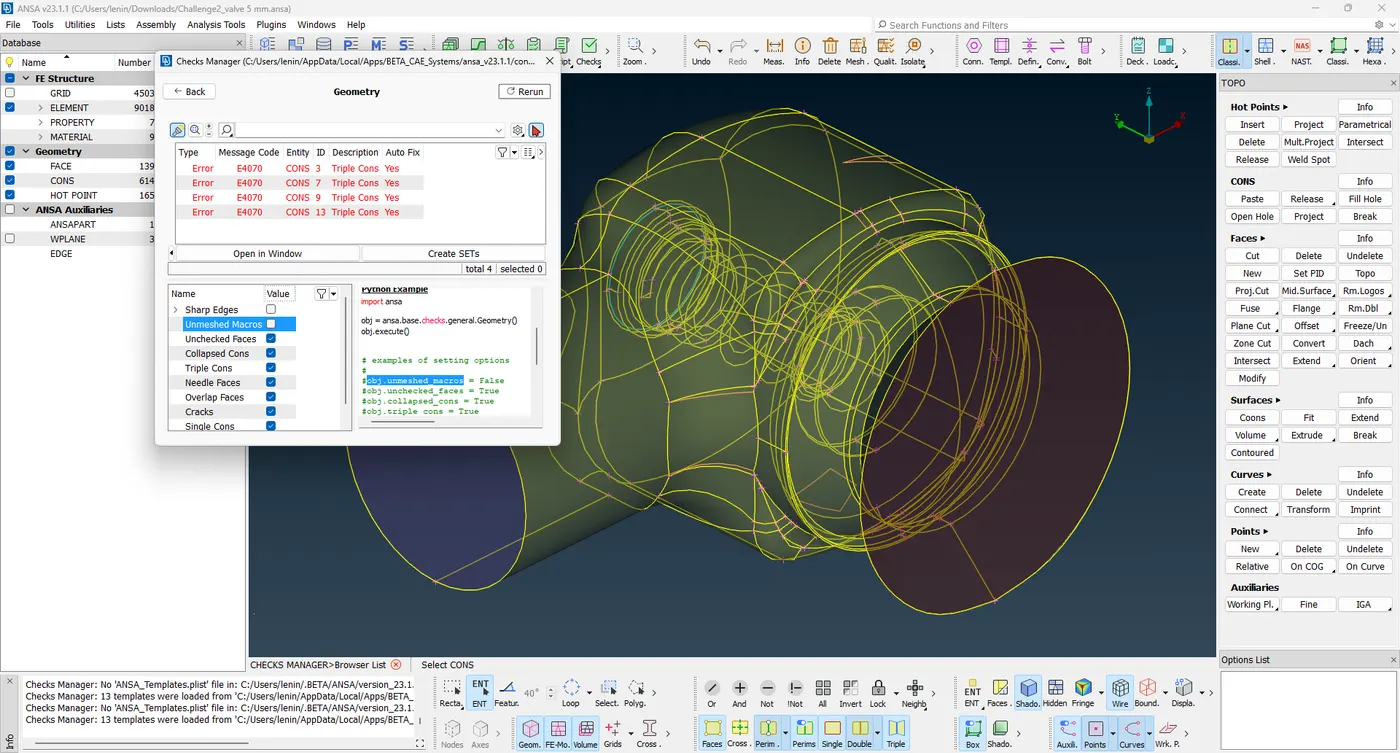
3. After creating the surface in defective areas check the geometry in the Checks Manager, finally Triple cons errors only remain. Triple cons error is not an issue to present in the model it is just a warning, so leave that error and proceed to the next step shown in the image.
4. To create the PID for parts of the model -> to enable the PID option in Draw Mode -> click the Properties in the top left tab -> New -> to create a PSHELL with specified colour in the following parts of the model are
- Outlet
- Inlet
- Body
- Spring
- Base surface
- Valve head
- Column
Create this PSHELL to apply the part of the model each one separately as shown in the image.
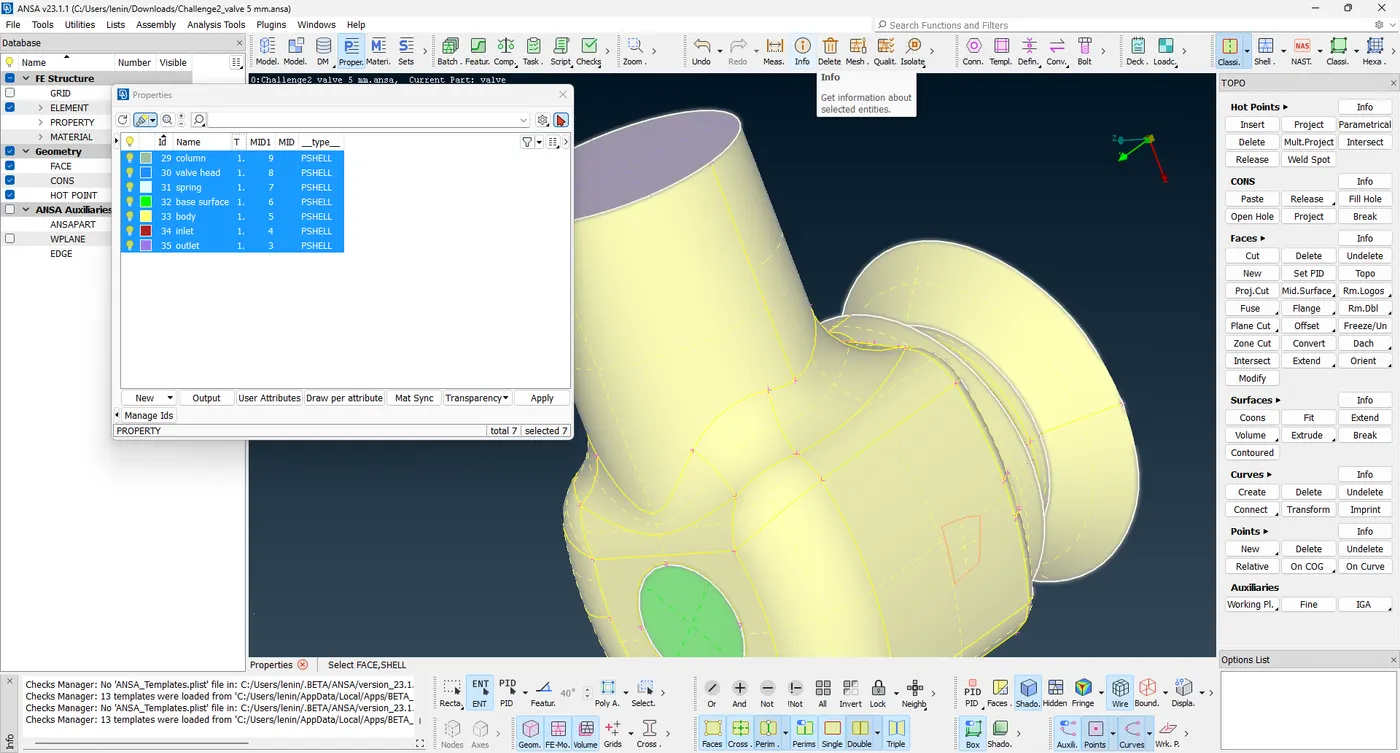
The above steps explain the geometry error cleanup and PID for each part. These steps are common in three cases.
Case 1
Target length = 1 mm
Element type = Tria
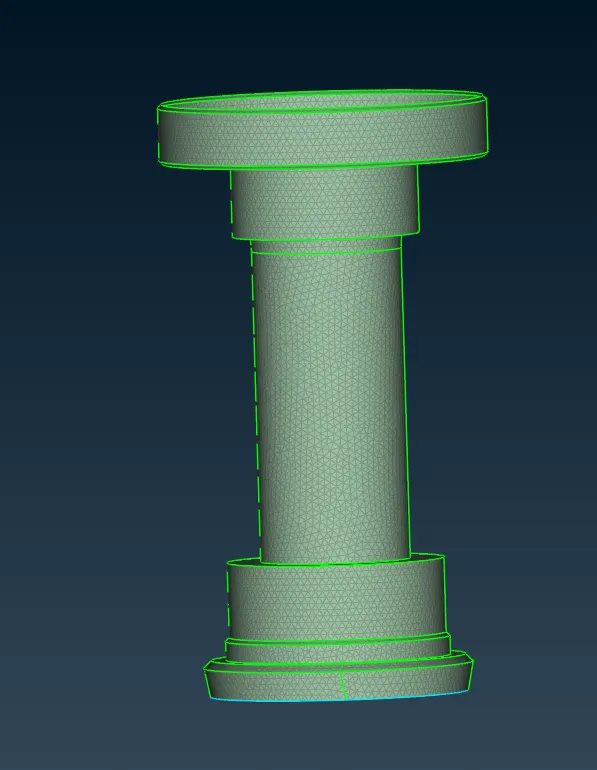
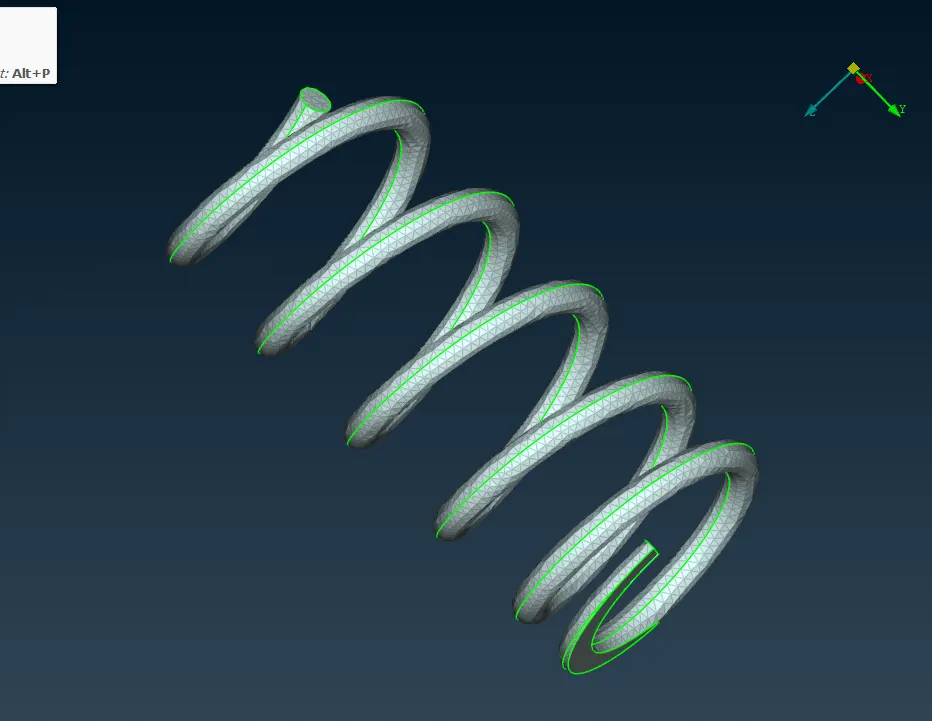
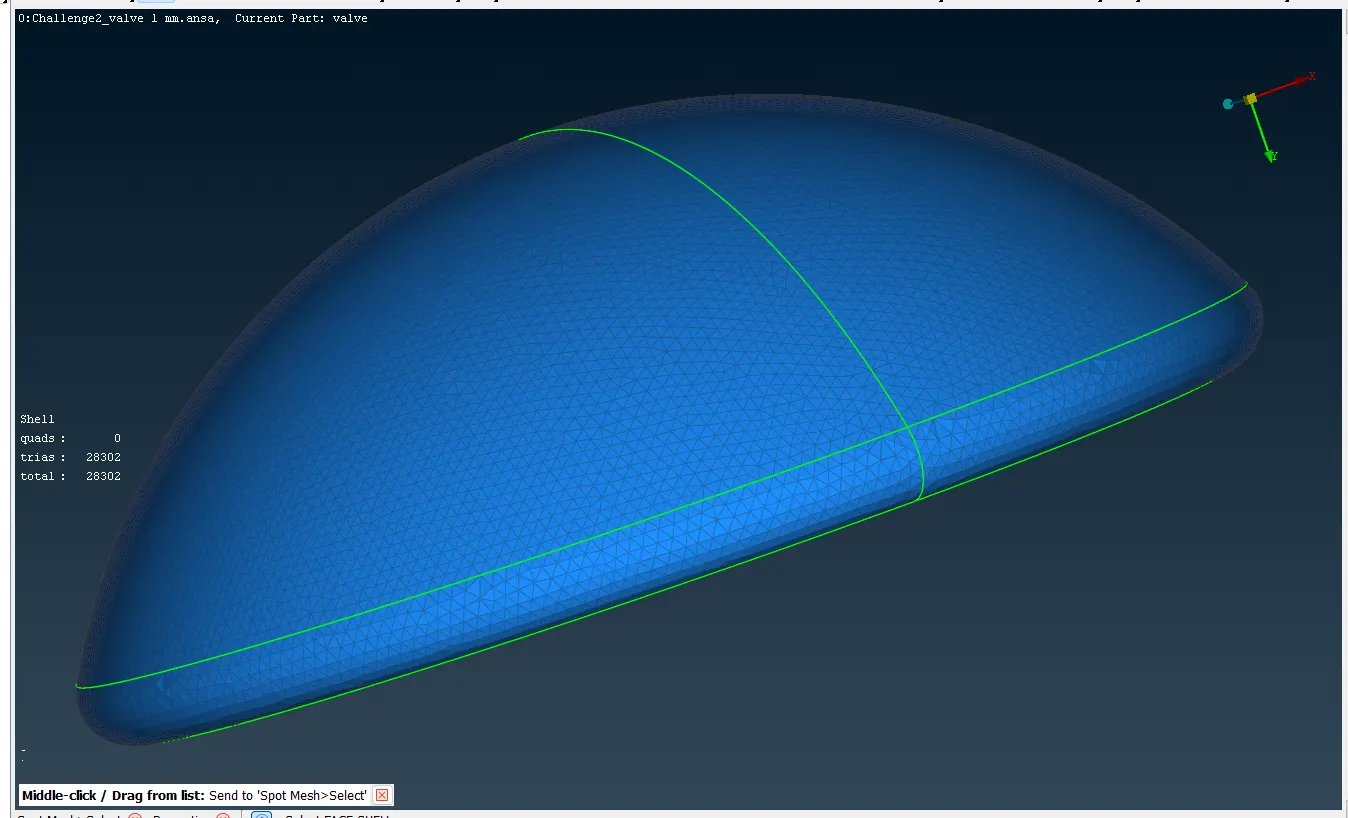
Goto MESH mode -> Perimeters -> Length -> select the Perimeters and select the overall model at the length of 1 mm -> select the Macros and select the overall model at the length of 1 mm -> to set the Mesh Parameters at Target length 1 mm and Element type Tria and ok -> in Quality criteria to set the minimum length 0.5 mm and maximum length 3 mm and ok -> to click the Spot Mesh to mesh the parts at separately these are shown in the following images.
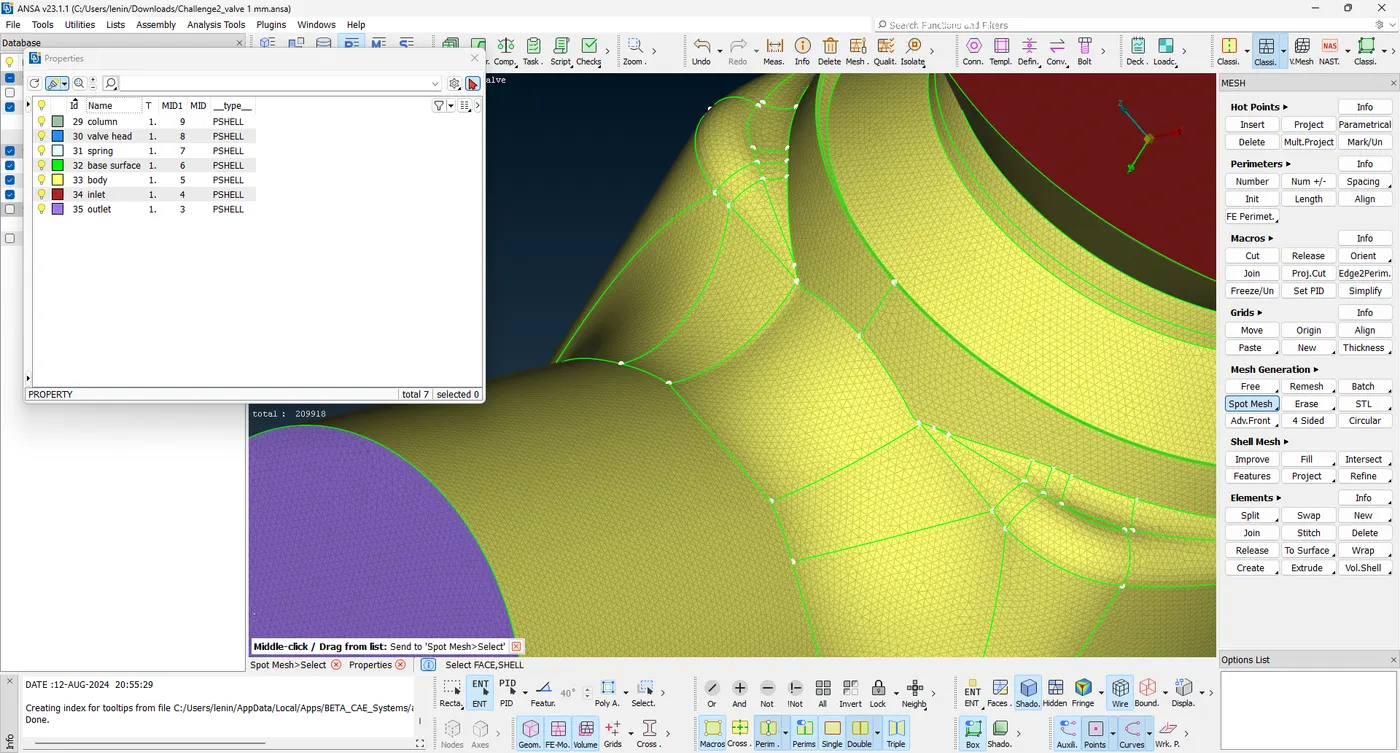
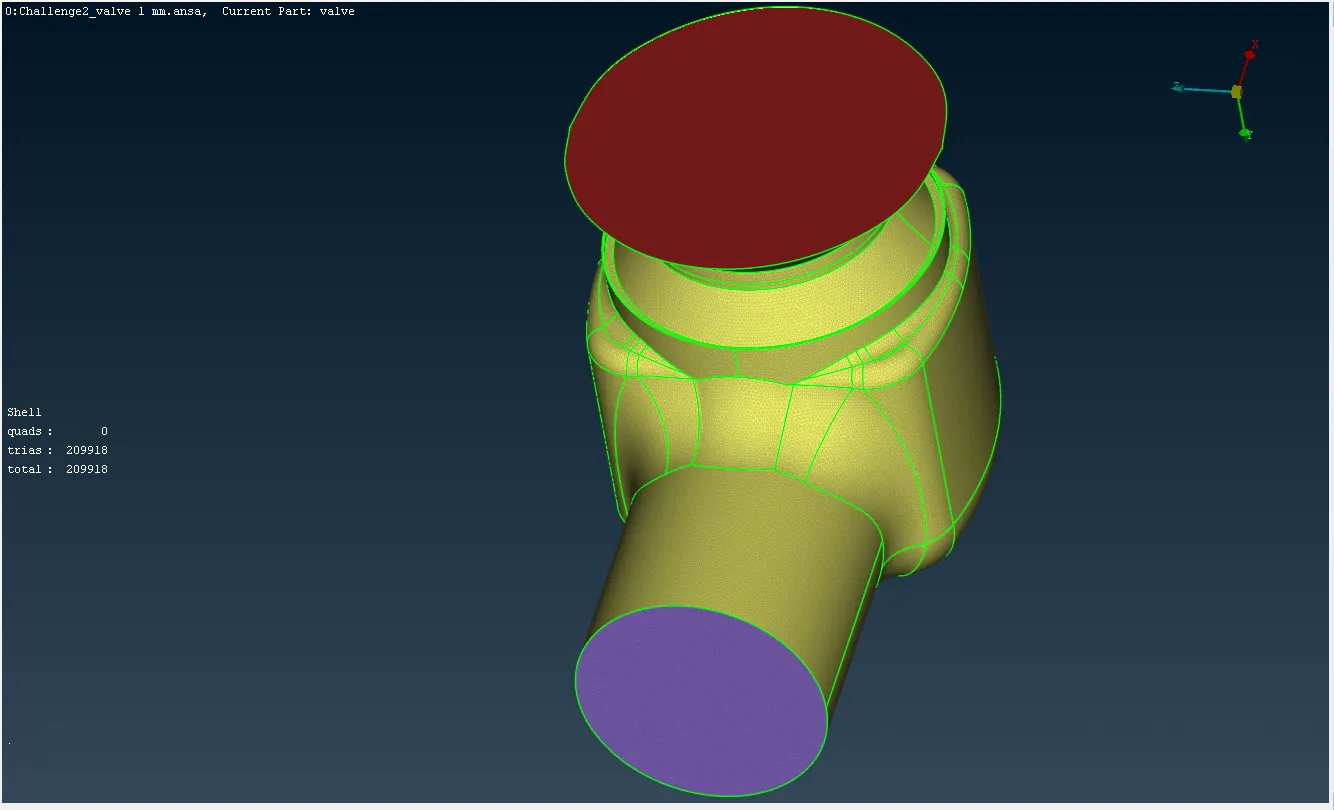
Case 2
Target length = 3 mm
Element type = Tria
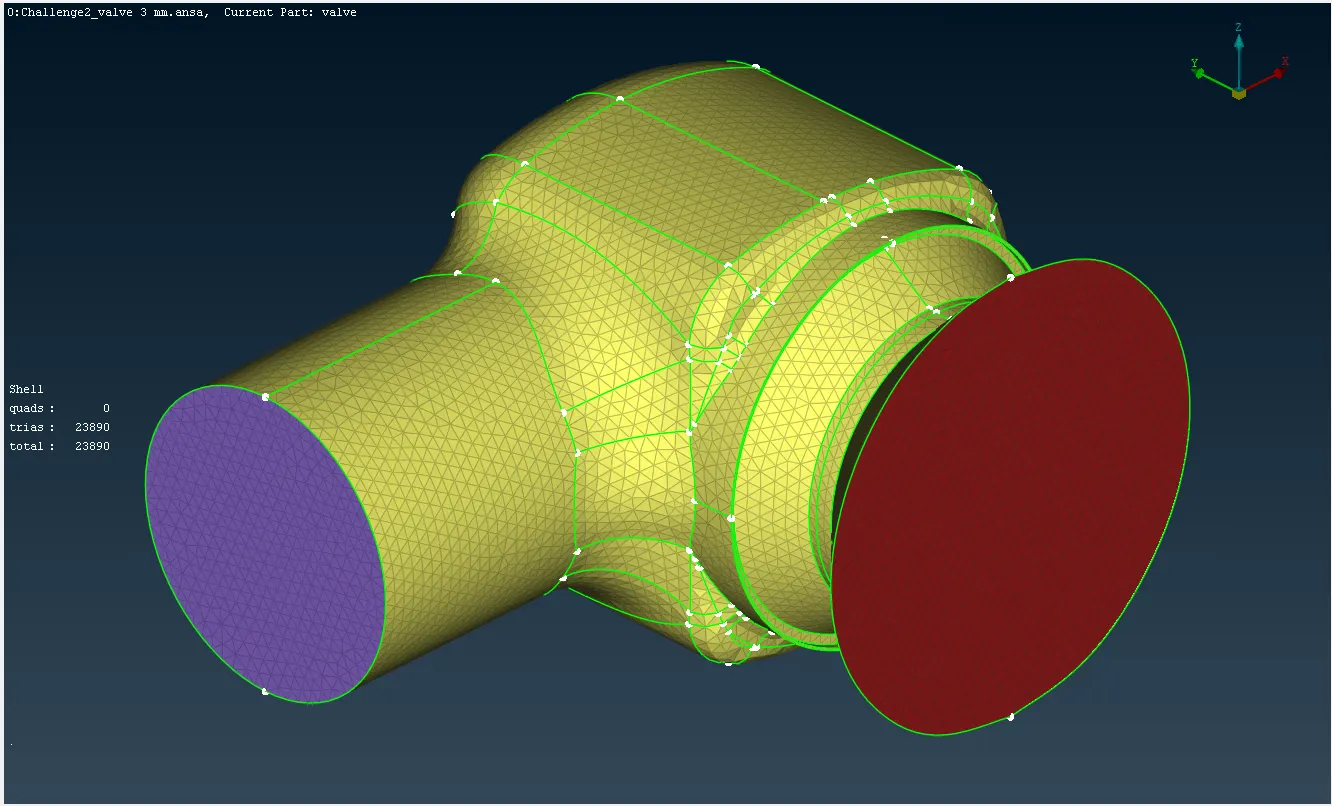
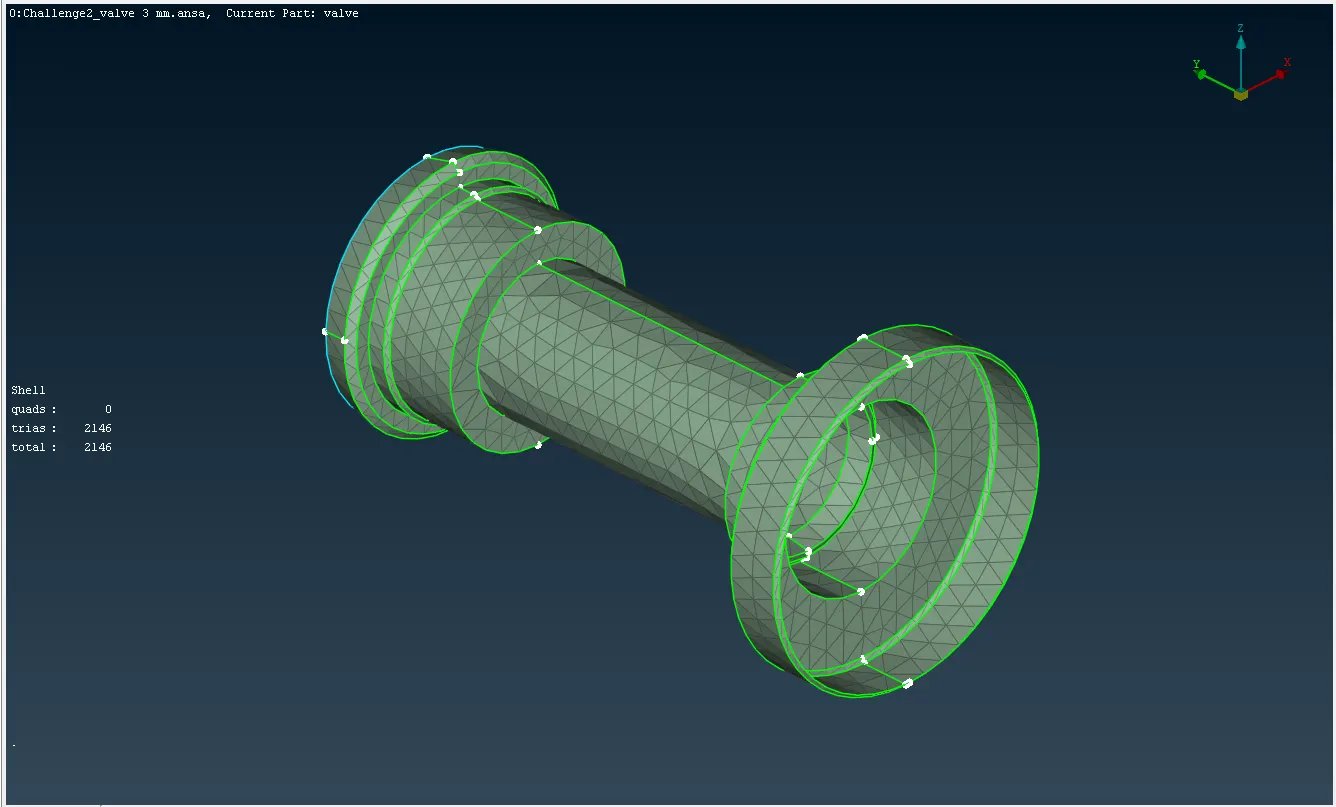
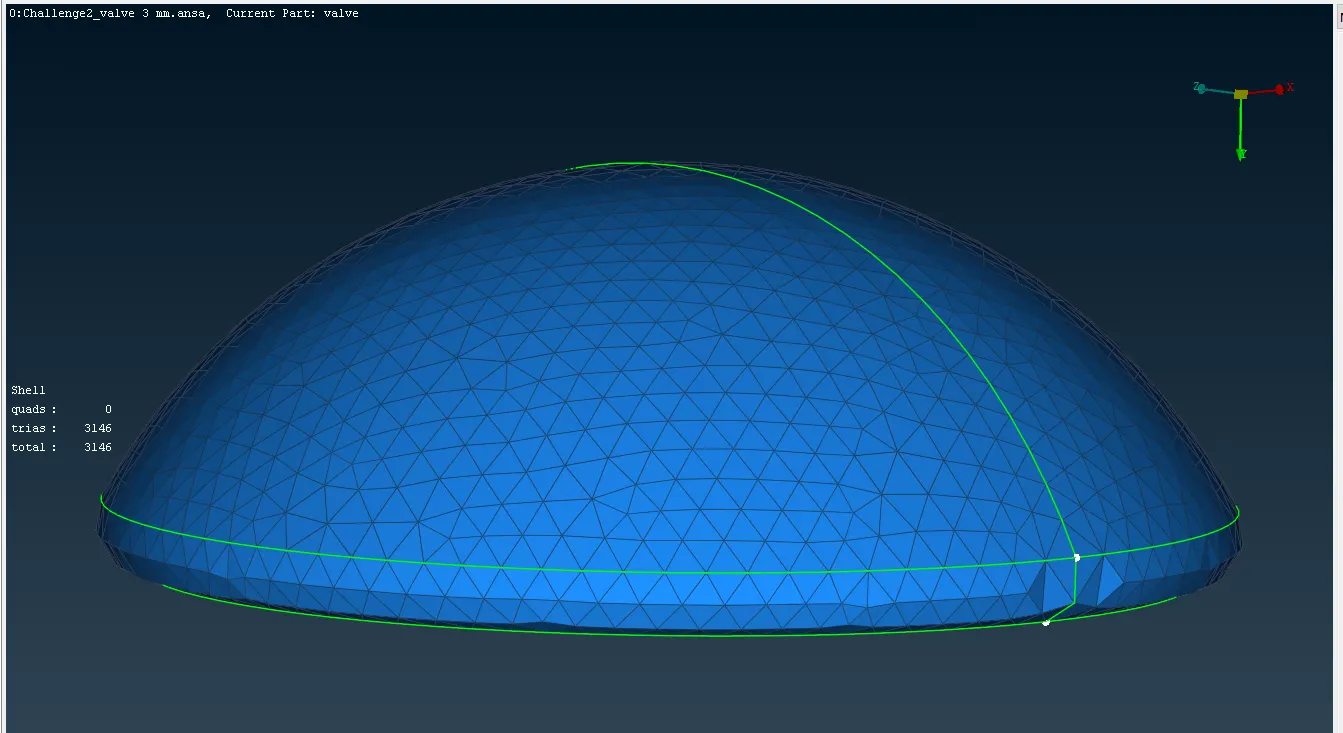
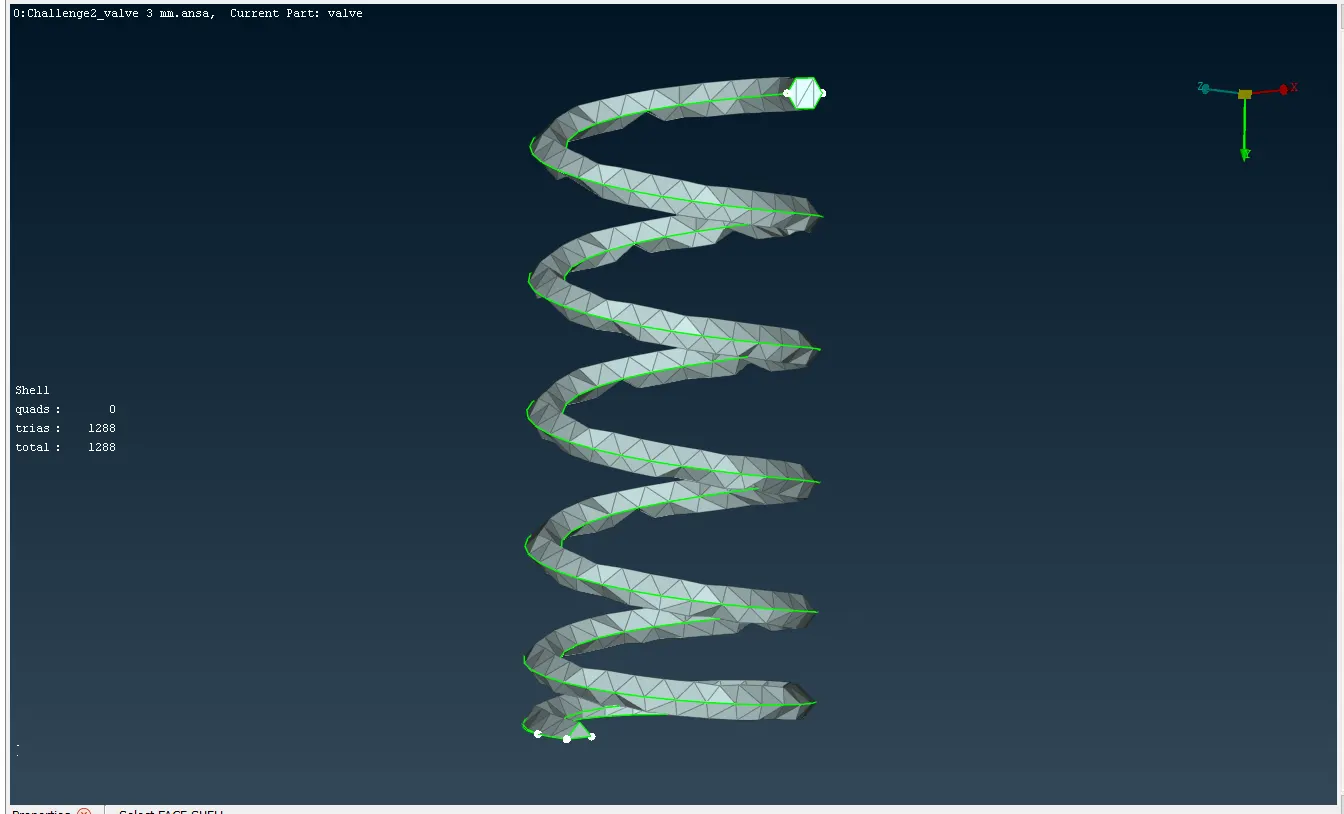
Goto MESH mode -> Perimeters -> Length -> select the Perimeters and select the overall model at the length of 3 mm -> select the Macros and select the overall model at the length of 3 mm -> to set the Mesh Parameters at Target length 3 mm and Element type Tria and ok -> in Quality criteria to set the minimum length 1 mm and maximum length 5 mm and ok -> to click the Spot Mesh to mesh the parts at separately these are shown in the following images.
Case 3
Target length = 5 mm
Element type = Tria
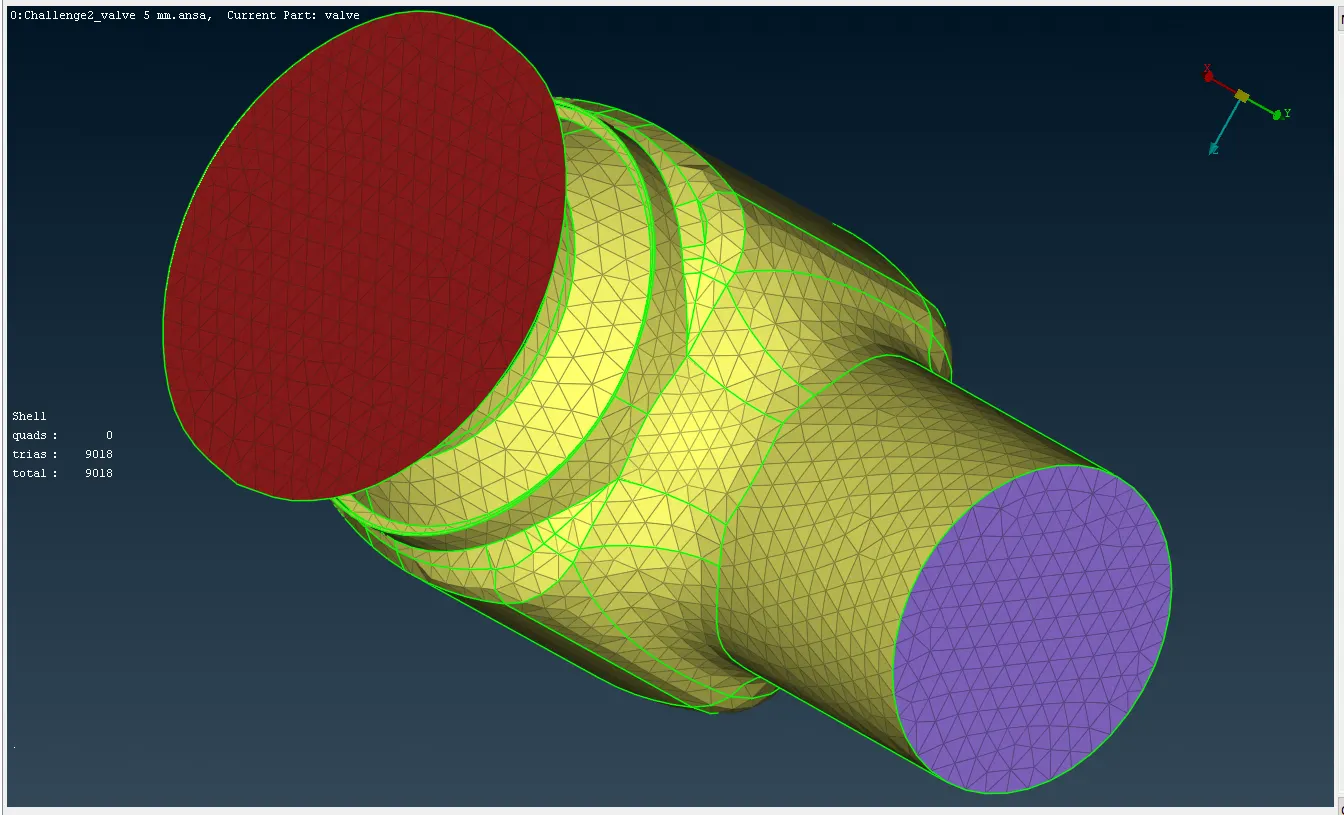
Goto MESH mode -> Perimeters -> Length -> select the Perimeters and select the overall model at the length of 5 mm -> select the Macros and select the overall model at the length of 5 mm -> to set the Mesh Parameters at Target length 5 mm and Element type Tria and ok -> in Quality criteria to set the minimum length 3 mm and maximum length 7 mm and ok -> to click the Spot Mesh to mesh the parts at separately these are shown in the following images.
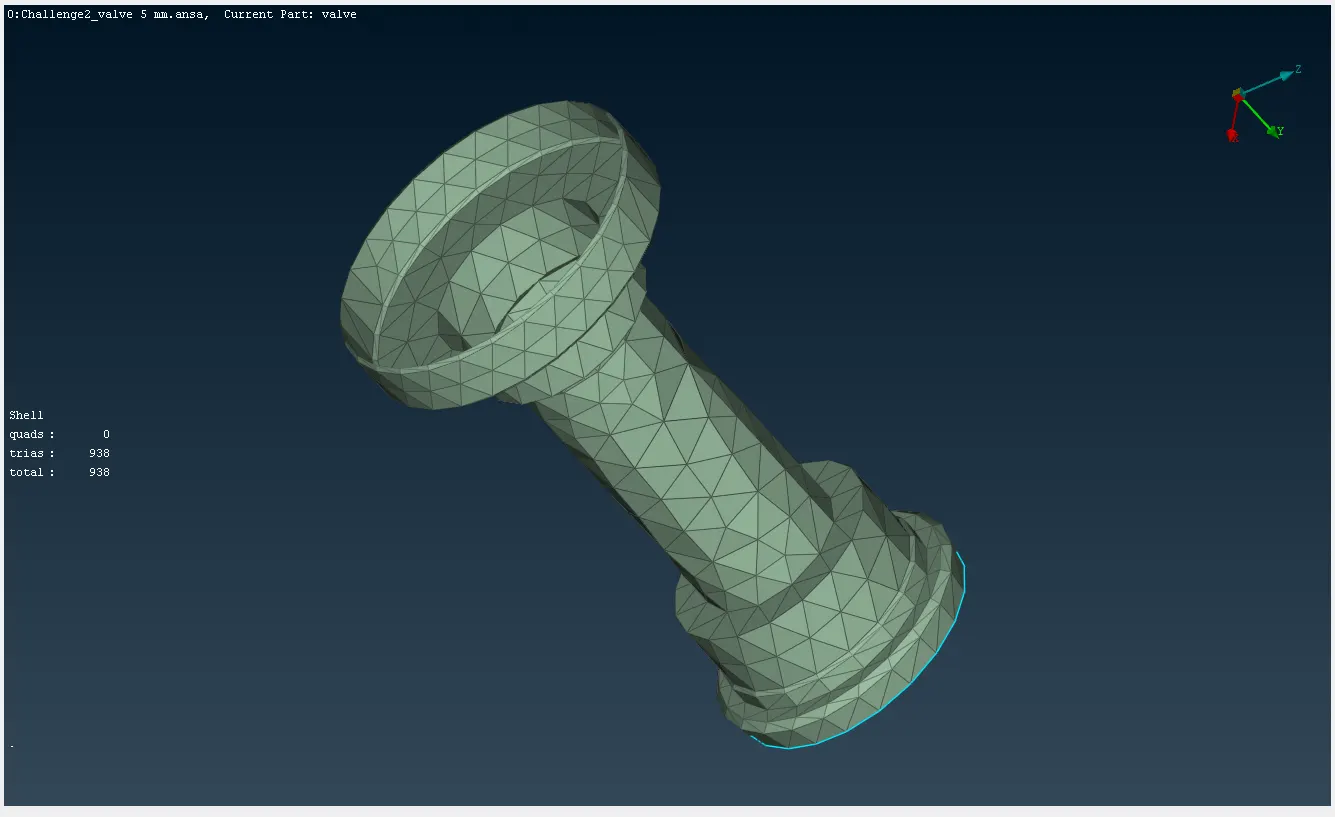
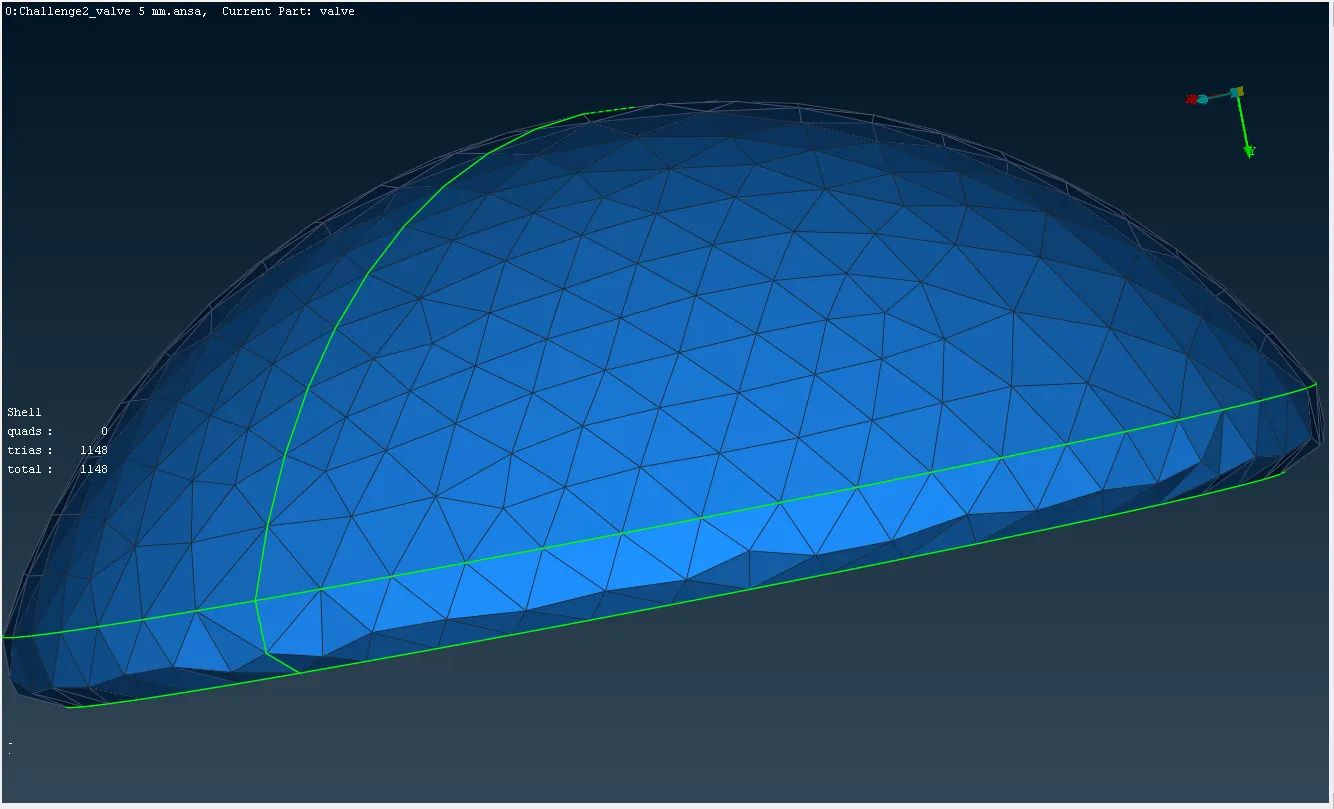
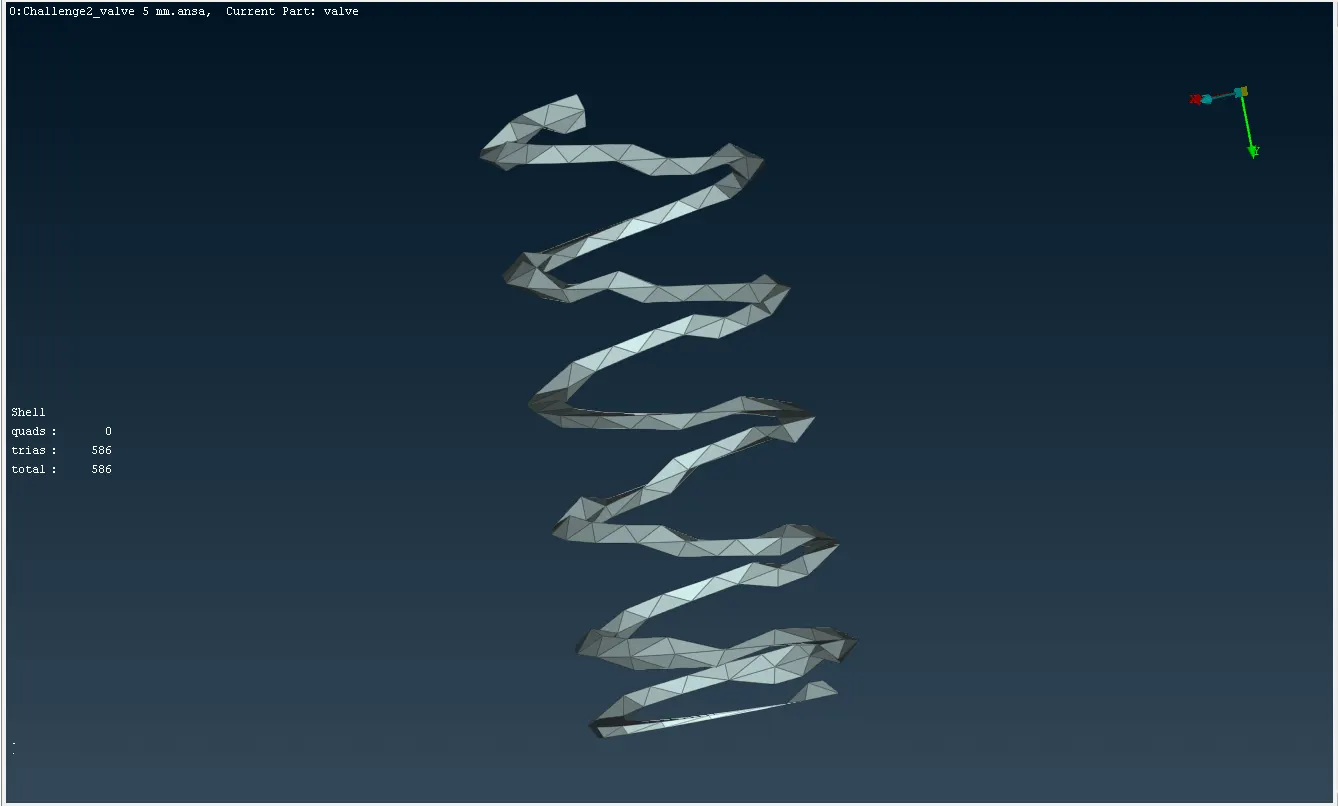
These are the detailed procedures for surface meshing on a pressure valve in three different cases.
Learning Outcomes
It's used to understand the topology cleanup and how to rectify the geometry error in the model, to learn some new tools and their function in TOPO and how to create PID to the parts.
Result
The model achieves the Topology cleanup and clears the geometry errors in three different cases.
Conclusion
The given model in three cases is solved,
In case 3 Target length = 5 mm outer parts are mesh good, but the inner parts are not suitable.
In case 2 Target length = 3 mm outer parts are meshed perfectly, but the inner parts are slightly affected.
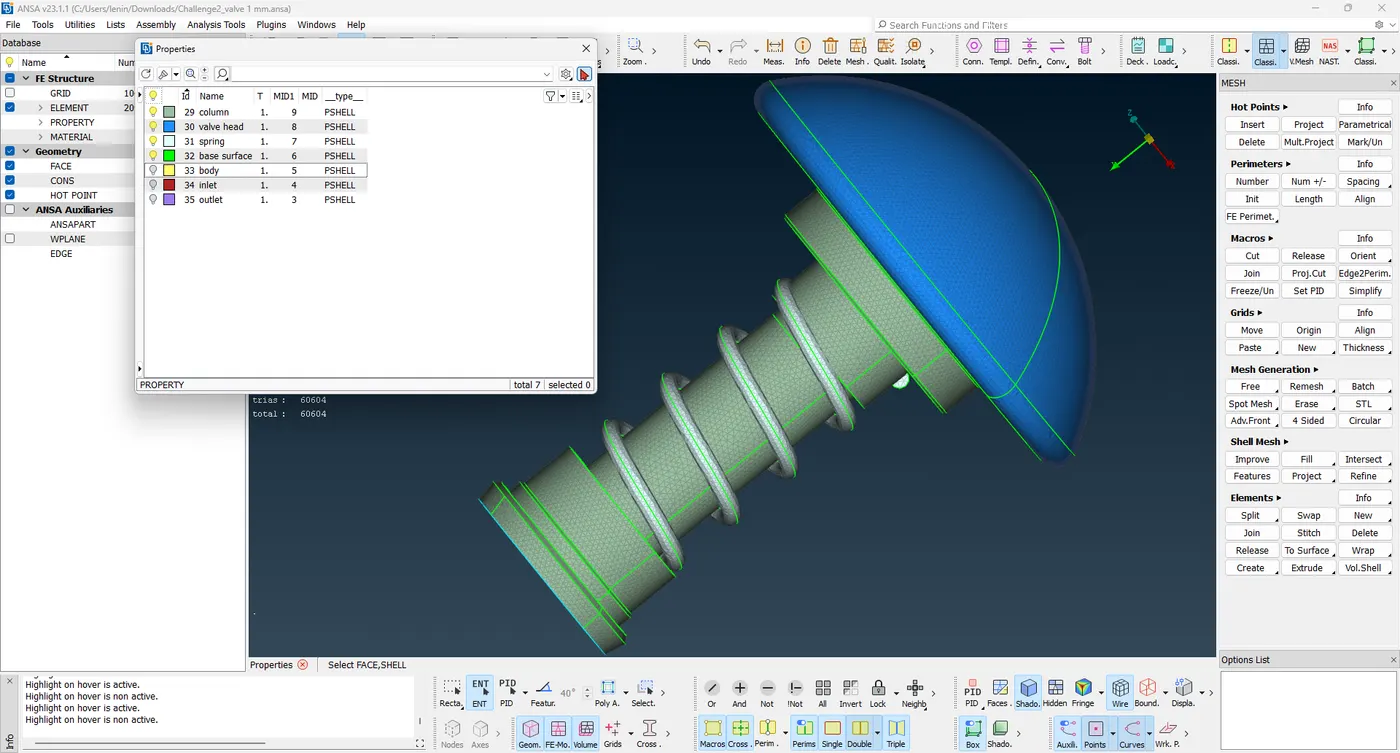
In case 1 Target length = 1 mm outer and inner parts mesh perfectly.
Finally, In the surface meshing on a pressure valve case 1 gives a good mesh.