Week 2 Challenge : Surface meshing on a Pressure valve
AIM:
The aim of this project is to do surface meshing on a pressure valve with three different target lengths. One target length at a time for the entire model. This is done with the help of ANSA a pre processing software.
ANSA:
ANSA is an advanced pre-processing tool developed by BETA CAE systems for finite element analysis (FEA) and computational fluid dynamics (CFD) simulations. It is widely used in various industries such as automotive, aerospace, marine and more. It offers powerful geometry editing and cleanup capabilities to ensure the accuracy and quality of the simulation models.
Geometry import: ANSA also allow users to import CAD models from various sources and formats, such as CATIA NX, Solid Works, etc.,.
Geometry Editing: To meet simulation requirements, ANSA offers robust geometry editing tools for modifying and repairing CAD models. It has trimming, splitting, merging, and smoothing geometry.
Mesh Generation: It generates meshes for structural, thermal and fluid simulations. It has tetrahedral, hexahedral and hybrid meshes.
Model assembly: ANSA enables users to assemble complex simulation models by importing and aligning multiple CAD parts, defining connections, interfaces, and boundary conditions.
Also ANSA supports automation and scripting through Python and Tcl/Tk scripting languages, allowing users to streamline repititive tasks and customize workflows to their specific needs.
All these make ANSA a preferred choice for engineers in diverse industries.
Pressure Valve:
A pressure valve is a crucial component in various mechanical systems, regualting fluid flow and maintaining optimal pressure levels. It opens or closes in response to changes in pressure, ensuring system safety and efficiency. Proper maintenance and calibration of pressure valves are essential to ensure their reliable performaance and prevent system failures.
Pre-Processing steps:
Geometry import --> Geometry check --> TOPO cleanup --> Naming PIDs --> Giving mesh inputs --> Mesh generation.
We will see each step in detail.
Geometry import: The model is imported using the import option in file menu.
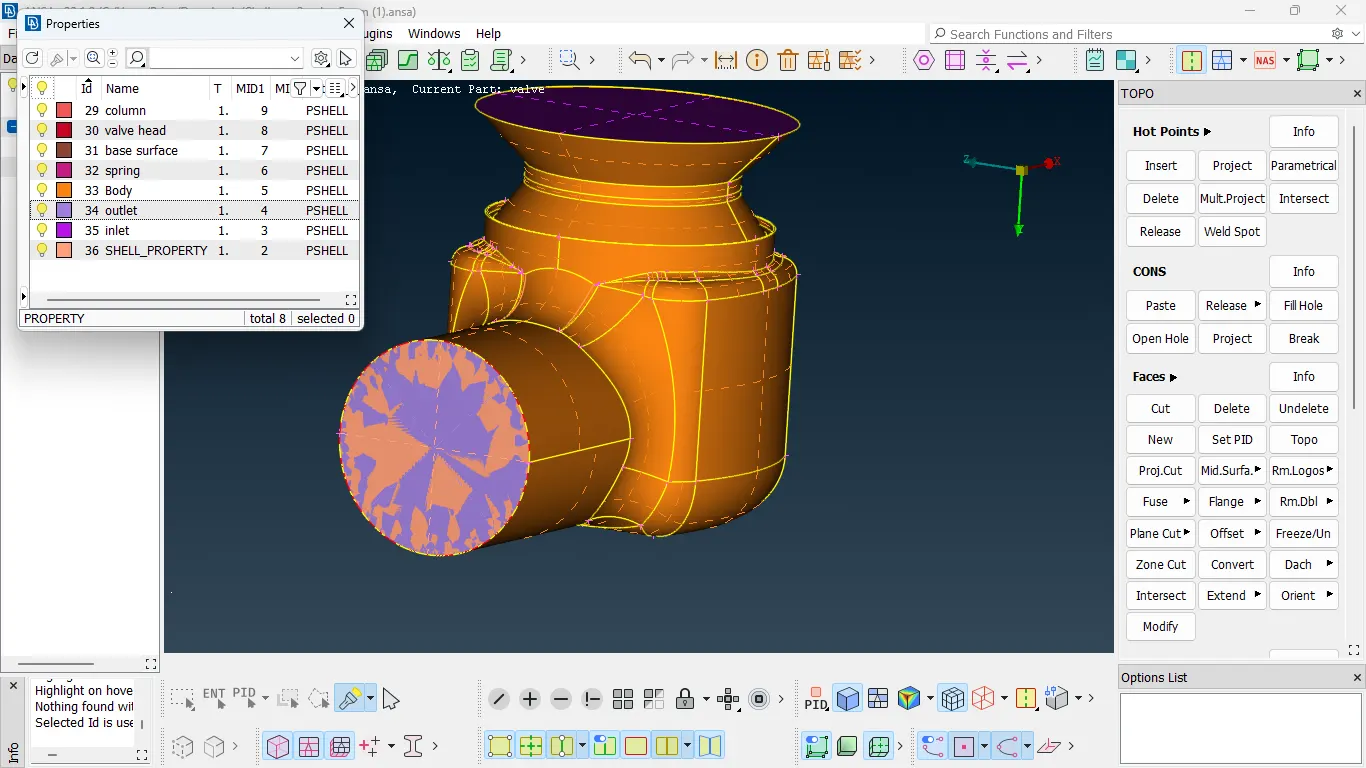
Geometry check: Checked for single cons (red) and triple cons (blue).
TOPO cleanup: Solved single and triple cons and checked any errors in the given model visually and also utilised 'checks' option in the tool bar for unsolved errors.
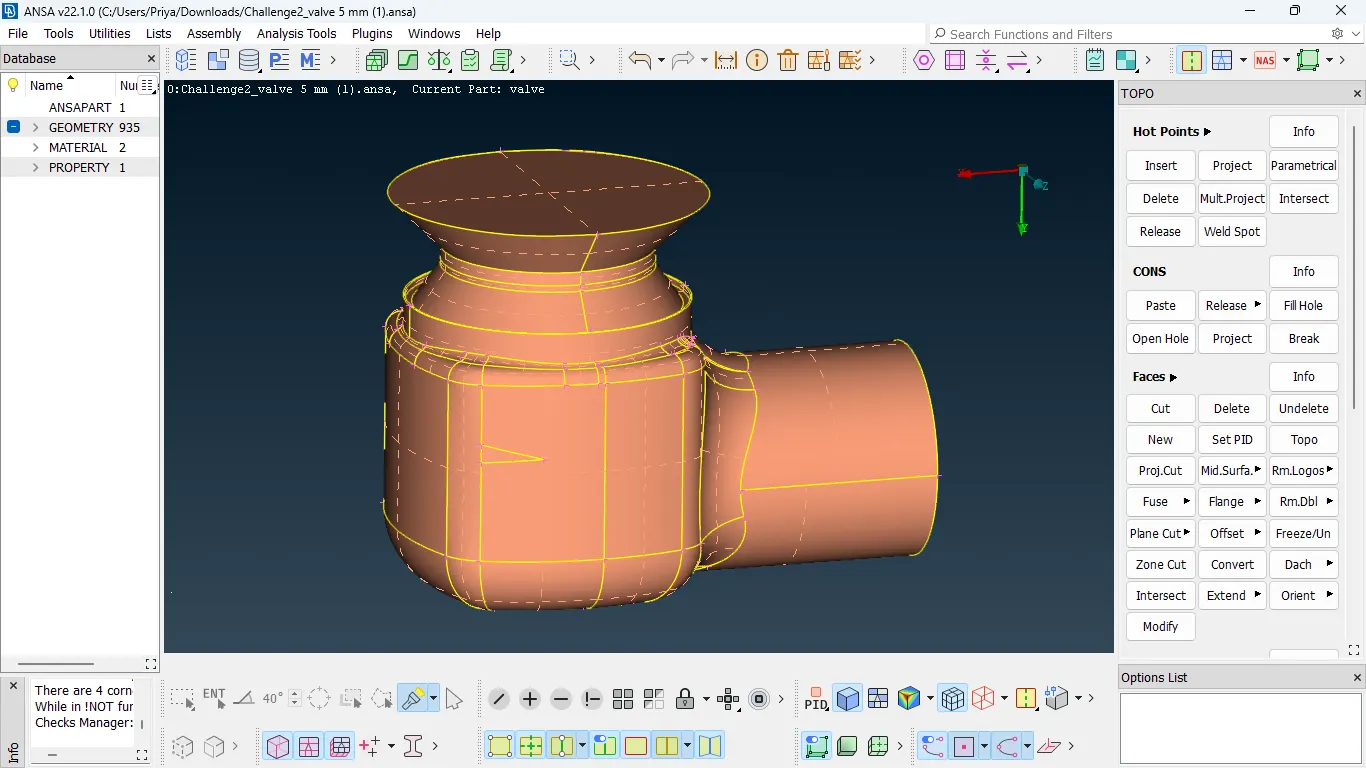
Naming PIDs: Once the topo cleanup is done, gave desired name for each PID in the property manager option.
Giving Mesh inputs: Go to mesh deck, click perimeters --> select the model --> give length as 1mm. The same thing is followed for macros. Go to mesh parameters, give target length as 1mm, 3mm and 5mm (in seperate cases) and elements as tria. Give min and max target length according to the target length given.
| Target length | 1mm | 3mm | 5mm |
| Min target length | 0.5 mm | 2mm | 3mm |
| Max target length | 2mm | 5mm | 7mm |
Mesh Generation: Mesh deck --> spot mesh --> tria --> select the model --> starts to mesh.
Now we will see three different mesh target length cases in detail.
CASE 1: Target length - 5 mm
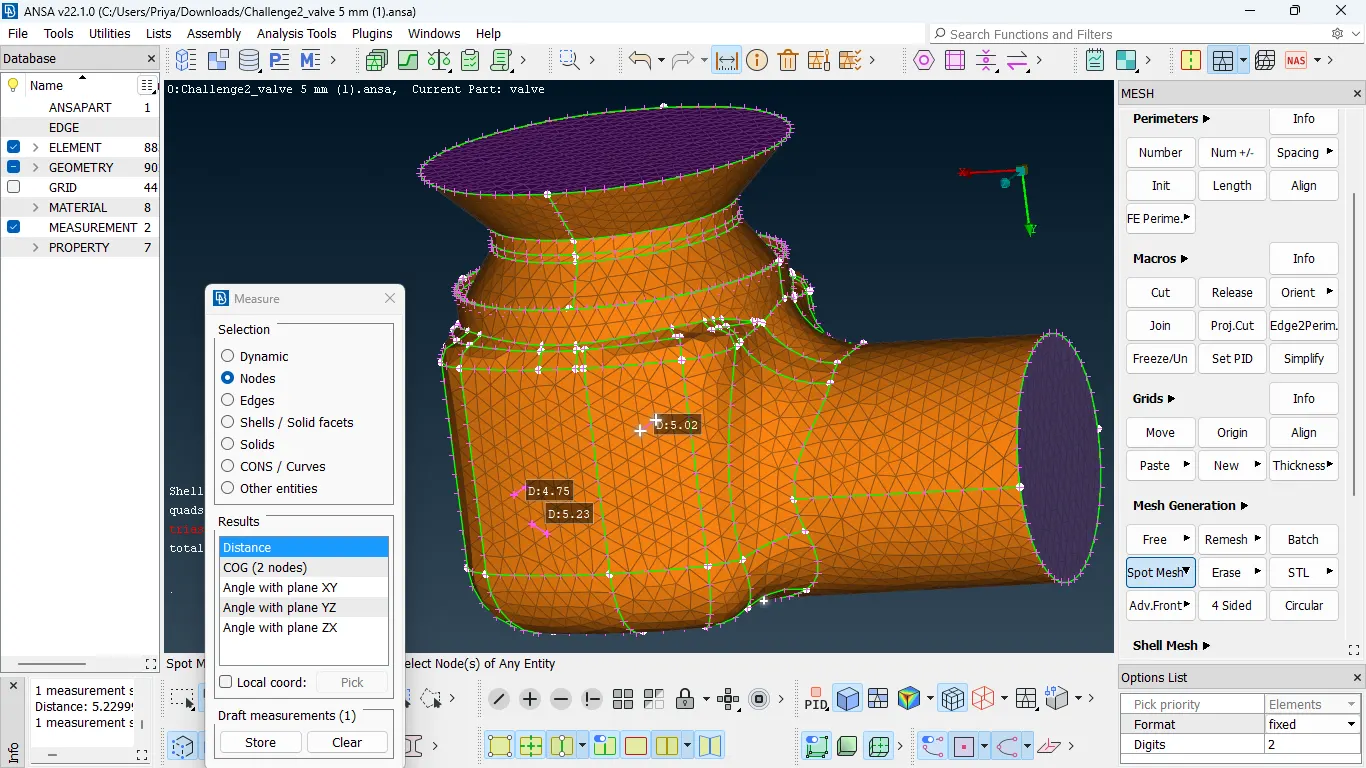
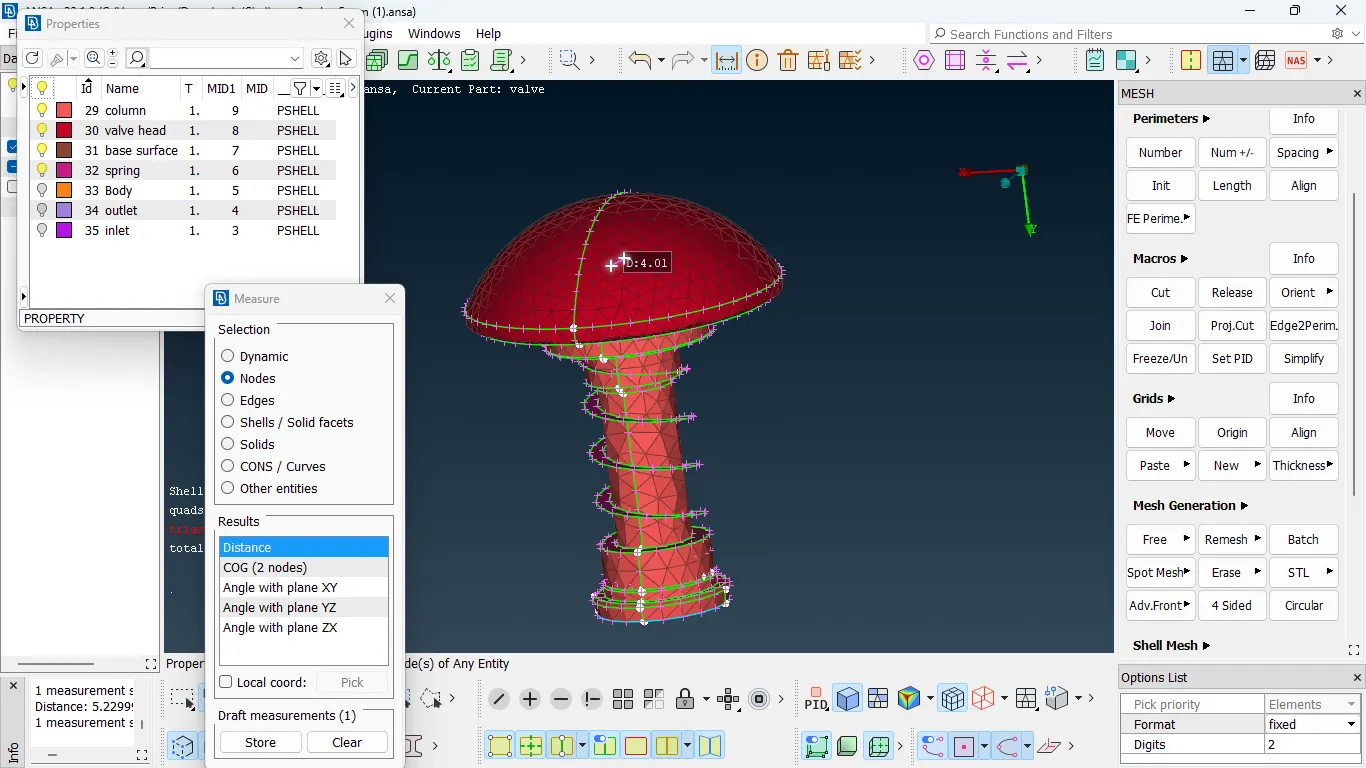
In the first case, the target length is given as 5mm. For larger surface (that is the surface length is large when compared to the mesh length), this mesh length works well. But when comes to valve head and spring, mesh is failed because of the size of the target length is more than the surface length. So, this case shows mesh failure, low quality mesh. Failure mesh will not give accurate results in simulations so this mesh should not be considered.
CASE 2 : Target length - 3 mm
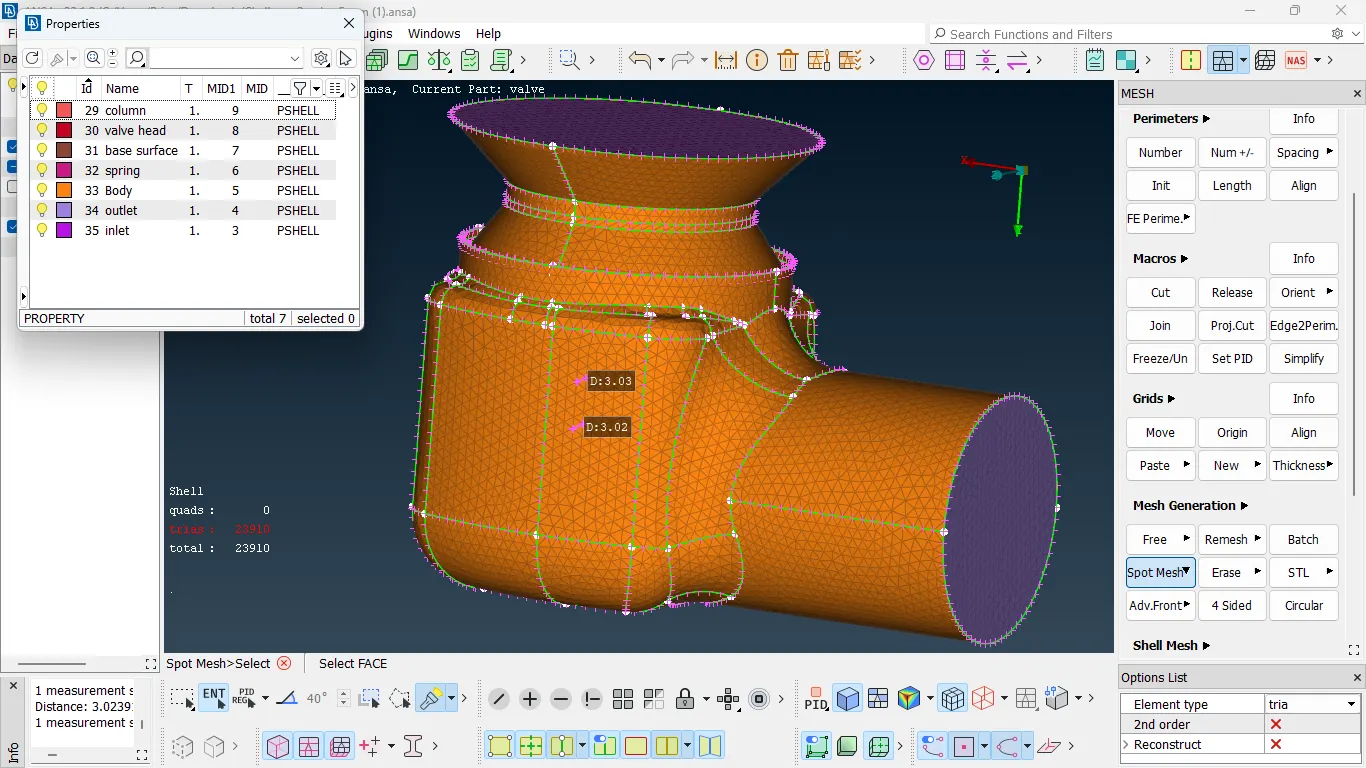
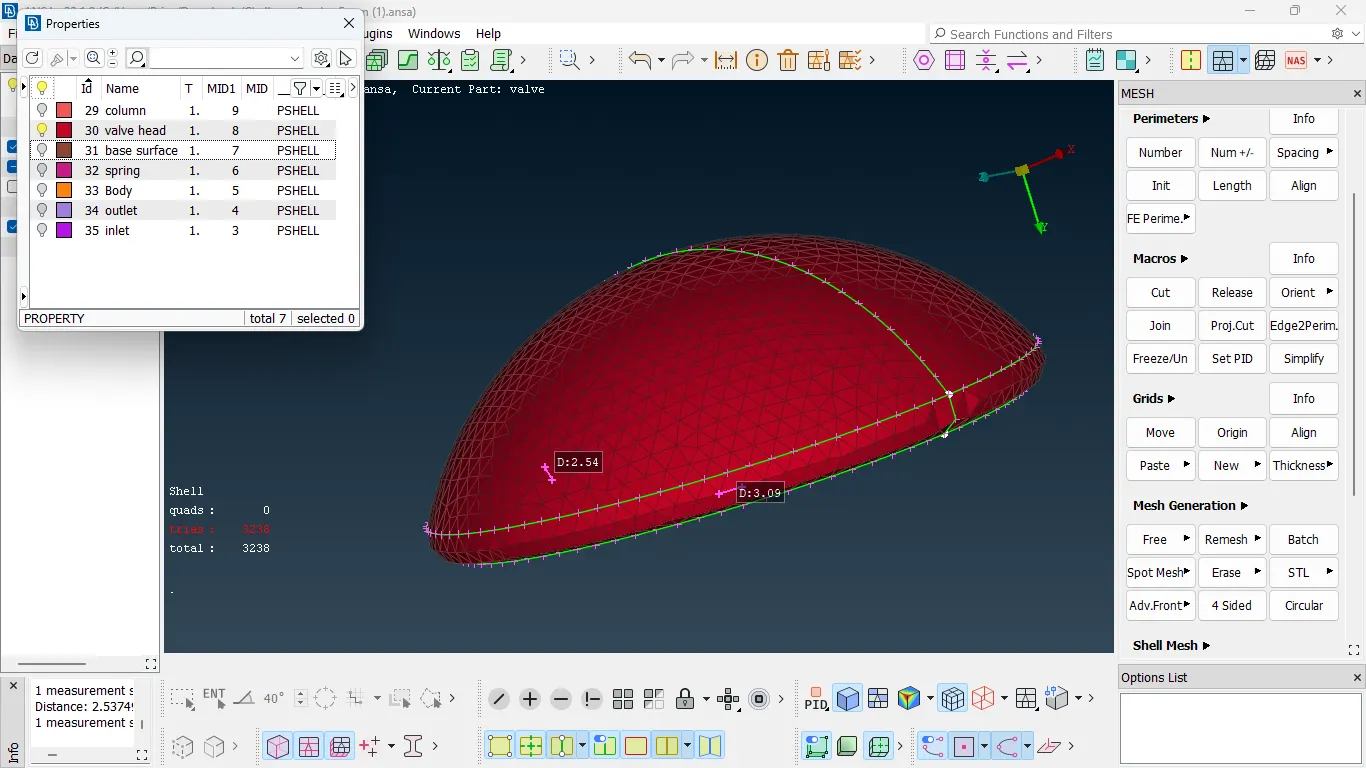
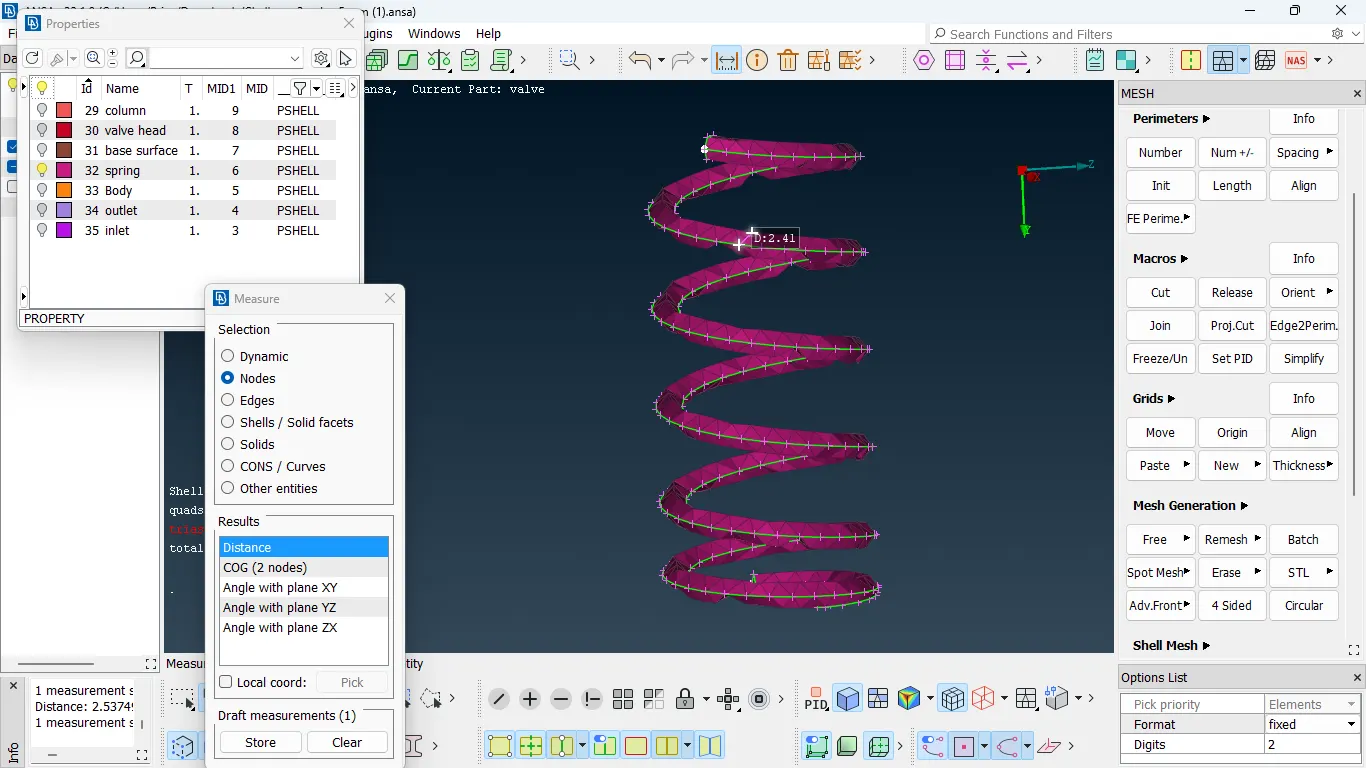
In the second case, the target length is given as 3mm. For larger surface, this mesh length works well. When comes to valve head and spring, this target length works good but the mesh quality is poor. This mesh will not give accurate results in simulations. So we will try mesh length less than 3mm in the next case.
CASE 3 : Target length - 1 mm
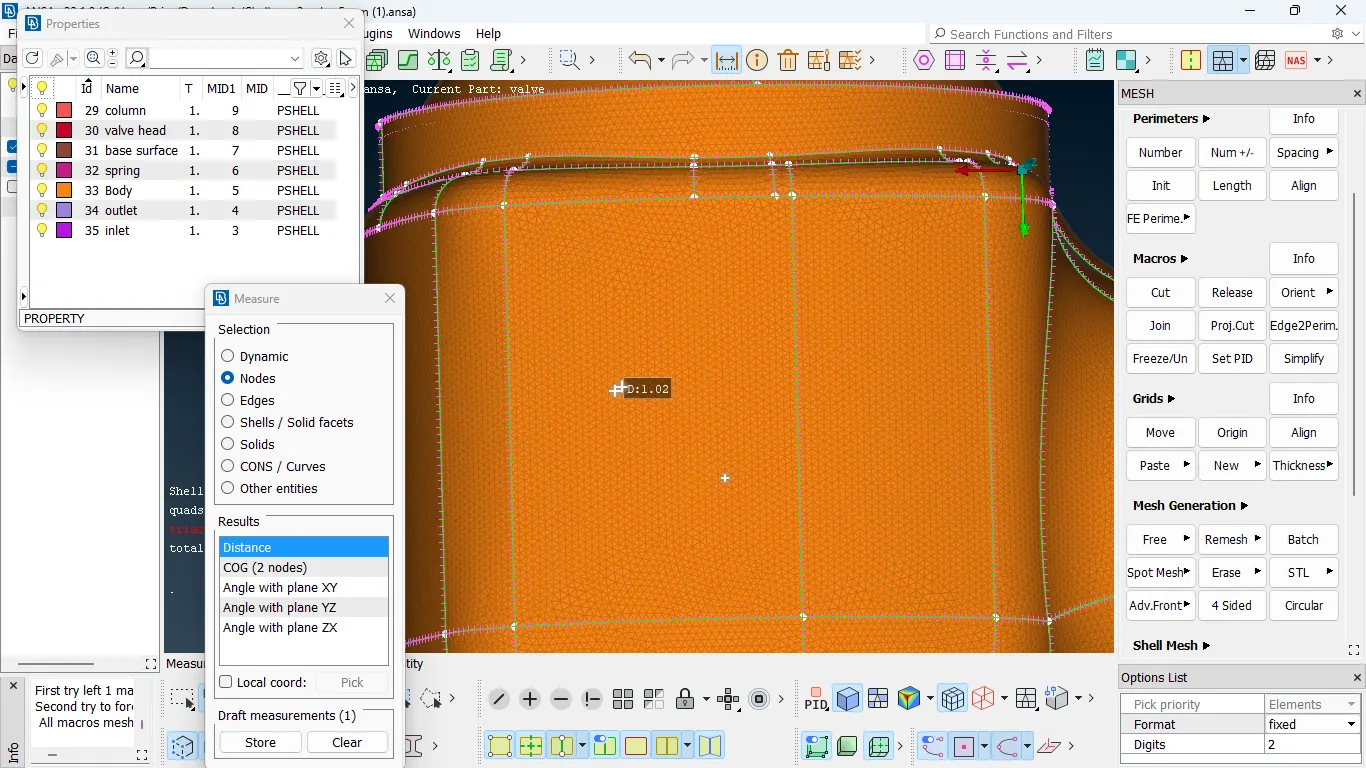
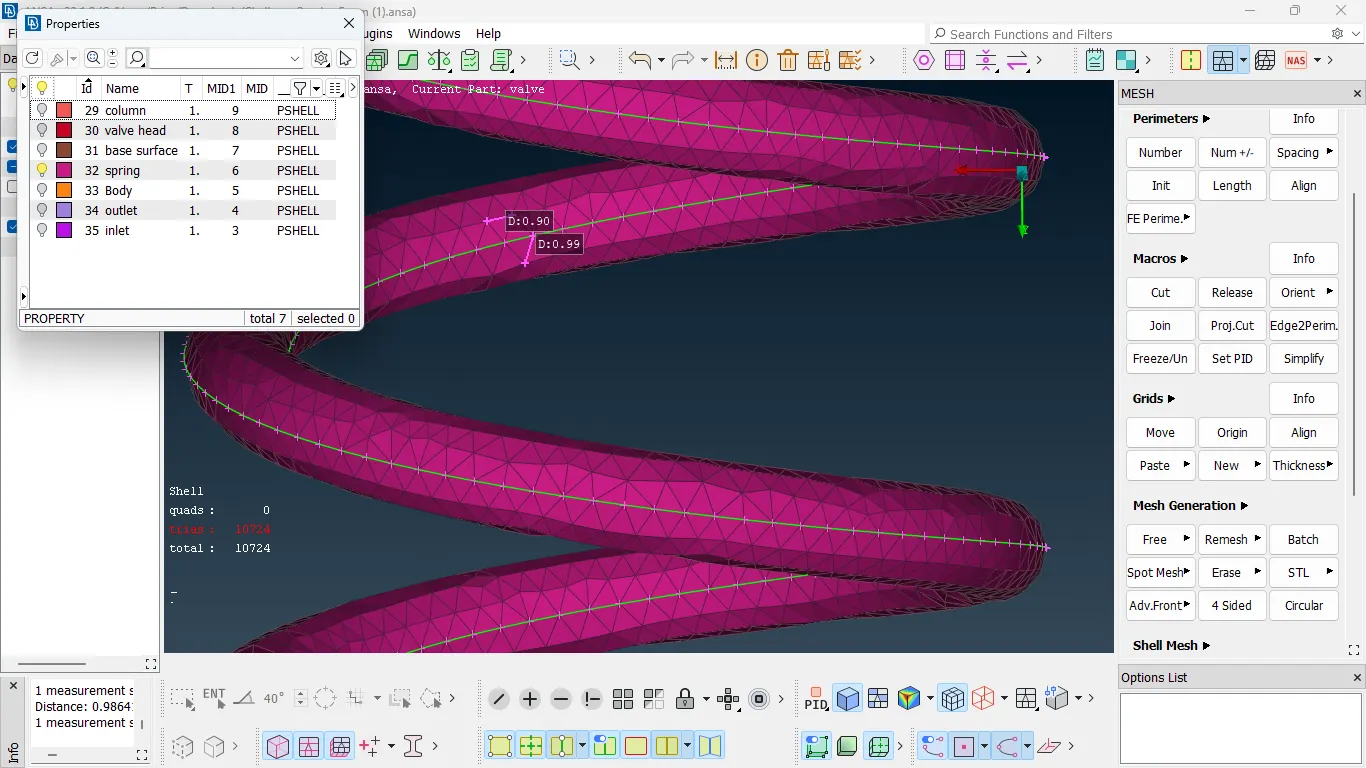
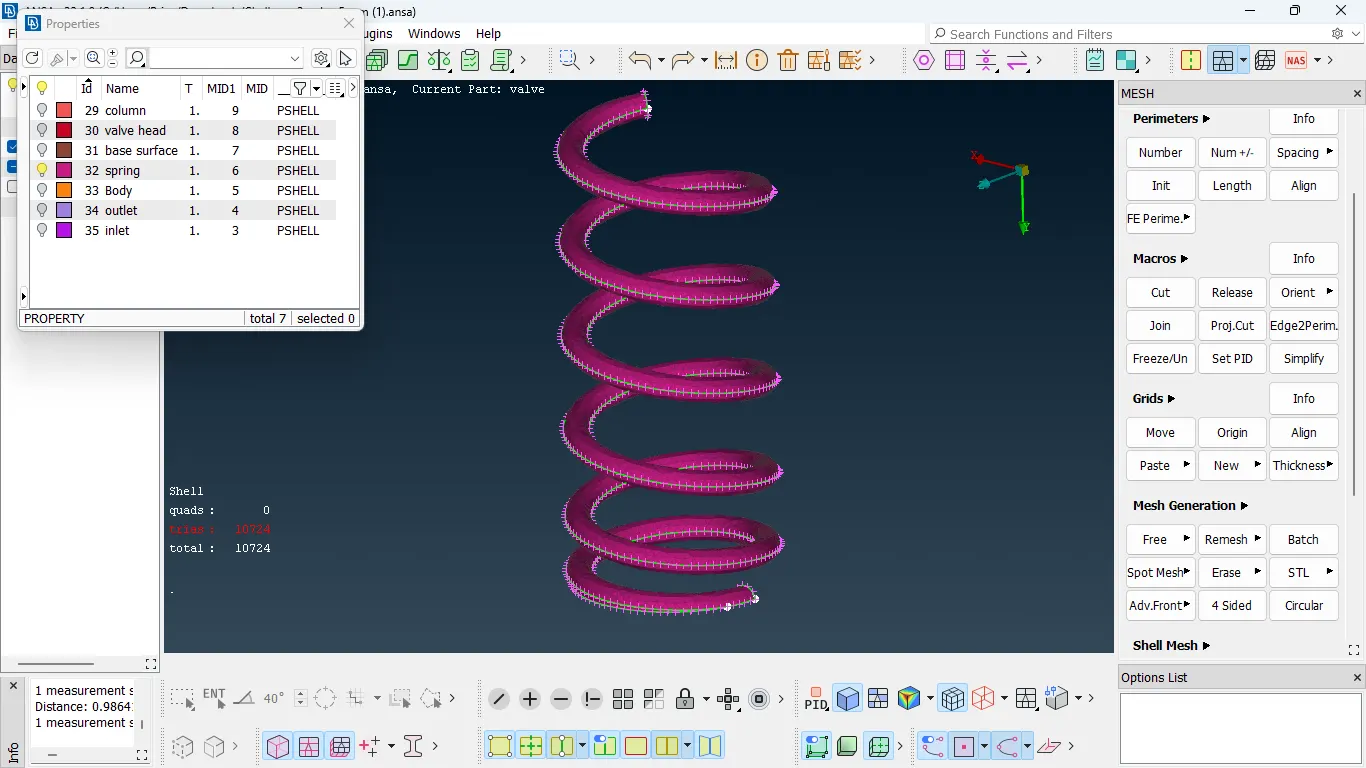
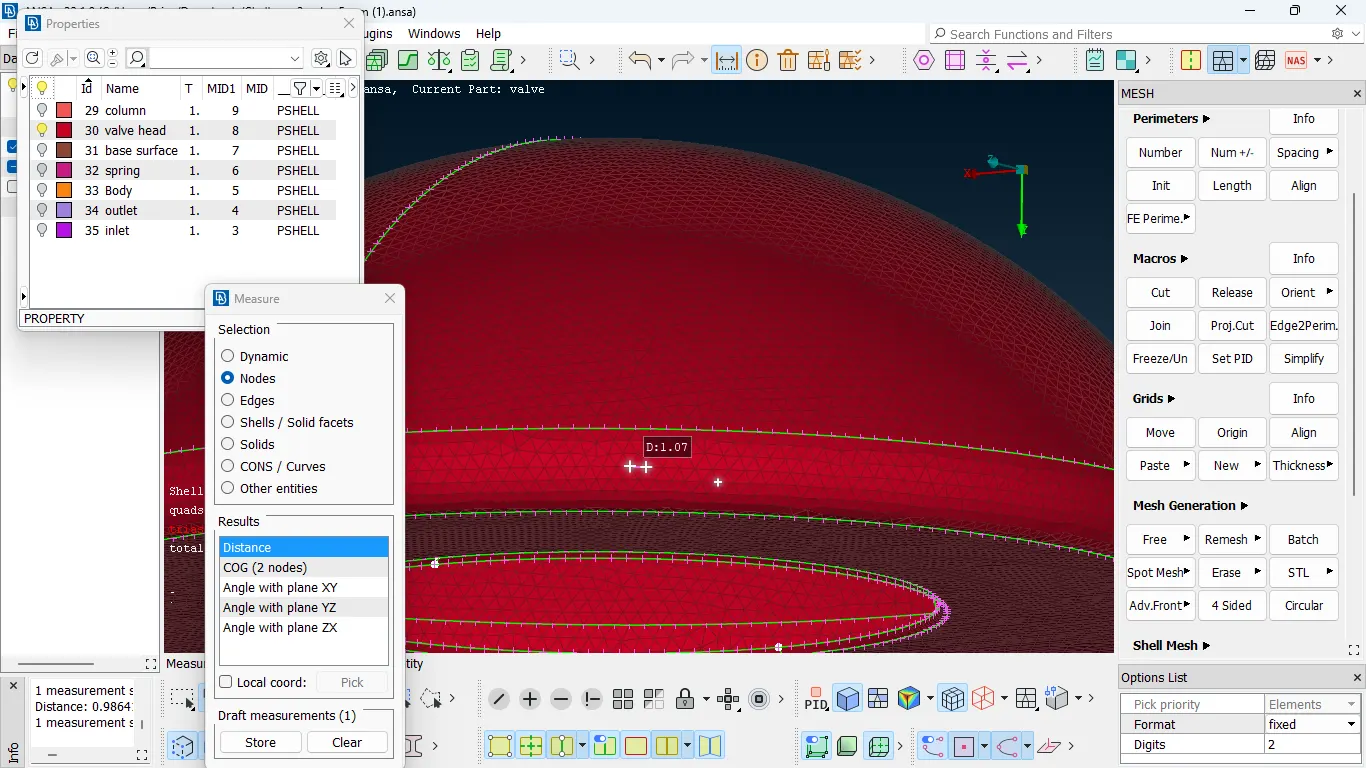
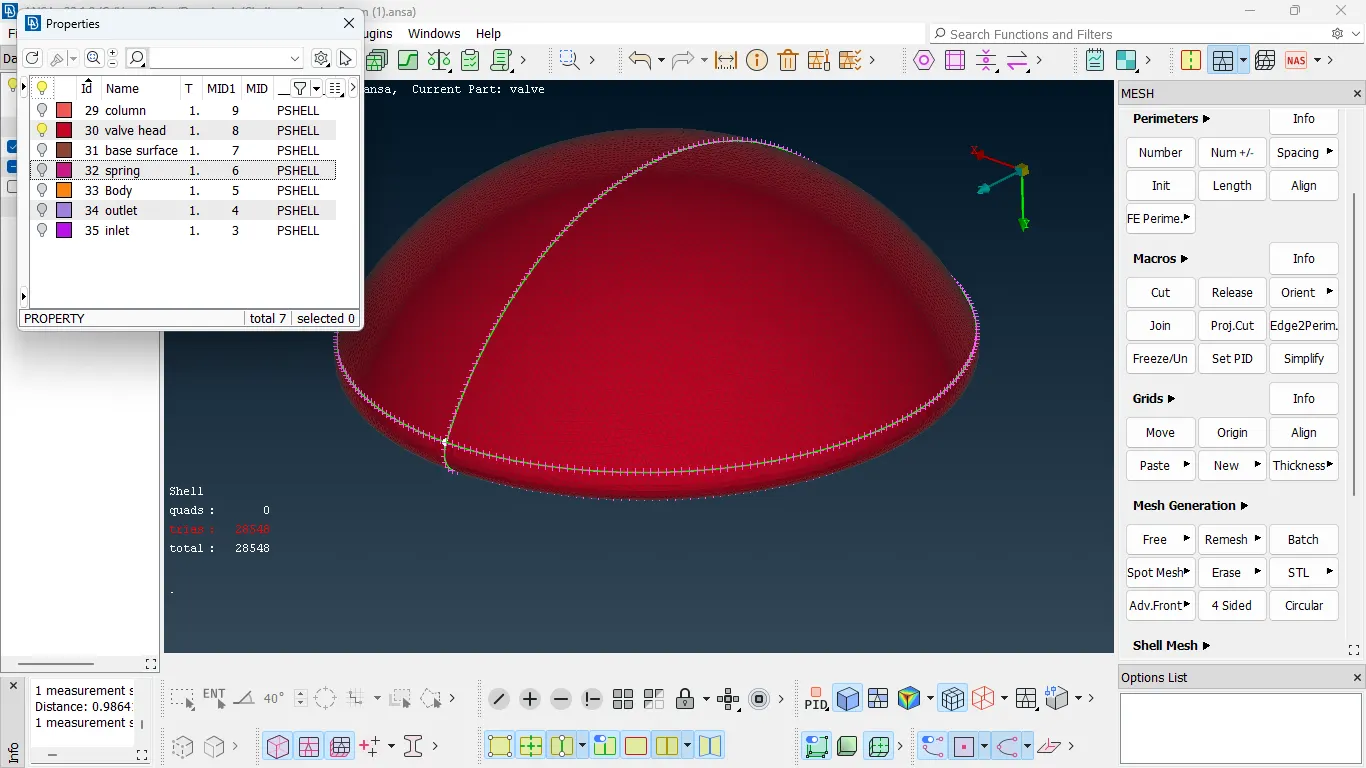
In the third case, the target length is given as 1mm. This mesh length works well for all the surfaces in the model because the surface length is greater than 1mm. When comes to valve head and spring, this target length works well and the mesh quality is also good. This mesh will give accurate results in simulations.
Conclusion:
In this project, 1mm target length gives fine mesh and good quality compared to other two target lengths. The size of the target length is low, we can get fine mesh. The spring geometry and valve head geometry is also captured well in this target length. So, 1mm target length works well for the given pressure valve model.