Week 1- Mixing Tee
Steady-state stimulation on a Mixing Tee
AIM: To perform Steady-state stimulation on a Mixing Tee of two different versions and compare the mixing effectiveness by using k-epsilon and k-omega SST model for the first case and based on your judgment use the more suitable model for further cases and conclude the results by comparing Cell count, Average outlet temperature, Number of iterations for convergence of the two versions.
Case 1:
For, case 1, steday state stimulation Analysis is carried out on a Short mixing tee with a hot inlet velocity of 3m/s and also set up steady-state simulations to compare the mixing effectiveness when hot inlet temperature is 360C & the Cold inlet is at 190C and the analysis is carried out on ANSYS Workbench. So, First open the model i.e..., Short mixing Tee into the ANSYS Spaceclaim software as shown in fig.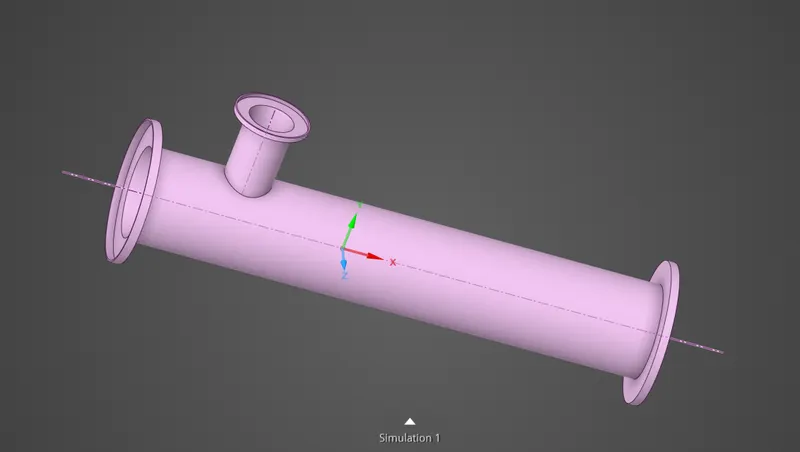
Then, to extract the fluid flow volume go to Prepare --> Volume Extract --> select edges and apply. Then we observe here an new volume is created so hide the shell component and the reamining portion is our fluid flow vloume.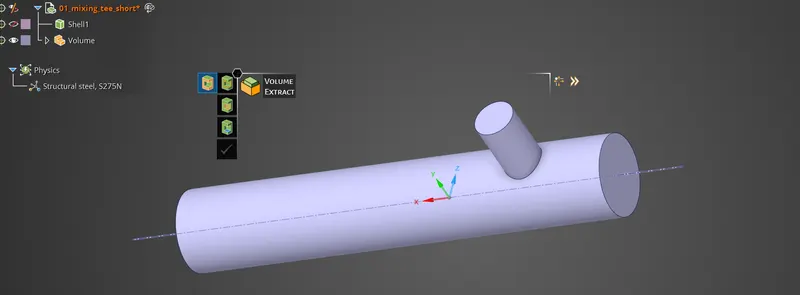
Then close the Geometry model, and open the mesh. Then select the inlet and oulet and wall faces and name the selections as inlet x and inlet y and outlet and walls, then generate the mesh with the default options.
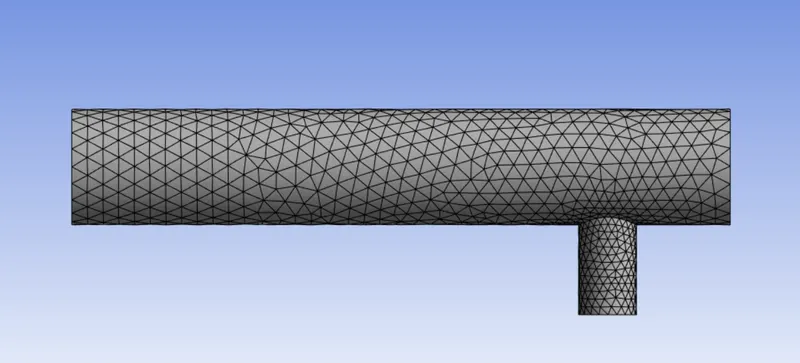
And, here if we observe the mess mertic quality of the model, and if we see the element mess quality it that defined between 0.35 - 1.00 Element metric i.e..., its more than 0.05, hence the generated mess is safe, and here the number of elements generated are 3484.
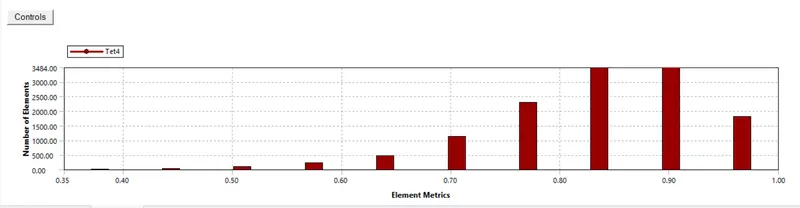
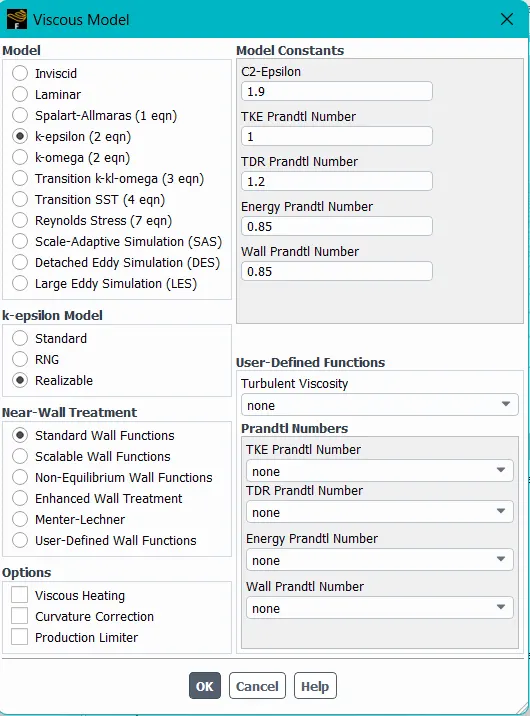
Then, close the mesh tool, and open the setup tool and select the k-epsilon (2 eqn) in viscous model. [Physics-->viscous model-->k-epsilon]. And select the material as air and also give the boundry conditions as inlet-x 3m/s as velocity magnitude and inlet hot temperature as 36c. And also give the inlet-y as momentum ratio 2.4 and cold inlet temperature as 19c.
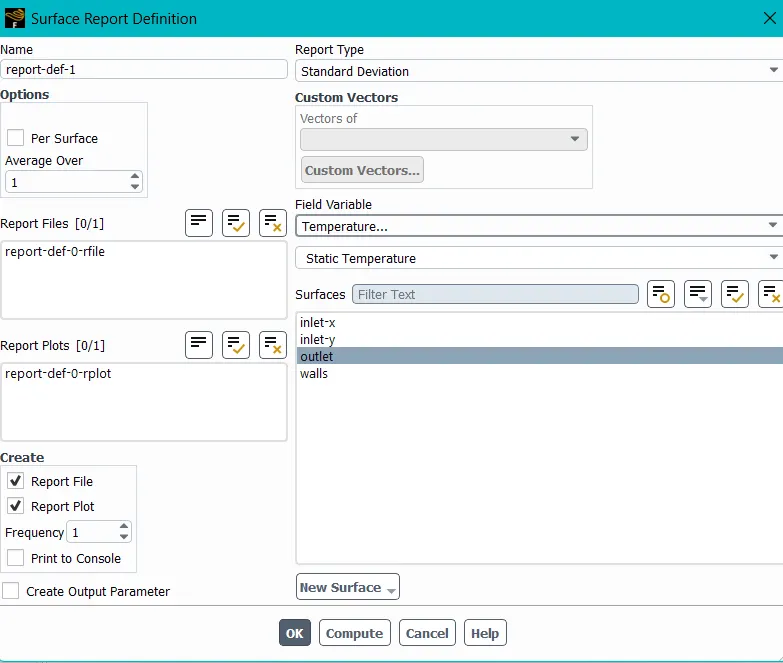
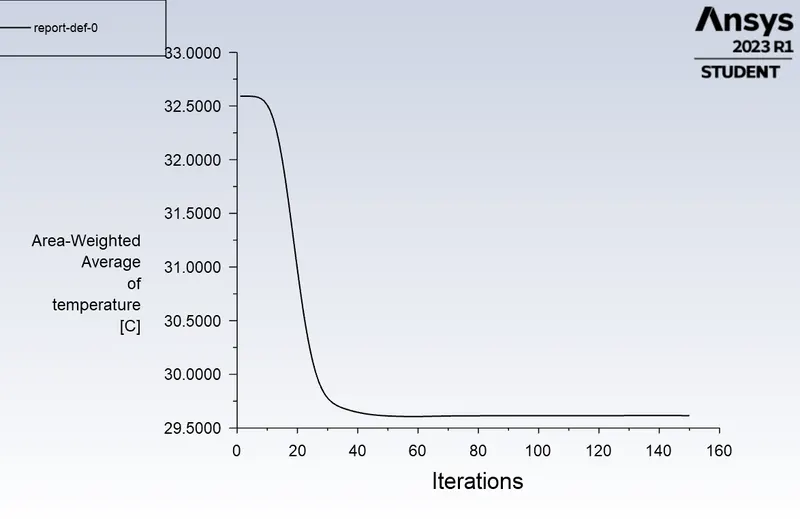
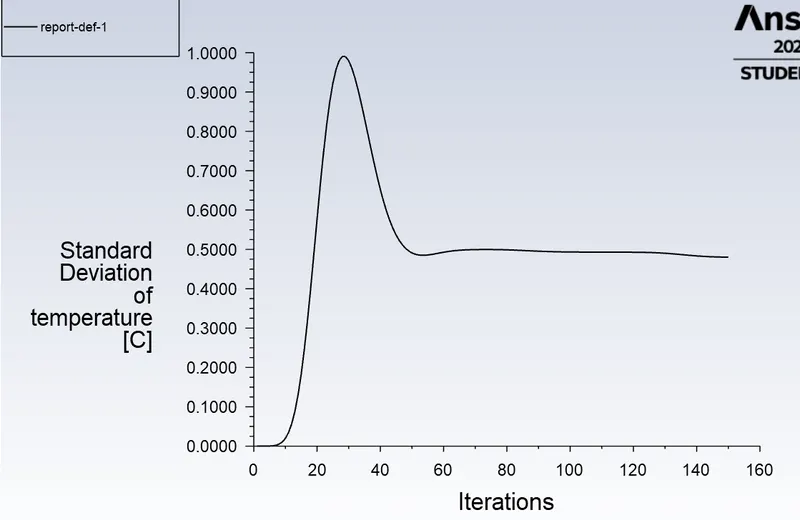
Then, setup the solvent definitions of Area-Weighted Average of Temparature on oulet face with Temparature variant and also create a Report file and Report plot as report -0. And also create a new standed deviation report on the outlet face with Temparature variant and named as Report - 1.
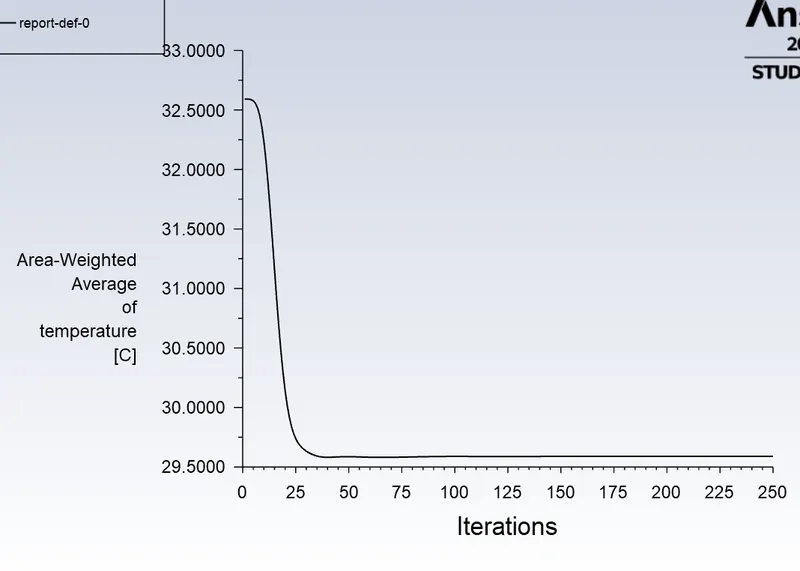
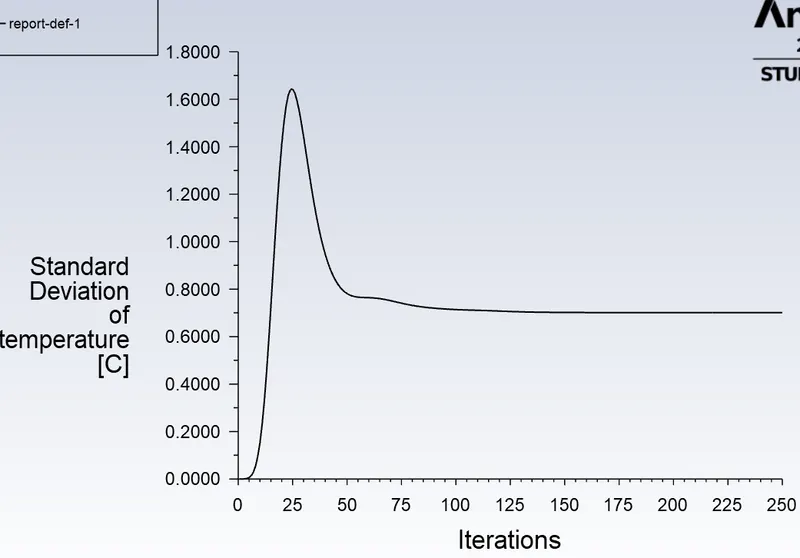
And after that, give the no.of iterations and run the calculations the results are obtained in a graphical form report-def-0-rplot and report-def-1-rplot as shown below
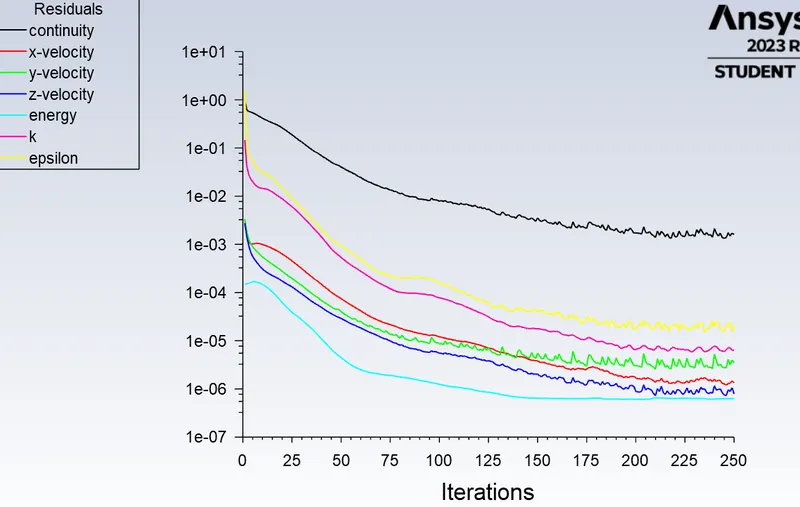
Then close the solvent tool, and move to the post-processing of the results by opening the Results tool, after that hide all the faces except walls and apply some transparency to it to see throughout it. And insert a plane in xy plane coordinates, then apply the rendering values an observe the stimulation results of Case 1.
Case 2:
For, case 2, steday state stimulation Analysis is carried out on a Long mixing tee with a hot inlet velocity of 3m/s and also set up steady-state simulations to compare the mixing effectiveness when hot inlet temperature is 360C & the Cold inlet is at 190C and the analysis is carried out on ANSYS Workbench. So, First open the model i.e..., Long mixing Tee into the ANSYS Spaceclaim software as shown in fig.
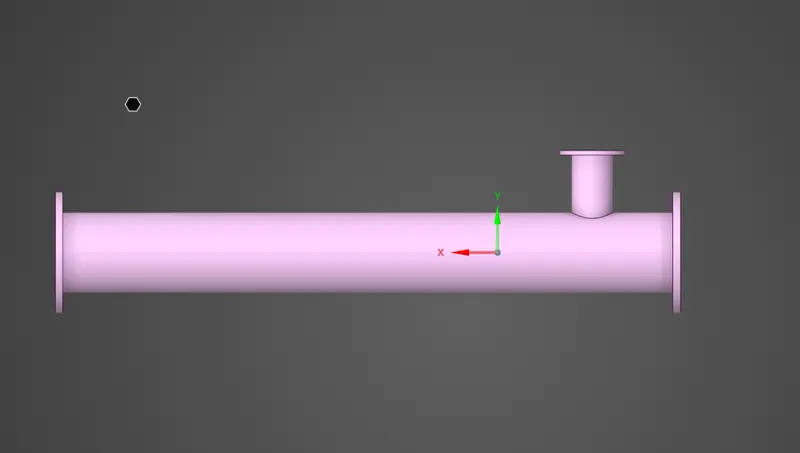
Then, to extract thefluid flow volume go to Prepare --> Volume Extract --> select edges and apply. Then we observe here an new volume is created so hide the shell component and the reamining portion is our fluid flow vloume.
Then close the Geometry model, and open the mesh. Then select the inlet and oulet and wall faces and name the selections as inlet x and inlet y and outlet and walls, then generate the mesh with the default setup.
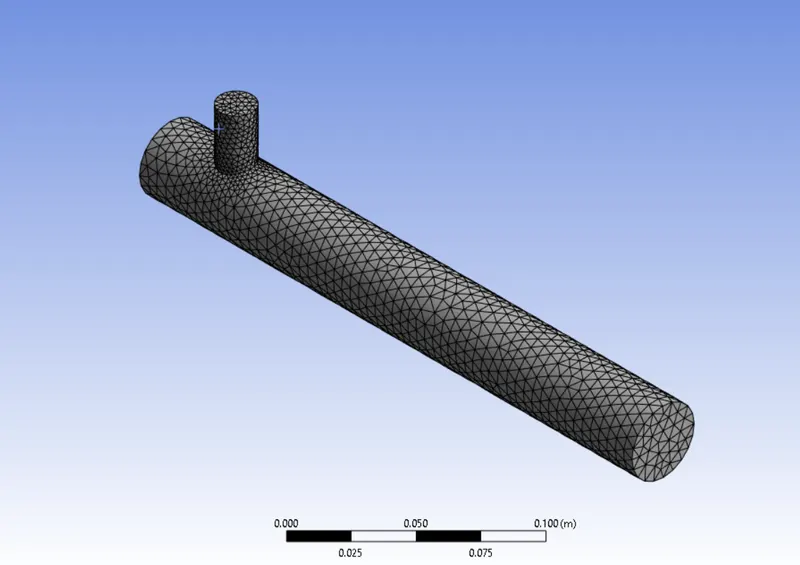
And, here if we observe the mess mertic quality of the model, and if we see the element mess quality it that defined between 0.35 - 1.00 Element metric i.e..., its more than 0.05, hence the generated mess is safe, and here the number of elements generated are 4404.
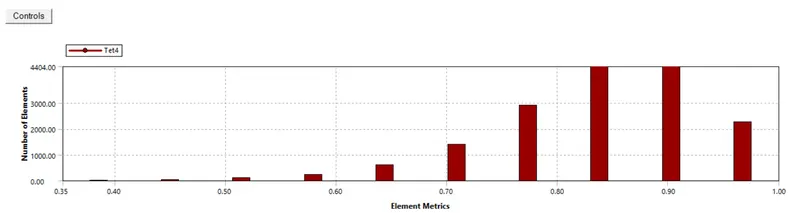
Then, close the mesh tool, and open the setup tool and select the k-epsilon (2 eqn) in viscous model. [Physics-->viscous model-->k-epsilon]. And select the material as air and also give the boundry conditions as inlet-x 3m/s as velocity magnitude and inlet hot temperature as 36c. And also give the inlet-y as momentum ratio 2.4 and cold inlet temperature as 19c.
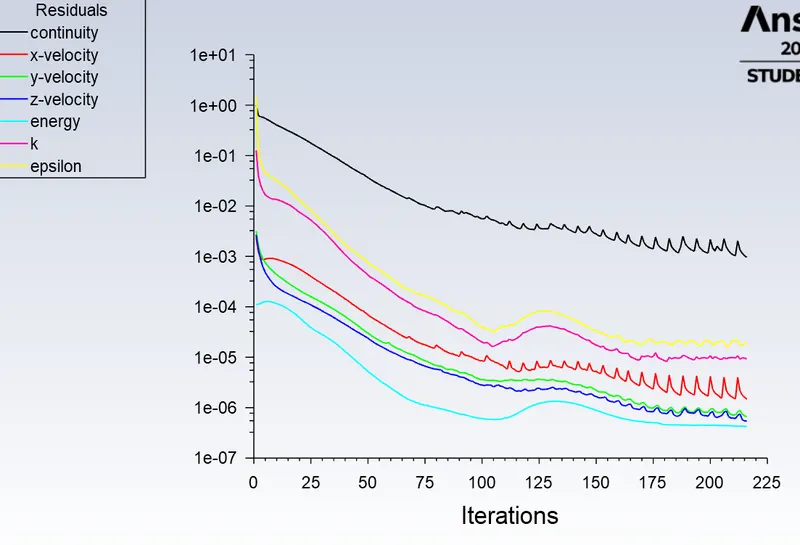
And after that, give the no.of iterations and run the calculations the results are obtained in a graphical form report-def-0-rplot and report-def-1-rplot as shown below
Then close the solvent tool, and move to the post-processing of the results by opening the Results tool, after that hide all the faces except walls and apply some transparency to it to see throughout it. And insert a plane in xy plane coordinates, then apply the rendering values an observe the stimulation results of Case 2.
Results and Comparision:
The given case 1 is stimulated under the given boundry conditions using ANSYS of academic licenceand the stimulation results of Case1 are shown below fig.
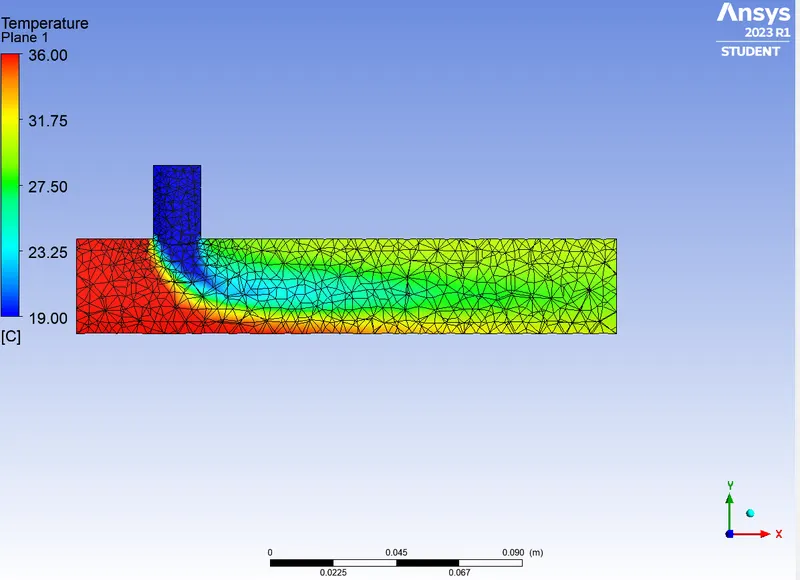
And also the stimulated the case 2 is stimulated under the given boundry conditions using ANSYS of academic licenceand the stimulation results of Case 2 are shown below fig.
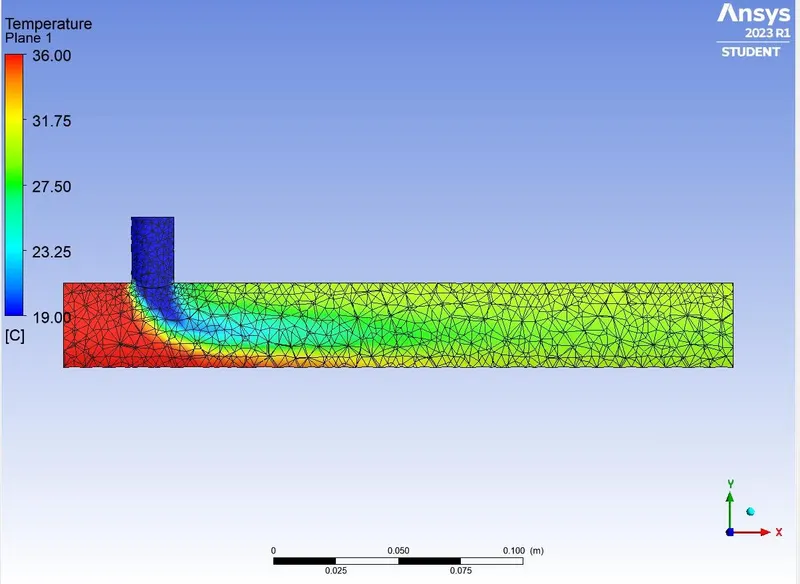
comparision between two cases reports:
| Factors to compare | case 1 | case 2 |
| Cell count | 3484 | 4404 |
| Average outlet Temperature (in c) | 29.739 | 29.763 |
| No.of iterations | 250 | 216 |
Conclusion:
Hence, the Analysis is done using ANSYS under the limits of academic licence, and both the cases are examined, here we get the outlet temperature on both the case are almost similar i.e..., near to 29.7
And here we maintained the inlet temperature of cold air as 19c, and the hot air inlet as 36c and the velocity of hot inlet air as 3m/s, and the momentum ratio as 2.4 in both the cases. And the no of mesh cells are depended om the length of the model. And the refinement of the stimulation is defend on the refinement of the meshing, if the sizing of the mesh is refined the results of the stimulation are more detailed.