Week 2 Challenge : Surface meshing on a Pressure valve
Aim :- surface mesh a pressure valve
Procedure : -
- Import pressure valve file.
- Topology clean up.
- Geometry check
Check menu > checks manager > geometry checks >select geometry and penetration:intersectios > execute
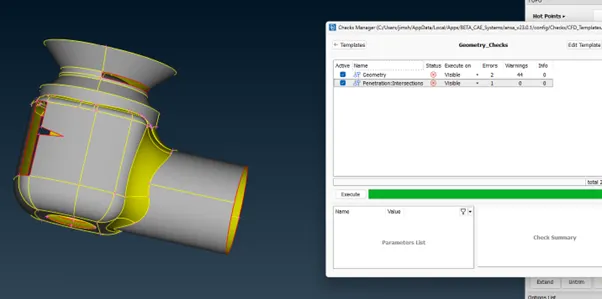
Check all the errors and warnings.
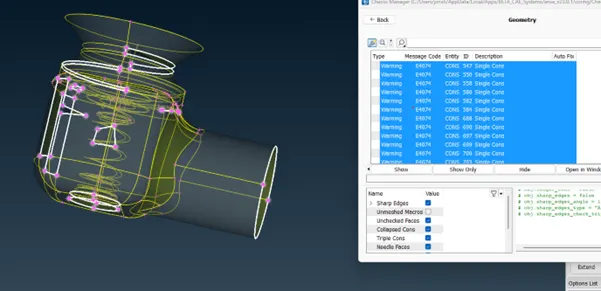
Find the single cone errors and make it into double cone by introducing face.
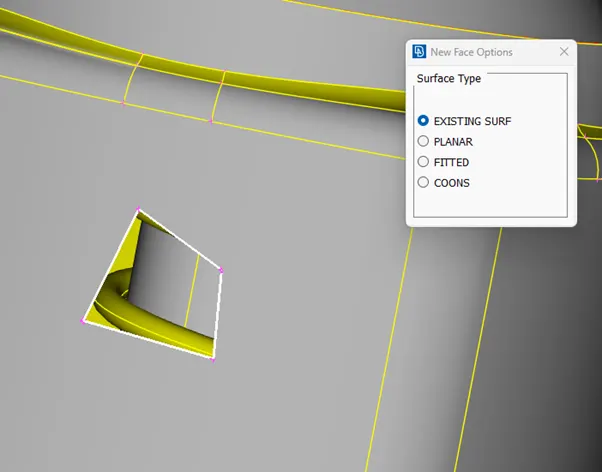
In faces > New > Coons > ENT > select coons and confirm
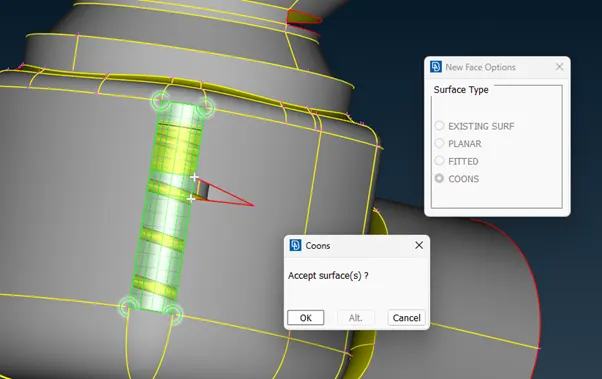
Select faces > new > coons > loop > select the hole > confirm the selection
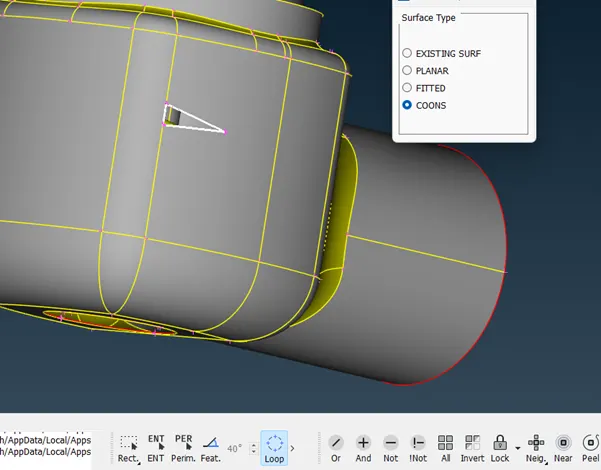
For hole in the middle of face select FACES > NEW > EXISTING SURFAVC > select hole confirm selection.
CONS > FILL HOLE > SELECT HOLE > CONFIRM SELECTION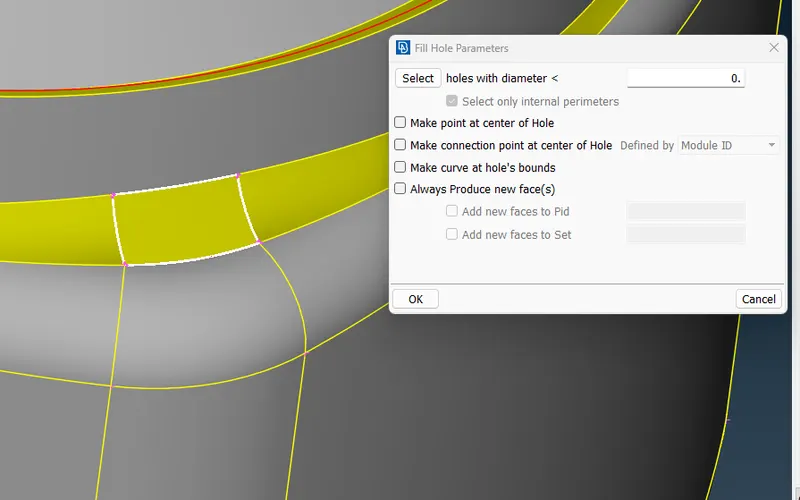
For hole in the middle of FACES > CONS >PLANAR > select hole confirm selection.
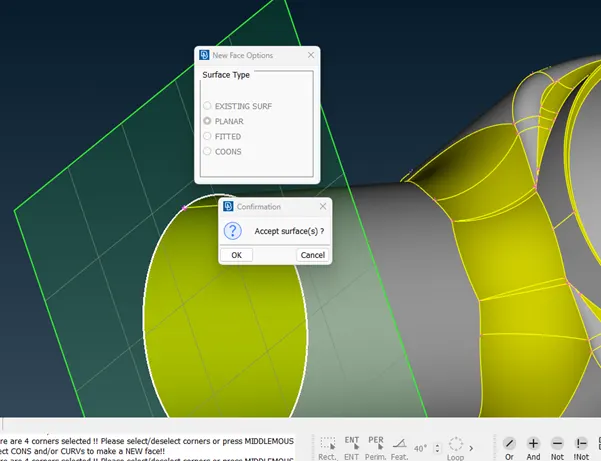
After clearing all single cons check geometry again
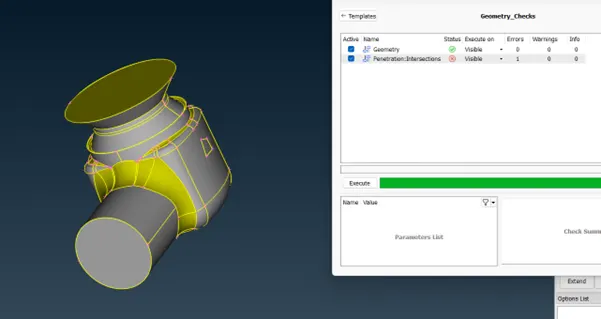
If geometry is clear check for intersection error.
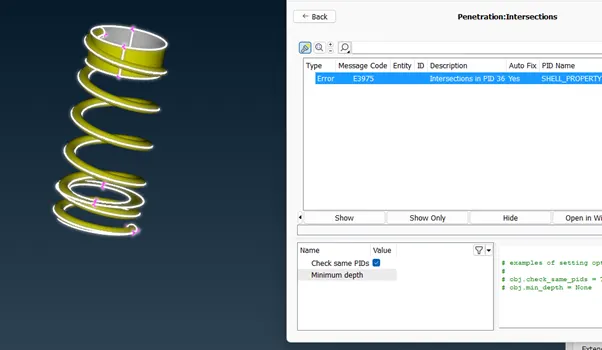
before proceeding set PIDs so it will be easy to sepeerate each parts
- Create PID
Properties > right click > new > shell_property > create new property ID for each part
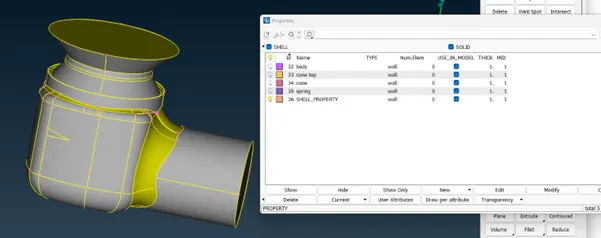
Use not function to remove unwanted faces and name each part with their own part ids
isolate each part and assign property ID
Property > spring > right click onn spring > APPLY >SELECT SPRING > CONFIRM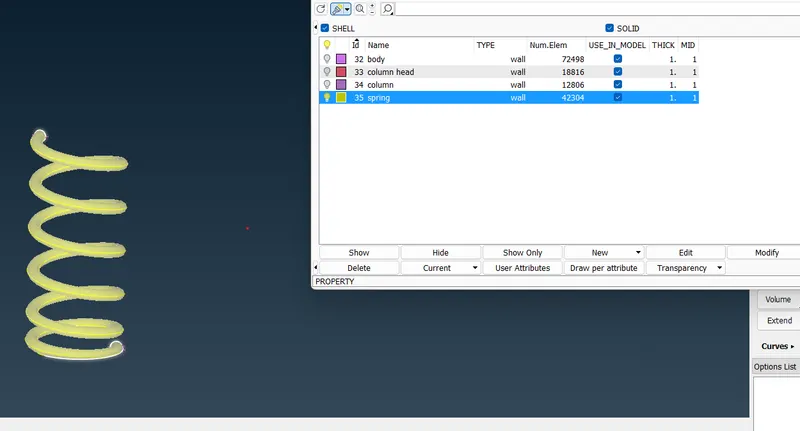
DO THIS FOR EACH PART
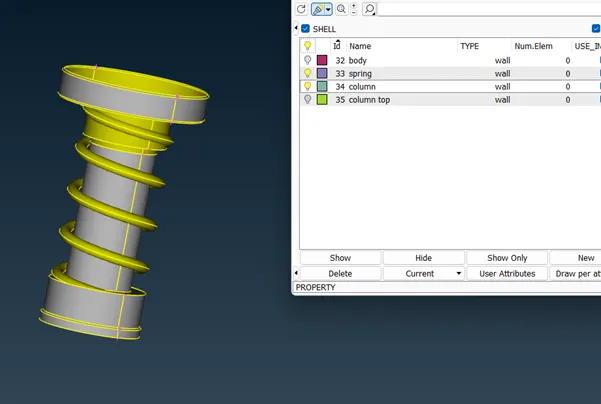
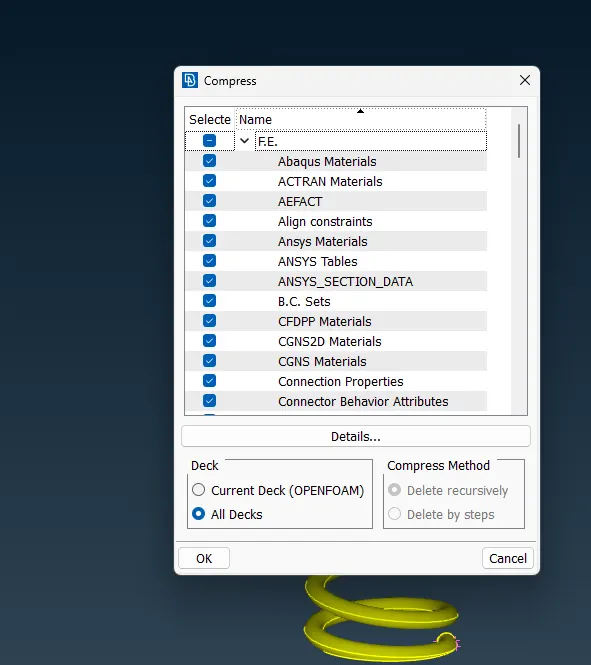
After setting property id for each part select compression to remove the vacant property id.
Isolate the intersecting parts and lock the view.
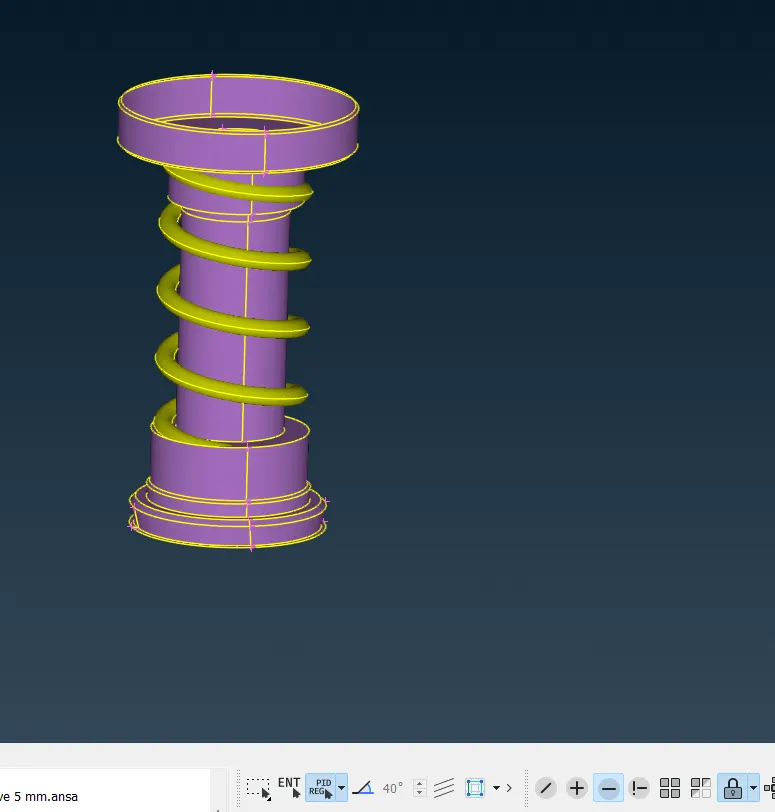
Use intersect option to define th eboundary and intersect the parts.
FACES > INTERSECT > SELECT FIRST PART > CONFIRM > SELECT SECOND PART > CONFIRM > DELETE UNAWANTED FACE > KEEP THE REQUIRD FACE.
CHECK FOR GEOMETRY ERROR AGAIN
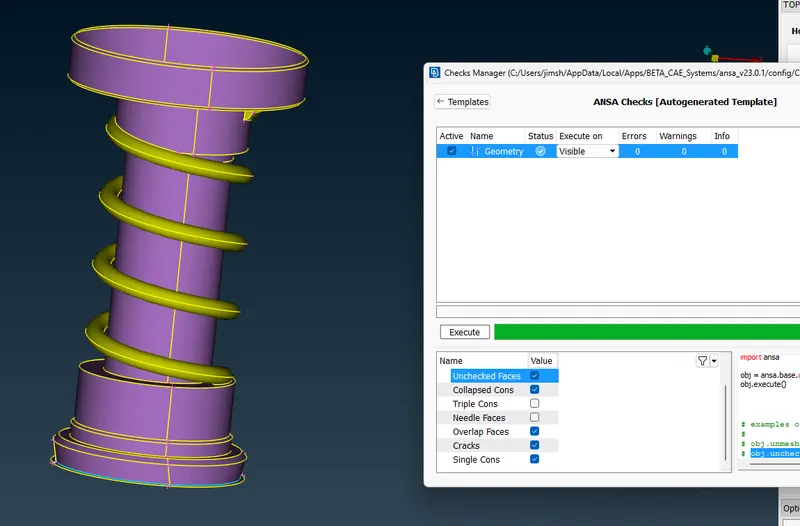
Before start meshing make sure that the geometry is completely closed.
close the bottom hole using planar option
check geometry again for eroors and warning
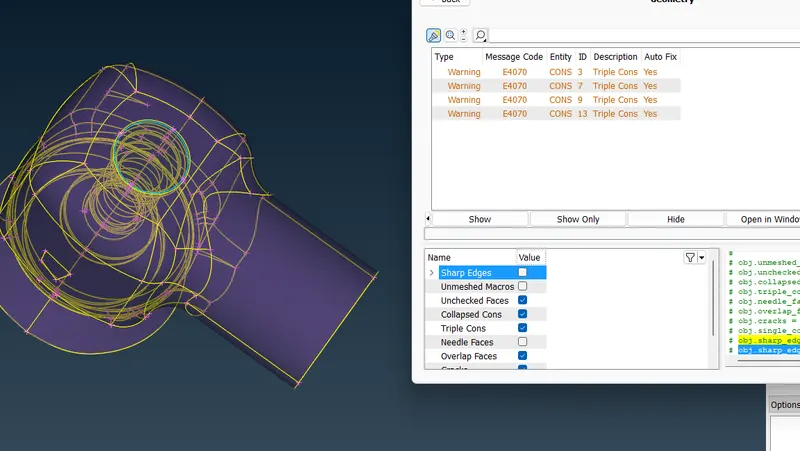
triple cona the bottom is unavoidable, so ignore the triple cons warning and proceed to meshing.
- Setting mesh parameters OF TARGET LENGTH 5, 3, 1 and mesh element type as TRIA
- MESH WITH TARGET LENGTH 5
- MESH PARAMETERS > MAXIMUM LENGTH 5.6 > MINIMUM LENGTH 4.5 > OK >
- SELECT CLASSICA MESH > CONS > PERIMETERS > SPACING > ACTO CFD >
- PERIMETERS > SELECT THE WHOLE MODEL CONFIRM >MACROS SELECT THE WHOLE MODEL COMFIRM >
- MESH GENERATION > CFD > VISIBLE
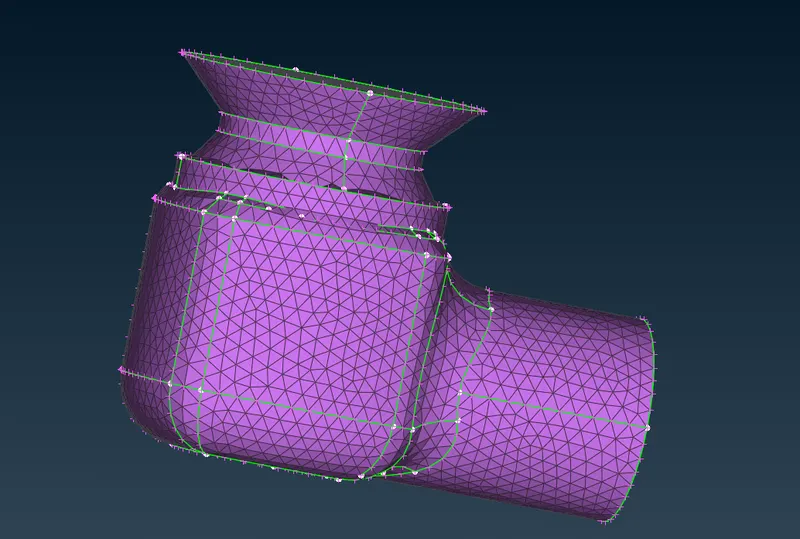
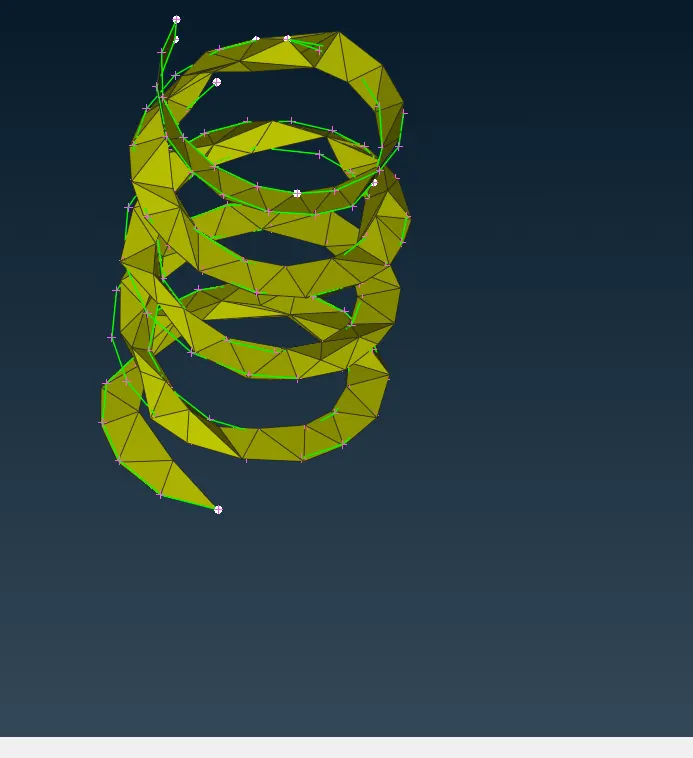
The geometry is not proper in the mesh and require more erfined mesh.
- mesh generation with target length of 3 and tria as mesh element type
- MESH PARAMETERS > MAXIMUM LENGTH 3.5 > MINIMUM LENGTH 2.5 > OK >
- SELECT CLASSICA MESH > CONS > PERIMETERS > SPACING > ACTO CFD >
- PERIMETERS > SELECT THE WHOLE MODEL CONFIRM >MACROS SELECT THE WHOLE MODEL COMFIRM >
- MESH GENERATION > CFD > VISIBLE
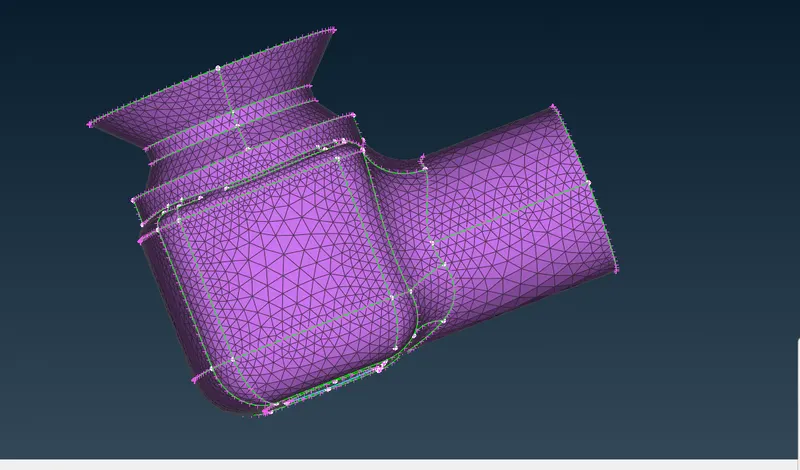
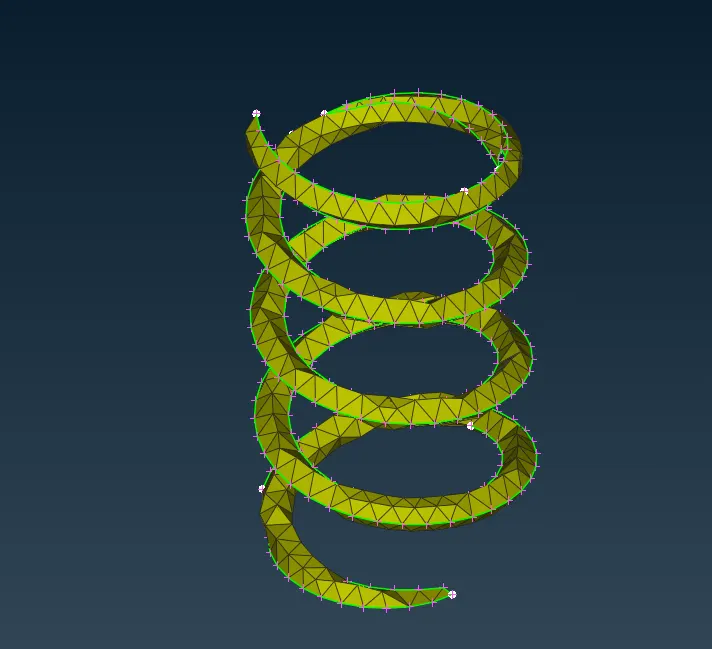
still the geometry is not peoper and needs finer mesh to get proepr geometry
- mesh generation with target length of 3 and tria as mesh element type
-
- MESH PARAMETERS > MAXIMUM LENGTH 1.5 > MINIMUM LENGTH .5 > OK >
- SELECT CLASSICA MESH > CONS > PERIMETERS > SPACING > ACTO CFD >
- PERIMETERS > SELECT THE WHOLE MODEL CONFIRM >MACROS SELECT THE WHOLE MODEL COMFIRM >
- MESH GENERATION > CFD > VISIBLE
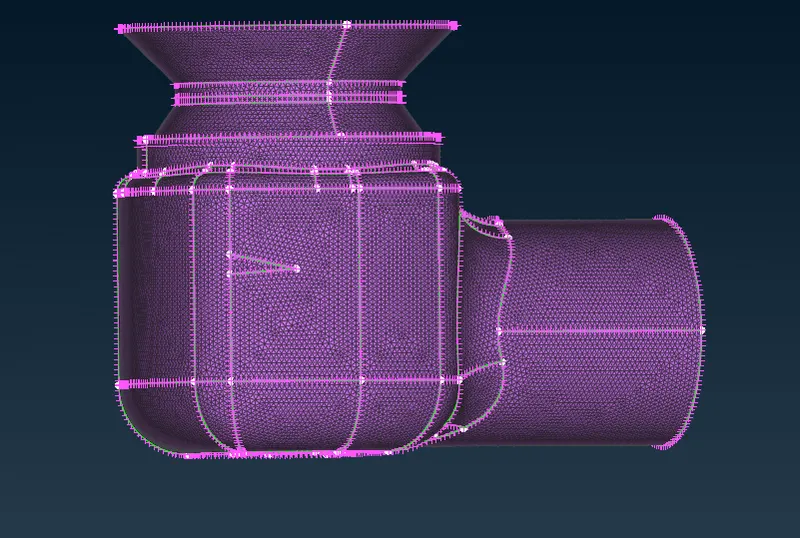
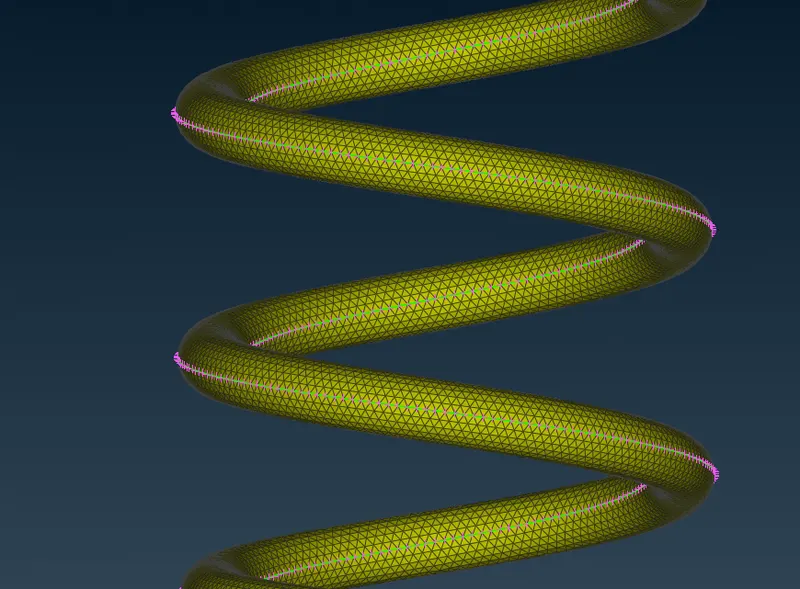
the mesh is now more refined and is able to get the geometry more accurately.
Learning outcome:-
- learned the functons of tools in topology and more mesh generatio parameters,
- generatio nof new faces using coons, planar, existing
- effect of using fill hole function
- property ID generation and assigning,
- geometrical error checking and solving the errors.
- understood wher to use not and !not functions.
- how to ues intersect function to define and remove unwanted faces at intersections.
- maximum and minimum target length
- spacing and auto CFD
- necessity of mesh target lenght and how it affects the geometry of product.
Result :- Surface meshed pressure valve having target lengths of 5, 3 and 1 with mesh element type Tria.
Conclusion :-The given pressure valve was meshed using target lengths of 5, 3 and 1 with mesh element as Tria. Learned how to check and solve geometrical errors. learned how to create and assign PIDs. the importance of mesh length in mainataining geometry was alos understood.
Surface mesh with 1mm as target length gave the best result. when using 5 and 3 mm as target length we are unable to get the geometry of spring, where as when we set target length as 1 we are able to capture the geometry of spring properly. and the meshes are more refined when target length is 1.