Week 2 Challenge
- Create column properties for different types of pedestal members and model in the grids created as per the assignment 1
- Create column properties for steel columns and model columns in the grid created as per assignment 1.
- Create beam properties and model primary and secondary beams on the ground floor
ans)
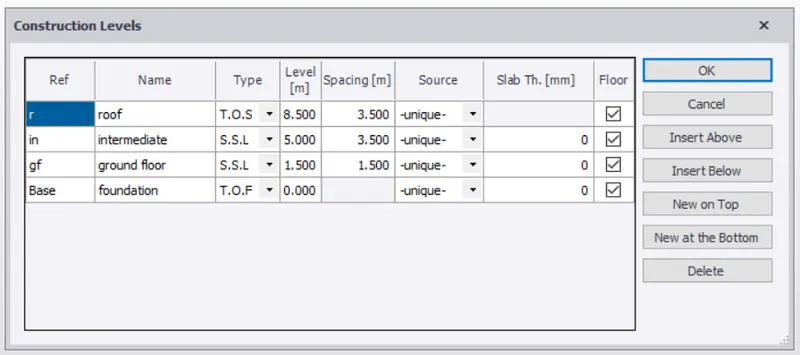
1) open tekla, go to windows select structure window and click on levels.
2) enter the levels of model such as foundation, ground floor ,roof along with their spacing and type.
3) now go to grid lines from the ribbon and select grid line and draw a horizontal grid.
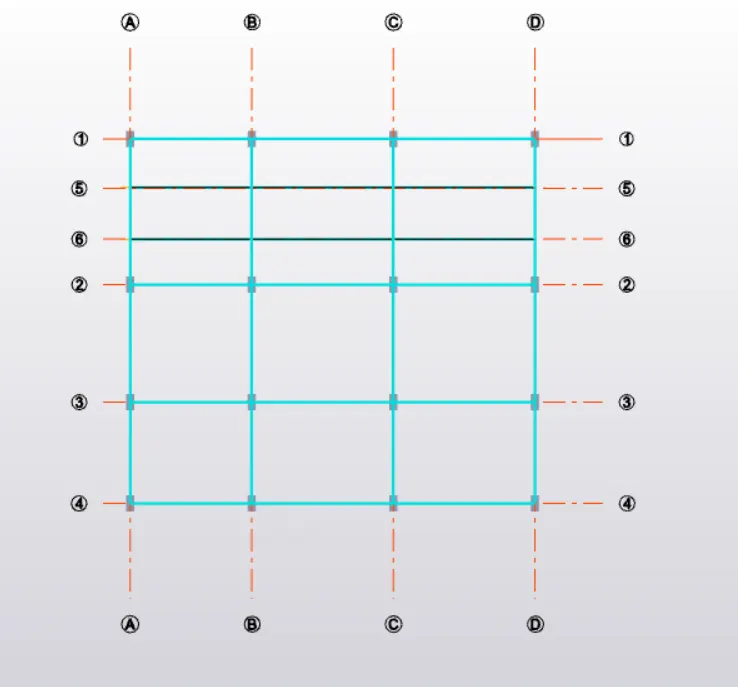
4) from the same option ,select parallel quick option and draw other grids as per the plan.
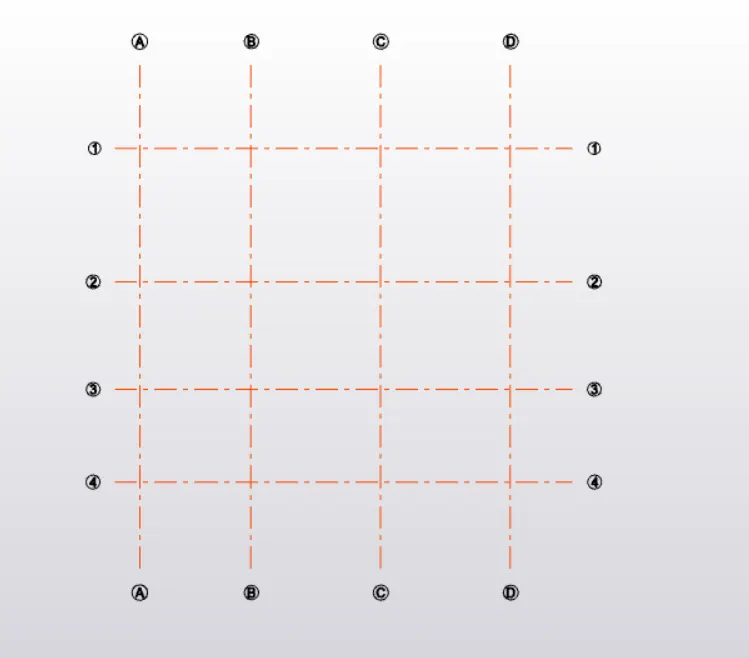
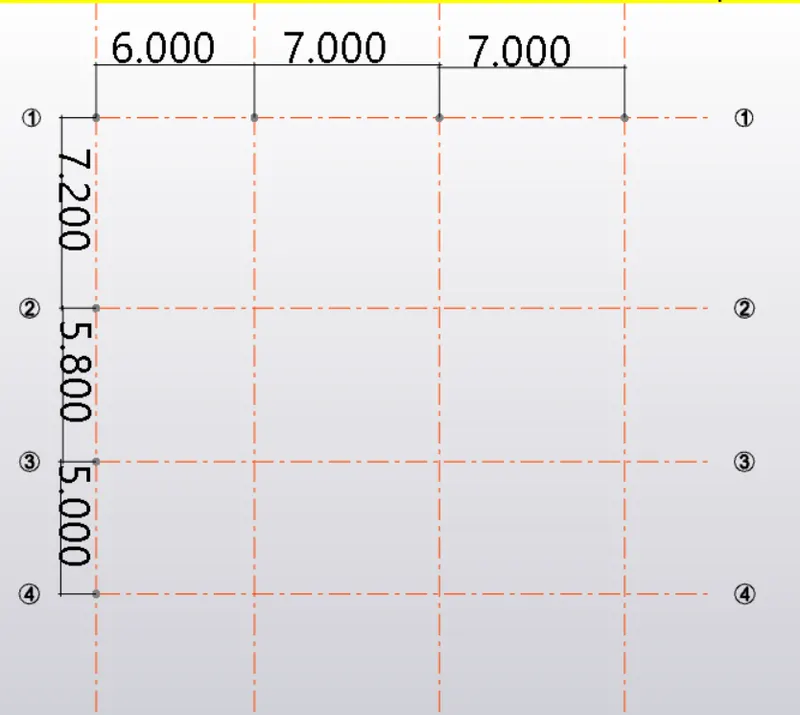
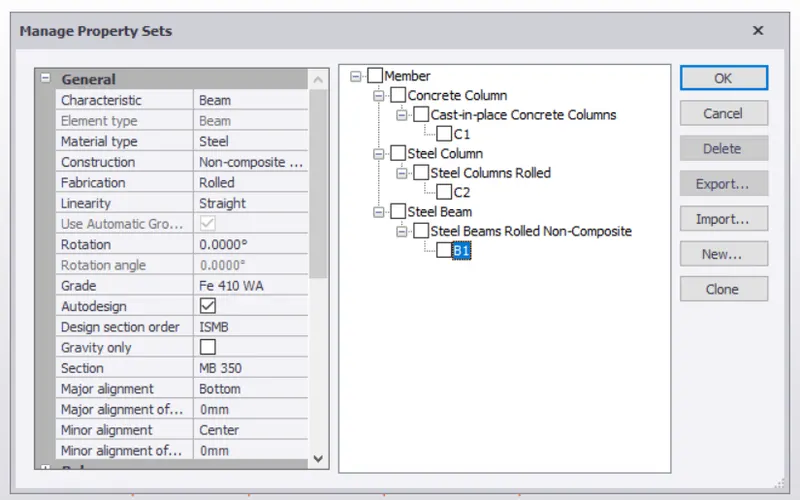
5) now go to manage property sets and click on new, select concrete column.
6) enter its properties such as grade of concrete,major and minor align axis.
7) enter its dimension.
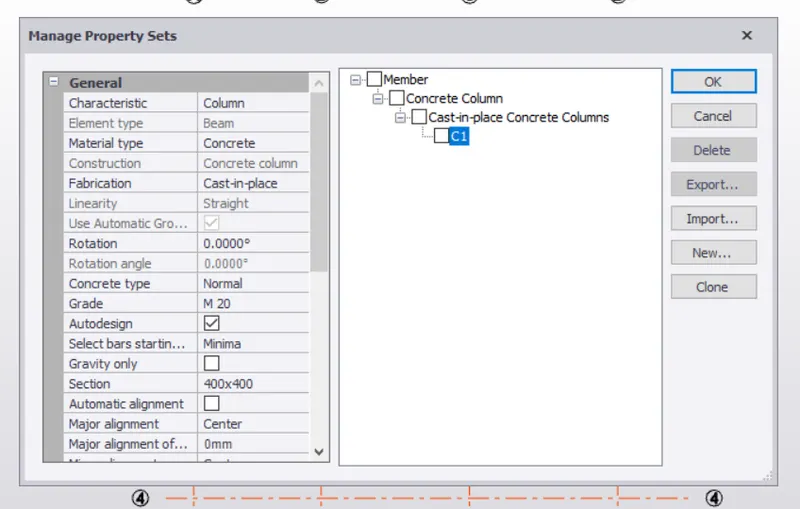
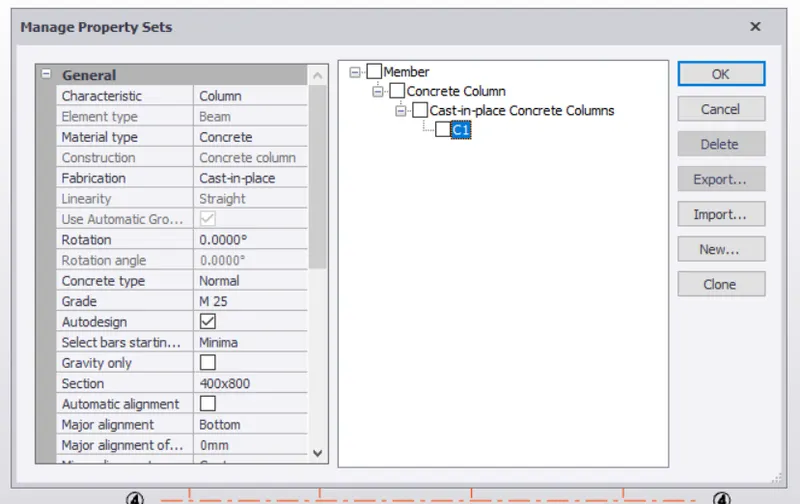
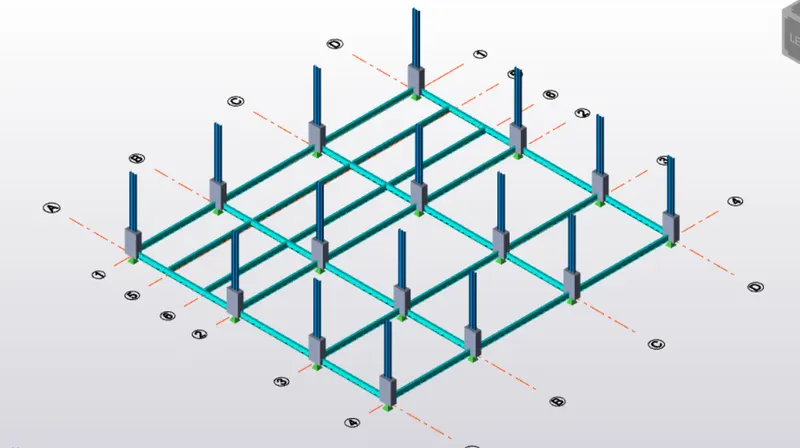
8) now place these columns on the grid intersections as shown below.
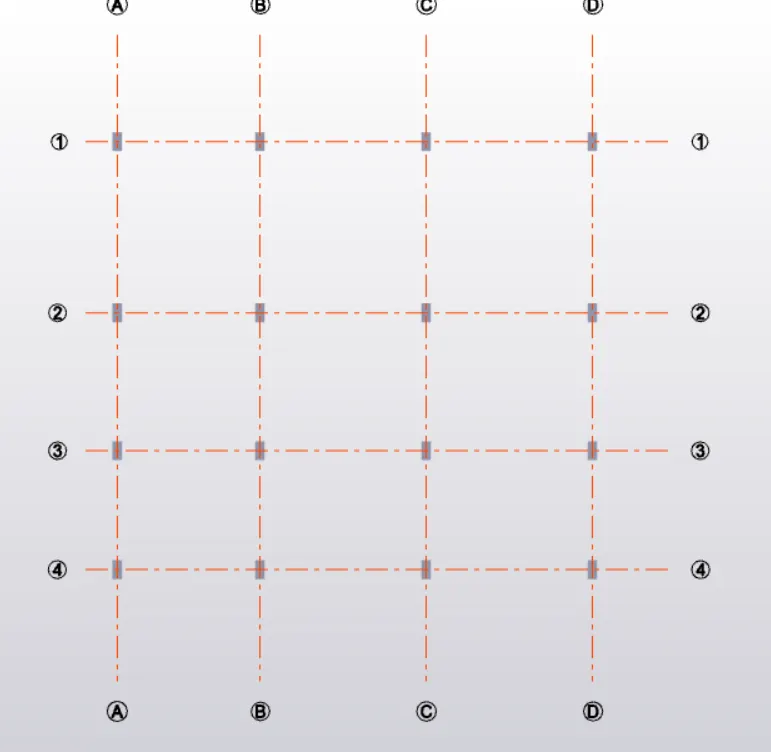
9) similar way enter the properties of steel column such as grade (ISMB 350) major and minor align axis.
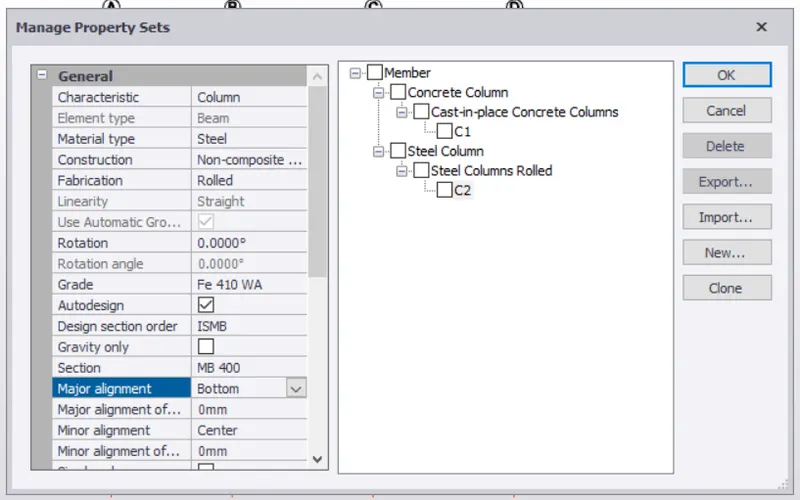
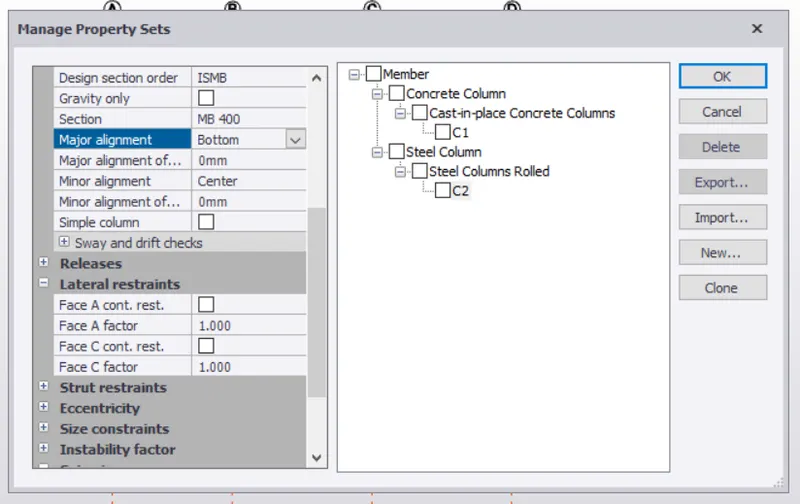
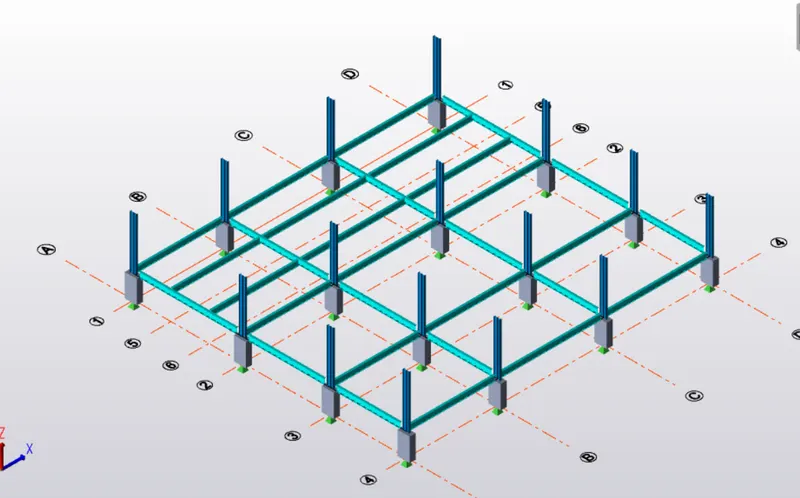
10) now place these columns over concrete columns as shown.
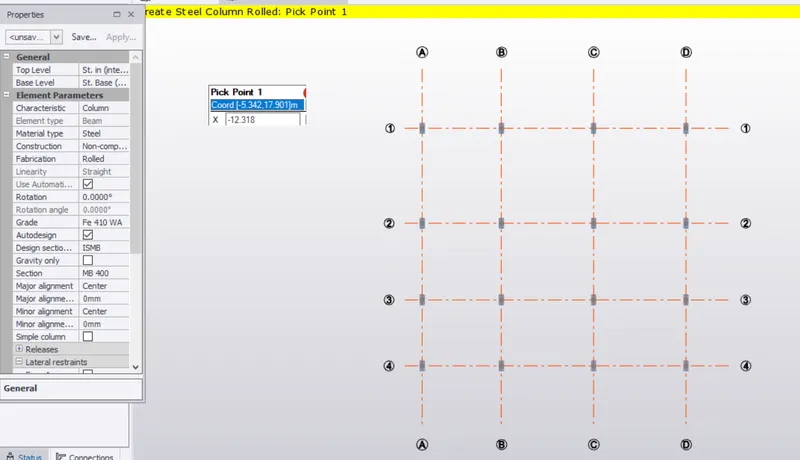
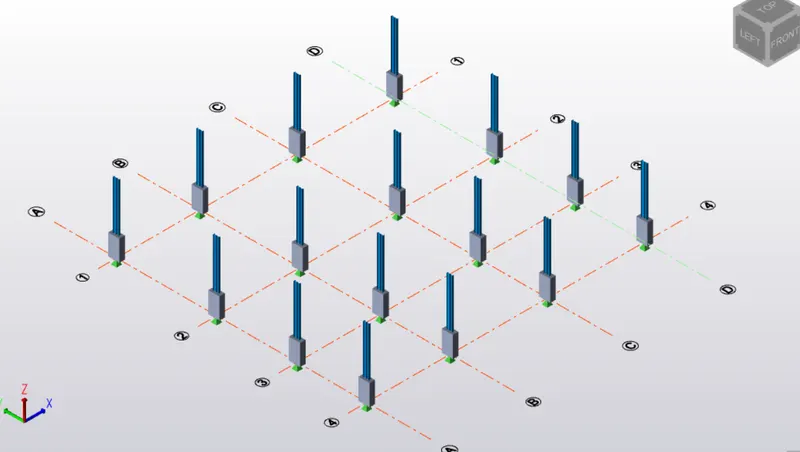
11) similar way define the steel beams B1 with their properties such as grade ,major and minor align axis.
12) now place these beams in the layout provided with columns throughout the layout.
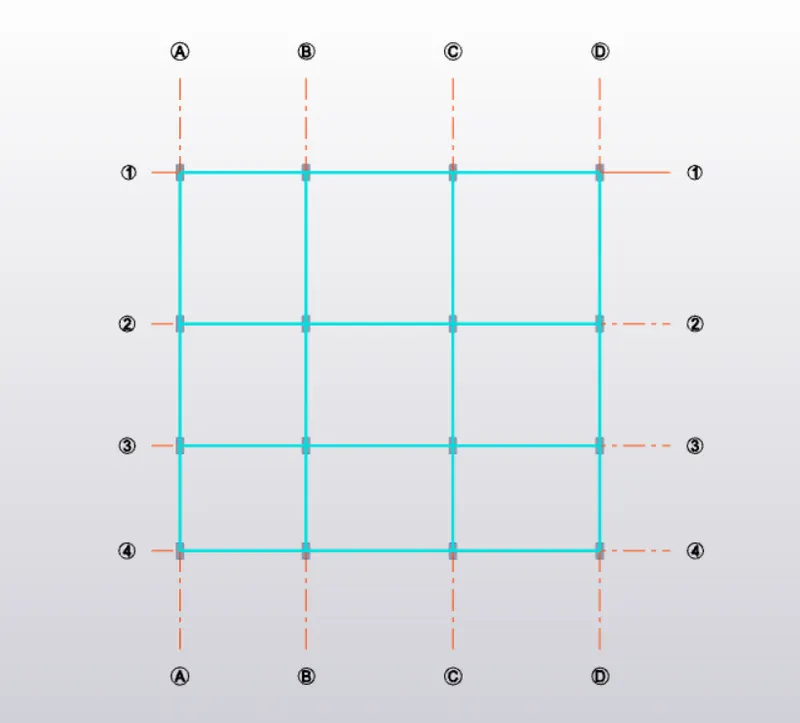
13) here we have placed the beams at base level.
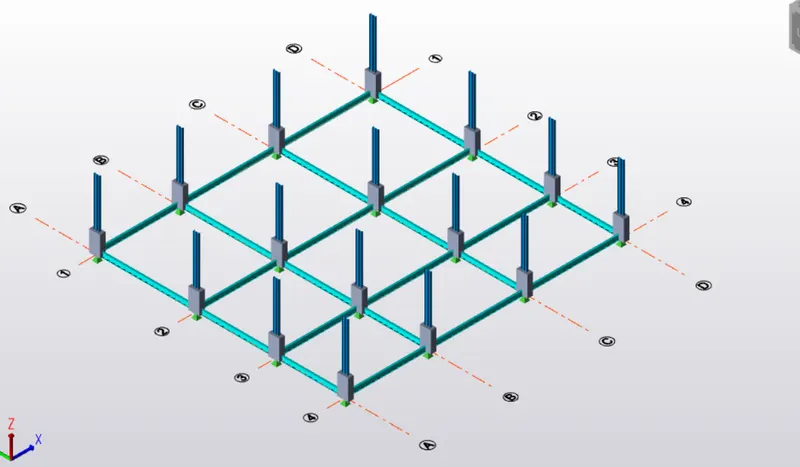
14) now beams have been placed at the ground floor along with the secondary beams in between.