Week 2 Challenge
1.
- assign Circular section to column:
GO to properties >> Define section >> Circle
- assign Unit system to a .std model file :
Open std. software >> choose Units system >> English/metric
- the parameters to be specified while using the “Bay Frame” option:
>> Length
>> Height
>> width
>>No. of bays along the length
>> No. of bays along the width
>> No. of bays along the Height
- Name a few codal standards incorporated in STAAD Pro software:
>> IS 456:2000
>> IS 800: 2007
>> IS 13920:2016
- specify the design compressive strength for an RCC section:
Go to design >> Define design parameters >> specify Fc value.
2.
- State the “Input” steps involved in RCC design.
<> first create an analytical model of the structure
<> input properties of the structure
<> input properties of structure
<> input supports and specification
<> input load and load combination
<> input design standard
<> specify analysis type
<> run analysis
<> verify the result
<> Design of RCC
- Explain the difference between Fixed and Enforced support conditions in STAADPro.
| Fixed support conditions | Enforced support conditions |
|
|
- Explain the steps involved in the analysis of a model using STAAD Pro sequentially.
<> Read the drawing provided
<> first create an analytical model of the structure
<> input properties of the structure
<> input properties of the structure
<> input supports and specification
<> input load and load combination
<> input design standard
<> specify analysis type
<> run analysis
<> verify the result
<> Design of RCC
<> Represent the design as a document and drawing.
- the two ways in which a structural framework/model can be created in STAAD Pro software.
<> By using nodes and beams
<> By using a structural wizard
- Elaborate on the different support conditions in STAAD Pro'
<> Fixed: The degrees of freedom are fully restrained.
<> Fixed But: The degrees of freedom are not fully restrained.one of the degrees of freedom is assigned as a spring.
<> Pinned: only the translational moments are restricted and the other three moments are free.
<>Enforced: The degrees of freedom are fully restrained but support displacement is also assigned.
<>Enforced but: User can select which degree of freedom wants to restrain and how much support displacement is assigned.
- extract the stress distribution for a staircase slab:
<> After designing the staircase
<> Go to post-processing >> plate result >> max absolute stress
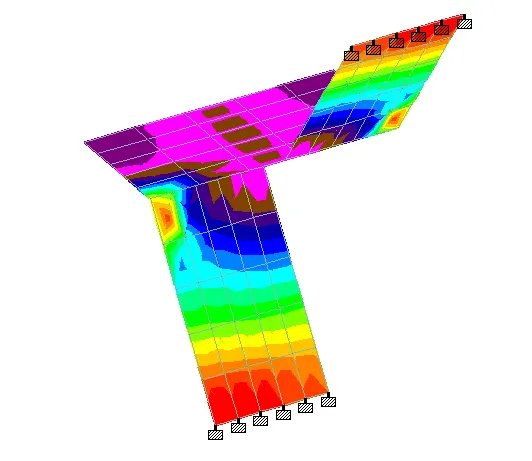
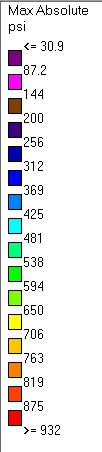
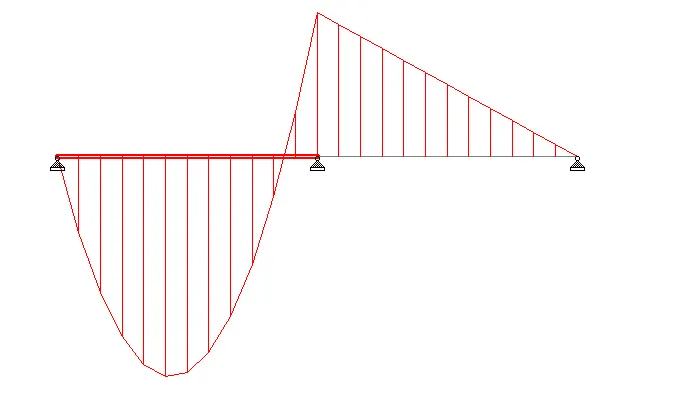
- the different ways to view SFD & BMD in STAAD Pro.
<> using force method
<> using graph
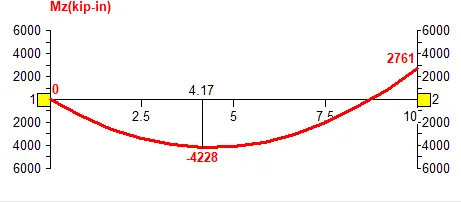
PRACTICAL
(1)
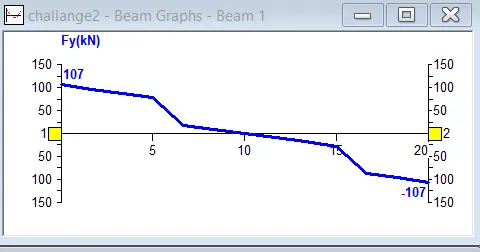
AIM: Analyze the following structural elements and validate the results
Specification:
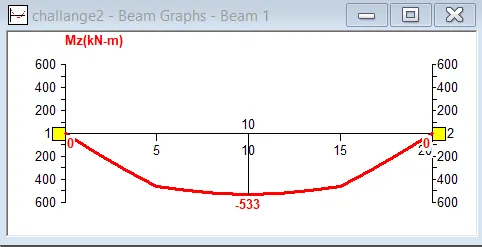
a. A beam of span 20m
b. Support: Simply supported
c. A point load of 50 kN at the 5 m away from both support
d. Draw SFD and BMD using software
Procedure:
- First, create a file in STAAD PRO.
- Now create two nodes with a distance of 20 m between them.
- Add beam
- now define a property of the beam.
- Now create two support-pinned
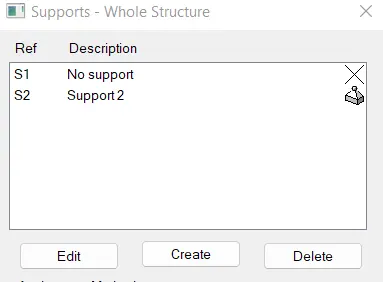
- Now assign the pinned supports to end of the beam.

- Now define the case and put the value 50 KN and assign it to the beam at 5 m and 15 m from the one end of the beam.
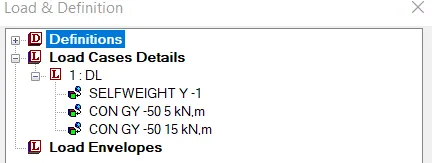
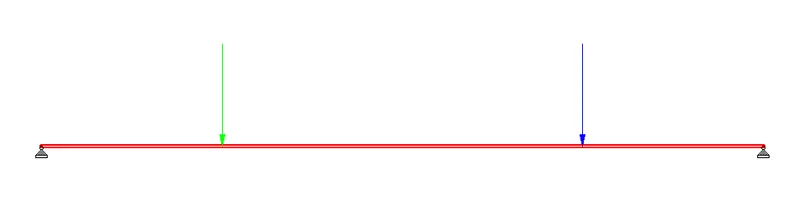
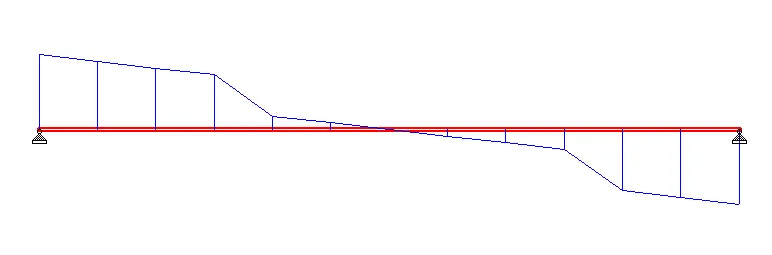
RESULT:
- SFD of Beam
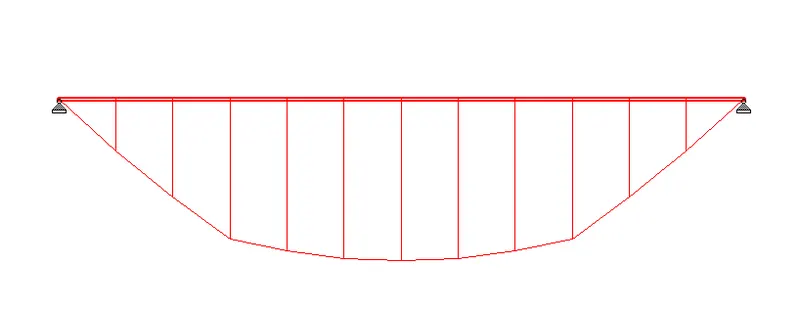
- BMD of beam
AIM: Analyze the following structural elements and validate the results
Specification:
a. A beam of span 16m
b. Support: FIXED supported
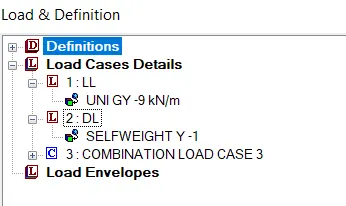
c. A distributed load of 9 kN/m
d. Draw SFD and BMD using software
Procedure:
- First, create a file in STAAD PRO.
- Now create two nodes with a distance of 16 m between them.
- Add beam
- now define a property of the beam.
- Now create two support-pinned
- Now assign the fixed supports to the end of the beam.

- Now define the case and put the value 9 KN and assign it to the beam

RESULT:
- SFD of Beam
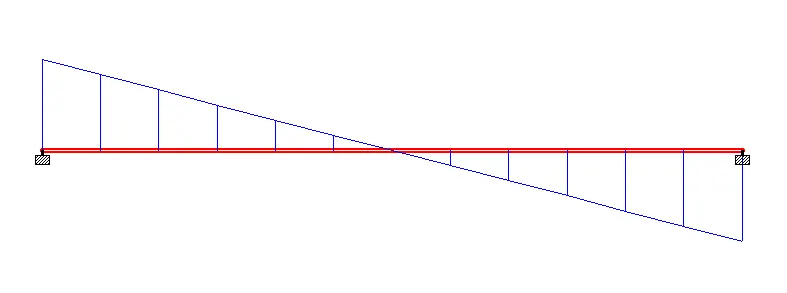
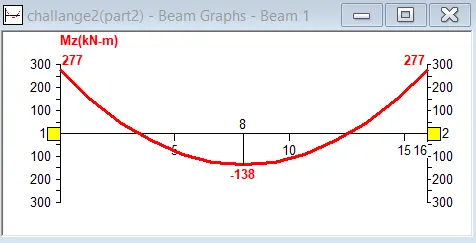
- BMD of beam
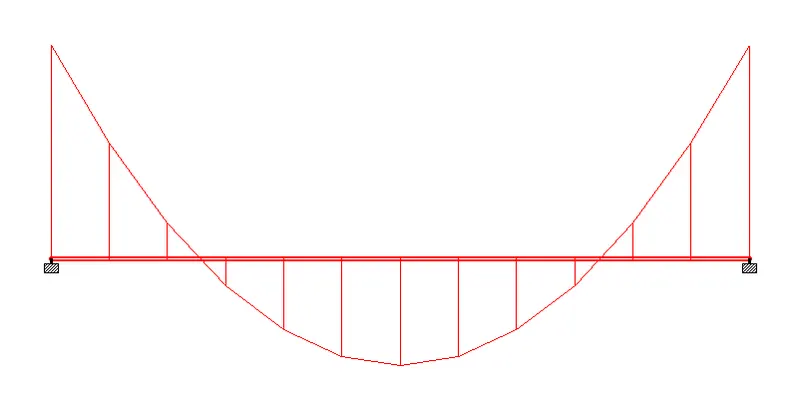
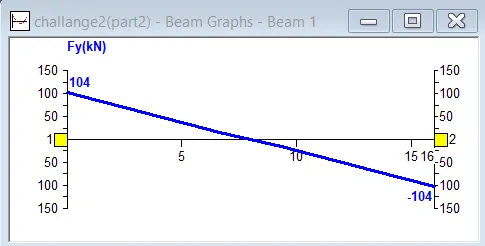
THANK YOU.